



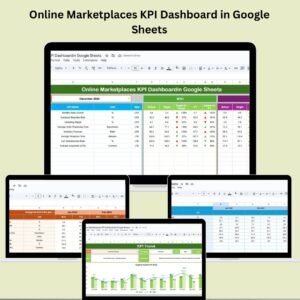
In the fast-moving world of eCommerce, data is your most valuable currency. Whether you manage a small shop or a large-scale marketplace, understanding your performance in real time is crucial. That’s where the Online Marketplaces KPI Dashboard in Google Sheets comes in!
This plug-and-play dashboard empowers marketplace managers and sellers to track sales, monitor customer satisfaction, and measure performance against targets—all in one place. Designed for simplicity and power, it helps you make smarter decisions, improve efficiency, and grow your business 🚀.

🚀 Key Features of the Online Marketplaces KPI Dashboard
✅ Month-to-Date & Year-to-Date Insights
Get a comprehensive view of performance across key metrics, with easy comparisons to your targets and previous year data.
📉 Conditional Formatting with Arrows
Visually spot underperformance or gains using intuitive up/down arrows that show performance trends instantly.
📊 Dynamic Charts & Graphs
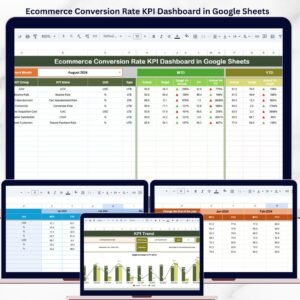
Charts showcase sales volume, conversion rates, revenue, and satisfaction metrics at a glance.
📅 One-Click Month Selection
Change the month in a single cell (E1), and watch the dashboard update instantly across all sheets.
🧠 Real-Time Data Sync
Feed real-time MTD and YTD data into your Actual Number Sheet—everything else updates automatically.
🛠️ Fully Customizable KPI Setup
Easily modify KPI definitions, formulas, and visualizations to suit your specific business model.
🔍 Track Against Benchmarks
Compare your actual results with previous year numbers and targets to measure growth.
📦 What’s Inside the Online Marketplaces KPI Dashboard?
1️⃣ Dashboard Sheet Tab
The heart of your operations—see MTD/YTD numbers, Target vs. Actuals, and PY comparisons in visual form.
2️⃣ KPI Trend Sheet Tab
Track historical performance for each KPI with drop-down selection. Great for seasonal planning and identifying trends 📈.
3️⃣ Actual Number Sheet Tab
Enter your live data here. As you update numbers, everything else adjusts instantly. Month selection is built into Range E1.
4️⃣ Target Sheet Tab
Set smart monthly targets for each KPI. Use them to drive team focus and strategic planning.
5️⃣ Previous Year Number Sheet Tab
Log last year’s data to understand your growth trajectory and spot declines or opportunities.
6️⃣ KPI Definition Sheet Tab
Standardize your KPI tracking with clear definitions, formulas, and types (LTB/UTB).
🧠 How to Use the Online Marketplaces KPI Dashboard
📥 Step 1: Input real data into the Actual Number Sheet
🎯 Step 2: Add targets in the Target Sheet and previous year values for comparison
📅 Step 3: Use the drop-down in KPI Trend Sheet to view trends
📈 Step 4: Analyze charts and conditional formatting for quick insights
🔄 Step 5: Optimize your marketing and sales strategies accordingly
No formulas to write. No learning curve. Just results!
👥 Who Can Benefit from This Dashboard?
🛒 Marketplace Managers – Track seller performance, product categories, and platform health
📦 eCommerce Sellers – Get a crystal-clear view of your conversions, sales, and customer feedback
📊 Digital Marketers – Monitor campaign success and optimize marketing spend
📈 Startup Founders – Ensure your marketplace KPIs are on track for investor reports
📍 Regional Teams – Track performance by region, vendor, or SKU
💼 Business Analysts – Use structured KPIs for forecasting and deep-dive analysis
Whether you’re selling fashion, electronics, or groceries—this dashboard helps you grow smarter, not harder 💡.
💡 Why You’ll Love It
✅ Works in Google Sheets
✅ No coding or Power BI needed
✅ Real-time collaboration with your team
✅ Mobile-friendly and cloud-accessible
✅ Easy to customize and scale
✅ Keeps you data-driven and proactive
📘 Click here to read the Detailed blog post
Click here to read the Detailed blog post
Watch the step-by-step video Demo:
🎥 Visit our YouTube channel to learn step-by-step video tutorials
Youtube.com/@NeotechNavigators
Compatibility and Requirements
- Works in Google Sheets. All you need is a free Google account and a web browser.
- New to Sheets? Google’s guide How to use Google Sheets covers the basics.
- The KPI Trend sheet uses a drop-down to pick a KPI. Google explains drop-downs in Create an in-cell dropdown list.
Frequently Asked Questions
Which sheets are in the dashboard?
It has a Dashboard sheet, a KPI Trend sheet, an Actual Number sheet, a Target sheet, a Previous Year Number sheet and a KPI Definition sheet.
How do I change the month?
Change the month in cell E1 and the dashboard updates across all sheets.
Where do I enter my numbers?
Enter MTD and YTD actuals in the Actual Number sheet, targets in the Target sheet and last year’s figures in the Previous Year Number sheet.
Can I change the KPIs?
Yes. You can edit the KPI definitions, formulas and types (LTB or UTB) in the KPI Definition sheet.
Related Marketplace and E-commerce Templates
- Online Marketplaces KPI Dashboard in Excel: the same KPIs for Excel users
- Online Marketplaces KPI Dashboard in Power BI: the Power BI edition
- Online Marketplaces Dashboard in Excel: a chart dashboard for marketplace data
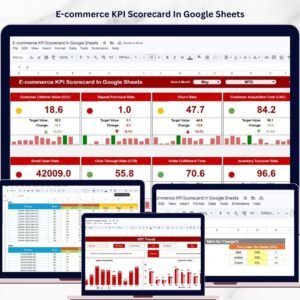
- E-commerce KPI Dashboard in Google Sheets: KPIs for your own online store
- Google Sheets Business Pack (Pro): 14 Google Sheets business templates in one bundle
Browse all Google Sheets KPI dashboards or the Google Sheets templates.









Reviews
There are no reviews yet.