



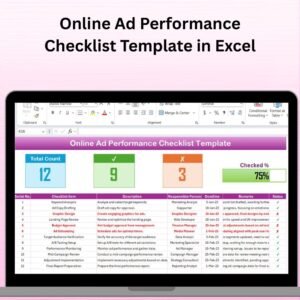
The Online Ad Performance Checklist Template in Excel is an essential tool for digital marketers, advertising teams, and business owners to track and optimize the performance of online advertising campaigns. This Excel-based checklist allows you to monitor key metrics such as impressions, click-through rates (CTR), conversions, and return on investment (ROI), ensuring that your ad campaigns are performing at their best.
With this template, you can systematically review the effectiveness of your ads across various platforms, including Google Ads, Facebook, Instagram, and others. The checklist helps you stay organized, ensuring that all critical aspects of your ad campaigns are tracked and that any necessary adjustments are made in real time.
Key Features of the Online Ad Performance Checklist Template in Excel
📊 Comprehensive Performance Tracking
Track essential metrics such as impressions, clicks, conversions, CTR, and ROI for each ad campaign. Get a clear view of your campaign’s success and identify areas for improvement.
🔍 Ad Platform Monitoring
Monitor performance across multiple ad platforms. Whether you’re running ads on Google, Facebook, or other platforms, you can track each platform’s performance individually.
⏱ Time-Based Performance Analysis
Track ad performance over different time periods, from daily performance to monthly analysis. Use time-based insights to identify trends and make adjustments to improve long-term results.
📈 Conversion Tracking
Measure the success of your ads by tracking conversions, leads, or sales. Understand the relationship between your ad spend and the return you are generating.
📑 Ad Copy & Design Evaluation
Evaluate the effectiveness of ad copy and design by tracking which variations are performing best. Refine your ad content based on what resonates with your audience.
⚙️ Customizable Checklist & Metrics
Customize the checklist to fit your specific campaign goals. Add additional metrics such as cost per conversion, conversion rate, or specific platform-related KPIs.
Why You’ll Love the Online Ad Performance Checklist Template in Excel

✅ Optimize Ad Performance
Track key ad metrics such as CTR, conversions, and ROI, allowing you to make data-driven decisions to optimize your advertising campaigns.
✅ Easy to Use & Update
The template is simple to use and can be easily updated with your campaign data. Track all ad performance details in one organized, easy-to-access place.
✅ Make Data-Driven Decisions
By analyzing ad performance data, you can make informed decisions about budget allocation, ad copy variations, and platform strategies, ensuring maximum impact for your campaigns.
✅ Improve Ad Efficiency
Identify underperforming ads and adjust strategies to maximize results. Track all the elements that matter, from targeting to creative content, to optimize your campaigns.
✅ Customizable for Any Campaign
Tailor the checklist to suit your specific ad campaigns. Whether you’re running brand awareness campaigns or direct response ads, you can modify the template to match your needs.
What’s Inside the Online Ad Performance Checklist Template in Excel?
Comprehensive Performance Tracking: Track metrics like CTR, conversions, and ROI for each ad campaign.
Ad Platform Performance: Monitor the effectiveness of ads across various platforms like Google, Facebook, and Instagram.
Conversion & ROI Tracking: Measure how well your ads are converting and delivering value.
Time-Based Analysis: Track ad performance over different time periods for in-depth analysis.
Ad Content Evaluation: Track the effectiveness of different ad variations (copy, design, targeting).
Customizable Metrics & Fields: Tailor the checklist to reflect your specific ad performance goals.
How to Use the Online Ad Performance Checklist Template in Excel
1️⃣ Download the Template: Instantly access the Online Ad Performance Checklist Template in Excel.
2️⃣ Input Campaign Data: Enter your ad performance data, including impressions, clicks, conversions, and costs.
3️⃣ Track Key Metrics: Monitor key metrics such as CTR, conversions, and ROI for each ad campaign.
4️⃣ Analyze Performance Over Time: Use time-based tracking to identify trends and measure the impact of your ads over different periods.
5️⃣ Optimize Campaigns: Adjust your campaigns based on data insights to maximize performance and ROI.
Who Can Benefit from the Online Ad Performance Checklist Template in Excel?
🔹 Digital Marketers & Marketing Teams
🔹 E-commerce Businesses & Online Retailers
🔹 Social Media Managers & Advertising Specialists
🔹 Small & Medium Enterprises (SMBs)
🔹 Large Enterprises with Ongoing Ad Campaigns
🔹 Agencies Managing Multiple Ad Accounts
🔹 Content Creators & Influencers Running Ads
Ensure that your online ad campaigns are optimized for success with the Online Ad Performance Checklist Template in Excel. Track key performance metrics, optimize your campaigns, and improve your return on investment.
Click here to read the Detailed blog post
Visit our YouTube channel to learn step-by-step video tutorials
Youtube.com/@PKAnExcelExpert
Compatibility and Requirements
- Works in Microsoft Excel desktop (Excel 2016 or later, or Microsoft 365).
- New to Excel? Microsoft’s Excel for Windows training covers the basics.
Frequently Asked Questions
Which ad metrics does the checklist cover?
Click-through rate (CTR), conversions and ROI for each campaign. You can add cost per conversion, conversion rate or platform KPIs.
Can I track each ad platform separately?
Yes. Track ads on Google, Facebook, Instagram and other platforms one by one.
Can I compare ad versions?
Yes. Record which copy, design and targeting variations perform best.
Can I look at daily and monthly results?
Yes. Time-based tracking covers daily to monthly performance.
Is there a Google Sheets version?
Yes. See the Online Ad Performance Checklist in Google Sheets.
Related Advertising Templates
- Online Ad Performance Checklist in Google Sheets: the same checklist in Google Sheets
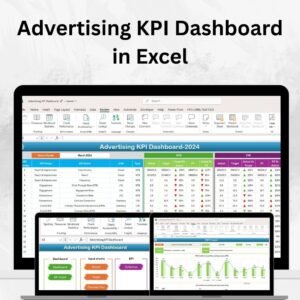
- Advertising KPI Dashboard in Excel: advertising KPIs in an Excel dashboard
- Digital Advertising KPI Dashboard in Excel: KPIs for digital ad campaigns
- Advertising Dashboard in Excel: a full advertising dashboard in Excel
- Marketing and Social Media Analytics Kit: 7 marketing and social media templates
Browse all Excel checklists or the Excel sales and marketing templates.




























Reviews
There are no reviews yet.