



The Music Festival KPI Dashboard in Excel is a powerful tool designed for event organizers, music festival managers, and entertainment teams to track and analyze key performance indicators (KPIs) before, during, and after a music festival. This Excel-based dashboard helps you monitor ticket sales, attendee engagement, revenue generation, and operational performance, allowing you to optimize your festival planning and ensure a successful event.
With customizable features, real-time data tracking, and insightful reports, this dashboard enables you to manage every aspect of your music festival from ticket sales to on-site activities and vendor performance, ensuring an unforgettable experience for both attendees and organizers.

Key Features of the Music Festival KPI Dashboard in Excel:
🎟️ Ticket Sales Monitoring
Track ticket sales in real-time, analyze sales trends, and compare early-bird sales, general admission, and VIP ticket categories to ensure that you’re meeting your sales goals.
📊 Revenue Generation and Profitability
Monitor revenue streams from ticket sales, merchandise, food and beverage sales, and sponsorships to assess overall profitability and revenue distribution.
💬 Attendee Engagement and Satisfaction
Track attendee feedback, social media mentions, and surveys to evaluate guest satisfaction and identify areas for improvement for future festivals.
🚚 Vendor and Logistics Management
Manage vendor performance and logistics by tracking vendor services, delivery schedules, and payment statuses to ensure smooth operations throughout the festival.
📅 Event Planning and Timeline Management
Track critical festival timelines, including setup, performance schedules, and breakdown times, to ensure everything is on schedule and operating smoothly.
🚀 Why You’ll Love the Music Festival KPI Dashboard in Excel:
✅ Track Ticket Sales – Monitor real-time ticket sales data and analyze trends to ensure that sales targets are met.
✅ Optimize Revenue Generation – Track multiple revenue streams such as tickets, merchandise, food and beverage, and sponsorships for a comprehensive financial overview.
✅ Enhance Attendee Experience – Measure attendee satisfaction and feedback to ensure your festival provides a top-tier experience.
✅ Monitor Vendor Performance – Manage vendor services, delivery schedules, and payment statuses to maintain operational efficiency.
✅ Streamline Event Planning – Keep track of event timelines, performance schedules, and critical milestones to ensure everything runs smoothly.
✅ Fully Customizable and Interactive – Tailor the dashboard to meet your festival’s specific needs with real-time data visualizations and interactive reports.
What’s Inside the Music Festival KPI Dashboard in Excel:
Ticket Sales Tracking: Monitor ticket sales by category, track sales growth, and identify trends to ensure you’re meeting your event goals.
Revenue Analysis: Track revenue from ticket sales, merchandise, food and beverage sales, and sponsorships to evaluate overall profitability.
Attendee Satisfaction: Track attendee feedback and social media mentions to measure the level of satisfaction and engagement.
Vendor and Logistics Management: Manage vendor performance, track deliveries, and ensure that logistical needs are met for a smooth festival experience.
Event Planning and Timelines: Monitor key milestones and timelines, such as setup, performance schedules, and breakdown, to ensure smooth event execution.
Custom Reports: Generate detailed reports on ticket sales, revenue, attendee satisfaction, and vendor performance to guide decision-making.
How to Use the Music Festival KPI Dashboard in Excel:
1️⃣ Download the Template – Instantly access your Excel file upon purchase.
2️⃣ Input Festival Data – Add ticket sales, revenue, vendor, and attendee data to start tracking key performance indicators.
3️⃣ Monitor Ticket Sales – Track sales in real-time to ensure you meet your sales goals and make adjustments as needed.
4️⃣ Track Revenue and Profitability – Monitor revenue from all streams, including ticket sales, merchandise, food, beverages, and sponsors.
5️⃣ Evaluate Attendee Engagement – Measure attendee satisfaction through feedback and social media mentions to ensure a positive event experience.
6️⃣ Manage Vendor Performance – Keep track of vendor delivery times, services, and payments to ensure smooth logistics.
7️⃣ Monitor Event Timelines – Track critical event milestones and ensure everything is running on time for a successful festival.
Who Can Benefit from the Music Festival KPI Dashboard in Excel:
Music Festival Organizers
Event Planners and Managers
Marketing and Sponsorship Teams
Ticket Sales and Revenue Managers
Vendor and Logistics Coordinators
Customer Experience Managers
Financial Analysts in Events
Attendee Engagement Teams
Entertainment Consultants
Marketing Agencies for Music Events
The Music Festival KPI Dashboard in Excel is an indispensable tool for planning, managing, and optimizing a successful music festival. By tracking key metrics such as ticket sales, revenue, attendee satisfaction, and vendor performance, this dashboard ensures that your event is organized, profitable, and provides a great experience for your attendees.
Click here to read the Detailed blog post
https://www.pk-anexcelexpert.com/music-festival-kpi-dashboard-in-excel/
Visit our YouTube channel to learn step-by-step video tutorials
Youtube.com/@PKAnExcelExpert
Compatibility and Requirements
- Works in Microsoft Excel desktop (Excel 2016 or later, or Microsoft 365).
- New to Excel? Microsoft has a free guide: Excel for Windows training.
Frequently Asked Questions
What does the Music Festival KPI Dashboard track?
It tracks ticket sales by category, revenue from tickets, merchandise, food and beverage and sponsorships, attendee satisfaction, vendor performance and event timelines.
Can I compare ticket types?
Yes. You can compare early-bird, general admission and VIP ticket sales against your sales goals.
Does it help with vendors?
Yes. You can track vendor services, delivery schedules and payment statuses.
Can I change the KPIs?
Yes. The dashboard is customizable, so you can adapt it to your festival’s needs.
Is there a Google Sheets version?
Yes. The Music Festival KPI Dashboard in Google Sheets works in a browser.
Related Music and Event Templates
- Music Festival KPI Dashboard in Google Sheets: the same KPIs in Google Sheets
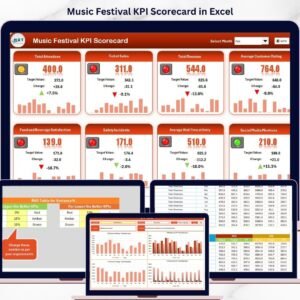
- Music Festival KPI Scorecard in Excel: a scorecard view of festival KPIs
- Music Industry KPI Dashboard in Excel: KPIs for the wider music industry
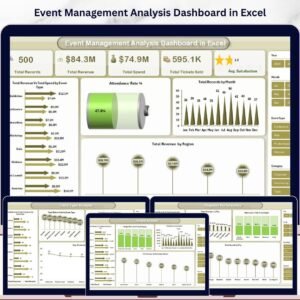
- Event Management Analysis Dashboard in Excel: analyze events of any type
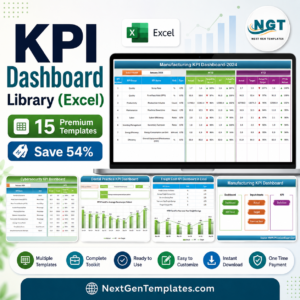
- KPI Dashboard Library (Excel): 15 Excel KPI dashboards in one download
Browse all Excel KPI dashboards or the Excel dashboards.


Reviews
There are no reviews yet.