


The Monthly Review Schedule Checklist in Excel is a versatile and user-friendly tool designed to help individuals, managers, and teams stay organized and on track with their monthly review processes. Whether you’re conducting performance reviews, tracking project progress, or evaluating business goals, this Excel-based checklist provides a structured way to ensure that all necessary tasks and evaluations are completed on time.
With this checklist, you can organize and plan your monthly reviews, track deadlines, set priorities, and make sure nothing important is overlooked. This template is perfect for businesses, managers, or individuals who want to improve accountability, productivity, and goal achievement through regular assessments and evaluations.
Key Features of the Monthly Review Schedule Checklist in Excel
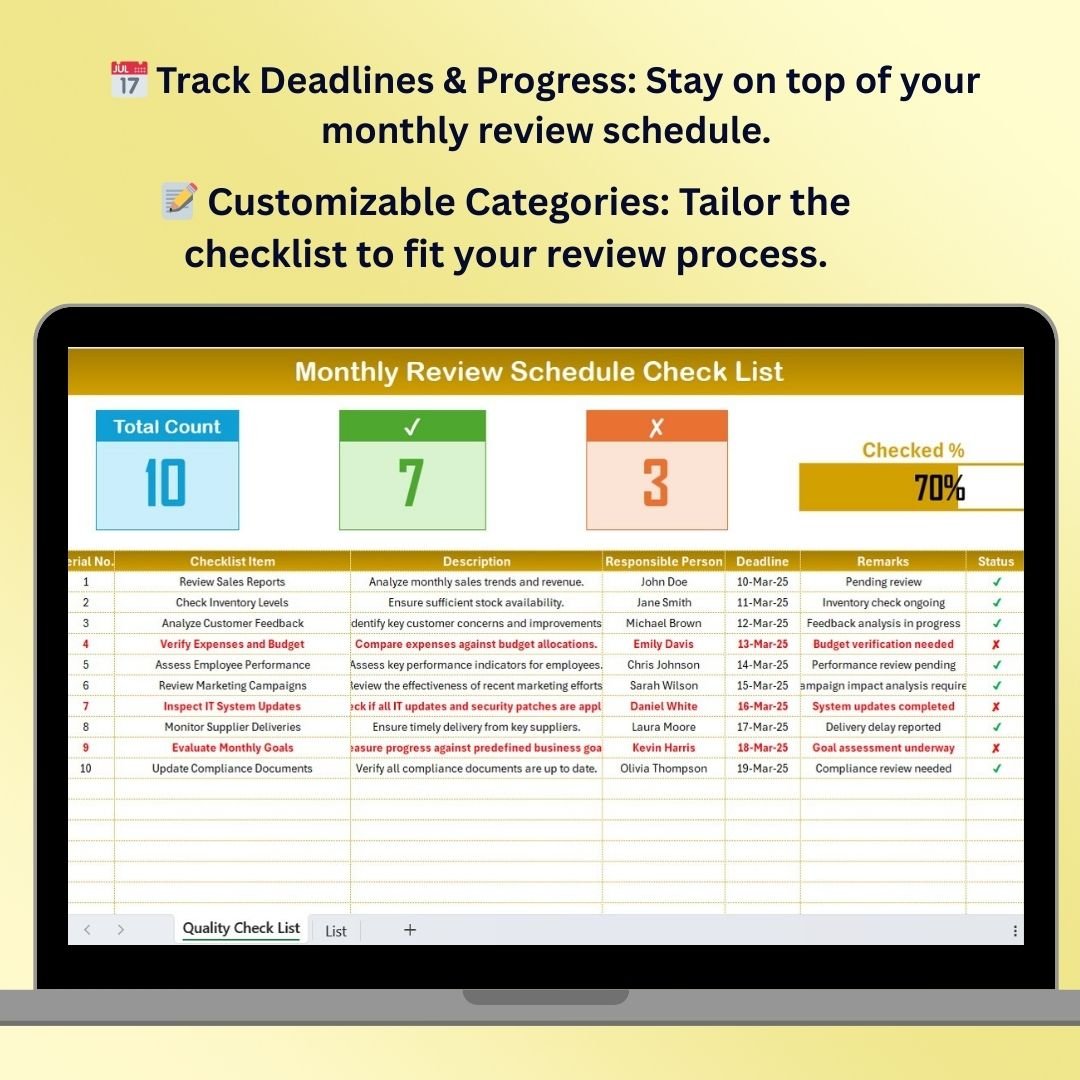
📅 Track Monthly Reviews & Deadlines
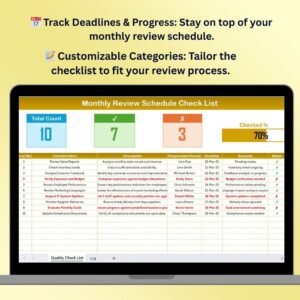
Stay organized by scheduling all your monthly reviews and setting deadlines for each task. This checklist ensures that all necessary evaluations are completed on time and without missing critical deadlines.
📝 Customizable Categories for Various Reviews
Tailor the checklist to suit your needs, whether you’re reviewing team performance, project outcomes, financial results, or personal goals. Add or remove categories to make it work for your unique review process.
🔄 Track Progress & Completion Status
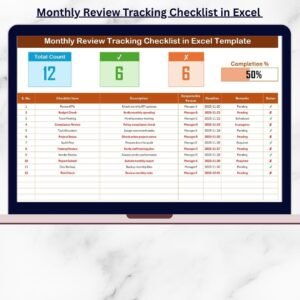
Monitor the completion of review tasks in real-time. Use checkboxes and color-coded indicators to track whether tasks are completed, in progress, or overdue.
📊 Comprehensive Evaluation Framework
Break down each review task into specific sub-tasks, including performance evaluations, goal tracking, feedback collection, and future planning. This ensures that all aspects of the review process are covered in detail.
💡 Actionable Insights & Notes Section
Record key observations, feedback, and action items from each review. Capture important insights that will help guide future improvements, goals, and strategies.
🖥️ Easy-to-Use and Customizable Layout
With a clean and user-friendly design, this checklist is easy to customize to fit your specific review needs. Add, modify, or remove sections as necessary to align with your monthly review process.
Why You’ll Love the Monthly Review Schedule Checklist in Excel

✅ Stay on Top of Monthly Evaluations
Organize and track all your monthly review tasks, ensuring that each evaluation is completed on time and thoroughly.
✅ Simplify the Review Process
Break down your review process into manageable tasks, allowing you to evaluate multiple aspects—whether for business, team performance, or personal goals—with ease.
✅ Increase Accountability & Productivity
Ensure that important tasks and deadlines are met, leading to improved performance, accountability, and goal achievement.
✅ Capture Key Insights & Feedback
Record feedback, action items, and key observations from each review, ensuring that important takeaways are noted and acted upon.
✅ Fully Customizable to Your Needs
Customize the checklist to fit your specific monthly review requirements, whether you’re working on performance evaluations, goal reviews, or project tracking.
What’s Inside the Monthly Review Schedule Checklist Template in Excel?
- Review Schedule Tracker: Track deadlines and review tasks to ensure all evaluations are completed on time.
- Task Breakdown & Sub-Tasks: Organize each review into manageable tasks to cover all necessary aspects.
- Progress Tracking: Monitor task completion status to keep everything on track.
- Actionable Insights: Record feedback, notes, and action items for future planning.
- Customizable Categories & Layout: Adapt the checklist to suit your specific needs and review processes.
How to Use the Monthly Review Schedule Checklist in Excel
1️⃣ Download the Template: Get instant access to the Monthly Review Schedule Checklist Template in Excel.
2️⃣ Set Up Your Review Categories: Add the categories relevant to your review process (performance, financials, projects, etc.).
3️⃣ Track Progress & Deadlines: Use the checklist to stay on top of your review deadlines and completion status.
4️⃣ Record Key Insights: Capture important feedback, action items, and observations from each review.
5️⃣ Refine & Optimize: Use the insights gathered to improve future performance, goals, and strategies.
Who Can Benefit from the Monthly Review Schedule Checklist in Excel?
🔹 Managers & Team Leaders
🔹 Project Managers & Coordinators
🔹 Business Owners & Entrepreneurs
🔹 HR & Performance Evaluation Teams
🔹 Individuals Setting Personal Goals
🔹 Any Organization Looking to Streamline Monthly Reviews
Ensure that your monthly reviews are organized, productive, and efficient with the Monthly Review Schedule Checklist in Excel. Stay on track, meet deadlines, and capture actionable insights to continuously improve and achieve your goals.
Click here to read the Detailed blog post
Visit our YouTube channel to learn step-by-step video tutorials
Youtube.com/@PKAnExcelExpert
Watch the step-by-step video Demo:
Compatibility and Requirements
- Works in Microsoft Excel desktop (Excel 2016 or later, or Microsoft 365).
- The checklist uses checkboxes and color-coded status indicators. Microsoft explains checkboxes in Using check boxes in Excel.
Frequently Asked Questions
What does the checklist track?
It tracks monthly review tasks and their deadlines, with each task broken into sub-tasks such as performance evaluations, goal tracking, feedback collection and future planning.
How do I see which tasks are done?
Use the checkboxes and color-coded indicators. They show whether a task is completed, in progress or overdue.
Where do I record feedback and action items?
The template has an actionable insights and notes section for observations, feedback and action items from each review.
Can I change the review categories?
Yes. You can add, modify or remove categories and sections, for example for team performance, project outcomes, financial results or personal goals.
Is there a Google Sheets version?
Yes. See the Monthly Performance Review Checklist in Google Sheets and the Monthly Review Planner Checklist in Google Sheets.
Related Monthly Review Templates
- Monthly Review Checklist in Excel: a general monthly review checklist
- Monthly Review Tracking Checklist in Excel: a tracking-focused version
- Monthly Performance Review Checklist Template in Excel: for performance evaluations
- Monthly Review Action Plan Checklist in Excel: for turning review findings into actions
- Monthly Performance Review Checklist in Google Sheets: the Google Sheets edition
Browse all Excel checklists.






























Reviews
There are no reviews yet.