

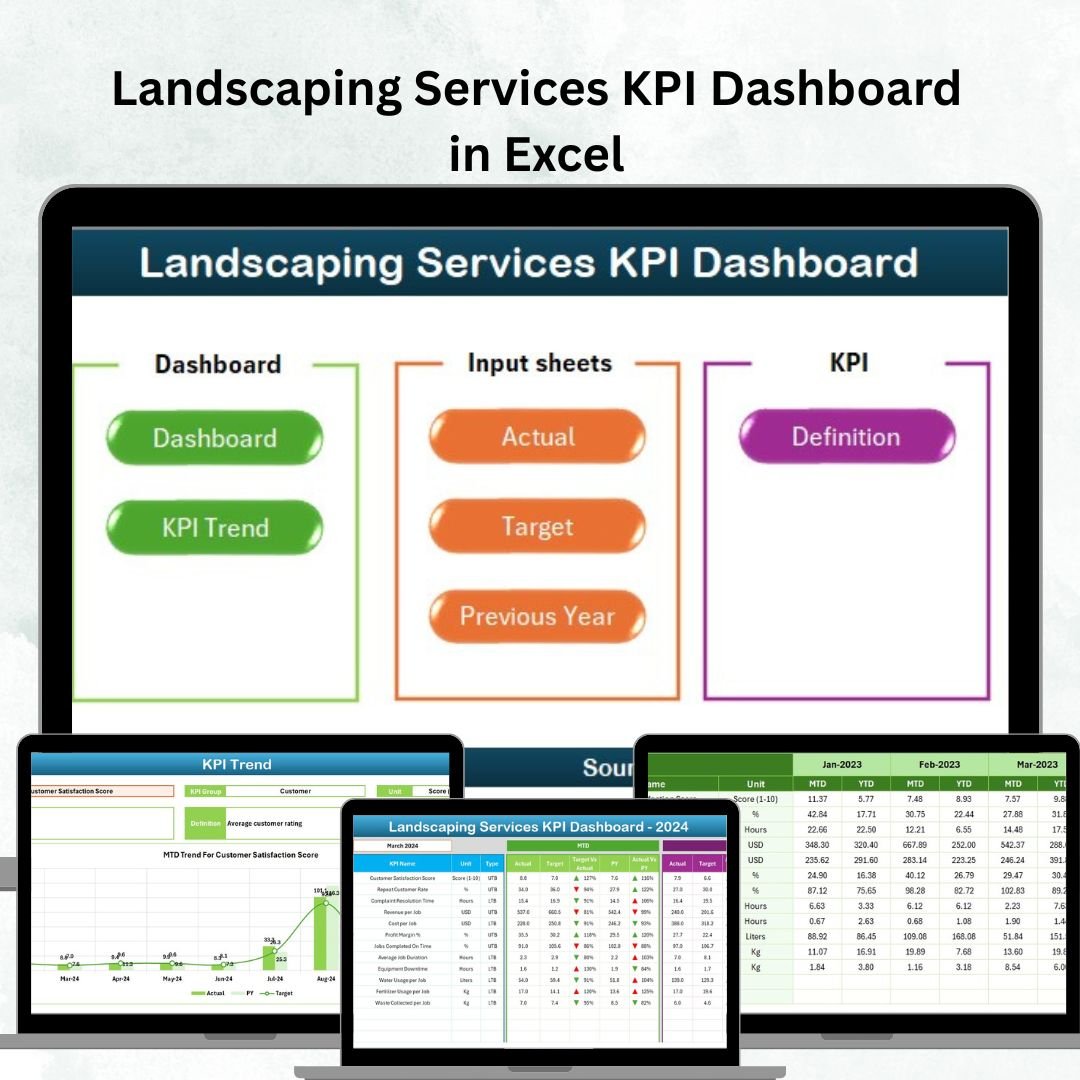

Managing landscaping operations effectively means keeping a close eye on performance, productivity, and profitability. 🌿 Whether you run a local landscaping company or oversee large-scale maintenance contracts, data-driven insights can help you make smarter decisions every day. That’s why we created the Landscaping Services KPI Dashboard in Excel — a professional, ready-to-use solution for tracking all your key metrics in one place.
This interactive Excel dashboard helps managers, supervisors, and business owners visualize performance across projects, people, and costs — enabling faster decisions, smoother operations, and improved customer satisfaction. 💼
✨ Key Features of Landscaping Services KPI Dashboard in Excel
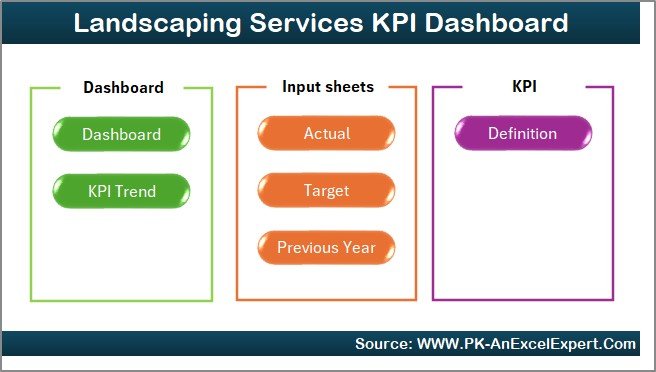
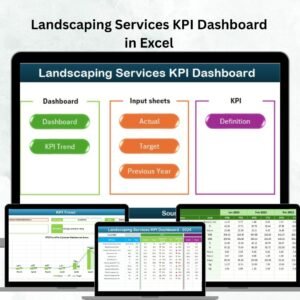
✔ 7 Pre-Built Sheets – Includes Home, Dashboard, KPI Trend, Actual Numbers Input, Target, Previous Year Numbers, and KPI Definition tabs for a complete analytics setup.
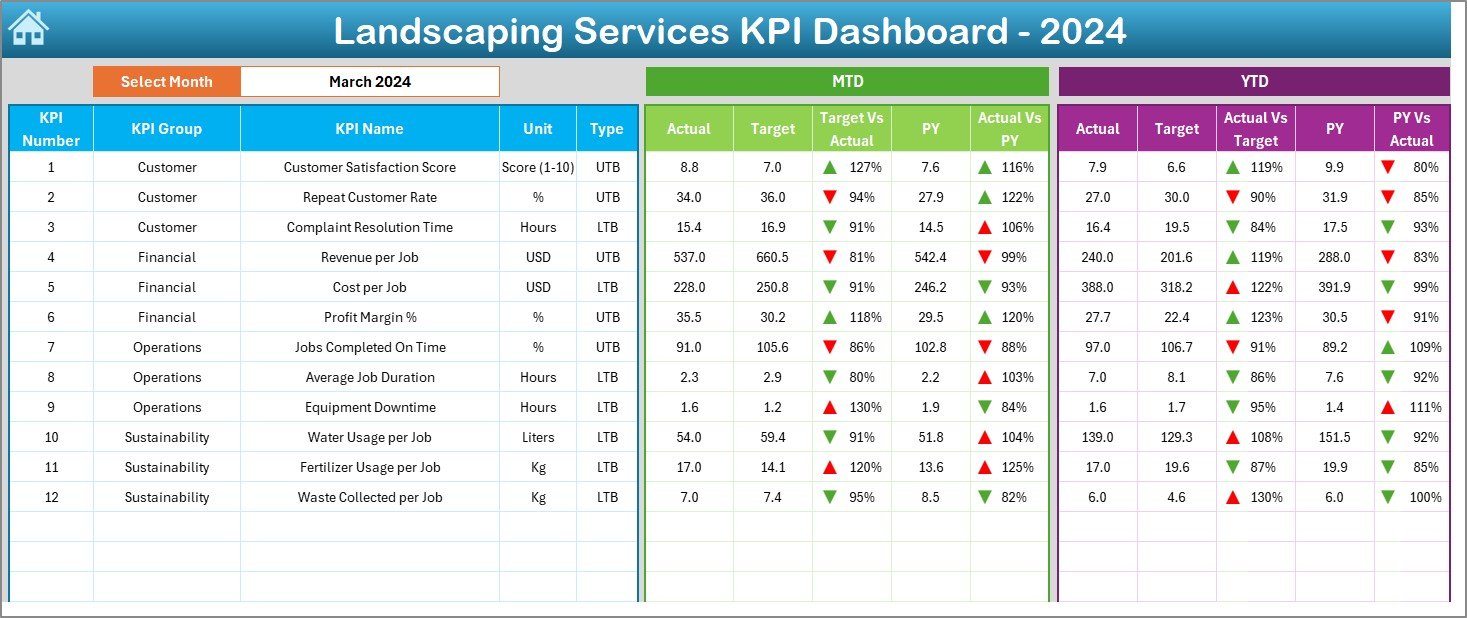
✔ Dynamic Dashboard View – Month selector (cell D3) instantly updates MTD and YTD performance across all KPIs.
✔ Visual Indicators – Built-in conditional formatting arrows highlight performance changes — green for improvement, red for decline.
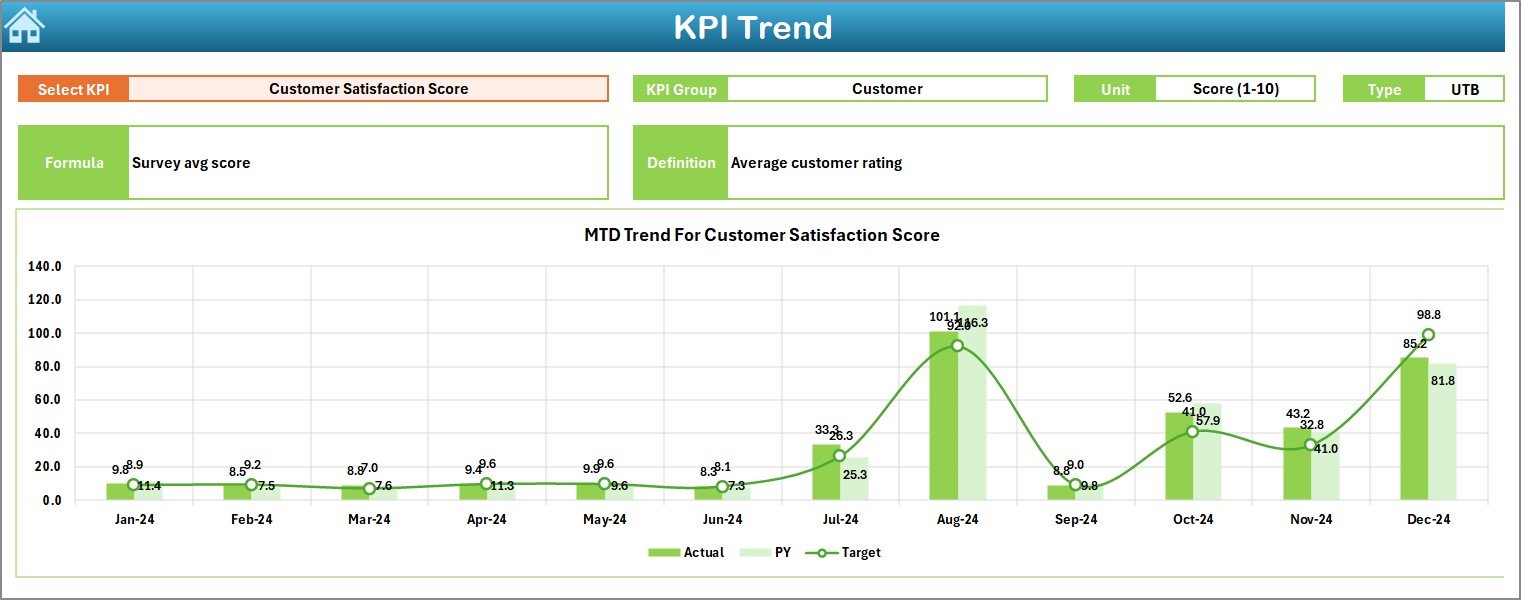
✔ Trend Analysis Page – Drill down into any KPI to view detailed month-over-month and year-over-year trends.
✔ Comprehensive Data Management – Input sheets for Actual, Target, and Previous Year data ensure clarity and transparency.
✔ Consistent KPI Definitions – Centralized KPI Definition sheet keeps metrics standardized across departments.
✔ Interactive & User-Friendly Interface – Easy navigation buttons, dropdowns, and clean visuals make it simple to use for all users.
✔ Customizable Design – Modify KPIs, visuals, and formats to match your business goals.
📂 What’s Inside the Landscaping Services KPI Dashboard
🔹 Home Sheet – A sleek navigation hub with one-click buttons to move between pages.
🔹 Dashboard Sheet – Your main visualization center showing KPI cards, charts, and performance summaries.
🔹 KPI Trend Sheet – A deep dive into month-wise and year-wise performance for any KPI.
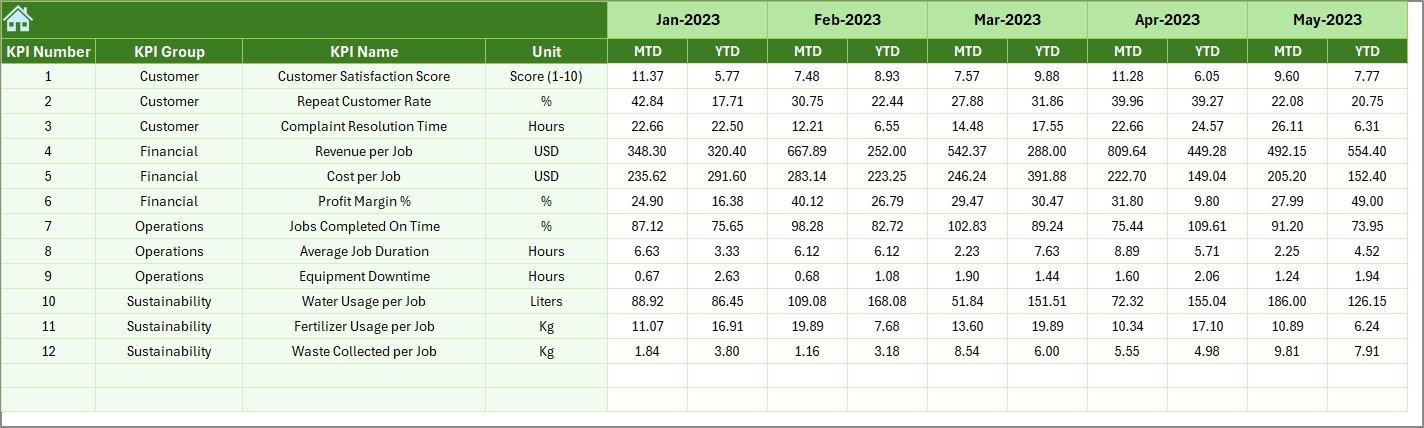
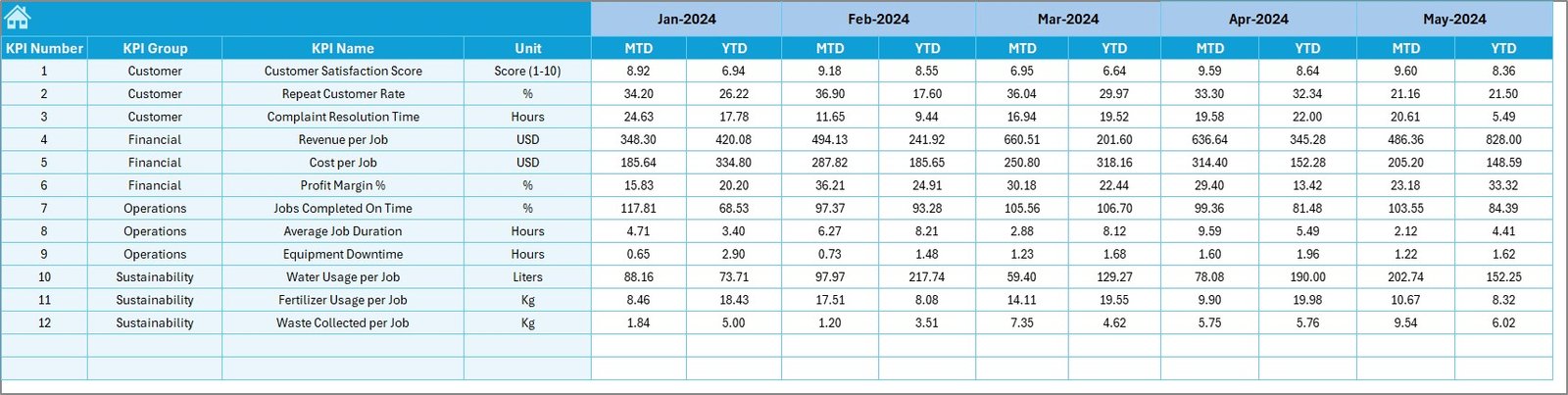
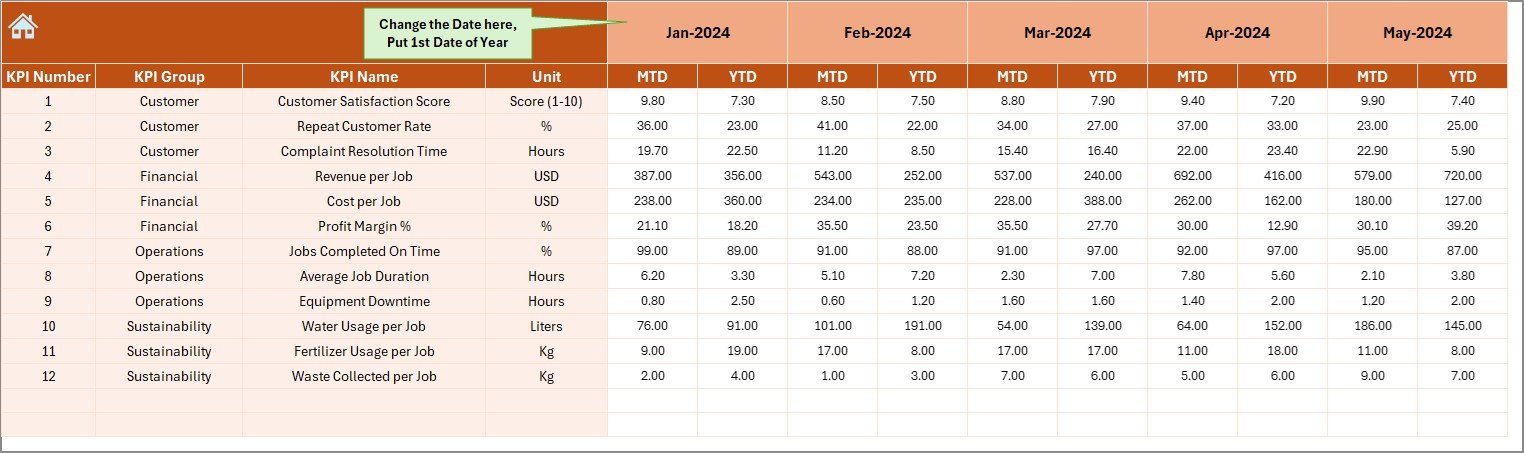
🔹 Actual Numbers Input Sheet – Record monthly data dynamically with the starting month selection (cell E1).
🔹 Target Sheet – Store and update your monthly and yearly targets.
🔹 Previous Year Numbers Sheet – Compare performance with last year’s figures for growth insights.
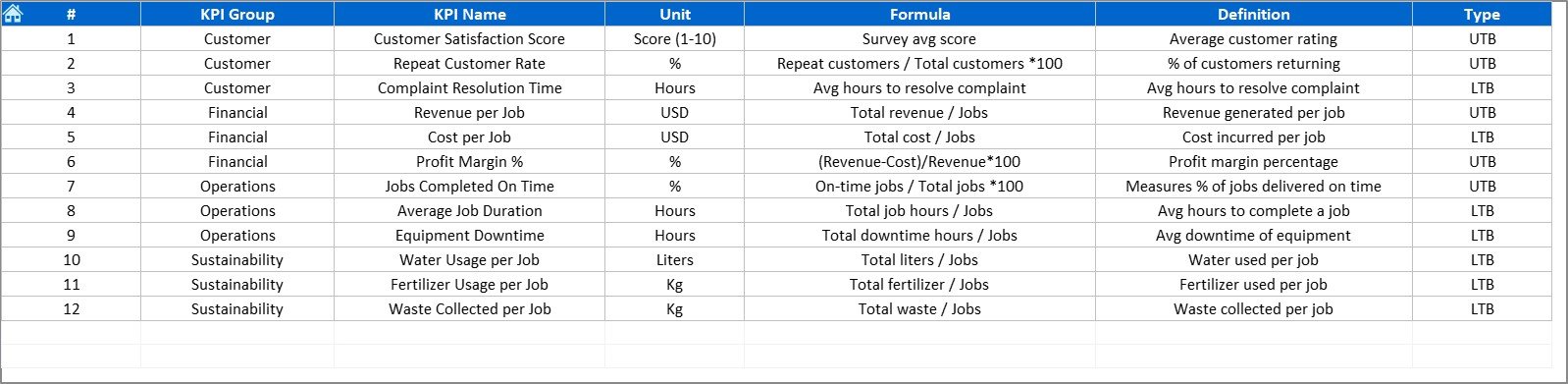
🔹 KPI Definition Sheet – Document KPI names, formulas, groups, and units for organization-wide alignment.
🛠️ How to Use the Landscaping Services KPI Dashboard
Open the Template – Works directly in Excel with no extra setup.
Add KPI Definitions – Customize your metrics in the KPI Definition Sheet.
Enter Actual Data – Update monthly performance figures in the Actual Numbers Input Sheet.
Set Targets – Define benchmarks in the Target Sheet.
Add Historical Data – Input last year’s numbers for year-over-year comparisons.
Analyze Performance – Use the Dashboard and KPI Trend pages to monitor results.
Share Insights – Present visual summaries to stakeholders or clients.
👥 Who Can Benefit from This Dashboard?
✅ Landscaping Business Owners – Track profitability, service quality, and operational performance.
✅ Facility Managers – Monitor maintenance costs and contract efficiency.
✅ Operations Supervisors – Measure workforce utilization and equipment reliability.
✅ Municipal Departments – Evaluate sustainability and public area maintenance.
✅ Hotel & Resort Managers – Ensure top-tier landscape presentation and client satisfaction.
✅ Corporate Facility Teams – Manage outsourced landscape services and vendor accountability.
By using the Landscaping Services KPI Dashboard in Excel, organizations can:
💡 Eliminate manual reporting with automated visuals.
💡 Monitor Actual vs. Target and Previous Year metrics in real-time.
💡 Identify bottlenecks in maintenance, labor, or cost efficiency.
💡 Enhance accountability and data transparency.
💡 Save time, improve quality, and boost profitability.
It’s more than a dashboard — it’s your operational command center for landscaping performance management. 🌳
👉 Click here to read the Detailed blog post
👉 Visit our YouTube channel to learn step-by-step video tutorials
Watch the step-by-step video tutorial:
Compatibility and Requirements
- Works in Microsoft Excel desktop (Excel 2016 or later, or Microsoft 365).
- The month selector and navigation use standard Excel features such as dropdowns. Microsoft explains dropdowns in Create a drop-down list.
Frequently Asked Questions
Which sheets are included?
Home, Dashboard, KPI Trend, Actual Numbers Input, Target, Previous Year Numbers and KPI Definition.
How do I change the month?
Pick the month in the selector (cell D3) on the Dashboard sheet. MTD and YTD results update for every KPI.
How do I set the starting month for my data?
Select it in cell E1 of the Actual Numbers Input sheet.
How are changes highlighted?
Conditional formatting arrows show green for improvement and red for decline.
Can I change the KPIs?
Yes. You can edit the KPI Definition sheet and change KPIs, visuals and formats to match your business.
Related Landscaping Templates
- Landscaping Services KPI Dashboard in Power BI: the same KPIs in Power BI
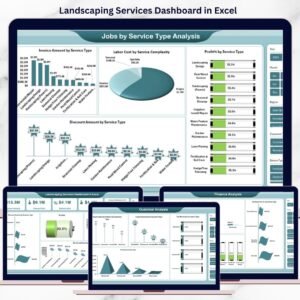
- Landscaping Services Dashboard in Excel: a full analysis dashboard
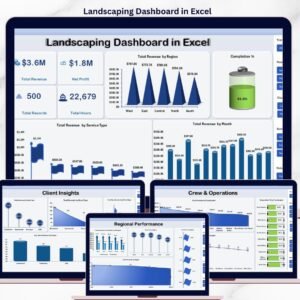
- Landscaping Dashboard in Excel: another landscaping dashboard layout
- Landscaping Dashboard in Google Sheets: a landscaping dashboard in Google Sheets
- KPI Dashboard Library (Excel): 15 Excel KPI dashboards in one download
Browse all Excel KPI dashboards or the Excel operations templates.












Reviews
There are no reviews yet.