

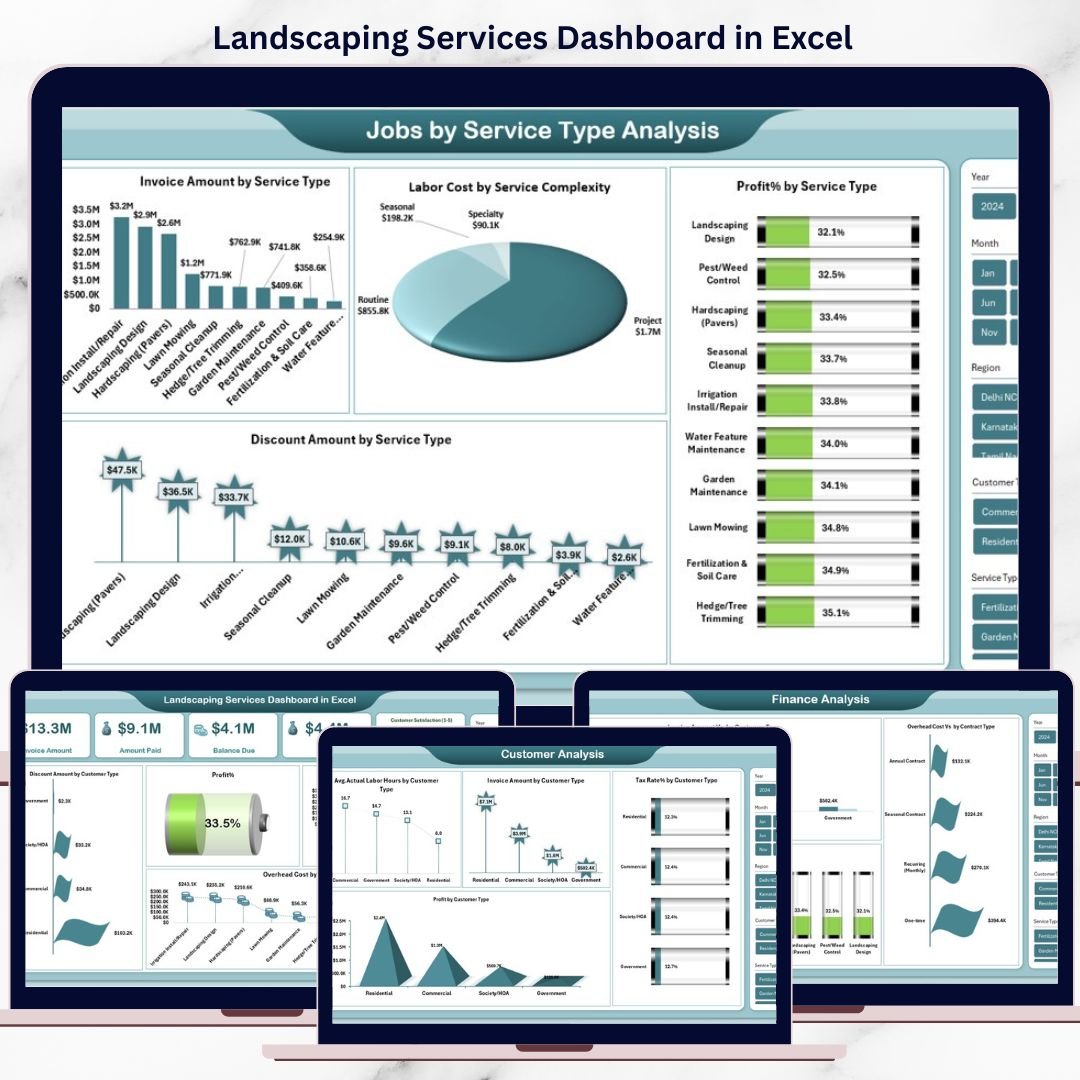

Running a landscaping business is not just about creating stunning outdoor spaces—it is also about managing invoices, tracking labor hours, controlling costs, and protecting profits. However, when this critical data sits across multiple Excel files or manual reports, business clarity disappears fast.
That is where the Landscaping Services Dashboard in Excel becomes a game-changing solution 🚀
This ready-to-use Excel dashboard converts scattered operational data into clear KPIs, visual trends, and actionable insights, helping landscaping businesses make smarter decisions without complex software or technical skills.
Designed specifically for landscaping service providers, this dashboard gives you complete financial and operational visibility in one place—so you spend less time building reports and more time growing your business.
⭐ Key Features of Landscaping Services Dashboard in Excel
📊 Centralized KPI Tracking – Monitor invoices, payments, profits, costs, and customer metrics from a single dashboard
📈 Automated Calculations – All KPIs update automatically using built-in Excel formulas
🔍 Service-Wise Performance Analysis – Identify high-margin and low-margin landscaping services
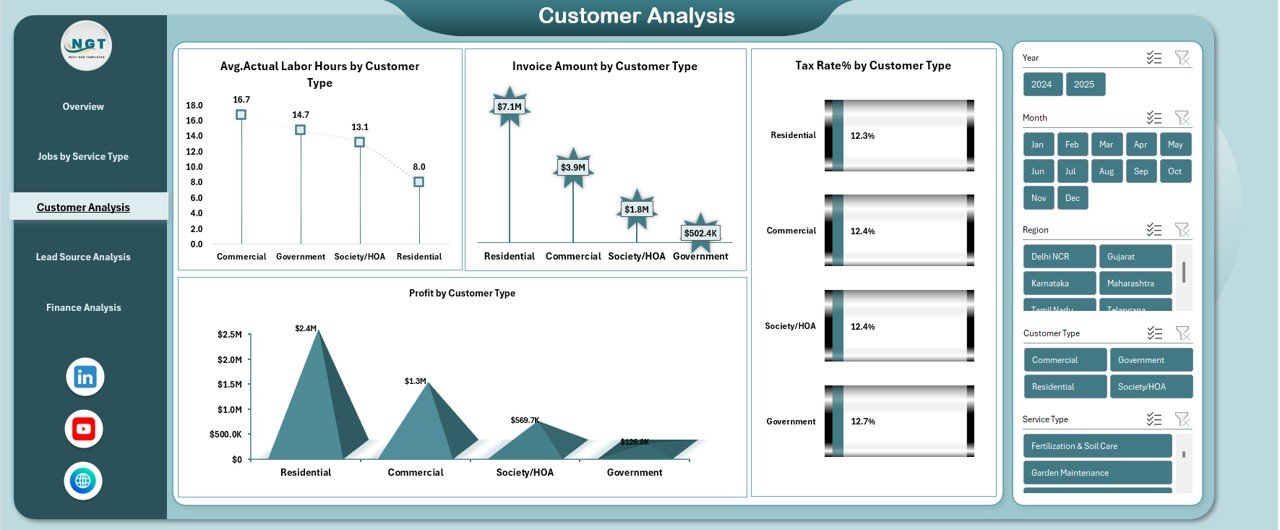
👥 Customer Profitability Insights – Understand which customer types drive the most value
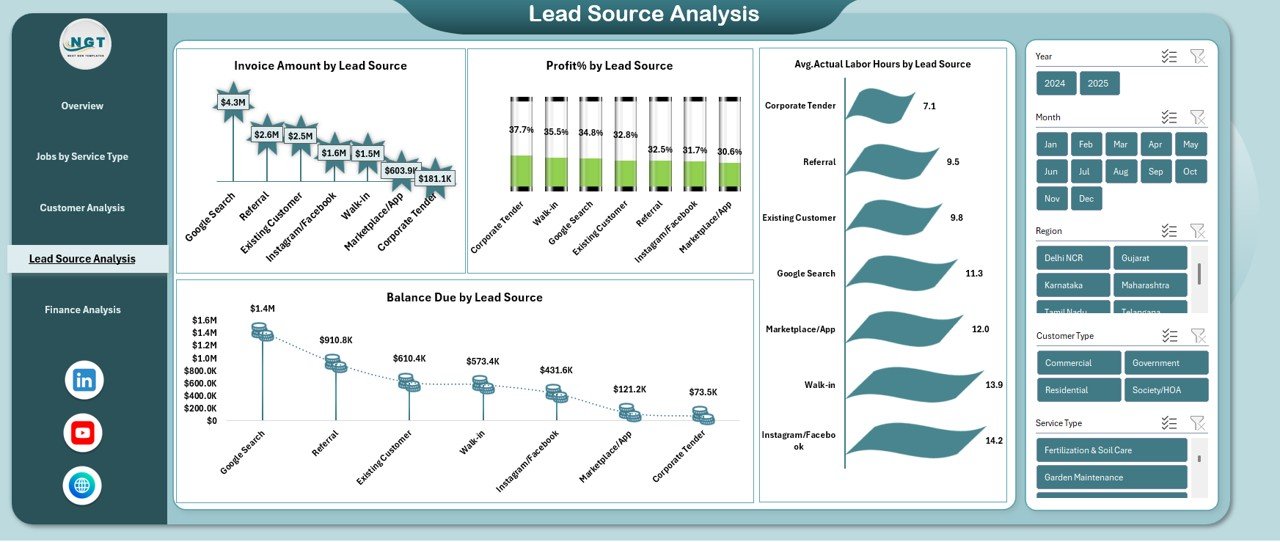
💼 Lead Source Performance Tracking – Measure revenue, profit %, and effort by lead source
💰 Cost & Overhead Control – Track labor costs, overheads, and discounts with clarity
📉 Visual Charts & Comparisons – Instantly spot trends, gaps, and opportunities
🧩 Fully Customizable – Modify KPIs, charts, or sheets as your business grows
🖥️ No Extra Software Required – Works 100% inside Microsoft Excel
📂 What’s Inside the Landscaping Services Dashboard in Excel
This ready-to-use Excel dashboard includes multiple structured sheets, each designed for focused analysis:
📌 Overview Dashboard Sheet
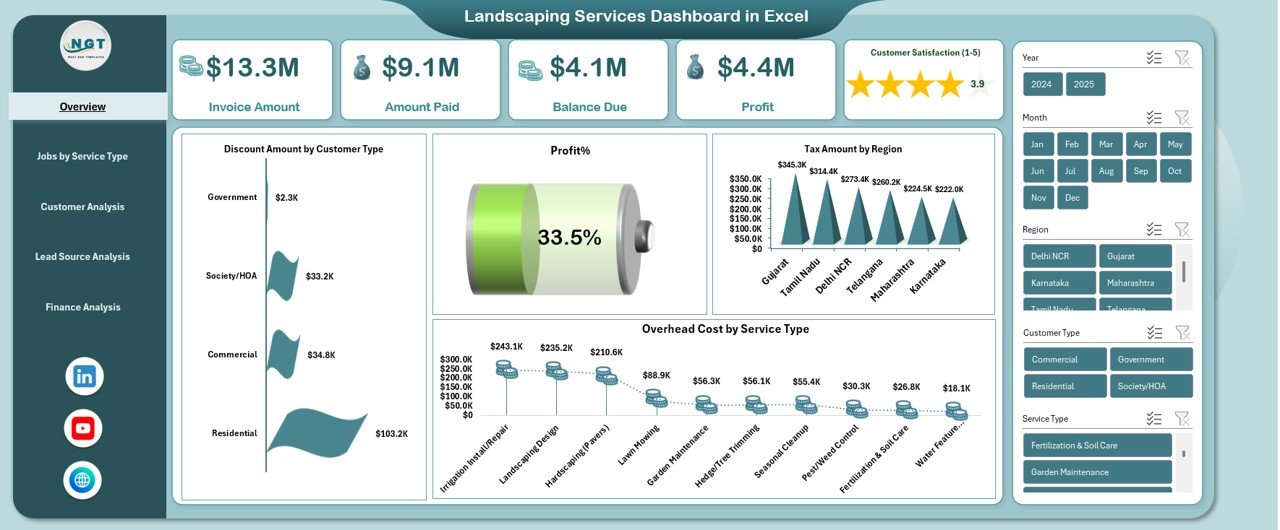
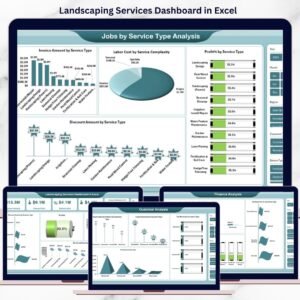
Get a high-level snapshot of Invoice Amount, Amount Paid, Balance Due, Profit, Profit %, Overhead Cost, Discounts, and Tax analysis.
📌 Jobs by Service Type Analysis
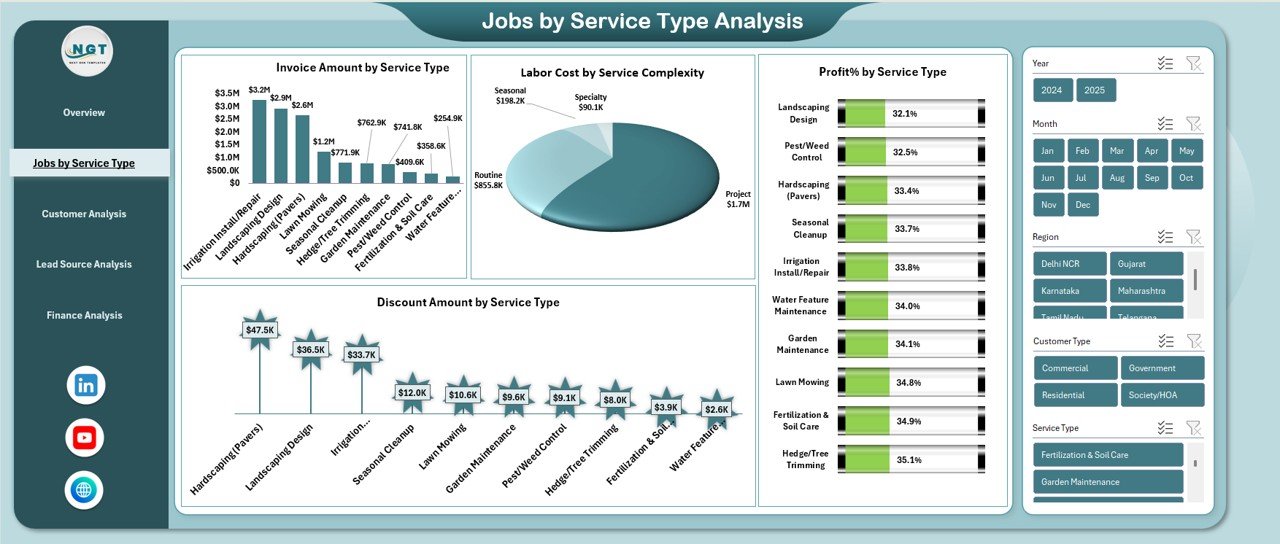
Analyze invoice value, labor cost, discounts, and profit percentage across landscaping services.
📌 Customer Analysis Sheet
Understand revenue, labor effort, tax rates, and profitability by customer type.
📌 Lead Source Analysis Sheet
Identify which lead sources generate the highest revenue with the least effort.
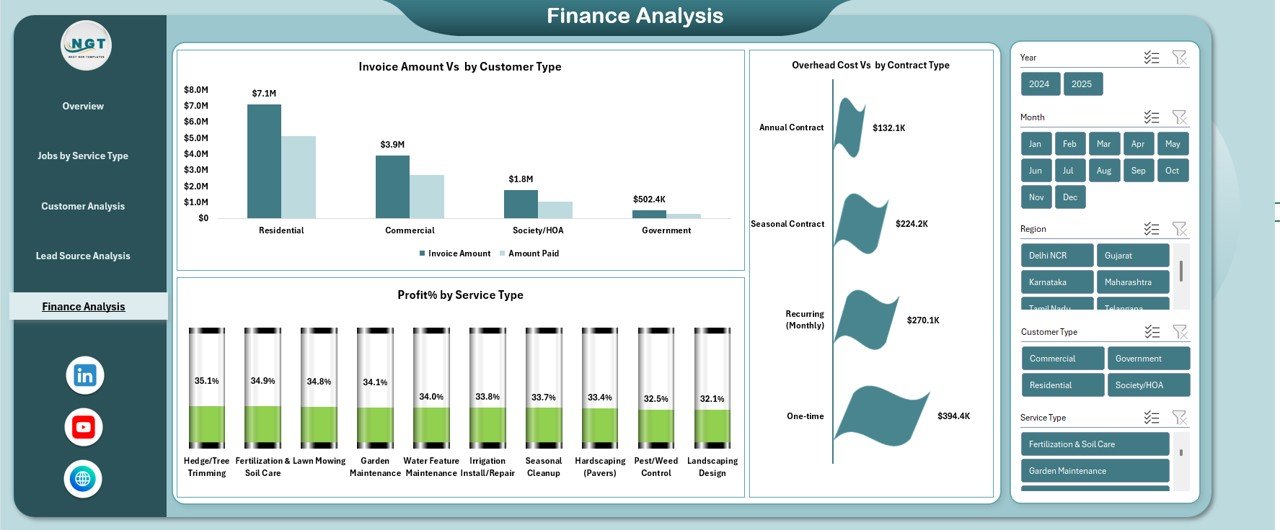
📌 Finance Analysis Sheet
Deep-dive into invoice comparisons, overhead costs, and profit margins for strategic planning.
Each sheet works together to deliver end-to-end visibility of your landscaping operations.
⚙️ How to Use the Landscaping Services Dashboard in Excel
Using this dashboard is simple—even if you are not an Excel expert:
1️⃣ Enter or import your invoice, labor, cost, and customer data
2️⃣ Let Excel formulas calculate totals, percentages, and KPIs automatically
3️⃣ Review charts and tables to understand trends and performance
4️⃣ Filter data by service, customer, or lead source for focused insights
5️⃣ Make faster, data-driven decisions with confidence
No macros, no coding, and no complex setup required.
👥 Who Can Benefit from This Landscaping Services Dashboard in Excel
This dashboard is ideal for:
🌱 Landscaping business owners
📊 Operations and finance managers
🧾 Accounting and billing teams
🏗️ Project supervisors
📈 Small business consultants
🏢 Growing landscaping service firms
If you want better control, higher profitability, and clearer reporting, this dashboard is built for you.
Click here to read the detailed blog post
Watch the step-by-step video tutorial:
Visit our YouTube channel to learn step-by-step video tutorials
Compatibility and Requirements
- Works in Microsoft Excel desktop (Excel 2016 or later, or Microsoft 365).
- The dashboard uses charts to show trends and comparisons. Microsoft explains how to build them in Create a chart from start to finish.
Frequently Asked Questions
Which sheets are included?
Five sheets: Overview Dashboard, Jobs by Service Type Analysis, Customer Analysis, Lead Source Analysis and Finance Analysis.
Which KPIs does the Overview sheet show?
Invoice Amount, Amount Paid, Balance Due, Profit, Profit %, Overhead Cost, Discounts and Tax analysis.
Can I see which landscaping services earn the most?
Yes. The Jobs by Service Type Analysis sheet compares invoice value, labor cost, discounts and profit percentage across services.
Can I find out which lead sources work best?
Yes. The Lead Source Analysis sheet shows which lead sources bring the highest revenue with the least effort.
Is there a Power BI version?
There is a related Landscaping Services KPI Dashboard in Power BI, and an Excel version of the same topic: Landscaping Services KPI Dashboard in Excel.
Related Service Business Templates
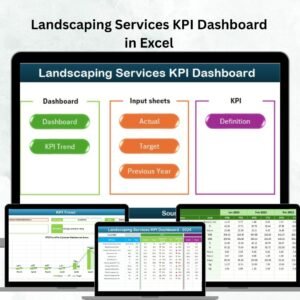
- Landscaping Services KPI Dashboard in Excel: a KPI-focused view for landscaping
- Landscaping Services KPI Dashboard in Power BI: the same topic in Power BI
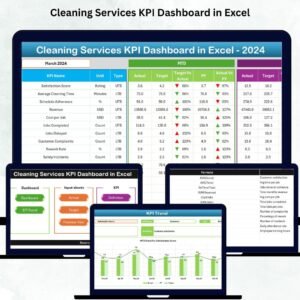
- Cleaning Services KPI Dashboard in Excel: a similar dashboard for another service trade
- Customer Service Dashboard in Excel: track customer-facing service performance
- Small Business Owner Essentials: 12 templates for owners in one download
Browse all Excel dashboards.































Reviews
There are no reviews yet.