

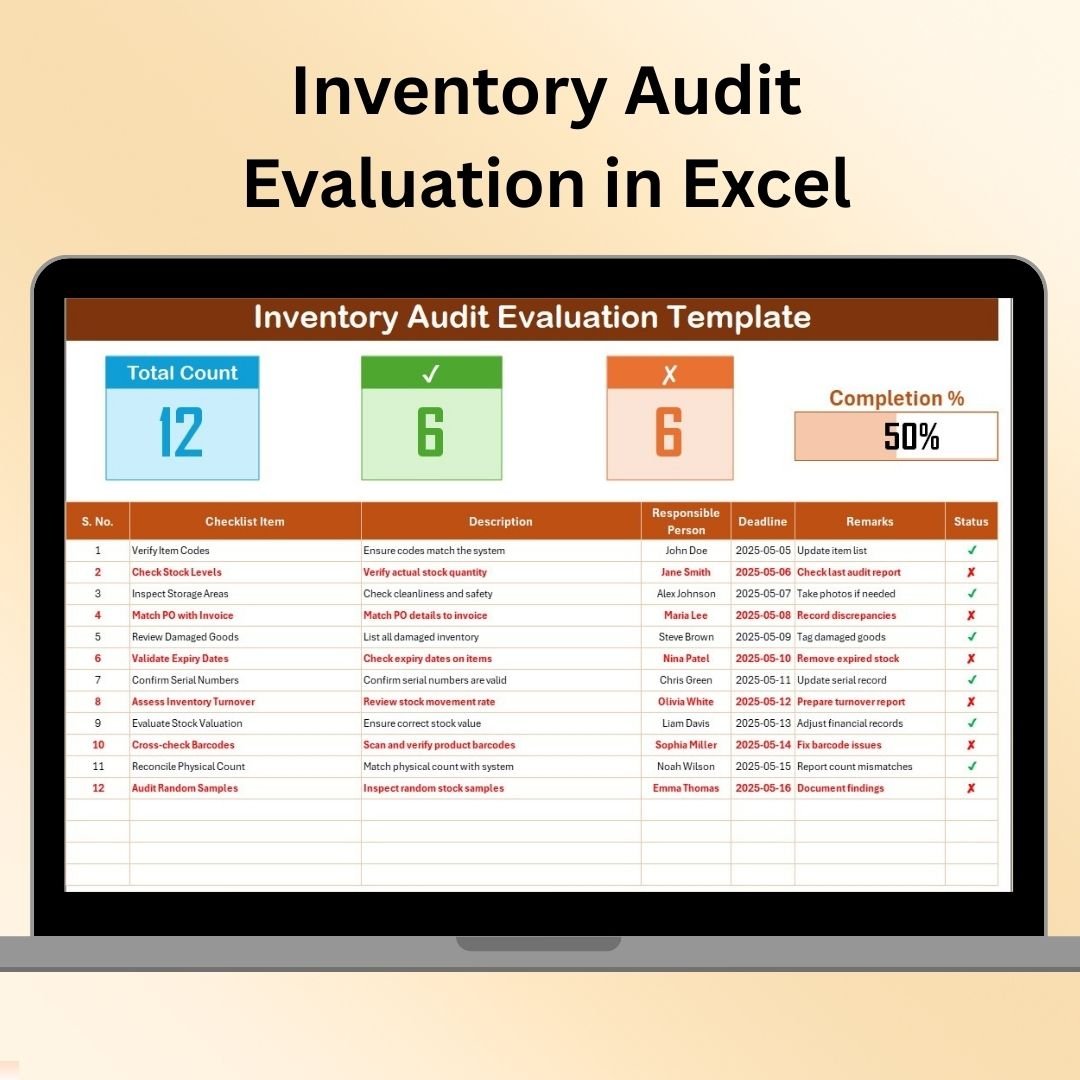


The Inventory Audit Evaluation in Excel is an essential tool for businesses looking to streamline and manage their inventory audit process. This Excel-based tool allows you to evaluate the accuracy, status, and performance of your inventory, helping ensure that your records align with physical stock and identifying discrepancies in a timely manner.
Whether you’re conducting routine inventory audits or preparing for annual assessments, this template provides a comprehensive structure for tracking inventory items, their conditions, and related audit findings. The easy-to-use interface, combined with key performance indicators (KPIs), makes it an ideal solution for businesses of any size to enhance inventory control and reduce errors in stock management.
Key Features of the Inventory Audit Evaluation in Excel
📋 Detailed Inventory Tracking
Track detailed information for each inventory item, including product name, description, quantity, value, and condition. Ensure that your inventory records align with actual stock and are up-to-date.
📊 Audit Evaluation & Discrepancy Analysis
Compare actual inventory counts with the system’s inventory data. Evaluate discrepancies, assess their impact, and take corrective action to improve inventory accuracy.
📝 Audit Status Monitoring
Monitor the status of each inventory item throughout the audit process. Track which items have been counted, verified, or flagged for discrepancies, ensuring that no items are missed during the evaluation.
📅 Time-Based Audit Progress Tracking
Track the progress of your inventory audit over time. Whether you’re conducting the audit on a monthly, quarterly, or yearly basis, the dashboard provides real-time tracking of the audit process.
📈 Data Visualization & Reporting
Use dynamic charts and graphs to visualize audit progress and discrepancies. Generate detailed reports to share insights with stakeholders and improve inventory management processes.
⚙️ Customizable Template
Customize the template to fit your specific inventory management needs. Add additional fields, adjust data categories, and modify tracking systems to match your business requirements.
Why You’ll Love the Inventory Audit Evaluation in Excel
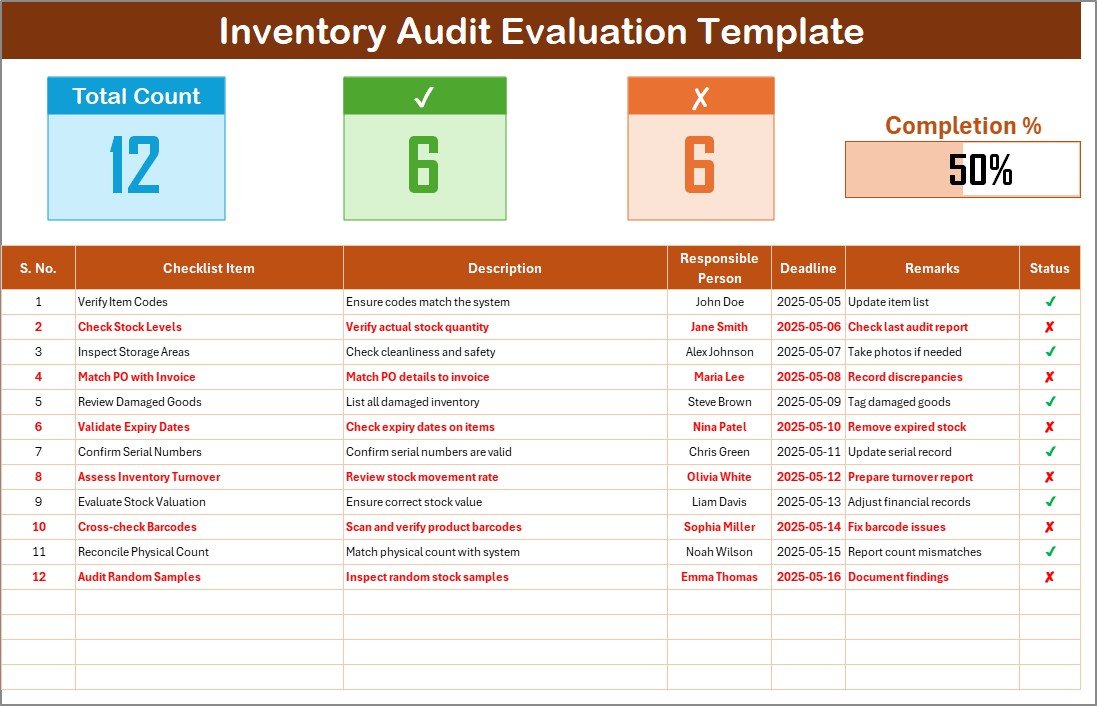
✅ Streamlined Audit Process
Track inventory details and discrepancies in one organized and easily accessible place. The template ensures you stay on top of every step of the audit, from start to finish.
✅ Identify Inventory Discrepancies
Quickly identify discrepancies between physical stock and recorded inventory. This helps prevent losses, overstocking, and other costly inventory issues.
✅ Improve Inventory Control & Accuracy
Track, manage, and reconcile stock accurately, ensuring that your inventory records reflect the real-time status of your products. Improve accuracy to make better purchasing and sales decisions.
✅ Data-Driven Decision Making
Leverage audit insights to make informed decisions about stock ordering, product replenishment, and inventory management strategies.
✅ Customizable for Your Business Needs
The template is fully customizable to meet your unique inventory audit requirements. Modify fields and categories to fit your inventory types and audit protocols.
What’s Inside the Inventory Audit Evaluation in Excel?
Detailed Inventory Tracking: Record key details such as product name, description, quantity, and condition.
Discrepancy Analysis: Track and analyze discrepancies between physical stock and inventory records.
Audit Status Tracking: Monitor the status of inventory items during the audit process.
Time-Based Progress Monitoring: Track audit progress over daily, weekly, or monthly intervals.
Data Visualization: Generate graphs and charts to visualize audit progress and discrepancies.
Customizable Template: Adjust the template to your specific inventory management needs.
How to Use the Inventory Audit Evaluation in Excel
1️⃣ Download the Template: Instantly access the Inventory Audit Evaluation template in Excel.
2️⃣ Input Inventory Data: Enter product names, descriptions, and quantities, along with any relevant audit information.
3️⃣ Track & Evaluate Discrepancies: Compare recorded inventory against actual stock, track discrepancies, and evaluate their impact.
4️⃣ Monitor Audit Status: Keep track of the status of each item during the audit process, ensuring that no item is missed.
5️⃣ Generate Reports & Insights: Use the dashboard to generate detailed reports on audit findings and make data-driven decisions for better inventory control.
Who Can Benefit from the Inventory Audit Evaluation in Excel?
🔹 Inventory Managers & Warehouse Teams
🔹 Supply Chain & Operations Managers
🔹 Retailers & E-commerce Businesses
🔹 Manufacturing Companies
🔹 Financial Auditors & Accountants
🔹 Small & Medium Enterprises (SMBs)
🔹 Large Enterprises with Complex Inventory Systems
Ensure that your inventory is accurate and efficiently managed with the Inventory Audit Evaluation in Excel. Track, evaluate, and manage your inventory audits to improve operational efficiency and prevent costly discrepancies.
Click here to read the Detailed blog post
Visit our YouTube channel to learn step-by-step video tutorials
Youtube.com/@PKAnExcelExpert
Compatibility and Requirements
- Works in Microsoft Excel desktop (Excel 2016 or later, or Microsoft 365).
- Results are shown in charts. Microsoft explains Excel charts in Create a chart from start to finish.
Frequently Asked Questions
What details does the Inventory Audit Evaluation track?
It tracks product name, description, quantity, value and condition for each inventory item.
How do I see which items are still pending?
You mark each item as counted, verified or flagged for discrepancies, so no item is missed during the evaluation.
Does it include charts?
Yes. Charts and graphs show audit progress and discrepancies, and you can share the reports with stakeholders.
Can I run monthly or quarterly audits with it?
Yes. You can track audit progress on a monthly, quarterly or yearly basis.
Related Inventory Audit Templates
- Inventory Audit in Excel: run the audit and compare stock counts with records
- Inventory Audit Preparation Guide in Excel: prepare for the audit with tasks, owners and deadlines
- Inventory Accuracy KPI Dashboard in Excel: track inventory accuracy KPIs in Excel
- Inventory Audit Checklist in Google Sheets: the inventory audit checklist in Google Sheets
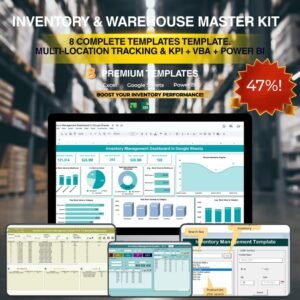
- Inventory & Warehouse Master Kit: 8 inventory and warehouse templates in one download
Browse all Excel checklists or the Excel inventory management templates.
































Reviews
There are no reviews yet.