

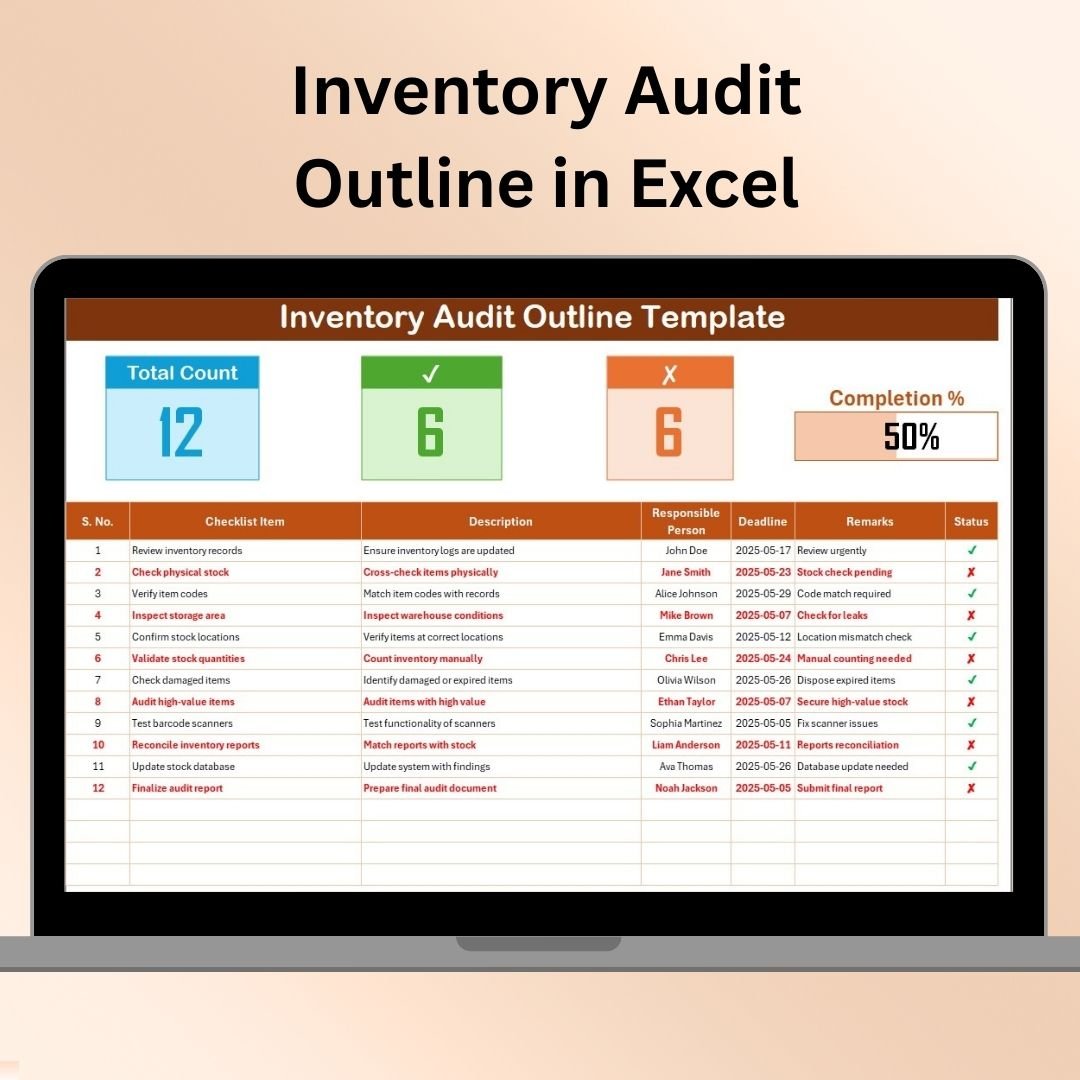
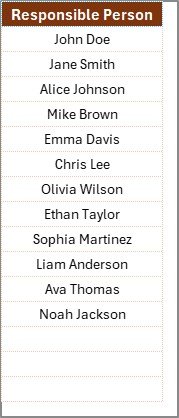

The Inventory Audit Outline in Excel is a robust tool designed to streamline the inventory audit process for businesses of all sizes. Whether you’re managing a small retail store or overseeing a large warehouse, this Excel-based outline provides a structured framework to ensure that your inventory is accurately tracked and accounted for.
An inventory audit is crucial for maintaining the integrity of your stock levels, identifying discrepancies, and ensuring that your financial records are accurate. This template helps you organize all audit tasks, track audit progress, and ensure that each stage of the inventory audit is completed efficiently and accurately.
Key Features of the Inventory Audit Outline in Excel
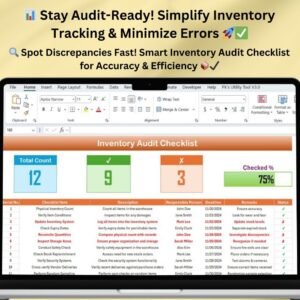
📋 Detailed Audit Checklist
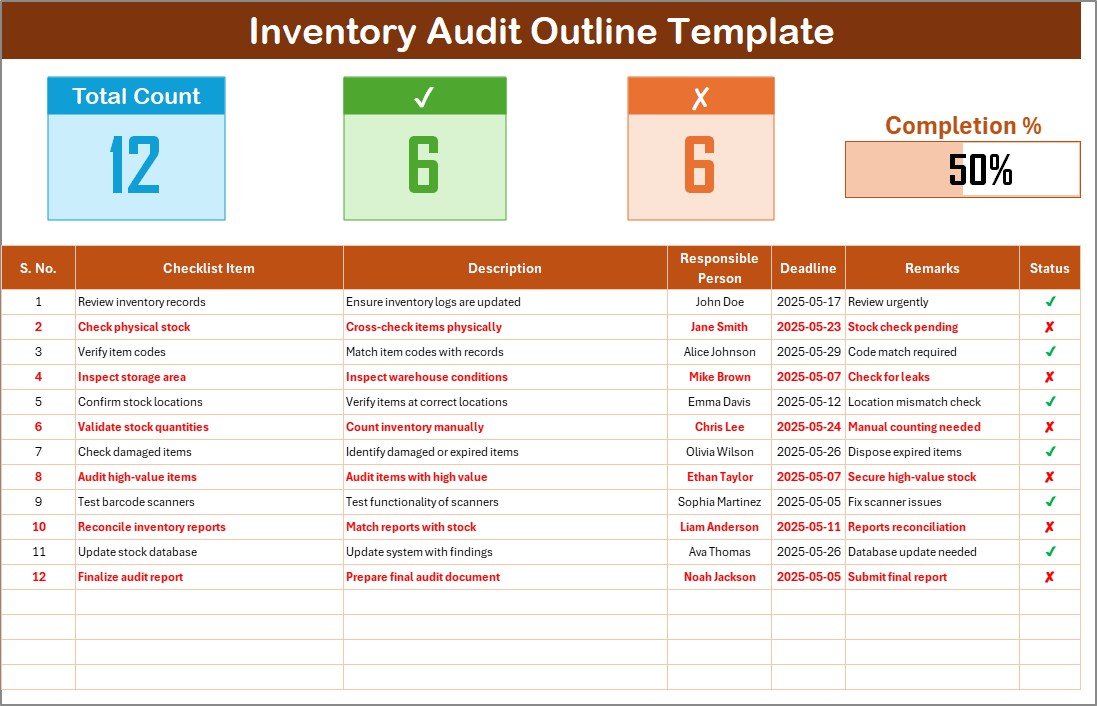
The template includes a detailed checklist of tasks that need to be completed during the inventory audit. This ensures that you stay organized and ensure that no essential tasks are overlooked during the process.
📊 Itemized Inventory Tracking
Easily track the items in your inventory, including item codes, descriptions, quantities, and locations. This feature helps ensure that each item is accounted for during the audit process.
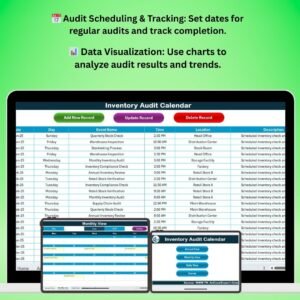
🗓 Audit Date & Deadline Tracking
Set specific dates for inventory checks and track deadlines for completing each task. This ensures that the audit is conducted on time and that each audit phase is completed within the scheduled period.
📉 Discrepancy Reporting & Tracking
Document any discrepancies found during the audit, including overages, shortages, and misplaced items. Track the status of these discrepancies and ensure that they are resolved during the audit process.
🔑 Customized Sections for Your Business
Tailor the template to suit the specific needs of your business. You can customize columns, categories, and tasks to fit your inventory system and industry requirements.
⚙️ Real-Time Tracking & Updates
As you input new data into the template, it automatically updates in real time. This allows you to keep the inventory audit progress up to date, ensuring you’re always working with accurate data.
Why You’ll Love the Inventory Audit Outline in Excel
✅ Simplifies Inventory Audits
This template simplifies the inventory audit process by organizing all tasks, deadlines, and discrepancies in one easy-to-use format. Ensure a smooth and error-free audit every time.
✅ Improves Accuracy & Efficiency
Track each item’s details, monitor discrepancies, and ensure all tasks are completed on time. Improve audit accuracy and prevent errors in stock tracking.
✅ Stay Organized with a Clear Framework
The checklist and task-based approach help keep your audit process organized. Ensure that all tasks are completed in a logical sequence, making audits more efficient and less time-consuming.
✅ Helps Identify Inventory Issues
By tracking discrepancies, overages, and shortages, you’ll identify inventory issues early. This helps prevent financial losses and ensures your inventory management system is accurate.
✅ Fully Customizable for Your Needs
Customize the template to fit the specifics of your business and inventory system. Adapt the checklist, columns, and categories based on your unique requirements.
What’s Inside the Inventory Audit Outline in Excel?
Inventory Audit Checklist: Track each task and its completion status.
Itemized Inventory Tracking: Monitor item details like codes, descriptions, and quantities.
Date & Deadline Tracking: Set and track deadlines for each phase of the audit.
Discrepancy Reporting & Tracking: Document any inventory discrepancies and track their resolution.
Customizable Sections: Adapt the template to suit your specific inventory audit needs.
How to Use the Inventory Audit Outline in Excel
1️⃣ Download the Template: Get the Inventory Audit Outline in Excel instantly.
2️⃣ Input Inventory Details: Add item codes, descriptions, and quantities to start your audit.
3️⃣ Track Audit Progress: Use the checklist to track completed tasks and deadlines.
4️⃣ Document Discrepancies: Track any inventory discrepancies and ensure they are resolved.
5️⃣ Finalize the Audit: Complete the audit by reviewing all tasks and discrepancies, ensuring that the final results are accurate.
Who Can Benefit from the Inventory Audit Outline in Excel?
🔹 Inventory Managers & Supervisors
🔹 Warehouse & Distribution Center Teams
🔹 Retail Store Owners & Managers
🔹 Supply Chain Managers
🔹 E-commerce Businesses with Inventory
🔹 Small & Medium Enterprises (SMBs)
🔹 Large Enterprises with Complex Inventory Systems
Ensure a smooth and accurate inventory audit process with the Inventory Audit Outline in Excel. Track every item, monitor discrepancies, and ensure that all tasks are completed on time for a seamless inventory audit.
Click here to read the Detailed blog post
Visit our YouTube channel to learn step-by-step video tutorials
Youtube.com/@PKAnExcelExpert
Watch the step-by-step video Demo:
Compatibility and Requirements
- Works in Microsoft Excel desktop (Excel 2016 or later, or Microsoft 365).
- New to Excel? Microsoft’s Excel for Windows training covers the basics.
Frequently Asked Questions
What does the outline cover?
An audit task checklist, itemized inventory tracking with item codes, descriptions, quantities and locations, audit dates and deadlines, and a discrepancy log.
How do I record discrepancies?
Log each overage, shortage or misplaced item in the discrepancy section and update its status until it is resolved.
Can I change the columns and tasks?
Yes. You can customize columns, categories and tasks to fit your inventory system and industry.
Is it suitable for a warehouse or a retail store?
Yes. It works for a small retail store as well as a large warehouse or distribution center.
Related Inventory Audit Templates
- Inventory Audit Checklist in Excel: a full inventory audit checklist in Excel
- Inventory Audit Checklist in Google Sheets: an inventory audit checklist in Google Sheets
- Inventory Audit Calendar in Excel: plan audit dates on a calendar
- Inventory Audit Schedule in Excel: schedule each audit phase
- Inventory & Warehouse Master Kit: inventory and warehouse templates in one kit
Browse all Excel checklists or the Inventory Management templates.
































Reviews
There are no reviews yet.