

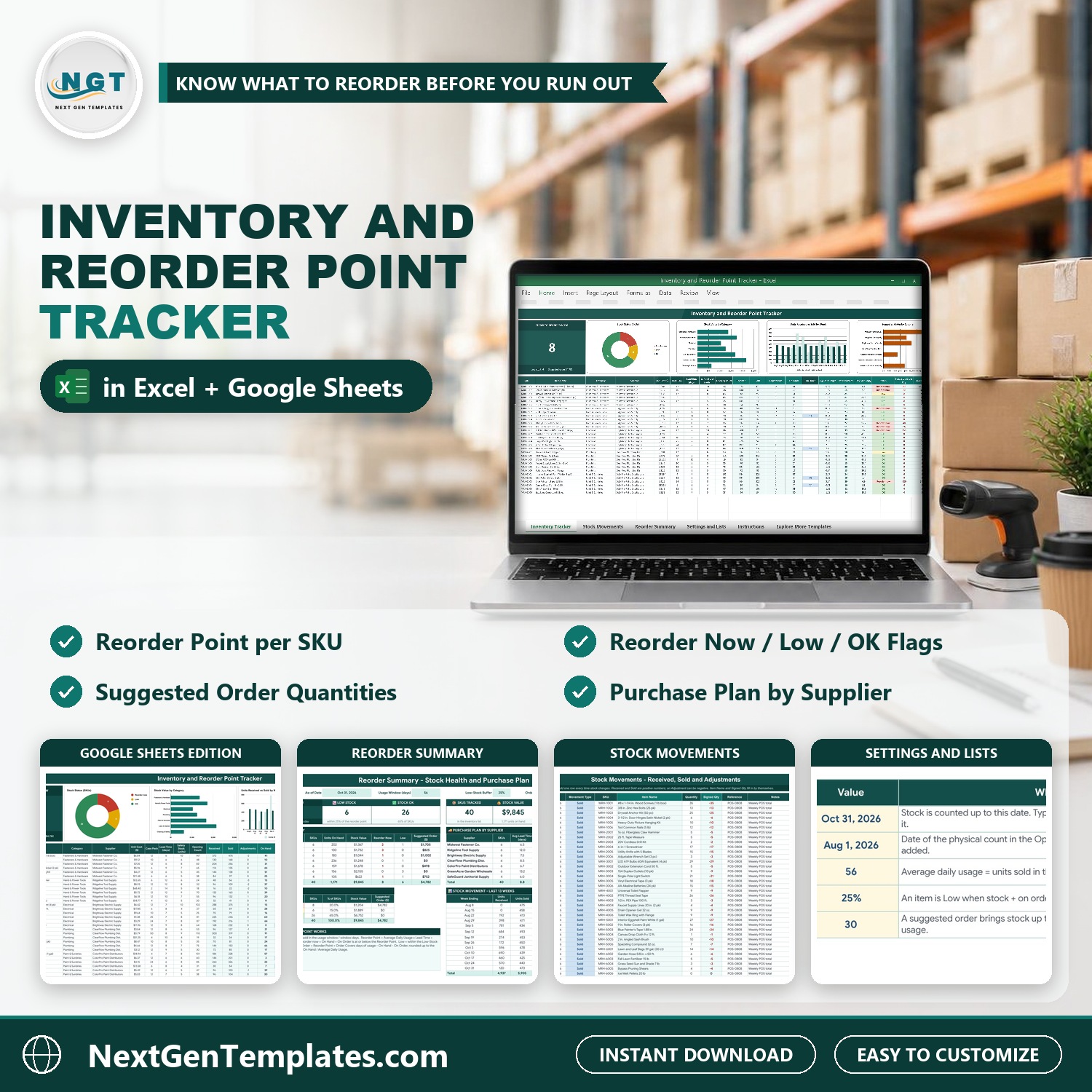

Know when to reorder every item, and how much. The Inventory and Reorder Point Tracker in Excel and Google Sheets keeps one inventory list and one log of stock movements, then works out stock on hand, average daily usage, the reorder point, a status and a suggested order rounded up to the case pack. It comes in two editions, Google Sheets and Microsoft Excel, with the same tabs and formulas, and no macros.
Watch the Inventory and Reorder Point Tracker in Excel and Google Sheets walkthrough
Please note: you enter stock movements yourself, there is no live link to a point of sale or accounting system. The sample is a fictional US hardware store with 40 items. Replace it with your own items and your own opening count.
What You Get
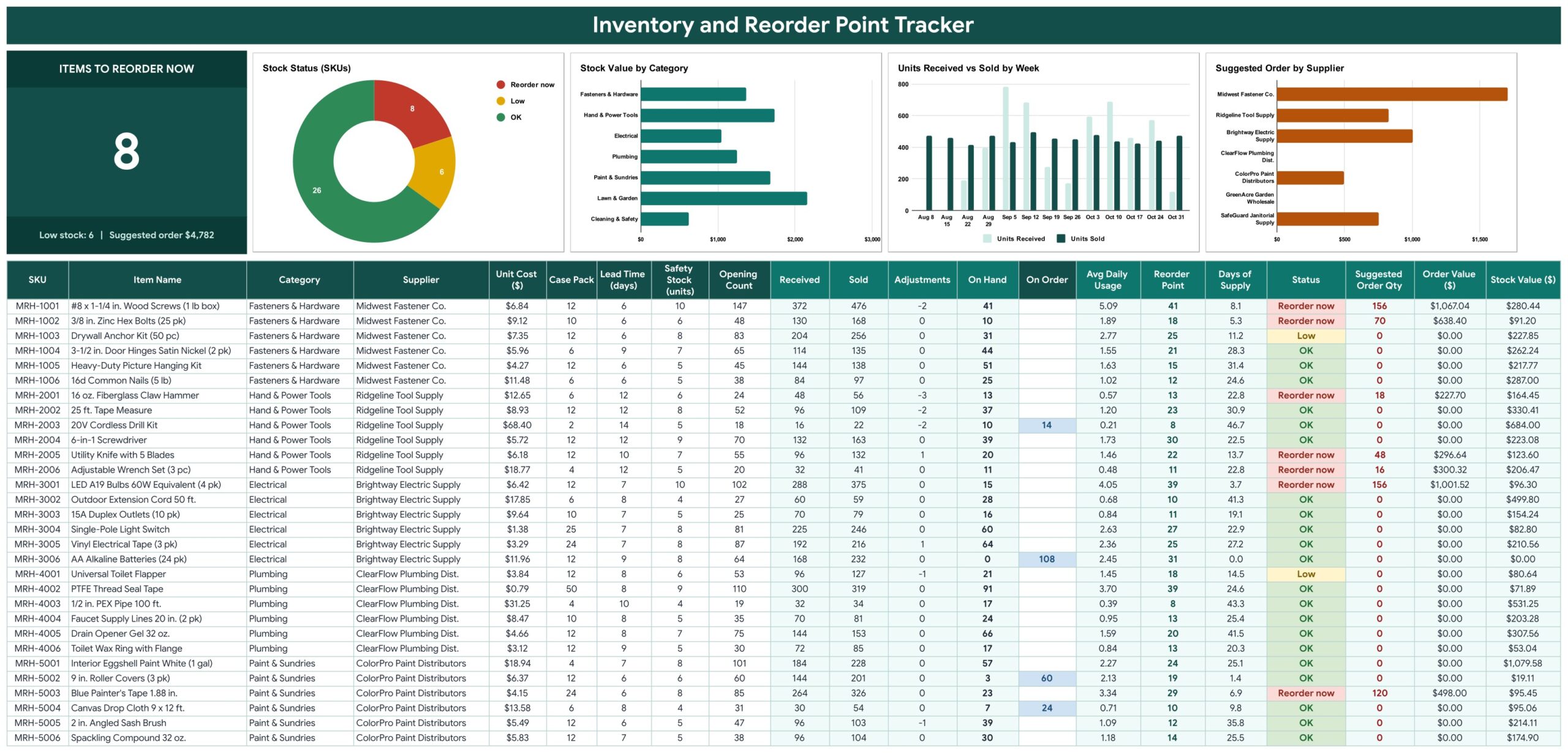
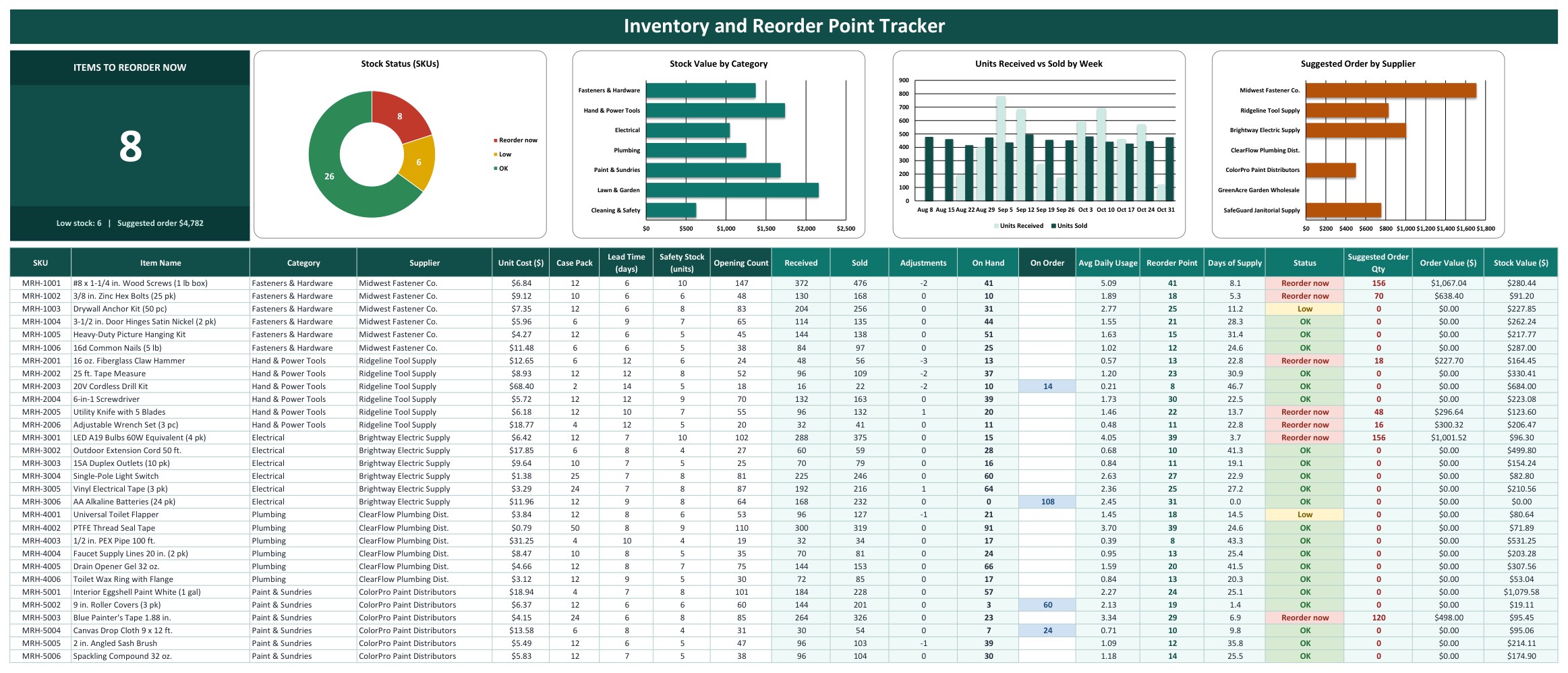
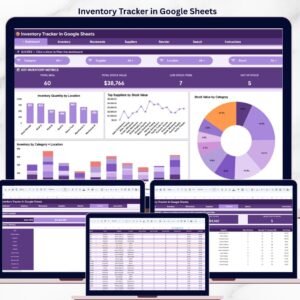
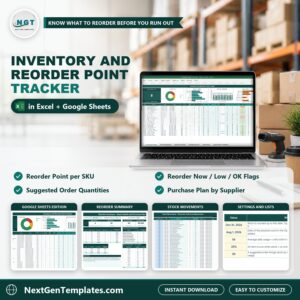
- An Inventory Tracker with an Items to Reorder Now card and four charts
- Calculated on hand, average daily usage, reorder point, days of supply and status for every item
- A suggested order quantity rounded up to the case pack, with the order value
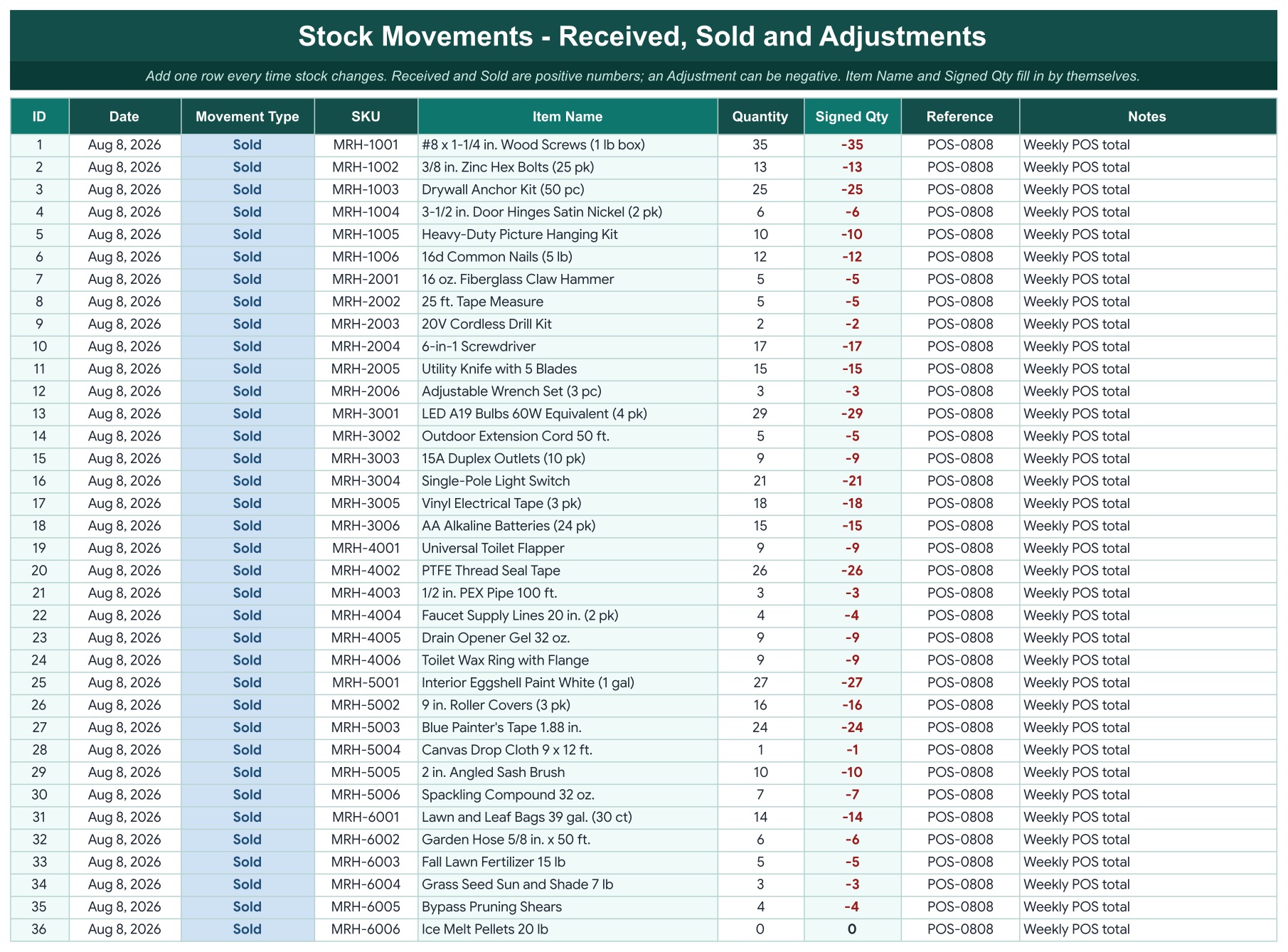
- A Stock Movements log for deliveries, sales and adjustments
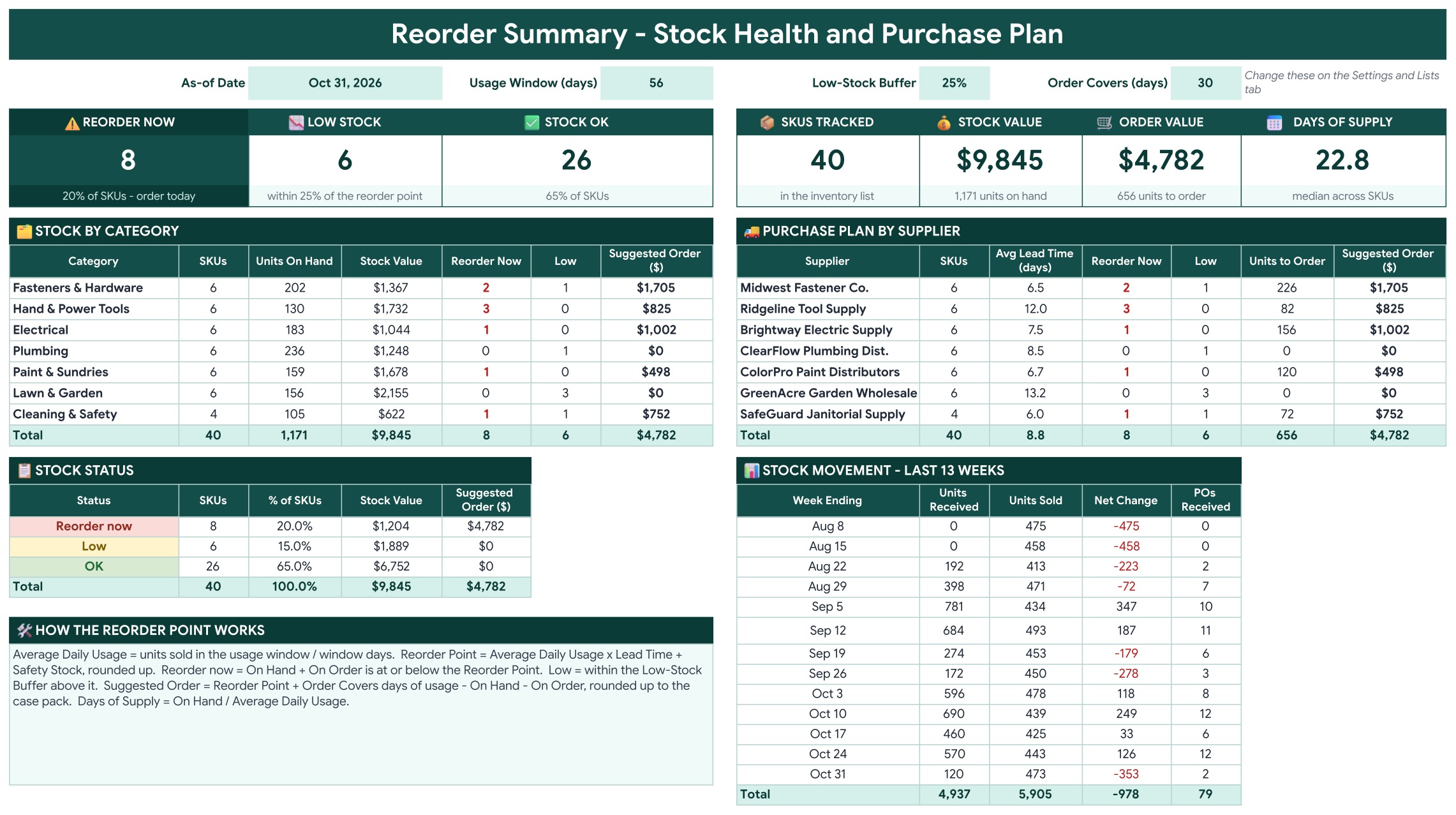
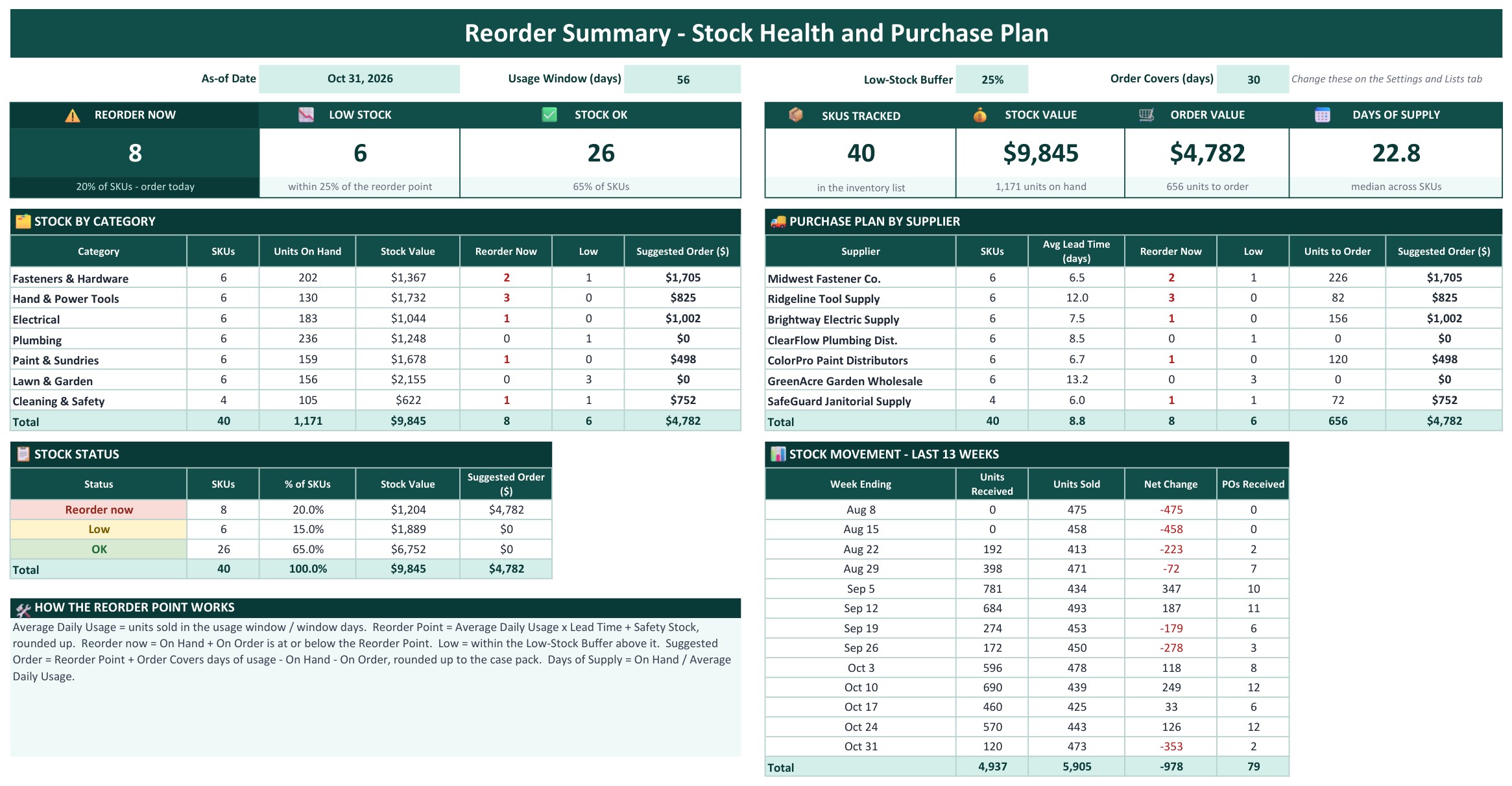
- A Reorder Summary with seven KPI tiles and a purchase plan by supplier
- Google Sheets and Excel editions in one download, plus Settings, How to Use and Explore More Templates tabs
Key Features
Inventory Tracker
An Items to Reorder Now card sits above four charts: Stock Status, Stock Value by Category, Units Received vs Sold by Week and Suggested Order by Supplier. Below is the inventory list: SKU, item, category and supplier dropdowns, unit cost, case pack, lead time, safety stock, opening count and On Order. The shaded columns calculate Received, Sold, Adjustments, On Hand, Average Daily Usage, Reorder Point, Days of Supply, Status (Reorder now, Low or OK), Suggested Order Qty and Order Value.
Stock Movements
One row for every Received, Sold or Adjustment. Pick the type, enter the SKU and the quantity, and the item name and signed quantity fill in for you. The sample holds weekly sales totals and every purchase order received from August to October 2026.
Reorder Summary
Seven KPI tiles show Reorder Now, Low Stock, Stock OK, SKUs Tracked, Stock Value, Order Value and the median Days of Supply. Below them are stock by category, a purchase plan by supplier with the units and dollars to order from each one, the stock status split and the last 13 weeks of units received and sold.
Settings and Lists
Set the as-of date, the opening count date, the usage window, the low-stock buffer and how many days a new order should cover. Rename the seven categories and seven suppliers to match your business.

How to Use
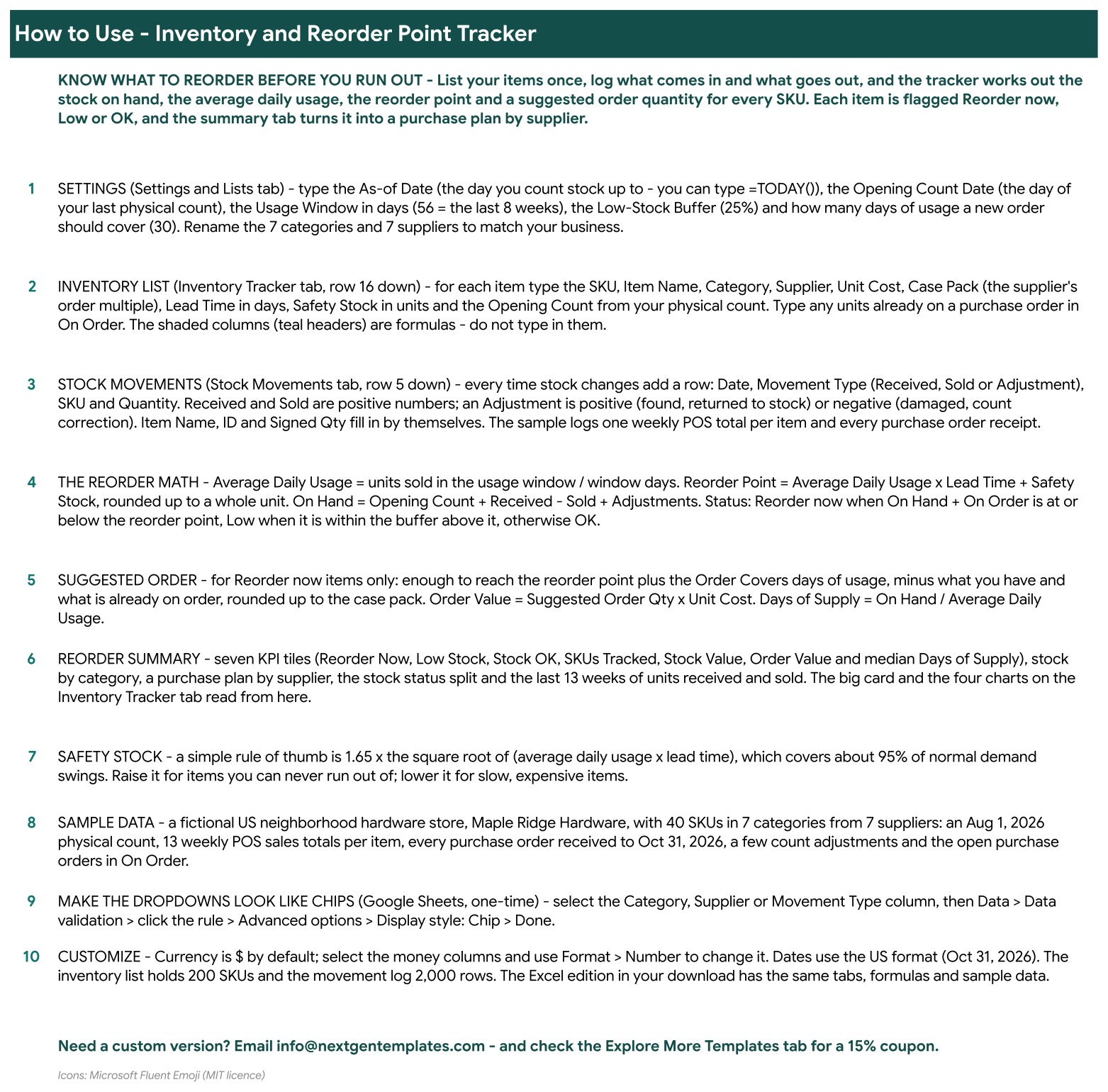
A step by step guide to setting up the file, logging stock movements and reading the reorder math.
Excel edition
The same tabs, formulas and sample data in a macro-free .xlsx workbook that opens in desktop Excel.
Who Is It For?
Shop owners, warehouse and stockroom managers, small online sellers and purchasing staff who want to stop guessing when to reorder. The sample data is a fictional US hardware store with 40 items in seven categories and seven suppliers.
How to Use
- Download the file, open the Google Sheets link in the PDF and choose File, Make a copy, or open the Excel workbook.
- Set the as-of date, usage window and cover days on the Settings and Lists tab, and rename your categories and suppliers.
- Replace the sample items on the Inventory Tracker with your own, including lead time, safety stock and opening count.
- Log every delivery, sale and adjustment on the Stock Movements tab.
- Open the Reorder Summary to see what to order from each supplier.
Comparison
| Feature | This template | Paper or blank sheet |
|---|---|---|
| Reorder point per item | Calculated from usage and lead time | Guess or calculate by hand |
| Suggested order quantity | Rounded up to the case pack | Manual |
| Purchase plan by supplier | Included | Build yourself |
| Google Sheets and Excel | Both included | One or the other |
| Live link to point of sale | No | No |
Frequently Asked Questions
How does the tracker know when to reorder?
For every item it works out the average daily usage from recent sales, multiplies it by the lead time in days and adds your safety stock. That number is the reorder point. When stock on hand plus units on order falls to or below it, the Status column says Reorder now.
How is the suggested order quantity worked out?
It orders enough to reach the reorder point plus the number of cover days you set on the Settings tab, minus what you already have on hand and on order, rounded up to the case pack.
Do I get both Google Sheets and Excel?
Yes. One download holds the Excel workbook (.xlsx, no macros) and a PDF guide with the link to the Google Sheets edition. Both have the same tabs, formulas and sample data.
How do I record stock changes?
Add one row on the Stock Movements tab for every delivery, sale or correction. Choose Received, Sold or Adjustment, enter the SKU and the quantity. The item name and the signed quantity fill in by themselves.
Can I change the categories and suppliers?
Yes. The Settings and Lists tab holds seven categories and seven suppliers that you rename to match your business. The dropdowns on the Inventory Tracker follow.
Does it connect to my point of sale or accounting software?
No. You enter stock movements yourself, or paste weekly totals. There is no live link to any other system.
Does it need macros or add-ons?
No. It is formulas, dropdowns and charts only, in both editions.
Get the Template
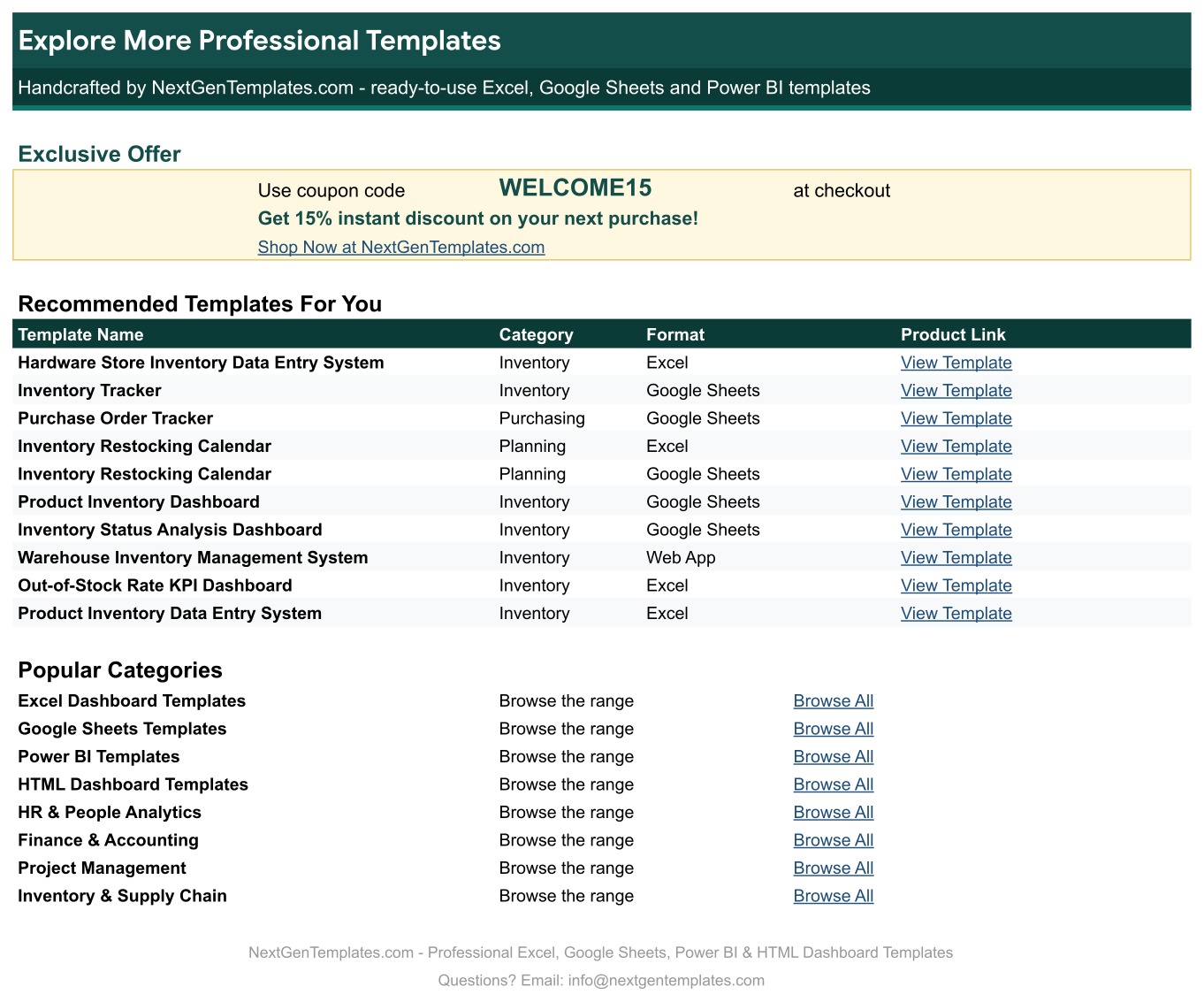
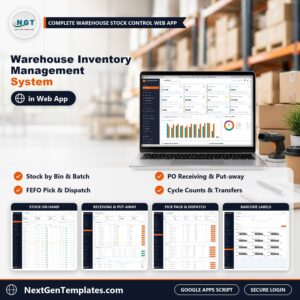
Download the Inventory and Reorder Point Tracker in Excel and Google Sheets and order the right amount at the right time. For a full stock system with forms, see the Warehouse Inventory Management System Web App, or browse all Google Sheets templates.



















Reviews
There are no reviews yet.