



The HVAC Maintenance Checklist in Excel is an essential tool for facility managers, maintenance teams, and homeowners to keep heating, ventilation, and air conditioning (HVAC) systems in optimal working condition. This Excel-based checklist ensures that all maintenance tasks are completed on time, reducing the likelihood of system breakdowns, improving efficiency, and extending the life of your HVAC units.
From routine inspections to major system repairs, this checklist helps you track every maintenance task. With the ability to monitor key aspects such as filter replacement, duct cleaning, and overall system efficiency, this template helps you ensure your HVAC systems are always functioning at peak performance.
Key Features of the HVAC Maintenance Checklist in Excel
🔥 Track Routine HVAC Maintenance Tasks
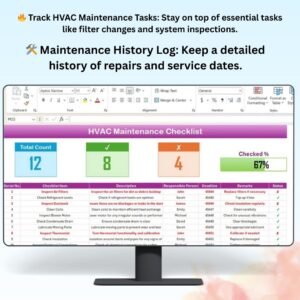
Track essential tasks such as filter replacement, condenser cleaning, refrigerant levels, and inspections. Stay on top of your HVAC maintenance routine to avoid unexpected system failures.
📈 Monitor System Efficiency
Track key performance indicators (KPIs) like airflow, temperature control, and energy consumption. Use these metrics to ensure the system is running efficiently and reduce energy costs.
🛠️ Comprehensive Maintenance History
Keep a detailed history of all maintenance activities performed on your HVAC system, including repairs, parts replacements, and service provider details. This provides a complete maintenance log for reference.
📅 Scheduled Maintenance Reminders
Set up recurring reminders for regular maintenance tasks. Ensure your HVAC system receives the required care at the right time to maintain performance and extend its lifespan.
💡 Energy Efficiency Tracking
Monitor the energy efficiency of your HVAC system to ensure optimal performance and reduce energy costs. Track seasonal variations and ensure your system is functioning at peak energy efficiency.
🖥️ Customizable & Interactive Layout
The Excel checklist is fully customizable to meet the specific needs of your HVAC system. Add or remove tasks, adjust time intervals, and track additional system components as required.
Why You’ll Love the HVAC Maintenance Checklist in Excel

✅ Keep HVAC Systems Running Smoothly
Track all necessary maintenance tasks to ensure your HVAC system is in optimal working condition, reducing the risk of unexpected breakdowns and costly repairs.
✅ Save on Energy Costs
Monitor system efficiency and energy usage to optimize performance and reduce monthly energy bills.
✅ Improve Indoor Air Quality
By regularly maintaining your HVAC system, you ensure cleaner air and a healthier environment for building occupants.
✅ Extends HVAC System Lifespan
Regular maintenance helps prevent wear and tear on HVAC components, extending the system’s lifespan and reducing the need for expensive replacements.
✅ Fully Customizable & Scalable
Whether you’re managing a single system or multiple HVAC units, this checklist is customizable to suit your specific needs.
What’s Inside the HVAC Maintenance Checklist Template in Excel?
- Routine Maintenance Tasks: Track essential HVAC tasks like filter changes, refrigerant level checks, and air quality inspections.
- Efficiency Monitoring: Track airflow, temperature, and energy consumption to optimize system performance.
- Maintenance History Log: Maintain a detailed history of all maintenance actions, repairs, and parts replacements.
- Scheduled Reminders: Set recurring reminders for essential HVAC maintenance tasks.
- Customizable Layout: Tailor the checklist to meet the needs of your HVAC system, whether it’s residential, commercial, or industrial.
How to Use the HVAC Maintenance Checklist in Excel
1️⃣ Download the Template: Get instant access to the HVAC Maintenance Checklist in Excel.
2️⃣ Input Your HVAC Data: Enter your HVAC system details and specific maintenance tasks.
3️⃣ Track Maintenance Tasks: Monitor tasks like filter changes, coil cleaning, and system performance.
4️⃣ Monitor Energy Efficiency: Track system performance to reduce energy consumption and ensure efficiency.
5️⃣ Generate Reports: Easily generate reports for maintenance history and performance trends.
Who Can Benefit from the HVAC Maintenance Checklist in Excel?
🔹 Facility Managers & Building Maintenance Teams
🔹 Property Managers & Homeowners
🔹 HVAC Technicians & Service Providers
🔹 Commercial & Residential Property Owners
🔹 Small to Large Businesses with HVAC Systems
🔹 Organizations Looking to Improve HVAC Efficiency
Ensure your HVAC system runs efficiently, saves energy, and provides clean air with the HVAC Maintenance Checklist in Excel. Stay on top of maintenance tasks and optimize your system’s performance.
Click here to read the Detailed blog post
Visit our YouTube channel to learn step-by-step video tutorials
Youtube.com/@PKAnExcelExpert
Compatibility and Requirements
- Works in Microsoft Excel desktop (Excel 2016 or later, or Microsoft 365).
- To chart your maintenance history or energy use, Microsoft explains the steps in Create a chart from start to finish.
Frequently Asked Questions
Which HVAC tasks does the checklist cover?
Routine tasks such as filter replacement, condenser and coil cleaning, refrigerant level checks, duct cleaning and inspections.
Can I track system efficiency?
Yes. Record airflow, temperature control and energy consumption to see how the system performs over time and across seasons.
Does it keep a maintenance history?
Yes. The history log records repairs, parts replacements and service provider details for each job.
Can I add my own tasks or units?
Yes. Add or remove tasks, change time intervals and track extra components. It works for residential, commercial or industrial systems.
Related Maintenance Templates
- HVAC Maintenance Checklist in Google Sheets: the same checklist in the browser.
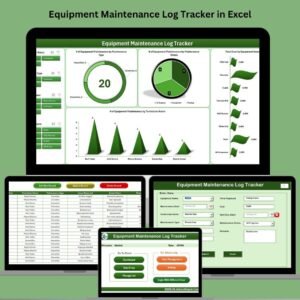
- Equipment Maintenance Log Tracker in Excel: log maintenance for all your equipment.
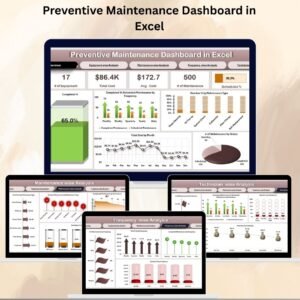
- Preventive Maintenance Dashboard in Excel: a dashboard for planned maintenance.
- Maintenance Schedule Calendar in Excel: plan service dates on a calendar.
- Checklist & SOP Pack: 12 Excel and Google Sheets checklist templates.
Browse all Excel checklist templates or the Google Sheets checklist templates.






























Reviews
There are no reviews yet.