

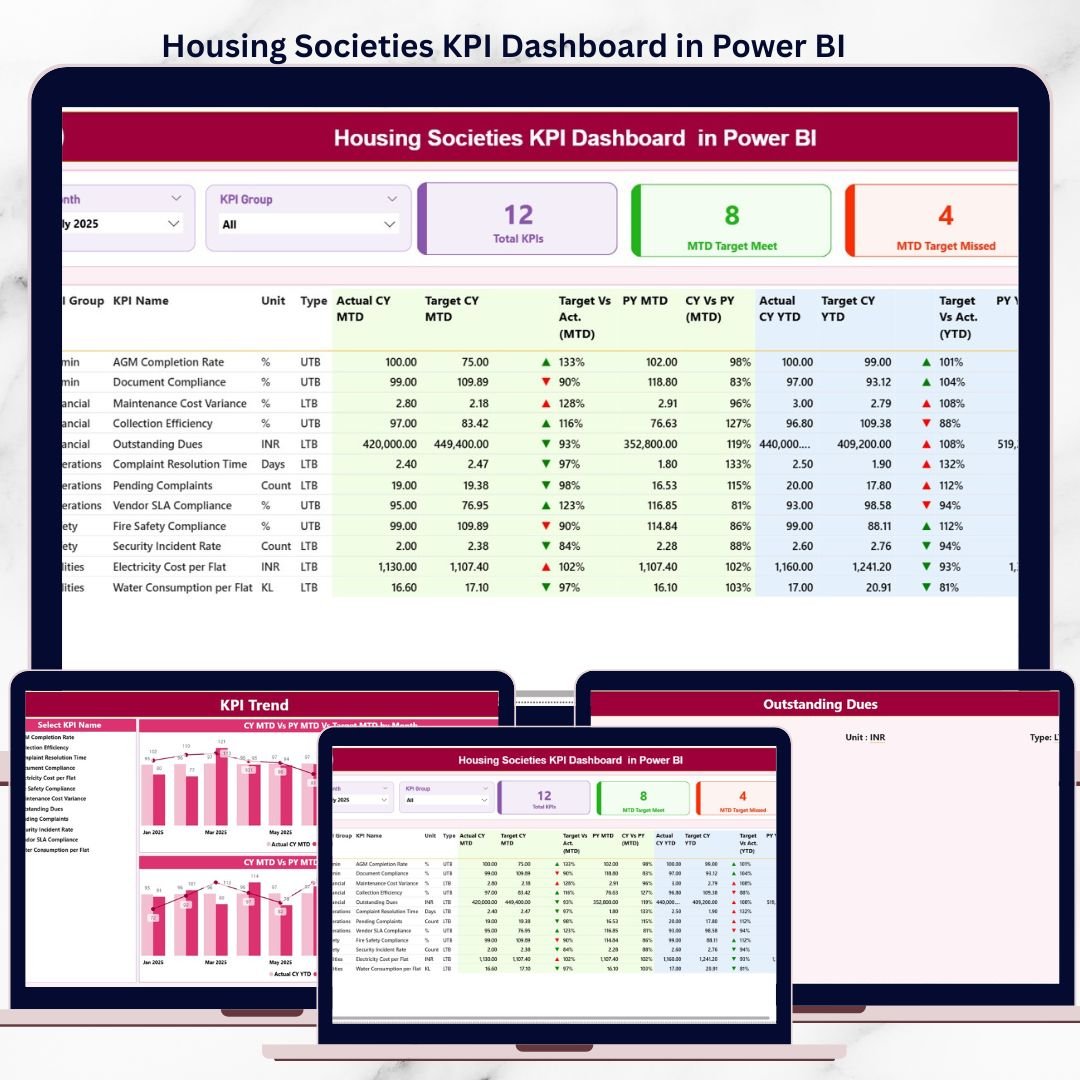

Managing a housing society requires constant monitoring of finances, services, maintenance activities, compliance, and resident satisfaction. However, many societies still depend on manual Excel reports, registers, or scattered data files. As a result, committees struggle to identify performance gaps, rising costs, and service delays at the right time.
That is exactly where the Housing Societies KPI Dashboard in Power BI delivers real value.
This ready-to-use Power BI dashboard converts raw housing society data into clear, visual, and actionable insights. Instead of guessing or reacting late, committees can now track KPIs in real time, compare performance with targets and previous years, and take confident, data-driven decisions.
Built for transparency and ease of use, this dashboard helps housing societies improve governance, accountability, and operational efficiency—without complex systems or heavy manual work.
✅ Key Features of Housing Societies KPI Dashboard in Power BI
📊 Centralized KPI Monitoring – Track all housing society KPIs in one interactive Power BI dashboard
🎛️ Month & KPI Group Slicers – Instantly filter performance by month or KPI category
🎯 MTD & YTD Performance Tracking – Monitor short-term and long-term results together
🔄 Actual vs Target & Previous Year Comparison – Identify gaps and improvement areas clearly
⬆️⬇️ Visual KPI Status Icons – Green ▲ and Red ▼ indicators highlight performance instantly
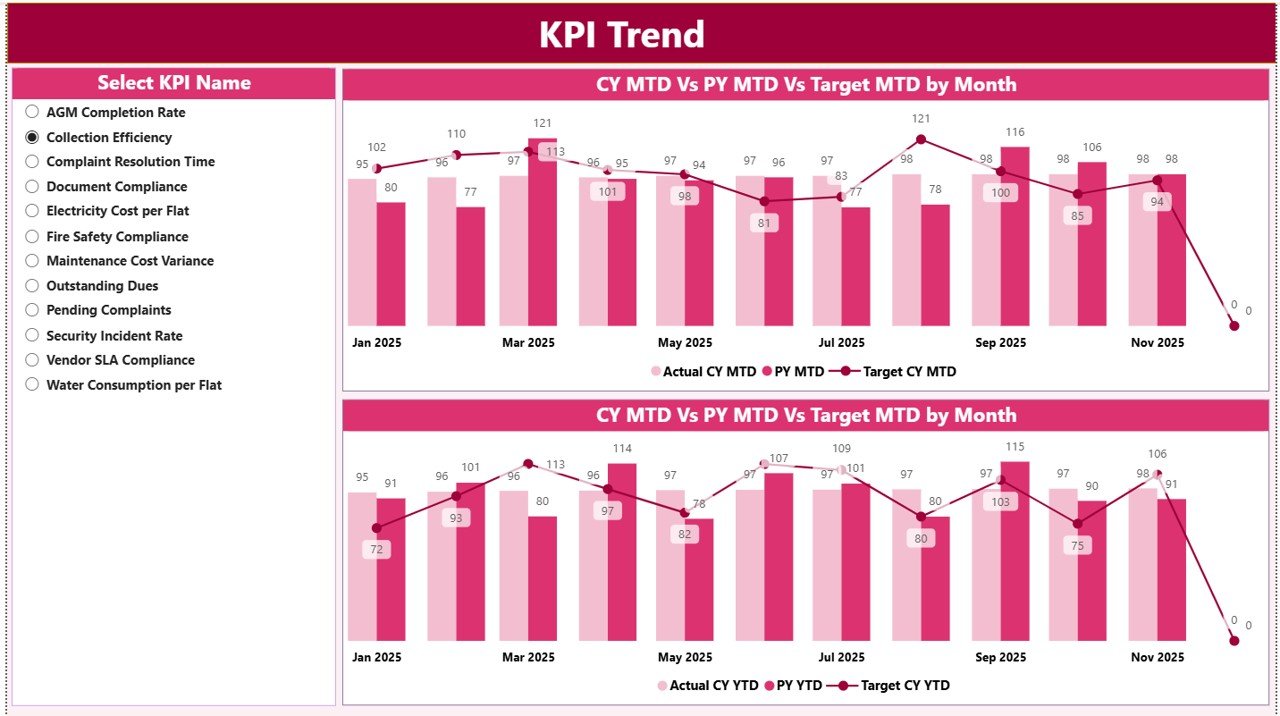
📈 Dynamic KPI Trend Analysis – Analyze MTD and YTD trends using combo charts
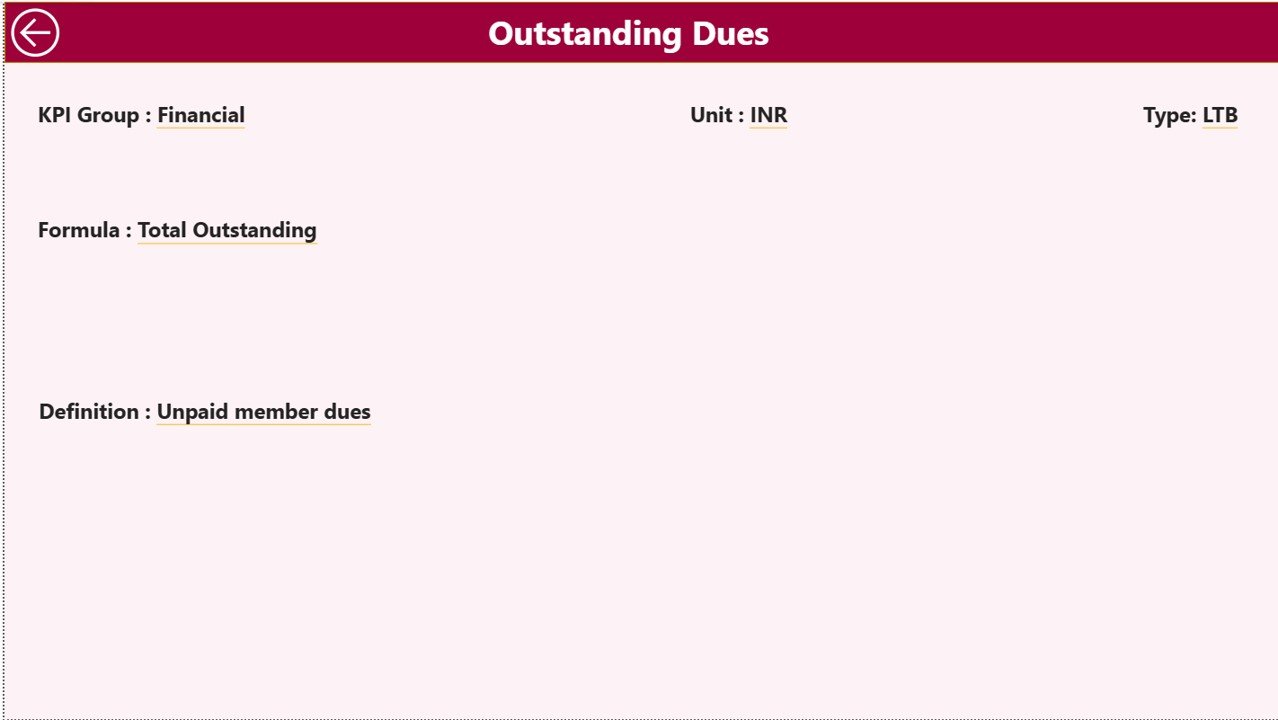
🧠 Drill-Through KPI Definitions – Access formulas and definitions only when needed
📦 What’s Inside the Housing Societies KPI Dashboard in Power BI
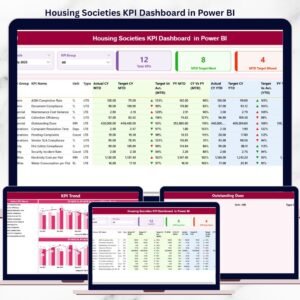
This Power BI solution includes three professionally designed pages, supported by a structured Excel data model.
🧭 Summary Page
The main overview page providing instant clarity on society performance.
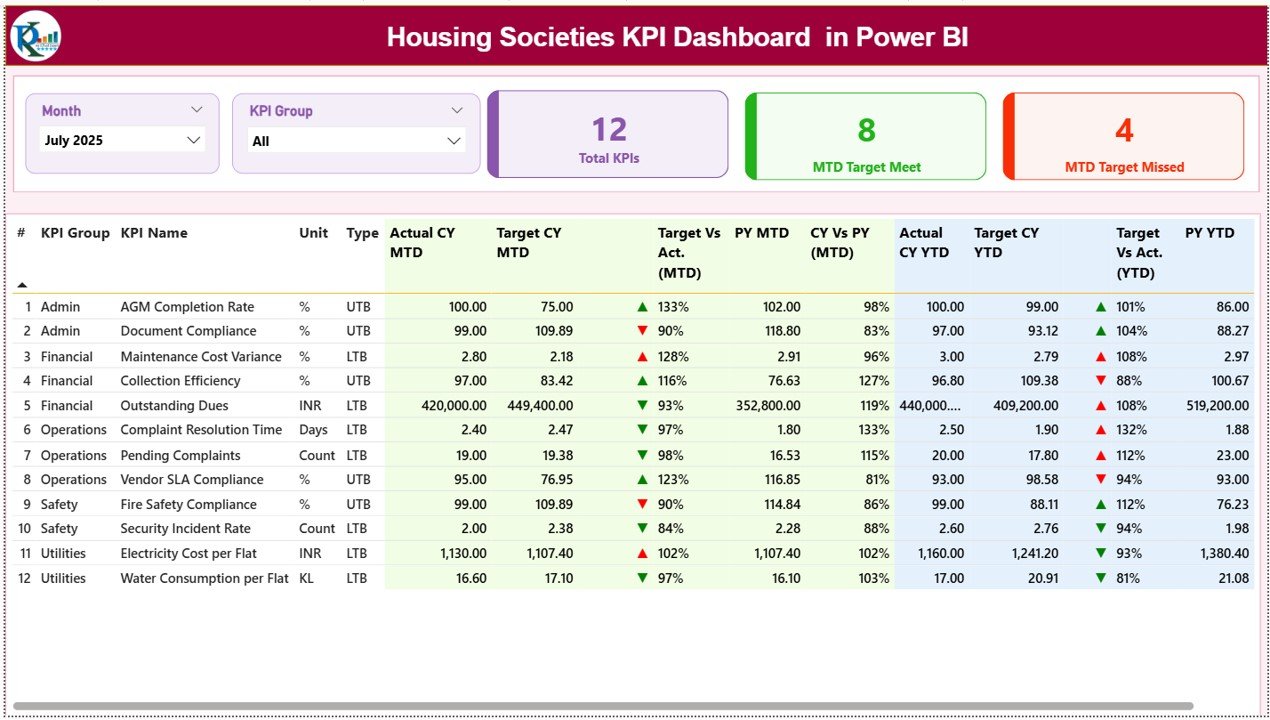
Key elements include:
Month slicer for period selection
KPI Group slicer for category-wise filtering
KPI cards showing:
Total KPIs
MTD Target Met count
MTD Target Missed count
A detailed KPI table displaying MTD, YTD, Target, Previous Year values, and variance percentages
This page enables committee members to understand performance health in seconds.
📈 KPI Trend Page
This page focuses on visual trend analysis.
Key highlights:
KPI Name slicer for selecting individual KPIs
MTD combo chart showing Actual, Target, and Previous Year
YTD combo chart showing long-term performance behavior
Trend visuals help users move beyond static numbers and understand performance patterns.
📘 KPI Definition Page (Drill-Through)
A hidden drill-through page used for governance and clarity.
Displays:
KPI Formula
KPI Definition
Back navigation to Summary Page
This keeps the main dashboard clean while ensuring transparency when required.
🛠️ How to Use the Housing Societies KPI Dashboard in Power BI
Using this dashboard is simple and structured:
1️⃣ Enter Actual, Target, and Previous Year data in Excel
2️⃣ Refresh the Power BI dashboard
3️⃣ Select Month and KPI Group using slicers
4️⃣ Review MTD and YTD performance instantly
5️⃣ Analyze trends and variances visually
6️⃣ Drill through for KPI definitions when needed
No advanced Power BI expertise is required—basic Power BI interaction skills are sufficient.
👥 Who Can Benefit from This Housing Societies KPI Dashboard?
This dashboard is ideal for:
🧑💼 Housing Society Committee Members
🏢 Apartment Owners Associations
🛠️ Society & Facility Managers
📋 Consultants and Auditors
🧠 Management & Advisory Teams
Whether managing a small residential society or a large apartment complex, this dashboard scales easily.
📖 Click here to read the Detailed blog post
🎥 Visit our YouTube channel to learn step-by-step video tutorials
👉 Youtube.com/@PKAnExcelExpert
Watch the step-by-step video tutorial:
Compatibility and Requirements
- Works in Power BI Desktop, which is free to download. Power BI Desktop runs on Windows.
- The data model is an Excel file, so you also need Microsoft Excel to enter your numbers. Microsoft explains the download in Get Power BI Desktop.
Frequently Asked Questions
How many pages does the dashboard have?
Three pages: Summary, KPI Trend and a hidden KPI Definition page that you reach by drill-through.
Where do I enter my data?
In the Excel data model. Enter Actual, Target and Previous Year values, then refresh the Power BI dashboard.
Can I filter by month or KPI group?
Yes. The Summary page has a Month slicer and a KPI Group slicer. The KPI Trend page has a KPI Name slicer.
How do I see how a KPI is calculated?
Drill through from the Summary page to the KPI Definition page. It shows the KPI formula and definition, with a button back to the Summary page.
Is there an Excel version?
Yes. See the Housing Societies KPI Dashboard in Excel.
Related Housing and KPI Templates
- Housing Societies KPI Dashboard in Excel: the same KPIs in an Excel workbook
- Housing & Urban Development KPI Dashboard in Power BI: a KPI dashboard for urban housing programs
- Housing & Urban Development Dashboard in Power BI: a wider dashboard view for housing development
- Operations KPI Dashboard in Power BI: operational KPIs in the same Power BI format
- Power BI Dashboard Mega Collection: 15 Power BI templates in one download
Browse all Power BI KPI dashboards.
































Reviews
There are no reviews yet.