


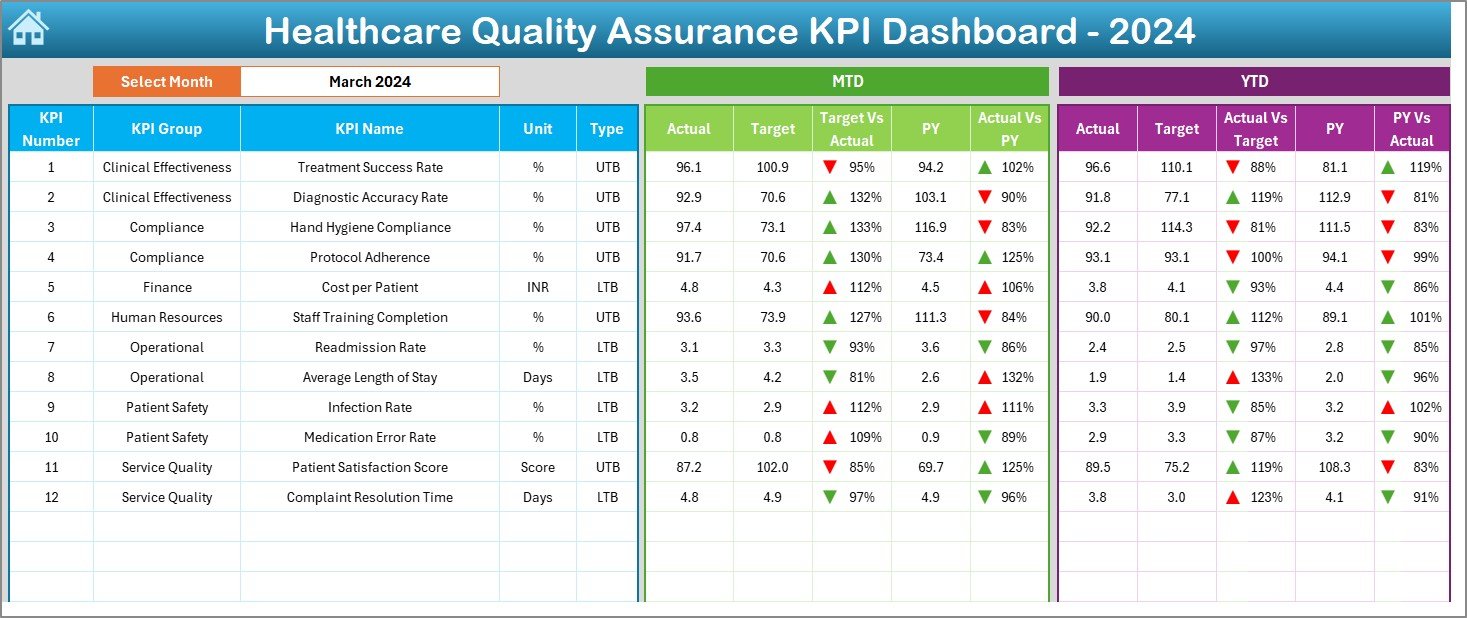

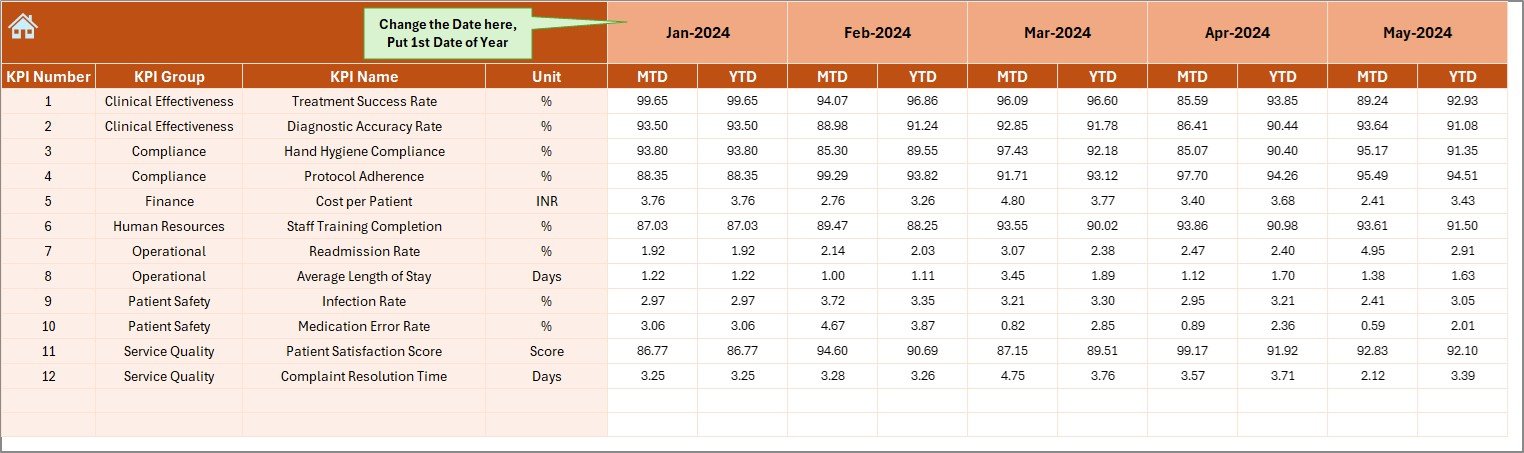

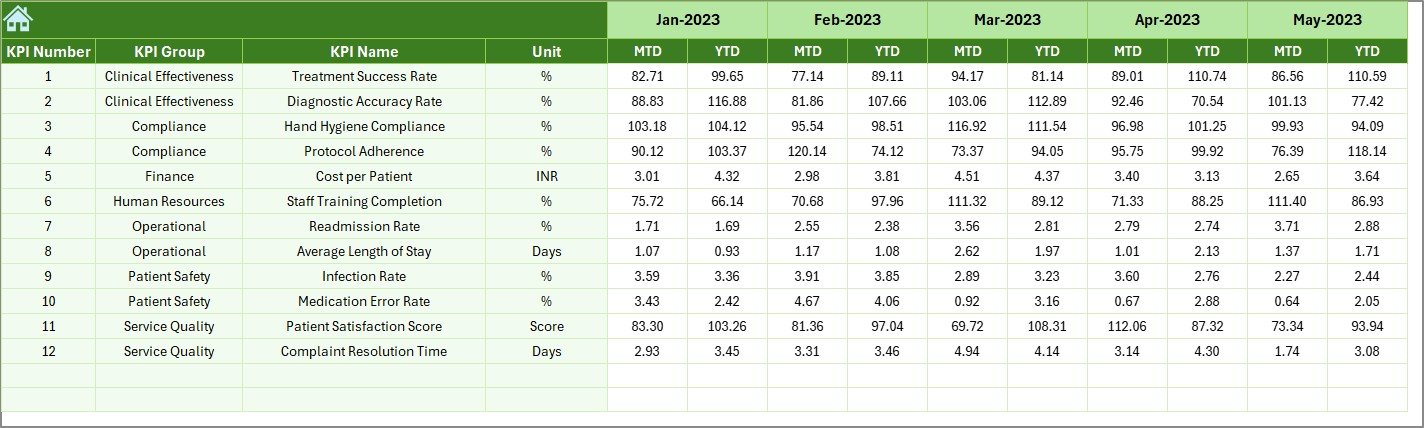


The Healthcare Quality Assurance KPI Dashboard in Excel is a comprehensive and user-friendly tool designed to help healthcare organizations monitor and improve the quality of care and services they provide. This Excel-based dashboard tracks essential performance indicators (KPIs) such as patient satisfaction, treatment outcomes, staff performance, and adherence to quality standards, ensuring that all aspects of healthcare service delivery are optimized for efficiency and excellence.
With this dashboard, healthcare providers can easily identify areas that require attention, track patient outcomes, and improve overall service quality. Whether you are managing a hospital, clinic, or any other healthcare facility, this dashboard allows you to streamline quality assurance processes, monitor progress, and ensure that you are meeting regulatory and organizational standards.
Key Features of the Healthcare Quality Assurance KPI Dashboard in Excel
📊 Comprehensive KPI Tracking
Monitor critical KPIs related to healthcare quality, including patient satisfaction scores, treatment success rates, and staff performance. Stay on top of key indicators that affect overall care quality.
📈 Patient Satisfaction Analysis
Track patient feedback and satisfaction levels across various service areas. Analyze survey data to identify trends and areas for improvement in patient care and services.
👥 Staff Performance & Compliance Monitoring
Evaluate staff performance based on key metrics like response times, adherence to protocols, and overall efficiency. Ensure compliance with healthcare regulations and internal policies.
📅 Time-Based Performance Tracking
Analyze quality metrics over different time periods (daily, weekly, monthly). Identify trends, evaluate the impact of quality improvement initiatives, and adjust strategies accordingly.
⚙️ Customizable Metrics & KPIs
Tailor the dashboard to include the KPIs that matter most to your organization. Add custom performance indicators such as patient wait times, infection rates, or staff training completion.
🔑 Real-Time Data Updates
Track real-time data updates to ensure that all healthcare quality metrics are as current and accurate as possible. Monitor performance closely and make timely adjustments.
Why You’ll Love the Healthcare Quality Assurance KPI Dashboard in Excel

✅ Track and Monitor Key Healthcare Metrics
Easily track and manage critical quality assurance metrics to ensure that healthcare services meet required standards and that patient care is always a priority.
✅ Improve Patient Satisfaction
Use patient feedback and satisfaction data to optimize service delivery and improve patient experiences. Address concerns quickly to ensure high satisfaction rates.
✅ Enhance Staff Performance & Compliance
Monitor staff performance in real-time and ensure compliance with healthcare standards. Promote continuous improvement by tracking staff metrics and offering targeted support.
✅ Optimize Operational Efficiency
Track treatment outcomes, patient wait times, and overall service quality. Identify inefficiencies in processes and implement changes that enhance operational effectiveness.
✅ Customizable for Your Healthcare Facility
The dashboard can be fully customized to track the specific KPIs that align with your organization’s quality standards and goals, making it adaptable to various healthcare settings.
What’s Inside the Healthcare Quality Assurance KPI Dashboard in Excel?
Comprehensive KPI Tracking: Monitor patient satisfaction, treatment outcomes, and staff performance.
Patient Satisfaction Analysis: Analyze patient feedback and identify improvement areas.
Staff Performance & Compliance: Evaluate staff efficiency, adherence to protocols, and compliance.
Time-Based Performance Tracking: Track performance over various periods to analyze trends.
Customizable Metrics & KPIs: Tailor the dashboard to track your facility’s most relevant KPIs.
Real-Time Data Updates: Get real-time performance data for accurate decision-making.
How to Use the Healthcare Quality Assurance KPI Dashboard in Excel
1️⃣ Download the Template: Instantly access the Healthcare Quality Assurance KPI Dashboard in Excel.
2️⃣ Set Up Your KPIs & Metrics: Input data for key performance indicators such as patient satisfaction, treatment outcomes, and staff performance.
3️⃣ Track & Monitor Data: Use the dashboard to track real-time data on healthcare quality metrics.
4️⃣ Analyze Trends & Insights: Use time-based analysis to evaluate trends and implement improvements.
5️⃣ Optimize Your Healthcare Services: Use insights to drive operational efficiency, improve patient care, and enhance staff performance.
Who Can Benefit from the Healthcare Quality Assurance KPI Dashboard in Excel?
🔹 Healthcare Providers (Hospitals, Clinics, Private Practices)
🔹 Healthcare Administrators & Managers
🔹 Patient Care Coordinators
🔹 Quality Assurance & Compliance Teams
🔹 Medical Directors & Department Heads
🔹 Healthcare Consultants & Analysts
🔹 Small & Medium Healthcare Organizations
🔹 Large Healthcare Networks & Institutions
Optimize the quality of care in your healthcare facility with the Healthcare Quality Assurance KPI Dashboard in Excel. Track key metrics, monitor performance, and implement improvements to enhance patient satisfaction, staff performance, and overall service quality.
Click here to read the Detailed blog post
Visit our YouTube channel to learn step-by-step video tutorials
Youtube.com/@PKAnExcelExpert
Watch the step-by-step video Demo:
Compatibility and Requirements
- Works in Microsoft Excel desktop (Excel 2016 or later, or Microsoft 365).
- Charts and time-based views are built into the workbook.
- New to Excel charts? See Create a chart from start to finish on Microsoft Support.
Frequently Asked Questions
Which quality KPIs does the dashboard track?
Patient satisfaction scores, treatment success rates and outcomes, staff performance, response times and adherence to protocols.
Can I review results by period?
Yes. Quality metrics can be analyzed daily, weekly and monthly to show trends.
Can I add KPIs such as infection rates?
Yes. You can add custom indicators such as patient wait times, infection rates or staff training completion.
Who is it built for?
Hospitals, clinics and private practices, plus quality assurance, compliance and administration teams.
Related Healthcare Quality Templates
- Healthcare KPI Dashboard In Excel: core healthcare KPIs in Excel
- Hospital Operations KPI Dashboard in Excel: hospital operations metrics
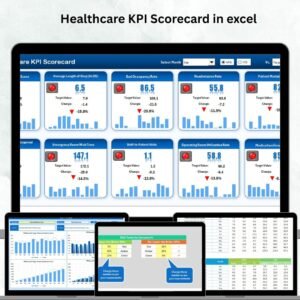
- Healthcare KPI Scorecard in excel: a scorecard view of healthcare KPIs
- Quality & Audit Management Bundle: 8 quality and audit templates
- Healthcare & Hospital Management Bundle: 8 healthcare templates in one download
Browse all Excel KPI dashboards or the Excel quality control templates.








Reviews
There are no reviews yet.