

Healthcare organizations manage multiple tenders every year across departments, vendors, and service categories. These tenders include medical equipment, pharmaceuticals, IT systems, facility services, and outsourced healthcare operations. Because healthcare budgets are sensitive and compliance requirements are strict, even small inefficiencies in tender management can lead to cost overruns, delayed approvals, and missed savings opportunities. Unfortunately, many hospitals still rely on manual spreadsheets and disconnected reports, which makes tracking tenders slow and risky.
That is exactly why the Health Tender Dashboard in Power BI becomes an essential solution.
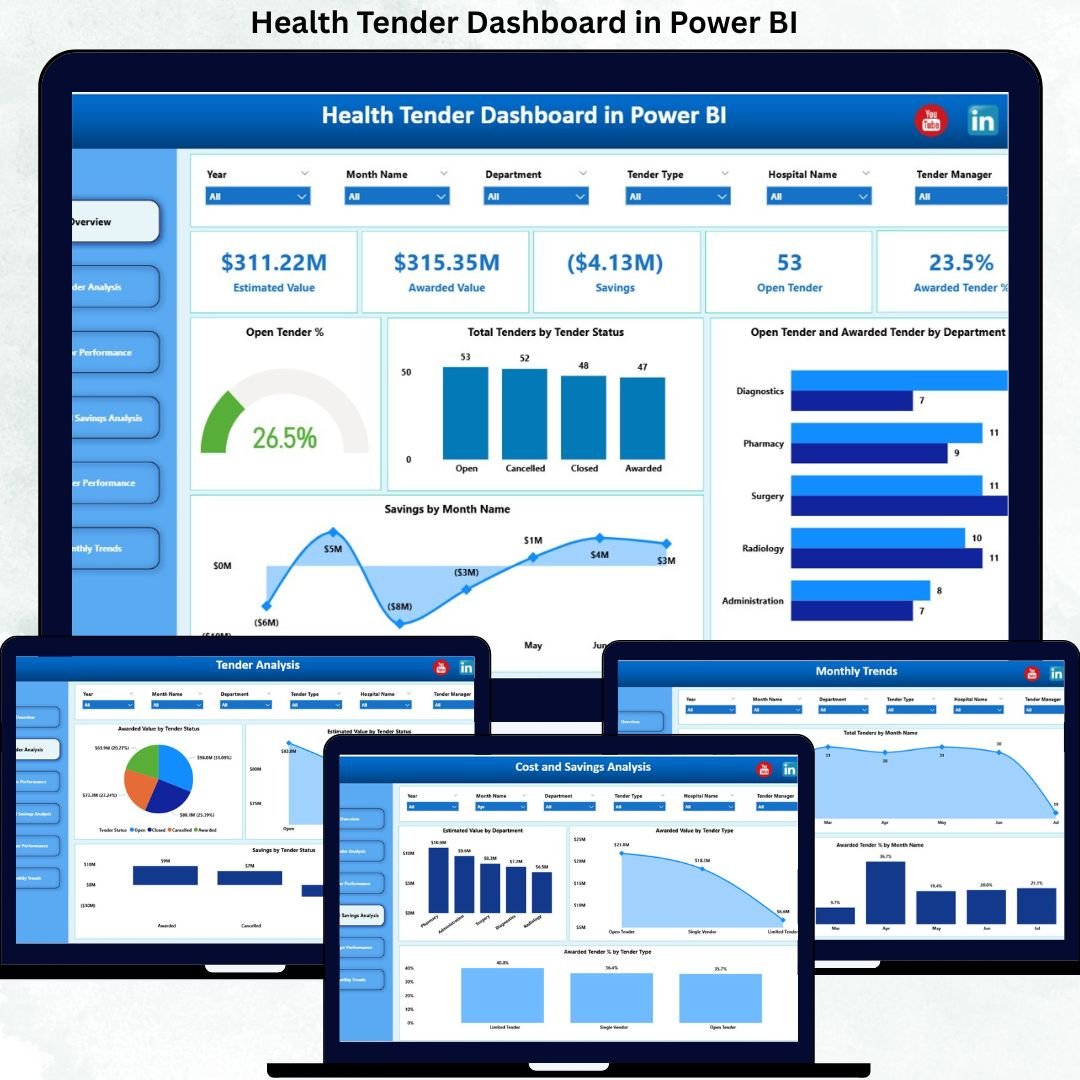
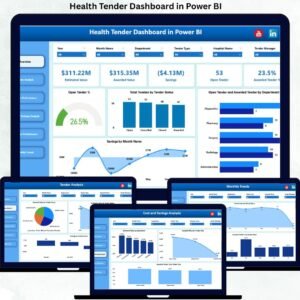
This ready-to-use Power BI dashboard transforms raw healthcare tender data into clear, interactive, and decision-ready insights. Instead of manually reviewing tender lists and reports, healthcare leaders gain instant visibility into estimated value, awarded value, savings, open tenders, vendor performance, manager efficiency, and monthly trends—all from one centralized dashboard.
Built in Power BI, this dashboard delivers enterprise-level analytics with interactive filters, drill-downs, and professional visuals. As a result, procurement teams, finance departments, and hospital leadership can manage tenders with confidence, transparency, and control.
⚙️ Key Features of the Health Tender Dashboard in Power BI
📊 Centralized Tender Visibility
Track all healthcare tenders in one interactive dashboard instead of managing multiple spreadsheets.
💰 Estimated vs Awarded Value Tracking
Quickly compare planned tender value against awarded value to control spending.
📉 Savings Analysis
Identify cost savings achieved through negotiation and vendor competition.
🧑🤝🧑 Vendor & Manager Performance Monitoring
Evaluate suppliers and tender managers using objective, data-driven insights.
📅 Monthly Trend Analysis
Understand how tender performance evolves over time and identify improvement areas.
📦 What’s Inside the Health Tender Dashboard in Power BI
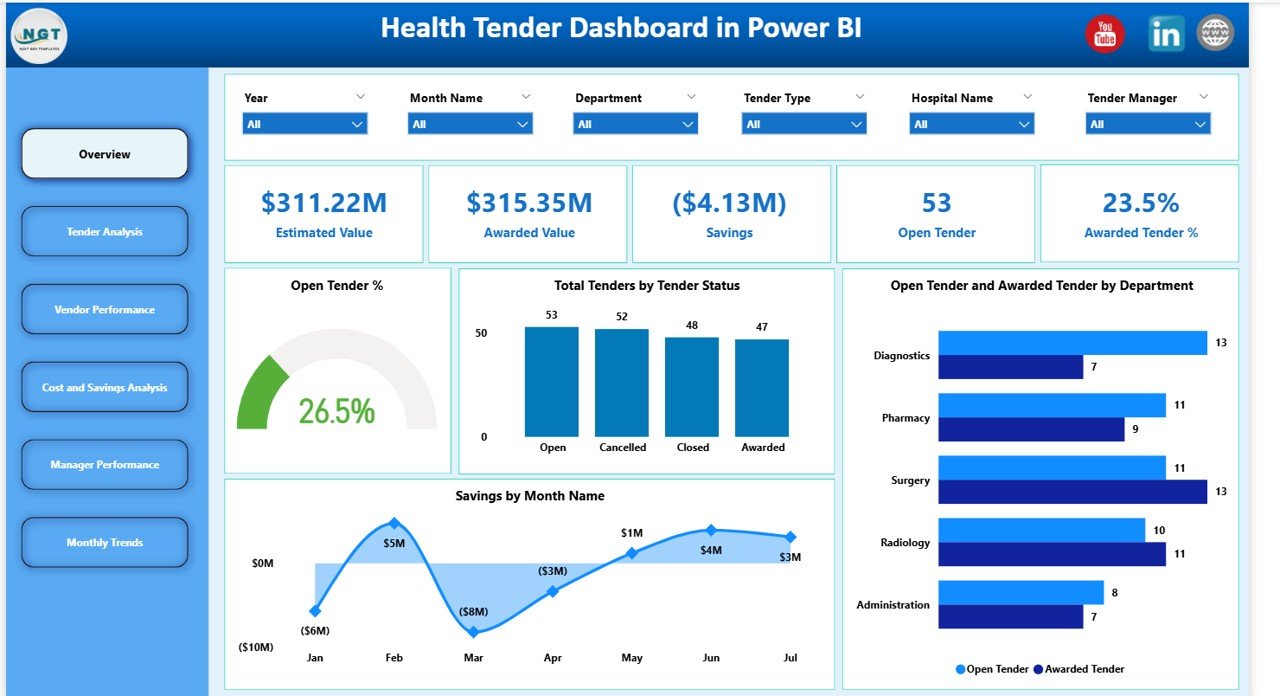
🖥️ Overview Section – Executive Tender Snapshot
The Overview section gives decision-makers an instant understanding of overall tender performance.
KPI Cards Included
Estimated Value – Total expected value of all tenders
Awarded Value – Total value of awarded tenders
Savings – Difference between estimated and awarded values
Open Tender – Number of tenders still pending
Awarded Tender % – Tender award success rate
Overview Charts
Open Tender % – Highlights pending workload
Total Tenders by Tender Status – Open, Awarded, Cancelled
Open vs Awarded Tenders by Department – Department-wise efficiency
Savings by Month – Tracks monthly cost improvements
These visuals allow leadership to assess tender health within seconds.
📊 Tender Analysis – Understanding Tender Outcomes
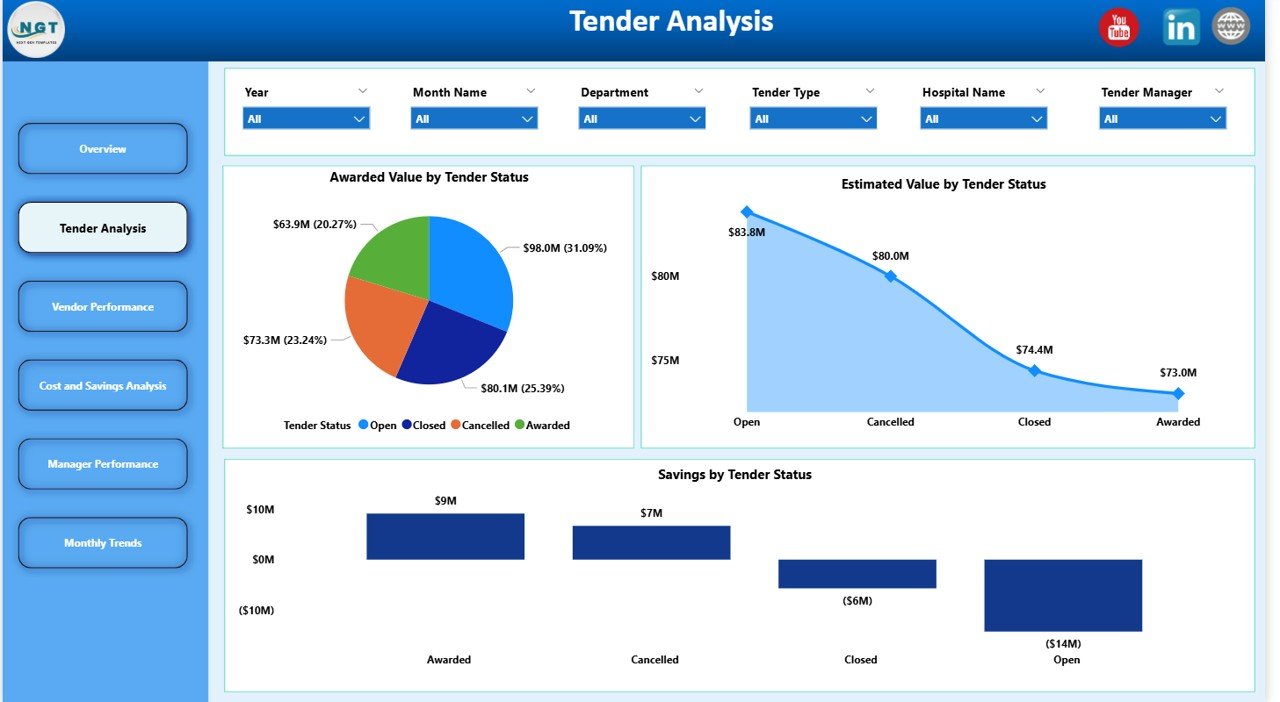
This section focuses on how tenders perform across different stages.
Charts Included
Awarded Value by Tender Status
Estimated Value by Tender Status
Savings by Tender Status
This analysis helps procurement teams understand where financial commitments and savings occur in the tender lifecycle.
🧑🤝🧑 Vendor Performance Analysis – Supplier Effectiveness
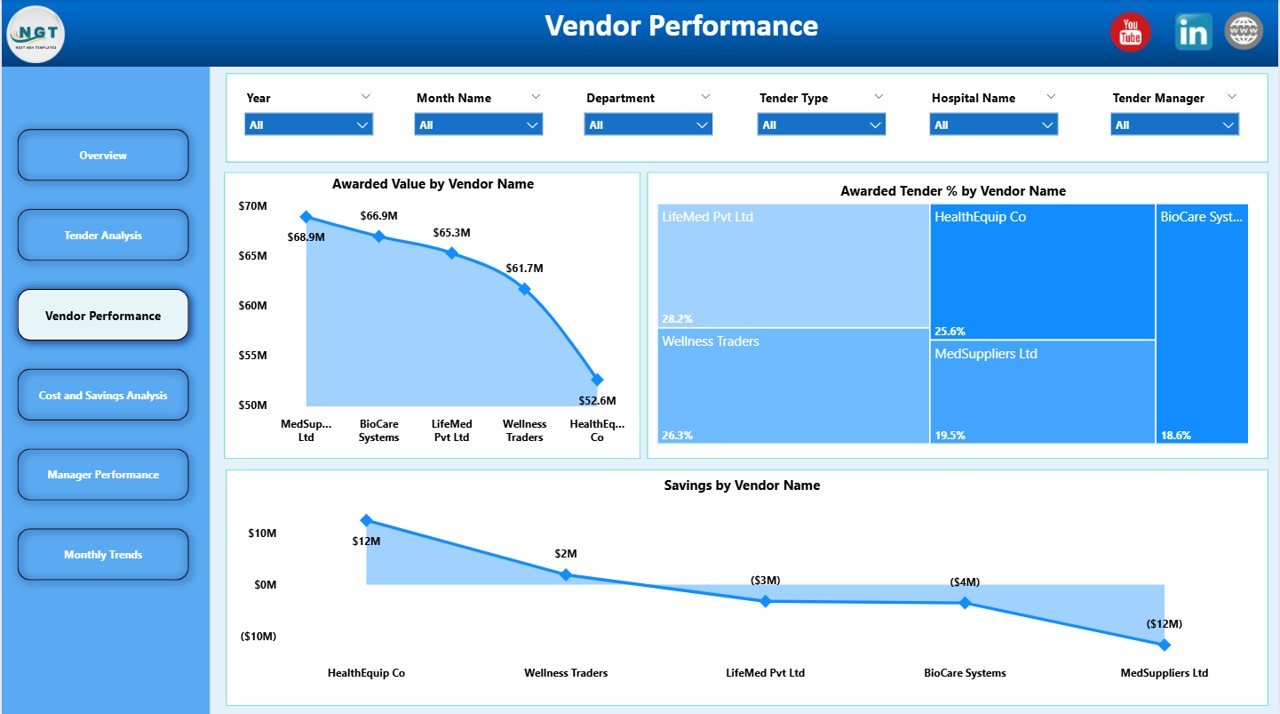
Vendor performance directly impacts healthcare procurement success.
Charts Included
Awarded Value by Vendor Name
Awarded Tender % by Vendor Name
Savings by Vendor Name
These insights help healthcare organizations select reliable vendors, improve negotiations, and reduce supplier risk.
💰 Cost & Savings Analysis – Financial Control
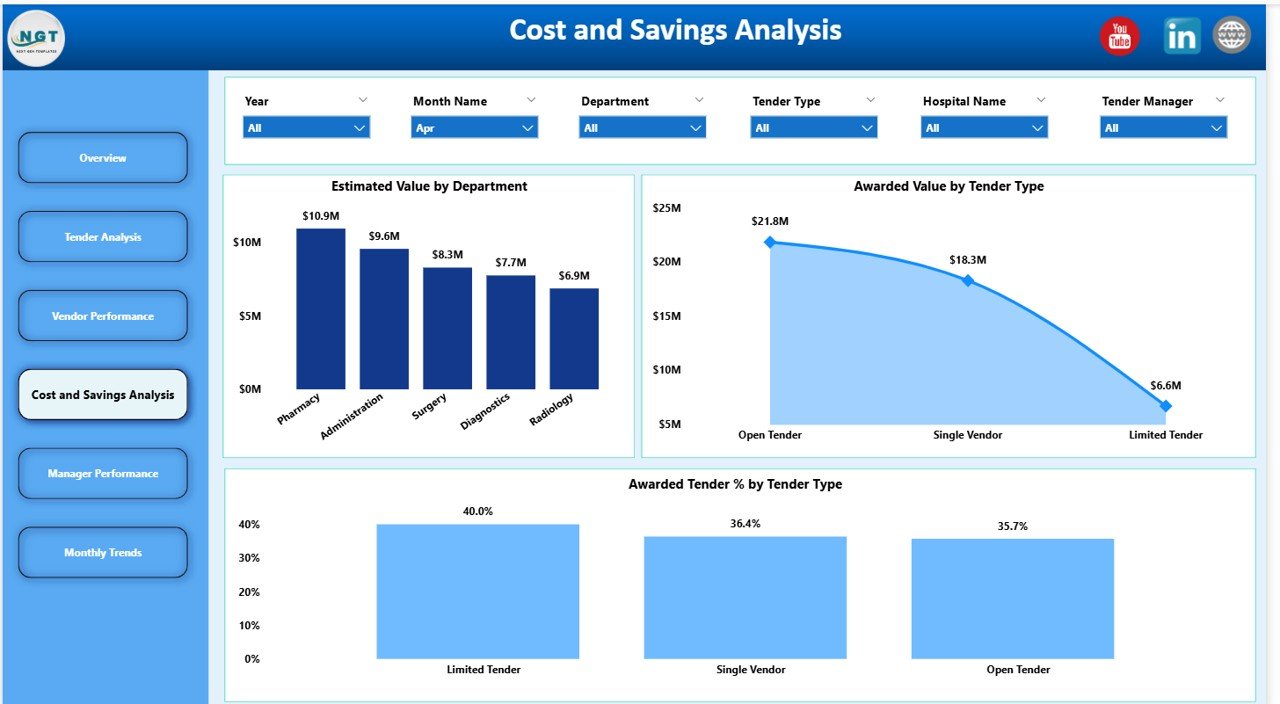
This section provides financial visibility across departments and tender types.
Charts Included
Estimated Value by Department
Awarded Value by Tender Type
Awarded Tender % by Tender Type
Finance teams use this analysis to strengthen budget control and sourcing strategies.
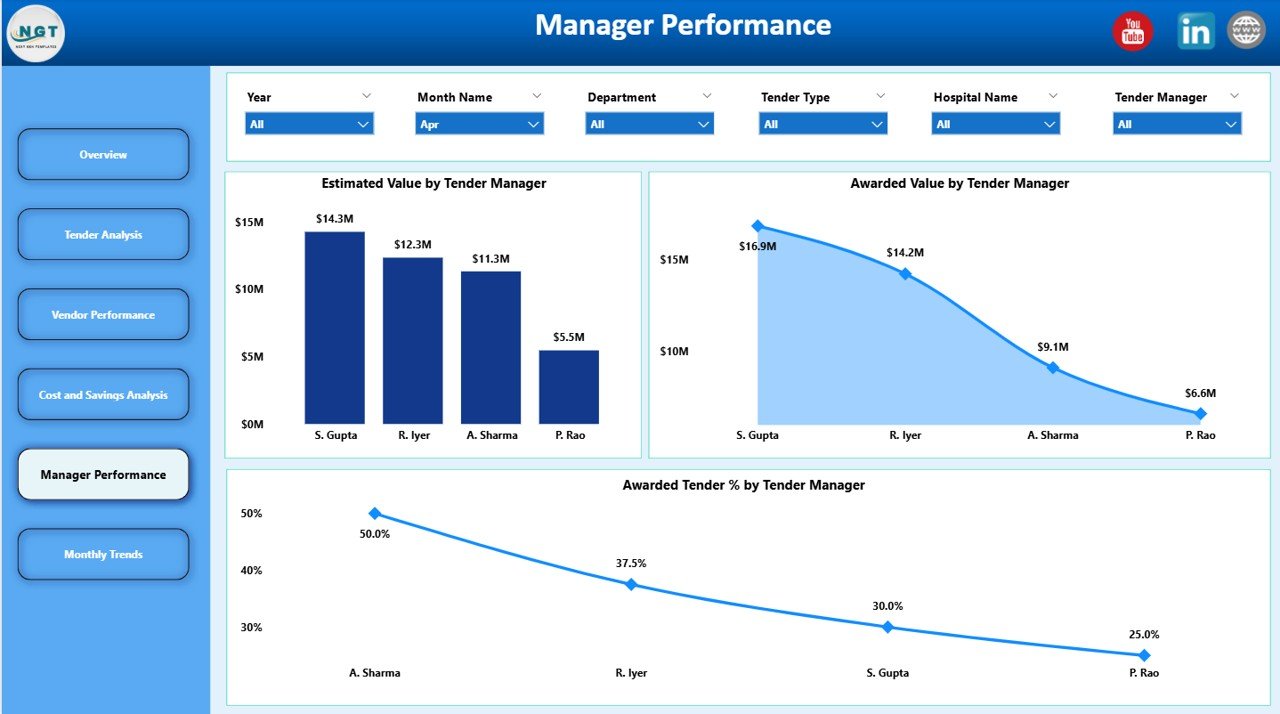
👩💼 Manager Performance – Accountability & Governance
Tender managers play a critical role in procurement efficiency.
Charts Included
Estimated Value by Tender Manager
Awarded Value by Tender Manager
This view improves accountability and supports performance-based governance.
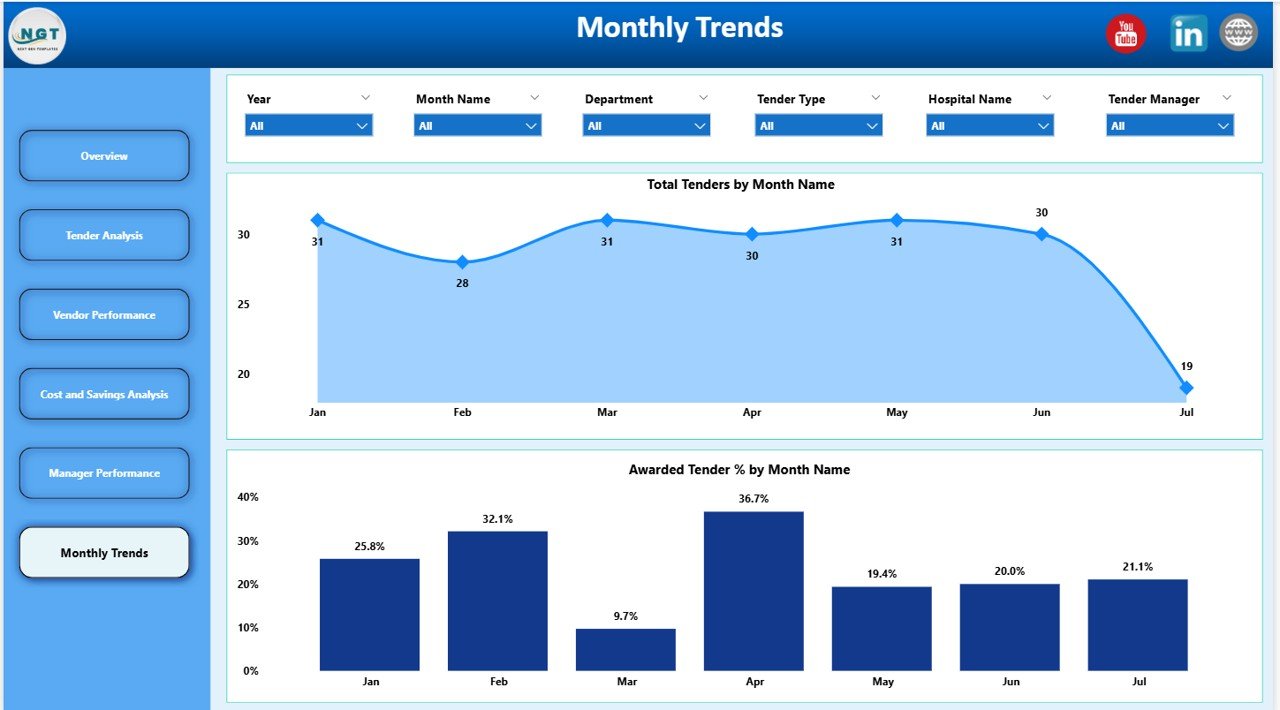
📅 Monthly Trends – Time-Based Tender Insights
This section highlights how tender activity changes over time.
Charts Included
Total Tenders by Month
Awarded Tender % by Month
These trends help organizations identify seasonal patterns and process improvements.
🎯 Who Can Benefit from This Dashboard
🏥 Hospitals & Healthcare Networks
📦 Procurement & Tender Management Teams
💼 Finance & Audit Teams
🧠 Compliance & Governance Teams
👩⚕️ Senior Management & Executives
📘 Click here to read the Detailed blog post
Watch the step-by-step video tutorial:
📺 Visit our YouTube channel to learn step-by-step video tutorials
👉 https://youtube.com/@PKAnExcelExpert
Compatibility and Requirements
- Works in Power BI Desktop, which is free. Download it from Microsoft: Get Power BI Desktop.
- The dashboard uses interactive filters and drill-downs.
Frequently Asked Questions
Which KPI cards are on the Overview page?
Estimated Value, Awarded Value, Savings, Open Tender and Awarded Tender %.
How are savings calculated?
Savings is the difference between the estimated value and the awarded value of tenders.
Which analysis sections are included?
Overview, Tender Analysis, Vendor Performance, Cost and Savings, Manager Performance and Monthly Trends.
Can I compare vendors?
Yes. The Vendor Performance section shows awarded value, awarded tender % and savings by vendor name.
Can I track tenders by department?
Yes. The Overview shows open and awarded tenders by department, and the Cost and Savings section shows estimated value by department.
How to Use the Health Tender Dashboard
- Open the file in Power BI Desktop.
- Check the KPI cards on the Overview page for estimated value, awarded value and savings.
- Use the filters and drill-downs to focus on a department, tender type or status.
- Review the Vendor Performance and Manager Performance pages.
- Check Monthly Trends for changes in tender count and awarded tender % over time.
Related Tender and Procurement Templates
- Health Tender KPI Dashboard in Excel: tender KPIs with targets in Excel
- Health Tender KPI Dashboard in Power BI: tender KPIs with targets in Power BI
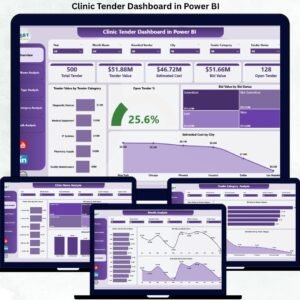
- Clinic Tender Dashboard in Power BI: tender analysis for clinics
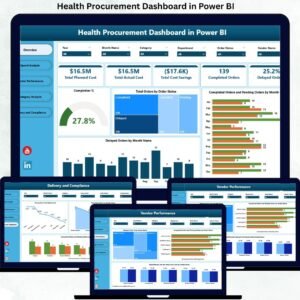
- Health Procurement Dashboard in Power BI: healthcare purchasing analysis
- Power BI Dashboard Mega Collection: 15 Power BI dashboards in one download
Browse all Power BI dashboards or the Power BI KPI dashboards.
Reviews
There are no reviews yet.