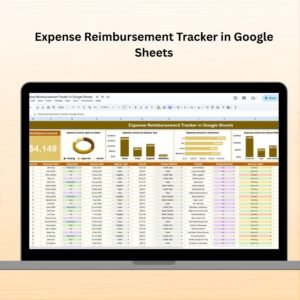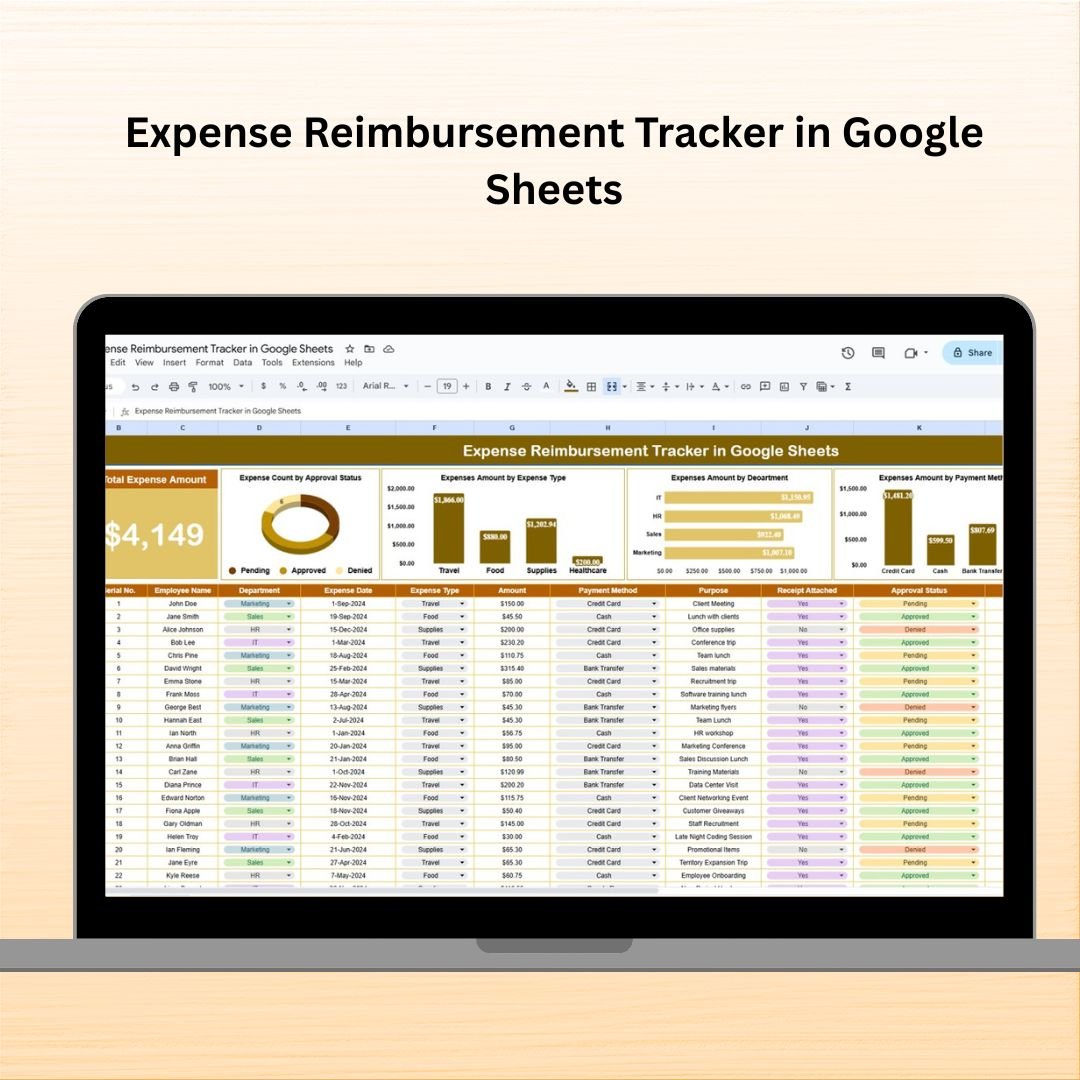

Expense Reimbursement Tracker in Google Sheets

Google Sheets - instant download

Original price was: ₹1,499.00.Current price is: ₹699.00.
Details, requirements and demo below
Sale!

Expense Reimbursement Tracker in Google Sheets

Original price was: ₹1,499.00.Current price is: ₹699.00.

Make employee expense tracking effortless with this smart Expense Reimbursement Tracker in Google Sheets! Visuals, structure, and ease – all in one tool.

🌟 Key Highlights:

📊 Ready-to-use Google Sheets Template – Start tracking instantly
💰 Total Expense Summary Card – View grand totals quickly
📈 Visual Charts – Approval status, department spend & more
🧾 Receipt Attachment Checkbox – Ensure transparency
💳 Payment Method Breakdown – Analyze how expenses were paid
📁 Single Sheet Structure – No tabs to juggle
📌 Structured Input Table – All expense details in one place
🔍 Auto-updated Approval Insights – Stay on top of statuses
🛠️ Fully Customizable – Tailor it to fit your org’s needs
📤 Easily Shareable – Collaborate with finance or HR in real time

Customize this template for your business (optional)

Handled by email: we contact you within 1 business day. One revision round included. What is included

- +
Have your own data? Build a dashboard from your Excel, CSV or Google Sheets file free in Dashboard Studio →
,

💡 Buy any 2 templates and save 20% automatically at checkout.

Included in All-Access Templates. Get this plus 7,000+ templates for ₹4,999.00 a year. Compare plans →
Pricing country
Prices follow your selected country; checkout uses your billing country.
Excel Pivot Tables & Dashboards: Basic to Advanced courseLaunch offer
🎓 NEXTGENTEMPLATES ACADEMY
Like this dashboard? Learn to build your own.
Excel Pivot Tables & Dashboards: Basic to Advanced

From your first Pivot Table to the Data Model, DAX, Power Query and a one-page KPI dashboard. 11h 51m of video by PK, with practice files, quizzes and a capstone.

Tired of messy spreadsheets, lost receipts, and delays in reimbursements? Say goodbye to all that confusion with our Expense Reimbursement Tracker in Google Sheets – your all-in-one solution to streamline the employee reimbursement process. Whether you’re a small startup or a large organization, this powerful tool helps you track expenses, monitor approvals, and analyze spending – all from one clean, easy-to-use dashboard!
expense reimbursement tracker

💡 Key Features of Expense Reimbursement Tracker in Google Sheets

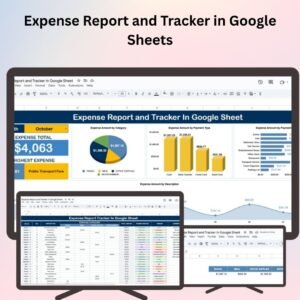
📋 Comprehensive Dashboard View

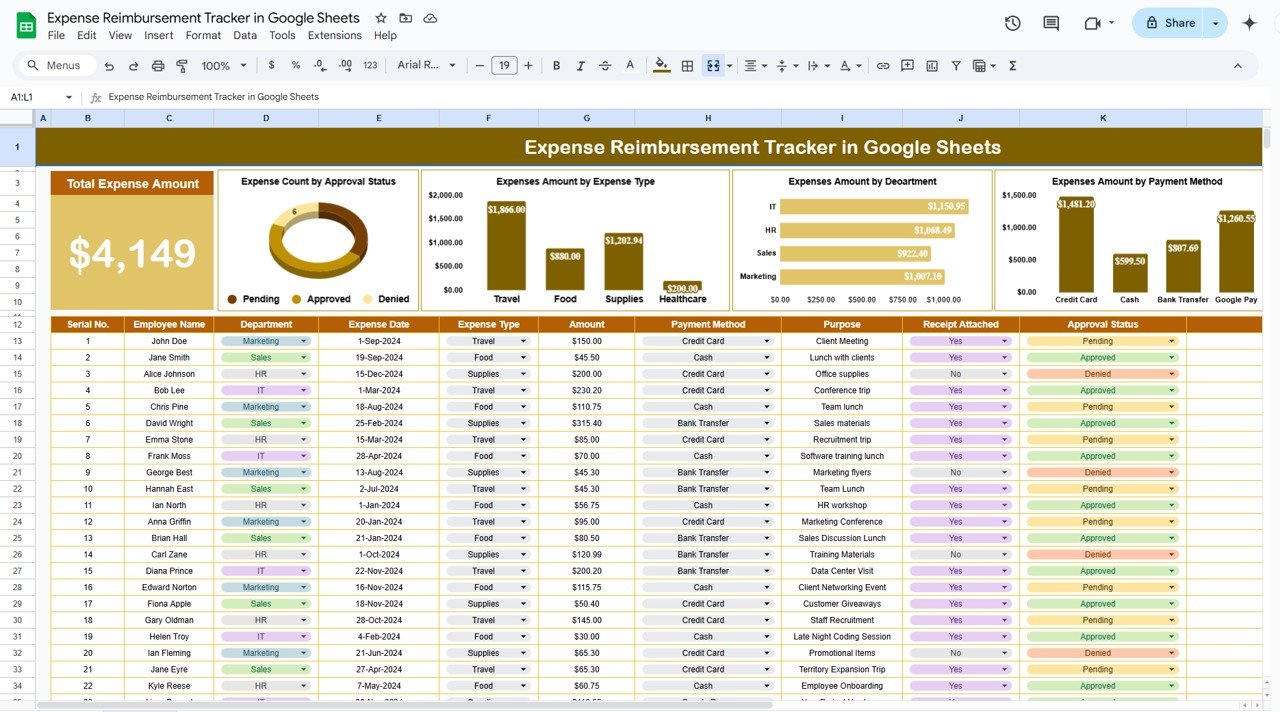
The top section of the sheet features summary cards that give you an instant overview of your organization’s reimbursement activities:

  • 💰 Total Expense Amount at a glance

  • 📈 Charts for quick visual analysis

  • 🔍 Track trends in approval status, departments, payment methods, and more

📊 Insightful Charts & Graphs

Analyze your data like a boss with built-in visuals:

  • ✅ Count by Approval Status: Know what’s pending, approved, or rejected

  • 📎 Expenses by Receipt Attached: Monitor compliance and accountability

  • 💳 Expenses by Payment Method: Understand how your team is paying

  • 🏢 Expenses by Department: Spot which departments are spending the most

  • 🧾 Expenses by Expense Type: See exactly where the money goes (travel, meals, etc.)

🧾 Data Input Table – All in One Place

Log every detail about the expenses in one structured table:

  • 🔢 ID – Unique identifier for each record

  • 👤 Employee Name – Person submitting the claim

  • 🏢 Department – Their business unit or team

  • 📆 Expense Date – When the expense was incurred

  • 💼 Expense Type – Meals, travel, office supplies, etc.

  • 💵 Amount – Claim amount

  • 💳 Payment Method – Cash, card, bank transfer

  • 🎯 Purpose – Reason behind the expense

  • 📎 Receipt Attached – Checkbox to confirm receipt

  • 🔄 Approval Status – Pending, approved, or rejected

  • 📝 Remarks – Additional notes


📦 What’s Inside the Expense Reimbursement Tracker

This ready-to-use Google Sheets template includes:

  • 🗂️ One powerful sheet tab with structured sections

  • 📊 Auto-generated charts for quick visual analysis

  • 💡 Dynamic Summary Cards to monitor totals instantly

  • 📎 Built-in checkboxes to track receipt attachments

  • 📥 Customizable input table for all expense details

  • 📌 Pre-filled dropdowns to keep entries consistent

  • ✅ Formula-based dashboard – no coding needed

  • 🔧 Fully editable – tailor it to fit your organization’s needs


🚀 How to Use the Expense Reimbursement Tracker

  1. Input Expense Data – Enter details in the main table

  2. Check for Receipts – Use the checkbox for compliance

  3. Monitor Approvals – Keep an eye on the approval column

  4. Analyze with Charts – Use visuals for data-driven decisions

  5. Share with Your Team – Collaborate easily in Google Sheets

No steep learning curve. Just plug in the data and start managing expenses like a pro!


👥 Who Can Benefit from This Tracker

This tool is ideal for:

  • 🧾 HR & Finance Teams – Simplify tracking and approval workflows

  • 💼 Managers – Monitor departmental budgets and reimbursements

  • 👩‍💻 Startups & Small Businesses – Handle expenses without complex software

  • 🏢 Enterprises – Centralize and automate reimbursement workflows

  • 👨‍👩‍👧 Remote Teams – Collaborate effortlessly on a shared Google Sheet

No matter your business size or type, this tracker makes reimbursement painless and professional.


🔗 Click here to read the Detailed blog post

Watch the step-by-step video Demo:


📺 Visit our YouTube channel to learn step-by-step video tutorials

Compatibility and Requirements

  • Works in Google Sheets. You need a free Google account and a web browser.
  • Entries use dropdowns and checkboxes. Google explains dropdowns in Create an in-cell dropdown list.

Frequently Asked Questions

What details can I log for each claim?

ID, employee name, department, expense date, expense type, amount, payment method, purpose, receipt attached, approval status and remarks.

Which charts are included?

Charts show claims by approval status, receipt attached, payment method, department and expense type, with summary cards for the totals.

How do I record that a receipt was received?

Tick the Receipt Attached checkbox on that row. The receipt chart updates from those ticks.

Can my team use it together?

Yes. It is a Google Sheets file, so you can share it with HR, finance and managers and work on it at the same time.

Is there an Excel version?

Yes. The Expense Reimbursement Tracker in Excel covers the same job in Excel.

Related Expense Templates

Browse all Google Sheets financial tools or the Google Sheets dashboards.
Frequently asked questions

How do I get my own copy?
After purchase you get a link to the Google Sheet. Open it while signed in to your Google account and use File > Make a copy - the copy in your Google Drive is fully yours and editable.
Do I need a paid Google account? Will it expire?
No. A free Google account is enough, and your copy lives in your own Google Drive - it never expires and there is nothing to renew.
Does it work on Mac, phone or tablet?
Yes - in any browser on Windows, Mac or Chromebook, and in the Google Sheets mobile app for viewing and quick entries.
Can I share it with my team?
Yes. Share your copy with colleagues using Google's normal sharing, with view or edit rights as you choose.
Can I change the design and formulas?
Yes, your copy is fully editable - colours, labels, logo, formulas and charts. If a range is protected, use Data > Protect sheets and ranges to remove it in your copy.
Are there macros or add-ons?
No macros or add-ons - it uses normal Google Sheets formulas and charts.
Is it a one-time payment or a subscription?
One-time payment. No subscription, no per-user fees and nothing to renew - the file is yours to keep.
How do I get the file after payment?
Instantly. The download link appears on screen after checkout, is emailed to you, and stays under My Account > Downloads on our website. If the email does not arrive within a few minutes, check your spam or promotions folder.
Is a user manual included?
Most of our newer products include a PDF user manual in the download. If yours does not have one, message us with your order number and we will send it.
Do I get free updates?
Bug fixes are always free - if something does not work as described, we fix it and send you the corrected file. New versions with new features are not included in the price, unless this product's description says otherwise.
Can you customise it for me?
Yes. Small changes to this template (your columns, categories, logo, colours, minor layout) cost the template price plus $40-80 (Rs 3,000-6,000 + GST), quoted once you send your list. A fully custom build is usually $100-200 (Rs 8,000-18,000 + GST) with two revision rounds. Email your requirements to [email protected] or message us on WhatsApp.
Can I use it for my business or my clients?
Yes, for your own personal or internal business use, for as long as you like. Reselling or redistributing the template is not allowed.
What is your refund policy?
Because these are digital downloads, they are non-refundable once delivered - except when the product does not match its description (report it within 48 hours of purchase) or there is a technical problem our team cannot fix within 72 hours. Email [email protected] with your order number.
How do I get help?
Email [email protected] (Mon-Fri, 10 AM-7 PM IST) or message us on WhatsApp +91 80770 90260 (chat only, no calls). Please include your order number.

Still have a question? Click Need help? at the bottom-left to ask our assistant, or message us on WhatsApp.

Application

Google Sheets

Template Type

Tracker

Price

Paid

Business Or Department

Finance

Reviews

There are no reviews yet.

Only logged in customers who have purchased this product may leave a review.

You may also like…

Expense Reimbursement Tracker in Google SheetsExpense Reimbursement Tracker in Google Sheets
Original price was: ₹1,499.00.Current price is: ₹699.00.
- +
Have your own data? Build a dashboard from your Excel, CSV or Google Sheets file free in Dashboard Studio →
Scroll to Top