

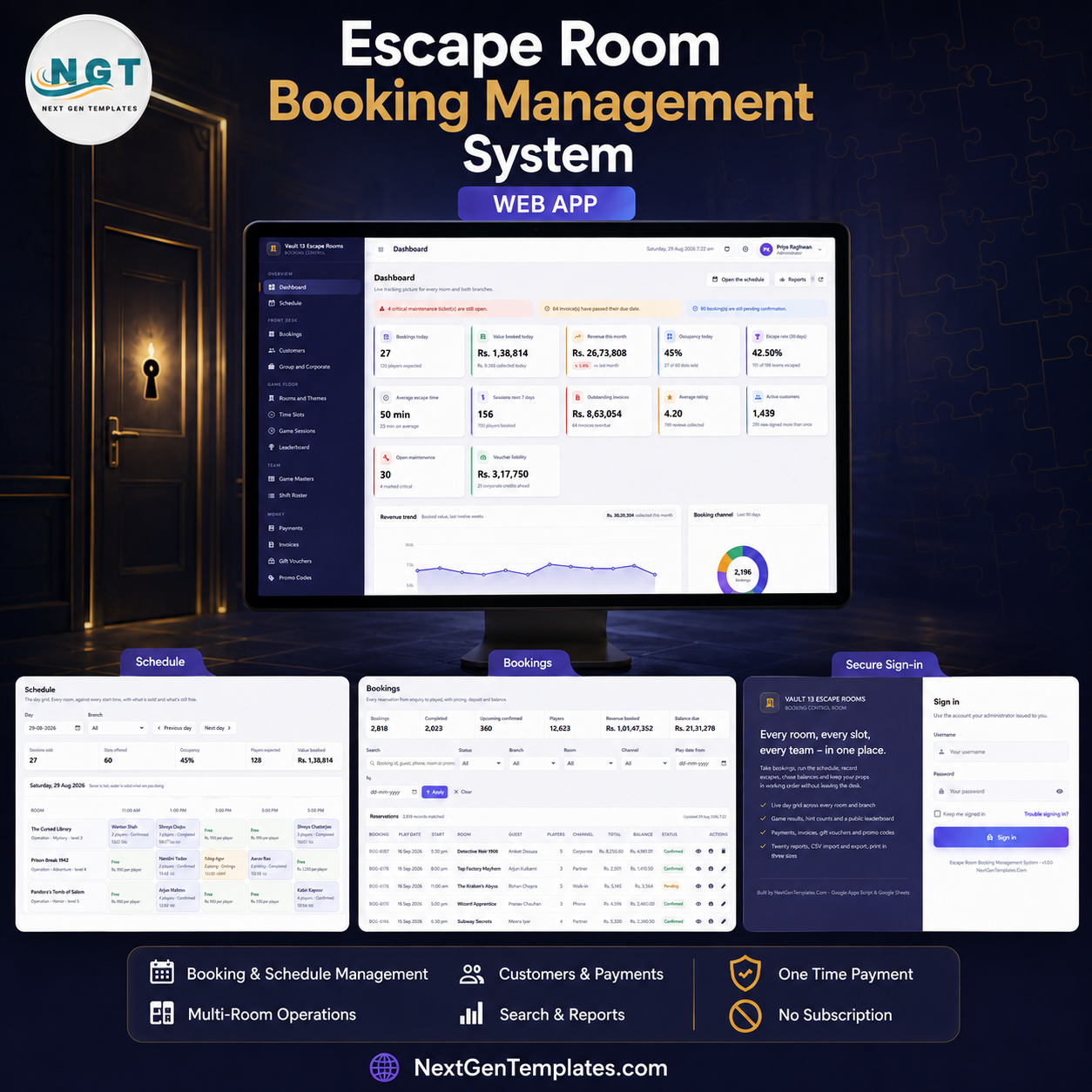

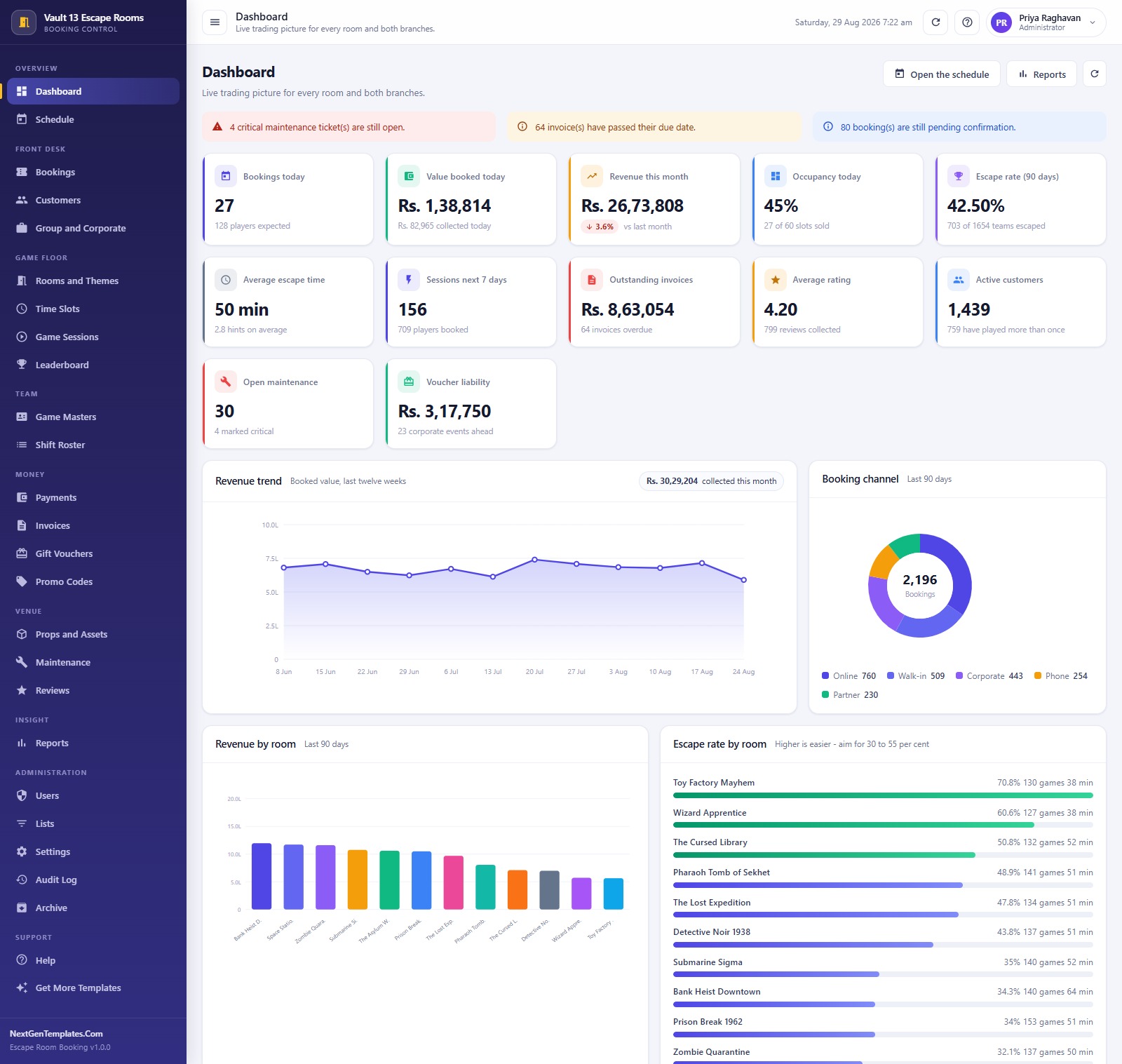
The Escape Room Booking Management System is a finished Google Apps Script web app for escape room venues that are running 8 to 15 rooms across one or two branches and have outgrown a shared calendar. It ships as a working system, not a starter kit: 21 database sheets, 8 role-based sign-in accounts, 20 exportable reports and roughly 13,900 rows of demo data so every screen and chart is populated the first time you sign in. One payment, no monthly seat fee, and it installs into your own Google account in about 15 minutes. Over 300 NextGenTemplates management systems are in use by small operators worldwide. Try the live demo below before you spend a rupee.
Try the Live Demo Before You Buy
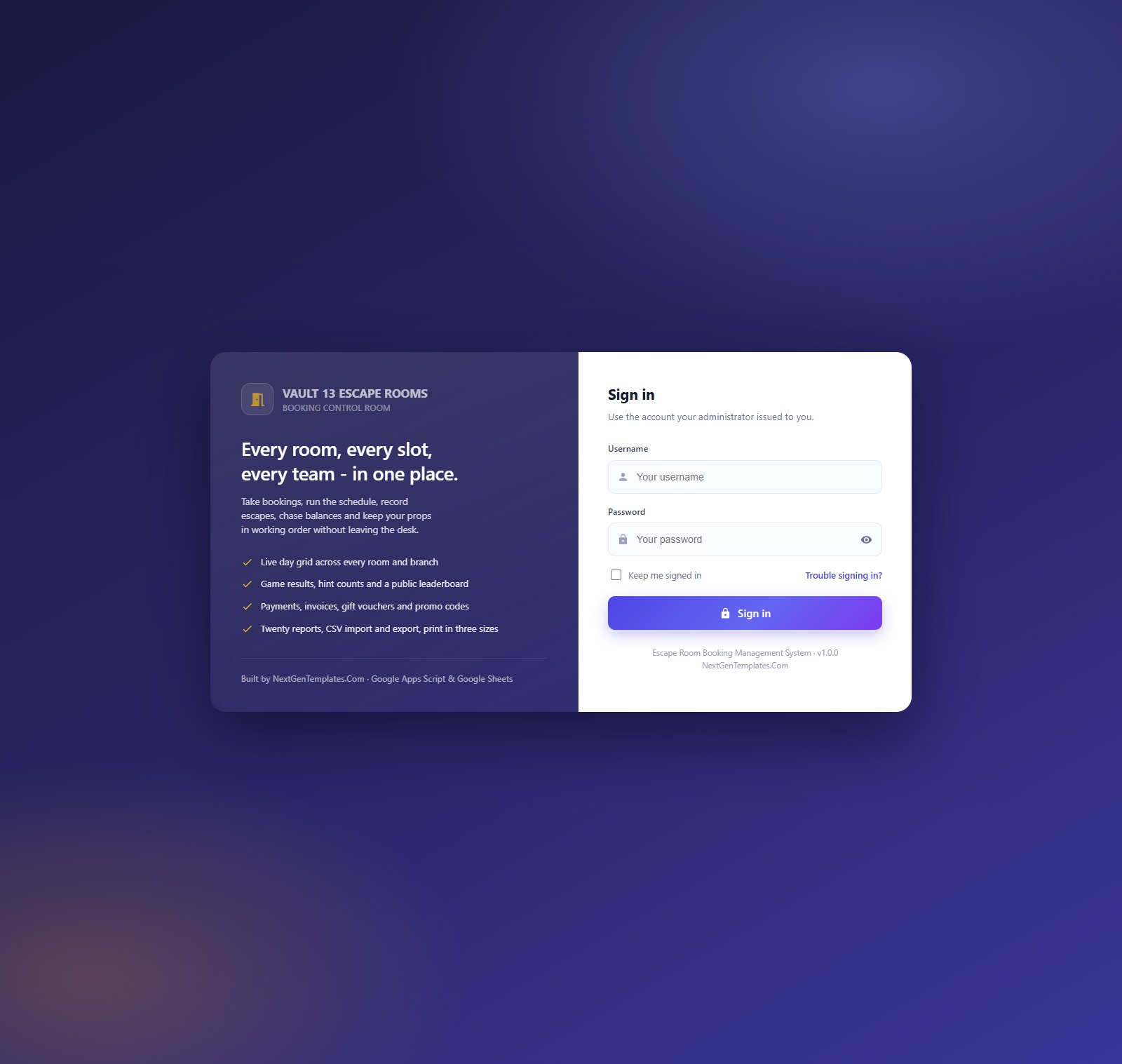
We have deployed this web app in our own Google account so you can test every screen, every role and every report – with real sample data – before purchasing. No signup, no email required.
Test Login Credentials
Sign in as admin to see the whole system including Users, Settings, Audit Log and Archive, then sign back in as viewer to see how little a read-only account is shown. The role separation is enforced on the server, not just in the sidebar – that is the fastest way to judge whether this fits your front desk.
These credentials are public on purpose. They belong to a shared demo instance that is periodically reset – not to anyone’s live venue. What you get after purchase: the full source code (Code.gs + Index.html) plus a step-by-step deployment guide so you can install your own private copy in your own Google account, with your own logins, in under 15 minutes.
Key Features of the Escape Room Booking Management System Web App
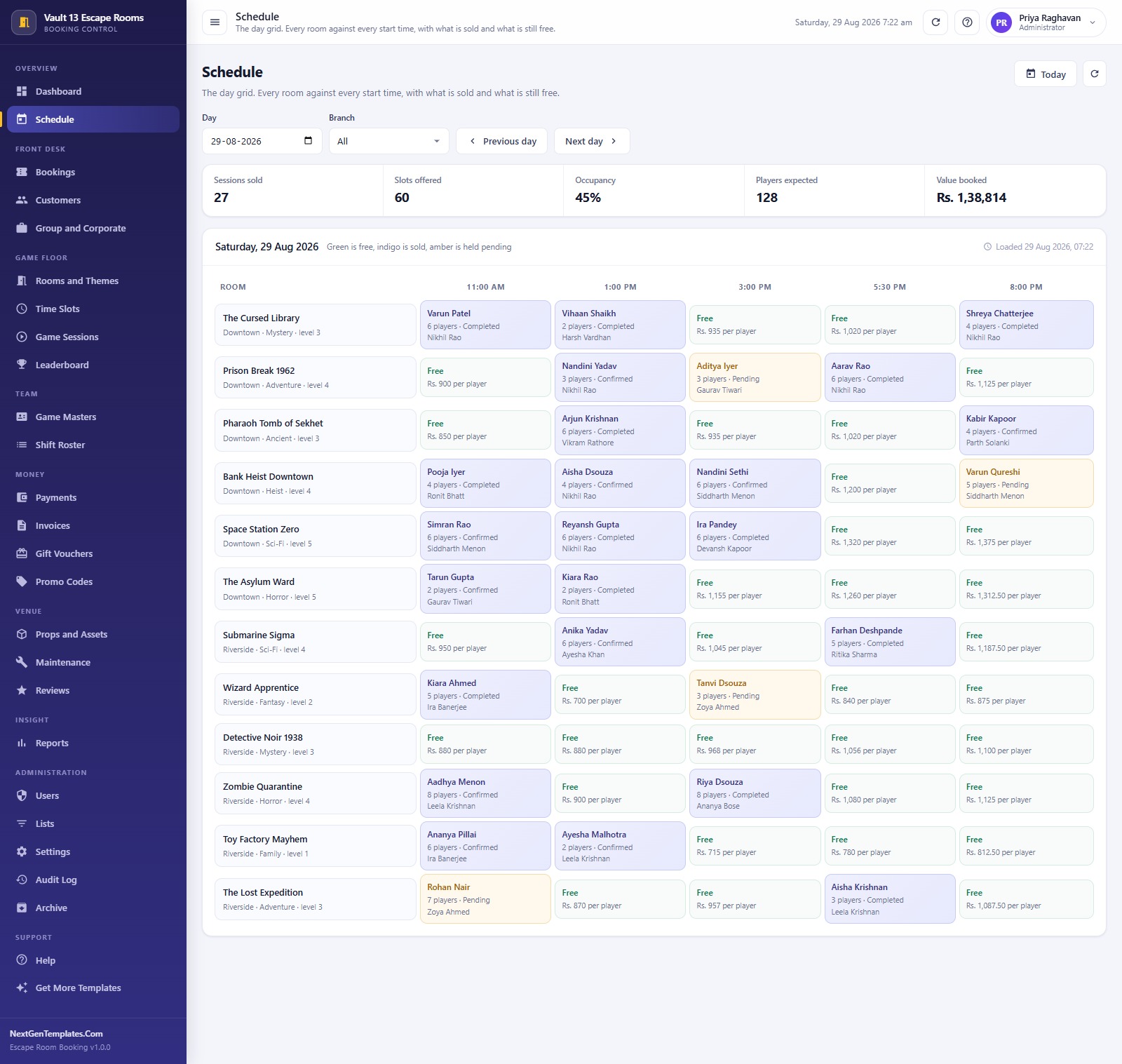
- Day grid schedule – every room down the side, every start time across the top. Green is free and shows the price per player, indigo is sold, amber is held pending. Click a sold cell to open the booking behind it.
- Automatic slot pricing – price per player multiplied by the slot price factor multiplied by the head count. The demo runs factors from x1 on an 11:00 am weekday slot up to x1.25 on the Friday-to-Sunday 8:00 pm slot.
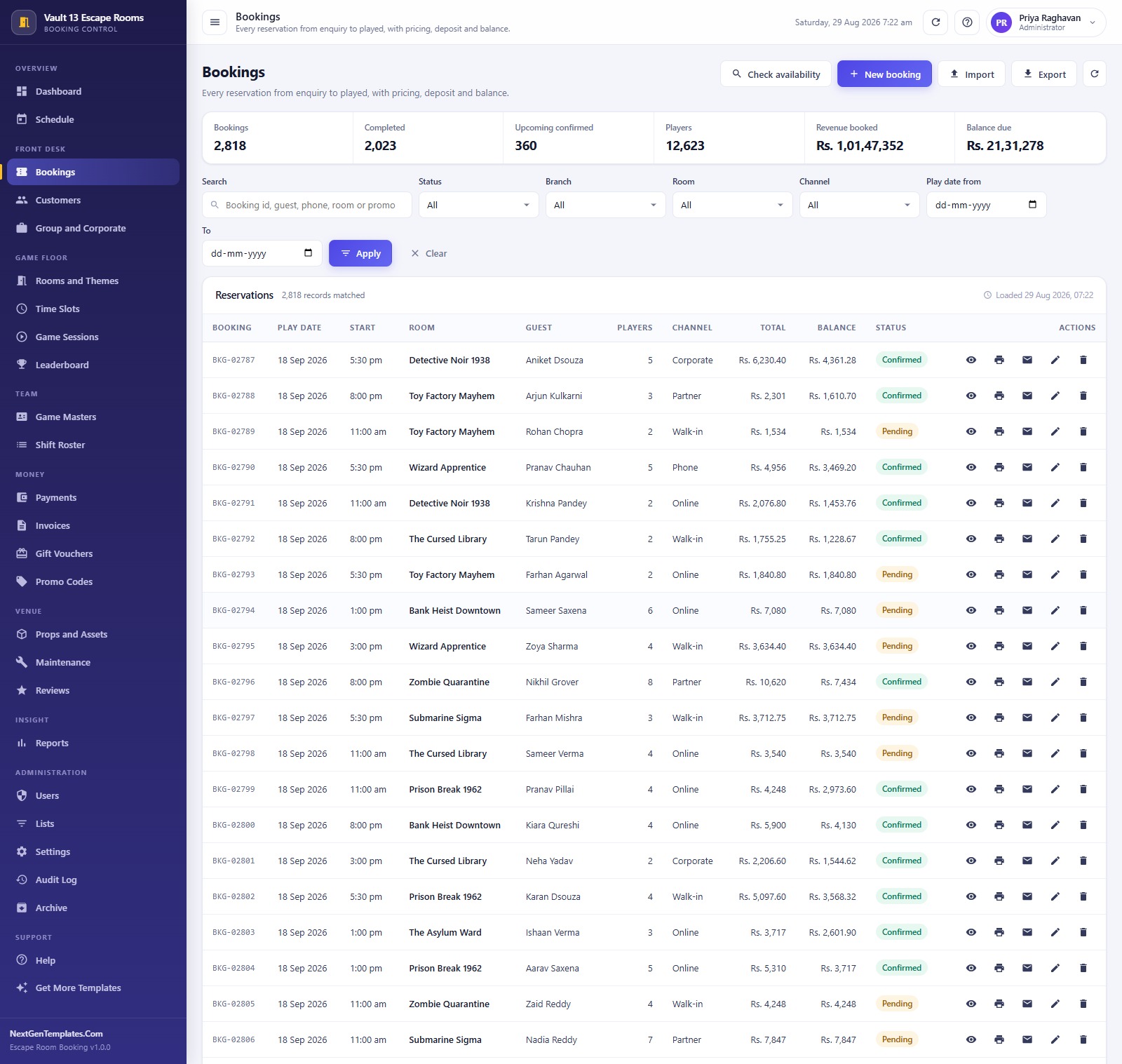
- Full booking lifecycle – Pending, Confirmed, Completed, Cancelled and No Show, with deposit taken and balance due tracked on every row.
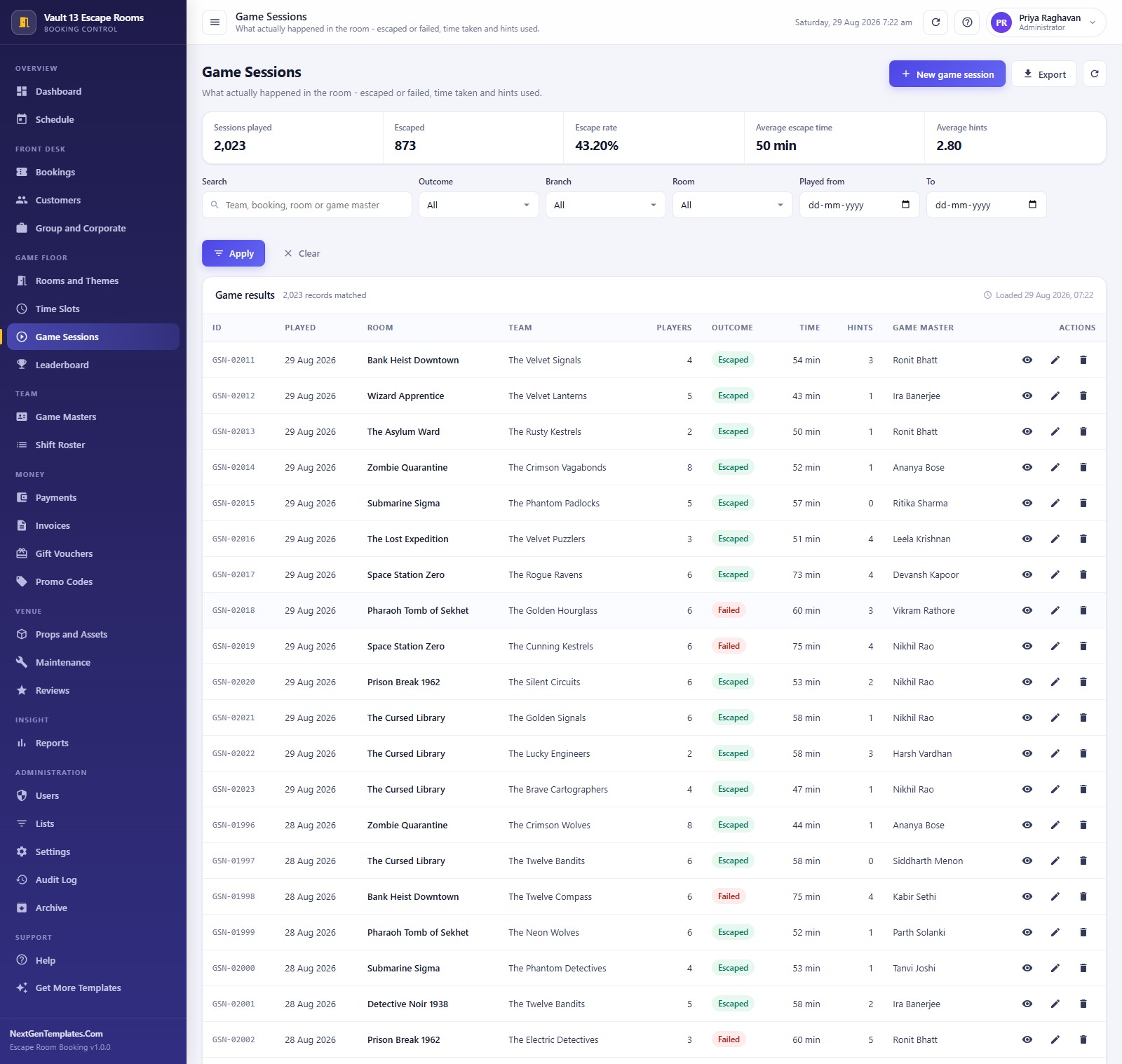
- Game session results – escaped or failed, minutes taken and hints used, which is what drives the escape-rate reporting and the public leaderboard.
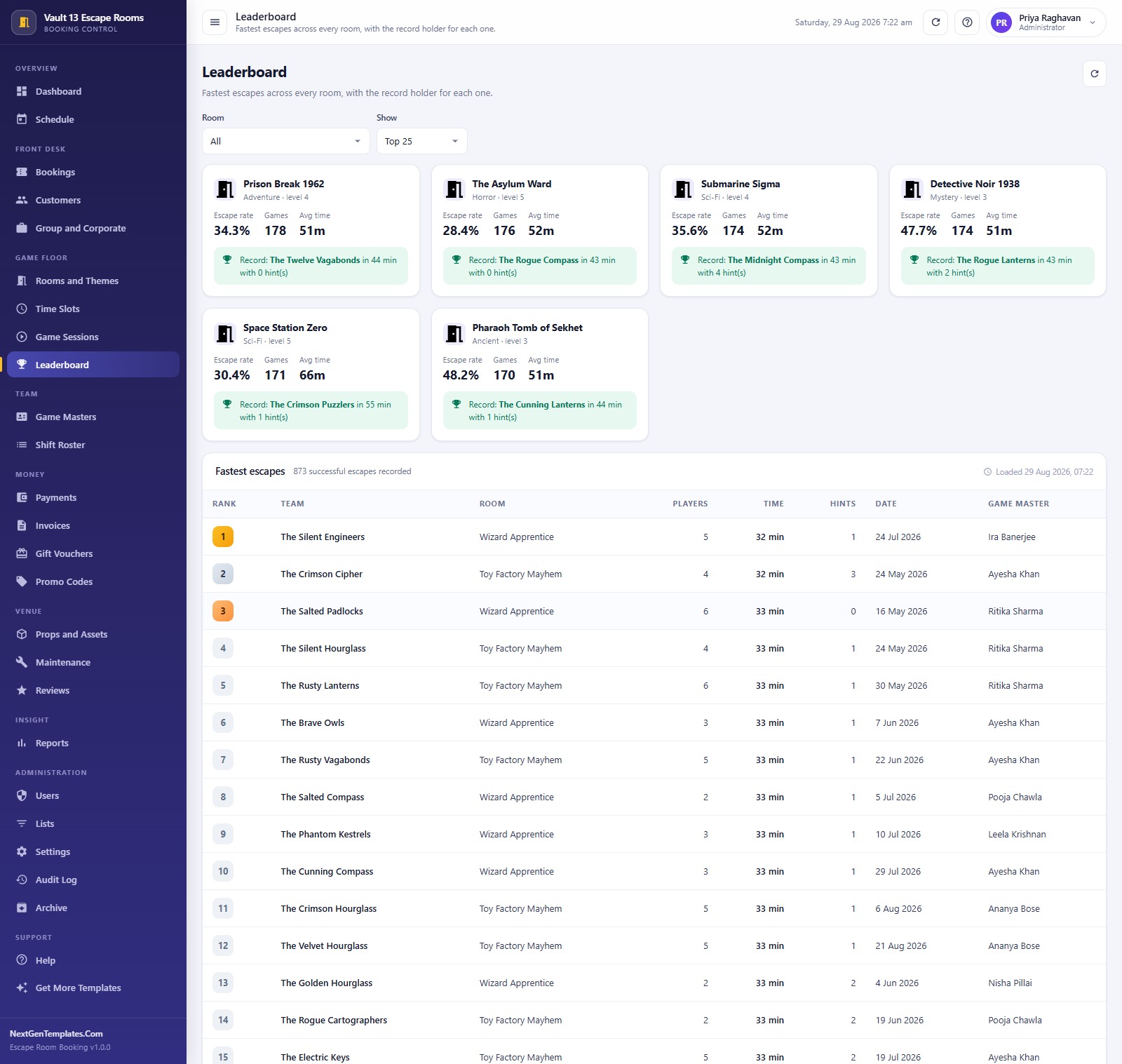
- Leaderboard per room – fastest escapes with the record-holding team, plus escape rate, games played and average time for each room.
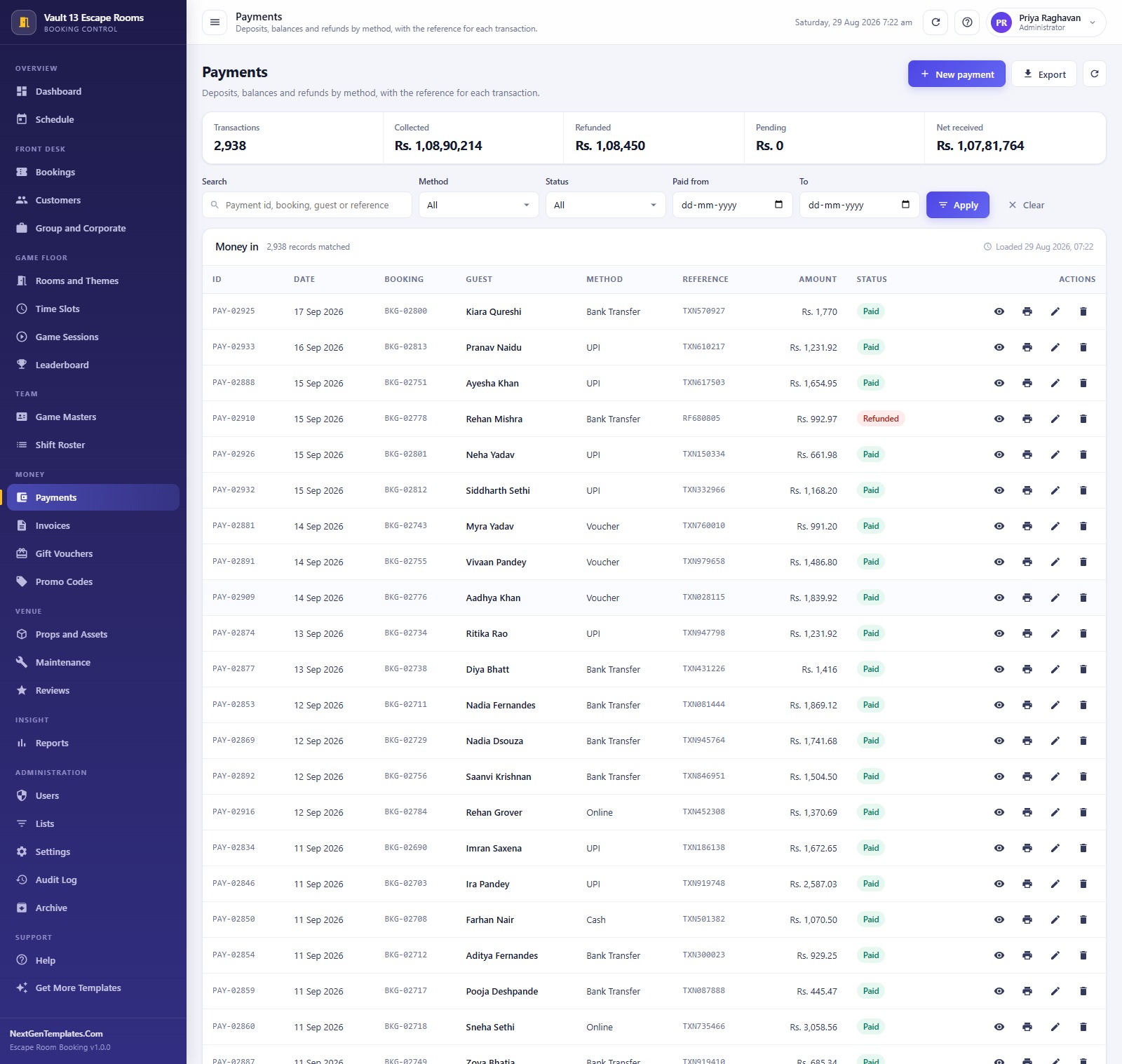
- Money in one place – Payments by method and reference, Invoices with issued/due/outstanding, and Gift Vouchers that track face value against remaining balance as a real liability.
- Promo codes – percent or flat, with a live window, a usage limit and a redemption count, applied automatically at booking time.
- Group and corporate pipeline – birthday bashes, school trips, team builders and private buyouts moved from Enquiry to Quoted to Confirmed with rooms, guests and quoted value.
- Props and Maintenance – every physical prop with its cost, condition and last check date, and a ticket queue with priority, owner and repair cost when something breaks.
- Eight roles enforced on the server – Administrator, Manager, Booking Agent, Game Master, Accounts and Viewer. Hiding a menu item is never the only lock.
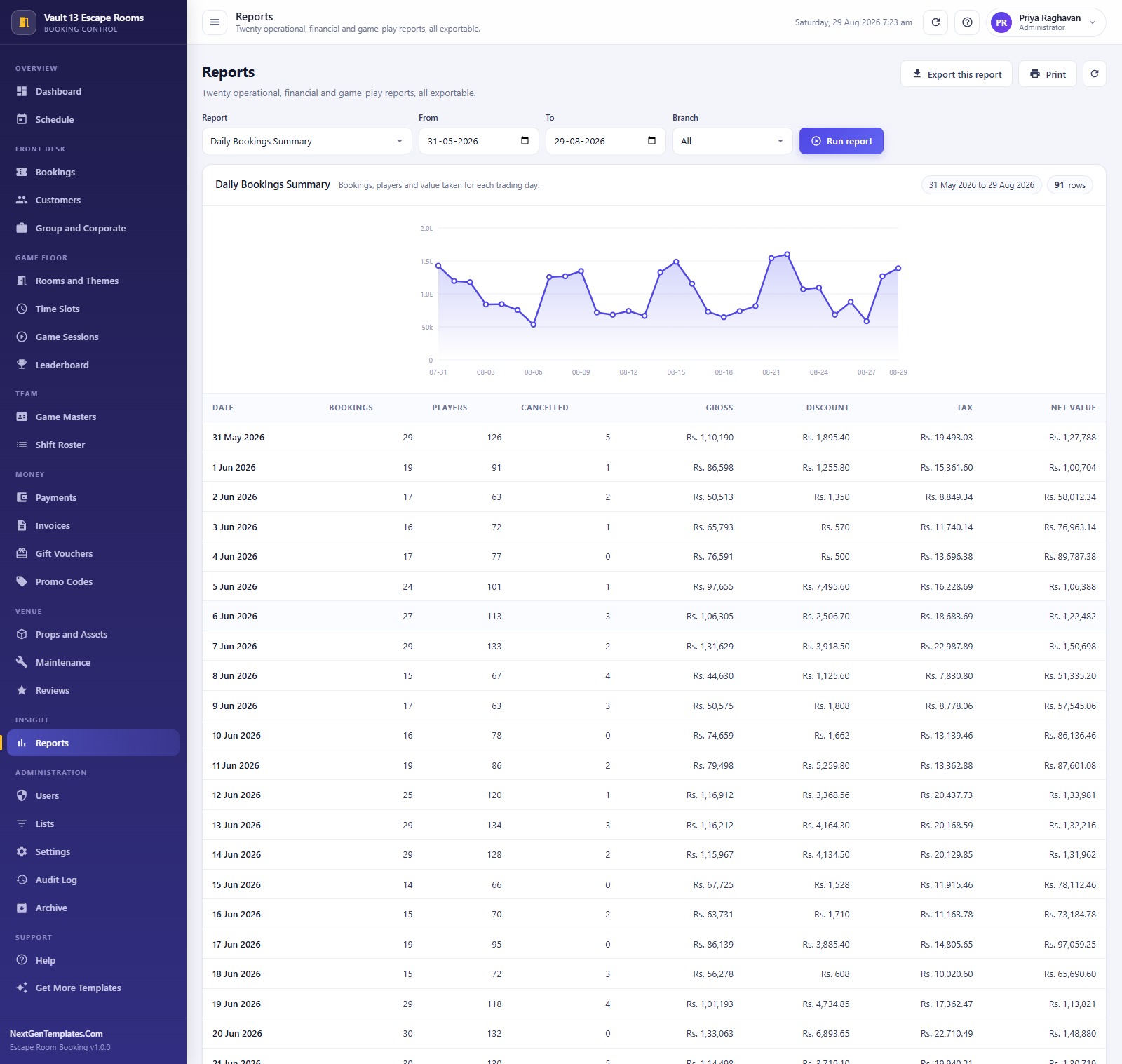
- 20 reports across Operations, Revenue, Game Play, Customers, Marketing, Finance, Events, Assets and Team – each with a date range, an optional branch filter, a chart, CSV export and print.
- Printing at three sizes – 3 inch thermal, 4 inch booking pass and A4 for invoices, quotes and reports, set once in Settings.
What’s Inside the Escape Room Booking Management System Web App
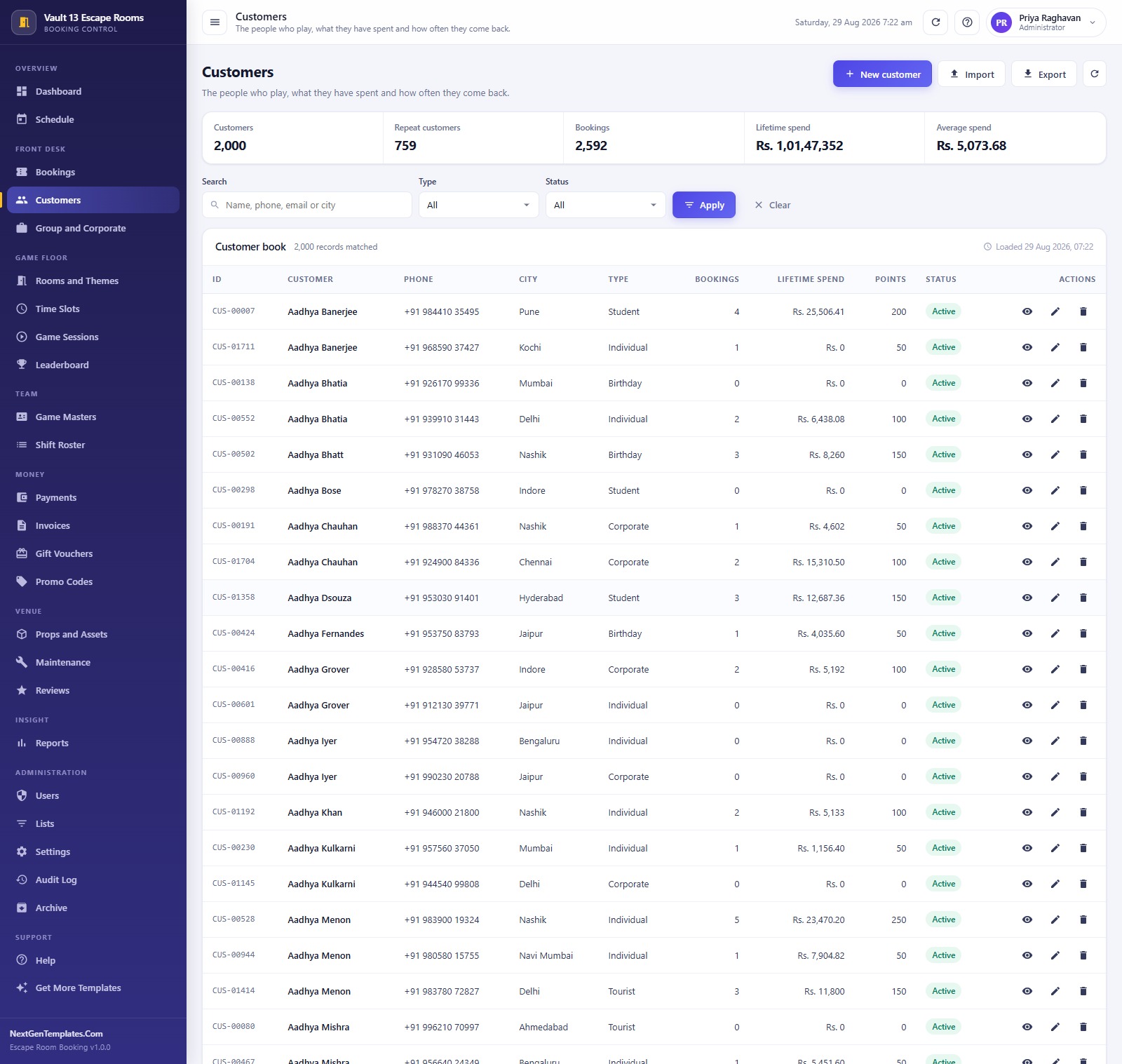
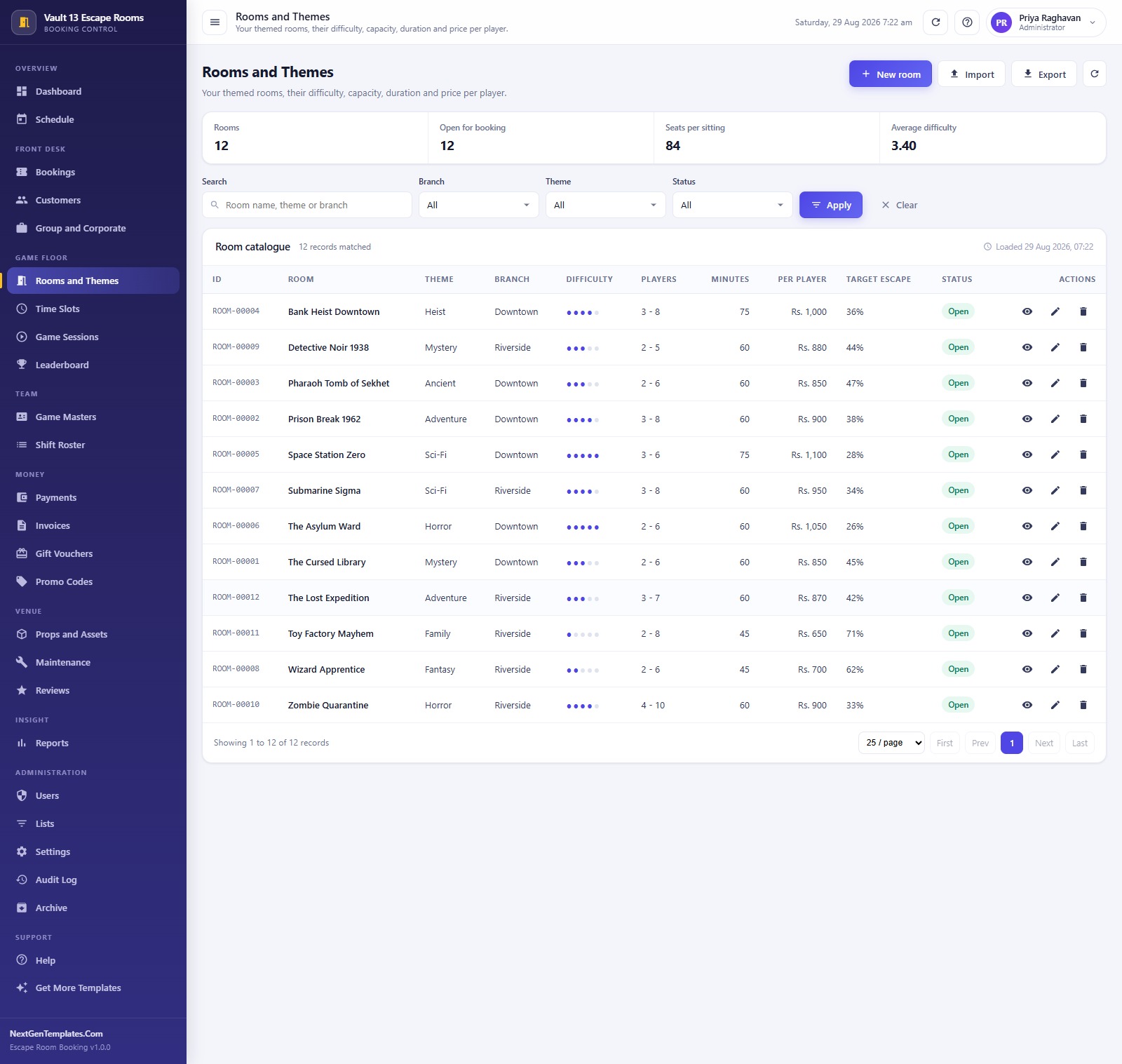
Running first-time setup builds a Google Sheets database of 21 sheets and seeds a full trading year. The reference build carries 2,818 bookings, 2,000 customers, 2,023 game sessions, 2,938 payments, 1,216 invoices, 799 reviews, 786 shifts, 240 props, 260 maintenance tickets, 160 vouchers, 110 group events, 60 time slots and 12 themed rooms – about 13,950 rows in total.
The 27 screens group into six areas. Overview holds the Dashboard and the Schedule. Front Desk holds Bookings, Customers and Group and Corporate. Game Floor holds Rooms and Themes, Time Slots, Game Sessions and the Leaderboard. Team holds Game Masters and the Shift Roster. Money holds Payments, Invoices, Gift Vouchers and Promo Codes. Venue holds Props and Assets, Maintenance and Reviews. Reports sits under Insight, and Users, Lists, Settings, Audit Log and Archive sit under Administration.
Settings carries 46 values across eight tabs – Company, Finance, Operations, Printing, Email, Archive, Interface, Security and Database – so currency symbol, tax rate, deposit percentage, reminder window and the four email templates are all editable without touching code. The Lists screen holds 138 dropdown values (branches, booking channels, customer types, packages, prop categories, difficulty levels) and changing one there changes it everywhere.
Escape Room Booking Management System vs. a Shared Spreadsheet vs. Paid Booking SaaS – Where This Fits
| This web app | Shared Google Sheet / calendar | Paid booking SaaS (Bookeo, Resova, Checkfront) | |
|---|---|---|---|
| Cost | One payment, no renewal | Free | Roughly $40-$130 per month, often plus a per-booking fee |
| Platform | Google Apps Script web app on Google Sheets | Google Sheets | Vendor-hosted SaaS |
| Setup time | About 15 minutes, setup is staged and resumable | Hours of manual building | Days of onboarding |
| Real-time team collaboration | Yes – concurrent sign-ins, each seeing only their role | Yes, but everyone sees everything | Yes |
| Mobile access | Yes – responsive in any browser | Yes, awkwardly | Yes |
| Customizable fields | Yes – you own the source and the Lists screen | Yes | Only what the vendor exposes |
| Share with link | Yes – one /exec URL for your whole team | Yes | Yes |
| Year-1 cost at 5 users | The purchase price, once | Free, plus your own build time | Roughly $480-$1,560 |
| Escape-rate and hint analytics | Built in – per room, per game master, per session | You build it yourself | Usually a higher tier |
| Who owns the data | You – it lives in your own Google Drive | You | The vendor |
Who This Template Is For – and Who It’s Not For
It fits independent escape room venues with 4 to 15 rooms, operators running two branches from one desk, franchise owners who want one system per site without a per-seat bill, and anyone already comfortable inside Google Workspace who wants their booking data to stay in their own Drive.
It is not for you if you need customers to self-book and pay online from your public website – this is a back-of-house system, not a storefront widget. It records payments; it does not process cards, and there is no built-in payment gateway. It does not talk to magnetic locks, room timers, hint tablets or CCTV. And if you are a single-room pop-up doing four games a week, a simpler tool will serve you better.
How to Use the Escape Room Booking Management System Web App
- Try the demo first. Open the live demo above, sign in as
admin, walk the Schedule and Bookings screens, then sign in asviewerto see the role limits. Ten minutes there tells you more than any feature list. - Deploy your own copy. Create a new Apps Script project, paste in Code.gs and an HTML file named exactly
Index, then Deploy > New deployment > Web app, Execute as Me, access Anyone. - Run setup once. Open your /exec URL and press “Install the database now” on the sign-in card. Setup is staged, so if it pauses on Google’s script limit, press it again and it resumes.
- Change every password. Sign in as admin, change the administrator password, then remove or rename the seeded accounts you will not use.
- Set your own numbers. Settings > Company for your trading name and tax number, Finance for currency, tax rate and deposit percentage, Printing for 3 inch, 4 inch or A4.
- Load your rooms. Replace the 12 sample rooms with your own, set difficulty, player range, duration and price per player, then build the Time Slots each room runs and their price factors.
- Clear the demo data. Delete or archive the seeded Bookings, Game Sessions, Payments, Invoices, Reviews and Shifts before your first real sale.
- Run the day. Take bookings from Bookings or straight off a free cell in the Schedule, record the result in Game Sessions after each game, and check Reports weekly.
Real-World Use Cases
Priya, owner of a two-branch venue in Mumbai. She opens the Dashboard each morning to a single trading picture – bookings today, value booked, occupancy against slots offered, and the 90-day escape rate. The three alert strips at the top tell her what actually needs attention: critical maintenance tickets still open, invoices past their due date, and bookings still waiting on confirmation. She never opens a spreadsheet.
Farah, booking agent on the front desk. She works entirely from the Schedule grid. A walk-in group of six asks what is free at 3:00 pm – green cells show her the rooms and the per-player price instantly. She books it, applies the TEAM15 promo, takes a deposit, prints a 4 inch booking pass and emails the confirmation. She cannot see Settings, Users or the Audit Log, and she does not need to.
Kabir, senior game master. After every game he records the outcome, the minutes taken and the hint count. Those three numbers feed the Leaderboard, the escape-rate-by-room panel on the Dashboard and the Hints Used Analysis report – which is how the team found that one room’s escape rate had drifted to 71% and needed a harder final puzzle.
Meera in accounts. She lives in Payments, Invoices and Gift Vouchers, pulls the Payments Collection Summary and Outstanding Balances reports at month end, and watches voucher liability – a real number on the books that most venues never track at all.
Frequently Asked Questions
Can I try it before buying?
Yes. The live demo above is a fully seeded instance of this exact system, with all eight roles open. Sign in, create a booking, run a report, export a CSV. Nothing is hidden behind the purchase.
Do I need to know how to code?
No. You copy two text files into a new Apps Script project, press Deploy, and press one button on the sign-in card. The user manual in the download walks each step with screenshots.
Where does my data live?
In a Google Sheets database that the app creates and owns inside your own Google Drive. Nothing is sent anywhere else, there is no vendor server, and you can open the raw spreadsheet at any time from Settings > Database.
Does it take online payments from customers?
No. It records payments your team has taken – cash, UPI, card machine, bank transfer, voucher – with the method and reference. There is no card processing and no payment gateway.
How many people can use it at once?
As many as you need. It ships with eight seeded accounts and you add more from the Users screen. There is no per-seat licence and no monthly fee, so a five-person front desk costs the same as a one-person one.
Can I run two branches from one install?
Yes. Branch is a list value applied to rooms, staff, bookings and shifts, and the Schedule, Reports and most list screens carry a branch filter. The demo runs Downtown and Riverside side by side.
What happens when the database gets heavy?
The Archive screen writes a full dated copy of the database to Drive, then moves closed transactions older than your cutoff out of the active sheets. Master data – rooms, customers, staff, props – is never touched.
About the Author
Built by PK – Microsoft Certified Professional with 15+ years of Excel, Google Sheets, and Power BI experience. Founder of NextGenTemplates, reaching 300K+ subscribers across YouTube channels. Every template is hand-built and tested before release.
Explore Related Templates
- Adventure Sports Booking Management System Web App – the same booking engine tuned for guided outdoor activities and equipment hire.
- Amusement Park Ticketing Management System Web App – gate ticketing, ride capacity and season passes.
- Bowling Alley Management System Web App – lane scheduling, leagues and food and beverage on the same Apps Script stack.
- Concert & Ticketing Management System Web App – event-led ticketing rather than slot-led booking.
- DJ & Sound Equipment Booking System Web App – a companion if you also hire out kit for private buyouts.
- Browse every Web App management system or the wider Google Sheets template library.
Ready to run your rooms from one screen? Open the live demo first, then add the Escape Room Booking Management System Web App to your cart. You get the full Apps Script source, the deployment guide and the user manual – a one-time payment, installed in your own Google account, with no subscription behind it. Questions or customisation: [email protected].
Last updated: 1 September 2026 – version 1.0.0.
Compatibility and Requirements
- This is a Google Apps Script web app that runs on Google Sheets. You need a free Google account and a web browser.
- The app is responsive, so the same /exec link works on desktop and mobile browsers.
- Google explains how to start a spreadsheet in Get started with Google Sheets.






























Reviews
There are no reviews yet.