

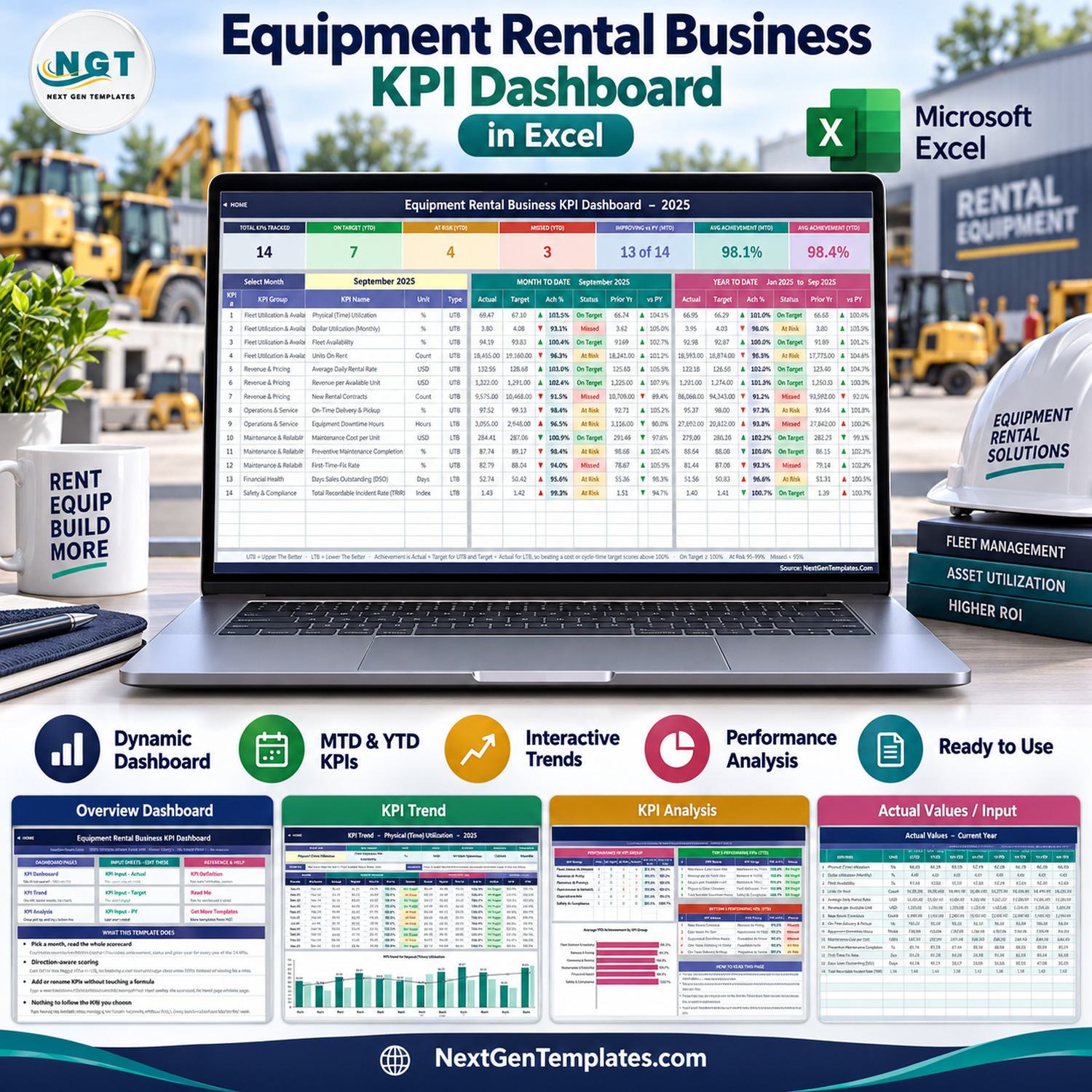

The Equipment Rental Business KPI Dashboard in Excel tracks 14 rental-fleet KPIs in 6 groups on one month-driven scorecard, showing MTD and YTD actual, target, achievement %, status and prior-year movement side by side. The workbook has 11 sheets, 3 charts and twelve months of 2025 sample data with 2024 prior-year figures, and every number is a plain worksheet formula – no macros, no Power Query, no add-ins.
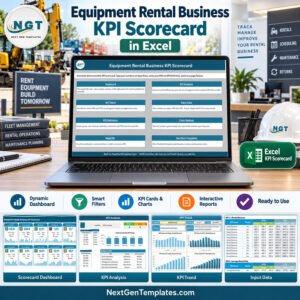
This listing is the KPI Dashboard edition: a month picker, traffic-light statuses, a KPI Trend page and a KPI Analysis page. A separate Equipment Rental Business KPI Scorecard edition also exists; it is a different template with its own layout, so check which one you need.
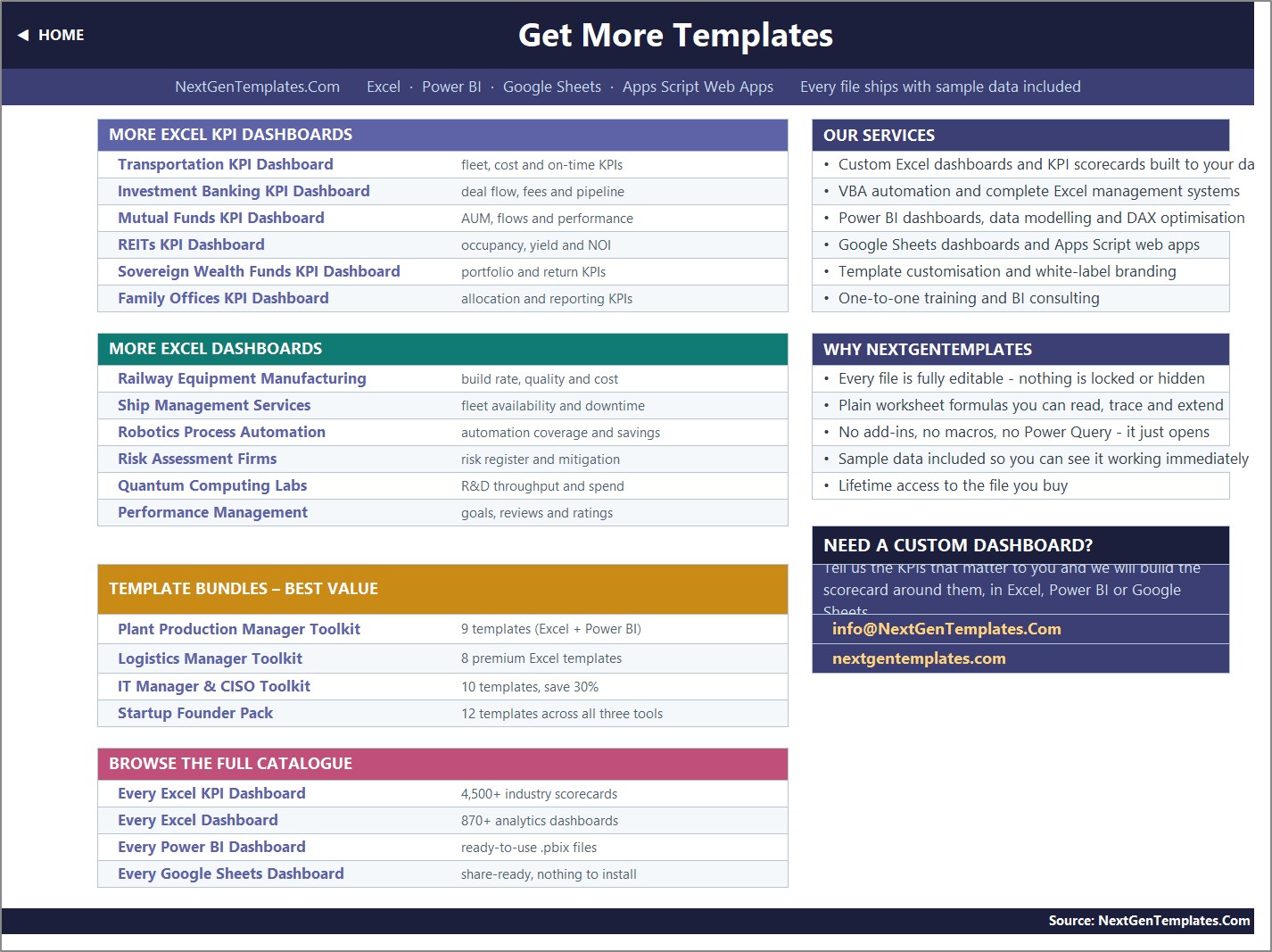
🌍 Built by NextGenTemplates, whose catalogue covers 4,500+ industry KPI scorecards and 870+ analytics dashboards across Excel, Power BI and Google Sheets.
✅ Instant download · One-time payment · No subscription · No per-user fees · Lifetime access
🔑 Key Features of This Equipment Rental KPI Dashboard
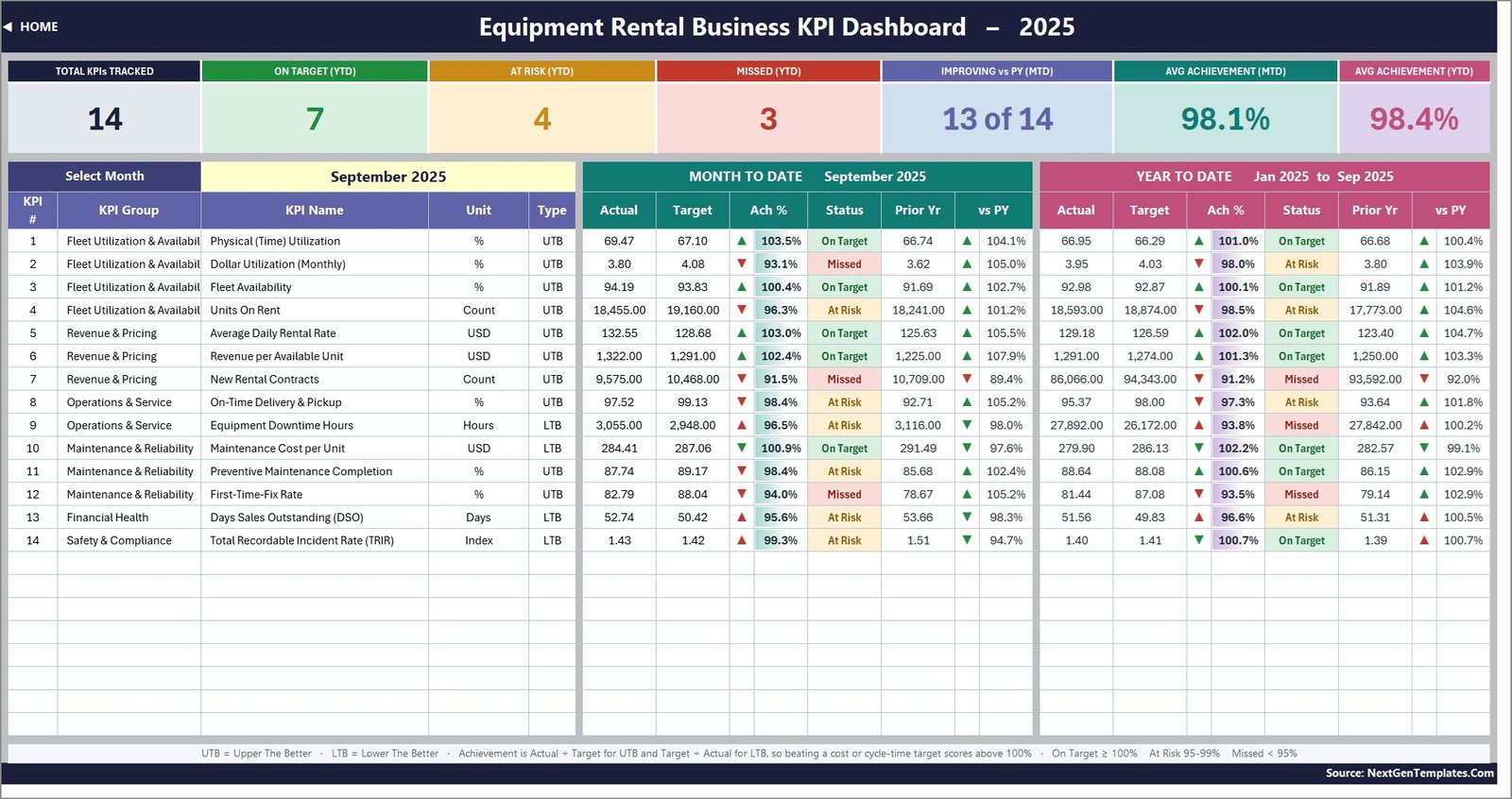
📅 One dropdown drives the whole scorecard. Cell D6 on the KPI Dashboard sheet lists the twelve months of your reporting year. Choose a month and all 14 KPI rows, the seven summary cards and the KPI Analysis page recalculate at once.
🎯 Seven summary cards across the top. Total KPIs Tracked, On Target (YTD), At Risk (YTD), Missed (YTD), Improving vs PY (MTD), Avg Achievement (MTD) and Avg Achievement (YTD). For September 2025 the sample reads 14, 7, 4, 3, 13 of 14, 98.1% and 98.4%.
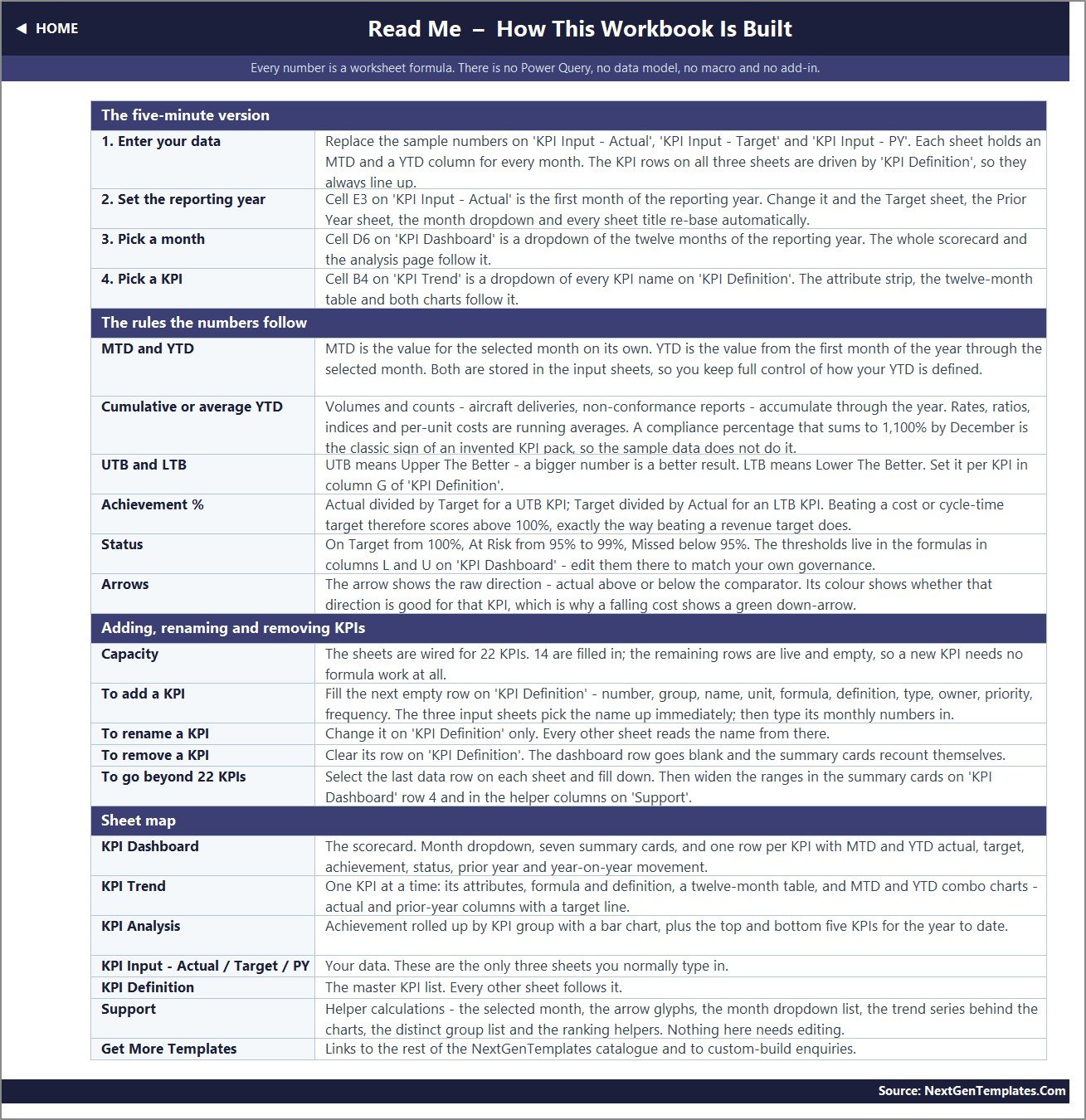
↕️ Direction-aware scoring. 10 KPIs are typed UTB (upper the better) and 4 are LTB (lower the better): Equipment Downtime Hours, Maintenance Cost per Unit, Days Sales Outstanding and TRIR. For an LTB KPI achievement is Target divided by Actual, so beating a cost target scores above 100%.
🚦 Traffic-light status on both periods. On Target from 100%, At Risk from 95% to 99%, Missed below 95%. The thresholds sit inside the status formulas in columns L and U of the KPI Dashboard sheet, so you can edit them to match your own governance.
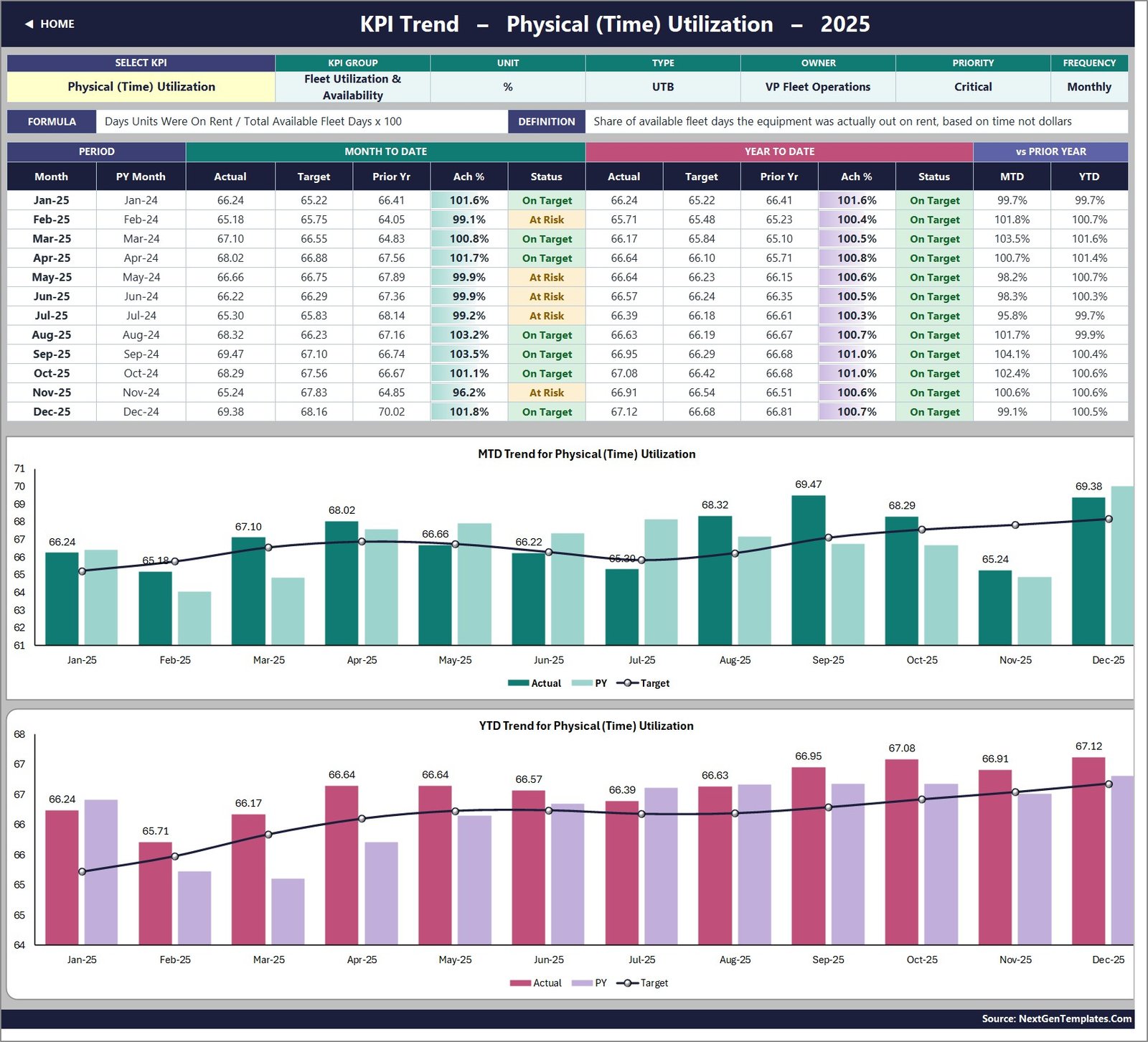
📈 A trend page for any KPI. Pick a KPI in cell B4 of KPI Trend to see its group, unit, type, owner, priority, frequency, formula and definition, a twelve-month table, and two combo charts: MTD Trend and YTD Trend, each with actual and prior-year columns and a target line.
➕ Room to grow. The sheets are wired for 22 KPIs with 14 filled in. Add or rename a KPI on KPI Definition and the input sheets, scorecard, trend page and analysis page follow without formula edits.
📦 What’s Inside the Equipment Rental Business KPI Dashboard in Excel
The 14 KPIs are grouped as Fleet Utilization & Availability (Physical Time Utilization, Dollar Utilization, Fleet Availability, Units On Rent), Revenue & Pricing (Average Daily Rental Rate, Revenue per Available Unit, New Rental Contracts), Operations & Service (On-Time Delivery & Pickup, Equipment Downtime Hours), Maintenance & Reliability (Maintenance Cost per Unit, Preventive Maintenance Completion, First-Time-Fix Rate), Financial Health (Days Sales Outstanding) and Safety & Compliance (Total Recordable Incident Rate).
Home
A navigation page that links to the three dashboard pages, the three input sheets and the reference sheets, with a short summary of what the template does.
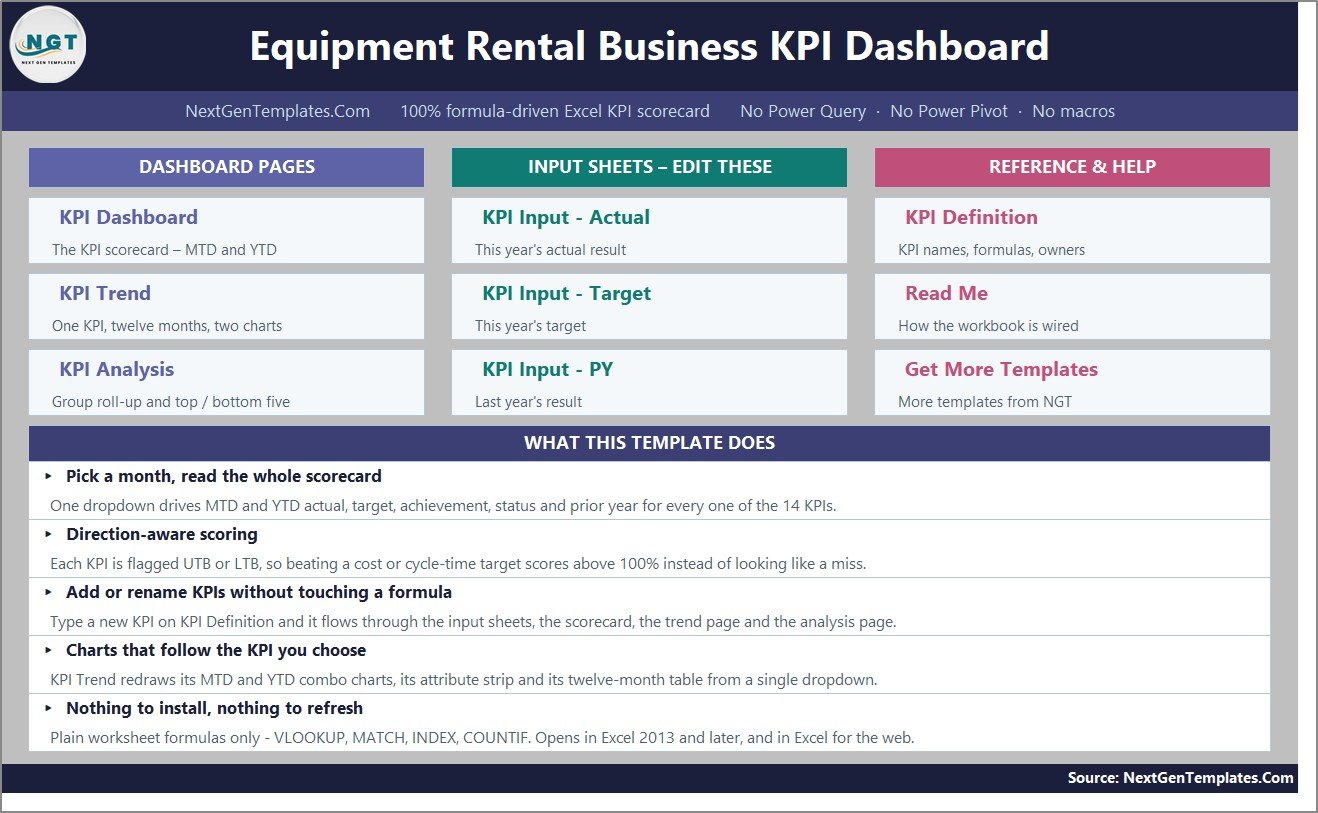
KPI Dashboard
The scorecard itself: the seven summary cards, the month selector, and one row per KPI with group, unit, type, then MTD and YTD actual, target, achievement %, status, prior year and vs-PY arrow.
KPI Trend
One KPI at a time. The sample shows Physical (Time) Utilization at 69.47% against a 67.10% target in September 2025 (103.5%), with MTD Trend and YTD Trend charts for all twelve months.
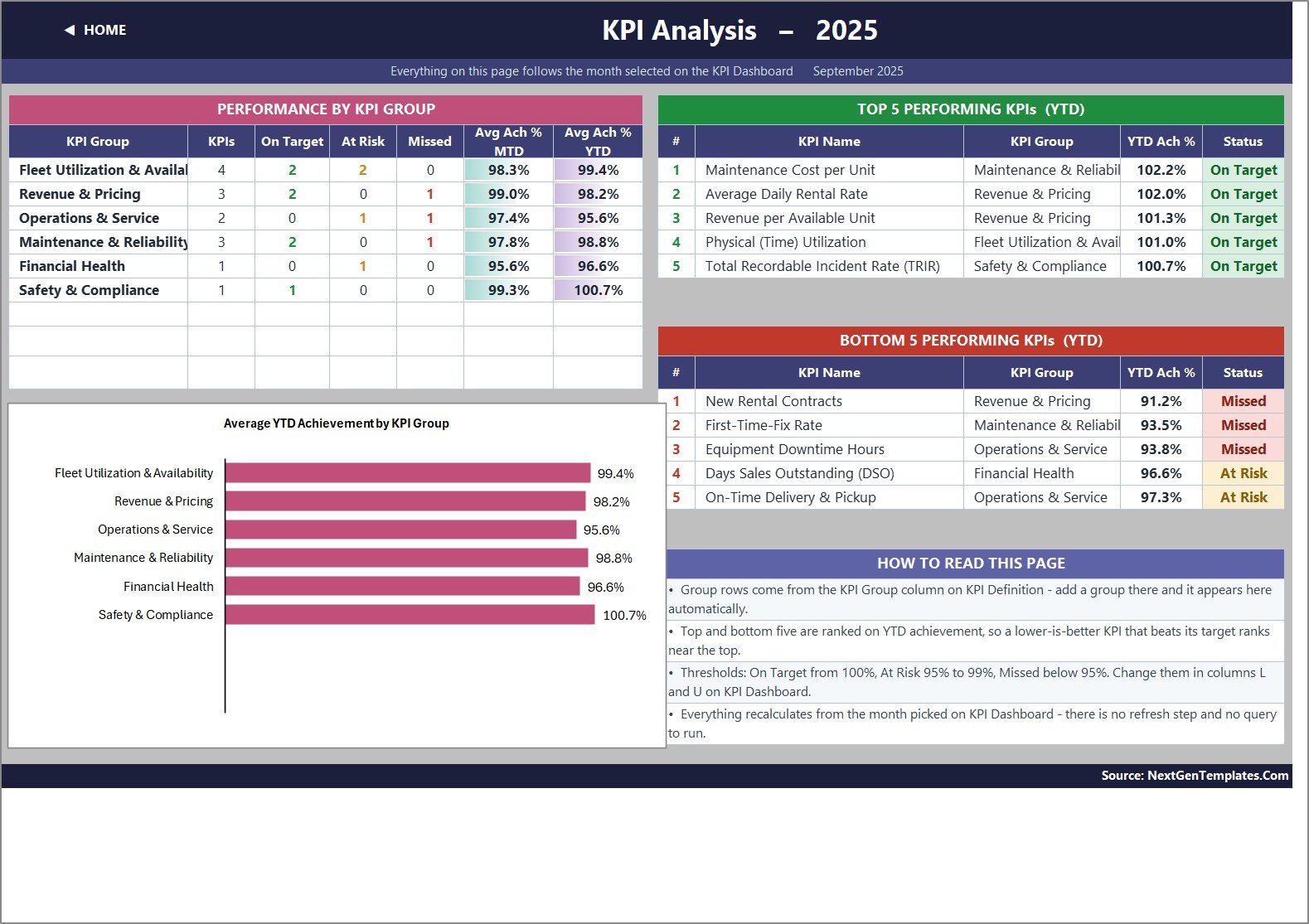
KPI Analysis
Performance by KPI Group (KPIs, On Target, At Risk, Missed, average MTD and YTD achievement), the Average YTD Achievement by KPI Group chart, and the top five and bottom five KPIs ranked on YTD achievement.
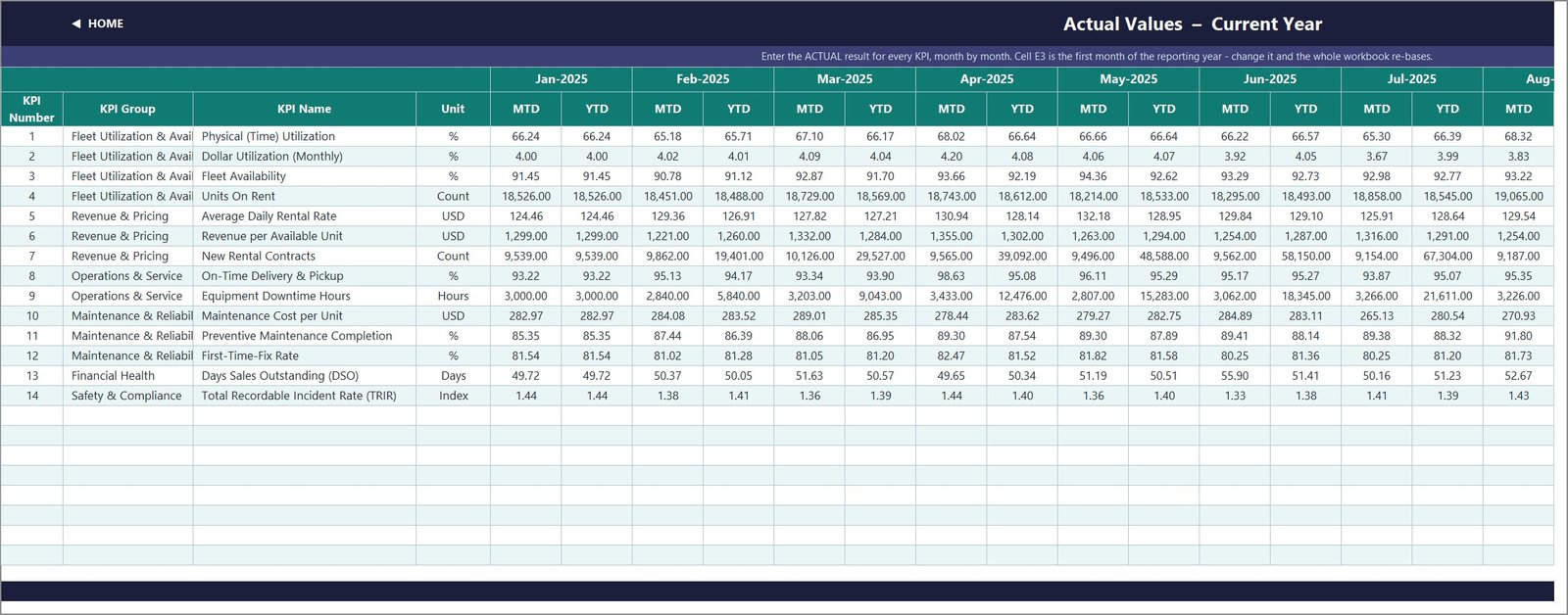
KPI Input – Actual, Target and PY
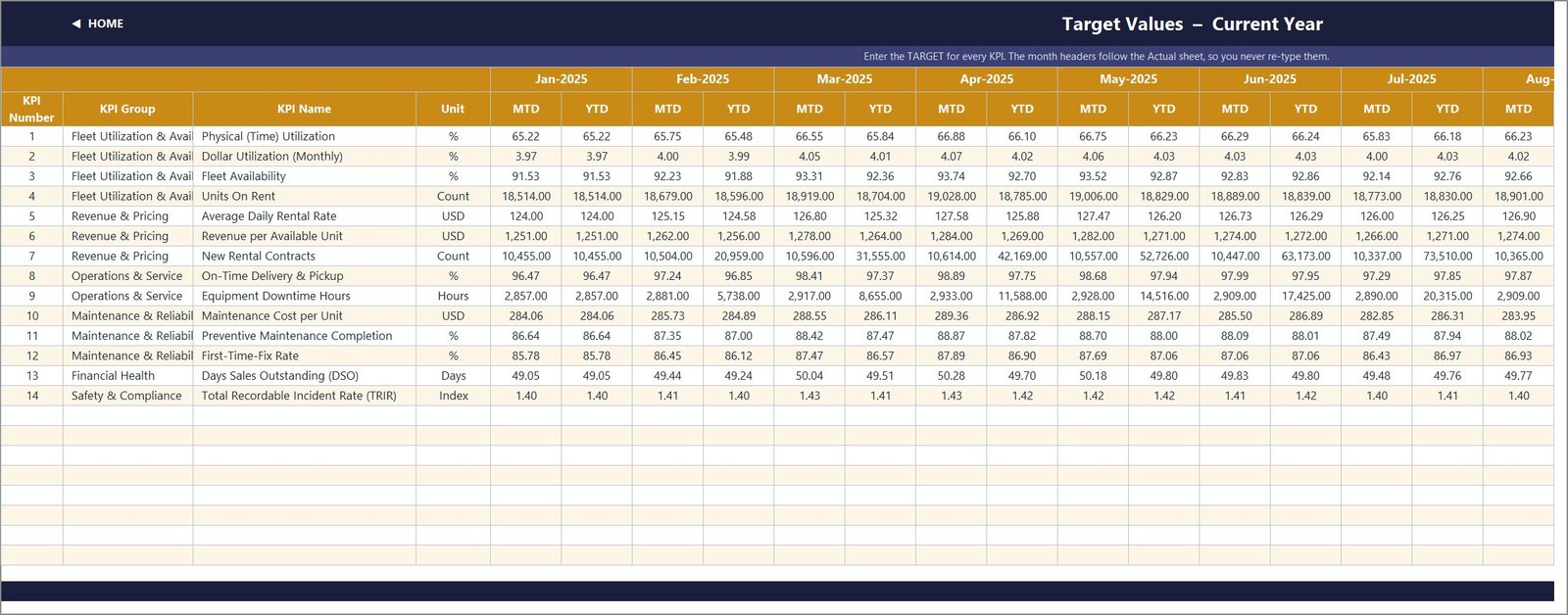
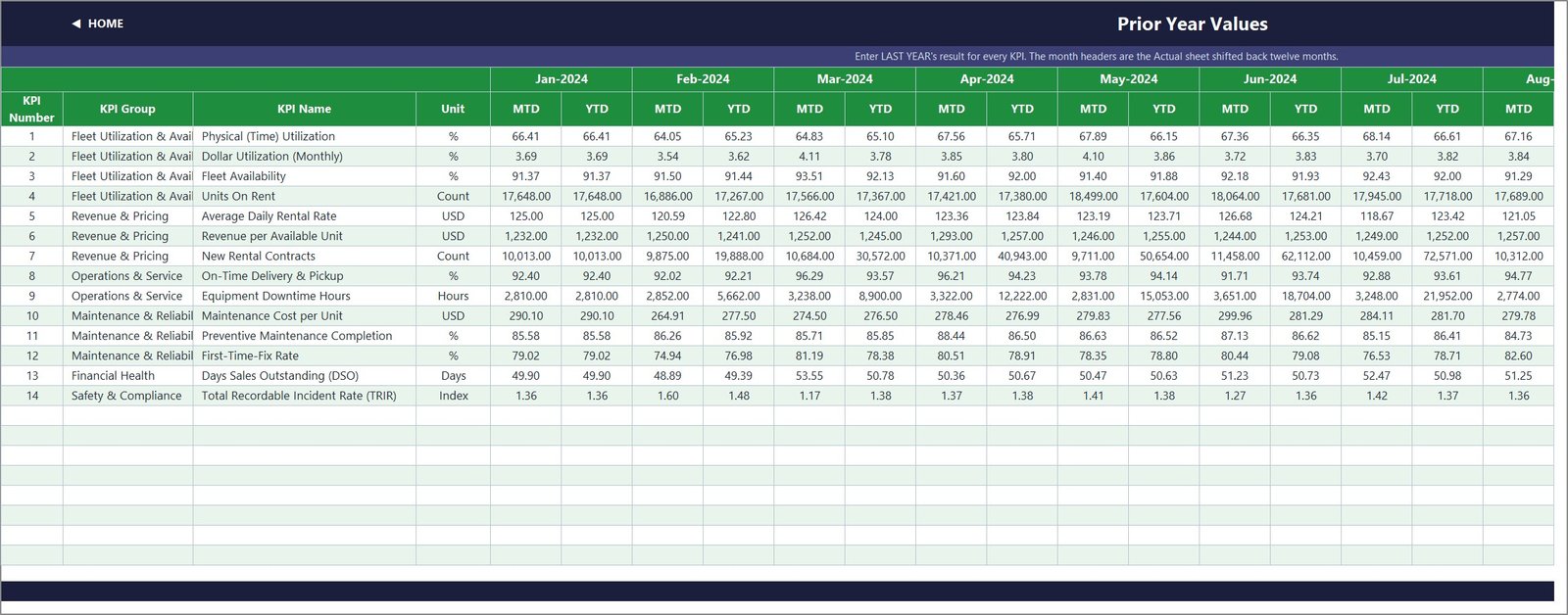
Three input sheets with an MTD and a YTD column for every month. Cell E3 on the Actual sheet sets the first month of the reporting year, and the Target and PY sheets re-base from it.
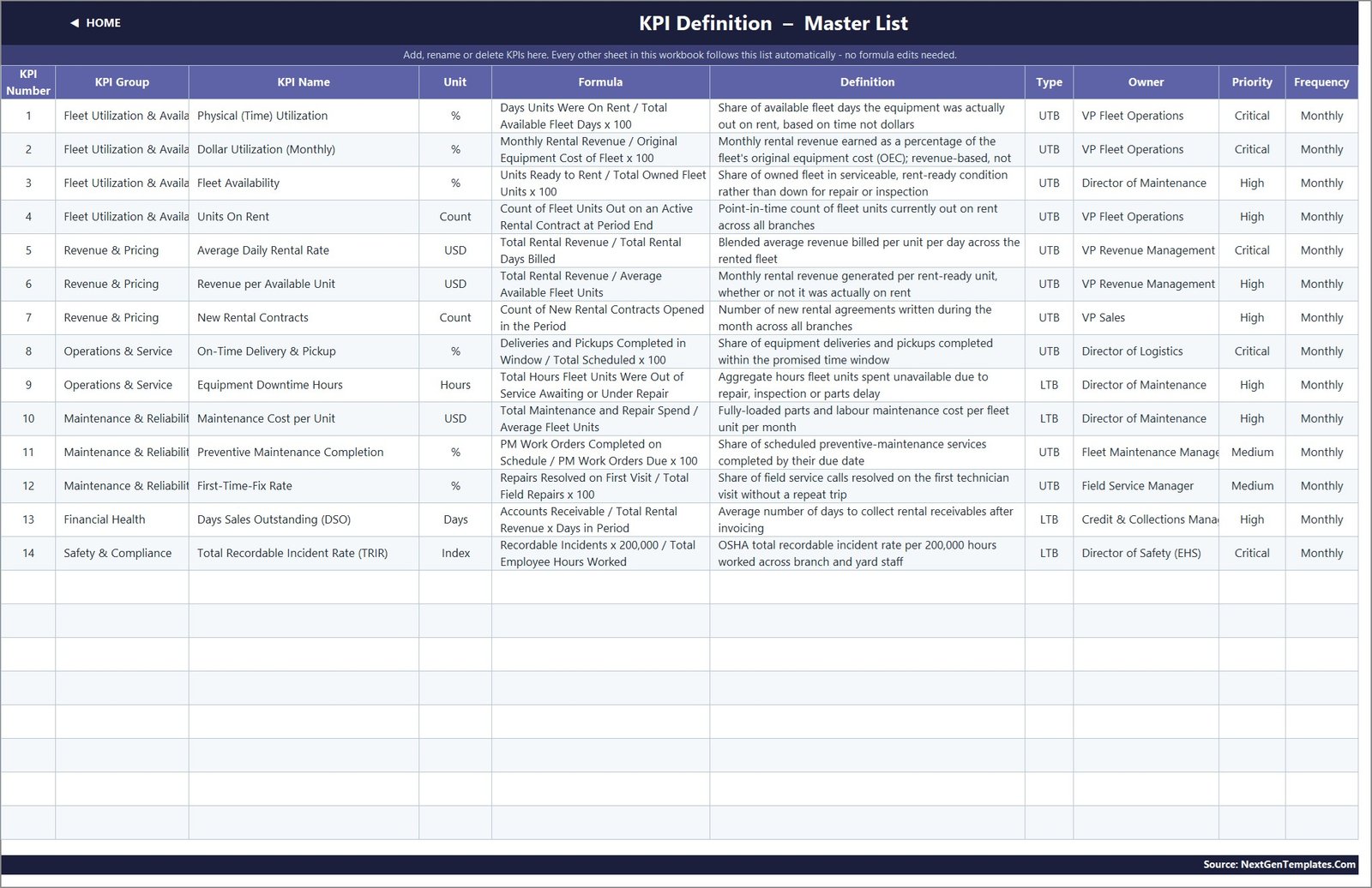
KPI Definition and Read Me
KPI Definition is the master list: number, group, name, unit, formula, definition, type, owner, priority and frequency. Read Me explains how the workbook is wired, sheet by sheet.
📊 Excel KPI Dashboard vs. Google Sheets Equivalent vs. Rental Management Software
| Feature | This Excel KPI Dashboard | Google Sheets equivalent | Rental management software |
|---|---|---|---|
| Cost | ✅ $12.99 one-time | One-time template price | Recurring subscription, usually quoted per location or user |
| Platform | ✅ Excel 2013+ desktop and Excel for the web | Browser | Vendor cloud |
| Setup time | ✅ Under an hour to replace the sample numbers | Similar | Weeks of onboarding and data migration |
| Real-time team collaboration | Through OneDrive or SharePoint co-authoring | ✅ Built in | ✅ Built in |
| Contracts, invoicing, asset register | Not included | Not included | ✅ Core feature |
| Month-driven MTD/YTD scorecard with traffic lights | ✅ Yes | Depends on template | Often a paid reporting add-on |
| Editable KPI list and formulas | ✅ Every cell is open | ✅ Open | Limited to vendor fields |
| Year-1 cost at 5 users | ✅ $12.99 total | One-time | Subscription x 5 users x 12 months |
For rental operators who want a monthly KPI review without buying a full rental platform, this Excel scorecard sits in the sweet spot.
👥 Who This Template Is For – and Who It’s Not For
✅ This template is built for:
- Owners and general managers of equipment rental companies running a monthly performance review
- Fleet, maintenance and revenue managers who report utilization, downtime and rate KPIs to leadership
- Consultants building a KPI pack for a rental or plant-hire client
❌ This template is NOT for:
- Teams that need rental contracts, dispatch, invoicing or an asset register – this is a reporting workbook, not a rental management system
- Anyone expecting live data feeds – figures are typed or pasted into the input sheets
- Branch-by-branch or unit-by-unit drill-down – each row is one company-level KPI
⚙️ How to Use This Equipment Rental KPI Template
- Unzip the download and open the .xlsx in Microsoft Excel. Start on Read Me.
- Set cell E3 on KPI Input – Actual to the first month of your reporting year.
- Review KPI Definition: rename, add or clear KPIs and set each one to UTB or LTB.
- Type your monthly MTD and YTD figures into the Actual, Target and PY sheets.
- Pick a month in cell D6 on KPI Dashboard, then open KPI Trend and KPI Analysis.
💼 Real-World Use Cases
Maria runs a six-branch construction equipment rental firm. Each month she pastes utilization, rate and downtime figures into the input sheets, picks the month, and takes the KPI Analysis bottom-five list into her operations meeting instead of rebuilding charts by hand.
Dev is maintenance director at a regional plant-hire company. He uses KPI Trend on Preventive Maintenance Completion and First-Time-Fix Rate to show whether a new PM schedule is moving the numbers against target and last year.
❓ Frequently Asked Questions
What KPIs does this equipment rental KPI dashboard track?
It ships with 14 KPIs in 6 groups, including Physical (Time) Utilization, Dollar Utilization, Fleet Availability, Average Daily Rental Rate, Revenue per Available Unit, Equipment Downtime Hours, First-Time-Fix Rate, Days Sales Outstanding and TRIR. The sheets have room for 22.
Does it need macros or Power Query?
No. Every figure is a worksheet formula built from functions such as IF, VLOOKUP, MATCH, INDEX, COUNTIFS and AVERAGEIF. There is no macro, no data model and no add-in, so it opens in Excel 2013 and later and in Excel for the web.
Are YTD values calculated automatically?
No – you enter both MTD and YTD on the input sheets, which keeps you in control of whether a KPI accumulates (such as New Rental Contracts) or averages (such as Fleet Availability). The scorecard then compares YTD actual, target and prior year for you.
How is this different from the Equipment Rental Business KPI Scorecard?
They are separate templates. This KPI Dashboard edition uses a month dropdown, MTD and YTD traffic lights, a KPI Trend page and a KPI Analysis page. The KPI Scorecard edition has its own layout and KPI set.
How does it compare to rental management software?
Rental software runs contracts, dispatch and billing. This workbook only reports KPIs, for a one-time $12.99, and many rental companies use both: software as the system of record and this Excel scorecard for the monthly review.
Are there any known quirks?
One sentence in the Read Me sheet gives aerospace examples (“aircraft deliveries, non-conformance reports”) when explaining cumulative versus average YTD. It is explanatory text only and does not affect any calculation. KPI group names are also clipped by column width on the scorecard.
👤 About the Author
Built by PK – Microsoft Certified Professional with 15+ years of Excel, Google Sheets and Power BI experience and founder of NextGenTemplates, with YouTube channels @PKAnExcelExpert, @NextGenTemplates and @NeoTechNavigators. Every template is hand-built and tested before release.
🔗 Explore Related Templates
🔹 Fleet Management KPI Dashboard in Excel – the same month-picker scorecard format for vehicle fleets.
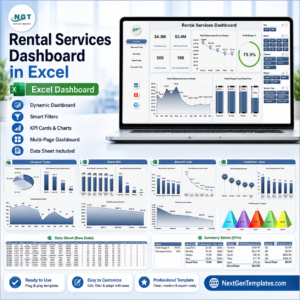
🔹 Rental Services Dashboard in Excel – an analytical dashboard for transaction-level rental data.
🔹 Rental Equipment Management System Web App – when you need bookings and an asset register, not just KPIs.
🔹 Construction KPI Dashboard in Excel and Road and Highway Construction KPI Dashboard in Excel for your contractor customers.
Browse every KPI Dashboard template or all MS Excel templates.
📖 Click here to read the Detailed Blog Post
🎥 Visit our YouTube channel for step-by-step video tutorials
👉 YouTube.com/@NextGenTemplates
📅 Last updated: September 2026
Watch the demo video:
Compatibility and Requirements
- Works in Microsoft Excel desktop (Excel 2016 or later, or Microsoft 365). The workbook uses worksheet formulas only, with no macros.
- The scorecard has a month dropdown and three charts. Microsoft explains charts in Create a chart from start to finish.































Reviews
There are no reviews yet.