

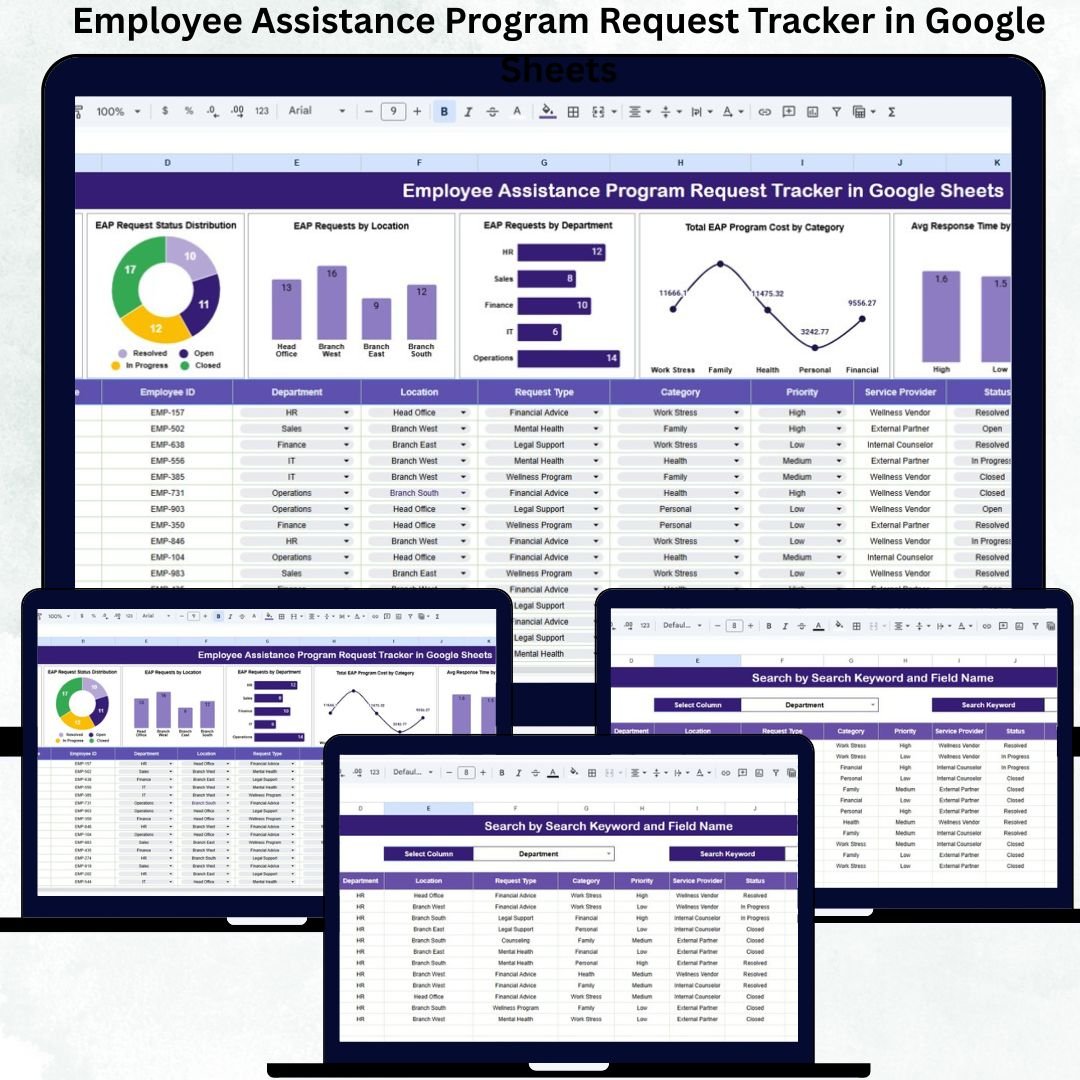

Employee well-being directly impacts productivity, engagement, and retention. Employees often face personal, emotional, financial, or workplace challenges that require timely and confidential support. That is why organizations invest in Employee Assistance Programs (EAPs). However, when EAP requests are managed through emails, calls, or unstructured spreadsheets, HR teams struggle with delayed responses, poor visibility, inconsistent follow-ups, and manual reporting.
The Employee Assistance Program Request Tracker in Google Sheets is a ready-to-use, professional solution designed to manage EAP requests with clarity, care, and control. This tracker helps HR teams record requests, prioritize urgent cases, track response time, monitor satisfaction, analyze costs, and identify trends—without complex HR software.
Because it is built entirely in Google Sheets, this tracker enables real-time collaboration, instant updates, and secure access, making it ideal for modern HR and wellness teams.
✅ Key Features of Employee Assistance Program Request Tracker
🧠 Centralized EAP request management
🚦 Priority-based request tracking
⏱️ Auto-calculated response time (hours)
📍 Department & location-wise insights
💰 Program cost tracking by category
⭐ Satisfaction rating analysis
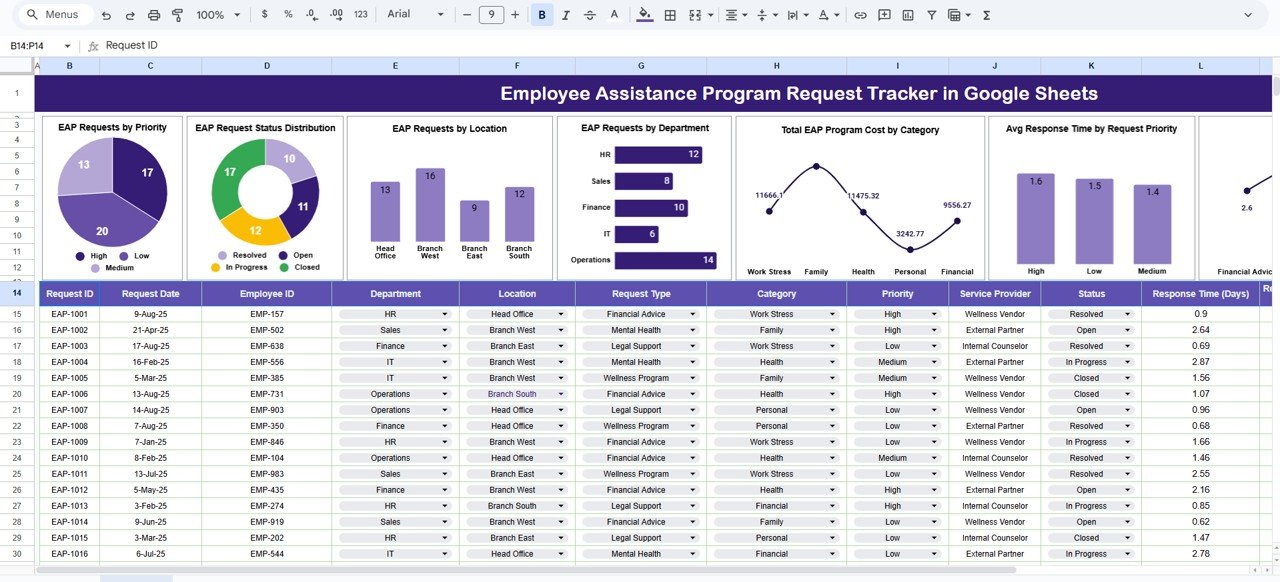
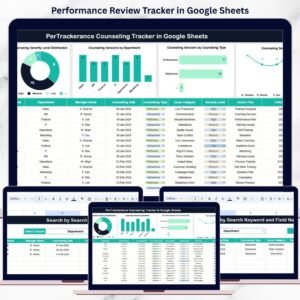
📊 7 ready-to-use analytical charts
🔍 Smart search & filtering system
☁️ Built in Google Sheets – no additional software
📁 What’s Inside the Employee Assistance Program Request Tracker
🗂️ Tracker Sheet Tab
This is the central data-entry sheet where all Employee Assistance Program requests are recorded. Once data is entered, all charts update automatically.
Key fields include:
Request ID
Request Date
Employee ID / Anonymous ID
Department
Location
Request Type (Mental Health, Counseling, Legal, Financial, Family Support, etc.)
Priority Level (Low, Medium, High, Critical)
Assigned Counselor / Vendor
Response Time (Auto Calculated in Hours)
Request Status (Open, In Progress, Resolved, Closed)
Program Category
Program Cost (USD)
Satisfaction Rating (1–5)
Remarks
This structure ensures confidential handling, consistency, and audit readiness.
📊 Dashboard Charts – HR Insights at a Glance
The tracker includes 7 powerful charts that convert EAP data into actionable insights:
📌 EAP Requests by Priority
Helps HR teams respond faster to urgent employee needs.
📌 EAP Request Status Distribution
Tracks pending, resolved, and closed requests clearly.
📌 EAP Requests by Location
Identifies high-need locations and supports targeted wellness planning.
📌 EAP Requests by Department
Highlights departments under higher stress for proactive intervention.
📌 Total EAP Program Cost by Category
Controls budget spending and supports vendor cost analysis.
📌 Average Response Time by Priority
Ensures high-priority cases receive immediate attention.
📌 Average Satisfaction Rating by Request Type
Measures effectiveness of EAP services and provider performance.
🔍 Search Sheet Tab – Fast & Smart Filtering
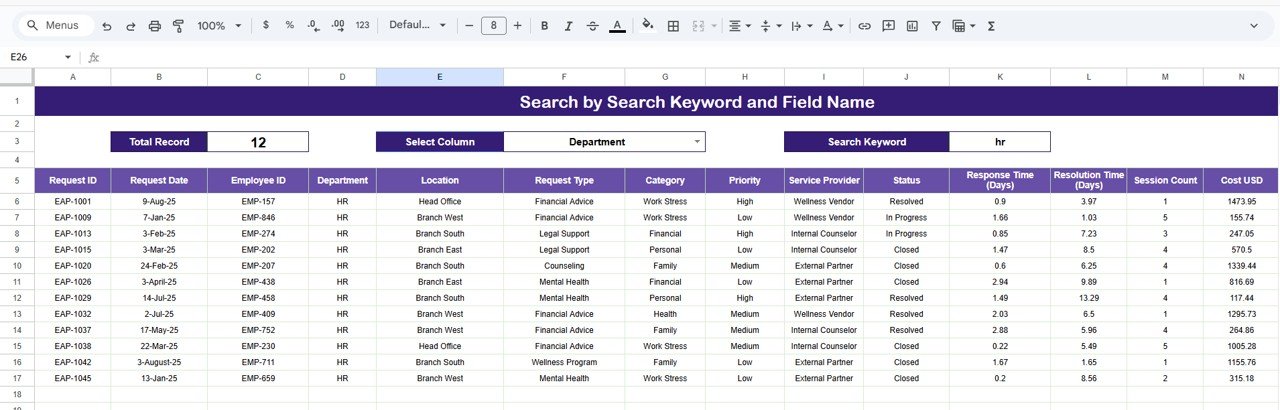
The tracker includes a dedicated Search Sheet Tab to quickly find records.
Search using:
Keyword: Department, Location, Priority, Status, Request Type
Field Name: Department, Location, Priority, Status, Request Type
Results appear instantly—saving time during reviews, audits, and leadership reporting.
⚙️ How to Use the EAP Request Tracker
1️⃣ Log every EAP request securely
2️⃣ Assign priority and counselor/vendor
3️⃣ Track response time automatically
4️⃣ Monitor satisfaction and cost trends
5️⃣ Review charts for decision-making
No scripting or technical skills required.
👥 Who Can Benefit from This Tracker
🌿 HR Teams
🤝 Employee Relations Teams
🧘 Wellness Coordinators
📋 Compliance & Audit Teams
🏢 Management & Leadership
Suitable for corporates, startups, healthcare, IT firms, financial institutions, and remote organizations.
🌟 Advantages of the Employee Assistance Program Request Tracker
✔ Faster and structured response handling
✔ Improved employee satisfaction tracking
✔ Clear cost and budget visibility
✔ Department & location-wise wellness insights
✔ Confidential and audit-ready records
✔ Easy collaboration in Google Sheets
🔧 Opportunities for Improvement
You can enhance the tracker by adding:
Automated alerts for high-priority cases
SLA-based escalation rules
Vendor-wise performance tracking
Integration with HR systems
Trend-based wellness risk indicators
✅ Best Practices
✔ Protect employee confidentiality
✔ Define priority levels clearly
✔ Review response times weekly
✔ Monitor satisfaction ratings regularly
✔ Analyze trends monthly
✔ Restrict edit permissions
✅ Conclusion
The Employee Assistance Program Request Tracker in Google Sheets empowers HR teams to manage employee support programs with empathy, structure, and data-driven clarity. It ensures that every request receives timely attention, every cost is tracked, and every trend is visible. Because it is cloud-based, flexible, and easy to use, it becomes an essential tool for organizations committed to employee well-being.
Click here to read the Detailed Blog Post
Watch the step-by-step video tutorial:
🎥 Visit our YouTube channel to learn step-by-step video tutorials
👉 https://youtube.com/@NeotechNavigators
Compatibility and Requirements
- Works in Google Sheets. You need a free Google account and a web browser.
- The Tracker sheet uses dropdown fields such as priority, status and request type. Google explains dropdowns in Create an in-cell dropdown list.
Frequently Asked Questions
What does the tracker record for each request?
Each row holds the Request ID, request date, Employee ID or Anonymous ID, department, location, request type, priority level, assigned counselor or vendor, status, program category, program cost in USD, satisfaction rating and remarks.
Is response time calculated for me?
Yes. Response time is calculated automatically in hours from the data you enter on the Tracker sheet.
Can I log requests without naming the employee?
Yes. The tracker has an Employee ID / Anonymous ID field, so you can record a request under an anonymous ID.
Which charts are included?
Seven charts: requests by priority, request status distribution, requests by location, requests by department, total program cost by category, average response time by priority and average satisfaction rating by request type.
Is there an Excel or Power BI version?
No Excel or Power BI version of this tracker is listed in the store. The Employee Wellness Program Enrollment Tracker is available in Excel and in Google Sheets.
Related HR Templates
- Employee Wellness Program Enrollment Tracker in Google Sheets: track who joins your wellness programs
- Employee Complaint Resolution Tracker in Google Sheets: follow employee complaints through to resolution
- Employee Shift Change Request Tracker in Google Sheets: manage another type of employee request
- Employee Attendance Tracker in Google Sheets: record attendance for your workforce
- HR Google Sheets Pack: 10 HR templates for Google Sheets in one download
Browse all Google Sheets trackers or HR and payroll templates for Google Sheets.
























Reviews
There are no reviews yet.