


🎓 Education Procurement AI Implementation Calendar in Excel
In today’s fast-changing education sector, efficient procurement planning is the backbone of smooth operations. From textbooks and lab equipment to software and digital tools, every educational institution depends on timely procurement to ensure uninterrupted learning. Without a proper system, procurement can easily become disorganized—causing delays, higher costs, and wasted resources.
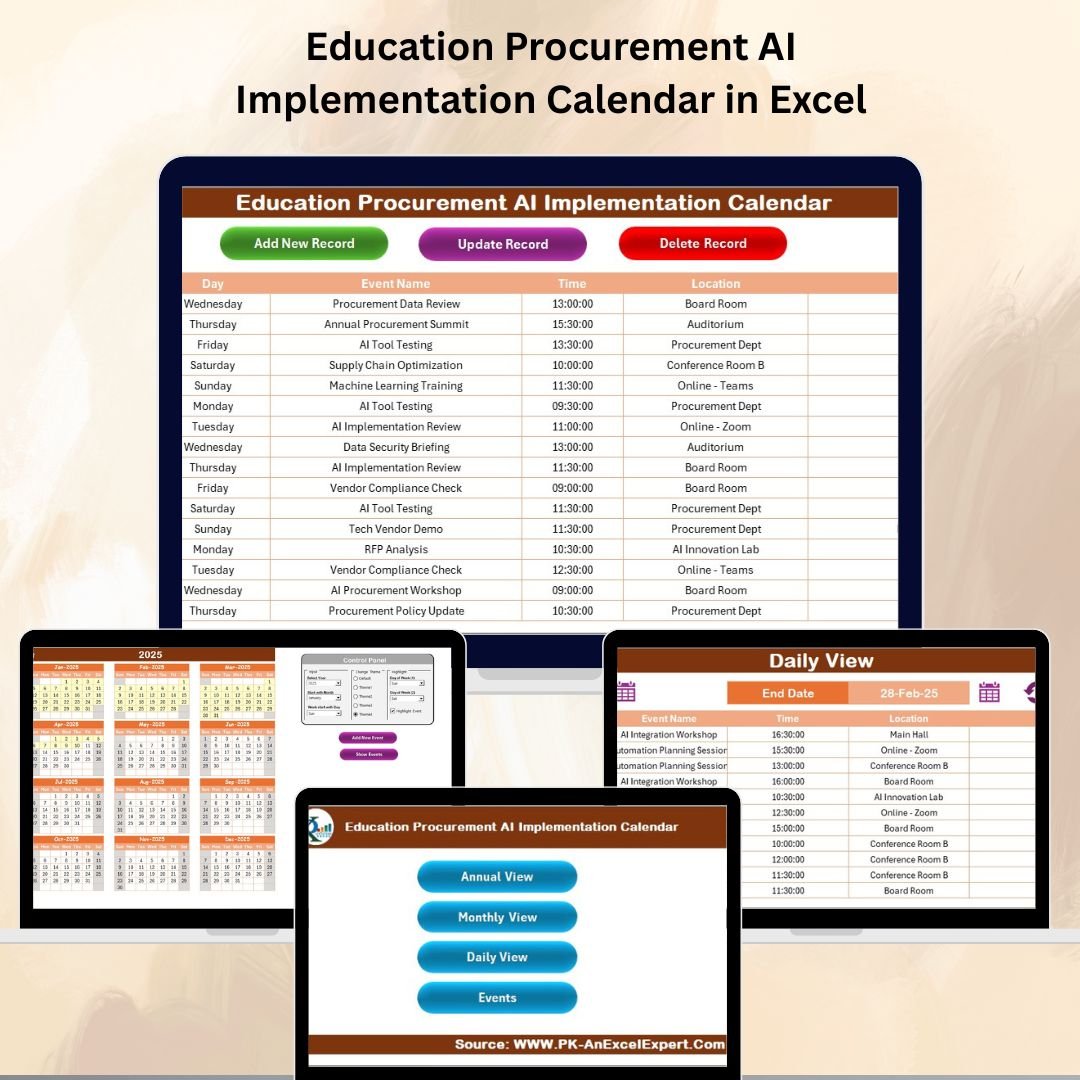
The Education Procurement AI Implementation Calendar in Excel is a smart, ready-to-use solution designed to help schools, colleges, and universities plan, track, and optimize procurement activities. By blending AI-powered automation with Excel’s flexibility, this tool ensures that procurement schedules remain accurate, events are well-documented, and resources arrive when needed.
✨ Key Features of the Education Procurement AI Implementation Calendar
✅ AI-Powered Scheduling – Automates updates, highlights key dates, and streamlines event filtering.
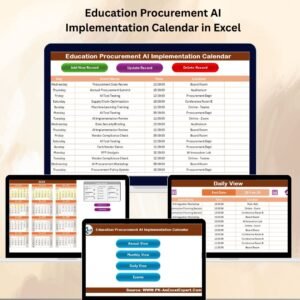
✅ Multi-View Planning – Annual, Monthly, and Daily views for complete flexibility.
✅ Quick Navigation Buttons – Jump between views instantly from the Home Sheet.
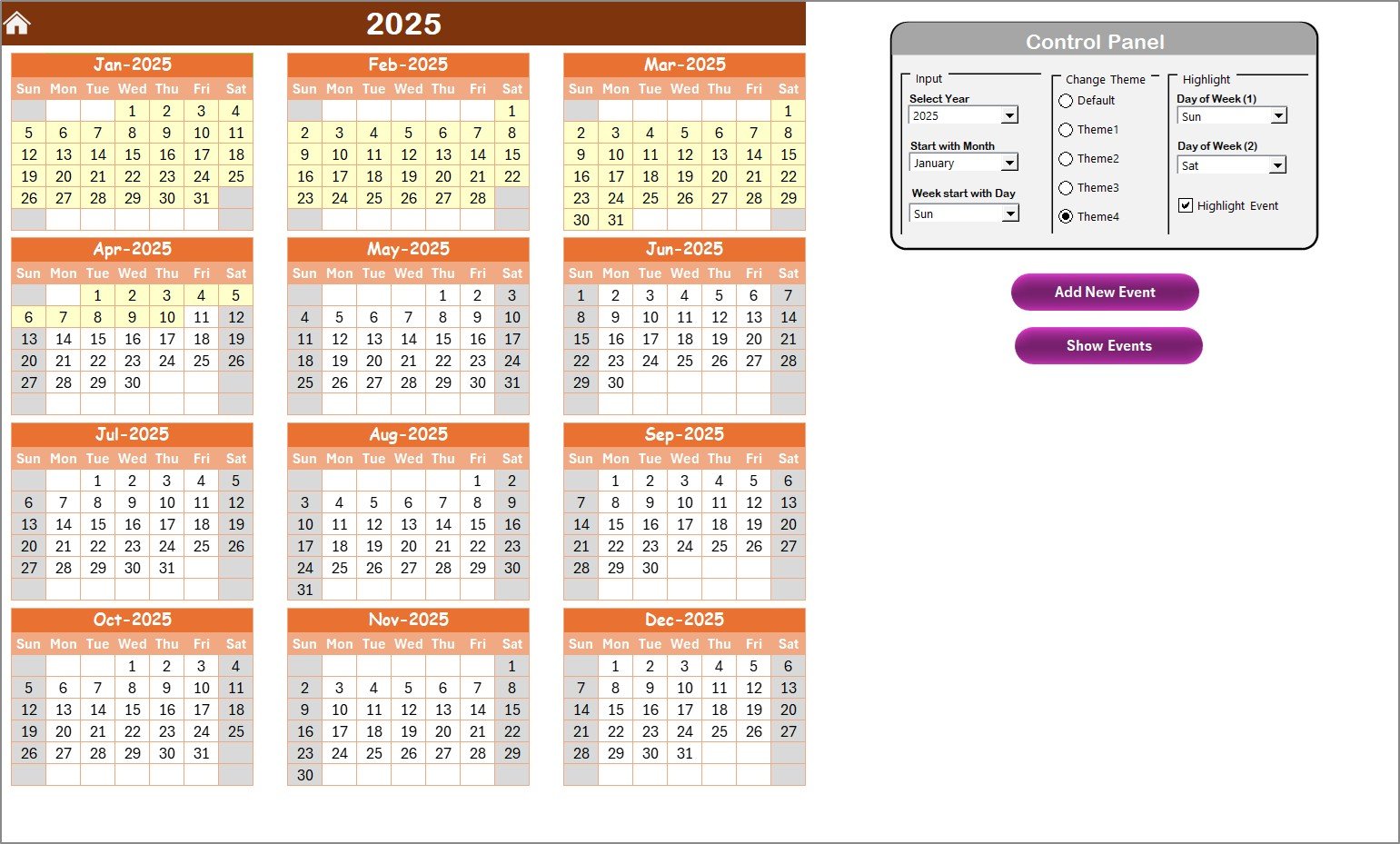
✅ Customizable Themes – Choose from five color themes to match your institution’s branding.
✅ Smart Highlighting – Mark weekends, critical dates, or special events in seconds.
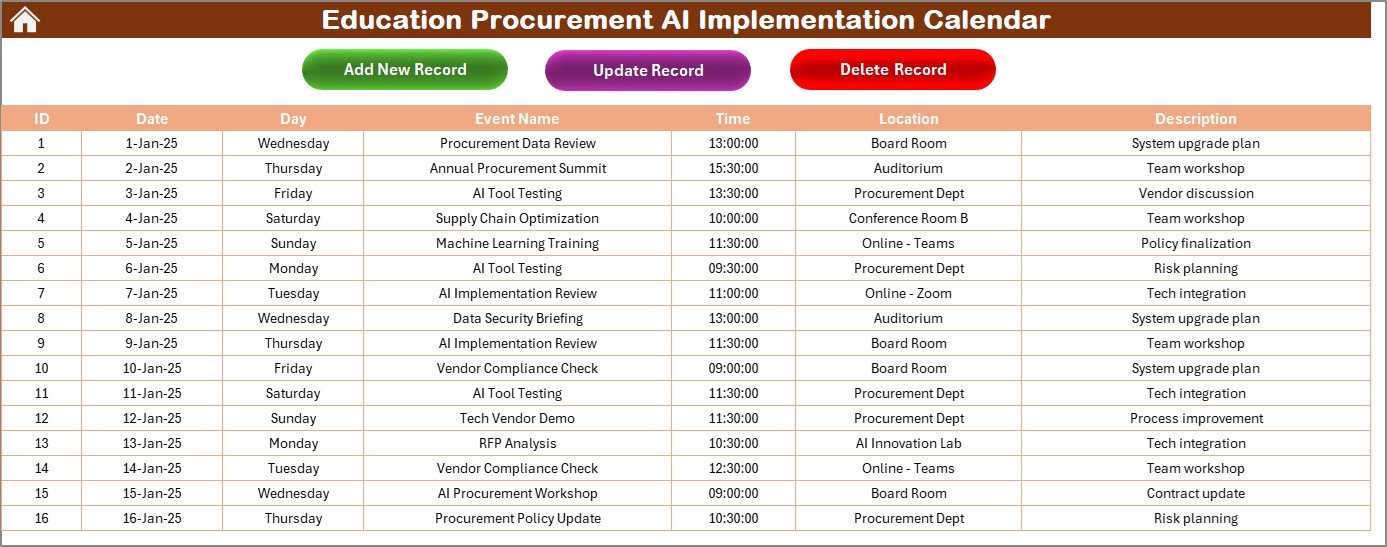
✅ Centralized Event Database – Stores all procurement events with unique IDs for accuracy.
✅ Beginner-Friendly Interface – No advanced Excel skills required.
📂 What’s Inside the Education Procurement AI Implementation Calendar
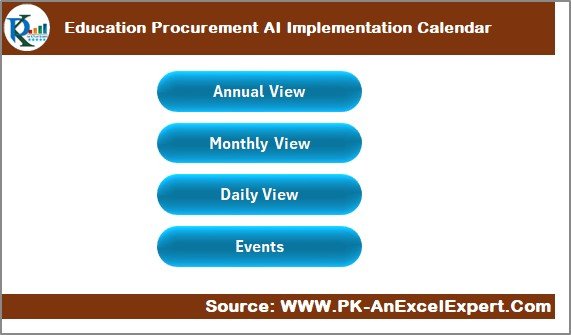
You’ll get five interactive worksheets, each with a specific purpose:
Home Sheet Tab – The navigation hub with buttons to Annual View, Monthly View, Daily View, and Events.
Annual View Sheet Tab – See the entire year’s procurement plan, adjust year/month/day settings, and highlight key dates.
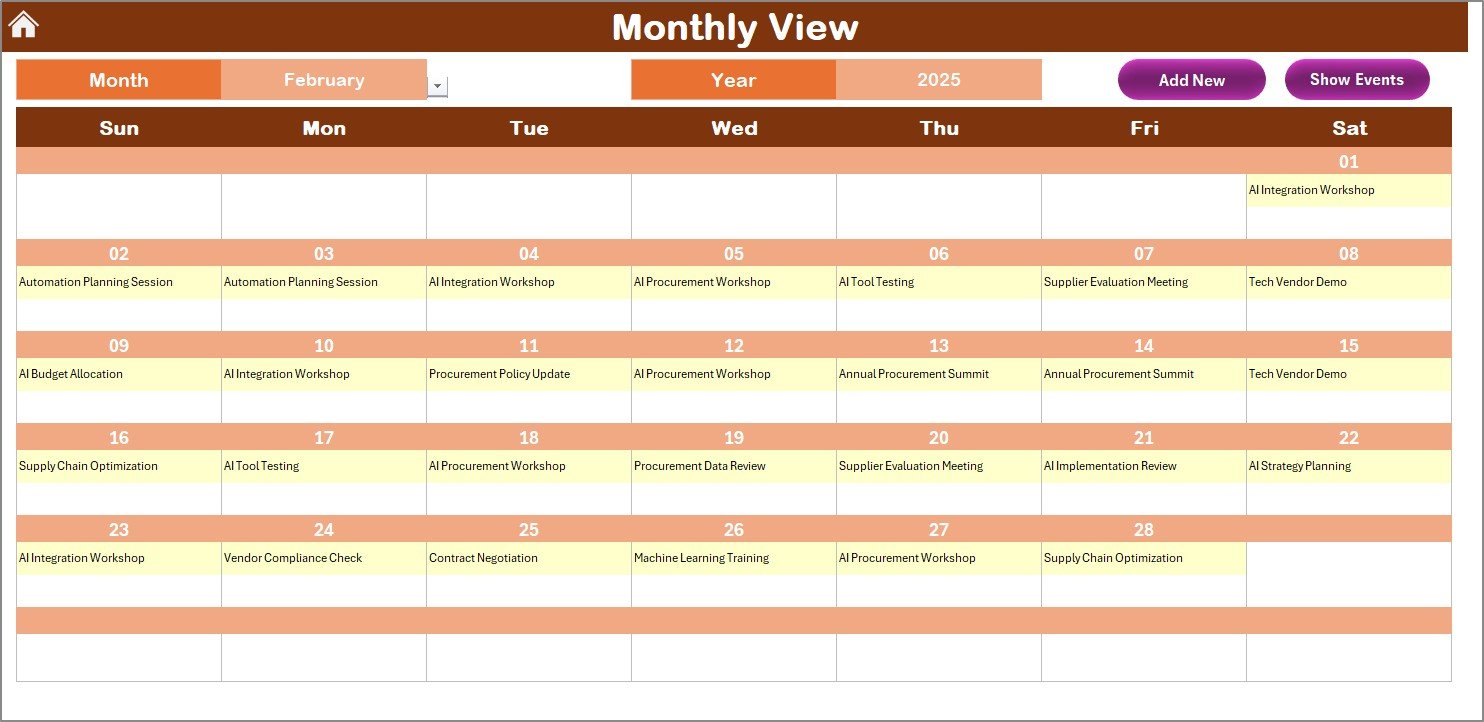
Monthly View Sheet Tab – Focus on one month with easy event management and indicators for multiple activities per day.
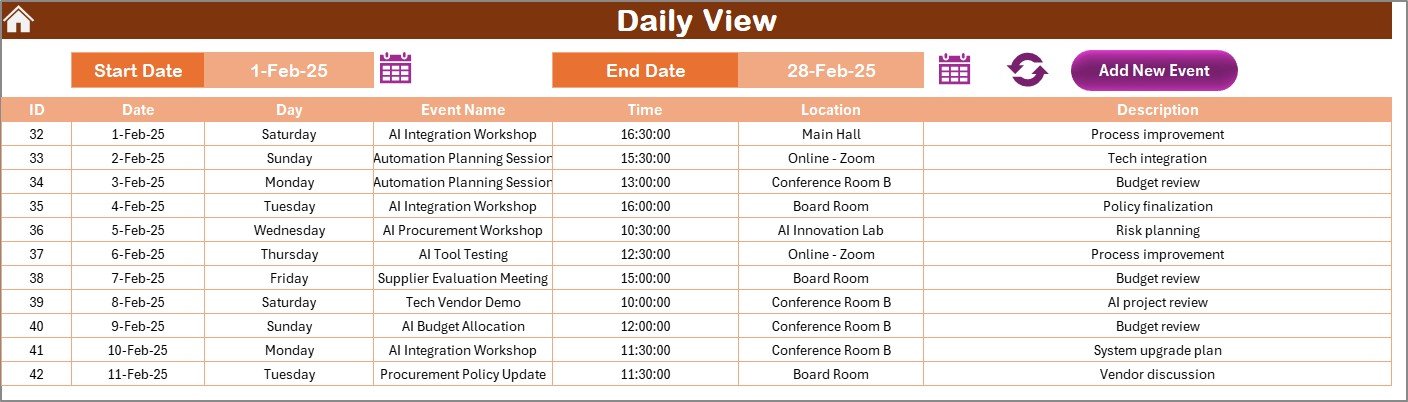
Daily View Sheet Tab – View and manage events within a date range—ideal for busy weeks or urgent schedules.
Events Sheet Tab – Your master database to add, update, or delete procurement activities with ease.
🛠 How to Use the Education Procurement AI Implementation Calendar
Start on the Home Sheet – Use the navigation buttons to jump to your desired view.
Set Preferences – Change the year, starting month, and starting day in the Annual View.
Add Events – Click “Add New Event” in any view, fill in the details, and save.
Highlight Important Dates – Mark delivery deadlines, budget cut-off dates, or vendor meetings.
Track Short-Term Activities – Use Daily View for weekly monitoring during peak procurement seasons.
Keep Data Updated – Regularly add and edit events to maintain accuracy.
🎯 Who Can Benefit from This Calendar
🏫 Schools – Schedule textbook orders, lab equipment purchases, and maintenance work.
🎓 Colleges & Universities – Manage procurement across multiple departments.
📦 Procurement Teams – Keep all events and deadlines in one place.
🤝 Vendors & Suppliers – Align delivery schedules with institutional needs.
📅 Event Planners – Coordinate procurement for academic events, functions, and exhibitions.
🚀 Why Choose This AI-Enabled Calendar?
With this calendar, you can:
Save Time – AI automation reduces repetitive manual updates.
Avoid Mistakes – Conditional formatting highlights important dates automatically.
Plan Ahead – Multi-view access gives both big-picture and daily details.
Stay Organized – All procurement activities are stored in one searchable database.
📖 Click here to read the Detailed blog post
Visit our YouTube channel to learn step-by-step video tutorials



























Reviews
There are no reviews yet.