

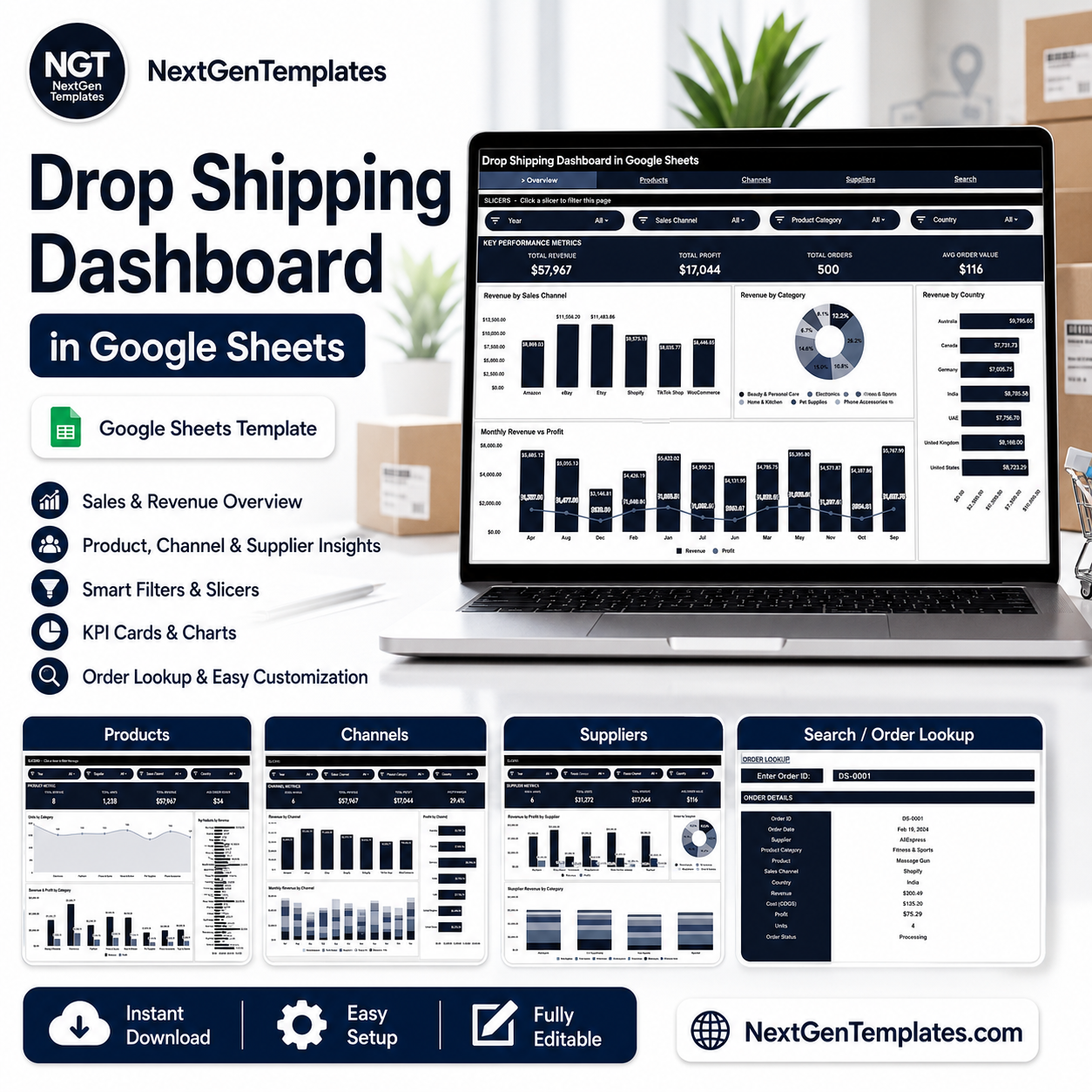

The Drop Shipping Dashboard in Google Sheets tracks 4 core KPIs across 6 interactive tabs, with 10+ pre-built charts and multi-slicer filtering. Setup takes under 10 minutes — paste your order data and every chart updates automatically.
🌍 Join 8,400+ teams in 40+ countries using NextGenTemplates to replace paid SaaS tools with one-time-purchase Google Sheets, Excel, Power BI, and HTML templates.
✅ Instant download · One-time payment · No subscription · No per-user fees · Lifetime access
🔑 Key Features of the Drop Shipping Dashboard in Google Sheets
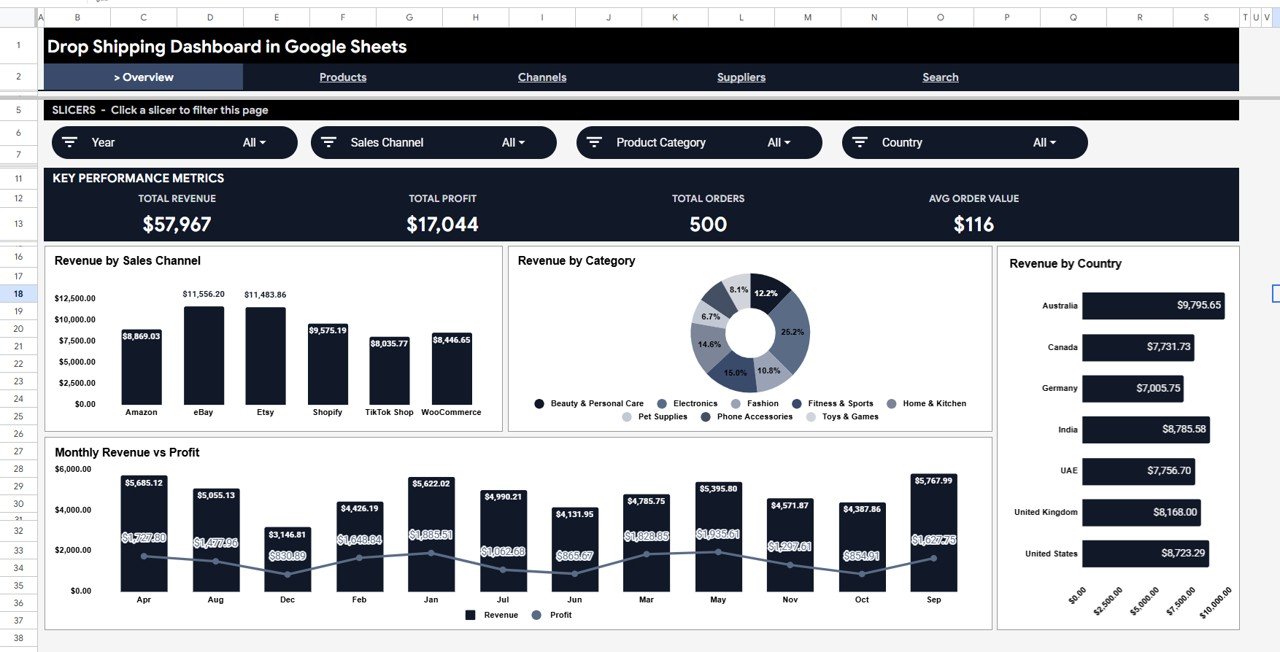
This dashboard tracks 4 high-level KPIs — Total Revenue, Total Profit, Total Orders, and Average Order Value — across 6 purpose-built sheet tabs. It includes 10+ charts covering revenue by sales channel, revenue by category, revenue by country, monthly revenue vs. profit, units and revenue by supplier, and top products by revenue. Slicers on the Overview page let you filter the entire dashboard by channel, category, and country in one click, with no formulas to maintain.
The template is built on standard Google Sheets Dashboard techniques — no macros, no add-ons, no third-party plugins. Every drop shipper managing multiple suppliers, channels, or product categories will find the multi-dimensional filtering particularly useful for isolating margin leakage fast.
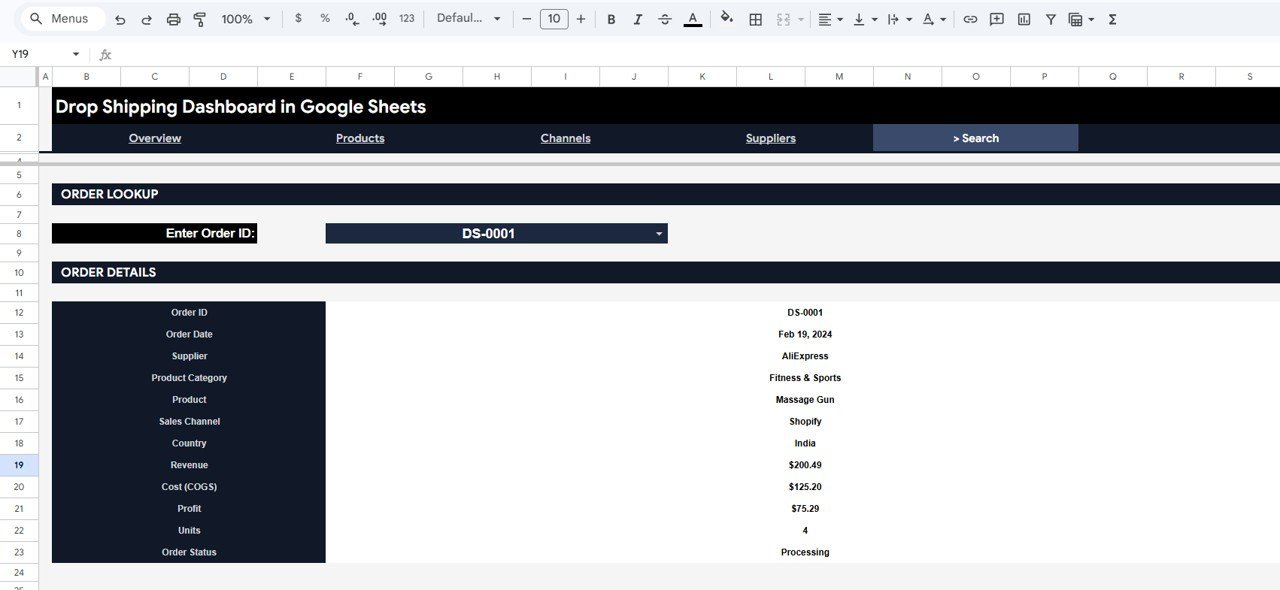
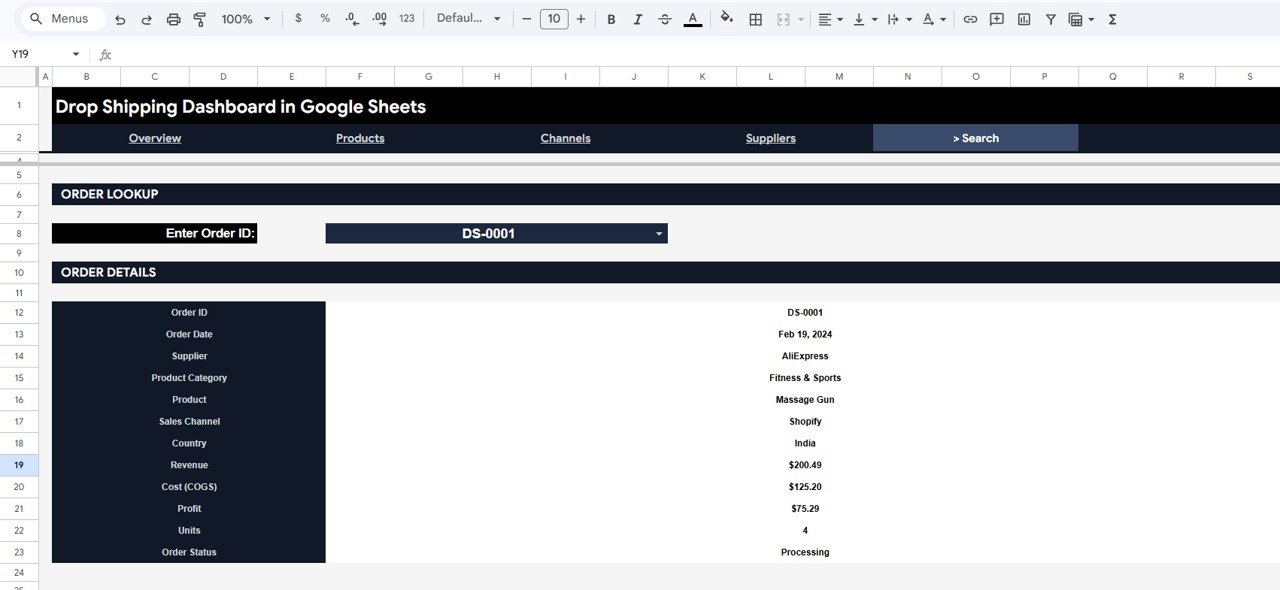
An Order Search sheet lets you type an Order ID and instantly surface the complete order record: Order Date, Supplier, Product Category, Product, Sales Channel, Country, Revenue, Cost, Profit, Units, and Order Status. No manual VLOOKUP needed.
📦 What’s Inside the Drop Shipping Dashboard in Google Sheets
Page 1: Overview
The Overview page shows 4 KPI cards (Total Revenue, Total Profit, Total Orders, Avg Order Value) and 4 charts: Revenue by Sales Channel, Revenue by Category, Revenue by Country, and Monthly Revenue vs Profit. Slicers at the top let you filter the entire page by channel, category, and country simultaneously.
Page 2: Products
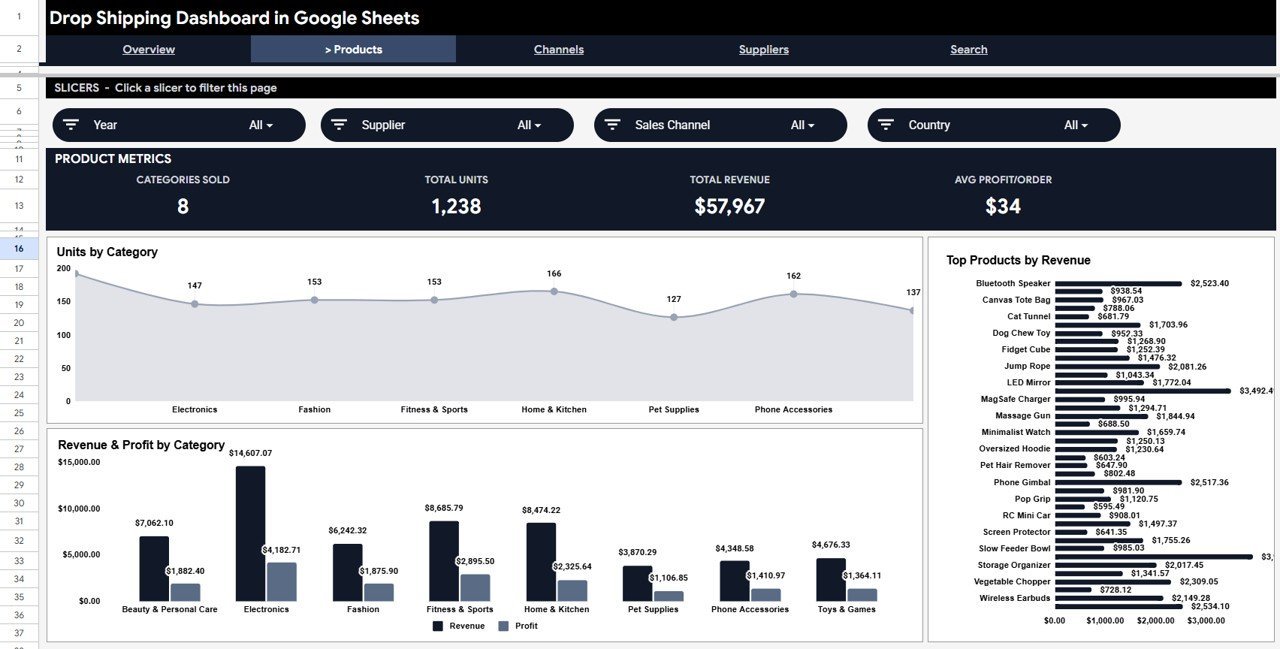
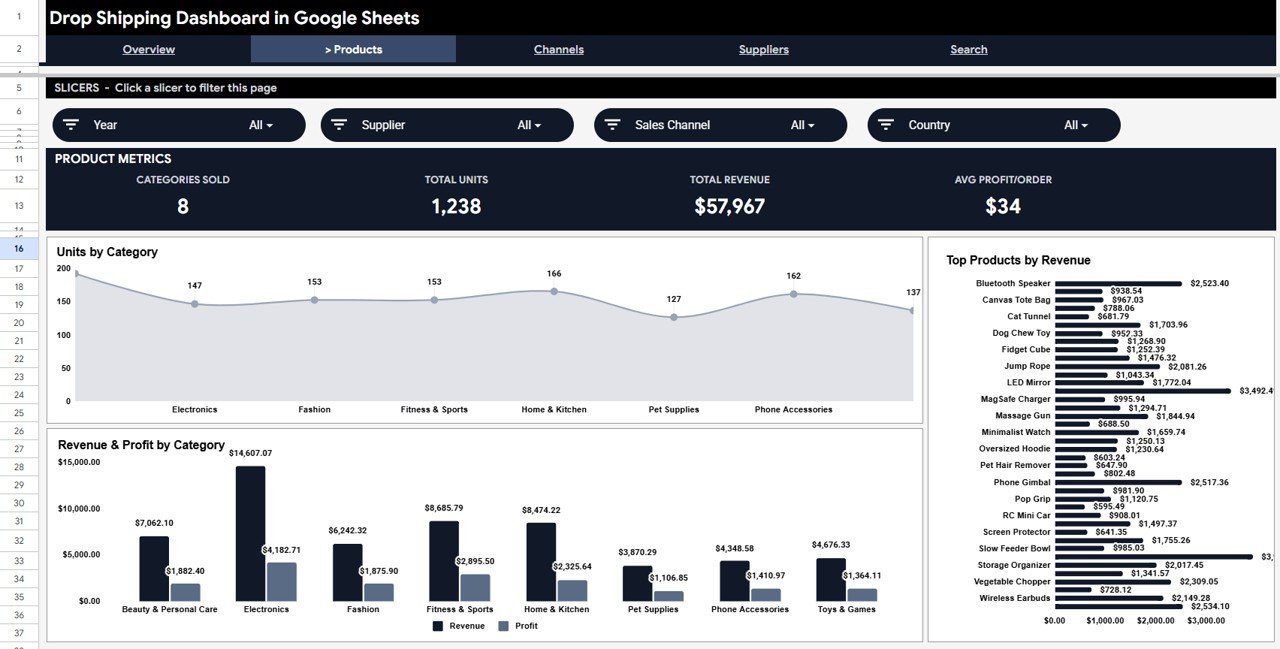
The Products tab provides product-level analysis including Units by Category, Revenue & Profit by Category, and a Top Products by Revenue ranking chart — ideal for identifying which SKUs drive the most margin.
Page 3: Channels
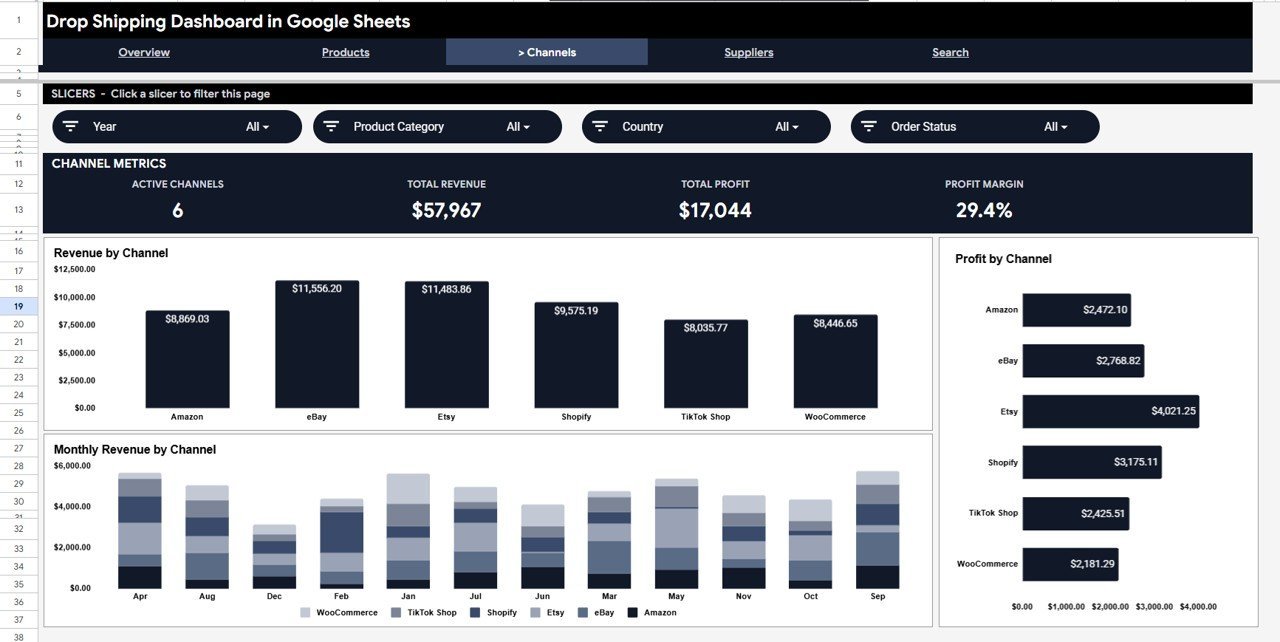
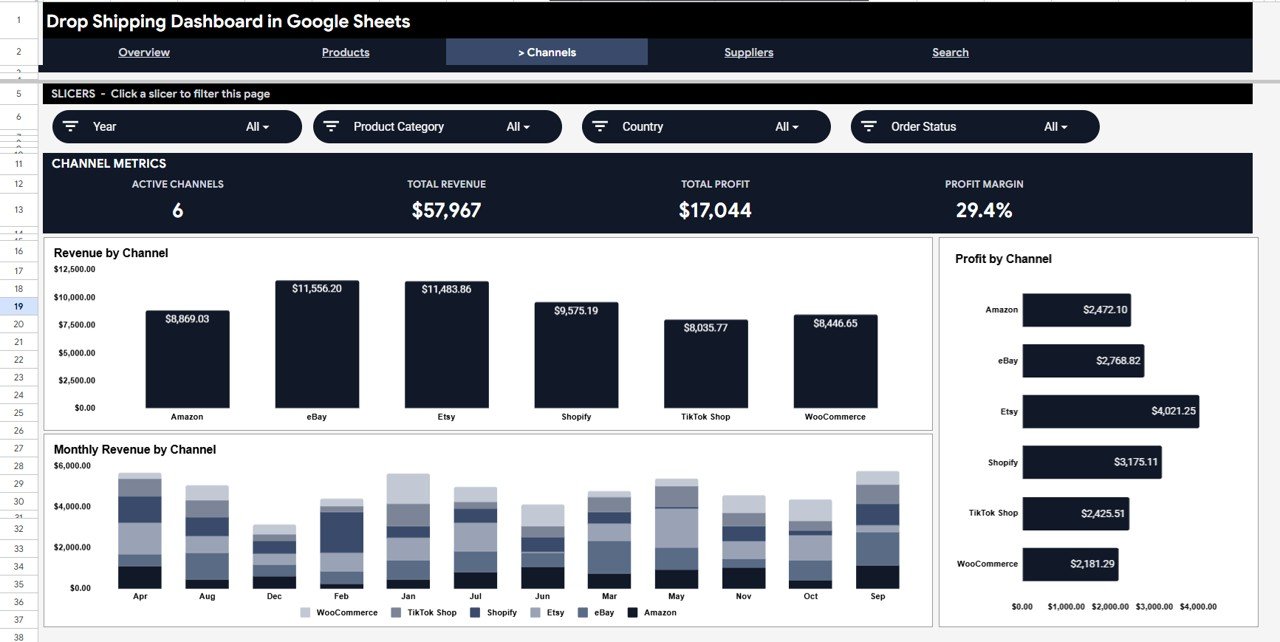
The Channels tab breaks down Revenue by Channel, Profit by Channel, and Monthly Revenue by Channel — giving you a clear view of which sales platform (Amazon, Shopify, eBay, etc.) is most profitable over time.
Page 4: Suppliers
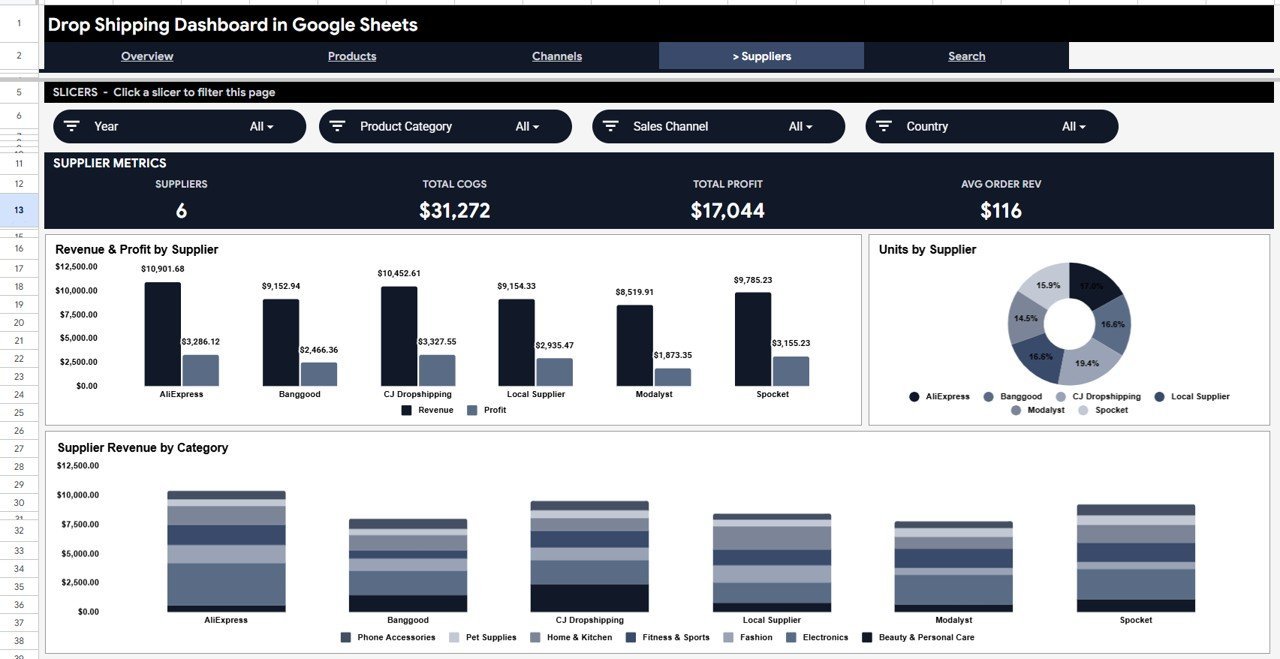
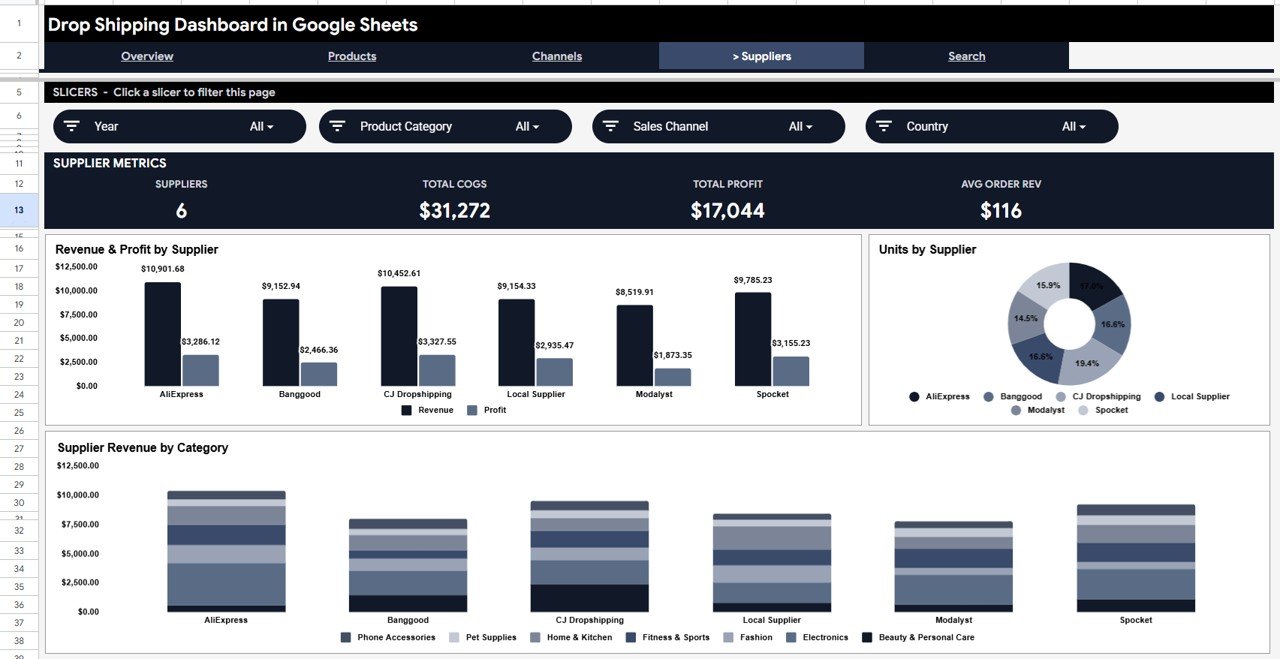
The Suppliers tab shows Revenue & Profit by Supplier, Units by Supplier, and Supplier Revenue by Category — essential for evaluating which suppliers deliver the highest margins and which categories each supplier dominates.
Page 5: Order Search
Enter any Order ID on the Search sheet to instantly display the complete order record — Order Date, Supplier, Product Category, Product, Sales Channel, Country, Revenue, Cost, Profit, Units, and Order Status. No formulas to write.
Data Sheet
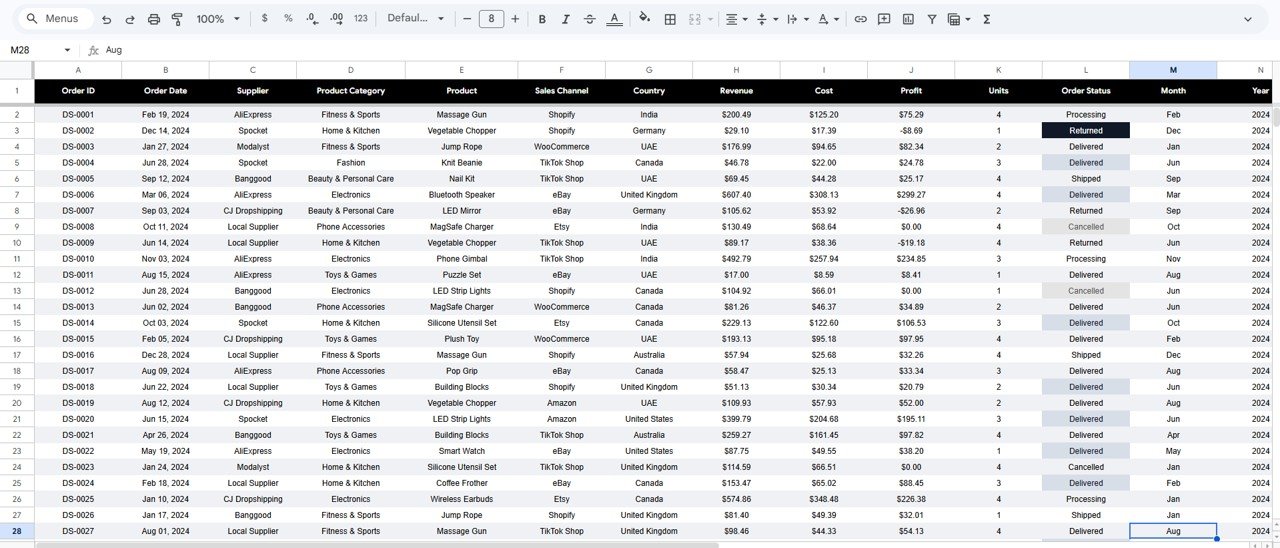
The Data sheet is where you enter your order records in a structured table format. Add rows in the same column layout and every dashboard tab updates automatically — no pivot refresh needed.
📊 Drop Shipping Dashboard in Google Sheets vs. Excel Dashboard vs. Paid Analytics SaaS — Where This Fits
| Feature | Drop Shipping Dashboard in Google Sheets | Excel Dashboard | Shopify / Triple Whale |
|---|---|---|---|
| Cost | $9.99 one-time | Similar one-time | $49–299/month |
| Platform | Google Sheets (browser) | Microsoft Excel (desktop) | SaaS web app |
| Setup time | Under 10 minutes | 10–15 minutes | Hours + API config |
| Real-time team sharing | ✅ Google Drive link sharing | ❌ File-sharing only | ✅ Built-in |
| Mobile access | ✅ Google Sheets mobile app | Limited | ✅ Native app |
| Customizable fields | ✅ Fully editable | ✅ Fully editable | ❌ Fixed schema |
| Multi-channel analysis | ✅ 4 channel breakdown charts | Varies | ✅ Auto-pulled |
| Year-1 cost (5 users) | $9.99 total | ~$20 total | $588–$3,588 |
| Supplier analysis | ✅ 3 dedicated supplier charts | Varies | ❌ Not included |
For drop shippers who want channel, supplier, and product analytics without paying $49/month for SaaS, the Drop Shipping Dashboard in Google Sheets sits in the sweet spot.
👥 Who This Template Is For — and Who It’s Not For
✅ This template is built for:
- Drop shippers managing 2–50+ SKUs across multiple sales channels (Amazon, Shopify, eBay, Etsy)
- E-commerce entrepreneurs who want supplier-level profitability without expensive BI tools
- Small business owners tracking multi-country order performance in Google Sheets
- Virtual assistants and ops managers who maintain monthly dropshipping reports for clients
❌ This template is NOT for:
- Enterprise teams needing real-time API data pulls from Shopify or WooCommerce (use Looker Studio instead)
- Businesses requiring automated inventory sync — this is a manual-entry analytics tool
⚙️ How to Use the Drop Shipping Dashboard in Google Sheets
- Download — Purchase and open the PDF guide in your download to get the Google Sheets copy link.
- Make a Copy — Click the link to create your own editable copy in Google Drive.
- Add Your Data — Paste your order records into the Data sheet following the same column format.
- Apply Filters — Use the slicers on the Overview page to filter by channel, category, or country.
- Search Orders — Use the Search sheet to look up individual order details by Order ID.
- Share — Share your Google Sheets file with your team via Google Drive — no installs required.
💼 Real-World Use Cases
Marcus runs a dropshipping store on Amazon and Shopify. He uses the Drop Shipping Dashboard in Google Sheets to compare monthly revenue and profit across both platforms, identify which product categories have the highest margins, and track his top 3 suppliers — all without paying $99/month for a SaaS analytics tool.
Priya manages e-commerce operations for a small import business. She enters weekly order data into the Data sheet and uses the Channels tab to report which platform generated the most profit each quarter. Her boss gets a clean PDF export from Google Sheets — no dashboard software license required.
A freelance e-commerce VA uses the template for 4 clients. She maintains one copy per client in Google Drive, uses the Suppliers tab to flag which suppliers have deteriorating margins, and sends the Search sheet view to clients when they query specific order details.
❓ Frequently Asked Questions
What KPIs does the Drop Shipping Dashboard in Google Sheets track?
The Drop Shipping Dashboard in Google Sheets tracks 4 core KPIs: Total Revenue, Total Profit, Total Orders, and Average Order Value. It also includes 10+ charts covering revenue and profit by sales channel, product category, country, and supplier, plus a Monthly Revenue vs Profit trend chart.
Do I need Google Sheets experience to use this template?
No advanced skills are required. The Drop Shipping Dashboard in Google Sheets is fully built — just paste your data into the Data sheet and every chart and KPI card updates automatically. Slicers work with a single click.
How does this compare to Shopify Analytics or Triple Whale?
Shopify Analytics and Triple Whale charge $49–$299/month and require API integrations. The Drop Shipping Dashboard in Google Sheets costs $9.99 one-time, works with any platform (Amazon, eBay, Etsy, Shopify, WooCommerce), and is fully customizable — no lock-in, no recurring fees.
Can I track multiple sales channels and suppliers in the same file?
Yes. The template has a dedicated Channels tab (Revenue, Profit, Monthly Revenue by Channel) and a dedicated Suppliers tab (Revenue & Profit by Supplier, Units by Supplier, Supplier Revenue by Category) — all fed from the same Data sheet.
How long does setup take?
Under 10 minutes. Make a copy of the Google Sheets template, paste your order data in the same column format as the sample data, and the dashboard populates instantly. No pivot table refresh, no macro enabling required.
Does this work on mobile?
Yes. Since it runs in Google Sheets, you can view and filter the Drop Shipping Dashboard on any device using the Google Sheets mobile app (iOS or Android), including using the slicers.
Can I add more columns or customize the categories?
Yes. The Data sheet columns are fully editable. You can rename category values, add new channels, or expand the product list — the charts automatically reflect your data as you update the sheet.
👤 About the Author
Built by PK — Microsoft Certified Professional with 15+ years of Excel, Google Sheets, and Power BI experience. Founder of NextGenTemplates, reaching 300K+ subscribers across YouTube channels
(@PK-AnExcelExpert,
@NextGenTemplates,
@NeoTechNavigators).
Every template is hand-built and tested before release.
🔗 Explore Related Templates
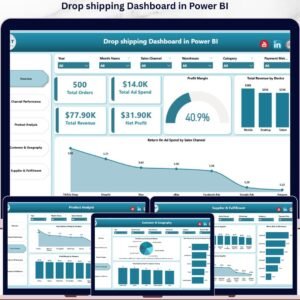
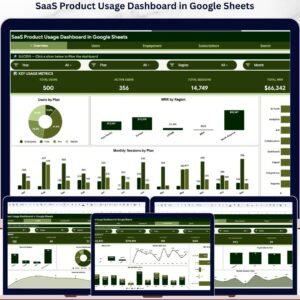
Also available as the Drop Shipping Dashboard in Power BI for richer visuals. See also the Seller Analytics Dashboard in Google Sheets for marketplace seller tracking, and the SaaS Product Usage Dashboard in Google Sheets for digital product analytics. Browse all Google Sheets Dashboard Templates.
📖 Click here to read the Detailed Blog Post
Watch the step-by-step video Demo:
🎥 Visit our YouTube channel for step-by-step video tutorials
👉 YouTube.com/@NextGenTemplates
























Reviews
There are no reviews yet.