



The Digital Advertising Calendar in Excel is a ready-made Excel template for businesses and marketers who want to plan, organize and track their digital advertising campaigns in one place. Whether you run social media ads, Google Ads or campaigns on other digital platforms, this customizable advertising calendar helps you schedule ads, set deadlines, control budgets and measure performance. Your campaigns stay on track, on budget and focused on your advertising goals.
The template combines an advertising schedule, budget tracking, performance tracking and an interactive dashboard. You can see what is running, how much you are spending and how each ad is performing without switching between tools.

Key Features of the Digital Advertising Calendar in Excel
Comprehensive Advertising Schedule
Plan and schedule digital ads across multiple platforms, including social media, search engines and display networks. Set campaign dates, ad content and promotional offers for each platform, so every launch is planned in advance.
Budget Tracking
Monitor your ad spend with real-time budget tracking. Set and track a budget for each campaign to make sure you stay within your financial limits and avoid overspending.
Performance Tracking and Analytics
Track campaign performance with key metrics such as impressions, clicks, conversions and ROI. Measure the effectiveness of each ad and use the results to optimize future campaigns.
Interactive Dashboard
Visualize your advertising performance with an interactive dashboard that gives a snapshot of your ad campaigns, including overall performance and budget usage.
Customizable for Your Campaigns
Tailor the calendar to your own advertising goals, platforms and metrics. Modify sections to reflect your unique strategies and KPIs.
User-Friendly Interface
The template is designed with simplicity in mind. It is easy to set up, update and manage your digital advertising campaigns, even if you are new to Excel.
Why You’ll Love This Advertising Calendar
- Efficient ad management: Plan, schedule and track all your digital ads in one place so your advertising efforts stay aligned and on schedule.
- Control campaign budgets: Keep track of advertising expenses, set budget limits and avoid overspending.
- Track performance and optimize ads: Use real-time tracking and performance metrics to measure ad success, adjust campaigns and optimize for better results.
- Fits your advertising needs: Adapt the calendar to your platforms, strategies and goals, whether you run social media ads or pay-per-click campaigns.
- Better campaign efficiency: Stay on top of deadlines, monitor progress and make sure campaign goals are met with an organized calendar.
What’s Inside the Digital Advertising Calendar in Excel
| Section | What it does |
|---|---|
| Advertising Schedule Overview | A full list of campaigns with scheduled start and end dates, ad content and target platforms. |
| Budget Tracking | Tracks your advertising budget and shows how much you are spending in real time. |
| Performance Tracking | Campaign tracking with key metrics such as impressions, clicks, conversions and ROI. |
| Interactive Dashboard | A visual summary of ad performance and budget status. |
| Customizable Sections | Modify the calendar to track your own KPIs, platforms and goals. |
Who Is This Excel Template For?
- Digital marketers and advertisers
- Small and medium businesses (SMBs)
- Agencies managing multiple campaigns
- E-commerce businesses running ads
- Social media managers
- Entrepreneurs running ads for personal branding
If you need a simple yet powerful way to stay organized and optimize your digital advertising efforts, this calendar template is built for you.
How to Use the Digital Advertising Calendar
- Download the template: Get instant access to your digital advertising calendar.
- Add campaign details: Enter campaign dates, platforms, budget and goals for each ad.
- Track budget and performance: Use the budget tracker and performance metrics to monitor ad spend and results.
- Visualize campaign progress: Use the dashboard to get a clear overview of your campaigns and adjust your strategy accordingly.
Click here to read the Detailed blog post
Visit our YouTube channel to learn from step-by-step video tutorials: Youtube.com/@PKAnExcelExpert
Frequently Asked Questions
Which advertising platforms can I plan with this calendar?
You can plan and schedule ads across multiple digital platforms, including social media, Google Ads and other search engines, and display networks.
Can I track my ad budget in the template?
Yes. The budget tracking section lets you set a budget for each campaign and monitor how much you are spending in real time.
What performance metrics does it track?
The performance tracking section covers key metrics such as impressions, clicks, conversions and ROI, so you can measure the effectiveness of each ad.
Can I customize the calendar for my own KPIs?
Yes. The sections are customizable, so you can adapt the calendar to your own KPIs, platforms, strategies and goals.
Do I need advanced Excel skills?
No. The template has a user-friendly interface designed to be easy to set up and manage, even if you are new to Excel.
Is it suitable for agencies with many campaigns?
Yes. It is designed for agencies managing multiple campaigns as well as marketers, SMBs, e-commerce businesses, social media managers and entrepreneurs.
Last updated: October 2026
Compatibility and Requirements
- Works in Microsoft Excel desktop (Excel 2016 or later, or Microsoft 365).
- The Interactive Dashboard shows ad performance and budget status with charts. Microsoft explains how to build them in Create a chart from start to finish.
More Questions About This Template
Is there a Google Sheets version?
Yes. See the Digital Advertising Calendar in Google Sheets.
Is there a KPI dashboard for digital advertising?
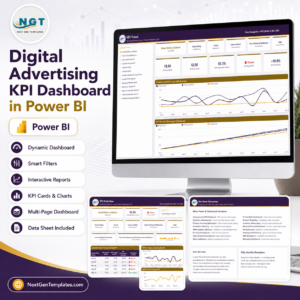
Yes. The Digital Advertising KPI Dashboard in Excel and the Digital Advertising KPI Dashboard in Power BI cover ad performance in more depth.
Related Digital Advertising and Marketing Templates
- Digital Advertising Calendar in Google Sheets: the same calendar for Google Sheets
- Digital Advertising KPI Dashboard in Excel: a KPI view of your ad results
- Digital Advertising KPI Dashboard in Power BI: the Power BI edition of the ad dashboard
- Marketing Digital Transformation Calendar in Excel: a calendar for planning marketing changes
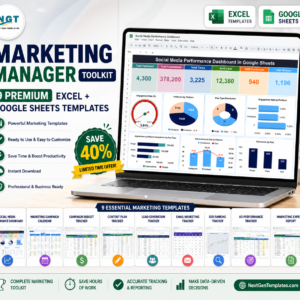
- Marketing Manager Toolkit: 9 marketing templates in one download
Browse all Excel calendar templates or Sales and Marketing templates for Excel.
















Reviews
There are no reviews yet.