



In today’s competitive and highly regulated business world, compliance training is no longer optional—it’s mandatory. Organizations face increasing risks of fines, lawsuits, and reputational damage if they fail to ensure employees are well-trained on compliance policies and legal standards. That’s why we’ve created the Legal and Compliance Training and Development KPI Dashboard in Excel—a powerful yet easy-to-use solution to track, measure, and improve compliance training performance.
This ready-to-use Excel template consolidates all compliance-related KPIs into a single, interactive dashboard. With dynamic charts, slicers, and well-defined performance indicators, managers can monitor training completion rates, policy awareness, audit readiness, and much more—all in one place. Whether you’re a compliance officer, HR manager, or executive, this tool empowers you to make data-driven decisions with confidence.
✨ Key Features of Legal and Compliance Training and Development KPI Dashboard

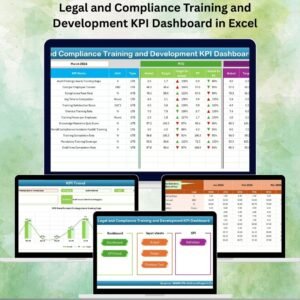
✅ 7 Pre-Designed Worksheets – Home, Dashboard, KPI Trend, Actual Numbers Input, Target, Previous Year Numbers, and KPI Definition.
✅ Dynamic Executive Dashboard – Displays MTD (Month-to-Date) and YTD (Year-to-Date) values with variance indicators (green ↑ for improvement, red ↓ for decline).
✅ KPI Trend Analysis – Select any KPI and track its monthly and yearly trends using interactive charts.
✅ Target vs Actual Comparison – Monitor organizational goals against real results.
✅ Historical Benchmarking – Compare current compliance performance with previous years.
✅ KPI Definition Library – Includes KPI name, group, unit, formula, and definition for transparency.
✅ Drop-Down Navigation – Quick and simple navigation for non-Excel experts.
✅ Automated Visuals – Charts and conditional formatting that update instantly as data changes.
📦 What’s Inside the Dashboard
When you download this template, you receive a fully functional Excel file that includes:
Home Sheet: Easy navigation with buttons for quick access.
Dashboard Sheet: Central hub with MTD/YTD compliance KPIs and performance indicators.
KPI Trend Sheet: Drill down into specific KPIs with definitions and trend charts.
Actual Numbers Input Sheet: Enter training performance data; aligned automatically by month.
Target Sheet: Set monthly and yearly compliance training targets.
Previous Year Numbers Sheet: Benchmark against last year’s performance.
KPI Definition Sheet: Transparent documentation of every KPI.
All these sections are pre-structured, meaning you only need to input your data and targets—the dashboard does the rest!
🛠️ How to Use the Dashboard
Enter Actual Data – Fill in monthly compliance training numbers (MTD/YTD).
Set Targets – Input target values for each KPI.
Review Dashboard – Instantly view performance with charts and indicators.
Drill Down with Trends – Use the KPI Trend sheet for detailed performance analysis.
Compare with Past Data – Check progress against previous year results.
Take Action – Identify gaps, adjust policies, and improve compliance culture.
No advanced Excel skills required—just plug in your data and track performance in real time!
👩💼 Who Can Benefit from This Dashboard?
Compliance Officers – Ensure training is completed and policies are followed.
HR Managers – Track training hours, completion rates, and employee awareness.
Training Teams – Monitor effectiveness of compliance programs.
Executives & Auditors – Get a quick snapshot of organizational compliance readiness.
SMEs & Corporates – Affordable, scalable, and practical for any size of business.
By using this dashboard, organizations foster accountability, transparency, and a culture of compliance—all while reducing risks.
👉 Click here to read the Detailed blog post
Visit our YouTube channel to learn step-by-step video tutorials
Watch the step-by-step video tutorial:
Compatibility and Requirements
- Works in Microsoft Excel desktop (Excel 2016 or later, or Microsoft 365).
- The Dashboard and KPI Trend sheets use dropdown selectors to pick the month and the KPI. Microsoft explains dropdown lists in Create a drop-down list.
Frequently Asked Questions
Which sheets does the template have?
Seven sheets: Home, Dashboard, KPI Trend, Actual Numbers Input, Target, Previous Year Numbers and KPI Definition.
How do I update the dashboard?
Enter your monthly MTD and YTD figures in the Actual Numbers Input sheet and your goals in the Target sheet. The Dashboard sheet and its charts update from those entries.
Can I compare this year with last year?
Yes. Add last year’s figures to the Previous Year Numbers sheet and compare them with your current results.
How do I see the trend for one KPI?
Open the KPI Trend sheet and select the KPI you want. It shows the monthly and yearly trend charts along with the KPI definition.
Where can I see how each KPI is calculated?
The KPI Definition sheet lists the KPI name, group, unit, formula and definition for every KPI.
Is there another training dashboard on a different platform?
Yes. See the Training and Development Dashboard in Google Sheets and the Training and Development Dashboard in Power BI.
Related Legal and Compliance Templates
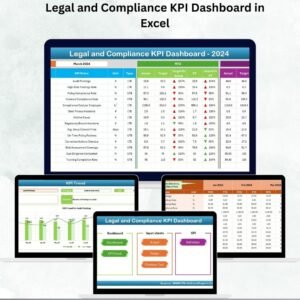
- Legal and Compliance KPI Dashboard in Excel: the general compliance KPI view
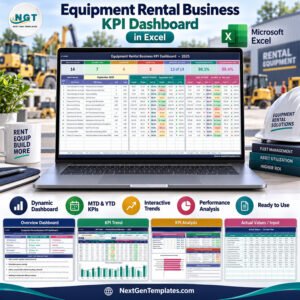
- Legal and Compliance Operations KPI Dashboard in Excel: KPIs for compliance operations
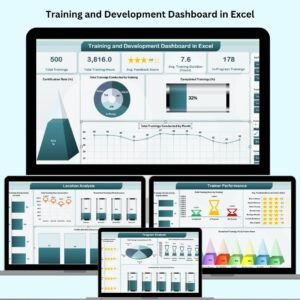
- Training and Development Dashboard in Excel: a general training dashboard
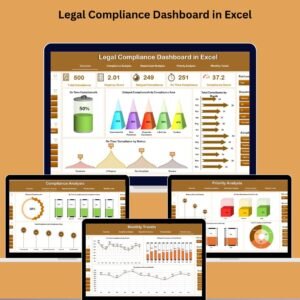
- Legal Compliance Dashboard in Excel: a compliance dashboard in Excel
- Legal Compliance Audit Checklist in Excel: a checklist for audit preparation
Browse all Excel KPI dashboards.












Reviews
There are no reviews yet.