

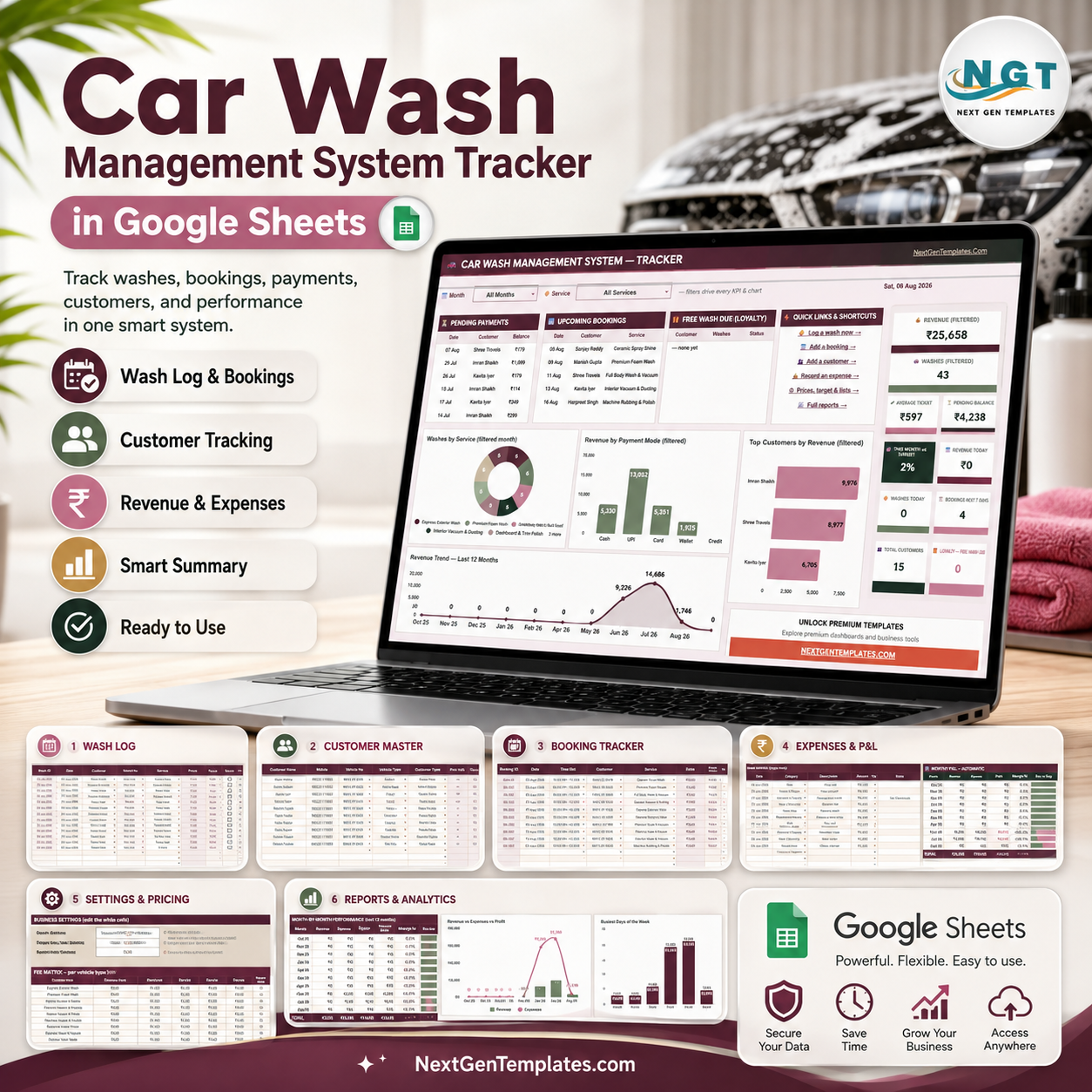



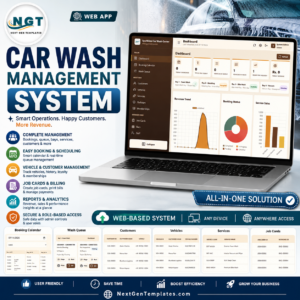
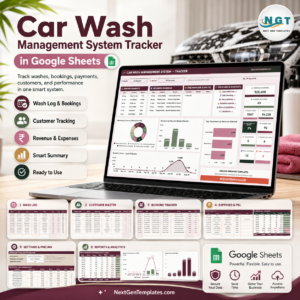
Car Wash Management System Tracker in Google Sheets gives a car wash, mobile detailing team, or auto service counter a 7-page operating workbook with 10 overview cards, booking visibility, customer loyalty tracking, wash log analysis, expense and P&L views, and monthly reports. NextGenTemplates is used by 10,000+ professionals worldwide, and this file is built for owners who want a clear spreadsheet system before committing to a paid POS or CRM. The screenshots below show the exact workflow before you add your own copy link and business data.
Key Features of Car Wash Management System Tracker in Google Sheets
- 7 connected sheet tabs for overview reporting, wash logs, customers, bookings, expenses, settings, and analysis.
- 10 KPI cards for revenue, washes, average ticket, pending balance, target progress, daily work, bookings, customers, and loyalty.
- Service and payment analysis for service mix, payment mode revenue, pending balances, and top customers.
- Booking and customer tracking for time slots, services, reminders, vehicle details, last visit, and loyalty status.
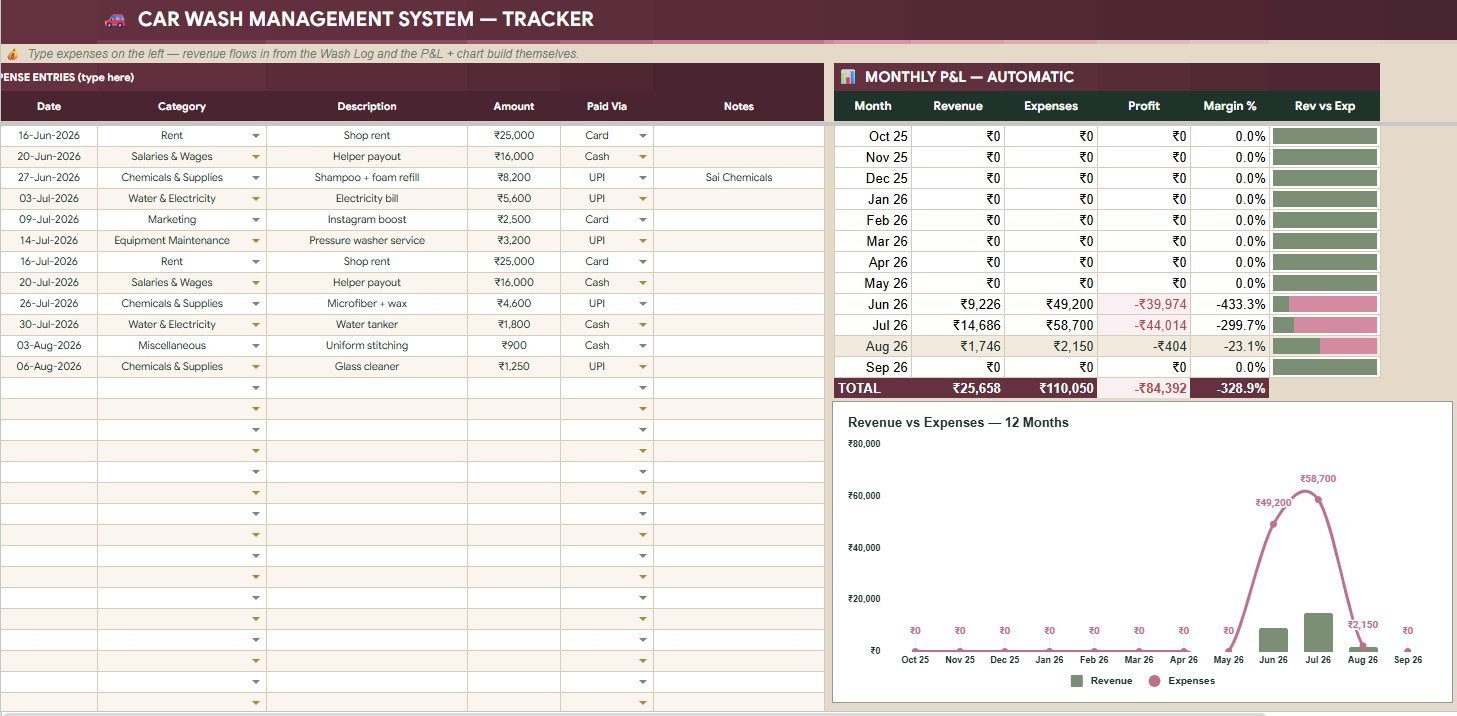
- Expense and profit visibility with monthly revenue, expenses, profit, margin, and revenue versus expenses analysis.
- Editable settings for services, prices, vehicle types, payment modes, statuses, time slots, categories, and customer types.
What’s Inside the Car Wash Management System Tracker in Google Sheets
This tracker is organized around daily operations: record washes, update payments, manage bookings, review customers, enter expenses, and monitor monthly profit. The overview page gives a fast owner view, while the supporting tabs hold the details.
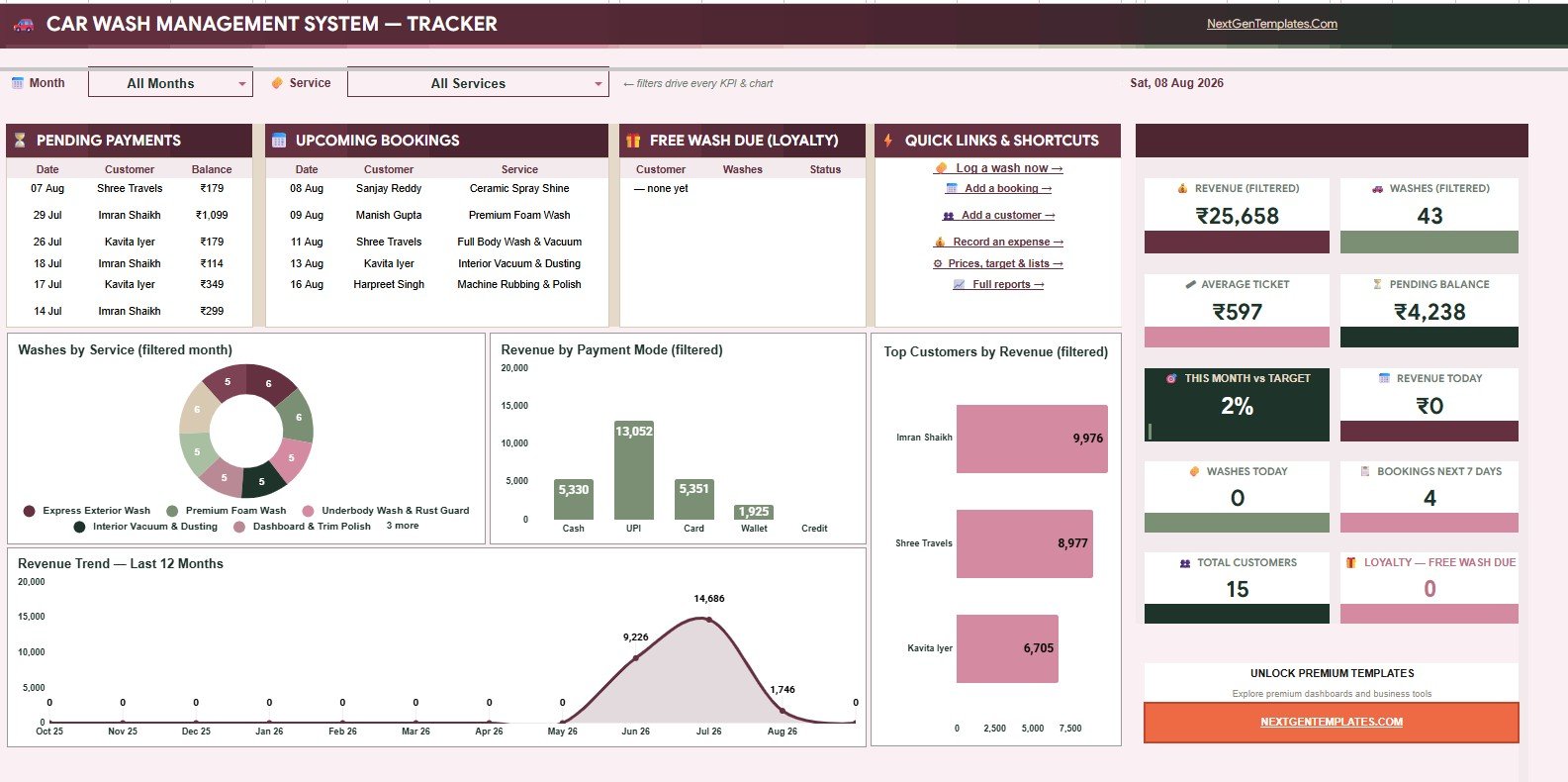
Overview Page: This page shows 10 cards for revenue, washes, average ticket, pending balances, target progress, daily activity, upcoming bookings, customers, and loyalty. Charts cover service mix, payment mode revenue, top customers, monthly revenue, pending payments, and upcoming bookings.
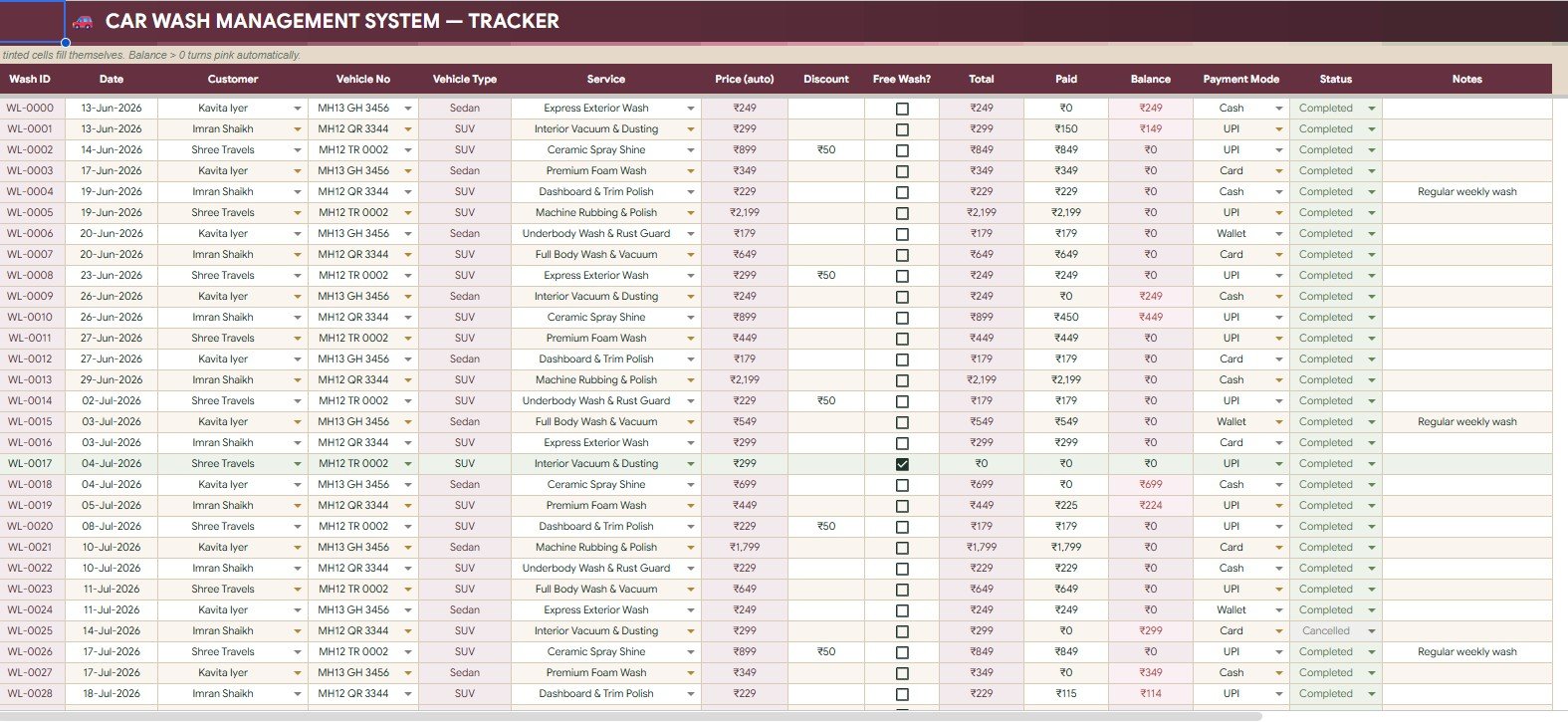
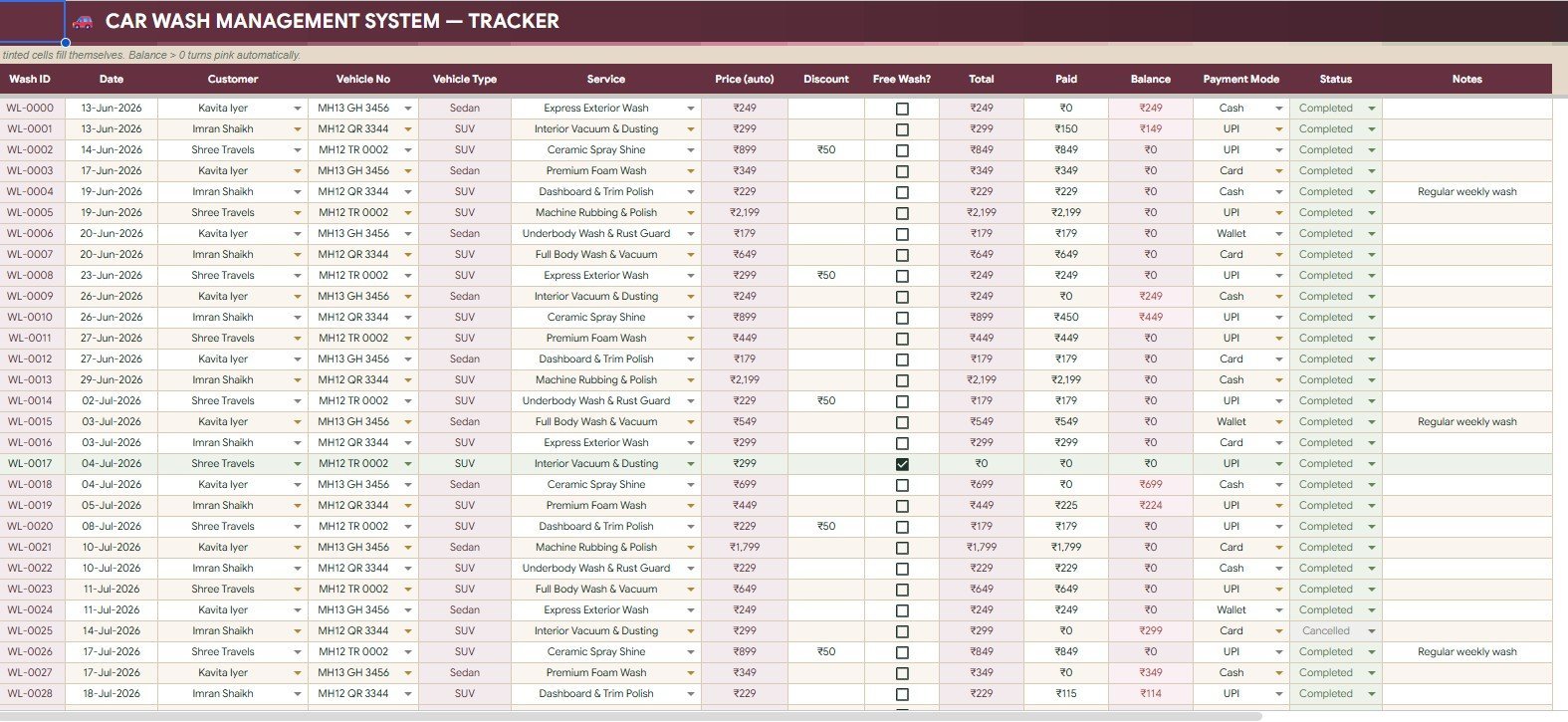
Wash Log: The wash log analyzes customer, vehicle type, service, price, discount, free wash usage, wash total, payment mode, balance, and wash status.

Customers: The customer tab tracks total washes, total spent, outstanding balance, loyalty count, next free wash, customer type, vehicle details, and last visit.
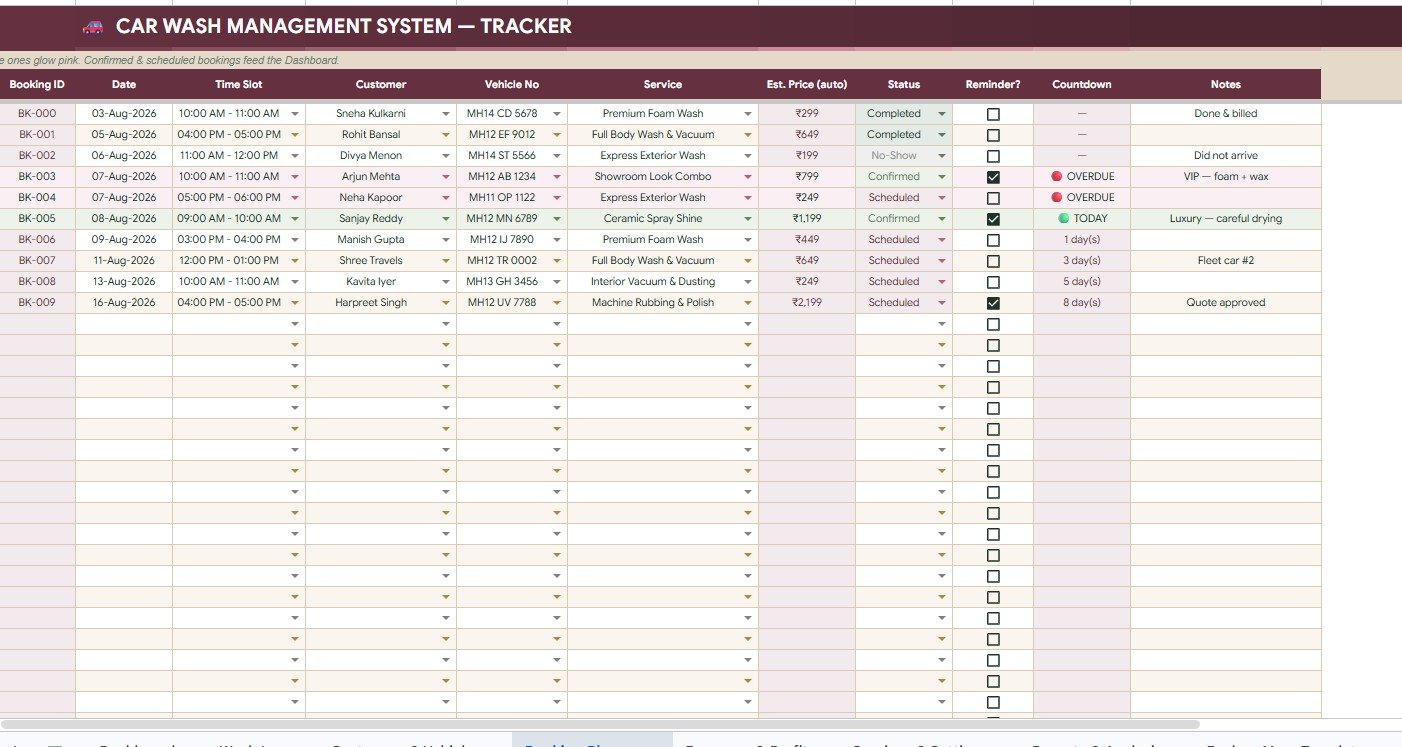
Bookings: The bookings tab tracks dates, time slots, services, estimated prices, booking status, reminders, countdown, and notes.
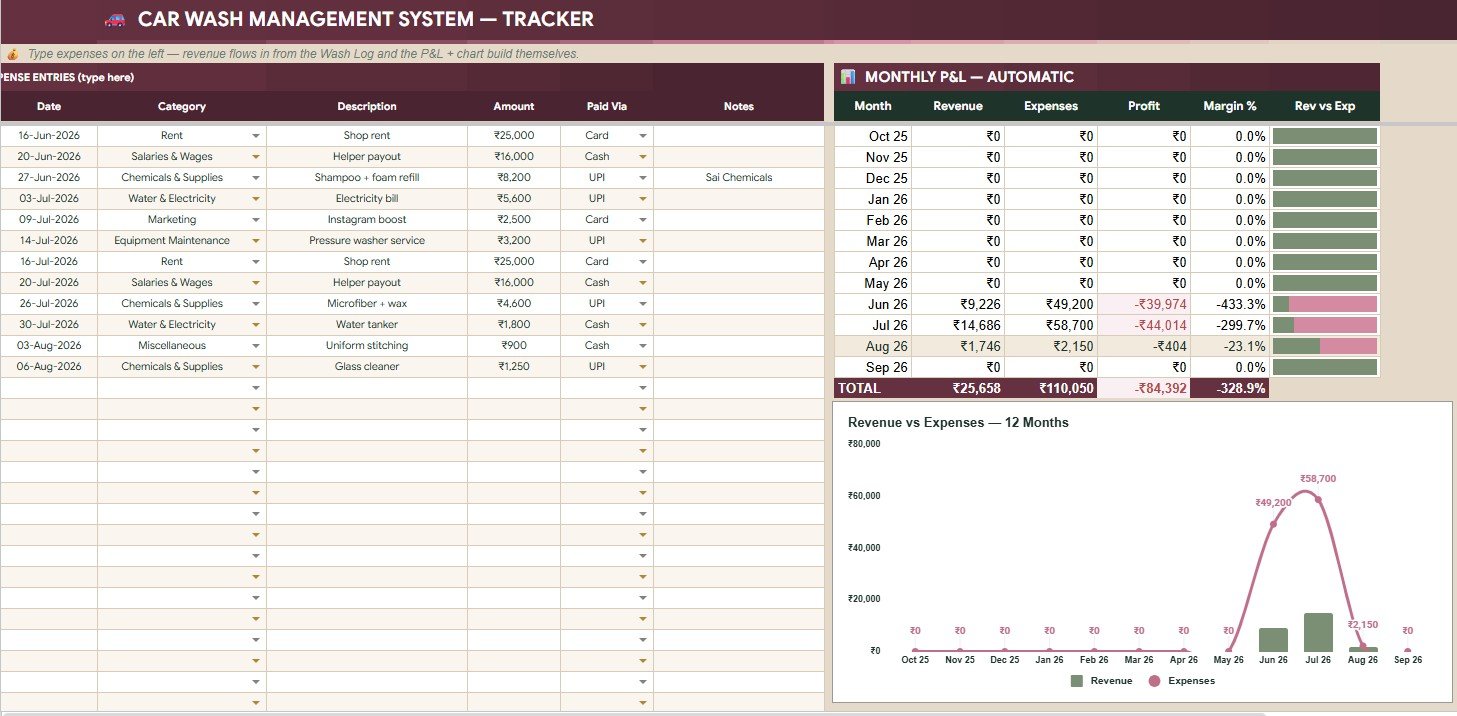
Expenses and P&L: This tab covers expense amount by category and paid via, plus monthly revenue, expenses, profit, margin, and revenue versus expenses.

Settings and Dropdown Lists: This sheet stores the business name, currency, loyalty rule, target, service prices, vehicle types, payment modes, statuses, time slots, expense categories, and customer types.

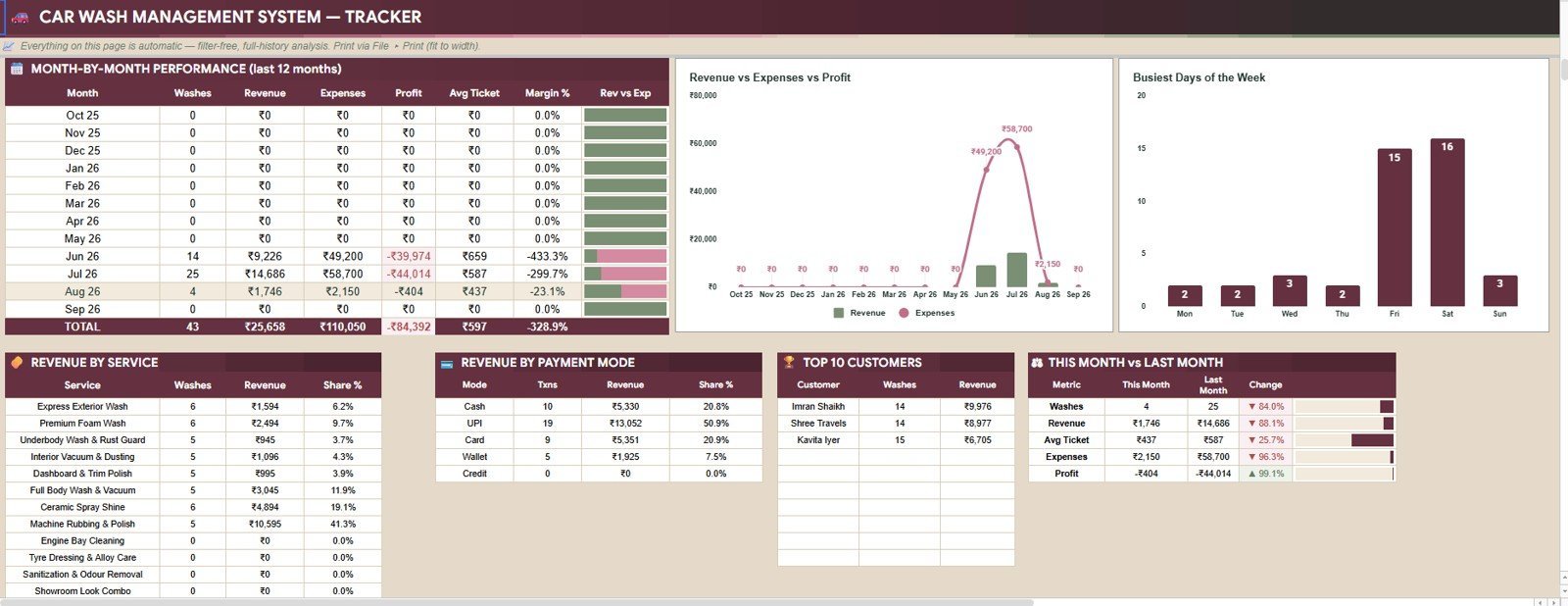
Reports and Analysis: The reports tab summarizes monthly washes, revenue, expenses, profit, average ticket, margin, weekday demand, service revenue, payment mode revenue, top customers, and month-over-month metrics.
Car Wash Management System Tracker in Google Sheets vs. Microsoft Excel Workbook vs. Paid CRM/SaaS – Where This Fits
| Area | This Google Sheets tracker | Microsoft Excel workbook | Paid CRM/SaaS |
|---|---|---|---|
| Cost | One-time price | One-time workbook | Monthly subscription |
| Platform | Google Sheets | Excel or Microsoft 365 | Vendor cloud platform |
| Setup time | Copy file, update settings, enter data | Download and configure | Account setup and onboarding |
| Real-time team collaboration | Strong for small teams | Depends on cloud setup | Usually strong, with seat costs |
| Mobile access | Google Sheets app | Excel app | Vendor app |
| Customizable fields | Editable sheets and dropdowns | Editable workbook | Plan or admin dependent |
| Share with link | Easy Drive sharing | Needs Microsoft cloud sharing | Usually account-based |
| Year-1 cost at 5 users | Template price only | Workbook plus licensing if needed | Can become much higher |
| Loyalty free wash tracking | Included | Custom build unless included | May need loyalty module |
| P&L and booking visibility | Included | Custom build unless included | Often split by module |
Who This Template Is For – and Who It’s Not For
This template is for independent car wash owners, mobile detailers, auto spa teams, and small service counters that need a practical operating tracker without a full software rollout. It is a good fit when you want washes, payments, bookings, customer history, loyalty, and profit in one place.
It is not the right fit if you need barcode scanning, payment gateway integration, biometric attendance, SMS automation, inventory deduction, or multi-branch role permissions. For those workflows, a dedicated POS, CRM, or custom web app may be better.
How to Use the Car Wash Management System Tracker in Google Sheets
- Open the PDF guide and create your editable Google Sheets copy.
- Update business name, currency, services, prices, vehicle types, and loyalty rule.
- Enter customers, vehicles, bookings, completed washes, payments, balances, and expenses.
- Use Overview and Reports to review performance, customer behavior, profit, and upcoming work.
Real-World Use Cases
Ravi, neighborhood car wash owner: Ravi checks today’s washes, pending balances, bookings, and target progress each morning.
Maria, mobile detailing coordinator: Maria plans time slots, notes, reminders, and free wash eligibility.
Dev, auto spa manager: Dev compares service revenue, payment modes, average ticket, and top customers.
Frequently Asked Questions
Is this a Google Sheets template?
Yes. It is designed for Google Sheets, so you can create your own editable copy in Google Drive.
Does it include customer loyalty tracking?
Yes. It includes loyalty count by customer and a Next Wash Free indicator managed through settings.
Can multiple people update the file?
Yes, if you share the Google Sheet with the correct permissions.
Does this replace a full POS system?
No. It tracks operations and reporting, but it does not process payments, send SMS, scan inventory, or manage advanced roles.
What data do I need to enter?
You will enter services, pricing, customers, wash records, bookings, payments, and expenses. The dashboard summarizes that data.
About the Author
Built by PK – Microsoft Certified Professional with 15+ years of Excel, Google Sheets, and Power BI experience. Founder of NextGenTemplates, reaching 300K+ subscribers across YouTube channels. Every template is hand-built and tested before release.
Explore Related Templates
For more Google Sheets business tools, explore the Google Sheets templates category and the Google Sheets trackers collection. You may also like Customer Complaint Tracker in Google Sheets, Customer Feedback Tracker in Google Sheets, Customer Service Request Tracker in Google Sheets, and Equipment Maintenance Log Tracker in Google Sheets.
Ready to organize your car wash operation? Add the Car Wash Management System Tracker in Google Sheets to your toolkit, update the settings, and start tracking washes, payments, customers, bookings, and profit from one file.
Watch the step-by-step video Demo:
Last updated: August 8, 2026.
























Reviews
There are no reviews yet.