

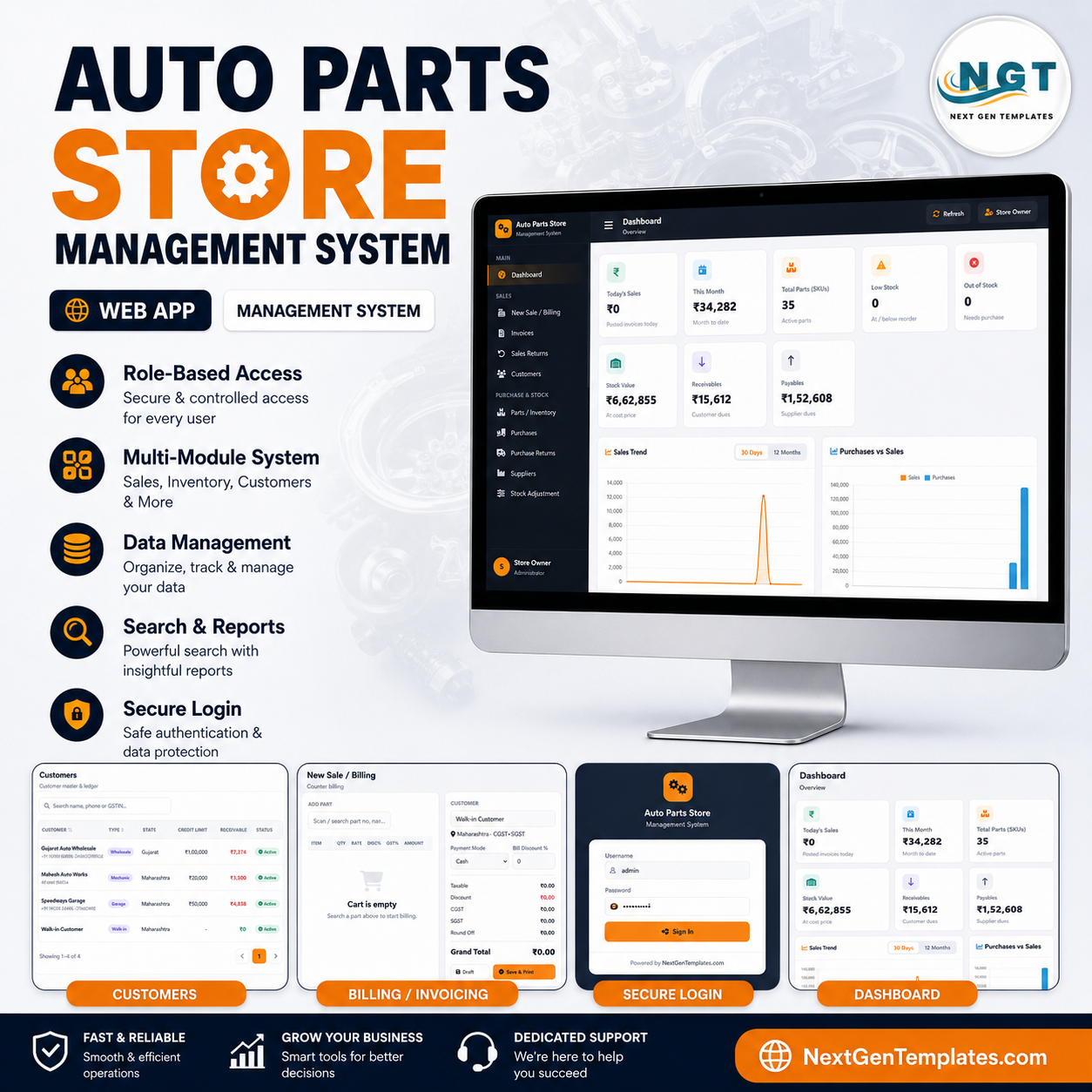
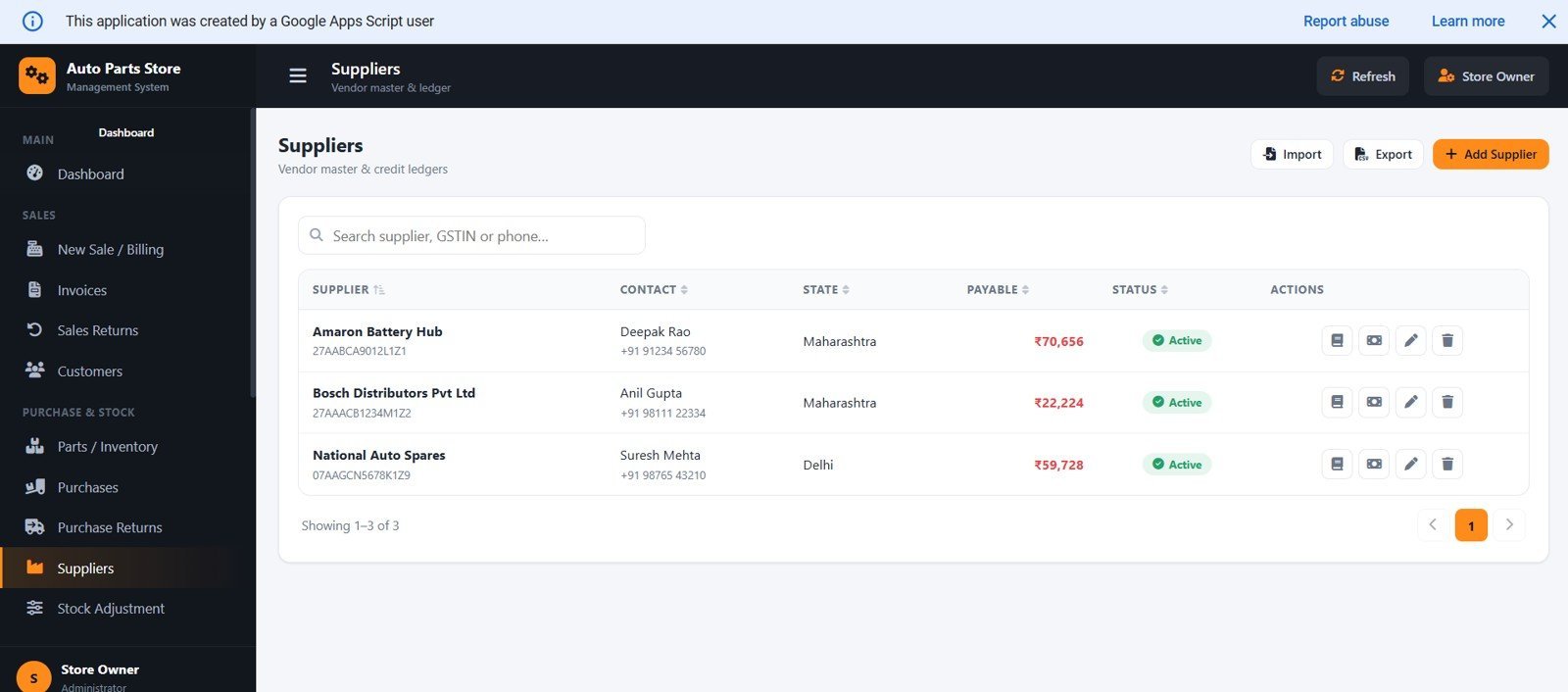
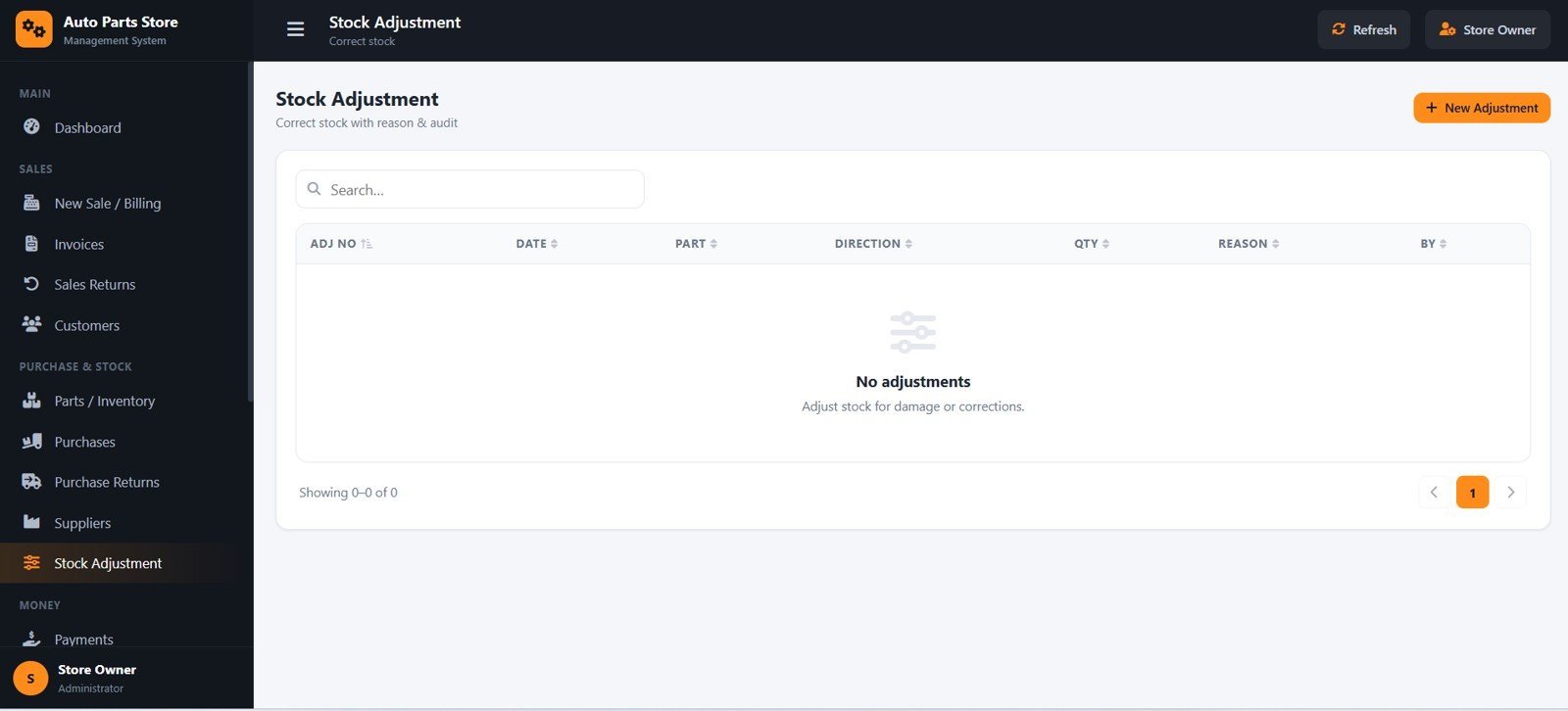
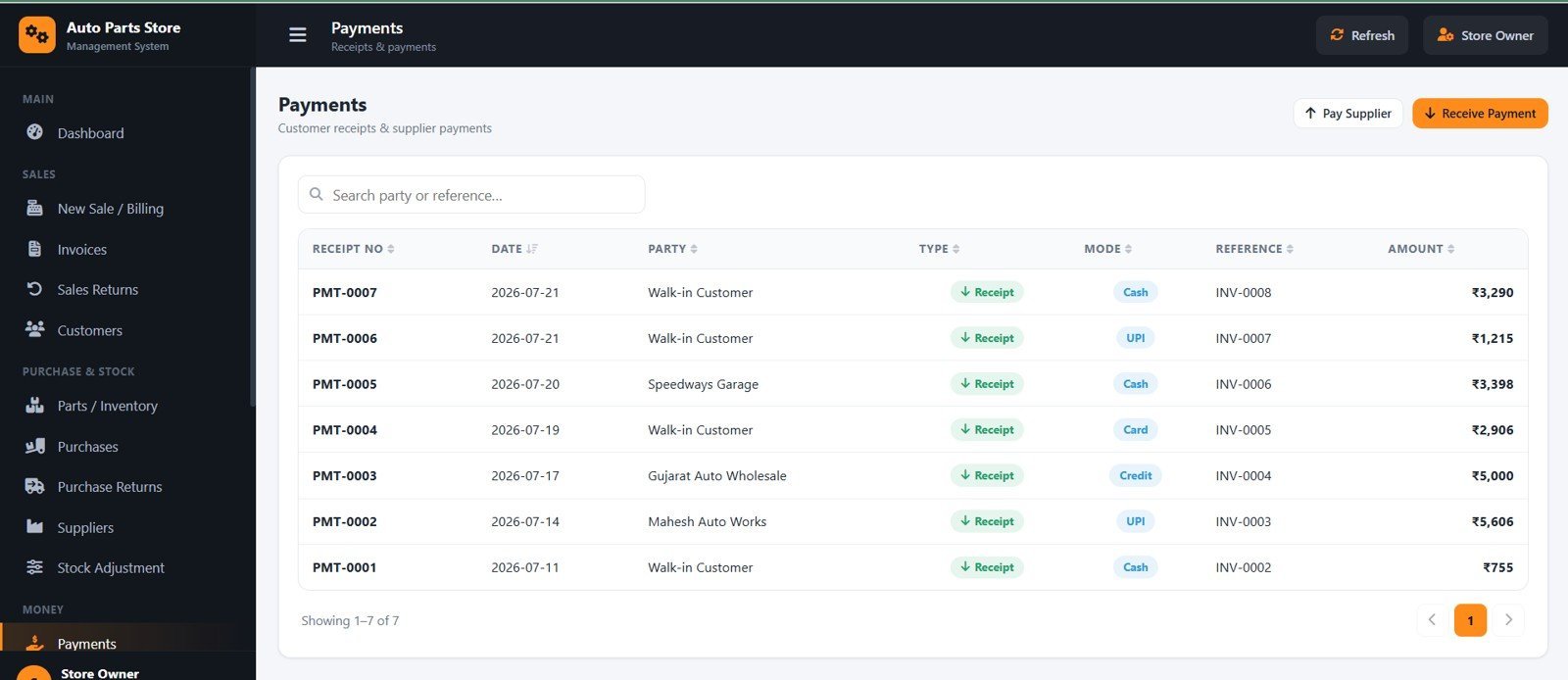
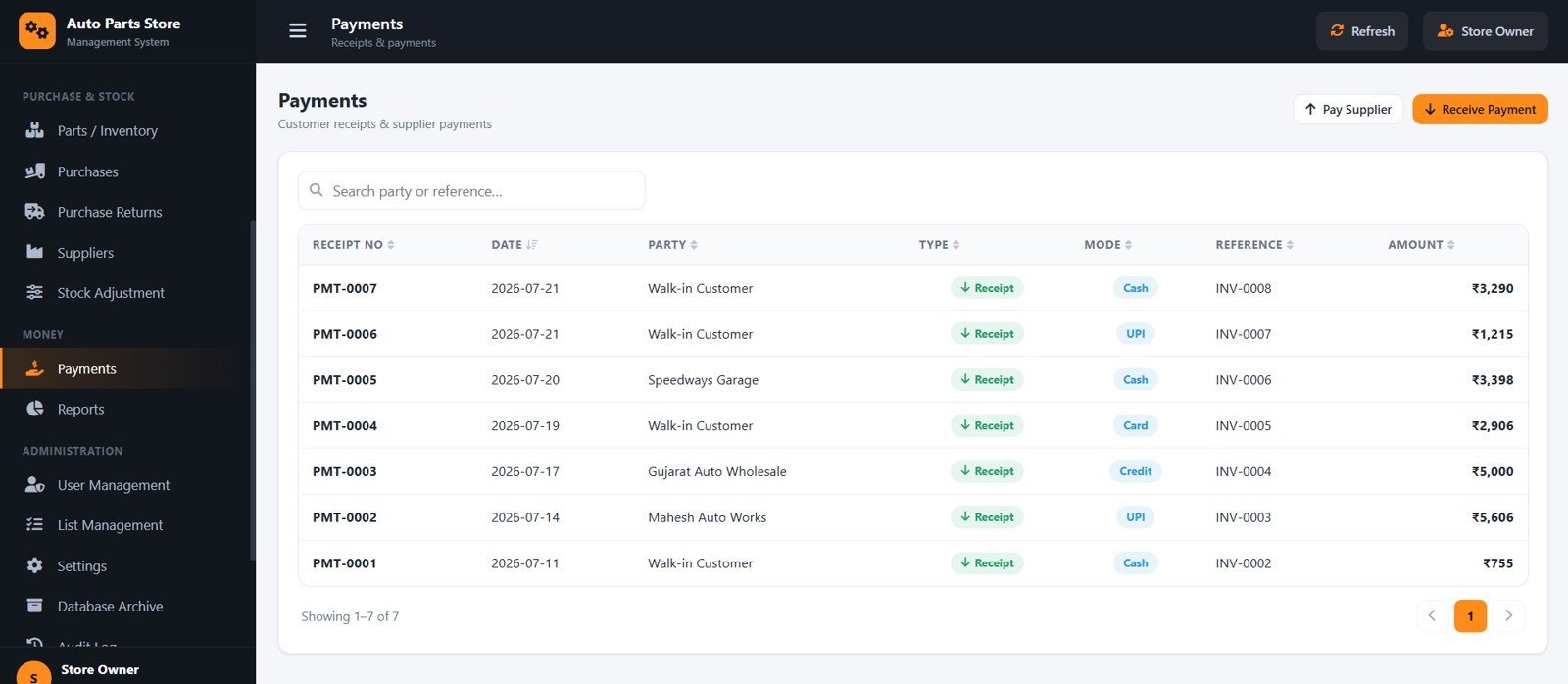

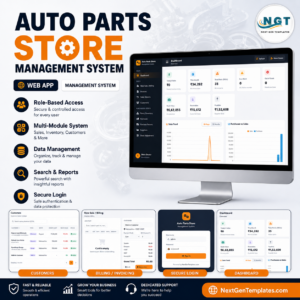
The Auto Parts Store Management System runs 17 modules across a single web app — GST billing, parts inventory, purchases, returns, payments and 14 reports — and installs on your own Google account in under 15 minutes. It ships with 35 sample parts and real sample invoices so your dashboard shows live numbers on day one.
🌍 Join 8,400+ teams in 40+ countries using NextGenTemplates to replace paid SaaS tools with one-time-purchase Excel, Google Sheets, Power BI and web-app templates.
✅ Instant download · One-time payment · No subscription · No per-user fees · Lifetime access
Built entirely in Google Apps Script with Google Sheets as the database, the web-based management system is made for the Indian market: GST-ready with GSTIN, HSN codes and configurable tax rates, rupee currency by default, and multi-user access from one shareable link.
🔑 Key Features of the Auto Parts Store Management System
💡 Fast counter billing (POS). Search a part by part number, name, brand or vehicle, add it to the cart, pick the customer and payment mode, and print. The system splits GST into CGST + SGST for in-state customers and IGST for other states automatically.
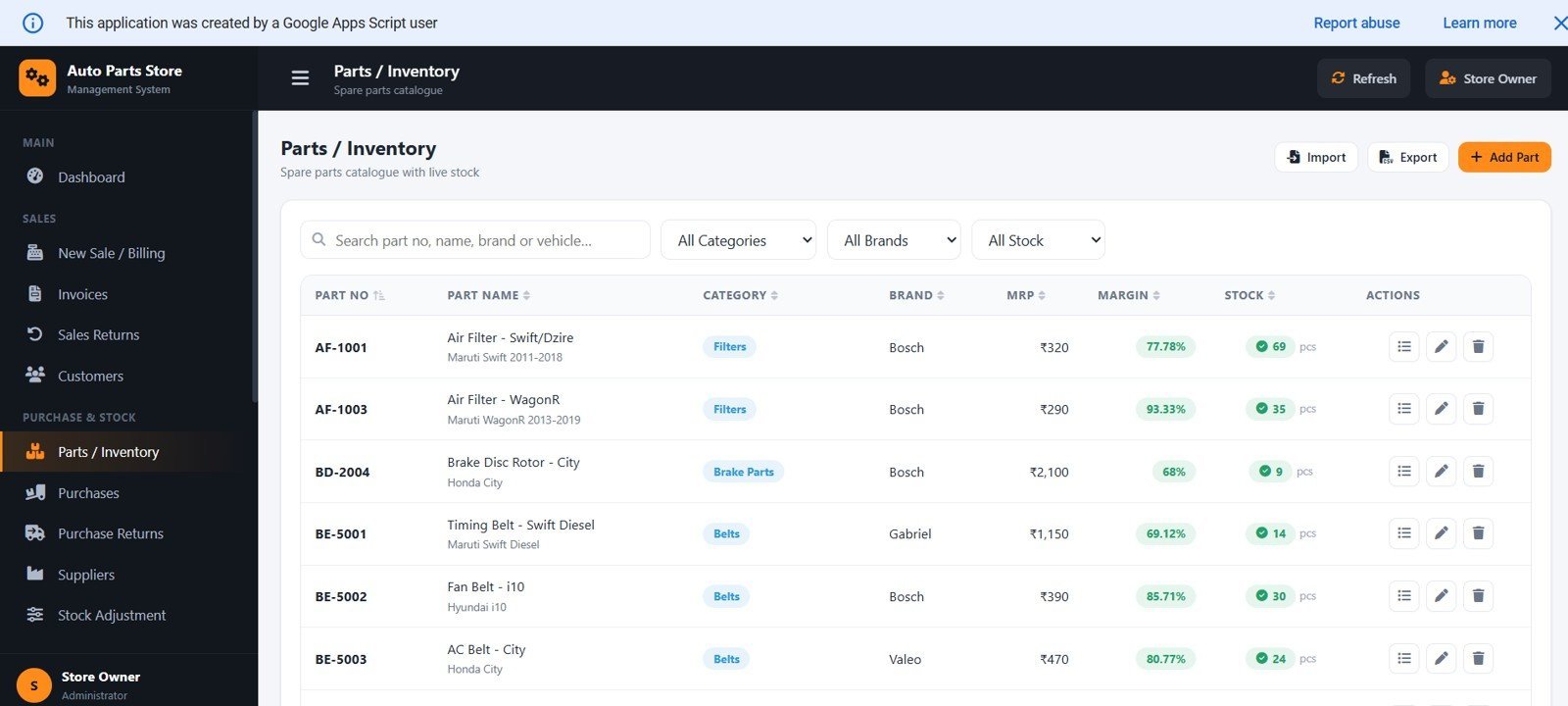
📦 Parts inventory with vehicle compatibility. Each part carries part number, category, brand, vehicle make/model/year notes, HSN code, rack/bin location, purchase price, MRP, GST %, reorder level, a live stock badge and profit margin.
🔄 A reconcilable stock ledger. Every movement is recorded — purchases add stock, sales reduce it, and returns or adjustments correct it — so current stock always matches the ledger and never drifts.
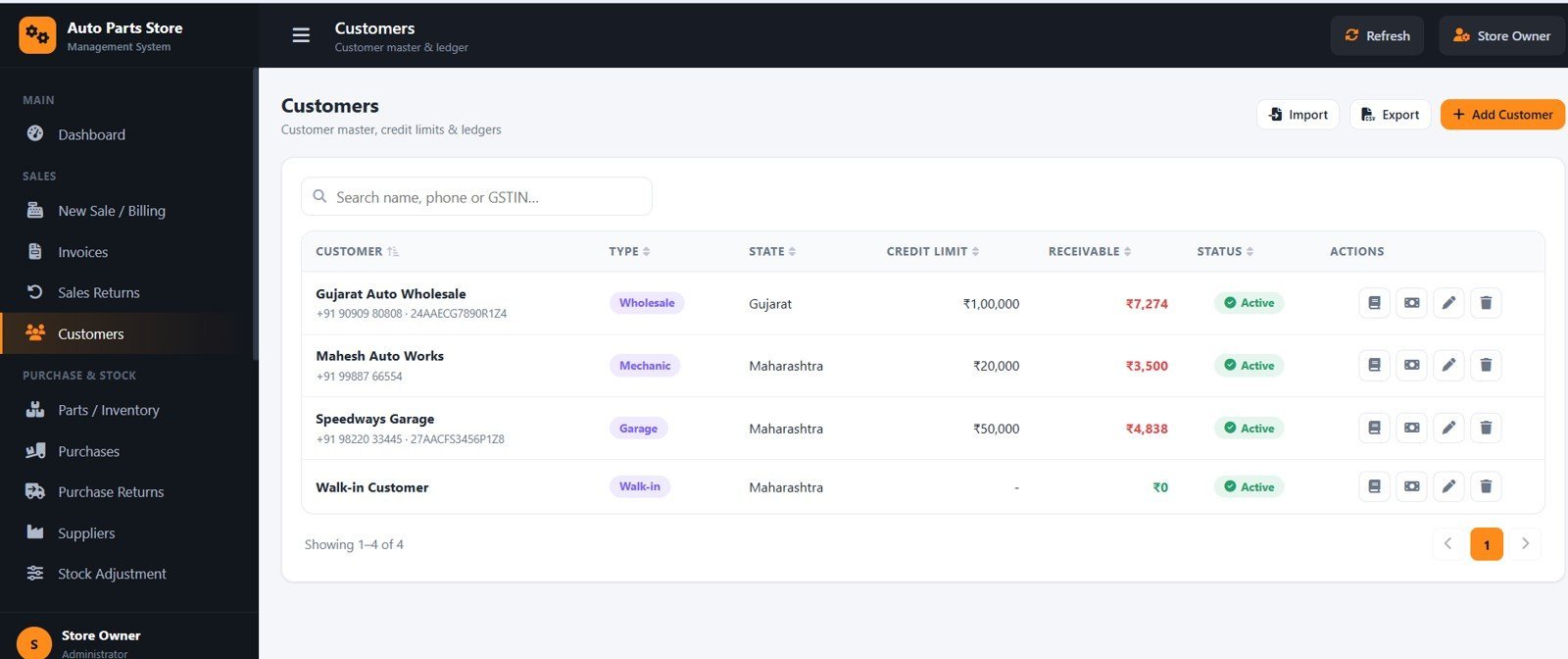
📒 Customer and supplier ledgers. Receivables, payables, credit limits, part-payments and running balances are tracked automatically, with printable statements.
🧾 GST-ready invoicing and reports. Print A4 tax invoices or 3-inch/4-inch thermal receipts, and pull 14 reports including a GST summary for accountant support.
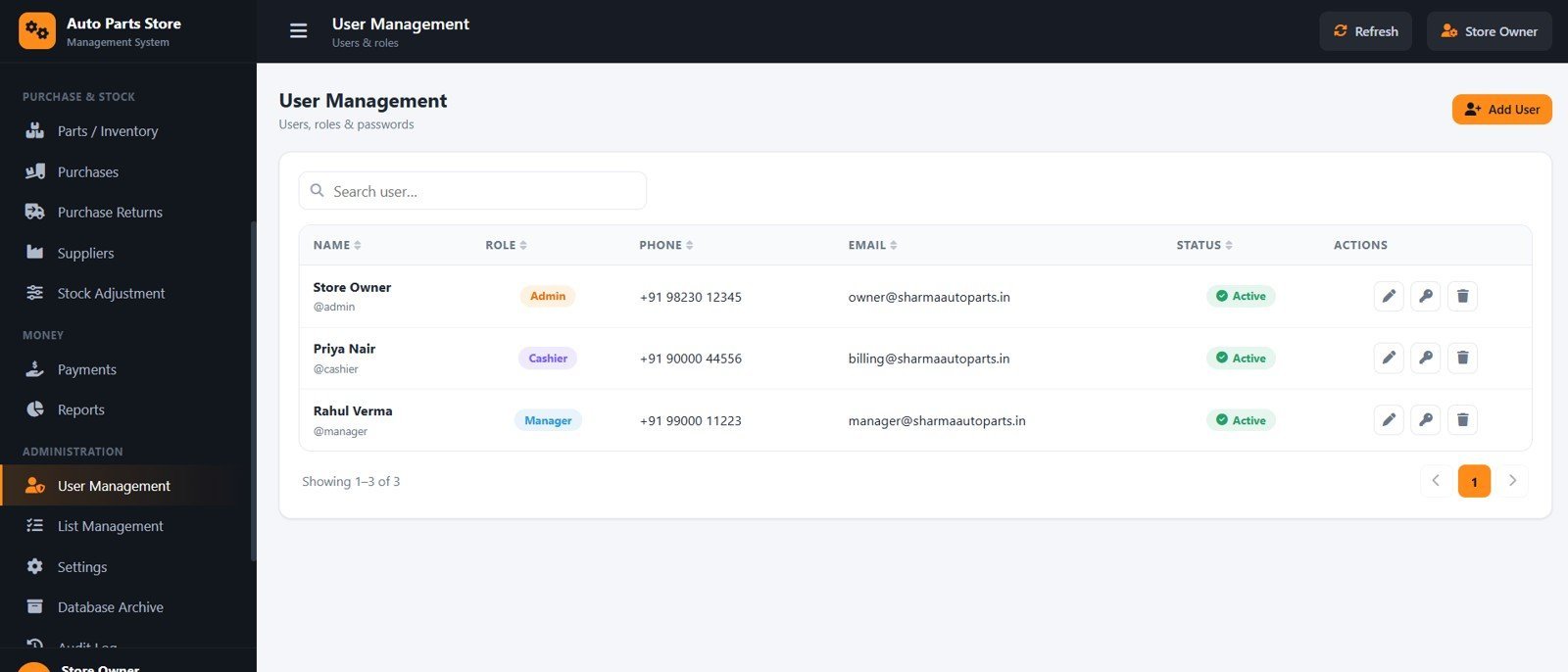
🔐 Role-based access. Admin, Manager and Cashier each see only what they are allowed to use, enforced on the server.
📦 What’s Inside the Auto Parts Store Management System
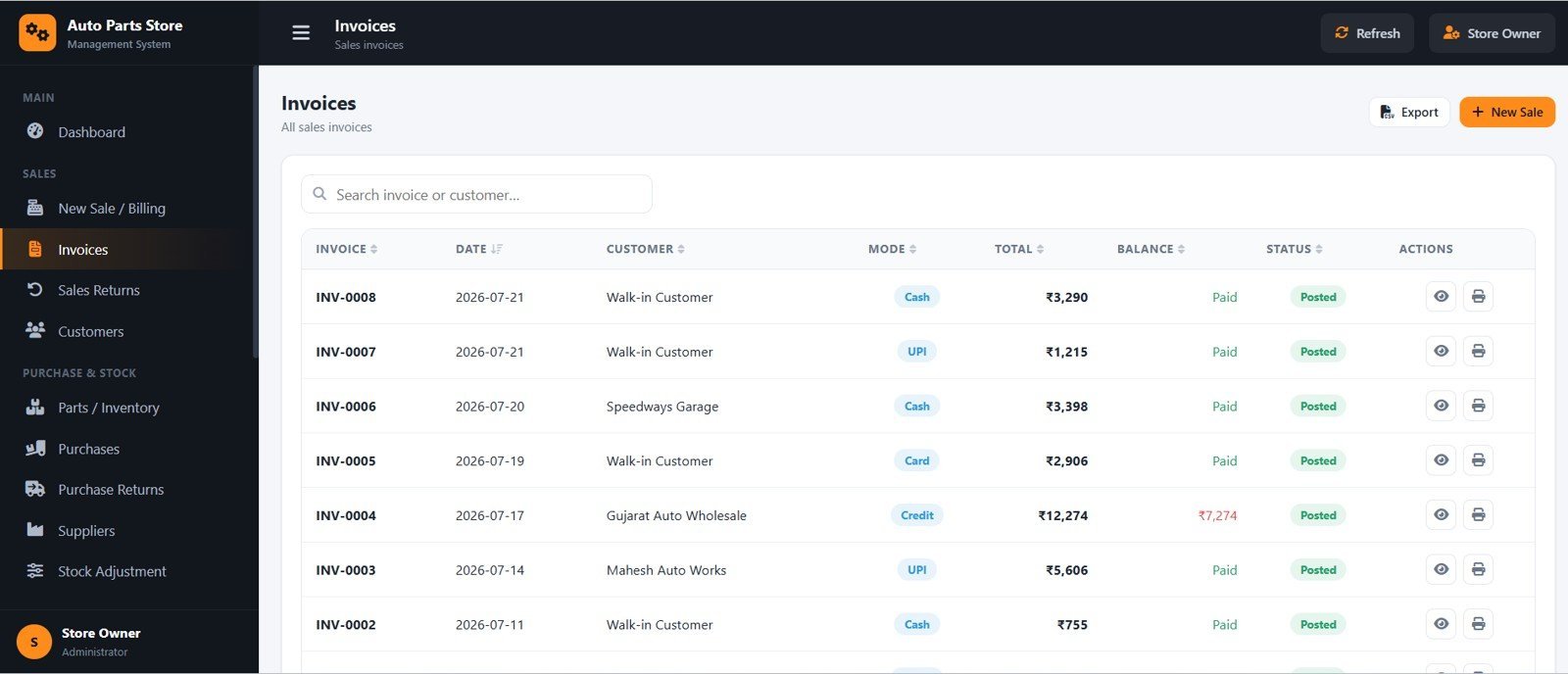
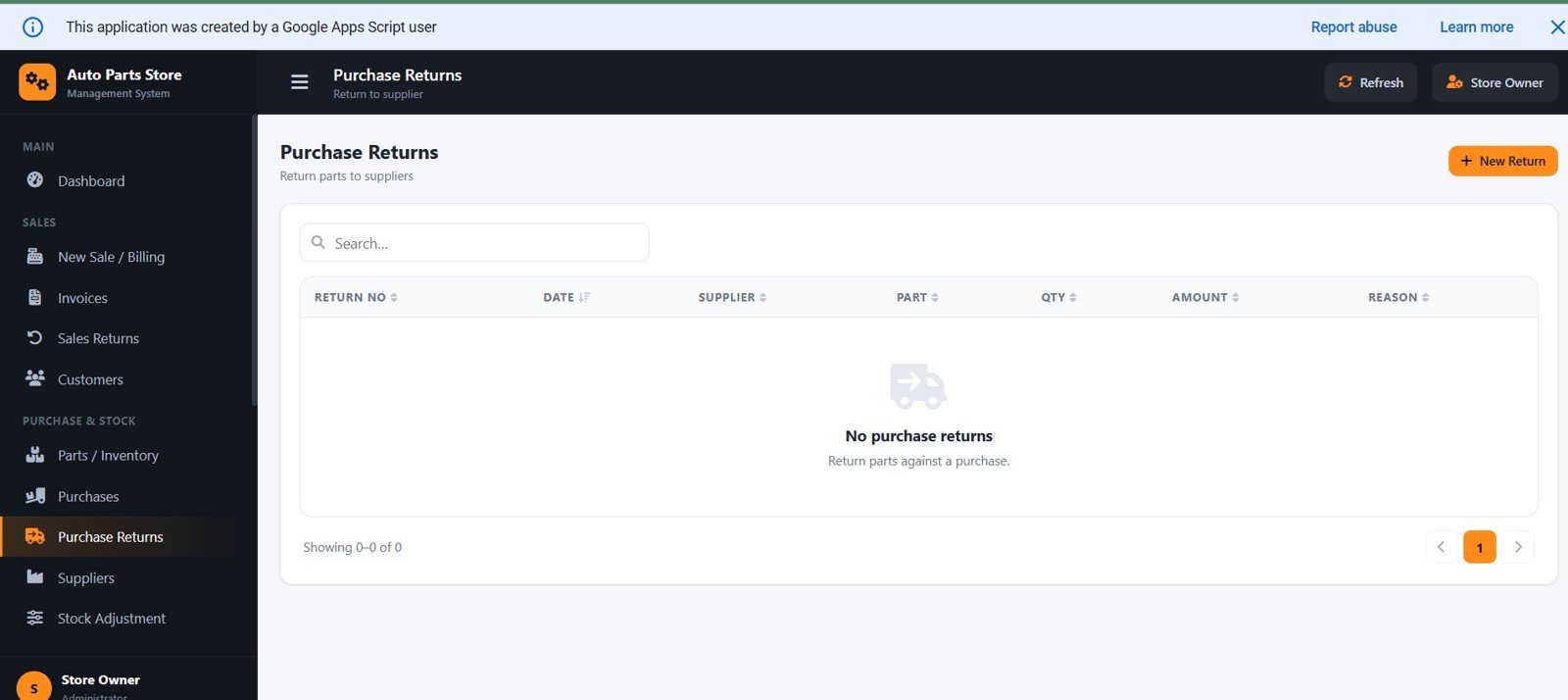
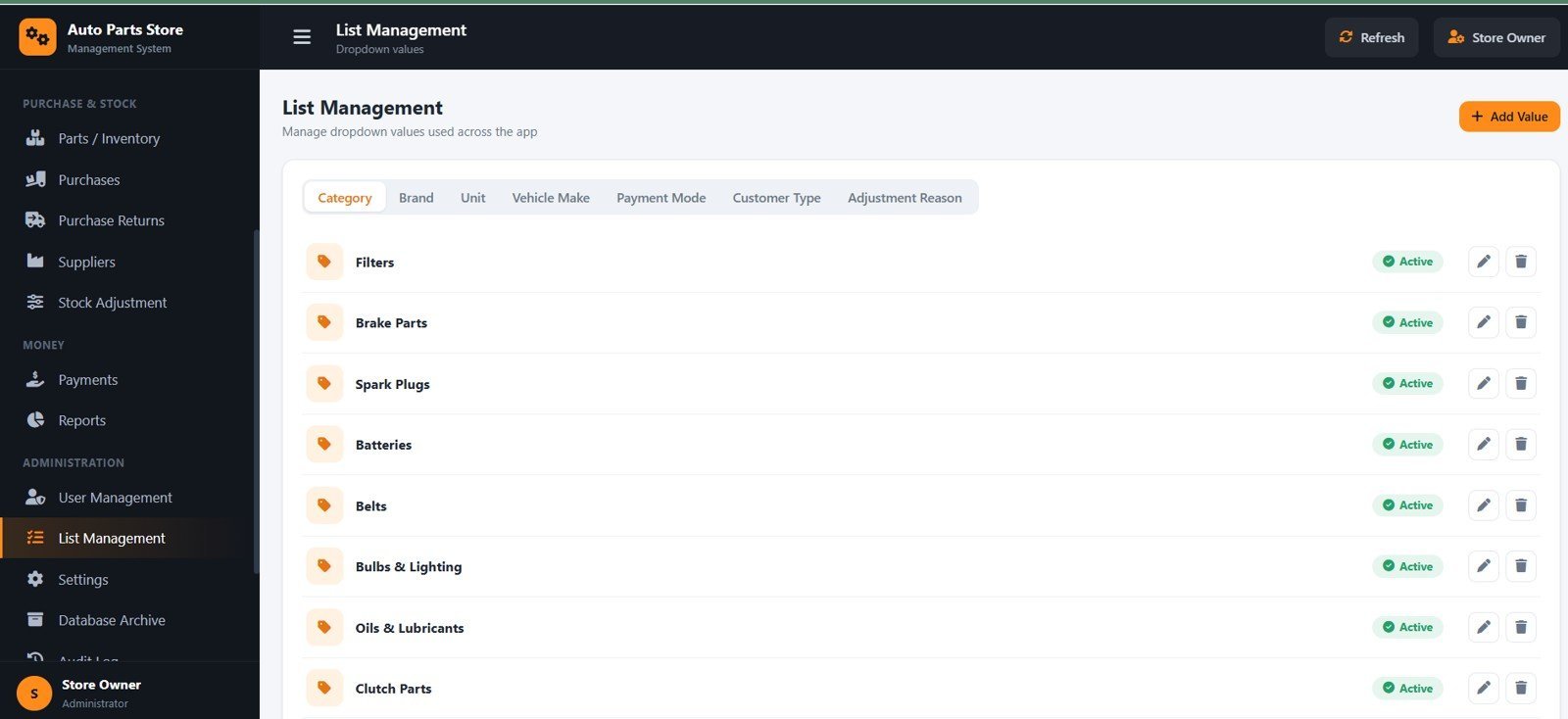
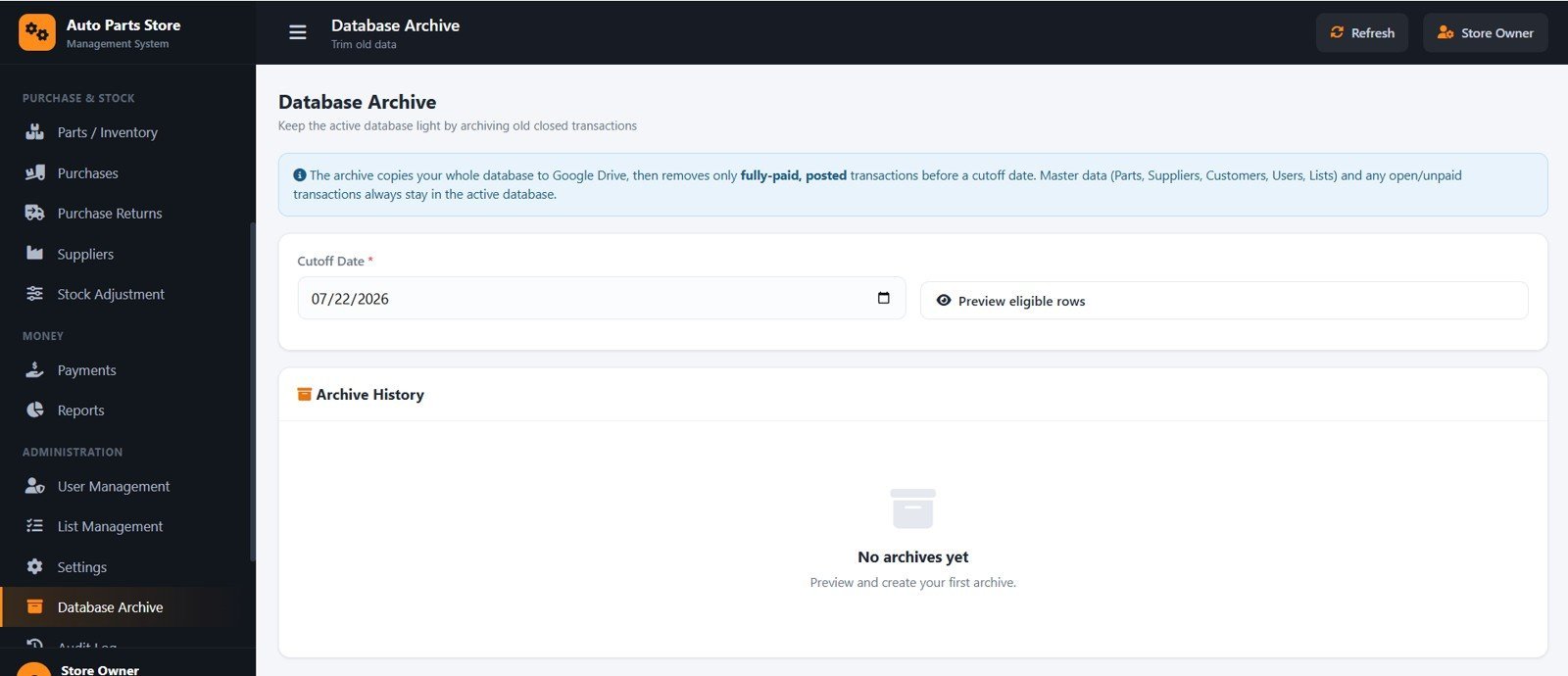
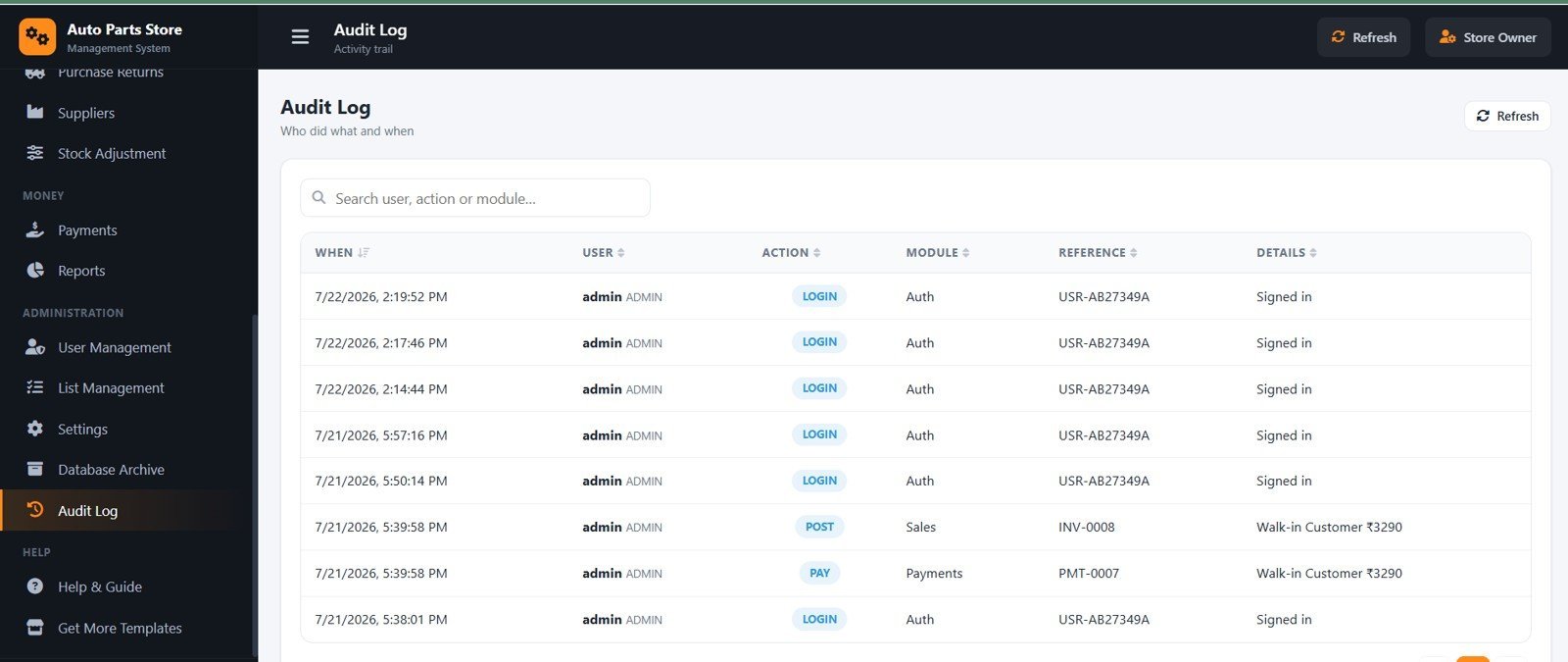
The system includes 17 modules — Dashboard, New Sale / Billing, Invoices, Sales Returns, Customers, Parts / Inventory, Purchases, Purchase Returns, Suppliers, Stock Adjustment, Payments, Reports, User Management, List Management, Settings, Database Archive and Audit Log. Key screens are shown below.
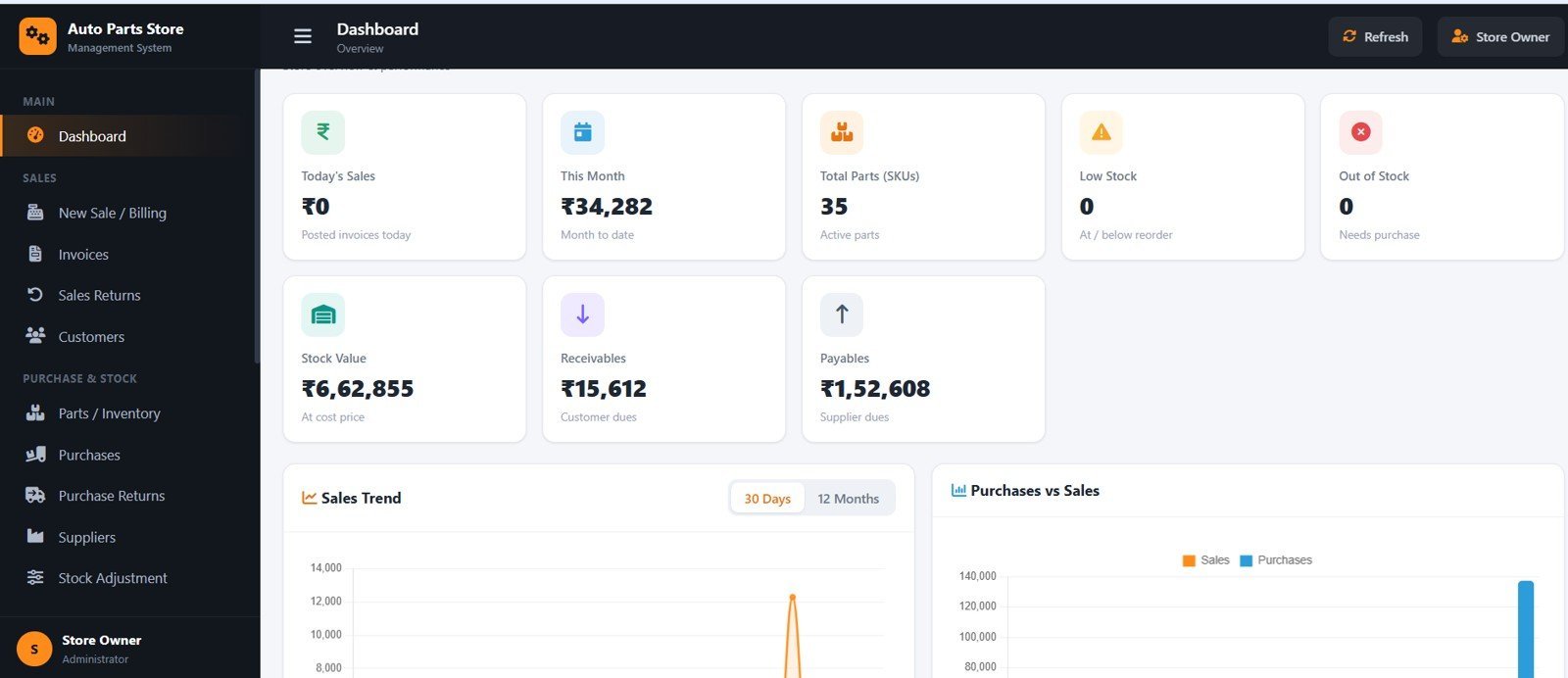
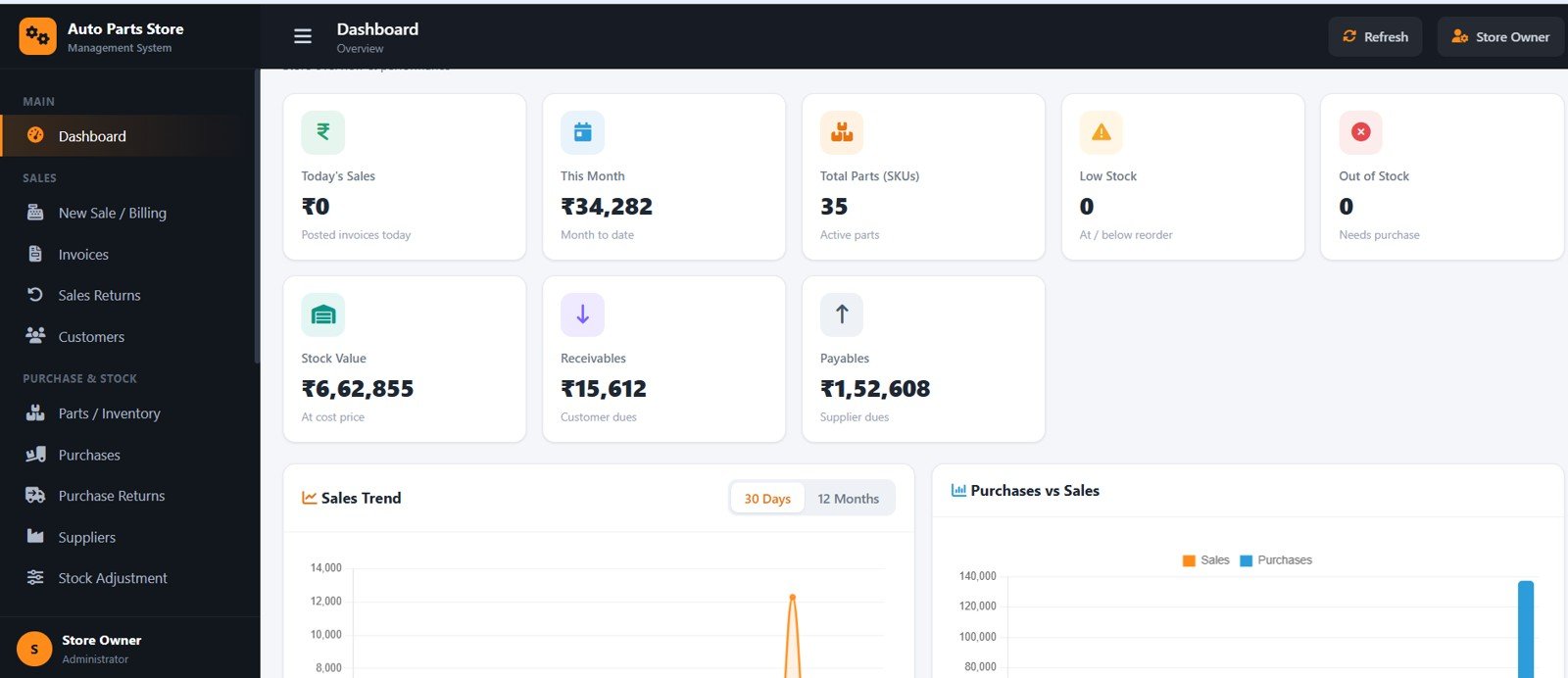
Dashboard Overview
Shows Today’s Sales, This Month, Total Parts (SKUs), Low Stock, Out of Stock, Stock Value, Receivables and Payables, with sales trend, purchases-vs-sales and top-selling views plus quick lists for low stock and pending payments.
🚀 Try the Live Demo Before You Buy
We have deployed this web app in our own Google account so you can test every page, every role — with real sample data — before purchasing. No signup, no email required.
🔑 Test Login Credentials
Sign in as admin for full access — Settings, User Management, Database Archive and Audit Log — as manager for sales, purchases, inventory, customers, suppliers, payments and reports, or as cashier for billing, sales returns and customer/stock lookup.
💡 What you get after purchase: The full source code (Code.gs + Index.html) plus a step-by-step deployment guide so you can deploy your own private instance in your own Google account in under 15 minutes.
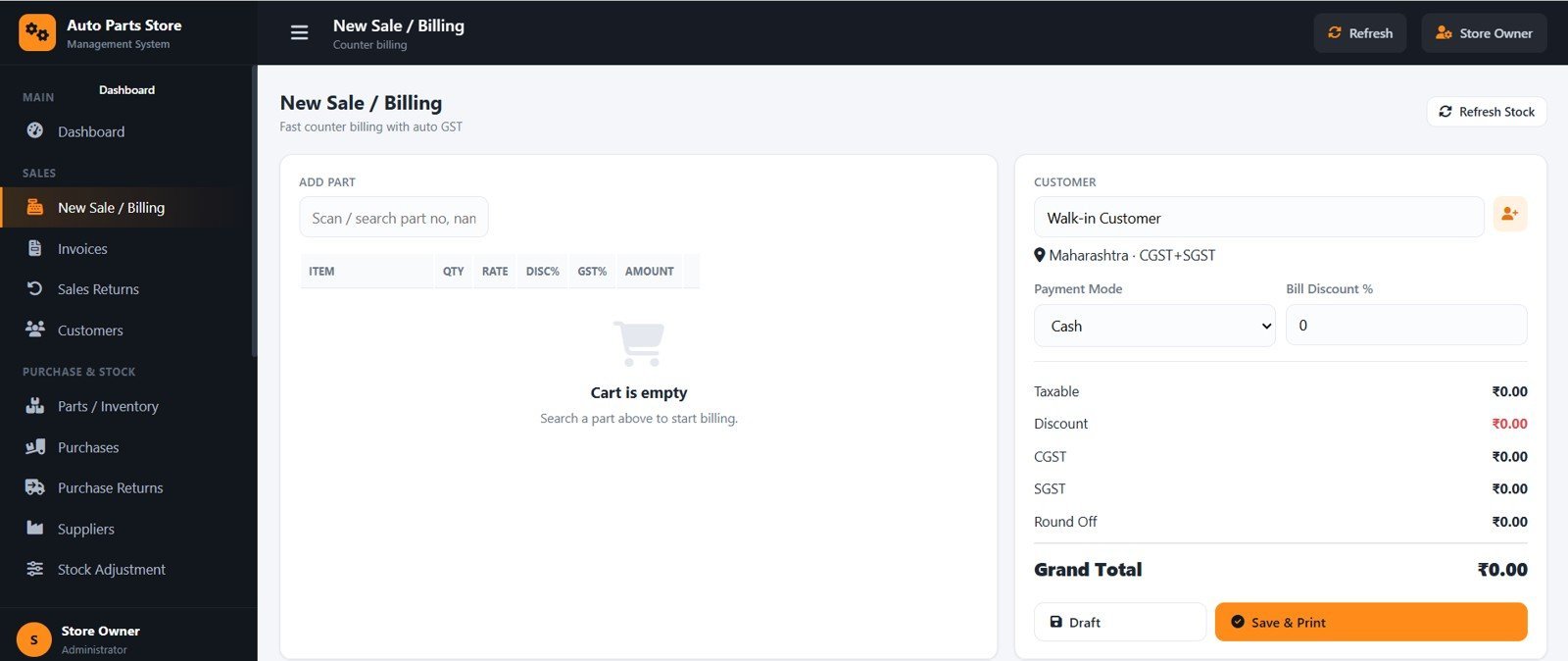
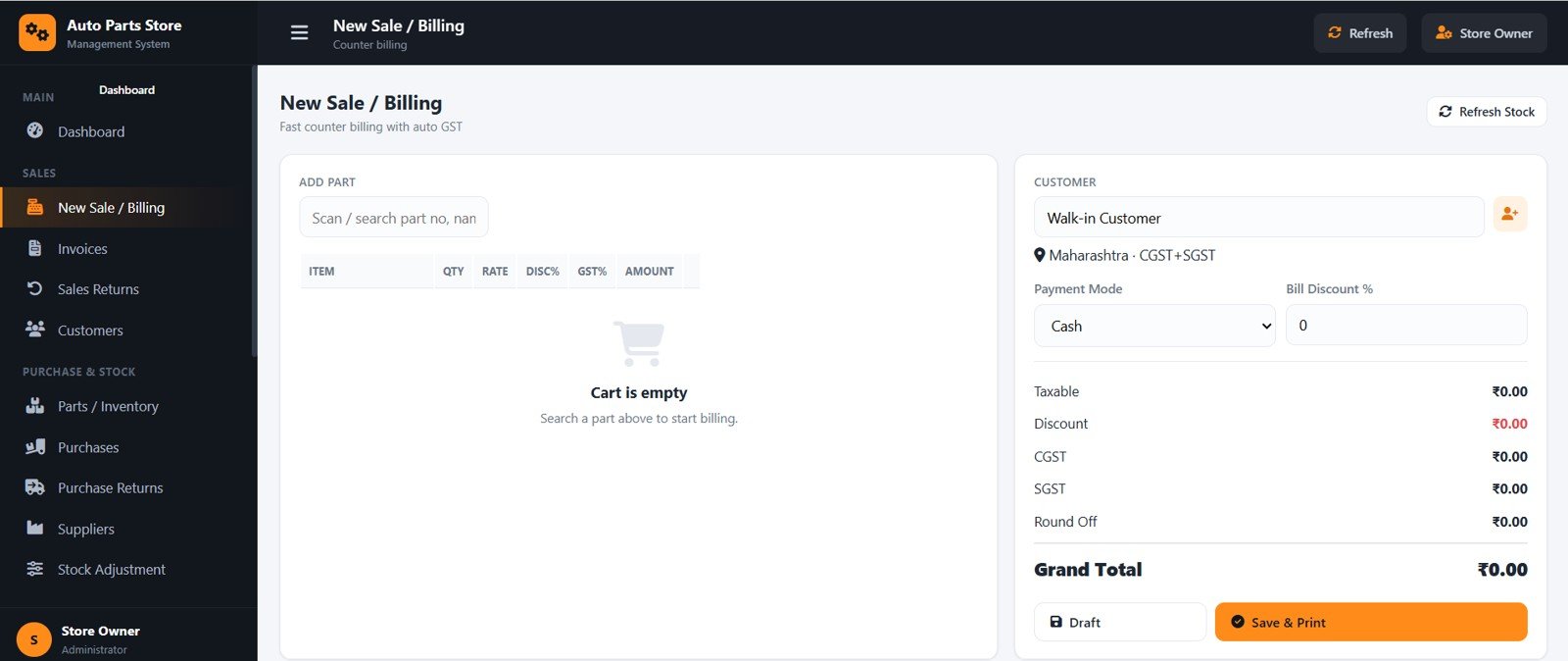
New Sale / Billing
A fast POS screen to add parts, set quantity, rate and discount, choose Cash, UPI, Card or Credit, and see taxable value, discount, CGST/SGST, round-off and grand total update live before you Save & Print.
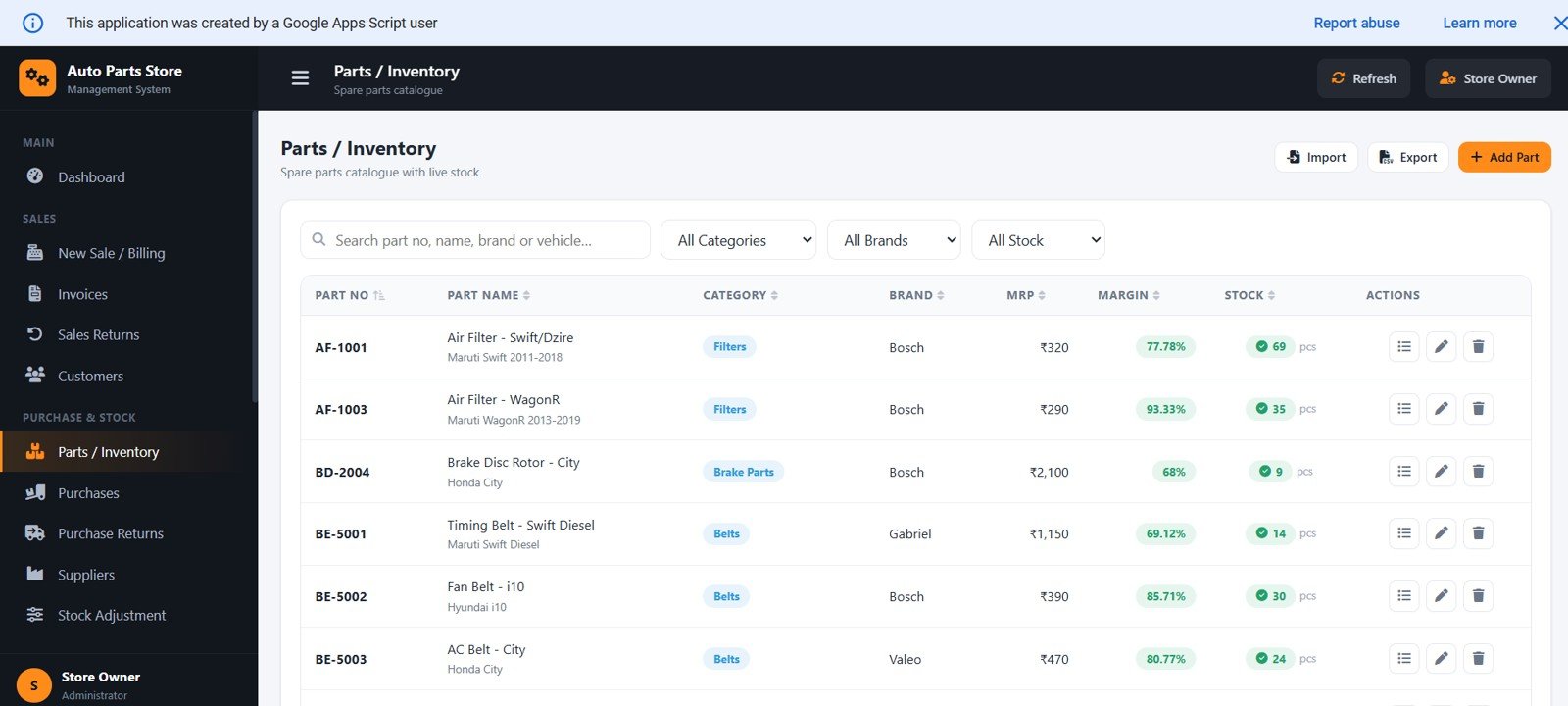
Parts / Inventory
Lists every part with part number, name, category, brand, MRP, margin and live stock, with powerful search by vehicle and filters for in-stock, low and out-of-stock items.
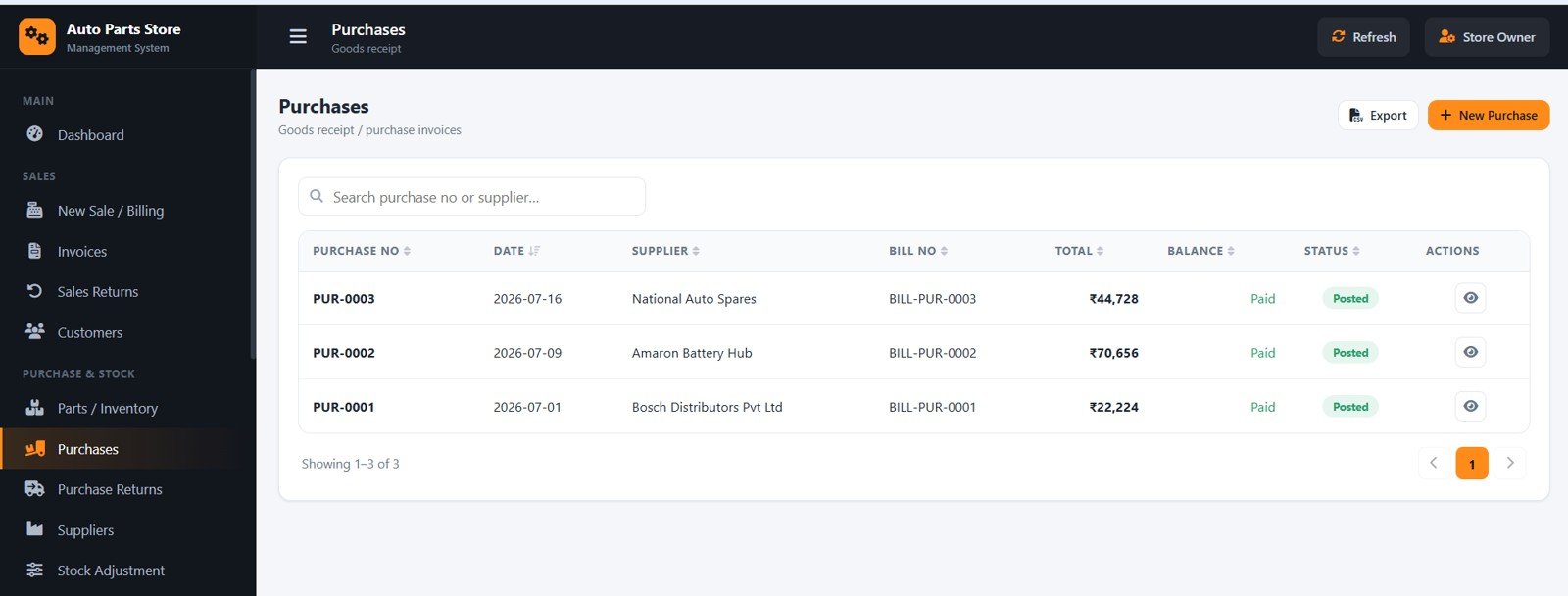
Purchases
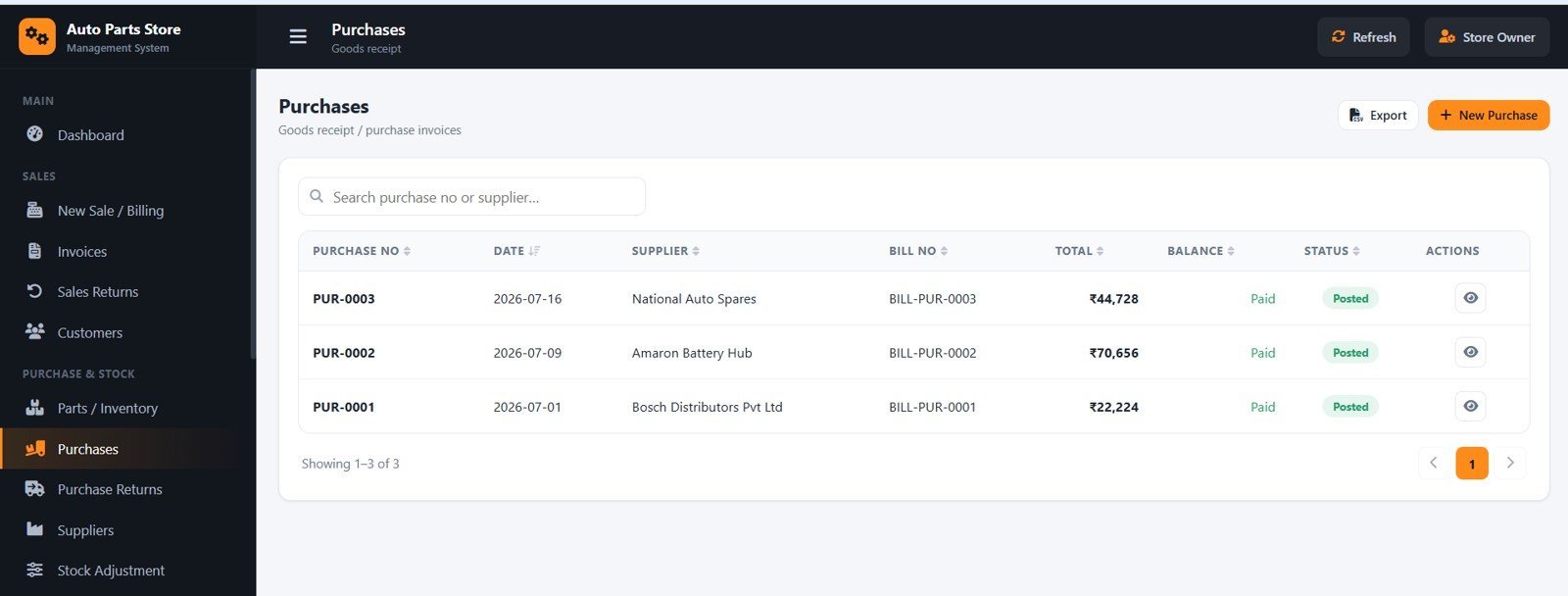
Records goods receipts against a supplier with purchase rate and GST, auto-calculates taxable value and totals, and on posting increases stock and updates the supplier ledger.
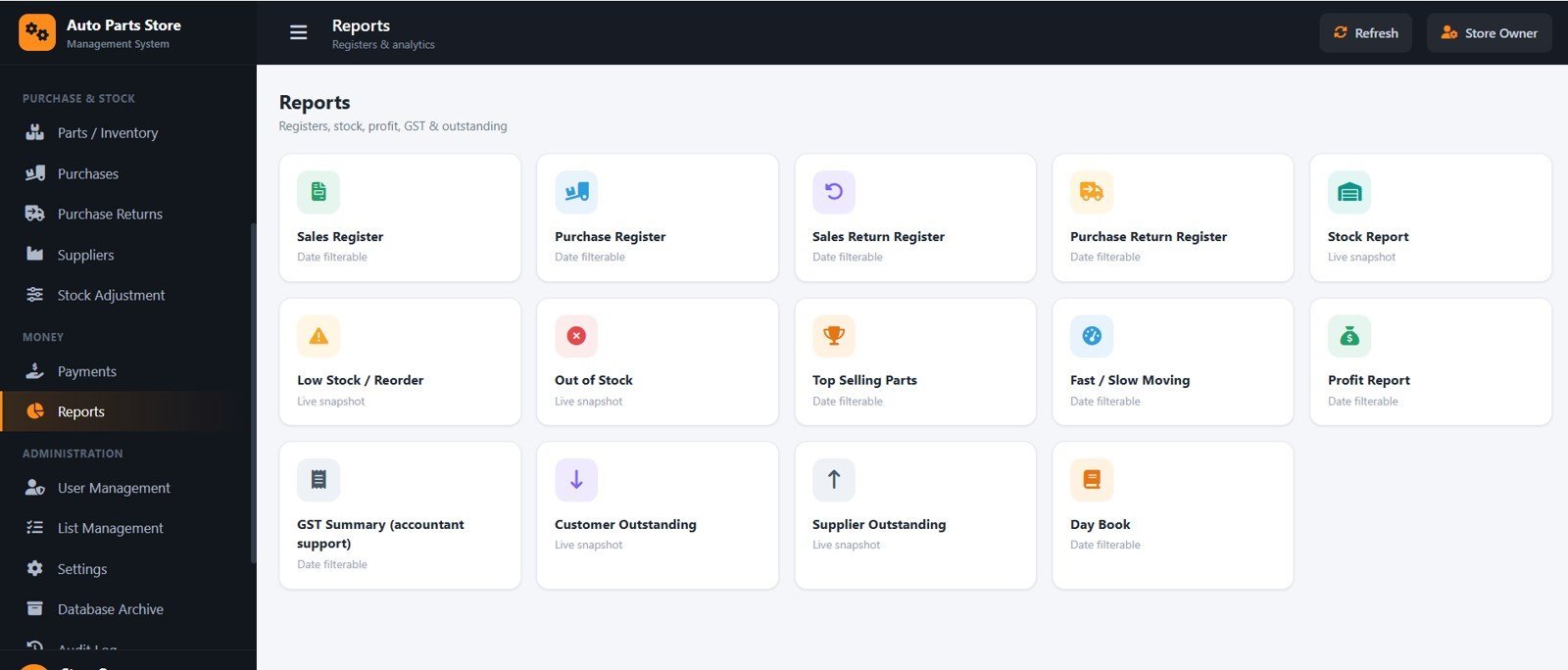
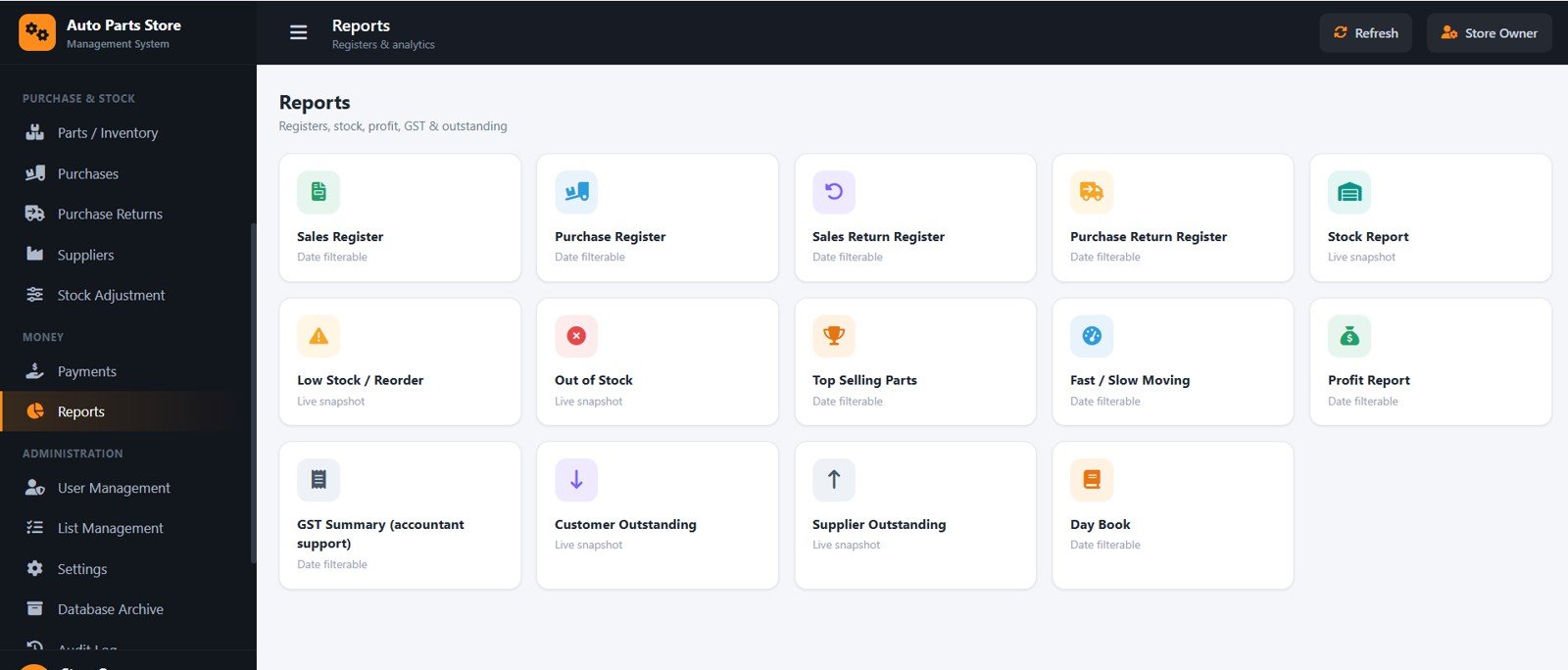
Reports
Fourteen filterable reports — Sales and Purchase registers, Sales/Purchase Return registers, Stock, Low Stock, Out of Stock, Top Selling, Fast/Slow Moving, Profit, GST Summary, Customer and Supplier Outstanding, and Day Book — all exportable and printable.
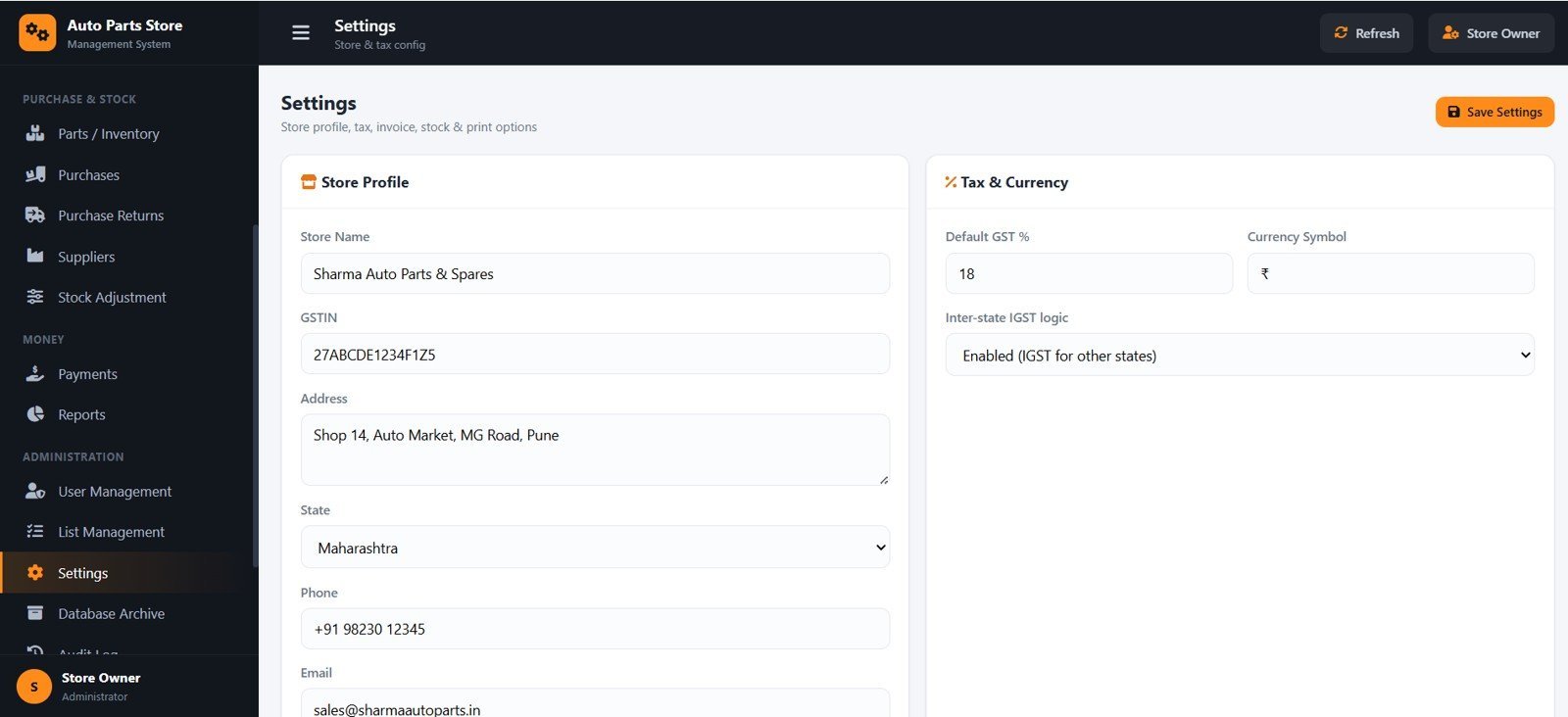
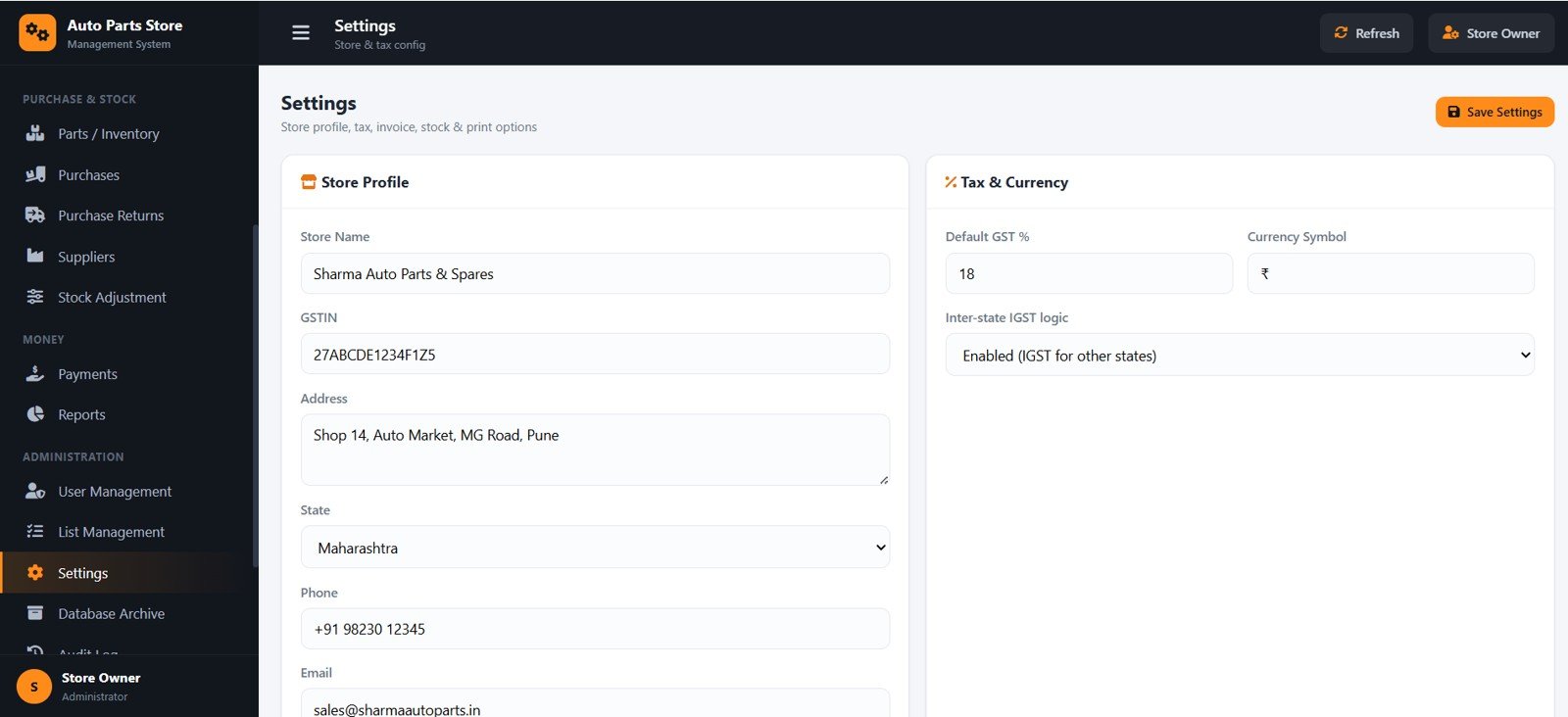
Settings
Configure store profile, GSTIN, state, default GST %, currency symbol, inter-state IGST logic, invoice numbering, print size and stock policy from one place.
📊 Auto Parts Store Management System vs. Manual Spreadsheets vs. Paid Billing SaaS
| Feature | Auto Parts Store Management System | Manual Excel / Sheets | Vyapar / Zoho Inventory (SaaS) |
|---|---|---|---|
| Cost | $39.99 one-time | Free but manual | Digital-3,600 / year and up |
| Platform | Google Apps Script web app | Spreadsheet | Cloud SaaS |
| Setup time | Under 15 minutes ✅ | Hours of formula work | Account + onboarding |
| GST CGST/SGST/IGST auto-split | Yes ✅ | Manual formulas | Yes |
| Search parts by vehicle | Yes ✅ | Manual | Limited |
| Reconcilable stock ledger | Yes ✅ | Error-prone | Yes |
| Multi-user roles | Admin / Manager / Cashier ✅ | No | Extra per user |
| You own the data & code | Yes, in your Google Drive ✅ | Yes | No (vendor-hosted) |
| Year-1 cost at 3 users | $39.99 ✅ | $0 + your time | Digital-10,000+ |
For shops that want proper GST billing and stock control without paying every month per user, the Auto Parts Store Management System sits in the sweet spot.
👥 Who This Template Is For — and Who It’s Not For
✅ This template is built for:
- Retail and wholesale auto parts & spare-parts shops that need GST invoices.
- Garages with a parts counter selling to mechanics and walk-in customers.
- Small distributors who track supplier and customer credit ledgers.
- Owners who want to own their data on Google Drive instead of renting SaaS.
❌ This template is NOT for:
- Large chains needing barcode hardware integration and warehouse WMS.
- Businesses that require offline desktop billing with no internet.
- Teams needing statutory GST e-filing built in (this provides a GST summary for accountant support, not direct filing).
⚙️ How to Use the Auto Parts Store Management System
- Create a new Google Apps Script project and paste the provided Code into Code.gs.
- Add an HTML file named exactly Index and paste the Index code.
- Run setup once to build the Google Sheets database with sample data.
- Deploy as a web app (Execute as Me, access Anyone) and open the URL.
- Sign in with the default Admin login, then set your store profile and GSTIN in Settings.
💼 Real-World Use Cases
Ramesh runs a spare-parts counter in Pune. He bills walk-in customers and mechanics on the POS screen, prints a 3-inch thermal receipt, and the stock reduces automatically — no more end-of-day counting mismatches.
Anita supplies parts to three garages on credit. She uses customer ledgers and credit limits to track dues, records receipts against invoices, and pulls the Customer Outstanding report every week.
A two-branch distributor gives the Cashier role to counter staff and keeps purchase prices and supplier settings for the Manager and Admin, so pricing stays protected while billing stays fast.
❓ Frequently Asked Questions
What is the Auto Parts Store Management System?
The Auto Parts Store Management System is a Google Apps Script web app that handles GST counter billing, parts inventory with vehicle compatibility, purchases, returns, payments, customer and supplier ledgers, and 14 reports for an auto spare-parts shop.
How long does setup take?
Setup takes under 15 minutes: paste the code into a Google Apps Script project, name the HTML file Index, run setup once, and deploy as a web app. A step-by-step deployment video is included.
Does it handle GST correctly?
Yes. The Auto Parts Store Management System splits GST into CGST + SGST for in-state customers and IGST for inter-state customers based on the customer’s state, and uses HSN codes and configurable GST rates.
How does this compare to Vyapar or Zoho Inventory?
Unlike monthly SaaS, the Auto Parts Store Management System is a one-time purchase you own on your own Google Drive, with no per-user fees — while still giving GST billing, stock ledgers and role-based multi-user access.
Can multiple staff use it at the same time?
Yes. Share the web app link and each person signs in with their own Admin, Manager or Cashier account; the system hides and disables actions each role is not allowed to use.
Will my stock stay accurate?
Yes. Every movement is written to a stock ledger, so purchases add, sales reduce, and returns or adjustments correct stock — current stock always reconciles with the ledger.
👤 About the Author
Built by PK — Microsoft Certified Professional with 15+ years of Excel, Google Sheets, and Power BI experience. Founder of NextGenTemplates, reaching 300K+ subscribers across YouTube channels (@PK-AnExcelExpert, @NextGenTemplates, @NeoTechNavigators). Every template is hand-built and tested before release.
🔗 Explore Related Templates
- Auto Parts Inventory Management System Web App — focused inventory control for spare parts.
- Auto Garage Job Card Management System Web App — job cards and service workflow for garages.
- Art Supply Store Management System Web App — the same billing engine for a retail store.
Browse more in Web App Management Systems.
📖 Click here to read the Detailed Blog Post
🎥 Visit our YouTube channel for step-by-step video tutorials
👉 YouTube.com/@NextGenTemplates
Watch the demo video:
Compatibility and Requirements
- This is a Google Apps Script web app that uses Google Sheets as its database. You need a Google account and a web browser.
- Deployment uses the provided Code.gs and Index.html files in your own Google account. Google’s Google Sheets getting started guide covers the basics of working with Sheets.






























Reviews
There are no reviews yet.