

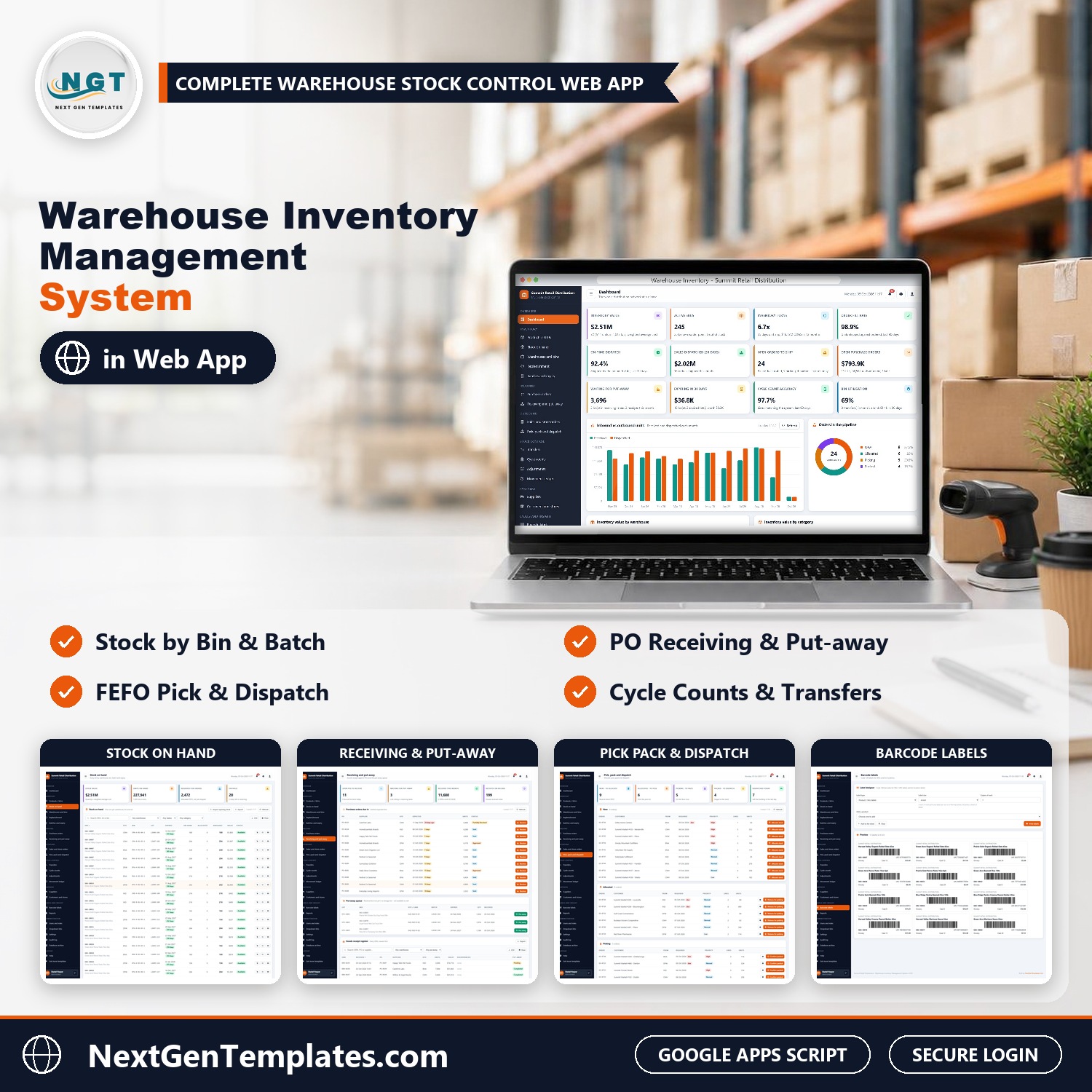
The Warehouse Inventory Management System Web App runs a multi-warehouse stock operation in one browser application: purchase orders, goods receipt and put-away, stock by bin, batch and expiry, FEFO pick, pack and dispatch, transfers, cycle counts, barcode labels and 25 ready-made reports, with 7 role-based logins. It is built on Google Apps Script and stores everything in a Google Sheet in your own Drive, so it works as warehouse inventory management software you own outright.
From the purchase order to the delivered order, every step updates the same live database, so the dashboard, the stock on hand and the movement ledger always agree. Think of it as a warehouse stock management system and a warehouse inventory tracking tool in one download.
✅ Instant download · One-time payment · No subscription · No per-user fees
Watch the Warehouse Inventory Management System Web App walkthrough
🚀 Try the Live Demo: Login Details
Open the working Warehouse Inventory Management System in your browser right now: no download, no sign-up, nothing to install. Sign in as any role below and see exactly which screens that person can and cannot reach.
Demo sign-in details: all 7 roles
| Role | Username | Password | What this role can reach |
|---|---|---|---|
| Administrator | admin | Admin@123 | Everything: every module, users and roles, settings, the audit log, the database archive and backups |
| Warehouse Manager | manager | Manager@123 | The whole operation: products, stock, warehouses and bins, purchase orders (including approval above the PO limit), receiving, orders, pick, pack and dispatch, transfers, cycle counts, adjustments, suppliers, customers, labels and reports. No user management, settings or archive |
| Inventory Controller | inventory | Inventory@123 | Stock accuracy: products, stock on hand, bin moves, adjustments, warehouses and bins, transfers, cycle counts, the movement ledger, labels and reports. Read-only on POs, receipts and orders |
| Receiving Clerk | receiving | Receiving@123 | The dock: receive goods against purchase orders, put away, bin moves, ship and receive transfers, labels. Read-only on products, stock, POs and suppliers |
| Picker / Packer | picker | Picker@123 | The floor: the allocate, pick, pack, dispatch and deliver queue, plus labels. Read-only on products, stock, orders and transfers |
| Purchasing Officer | purchasing | Purchasing@123 | Buying: products and reorder rules, replenishment, suggested POs, purchase orders (raise, approve up to the limit, send, email to the supplier) and suppliers |
| Viewer | viewer | Viewer@123 | Read-only: dashboard, products, stock, warehouses, purchase orders, orders, the movement ledger, reports and help |
These credentials are public on purpose. The demo is a shared instance seeded with a fictional company (Summit Retail Distribution LLC, four distribution centres and a returns centre in the US) and it may be reset at any time. It is not anybody’s live business. Your own copy gets its own database, its own users and its own passwords, and the setup notes ask you to change every seeded password before anyone else signs in.
🔑 Key Features of the Warehouse Inventory Management System
📦 Stock by warehouse, bin, batch and expiry. Every lot sits in a real bin location (receiving lane, pick face, bulk reserve, staging or quarantine) with its batch number and expiry date, so you always know what is on hand, what is allocated and what is free to sell.
📥 Purchase orders, goods receipt and put-away. Raise a PO, approve it (with an approval limit), send or email it to the supplier, receive it line by line with batch and expiry, and put the lot away to a storage bin. The PO status updates itself.
🚚 FEFO pick, pack and dispatch. Store replenishment, wholesale and e-commerce orders are allocated first-expiry-first-out from the order’s warehouse, then picked from a pick list in bin order, packed, dispatched with carrier and tracking, and marked delivered.
🔄 Transfers, cycle counts and adjustments. Ship stock between warehouses and receive it at the other end, count a zone and post the variances, and record damaged, expired, shrinkage or found stock with a reason code. Every movement lands in the movement ledger.
⏰ Reorder points and suggested POs. The Replenishment screen lists SKUs below their reorder point or out of stock by warehouse and builds suggested purchase orders, grouped by supplier, in one click. The Batches and Expiry screen shows lots expiring in 30, 60 and 90 days with the value at risk.
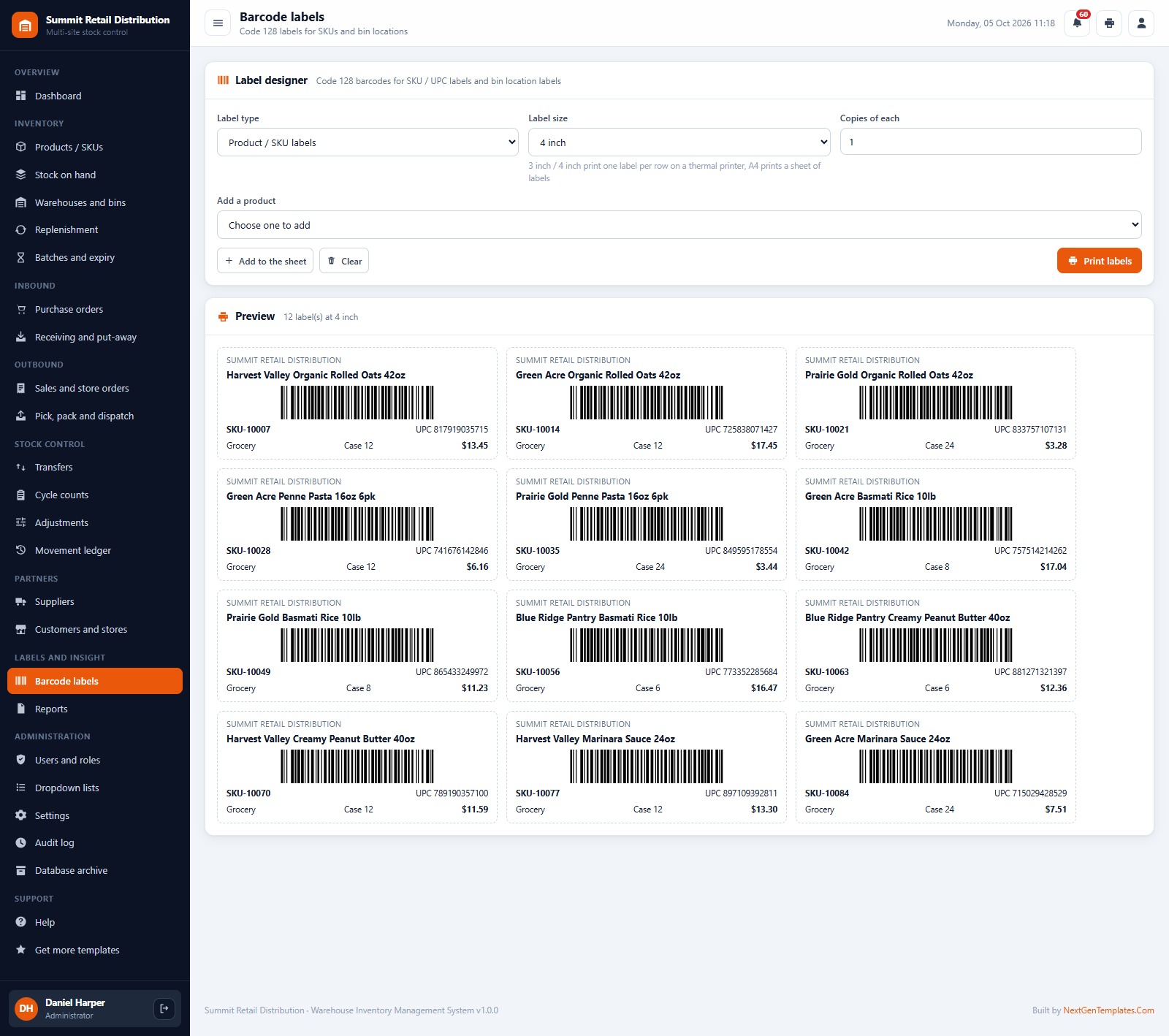
🏷️ Barcode labels. Code 128 labels for SKUs and bins at 3 inch, 4 inch or A4, ready for a thermal or office printer.
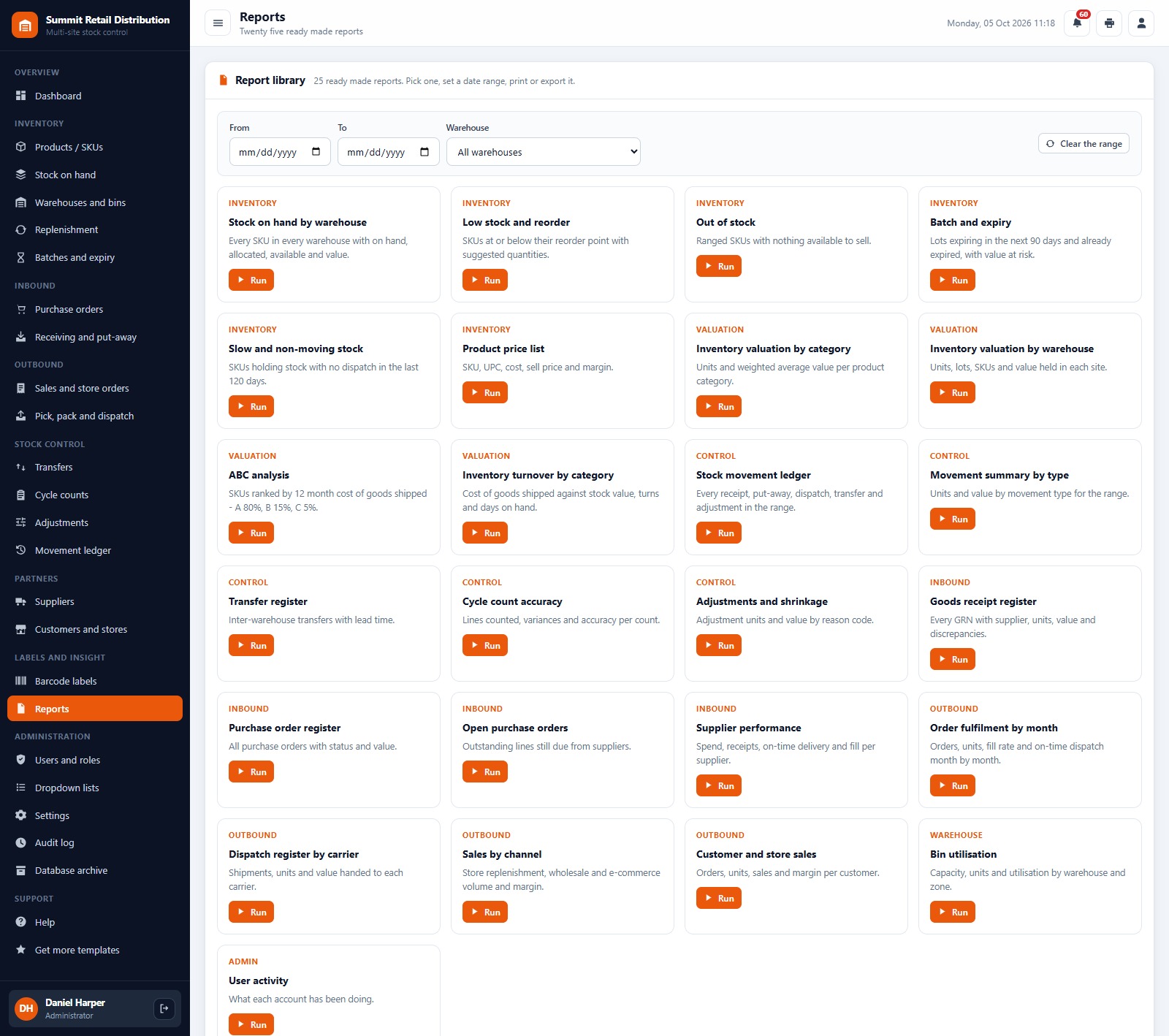
📊 Live dashboard and 25 reports. Inventory value, turns, fill rate, on-time dispatch, expiring stock and bin utilisation at a glance, plus 25 ready-made reports with date range, print and CSV export.
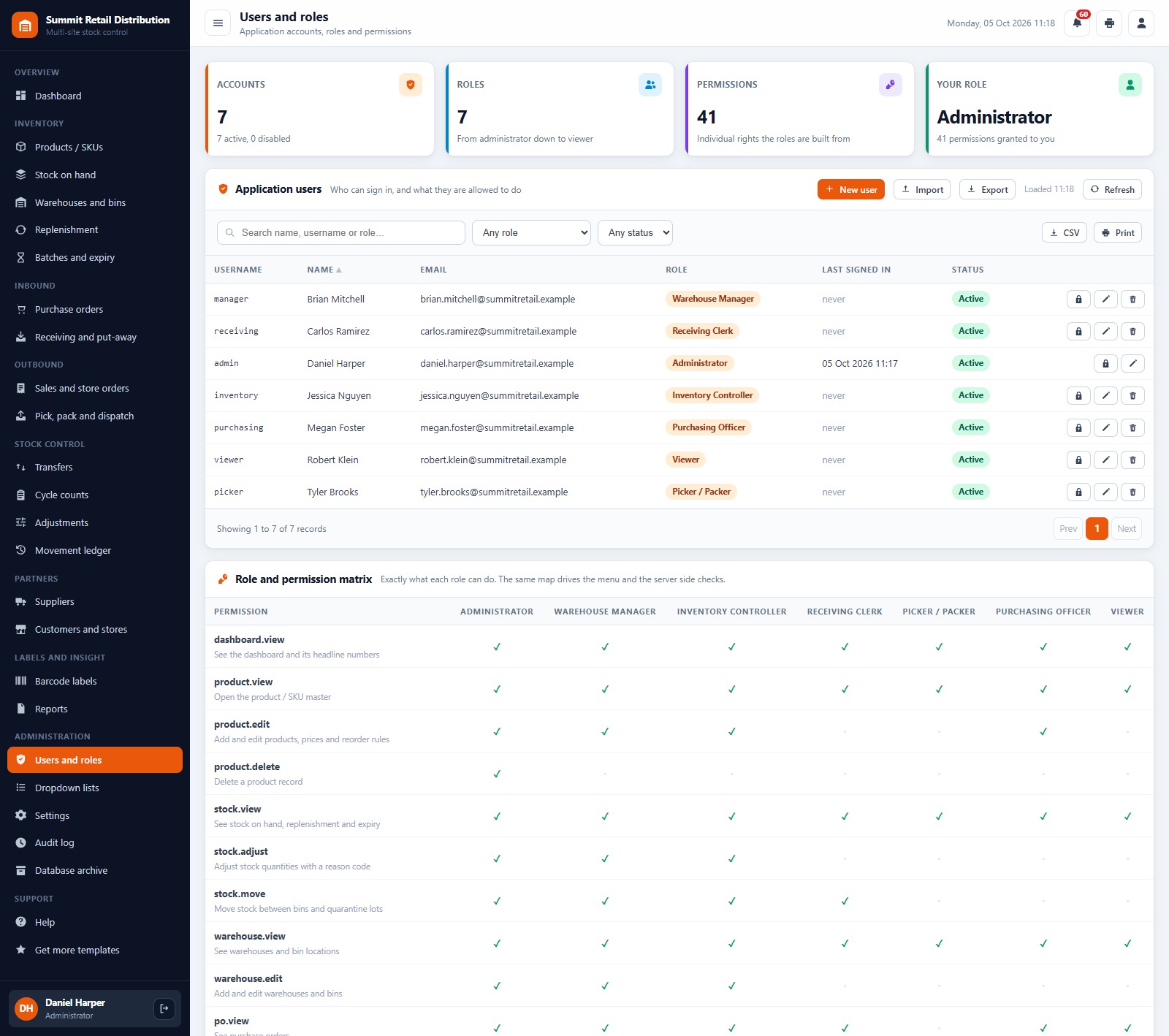
🔐 7 roles and 41 permissions. Administrator, Warehouse Manager, Inventory Controller, Receiving Clerk, Picker / Packer, Purchasing Officer and Viewer, each seeing only the screens their job needs. Passwords are stored as salted SHA-256 hashes, and every change is written to the audit log.
⚙️ Settings, lists, import and archive. Company profile, currency symbol, default warehouse, FEFO on or off, expiry alert days, count tolerance, PO approval and limit, print size (3 inch, 4 inch or A4) and label size. Dropdown lists are editable, products, suppliers, customers, warehouses, bins and opening stock can be imported from a pasted sheet, and old records can be moved to a database archive.
The download includes realistic starter data so every screen is populated the moment you sign in: 12,085 seeded rows across 23 tables, including 5 warehouses (four distribution centres and a returns centre), 502 bin locations, 249 products in 10 retail categories, 30 suppliers, 50 customers and stores, 212 purchase orders, 754 sales and store orders, 236 transfers, 38 cycle counts and a 4,177-line movement ledger covering twelve months of history. All figures are in US dollars, and the company is fictional. Replace it with your own data from the screens or with Import.
🖥️ What’s Inside: Screen by Screen
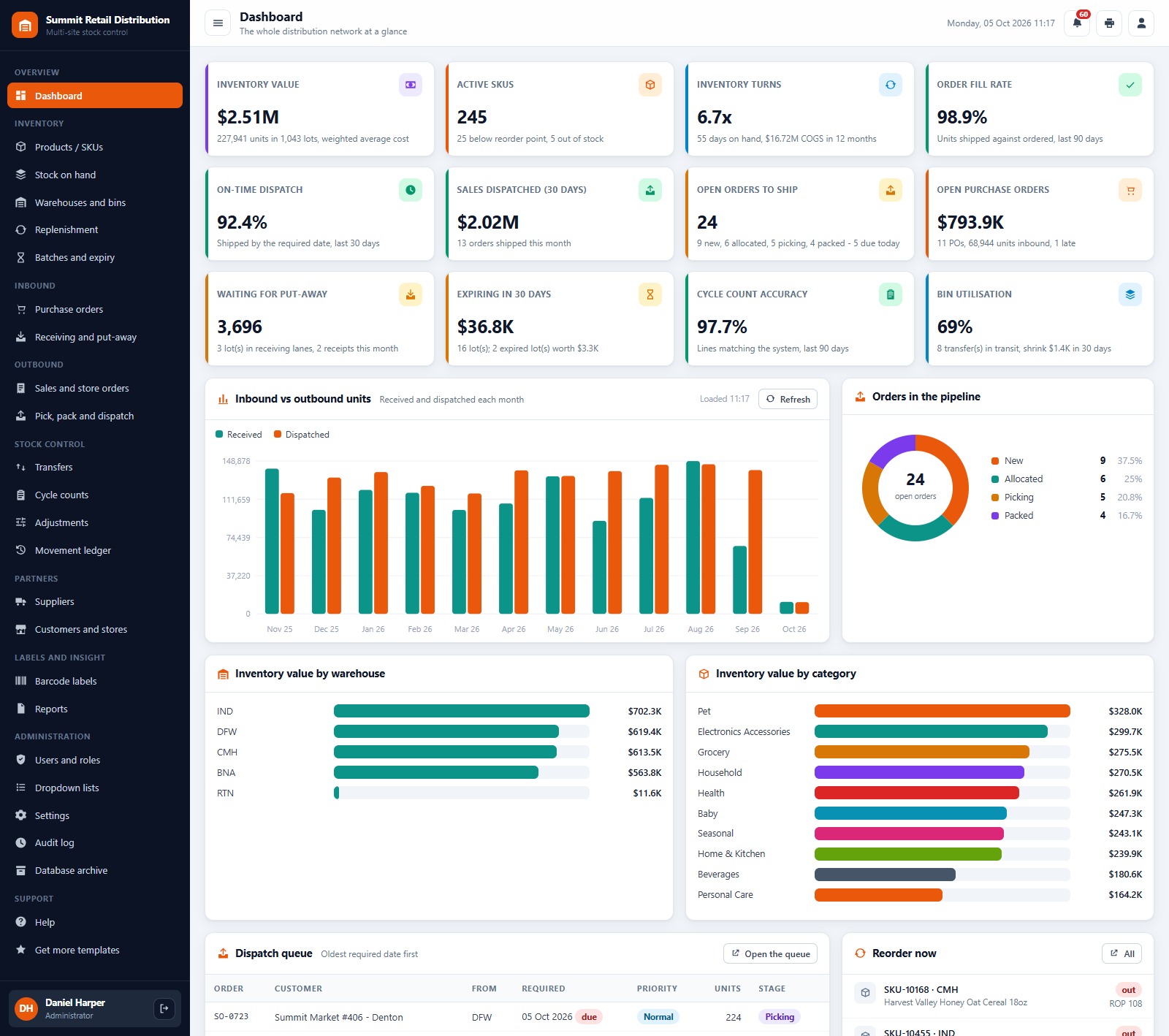
Sign-in page
A branded sign-in card with a show/hide password button. The default credentials are never printed on the sign-in screen, and a fresh install shows a first-run panel that builds the database for you.
Dashboard
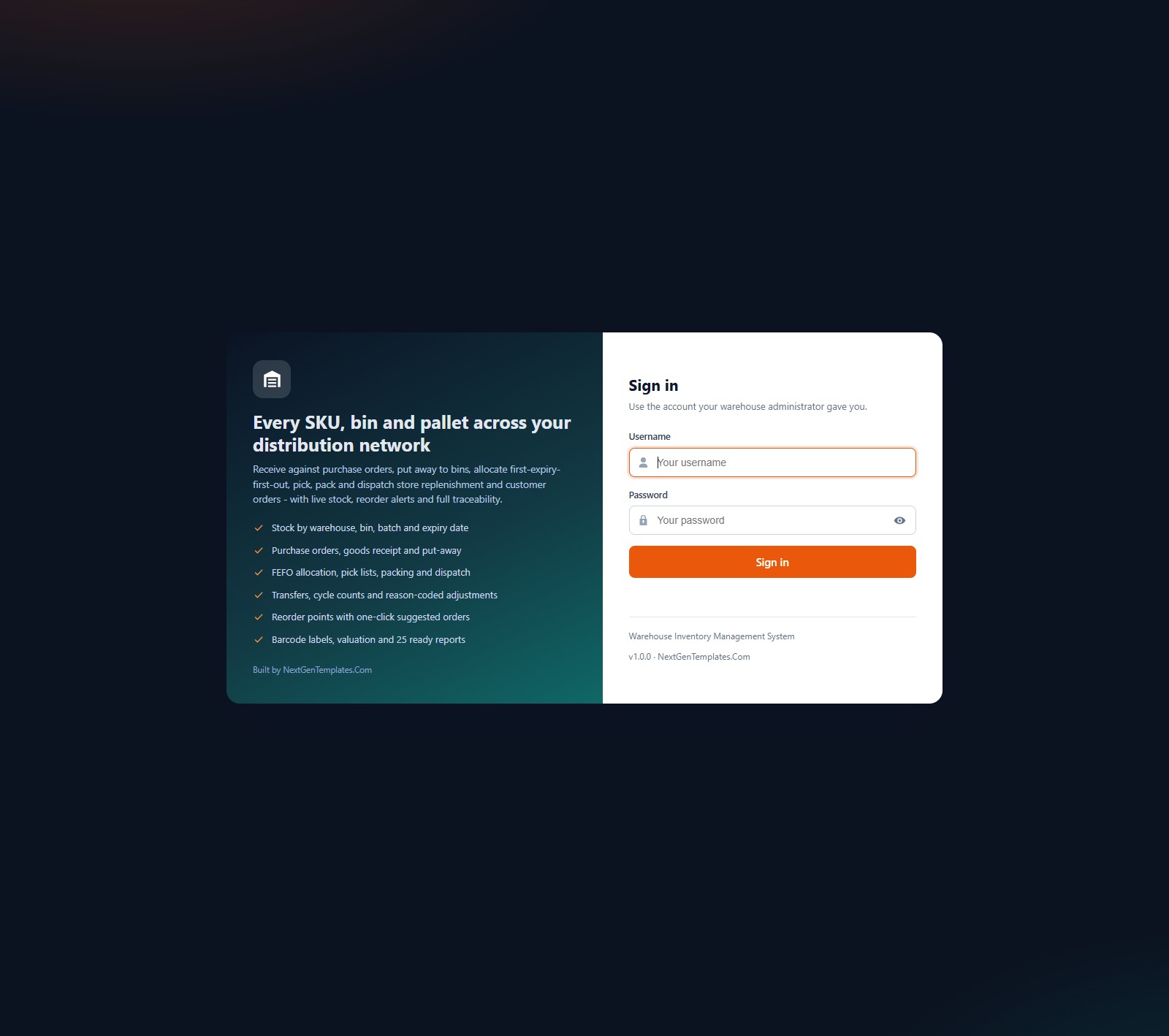
Twelve KPI cards (inventory value, active SKUs, inventory turns, order fill rate, on-time dispatch, sales dispatched in 30 days, open orders to ship, open purchase orders, units waiting for put-away, stock expiring in 30 days, cycle count accuracy and bin utilisation), plus Inbound vs Outbound Units by Month, Orders in the Pipeline, Inventory Value by Warehouse, Inventory Value by Category, the dispatch queue and a Reorder Now list.
Stock on hand
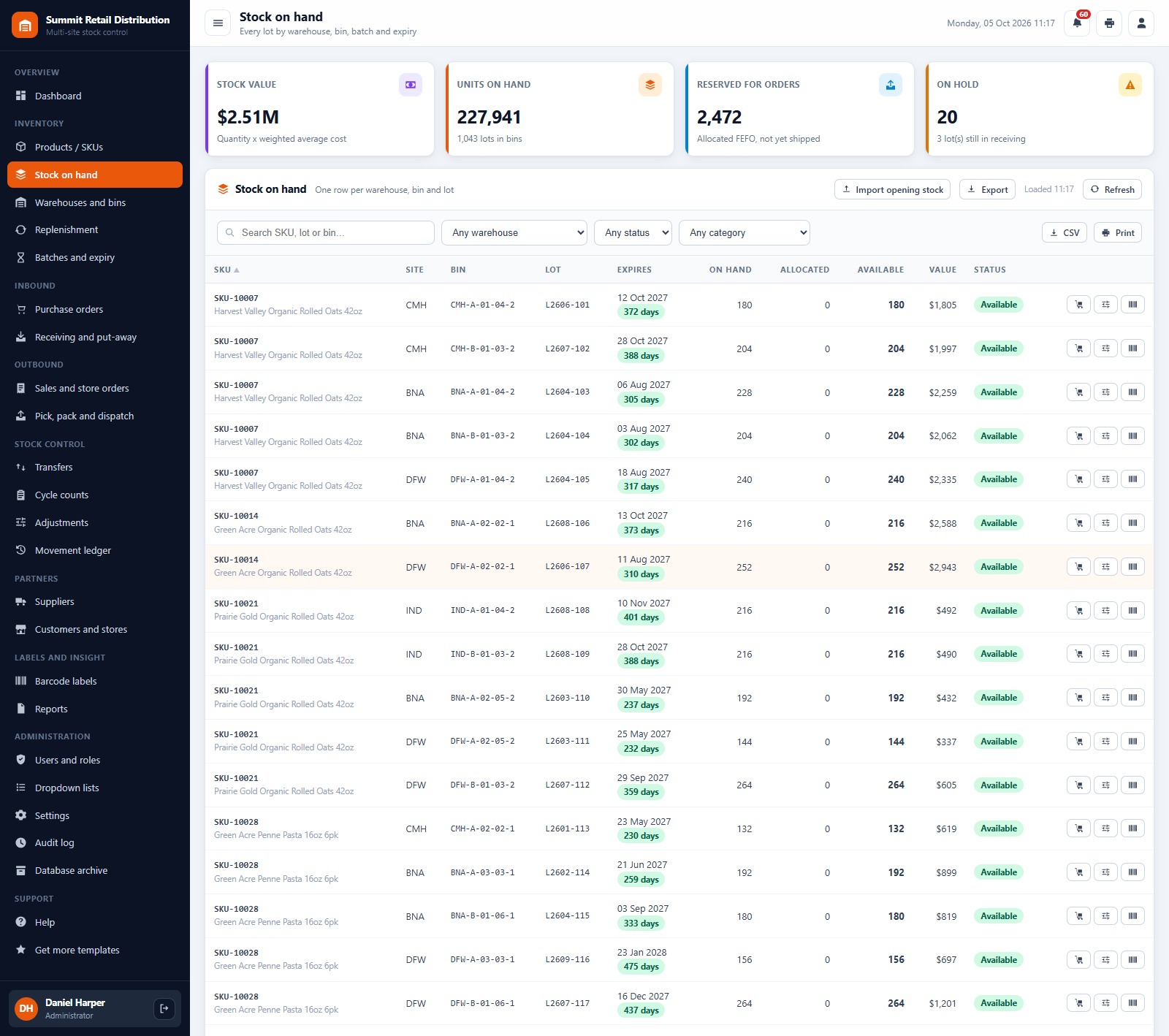
One row per warehouse, bin and lot with expiry date, days left, on hand, allocated, available, value and status. Filter by warehouse, status and category, import opening stock, export to CSV, and adjust, move or label any lot from its row.
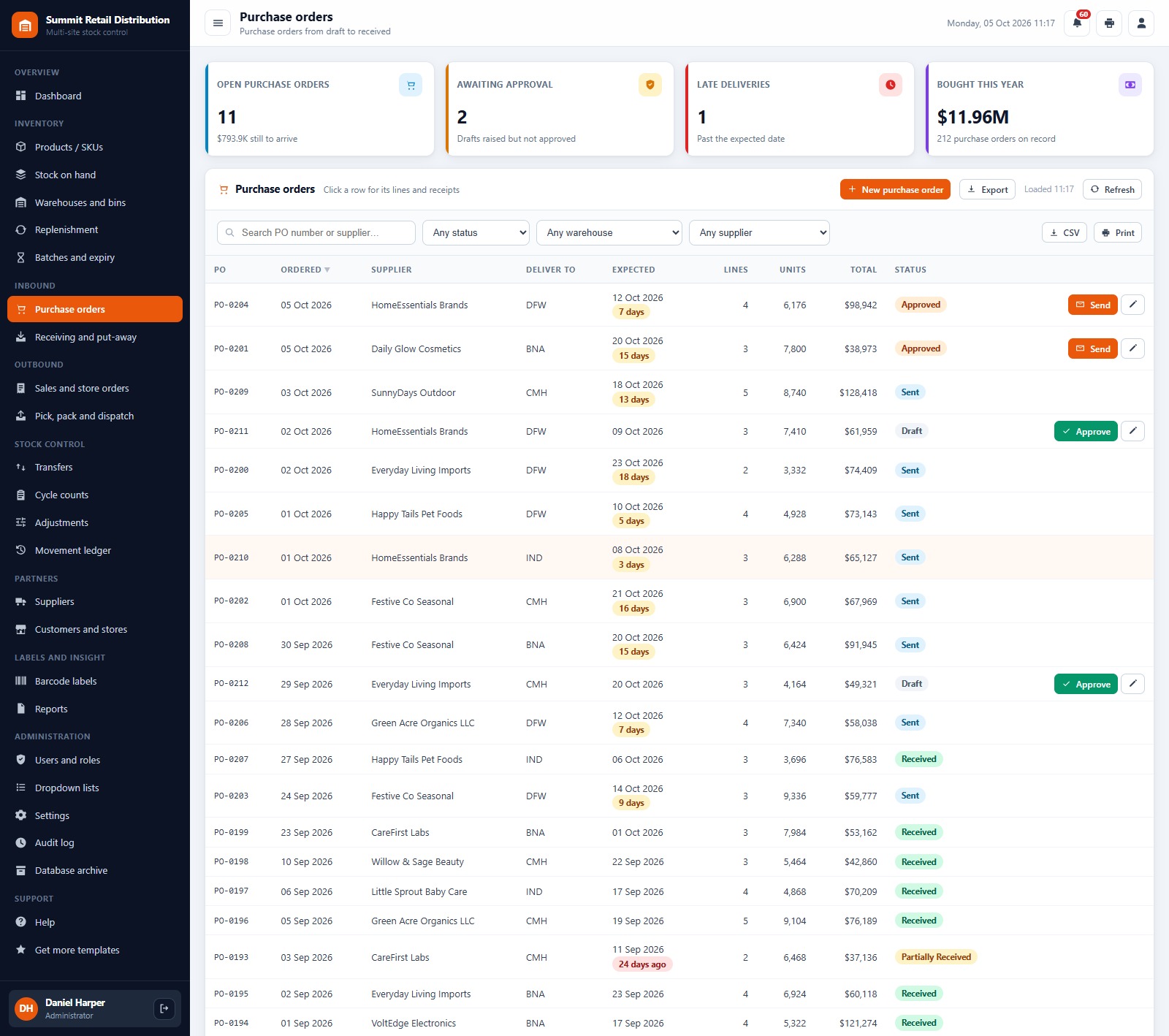
Purchase orders
Purchase orders from Draft to Approved, Sent, Partially Received and Received, with open PO value, POs awaiting approval, late deliveries and spend this year. Approve, send and email a PO to the supplier from the list.
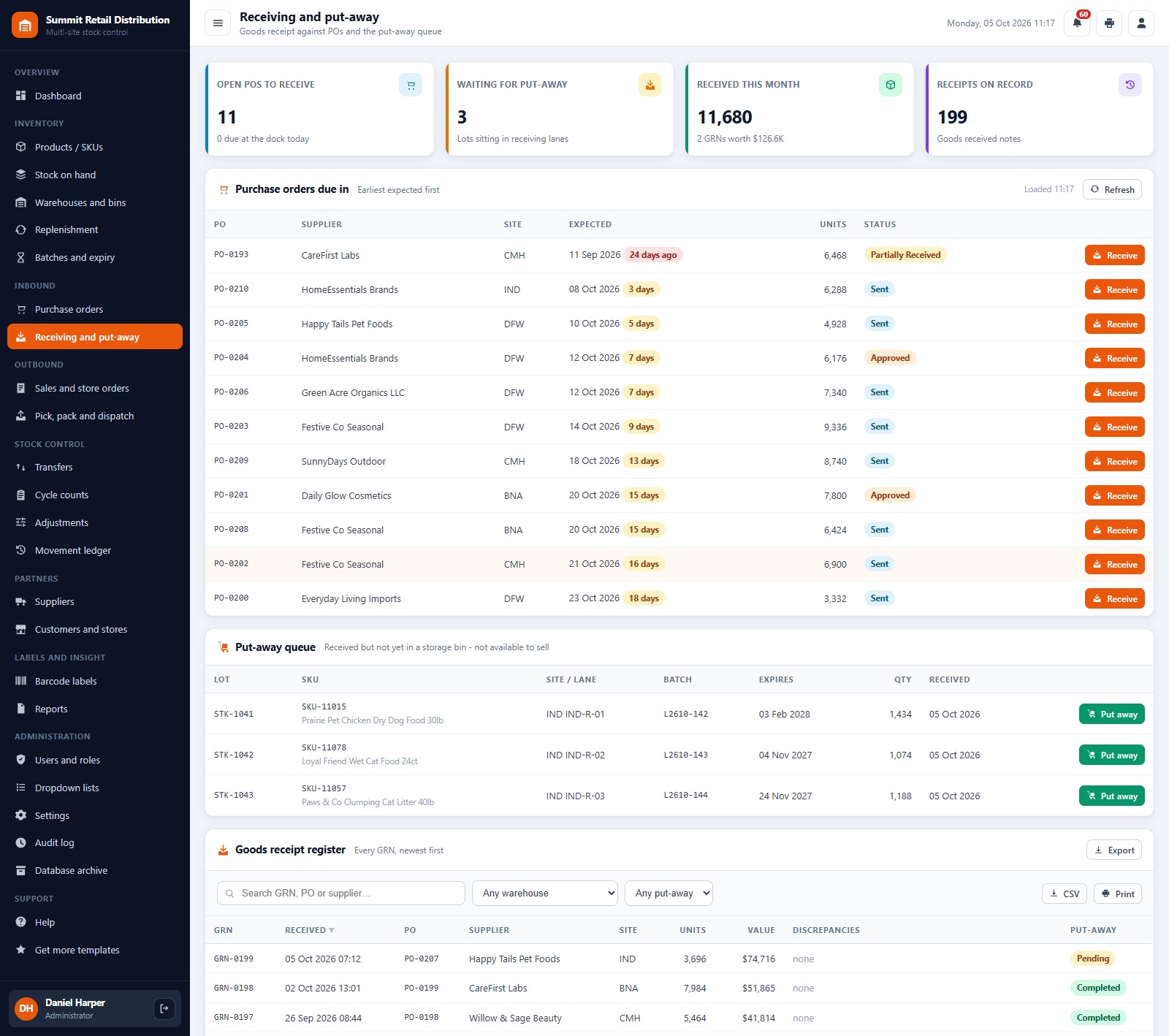
Receiving and put-away
Purchase orders due in (earliest first), a put-away queue for lots still sitting in the receiving lanes, and the goods receipt (GRN) register with discrepancies and put-away status.
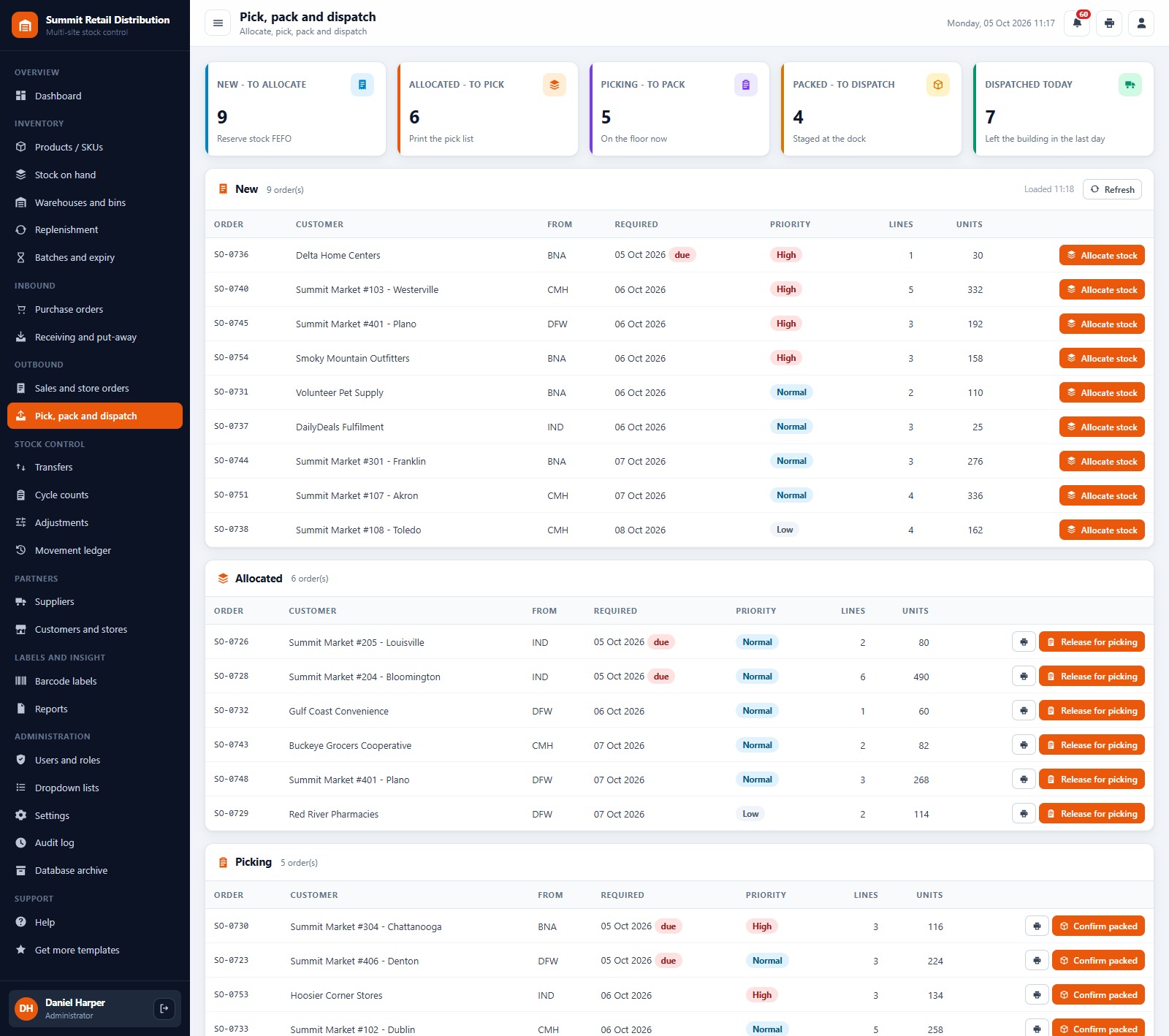
Pick, pack and dispatch
A work queue by stage: New (allocate stock FEFO), Allocated (print the pick list, release for picking), Picking (confirm packed), Packed (dispatch with carrier and tracking) and Dispatched today.
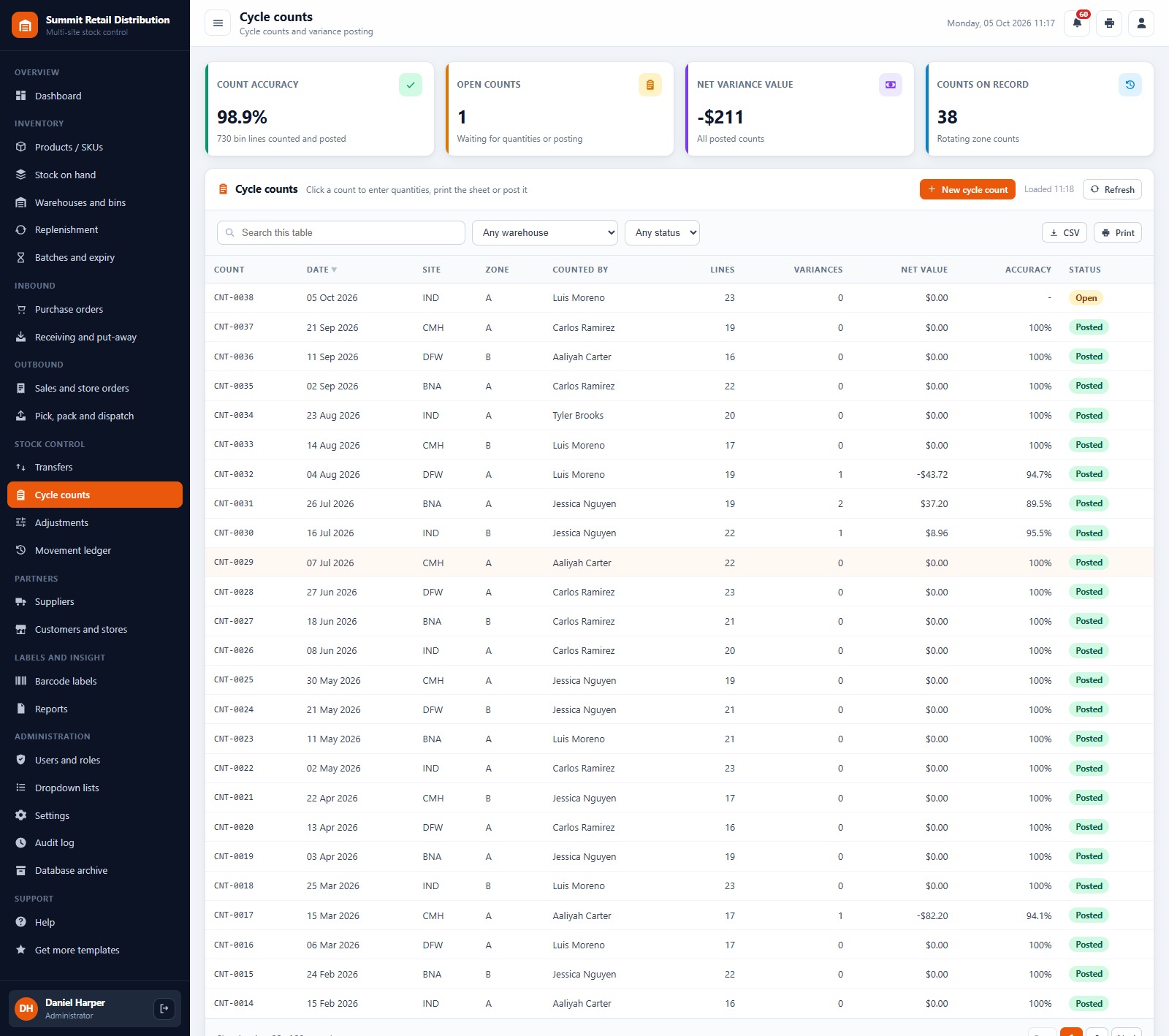
Cycle counts
Count a warehouse zone, enter counted quantities, then post the variances as adjustments. Count accuracy, open counts, net variance value and every count on record are on one screen.
Barcode labels
Code 128 barcode labels for SKUs and bin locations, drawn in the browser with no add-on. Choose 3 inch, 4 inch or an A4 sheet and the number of copies.
Reports
A library of 25 ready-made reports across inventory, valuation, control, inbound, outbound, warehouse and admin: stock on hand by warehouse, low stock and reorder, batch and expiry, ABC analysis, inventory turnover, supplier performance, dispatch register by carrier, bin utilisation and more. Set a date range and warehouse, then print or export.
Users and roles
Application users with role and status, and the full role and permission matrix: 41 individual permissions across 7 roles. The same map drives the menu and the server-side checks, so a hidden screen cannot be reached by calling the server directly.
Also included: Products / SKUs, Warehouses and Bins, Replenishment, Batches and Expiry, Sales and Store Orders, Transfers, Adjustments, Movement Ledger, Suppliers, Customers and Stores, Dropdown Lists, Settings, Audit Log, Database Archive and Help.
📊 Warehouse Inventory Management System vs. Excel Stock Sheet vs. Paid Warehouse Software
| Feature | Warehouse Inventory Management System | Excel stock sheet | Paid warehouse inventory software |
|---|---|---|---|
| Cost | ✅ One-time purchase | Free to low cost | Monthly or annual subscription, often per user |
| Platform | ✅ Browser, on your own Google account | Desktop file | Vendor cloud |
| Multi-warehouse and bin locations | ✅ Warehouses, zones and bins | You build it | ✅ Yes |
| Batch, expiry and FEFO allocation | ✅ Built in | Manual | Varies by plan |
| Role-based logins | ✅ 7 roles, 41 permissions | No | ✅ Yes |
| Barcode labels | ✅ Code 128, 3 inch / 4 inch / A4 | Add-in needed | ✅ Yes |
| Team works on one live database | ✅ Yes | File versions and email | ✅ Yes |
| Your data stays in your Drive | ✅ A Google Sheet you own | ✅ Yes | No, vendor hosted |
| Source code you can change | ✅ Full Apps Script code | ✅ Yes | No |
👥 Who This Web App Is For, and Who It’s Not For
✅ Built for:
- Regional distributors and retail chains running a few distribution centres and replenishing their own stores
- Wholesalers and e-commerce sellers who need warehouse inventory tracking by bin, batch and expiry
- Small and mid-size warehouse teams that want a warehouse stock management system without a per-user subscription
❌ Not built for:
- Operations that need handheld RF scanner apps, voice picking or conveyor and robot integrations
- Businesses that need accounting, invoicing or tax filing; this system tracks stock and orders, not your books
- Teams that must work offline; the app runs in the browser and needs an internet connection
⚙️ How to Set Up the Warehouse Inventory Management System
- Try the live demo first with the login details above, one role at a time.
- Create a new Google Apps Script project, paste Code.cs.txt into Code.gs, and add an HTML file named exactly
Indexcontaining Index.txt. - Deploy it as a web app (Execute as: Me, choose who has access) and accept the Google permission prompt.
- Open the web app URL and press Run setup now on the first-run panel, or run
setuponce from the editor. Setup creates the database spreadsheet, its 23 tabs and the Drive folders, and resumes by itself if Google’s time limit interrupts it. - Sign in as admin and change every seeded password (or delete the accounts you do not need).
- In Settings, enter your company details, default warehouse, FEFO and expiry options, PO approval limit, print size and label size.
- Add your warehouses and bins, suppliers, customers and products with reorder points, then import your opening stock.
The ZIP contains Code.cs.txt, Index.txt and the PDF user manual with every screen explained.
💼 Real-World Use Cases
A regional grocery distributor with four DCs. Receiving clerks book in supplier deliveries with batch and expiry, pickers work the FEFO pick queue for store replenishment orders, and the warehouse manager watches expiring stock and on-time dispatch on the dashboard every morning.
A wholesaler that also sells online. Wholesale and e-commerce orders share one stock pool, the purchasing officer turns the Replenishment screen into suggested POs grouped by supplier, and the Sales by Channel report shows volume and margin per channel.
A retail chain tightening stock accuracy. The inventory controller runs rotating zone cycle counts, posts variances with reason codes, and uses the Adjustments and Shrinkage report to see where stock goes missing.
❓ Frequently Asked Questions
Can I try the Warehouse Inventory Management System before buying?
Yes. The live demo above runs the full system with fictional data. Sign in with any of the 7 demo accounts to see the dashboard, the screens each role can reach and all 25 reports before you spend anything.
What do I need to run it?
A Google account. The web app runs on Google Apps Script and creates its own Google Sheet database in your Drive during setup. Your team signs in with the usernames you create, so they do not need their own Google accounts.
Does it handle more than one warehouse?
Yes. Stock is held by warehouse, bin and lot, transfers move stock between warehouses, and most screens and reports filter by warehouse. The demo runs five sites.
Does it support batch numbers, expiry dates and FEFO?
Yes. Lots carry a batch number and expiry date, the Batches and Expiry screen shows what expires in 30, 60 and 90 days, and order allocation can follow first-expiry-first-out (FEFO), switchable in Settings.
Can I print barcode labels?
Yes. The Barcode Labels screen draws Code 128 labels for SKUs and bin locations at 3 inch, 4 inch or A4 sheet size.
Can I change the currency and print size?
Yes. The demo uses US dollars, and Settings lets you change the currency symbol, company details, print size (3 inch, 4 inch or A4) and label size.
👤 About the Author
Built by PK, Microsoft Certified Professional with 15+ years of Excel, Google Sheets, Apps Script and Power BI experience, founder of NextGenTemplates and the YouTube channels @PKAnExcelExpert, @NextGenTemplates and @NeoTechNavigators. Every template is hand-built and tested before release.
🔗 Explore Related Templates
🏭 Web-based Advanced Inventory Management System: our earlier, simpler web-based inventory app for single-team stock control.
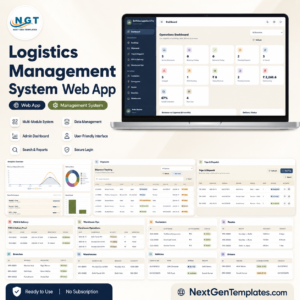
🚛 Logistics Management System Web App: shipments, fleet and delivery tracking for the transport side of the business.
🔌 Electrical Supplies Distributor Management System Web App: a distributor system with sales, purchasing and stock for trade suppliers.
📈 Need only KPIs? The Warehouse Efficiency Dashboard in Google Sheets and the Order Fulfillment KPI Dashboard in Excel track performance without running the whole warehouse. Browse every system in Web Apps.
📖 Click here to read the Detailed Blog Post
🎥 Visit our YouTube channel for step-by-step video tutorials
👉 YouTube.com/@NextGenTemplates
📅 Last updated: October 2026





























Reviews
There are no reviews yet.