

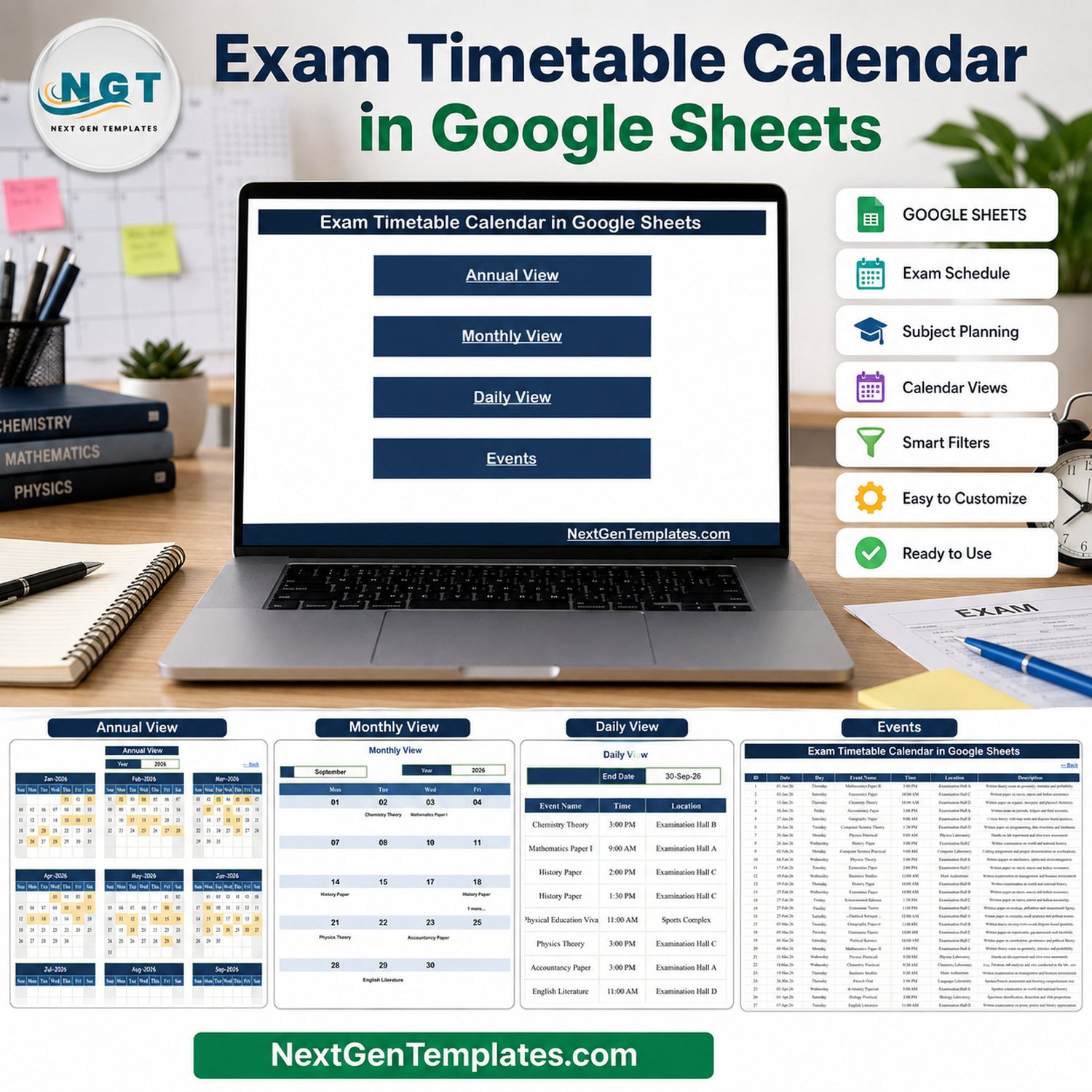

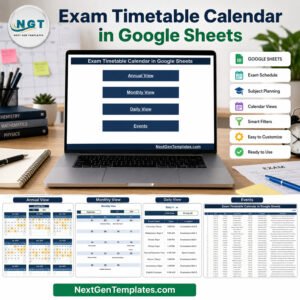
Plan a complete examination schedule without rebuilding a calendar from scratch. The Exam Timetable Calendar in Google Sheets combines five connected views so schools, colleges, coaching centres and training teams can record exam dates once and review them by year, month or date range. The included sample demonstrates 100 timetable entries across 2026, while the editable Events table keeps the practical details together: subject or event name, date, time, location and description. It is a one-time-purchase template with no recurring software fee, and you work in your own Google Drive copy.
Key Features of Exam Timetable Calendar in Google Sheets
- Five connected worksheets: Home, Annual View, Monthly View, Daily View and Events.
- Annual overview: review all 12 months on one screen and spot dates containing scheduled events.
- Monthly timetable: select a month and year to display exam names inside a familiar calendar layout.
- Multiple-event indicator: a date with more than one entry shows the first item plus a clear additional-item cue.
- Date-range detail: use start and end dates to list every matching event with time, venue and description.
- Editable event register: maintain ID, date, day, event name, time, location and description in one table.
- Google Sheets access: share your own copy with authorised colleagues using native Google Drive permissions.
What’s Inside This Google Sheets Exam Calendar
Home sheet
The Home sheet is a clean index with buttons for Annual View, Monthly View, Daily View and Events. It gives administrators a simple starting point and reduces tab hunting.
Home navigation for the exam calendar
Annual View
The Annual View lays out January through December for the selected year. Dates containing timetable entries are highlighted, helping planners scan the academic year and identify busy periods without opening each month individually.
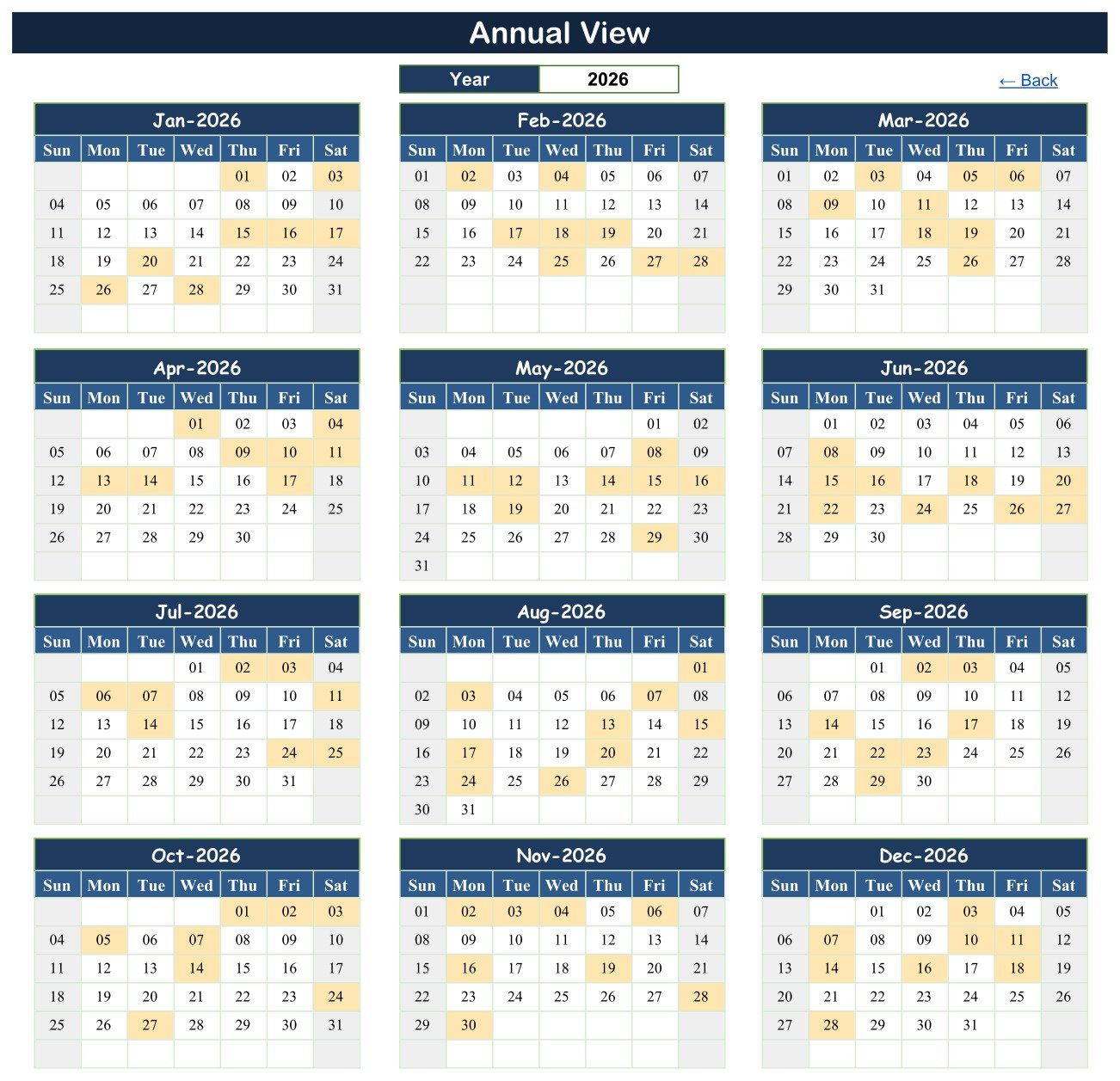
Twelve-month exam timetable overview
Monthly View
Select the month and year to focus on one calendar. Exam names appear on their dates; where a date contains another entry, the view shows an additional-item indicator. This view is useful for publishing a concise monthly timetable while the Events sheet retains the full detail.
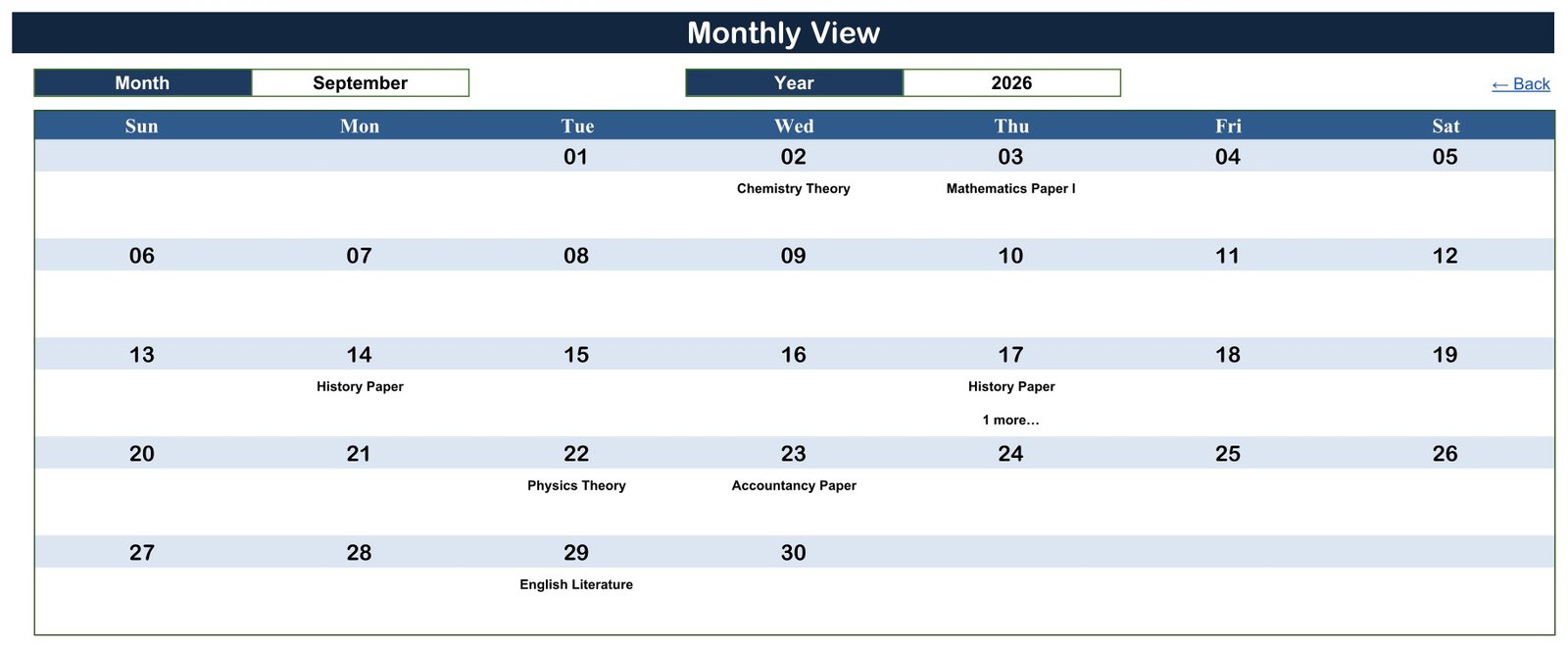
Monthly timetable with scheduled subjects
Daily View
Set a start and end date to retrieve the matching rows. Each result includes ID, date, day, event name, time, location and description, making this the most useful view for preparing a detailed exam-period briefing.
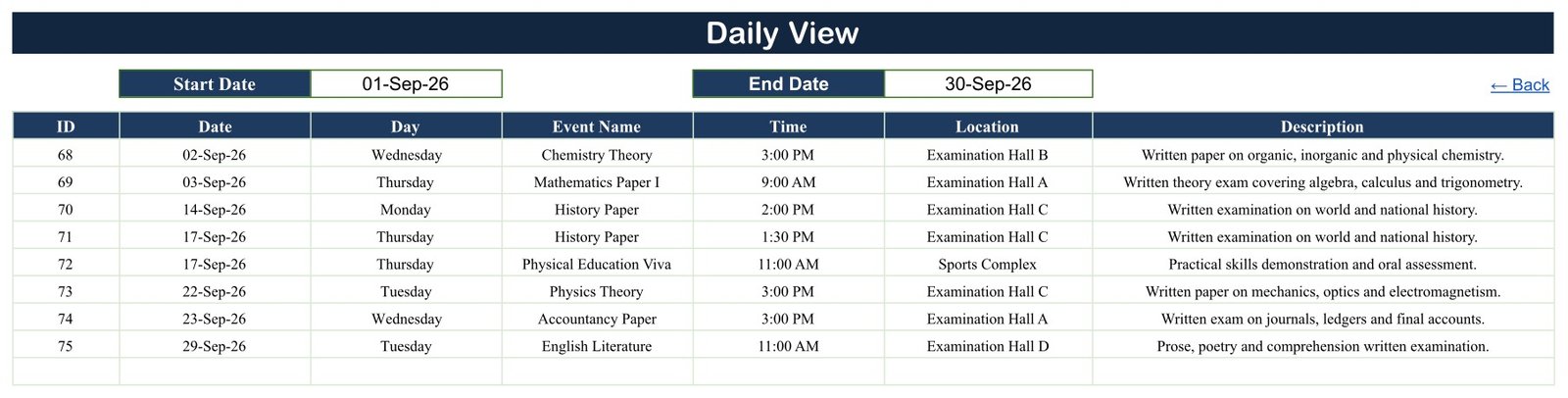
Date-range timetable with times and locations
Events sheet
The Events sheet is the editable database behind the calendar. Add, revise or remove timetable rows here. The template organises scheduling information; it does not manage student records, grading, invigilation assignments, automated clash detection or notifications.
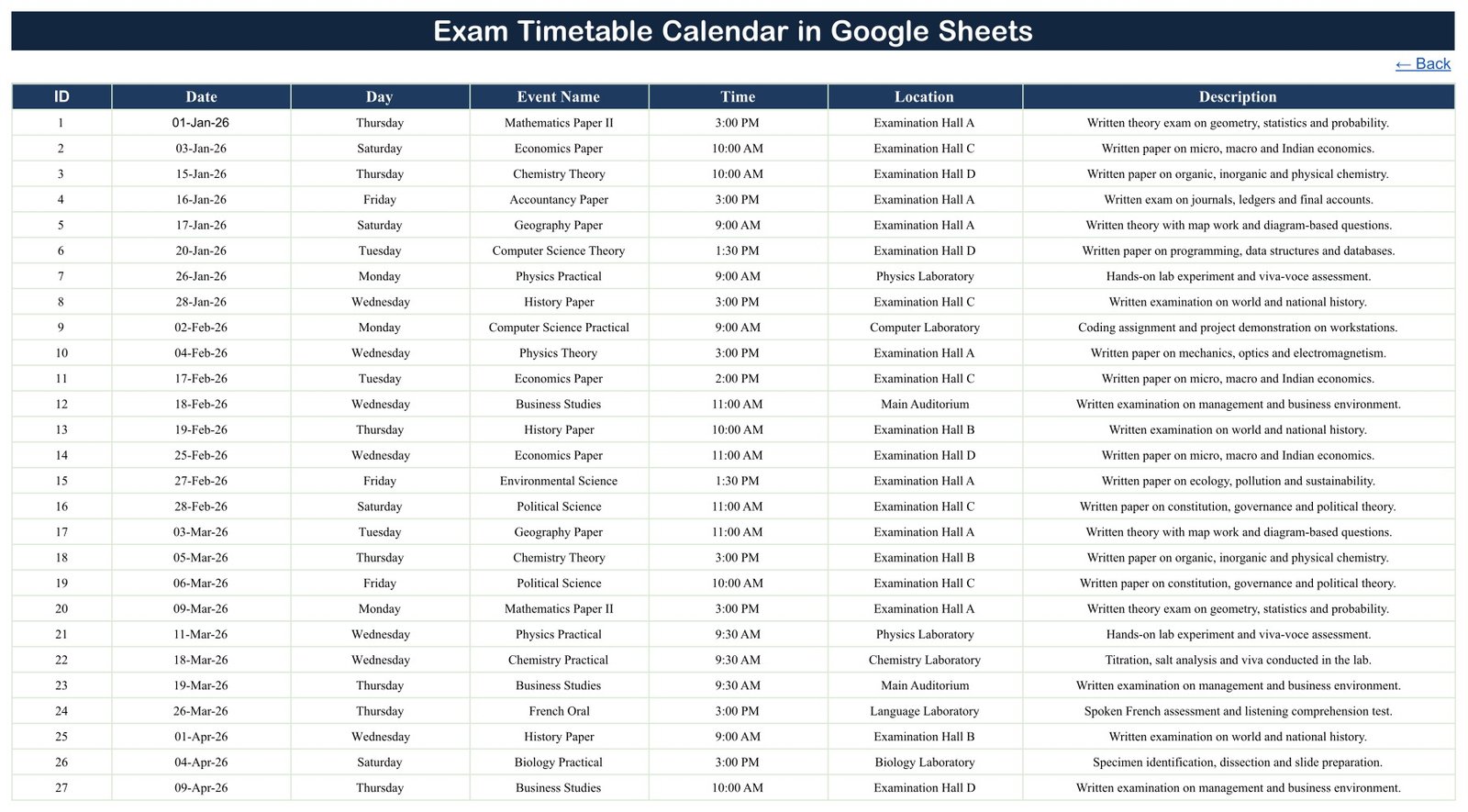
Structured exam event register
Google Sheets vs. Excel vs. Paid Scheduling Software – Where This Fits
| Consideration | This Google Sheets template | Excel calendar | Paid scheduling software |
|---|---|---|---|
| Cost | One-time purchase | Template plus Excel licence | Usually recurring subscription |
| Platform | Browser-based Google Sheets | Microsoft Excel | Vendor web or mobile app |
| Collaboration | Native sharing in your Drive copy | Depends on storage and licence setup | Usually included |
| Views | Annual, monthly, date-range and event table | Varies by workbook | Often includes workflows and reminders |
| Custom fields | Edit the sheet structure yourself | Edit the workbook yourself | Depends on plan |
| Automated conflict detection | Not included | Not normally included | May be available |
Who This Template Is For – and Who It’s Not For
It fits school examination coordinators, college departments, coaching centres, certification providers and internal training teams that need a clear timetable rather than a full student-information system. It is especially useful when the team already works in Google Workspace and wants a low-cost, editable schedule.
It is not a grading system, attendance register, hall-ticket generator, invigilation roster, student database or automatic clash detector. Organisations requiring regulated learner records, workflow approvals, alerts or complex resource optimisation should use specialist software.
How to Use This Exam Calendar Template
- Open the PDF supplied with your purchase and use its copy link to create an editable Google Drive copy.
- Open the Events sheet and replace the sample rows with your own exam dates, subjects, times, locations and descriptions.
- Check the Annual View for the year-level picture.
- Select a month and year in Monthly View for a focused calendar.
- Choose start and end dates in Daily View when you need a detailed timetable list.
- Use Google Drive sharing controls when colleagues need access; see Google’s file-sharing guidance for viewer and editor roles.
Real-World Use Cases
A school examination coordinator
Meera records theory and practical papers with their halls and times, then uses Monthly View for a staff-ready calendar and Daily View for the examination-week briefing.
A coaching centre administrator
Arun separates mock tests, revision assessments and final tests by date, using the description column for the scope of each paper.
A corporate learning team
Nisha schedules certification examinations and assessment sessions across training rooms without purchasing a larger learning-management platform.
Frequently Asked Questions
Does it work in Microsoft Excel?
This edition is designed for Google Sheets. Exporting to Excel may change formulas, links or formatting.
Can I change the year and month?
Yes. The Annual View uses a year selector, and Monthly View provides month and year controls.
Can several exams be scheduled on one date?
Yes. Store multiple rows in Events. Monthly View shows one event plus an additional-item cue, while Daily View lists the matching details.
Does it detect timetable conflicts?
No. Review dates, times and locations before issuing the final timetable.
Does it send reminders?
No. It is a calendar and event-register template, not a notification service.
Can colleagues edit it?
Yes, if you grant them access through Google Drive. Follow your organisation’s sharing policy.
About the Author
Built by PK – Microsoft Certified Professional with 15+ years of Excel, Google Sheets, and Power BI experience. Founder of NextGenTemplates, reaching 300K+ subscribers across YouTube channels. Every template is hand-built and tested before release.
Explore Related Templates
Compare the Primary Schools Dashboard and Secondary Schools Dashboard. You can also browse all Google Sheets calendar templates and the wider Google Sheets collection.
Build a clear, shareable exam schedule today. Add the Exam Timetable Calendar in Google Sheets to your toolkit, replace the sample events and organise the dates that matter.
Watch the step-by-step video Demo:
Last updated: September 2026.
Compatibility and Requirements
- Works in Google Sheets. You need a free Google account and a web browser.
- You select the month and year, and the start and end dates, from the controls on each view. Google explains the basics in Get started with Google Sheets.



























Reviews
There are no reviews yet.