

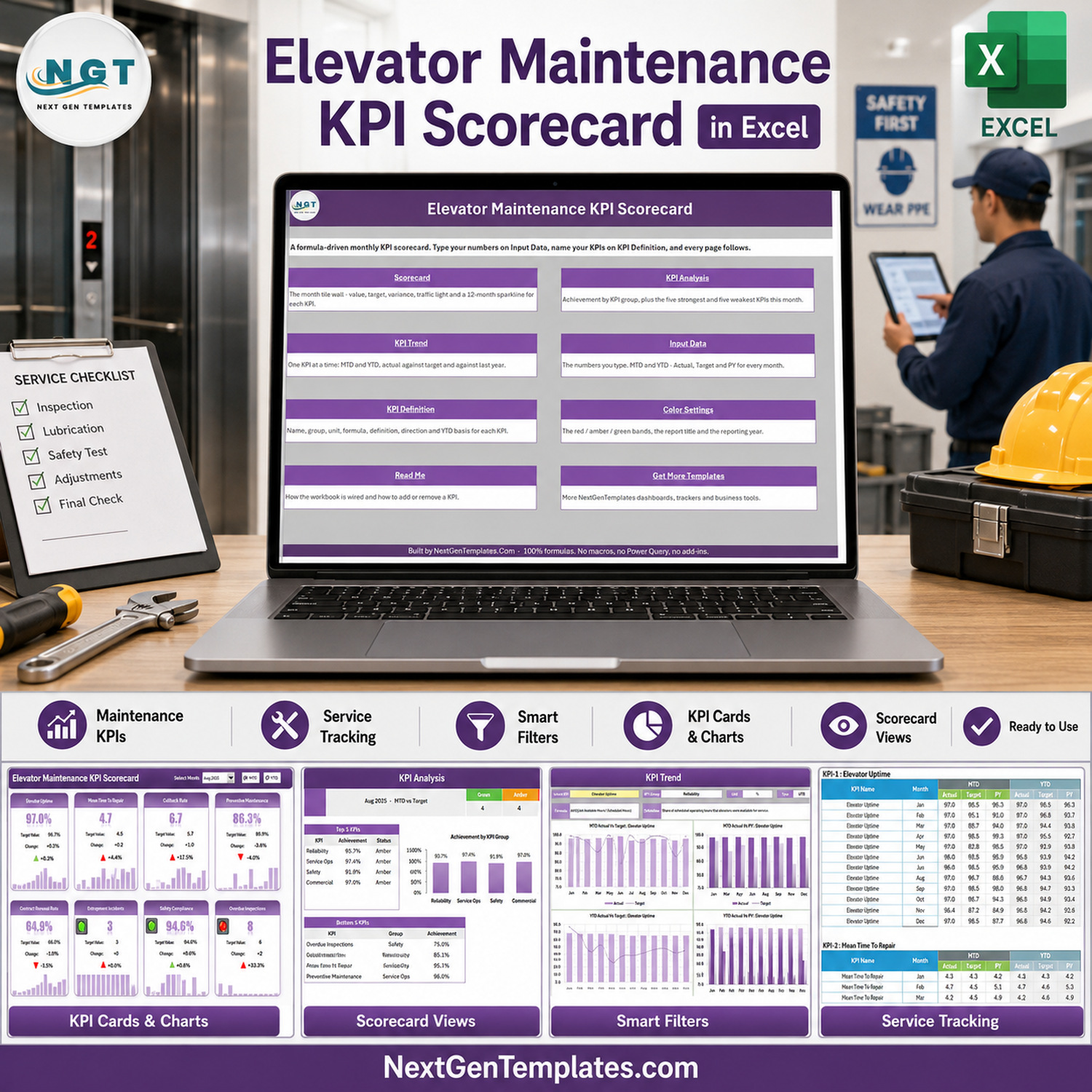

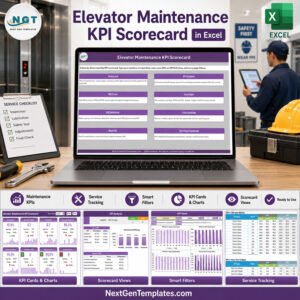
The Elevator Maintenance KPI Scorecard in Excel turns monthly service figures into a focused management view: 10 maintenance KPIs, four KPI groups, month-to-date and year-to-date modes, target or prior-year comparisons, 10 traffic-light cards, a group analysis and four trend charts. Enter your figures on Input Data and the formula-driven workbook updates without macros, Power Query or add-ins. It works in Excel 2016 and later and includes help within 72 hours if anything does not work. This is a management reporting tool, not an inspection, certification, predictive-maintenance or safety-control system.
Key Features of the Elevator Maintenance KPI Scorecard in Excel
- 10 built-in elevator KPIs across Reliability, Service Ops, Safety and Commercial groups.
- Month selector for a focused reporting period.
- MTD and YTD views using finished figures supplied by the user.
- Target or prior-year comparison from the scorecard header.
- Direction-aware traffic lights for upper-the-better and lower-the-better measures.
- 12-month sparklines beneath every KPI card.
- KPI Analysis with group achievement plus the five strongest and five weakest KPIs.
- KPI Trend with MTD and YTD Actual vs Target and Actual vs PY charts.
- Editable definitions and formulas with space for up to 20 KPIs.
- No macros – 100% formulas, conditional formatting, camera pictures and sparklines.
What’s Inside This Excel KPI Scorecard
Home and navigation
The Home sheet explains the workbook and provides links to Scorecard, KPI Analysis, KPI Trend, Input Data, KPI Definition, Color Settings, Read Me and Get More Templates.
Scorecard
Ten cards show Elevator Uptime, Mean Time To Repair, Callback Rate, Preventive Maintenance, Average Response Time, First-Time Fix Rate, Entrapment Incidents, Safety Compliance, Overdue Inspections and Contract Renewal Rate. Each card combines actual, comparison value, change, percentage change, traffic light and a 12-month sparkline.
KPI Analysis and KPI Trend
KPI Analysis rolls the selected month into four group-level achievement figures and ranks the top and bottom five measures. KPI Trend focuses on one selected KPI and displays its group, unit, type, formula, definition and four 12-month charts.

Input Data and KPI Definition
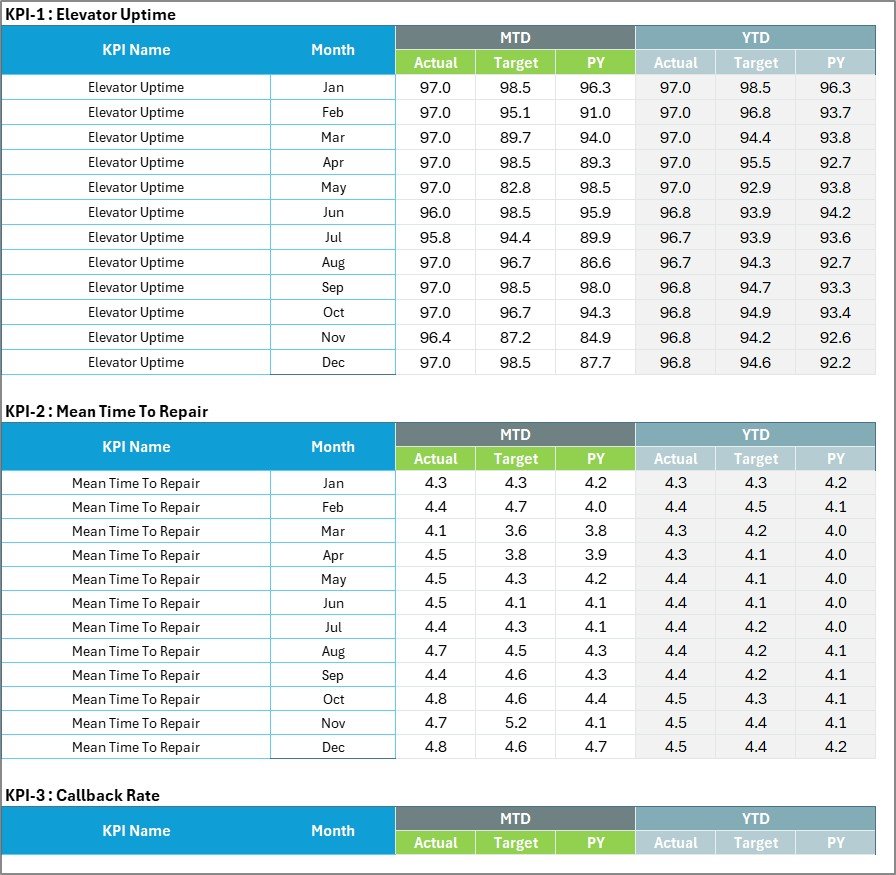
Input Data stores monthly MTD and YTD Actual, Target and PY values. KPI Definition documents the KPI group, name, unit, formula, definition, direction and YTD basis. The workbook ships with 10 elevator-service measures and room for 20 in total.

Color Settings and Read Me
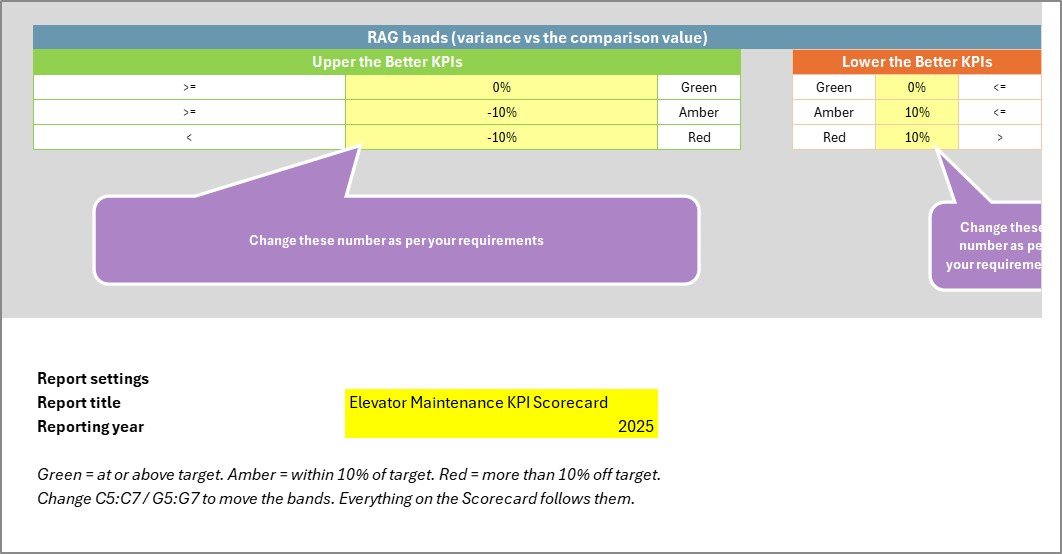
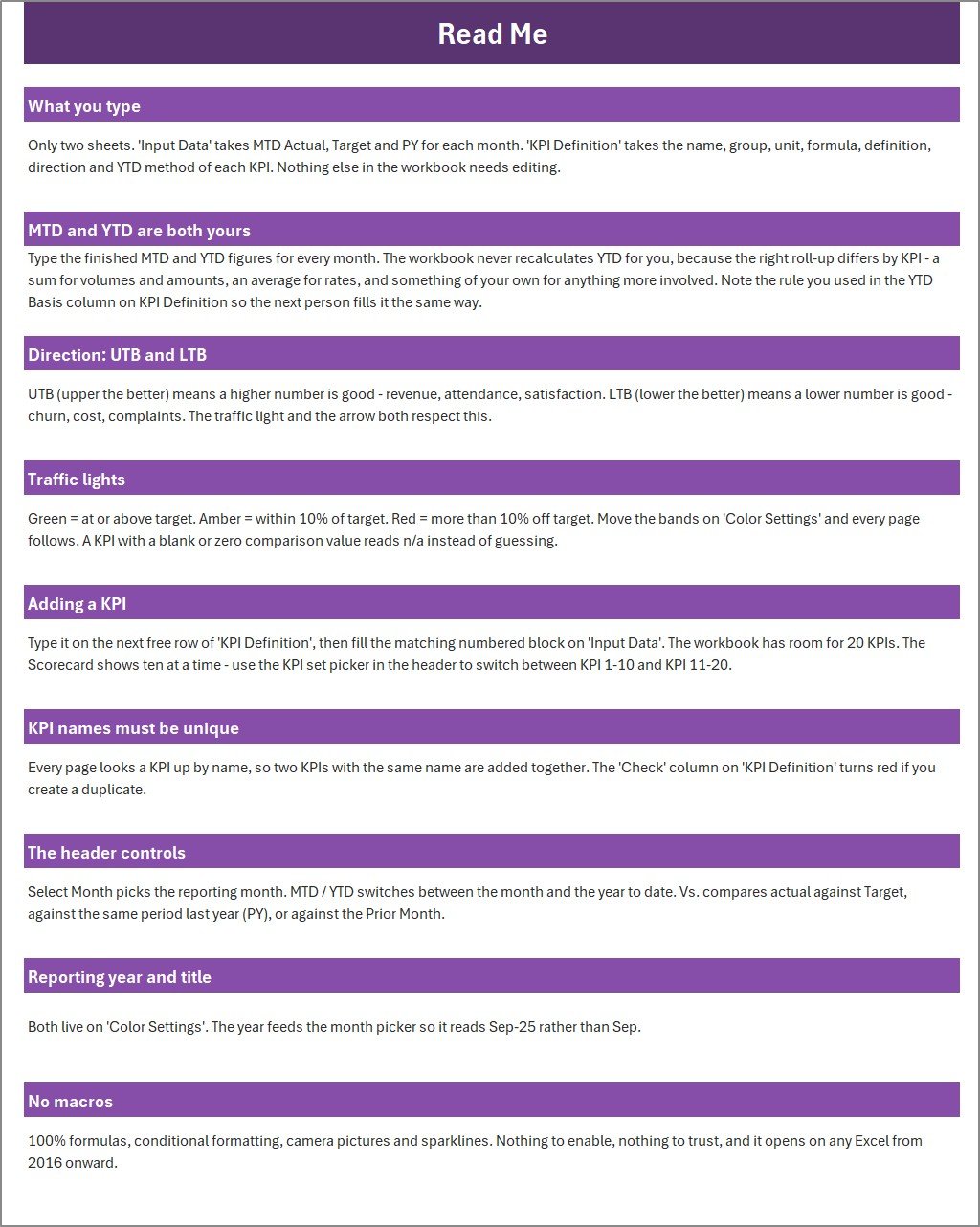
Color Settings holds the report title, reporting year and adjustable red, amber and green bands. Read Me explains what to type, the MTD/YTD approach, UTB and LTB directions, traffic lights, adding a KPI and the header controls.
Excel vs. Google Sheets vs. Paid Field-Service SaaS – Where This Fits
| Area | This Excel scorecard | Google Sheets edition | Paid field-service SaaS |
|---|---|---|---|
| Cost | 9.99 one-off | 8.99 one-off | Usually recurring per user |
| Platform | Excel 2016+ | Browser-based Sheets | Vendor web app |
| Setup | Download, open, replace samples | Copy to Drive | Configuration and onboarding |
| Collaboration | Best for an owned desktop file | Native link sharing | Role-based collaboration |
| Custom KPI definitions | Yes, up to 20 | Yes, template-dependent | Often plan-dependent |
| Data connection | Manual monthly input | Manual monthly input | May connect to service systems |
| Safety/inspection evidence | No | No | Only if the selected system supports it |
Who This Template Is For – and Who It’s Not For
Good fit: elevator maintenance contractors, service managers, facilities teams and portfolio managers who already have reliable monthly figures and want a consistent review pack. It is especially useful when the team needs a transparent spreadsheet rather than another subscription.
Not a fit: teams needing technician dispatch, automated CMMS imports, live alarms, inspection certificates, statutory records, maintenance predictions or equipment-level event logs. The sample KPI named Safety Compliance is only a buyer-managed percentage; the workbook does not test compliance or validate source records.
How to Use the Elevator Maintenance KPI Scorecard in Excel
- Download and unzip the package, then open the workbook in Excel 2016 or later.
- Review KPI Definition. Rename measures, units, formulas or descriptions to match your approved internal definitions.
- On Input Data, replace the sample MTD and YTD Actual, Target and PY values for each month.
- Use Color Settings to set the report year, title and red/amber/green bands.
- Return to Scorecard, select a month, choose MTD or YTD, then compare against Target or PY.
- Use KPI Analysis for group performance and KPI Trend for a twelve-month view of one measure.
If your team co-authors the workbook through Microsoft 365, review Microsoft’s Excel co-authoring guidance before choosing a shared-file process.
Real-World Use Cases
Meera, a regional service manager, consolidates approved monthly outputs from her job system, reviews red cards with branch leads and uses the trend page to separate one-month noise from a persistent pattern.
Arun, a facilities portfolio manager, tracks the service figures supplied by contractors across a monthly governance pack while retaining inspection and certification evidence in the organisation’s designated systems.
Daniel, an operations analyst, adjusts the KPI definitions and RAG bands to match management policy, then distributes a read-only copy after the review meeting.
Frequently Asked Questions
How many KPIs are included?
Ten are preconfigured, and the workbook has room for up to 20. The scorecard displays 10 at a time through its KPI range selector.
Does it calculate YTD automatically?
No. You enter finished MTD and YTD values. This avoids assuming that every KPI should use the same roll-up method.
Can I change the traffic-light thresholds?
Yes. Color Settings contains the upper-the-better and lower-the-better bands used by the workbook.
Does it contain macros?
No. It uses formulas, conditional formatting, camera pictures and sparklines.
Does it replace an inspection or safety system?
No. It is for management reporting only and does not create inspection evidence, certifications, alerts or legal records.
What is included in the download?
A ZIP containing the Excel workbook and the Excel KPI Scorecard User Manual PDF.
About the Author
Built by PK – Microsoft Certified Professional with 15+ years of Excel, Google Sheets, and Power BI experience. Founder of NextGenTemplates, reaching 300K+ subscribers across YouTube channels. Every template is hand-built and tested before release.
Explore Related Templates
Prefer browser collaboration? See the Elevator Maintenance KPI Scorecard in Google Sheets. For task-level records, compare the Elevator Maintenance Checklist in Excel and Maintenance Work Order Data Entry System. For broader analysis, explore the Facility Services Dashboard in Excel or the Equipment Maintenance Management System Web App. Browse more Excel KPI templates.
Buy the Elevator Maintenance KPI Scorecard in Excel for 9.99 (regular 15.99) and turn your approved monthly service figures into a repeatable review pack.
Last updated: 10 September 2026.

























Reviews
There are no reviews yet.