



The Hardware Store Inventory Data Entry System in Excel turns a counter-side stock list into a proper register: one form with 7 fields, four live stat cards, 4 macro buttons and a records table 10 columns wide that can hold over a million rows. Every item you add is stamped with its own Record ID (HSI-0001, HSI-0002, and so on) and an entry timestamp, so two staff members entering stock on the same afternoon never overwrite each other. It is built by NextGenTemplates, whose Excel tutorials reach 300K+ subscribers across YouTube. Download is instant, the workbook is yours to keep, and every formula, list and macro is unlocked so you can rename a category or add a supplier without asking anyone.Hardware Store Inventory Data Entry System in Excel

Key Features of the Hardware Store Inventory Register
- Four live stock cards – Total Items, Inventory Value, Low Stock Items and Out of Stock recalculate the moment a record lands.
- Add, Update, Delete and Reset buttons – real VBA, not copy-paste. Update finds the record by its ID wherever it sits in the table.
- Automatic Record IDs – the HSI-0001 series is generated for you, so nothing is entered twice under a different name.
- Entry timestamps – every row records the date and time it was saved, which is what makes an end-of-day stock count auditable.
- Three dropdown lists – 12 hardware categories, 11 suppliers and 5 stock statuses, all editable on the Setting sheet.
- Double-click to edit – double-click any row to pull it back into the form; you do not have to reselect the row before clicking Update.
- Delete confirmation – the record ID is shown before anything is removed, so you delete the row you meant to.
- Type in the form or straight into the table – the table columns carry the same dropdowns as the form.
- Works offline – no account, no sync, no monthly fee. One .xlsm file on your machine or your shop network drive.
What’s Inside the Hardware Store Inventory Data Entry System in Excel
The download is a single macro-enabled workbook with four sheets, and nothing you have to configure before your first entry.
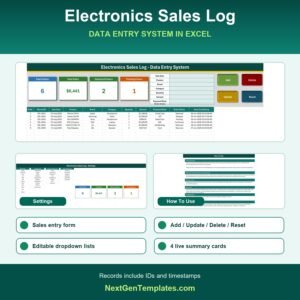
- Data Entry – the working screen. Stat cards top left, the 7-field form (Date Added, Item Name, Category, Supplier, Unit Price, Stock Qty, Stock Status) top centre, the four buttons top right, and the records table below with S.No., Record ID, Date Added, Item Name, Category, Supplier, Unit Price, Stock Qty, Stock Status and Entry TimeStamp.
- Setting – the Category List, Supplier List and Stock Status List that feed every dropdown, plus the source copies of the four stat cards. The shipped supplier list carries names a hardware buyer will recognise, including Stanley Black & Decker, DeWalt Supply, Bosch Tools, Grainger Industrial, Fastenal Company, Sherwin-Williams and Milwaukee Tool; replace them with your own accounts.
- Instructions – a plain-English How To Use sheet covering entering, updating and deleting records, how the stat cards are wired, how the dropdowns work and how to enable macros the first time.
- Get More Templates – links back to the wider template library.

Excel vs. Google Sheets vs. Paid Inventory SaaS – Where This Fits
| Feature | This template | Google Sheets stock list | Paid inventory SaaS (Zoho Inventory, NetSuite) |
|---|---|---|---|
| Cost | $6.99 once | Free | Subscription, billed every month |
| Platform | Excel for Windows (.xlsm) | Browser | Browser and mobile app |
| Setup time | Minutes – open, enable macros, start entering | Hours to build the form and formulas | Days, plus data migration |
| Add / Update / Delete buttons | Yes, VBA driven | Only with Apps Script you write | Yes |
| Real-time team collaboration | No – one editor at a time | Yes | Yes |
| Mobile access | View only, via Excel mobile | Yes | Yes, with barcode scanning |
| Customisable fields | Yes – rename columns and lists freely | Yes | Limited to the plan you pay for |
| Share with link | No – you send the file | Yes | Yes |
| Works offline | Yes | No | No |
| Year-1 cost at 5 users | $6.99 total | $0 | Recurring, renews every year |
Who This Template Is For – and Who It’s Not For
It is for independent hardware shops, tool counters, builders merchants, paint and plumbing suppliers, site stores and maintenance workshops keeping a few hundred to a few thousand SKUs, where the person who counts stock is also the person who serves customers.Hardware Store Inventory Data Entry System in Excel
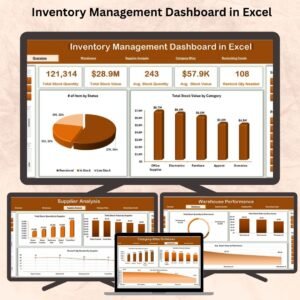
It is not for multi-branch chains that need one shared stock figure across locations, businesses that must scan barcodes into the sheet, or anyone who needs purchase orders, supplier invoicing and reorder automation. Those are jobs for a full system – start with the Inventory Management Dashboard in Excel for analysis, or a hosted platform for procurement. Mac users should also note that the macros need Excel for Windows.Hardware Store Inventory Data Entry System in Excel
How to Use the Hardware Store Inventory Register
- Unzip the download, right-click the .xlsm file, choose Properties and tick Unblock, then open it and click Enable Content. The buttons are inert until macros are on.Hardware Store Inventory Data Entry System in Excel
- Open the Setting sheet and replace the shipped categories, suppliers and stock statuses with your own. Insert new rows inside each list block so the named ranges grow with them.Hardware Store Inventory Data Entry System in Excel
- Delete the six sample rows on the Data Entry sheet once you have seen how they behave.
- Fill the form and click Add. The record drops into the table with its own ID and timestamp; Reset clears the form for the next item.Hardware Store Inventory Data Entry System in Excel
- Double-click any row to load it back into the form, change what you need and click Update.Hardware Store Inventory Data Entry System in Excel
- Watch the four cards. Low Stock Items and Out of Stock are counts of the Stock Status column, so they only move when you set a row’s status honestly.

Real-World Use Cases
Ravi, owner of a two-counter hardware shop. He logs deliveries as they arrive – 20V cordless drills under Power Tools, wood screws under Fasteners – and reads the Out of Stock card before he phones his DeWalt rep on Friday.
Marta, stores controller on a construction site. Her categories are Safety Gear, Adhesives and Building Materials. The entry timestamp is what she uses to prove when the site consumed a pallet of fixings.
Dan, maintenance lead at a manufacturing plant. He tracks spares rather than sale stock, sets Stock Status to On Order the moment a requisition goes out, and filters the table by supplier at month end.
Frequently Asked Questions
Do I need to know VBA to use this?
No. The macros behind Add, Update, Delete and Reset are already written and wired to the buttons. You only need to click Enable Content the first time you open the file.
Does the Inventory Value card multiply price by quantity?
No, and this is worth knowing before you rely on it. Inventory Value is the sum of the Unit Price column across all records – a price total, not a stock valuation. If you need price x quantity, add a helper column and point the card’s formula on the Setting sheet at it.
Can I add my own categories and suppliers?
Yes. They live in plain columns on the Setting sheet. Insert rows inside the existing blocks and the dropdowns follow; if you append rows below a block, widen the named range in Formulas > Name Manager.
How many items can it hold?
The table runs to the bottom of the sheet, so over a million rows. In practice a few thousand SKUs stay fast on ordinary hardware.
Will it work on a Mac or in Excel Online?
The workbook opens, but the VBA buttons do not run in Excel Online, and macro behaviour on Mac is unreliable. Use Excel for Windows for the full experience.
Can two people use it at once?
Not simultaneously – it is a desktop file, so one person edits at a time. If shared editing matters more than macros, a Google Sheets stock list is the better shape.
What exactly do I download?
A ZIP containing the macro-enabled workbook. There is no separate manual because the Instructions sheet is inside the file.
About the Author
Built by PK – Microsoft Certified Professional with 15+ years of Excel, Google Sheets, and Power BI experience. Founder of NextGenTemplates, reaching 300K+ subscribers across YouTube channels. Every template is hand-built and tested before release.
Explore Related Templates
- Product Inventory Data Entry System in Excel – the general-purpose version of this register.
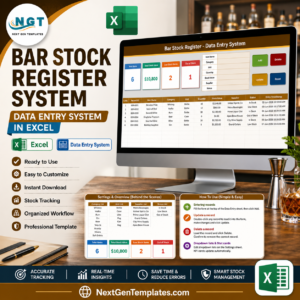
- Bar Stock Register Data Entry System in Excel – same engine, tuned for bar and beverage stock.
- Footwear Shop Stock Data Entry System in Excel – retail sizing and brand lists instead of tools.
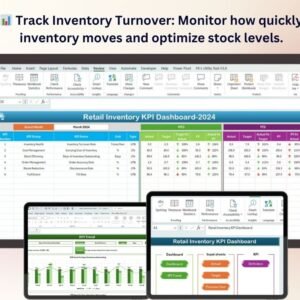
- Retail Inventory KPI Dashboard in Excel – once you have months of records, this is what reads them.
- Browse the full Inventory Management and Excel VBA Tool categories.
New to macro-enabled files? Microsoft’s guide to enabling macros in Office files explains the security bar in one page.
Buy it once, use it for every stock count. Add it to your cart, download the ZIP, and your first item can be logged inside five minutes. Free walkthroughs live on youtube.com/@PKAnExcelExpert.
Watch the step-by-step video Demo:
Last updated: 09 September 2026.











Reviews
There are no reviews yet.