

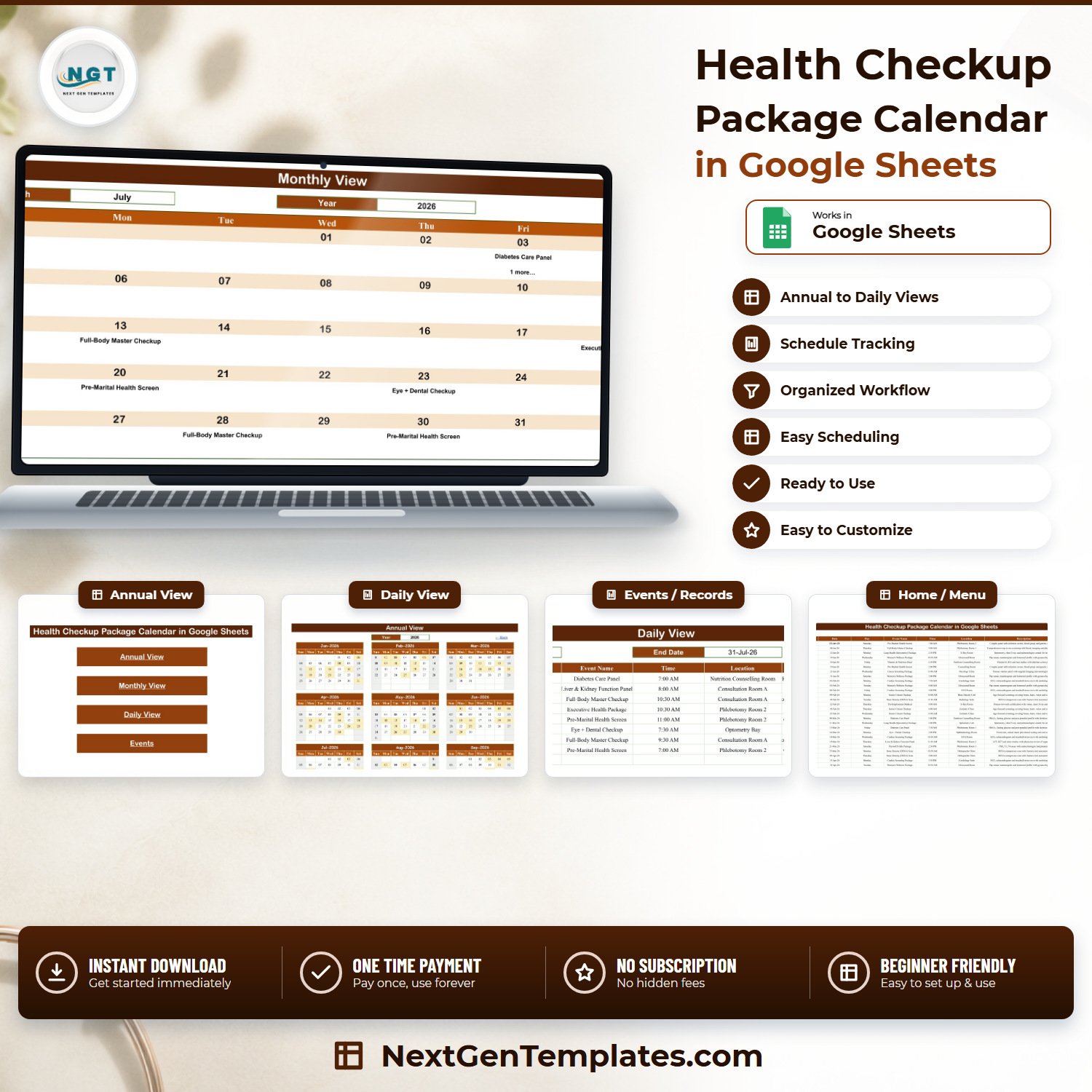

The Health Checkup Package Calendar in Google Sheets is a ready-to-use scheduling workbook for diagnostic centres, preventive-health clinics and hospital wellness desks that sell packaged checkups. It ships with 100 pre-loaded sample bookings spread across every month of 2026, 16 checkup package types, 28 rooms and clinic areas and 16 time slots from 7:00 AM to 4:00 PM — so you can see exactly how it behaves before you type a single row of your own. Six tabs, no add-ons, no macros, no monthly fee. One payment of $4.99 (regular $8.99), instant download, and the PDF in your order carries a “Make a copy” link that drops an editable copy straight into your own Google Drive.
One thing to be clear about up front, because it is the reason this template is safe to use in a clinic: the Events tab has exactly seven columns — ID, Date, Day, Event Name, Time, Location, Description — and there is no patient name, patient ID, MRN, hospital number, date of birth, phone, email, insurance number, diagnosis or test-result column anywhere in the file. We checked all 100 sample rows: zero patient identifiers, zero clinical values. You schedule the package and the room here, and the person’s identity stays in your clinical system where it belongs.
Key Features of the Health Checkup Package Calendar in Google Sheets
- Four linked views from one dataset — Annual, Monthly, Daily and the Events table, all reading the same 100 rows. Enter a booking once; it appears everywhere.
- A twelve-month Annual View driven by 196 formulas — change the year in one cell and all twelve grids rebuild with the correct starting weekday and month length.
- A Monthly View with a month and year picker — 80 formulas, dropdowns fed from a hidden List tab, and a “1 more…” counter on any day that carries more than one booking.
- A date-range Daily View — set a start and end date and a FILTER formula pulls every matching booking with its time, room and description. Useful for a printed morning list.
- 16 realistic package types already loaded — Full-Body Master Checkup, Executive Health Package, Cardiac Screening Package, Cancer Screening Package, Diabetes Care Panel, Thyroid Profile Package, Women’s Wellness Package, Senior Citizen Checkup, Pre-Employment Medical, Pre-Marital Health Screen, Bone Density (DEXA) Scan, Liver & Kidney Function Panel, Lung Health (Spirometry) Package, Vitamin & Nutrition Panel, Vaccination Package and Eye + Dental Checkup.
- 28 named clinic areas — Phlebotomy Rooms 1 and 2, Cardiology Suite, ECG Room, Radiology Suite, X-Ray Room, Ultrasound Room, Mammography Room, Bone Density Unit, Spirometry Lab, Laboratory, Oncology Clinic, Geriatric Clinic, Diabetology Clinic, Women’s Health Clinic, Optometry Bay, Dental Operatory and more.
- A rolling 36-year year list — the hidden List tab recalculates from
YEAR(TODAY())-5, so the picker currently spans 2021 to 2056 and never goes stale. - Google Sheets native — opens on any browser, phone or tablet, shares with a link, and every edit is version-tracked by Google automatically.
What’s Inside the Health Checkup Package Calendar in Google Sheets
Six tabs, five of them visible:
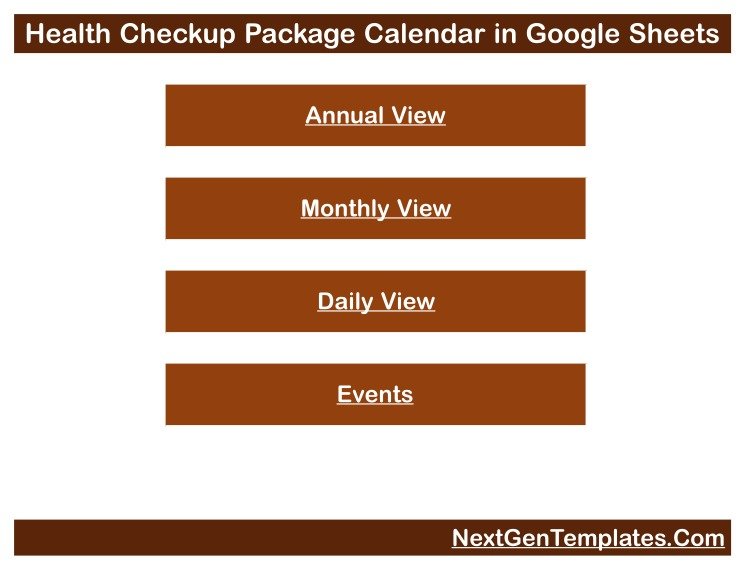
1. Home — a plain navigation menu with four buttons: Annual View, Monthly View, Daily View and Events. Nothing to configure.
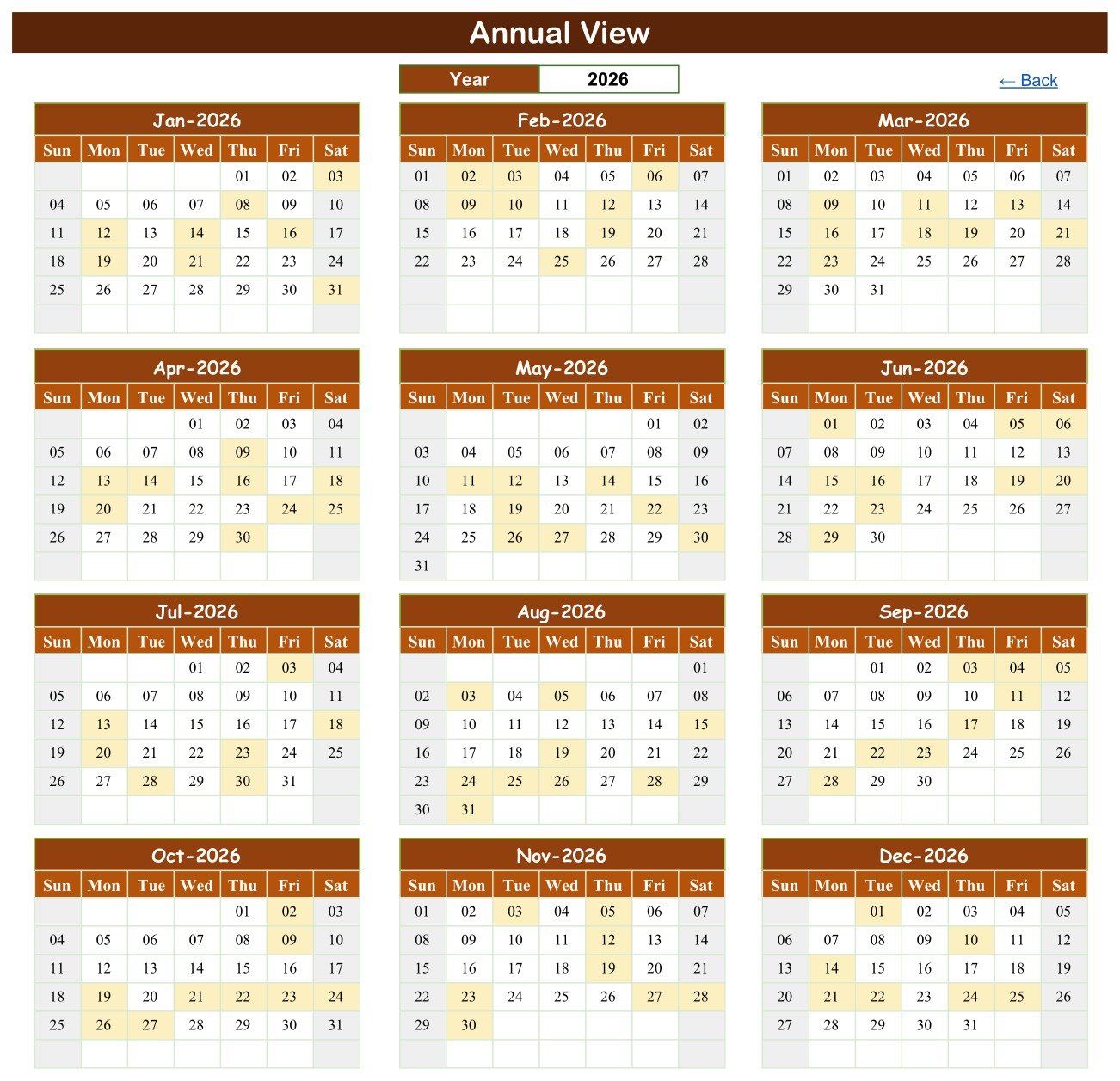
2. Annual View — twelve month grids on one screen with every booked date shaded, plus a year cell at the top. In the sample data the load is deliberately even: 8 or 9 checkups a month across all twelve months of 2026.
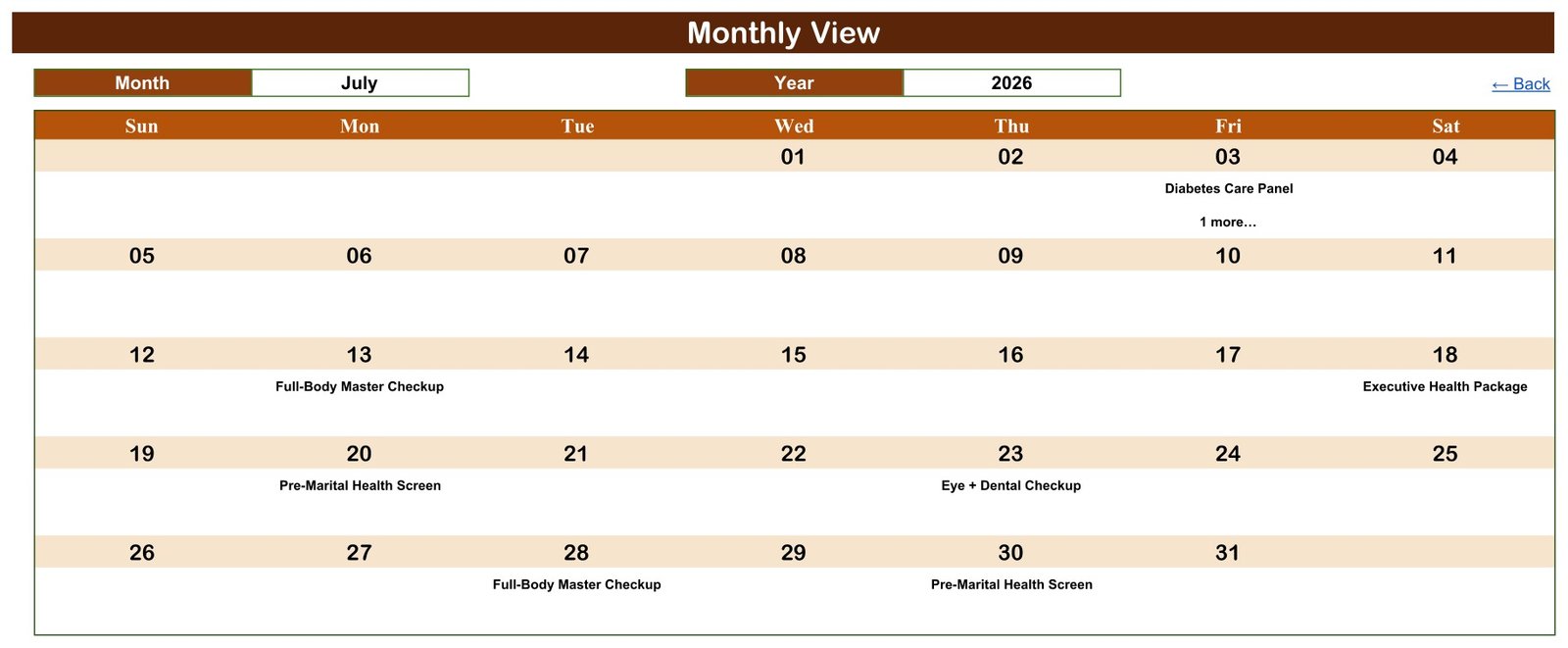
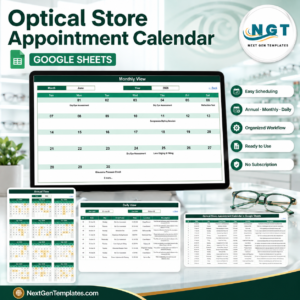
3. Monthly View — the working screen. Pick a month and a year and the grid fills with the package name booked on each date. The screenshot above shows July 2026: a Diabetes Care Panel on Friday the 3rd with a “1 more…” note underneath it, a Full-Body Master Checkup on Monday the 13th, an Executive Health Package on Saturday the 18th, a Pre-Marital Health Screen on Monday the 20th, an Eye + Dental Checkup on Thursday the 23rd, and two more in the last week.
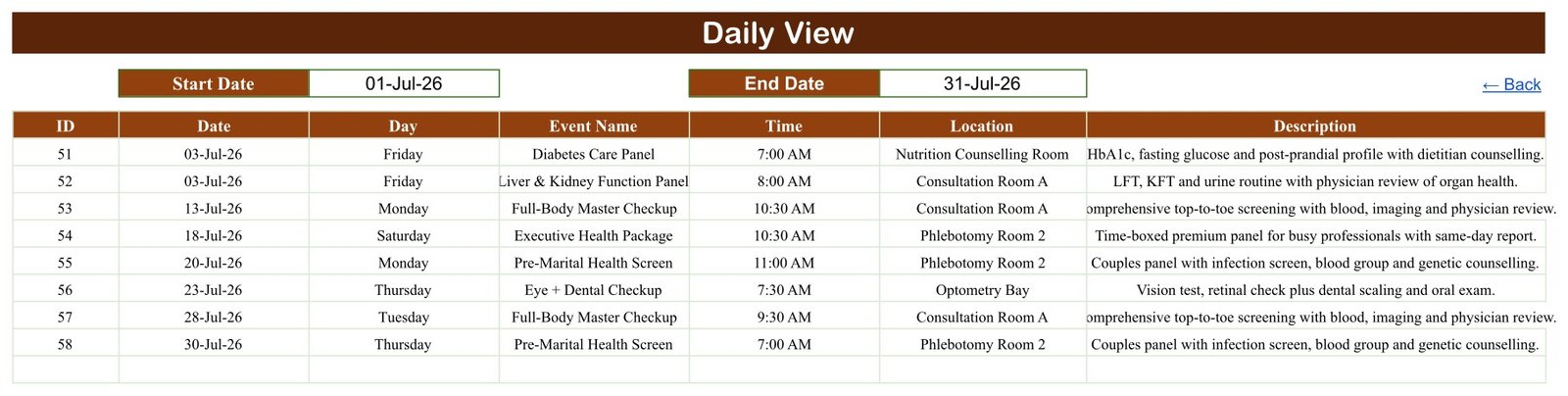
4. Daily View — two date cells and a filtered table. Set 01-Jul-26 to 31-Jul-26 and you get all eight July bookings with ID, date, weekday, package, time, room and description. Set it to a single date and you have tomorrow’s run sheet.
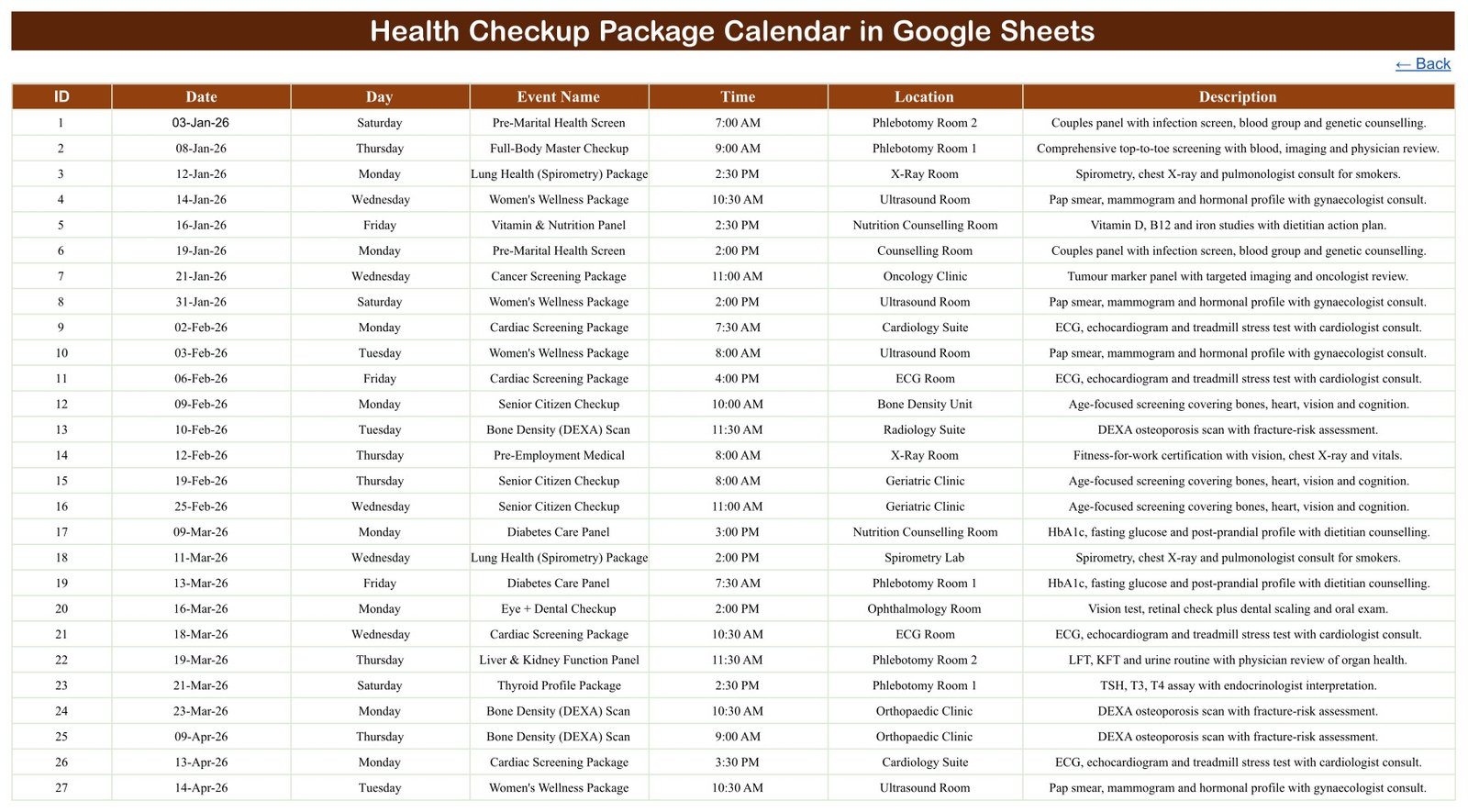
5. Events — the one table you actually type into. IDs 1 to 100, dated 03-Jan-2026 to 25-Dec-2026, seven columns, no formulas. Overwrite the sample rows with your own or clear them and start clean; the three view tabs read rows 4 to 999, so you have room for roughly 996 bookings before anything needs extending.
6. List (hidden) — the month names and the rolling year range that feed the dropdowns. You never need to open it, but it is there if you want to widen the year range.
Health Checkup Package Calendar vs. Excel vs. Paid Clinic Software — Where This Fits
| This template (Google Sheets) | The Excel edition | Paid clinic/EHR software | |
|---|---|---|---|
| Cost | $4.99 once | $4.99 once | $40–$150 per user per month |
| Platform | Google Sheets, any browser | Microsoft Excel, macro-enabled | Vendor cloud or on-premise |
| Setup time | Under 10 minutes | Under 10 minutes | Weeks, with vendor onboarding |
| Real-time team collaboration | Yes, native | Only via OneDrive co-authoring | Yes |
| Mobile access | Yes, Sheets app | Limited (macros do not run on mobile) | Yes, dedicated app |
| Customisable fields | Yes, it is a spreadsheet | Yes | Usually locked or chargeable |
| Share with a link | Yes | No | No, seat-based logins |
| Year-1 cost at 5 users | $4.99 | $4.99 | $2,400–$9,000 |
| Stores patient records | No, by design | No, by design | Yes, that is the point of it |
| Prevents double-booking a room | No | No | Yes |
| Sends patient reminders | No | No | Yes |
The honest summary: if you need a booking engine with patient records, SMS reminders, billing and audit logging, buy clinic software. If you need to see which packages are running in which room this month, and you are currently doing that on a whiteboard or in someone’s notebook, this is $4.99 and ten minutes.
Who This Template Is For — and Who It’s Not For
It’s for you if: you run a diagnostic centre, a preventive-health clinic, a corporate health-checkup camp or a hospital wellness desk; you schedule a manageable number of packaged checkups a week rather than hundreds a day; your team is already in Google Workspace; and you want the schedule visible to reception, phlebotomy and the reporting desk without buying five software seats.
It’s not for you if: you need to store patient demographics or results (this file deliberately cannot); you need the system to stop two bookings landing in the same room at the same time (nothing here validates that); you need automated reminders, recall dates or a waiting list; you need an audit trail, role-based permissions or encryption at rest for regulated records; or you are looking for revenue, utilisation or turnaround-time analytics — a calendar counts nothing. For analytics on a clinic, the Clinics Dashboard in Google Sheets is the right file.
How to Use the Health Checkup Package Calendar in Google Sheets
- Open the PDF in your download and click the “Make a copy” link. A private copy lands in your Google Drive; the original stays view-only.
- Go to the Events tab. Replace the 100 sample rows with your own bookings, or delete them and start with row 4.
- Fill seven columns per booking: ID, Date, Day, Event Name (the package), Time, Location (the room) and a short Description. Keep the date as a real date, not text.
- Type the weekday in the Day column yourself. It is typed text, not a formula. To make it live, replace C4 with
=TEXT(B4,"dddd")and fill down — Google’s TEXT function documentation lists the other weekday formats. - Open Monthly View and pick your month and year from the dropdowns. Every booked date fills in.
- Use Daily View for the day sheet. Put the same date in Start Date and End Date and print it for the phlebotomy desk.
- Share it with named people (File → Share → add specific email addresses) rather than “anyone with the link”, so your room schedule is not public.
Real-World Use Cases
Priya runs a 14-room diagnostic centre. Her front desk used to keep the checkup roster in a WhatsApp group. She now keeps the Events tab open on a second monitor, filters Daily View to today, and prints one sheet each morning listing which package is in which room and at what time. Phlebotomy Room 1 and Room 2 no longer argue about who has the 7:00 AM Full-Body Master Checkup.
Daniel coordinates corporate health camps. Each employer contract books a run of Pre-Employment Medicals and Executive Health Packages over a few weeks. He copies the file per contract, loads the dates, and shares the Monthly View link with the client’s HR contact — who can see the schedule without seeing a single employee name, because the file has nowhere to put one.
Sister Mary manages a hospital wellness desk. She uses the Annual View to spread Senior Citizen Checkups and Bone Density scans evenly through the year rather than clustering them in January, and the “1 more…” marker in Monthly View tells her at a glance which days are already carrying two appointments.
Frequently Asked Questions
Does this store patient records?
No. There is no patient name, ID, MRN, date of birth, contact detail, diagnosis or result field in the workbook, and none of the 100 sample rows contains one. It schedules packages and rooms only. Keep patient identity in your clinical system.
Is it HIPAA, GDPR, NABH or CQC compliant?
No, and it does not claim to be. A Google Sheet is not a validated clinical system and is not appropriate storage for protected health information. Compliance depends on your organisation’s own processes, not on a spreadsheet. Because the file holds no identifiers, the usual risk is low — but if you add an identifier column yourself, that is your decision and your responsibility.
Does it connect to my EHR, LIS, RIS or PACS?
No. There is no integration, no API and no import. It is a standalone Google Sheet.
Will it stop me double-booking a room?
No. Nothing validates room or time conflicts, and no warning appears. Two bookings can share a room and a slot. In the sample data, 03-Jul-2026 and 21-Dec-2026 each legitimately carry two bookings.
What happens if a day has more than one checkup?
Monthly View shows the first booking for that date and prints “1 more…” underneath it, because it uses VLOOKUP. To see every booking on a busy day, use Daily View, which uses FILTER and lists them all.
Does the Day column update automatically if I change the date?
No. Column C is typed text, not a formula. If you edit a date, retype the weekday or replace the cell with =TEXT(B4,"dddd") and fill it down. We would rather tell you than let you find out in a month’s time.
Does it send reminders to patients?
No. There are no notifications, no SMS, no email and no recall engine. Nothing in the file tells you when a checkup is due again.
Can I add my own package types and rooms?
Yes. Both columns are free text in the Events tab — type whatever your centre uses. The 16 packages and 28 rooms shipped are sample data, not a fixed list.
Do I need macros or add-ons?
No. There is no Apps Script, no macro and no add-on. Everything runs on built-in Google Sheets formulas — 196 in Annual View, 80 in Monthly View, 56 in Daily View.
About the Author
Built by PK – Microsoft Certified Professional with 15+ years of Excel, Google Sheets, and Power BI experience. Founder of NextGenTemplates, reaching 300K+ subscribers across YouTube channels. Every template is hand-built and tested before release.
Explore Related Templates
Prefer Microsoft Excel? There is a separate Health Checkup Package Calendar in Excel — a different build, not a converted copy of this one.
Other calendars that sit next to this one in a diagnostic workflow:
- Lab Sample Collection Calendar in Google Sheets — the collection rounds that feed the packages booked here.
- Medical Appointment Calendar in Google Sheets — general consultations rather than packaged checkups.
- Radiology Slot Booking Calendar in Google Sheets — for imaging rooms with their own queue.
- Patient Follow-Up Visit Calendar in Google Sheets — what happens after the checkup report lands.
- Diet Plan Calendar in Google Sheets — for the dietitian follow-through on a Vitamin & Nutrition Panel.
Want numbers rather than dates? Browse the Google Sheets Calendar shelf or the wider Google Sheets catalogue.
Get the Health Checkup Package Calendar in Google Sheets for $4.99 (regular $8.99). Instant download, one-time payment, no subscription. The PDF in your order carries the “Make a copy” link — you will have your own editable copy in under a minute.
Watch the step-by-step video Demo:
Last updated: 6 September 2026.
Compatibility and Requirements
- Works in Google Sheets. You need a free Google account and a web browser, and it also opens in the Google Sheets app on a phone or tablet.
- Everything runs on built-in Google Sheets formulas. The page lists no macros or add-ons.
- Month and year are picked from dropdowns on the Monthly View tab. Google explains how dropdowns work in Create an in-cell dropdown list.































Reviews
There are no reviews yet.