



The Furniture Manufacturing Management System is a complete, ready-to-run Google Apps Script web app for a furniture works that makes to order as well as to catalogue. It carries the whole job from enquiry to money in the bank: the product catalogue and its bills of material, raw material stores and purchasing, sales orders and dealers, work orders routed through every workstation, stage-by-stage quality, dispatch, on-site installation, job costing and collections. Unlike a workbook of linked sheets, this furniture manufacturing management system installs into your own Google account in an afternoon, stores everything in a Google Sheets database you own, and arrives seeded with a believable factory so every screen and every report has numbers in it the moment you sign in.

Try the Furniture Manufacturing Management System Live Demo
The system is deployed and running right now. Open it, sign in with any role below, and click through the real screens with real seeded data. Nothing to install, nothing to sign up for.
Demo sign-in details – every role
| Role | Username | Password | What that role can reach |
|---|---|---|---|
| Administrator | admin | Timber2025 | Every module, plus user management, list management, settings, audit log and the database archive |
| Production Manager | pmanager | Assembly2025 | Work orders, routing and stage advance, job cards, wastage, machines, workstations, attendance, costing and all reports |
| Production Manager | pmanager2 | Cutting2025 | Same production rights – a second shift or a second desk |
| Store Keeper | store | Plywood2025 | Materials, stock and adjustments, suppliers, purchase orders and approval, goods receipt, finished goods, wastage, imports and exports |
| Store Keeper | store2 | Hardware2025 | Same stores rights – a second storekeeper |
| Sales Executive | sales | Showroom2025 | Customers, dealers, sales orders, dispatch and delivery, installation jobs |
| Sales Executive | sales2 | Contract2025 | Same sales rights – contract desk |
| Sales Executive | sales3 | Dealer2025 | Same sales rights – dealer desk |
| Quality Inspector | qc | Polish2025 | Quality checks, rework, wastage; reads work orders, job cards, goods receipt, machines and the quality reports |
| Quality Inspector | qc2 | Inspect2025 | Same quality rights – second inspector |
| Accountant | accounts | Ledger2025 | Invoices, payments, costing, audit log and every financial report |
| Accountant | accounts2 | Invoice2025 | Same finance rights – second finance desk |
Sign in as the Quality Inspector or the Store Keeper first. The sidebar shortens, and the pages that role has no business seeing simply are not there. The same permission map guards the server, so a hidden page cannot be reached by URL either. That role separation is most of what you are buying.
These credentials are public on purpose. They are the seeded logins of a shared demo instance that resets, not of anybody’s live factory. When you install your own copy you get the same seeded accounts and the first job is to change every one of them.
Key Features of the Furniture Manufacturing Management System
- Live work in progress by workstation. The dashboard shows open jobs waiting at each of the eight stages – in the seeded factory that reads Cutting 0, CNC Machining 1, Edge Banding 6, Assembly 9, Sanding 8, Finishing 6, Upholstery 1 and Packing 10, so you can see where the queue actually is before you promise a date.
- Material consumption measured against the bill of material. 349 BOM lines cover all 48 catalogue SKUs and 59 materials, each line carrying its own wastage allowance (3.3% on average) and a scrap note such as “Offcut returned to stock” or “Pattern match allowance”.
- Cost and margin on every work order, down to the rework. The Costing page splits material, labour, overhead and rework per job – 480 jobs costed at a production value of Rs. 7.09 Cr against Rs. 4.88 Cr of cost – and marks each one Provisional or Final.
- Order to cash in one thread. A sales order raises a work order, the work order is routed and job-carded, quality signs it off, a dispatch note ships it, an installation team fits it, then the invoice and the receipt close it. 260 sales orders, 494 work orders, 220 dispatch notes, 121 installation jobs, 220 invoices and 244 receipts are already linked in the seed.
- Purchasing that ends in inspected stock. 140 purchase orders with approval, 125 goods receipts that accept and reject line by line, and 70 material stock lines with bin locations, reorder levels and a movement ledger.
- Stage quality with rework that carries a cost. 1,357 inspections at Assembly, Finishing and Packing produce a first pass yield of 92.6%, 264 units to rework and 80 rejected – and the open rework jobs sit at the top of the page with the rupees attached.
- Labour booked against operations, not against a timesheet. 1,291 job cards, 6,287 hours, 573.95 overtime hours and Rs. 13.89 L of labour cost, each row tied to a work order, a workstation, a shift and a rate.
- Six roles with a real permission map. 59 permissions across Administrator, Production Manager, Store Keeper, Sales Executive, Quality Inspector and Accountant. The map drives the sidebar and the server-side guard from the same source.
- Fifteen management reports plus an audit log, a printable document set with a 3in / 4in / A4 print size switch, and a staged database archive that keeps the working book light as the years pile up.
Inside the Furniture Manufacturing Management System – Every Module
The furniture manufacturing management system ships thirty-three pages, grouped the way a factory is actually organised.
| Group | Pages | What it holds in the seeded database |
|---|---|---|
| Overview | Dashboard | Eight headline cards, revenue against production cost over seven months, units completed by month, top products by order value, quality outcome, WIP by stage, cost build up, order to cash and a materials-below-reorder list |
| Sales | Sales Orders, Customers, Dealers, Dispatch, Installations | 260 orders (Rs. 10.01 Cr booked, Rs. 3.39 Cr open), 60 customers across 20 cities with Rs. 13.72 Cr of credit, 24 dealers over 10 territories, 220 dispatch notes at 90.3% on time, 121 installation jobs averaging 4.06 / 5 |
| Engineering | Products, Bill of Materials, Workstations, Machines | 48 SKUs in 8 categories at 34% average list margin, 349 BOM lines, 8 workstations rated at 795 units per shift, 22 machines at 75.3% utilisation |
| Production | Work Orders, Job Cards, Quality Checks, Wastage, Costing | 494 work orders (39 on the floor, 1,358 units completed), 1,291 job cards, 1,357 inspections, 127 wastage entries worth Rs. 1.59 L, 480 costed jobs |
| Stores | Materials, Material Stock, Suppliers, Purchase Orders, Goods Receipt, Finished Goods | 70 materials worth Rs. 2.23 Cr with 13 below reorder, 30 suppliers at 11 days average lead time, 140 POs, 125 GRNs worth Rs. 10.52 Cr inward, 81 finished-goods bins holding 362 units |
| Finance | Invoices, Payments | 220 invoices – Rs. 8.37 Cr billed, Rs. 6.69 Cr collected, Rs. 1.69 Cr outstanding of which 39 are overdue – and 244 receipts across six payment modes |
| People | Employees, Attendance | 70 employees in 8 departments, 50 on the shop floor, 1,224 attendance rows with shift, in/out and overtime |
| Insight | Reports | Fifteen management reports with a date range, a chart, a breakdown and an exportable table |
| Administration | User Management, List Management, Settings, Audit Log, Database Archive | 12 accounts over 6 roles and 59 permissions, 149 dropdown values in 24 lists, company / finance / operations / security settings, 122 audit entries, an archive covering 21 transaction tables |
| Support | Help, Get More Templates | The eight-step everyday workflow, a good-habits list, ten answered questions and a troubleshooting panel |
The Fifteen Reports
Every furniture manufacturing management system stands or falls on what it can tell you afterwards. This one ships Production Output, WIP by Stage, On-Time Delivery, Material Consumption vs BOM, Wastage Analysis, Machine Utilisation, Order to Cash Status, Product Profitability, Purchase Register, Sales Register, Stock Valuation, Employee Productivity, Quality and Reject Analysis, Customer Ledger and Outstanding Receivables. Each one takes a date range, draws its own chart, breaks the total down by category, and prints or exports the underlying rows.
A Look Around the Furniture Manufacturing Management System
Sales Orders – 260 orders with channel (Direct, Dealer, Project, Online), type (Catalogue, Made To Order, Repeat, Sample), promised date, priority and status from Draft through Confirmed, In Production, Ready, Dispatched and Delivered. Twenty-three are flagged past their promised date.

Products and Bill of Materials – the catalogue carries dimensions, collection, finish, standard cost, sale price, margin, BOM line count, stock and lead days. Behind each SKU sit its BOM lines: quantity per unit, unit of measure, wastage percentage, rate, line cost and a scrap note.


Work Orders – every job shows its sales order, product, quantity, current stage, planned finish, units done and rejected, priority, supervisor and status. Overdue planned-finish dates are printed in red, and an Advance action moves the job to the next workstation on its route.

Quality Checks – open rework jobs sit at the top with the defect, the quantity, who it is assigned to and what it has cost. Below them, every inspection records the stage, units inspected, passed, sent to rework and rejected, the defect type, its severity and the inspector.

Costing – material, labour, overhead and rework per work order, with the total cost, the value and the margin percentage side by side, and a Provisional or Final marker. A recost button re-runs a job after a late job card or a rework closure.

Material Stock – 70 lines with on-hand quantity, reorder level, weighted rate, value, bin location and last movement date. Anything under its reorder level turns red and is labelled Low Stock, and an Email low stock button sends the list.

Reports and User Management – pick a report, set the dates, run it. And the roles page shows what each of the six roles can do, with the permission count beside it.


Settings – company name, address, GSTIN, currency, financial year start, default tax and freight, payment terms, overhead rate per labour hour, target gross margin, low stock multiplier, standard shift hours, overtime multiplier, wastage alert, on-time delivery target, session length and the print size.

Who This Furniture Manufacturing Management System Is For
- Furniture manufacturers running a made-to-order and catalogue mix, from a 20-person unit to a multi-shift works
- Modular kitchen, wardrobe and office-furniture fabricators who install what they build
- Joinery and carpentry workshops that have outgrown a spreadsheet but do not want an ERP subscription
- Contract furniture suppliers selling through dealers and to project clients
- Upholstery and soft-furnishing units that need fabric consumption measured against a BOM
- Anyone who wants their production data in a Google Sheets file they own, not in somebody else’s cloud
How to Set Up Your Furniture Manufacturing Management System
- Open the live demo first and sign in as two different roles. Ten minutes there will tell you more than any feature list.
- Create a new Google Apps Script project, paste in
Code.cs.txt, add an HTML file namedIndexand paste inIndex.txt. - Deploy it as a web app – Execute as Me, Who has access Anyone – and copy the URL.
- Run setup once, either from the First run panel on the sign-in card or by running
setupin the editor. It builds the database spreadsheet, all 43 sheets, the seeded data and the Drive folder tree. Setup is staged and resumable, so a slow account picks up by itself. - Sign in as
admin, change every seeded password in User Management, and delete the accounts you do not need. - Set your company details, currency, tax, overhead rate and print size on the Settings page.
- Load your own data: import customers, materials and products, or clear the seeded transaction rows and start clean, keeping the header row and at least one administrator.
- Work the loop – sales order, work order, material issue, job cards, quality, dispatch, installation, invoice, payment – and the dashboard and the fifteen reports fill themselves.
What You Get
Code.cs.txt– the complete server-side Apps Script, roughly 296 KBIndex.txt– the complete single-page front end, roughly 285 KB- A 361 KB PDF user manual covering installation, every module, roles and permissions, reports, printing and troubleshooting
- Lifetime access to the files and free bug fixes to this template
- Email support at [email protected], and paid customisation if you want an extra module or your own branding on the printed documents
How This Furniture Manufacturing Management System Compares
| This web app | A spreadsheet workbook | A hosted manufacturing ERP | |
|---|---|---|---|
| Cost | One payment | One payment | Monthly, per user, forever |
| Multiple users at once | Yes, with six roles and 59 permissions | Awkward – people overwrite each other | Yes |
| Where the data lives | A Google Sheets file in your own Drive | Your own file | The vendor’s servers |
| Server-side permission checks | Yes – the same map guards menu and server | No – sheet protection only | Yes |
| Routing through workstations | Built in, eight stages with an Advance action | Manual | Yes |
| Job costing with rework | Material, labour, overhead and rework per job | Formula by formula | Yes |
| Set-up time | An afternoon | Immediate but you build the logic | Weeks, often with a consultant |
| Customisable by you | Yes – it is your Apps Script project | Yes | Rarely, and not for free |
| Audit log and archive | Yes, both | No | Usually |
Honest Notes Before You Buy
- The seeded demo is in Indian Rupees (Rs., lakh and crore), with an 18% default tax and a GSTIN field, because that is how the sample factory was set up. The currency symbol, tax rate and financial year start are all Settings fields – change them once and every screen and printed document follows.
- Two on-time delivery figures, measured differently. The dashboard reads 88.9% and the Dispatch page reads 90.3%. They count different populations – the dashboard is scoped to the recent order book, the Dispatch card to delivered dispatch notes. Neither is wrong; know which one you are quoting. The same applies to gross margin, 32.1% on the last thirty days against 31.1% across all 480 costed jobs.
- Two totals for booked hours. The Job Cards page reports 6,287 hours and the Employees page reports 6,861, because the two cards sum over different sets of rows. If you report labour hours to anyone, take the figure from the Job Cards page or from the Employee Productivity report.
- The Database Archive starts empty – that is by design. It fills the first time you run an archive, and every run is written to the audit log.
- What it is not. It is not an MRP or a certified ERP, it does not talk to machines, PLCs, SCADA or IoT sensors, it does not read CAD or CAM files or drive a CNC, it does not scan barcodes or RFID, it does not file GST returns, e-invoices or e-way bills, it is not accounting software and it does not calculate statutory payroll. It plans, records, cross-checks and reports the work – the compliance filings stay with your accountant.
Frequently Asked Questions
Can I try it before buying?
Yes – the furniture manufacturing management system runs as a live demo, which is what the green box at the top is for. The system is deployed and running, and all twelve seeded accounts across all six roles are listed there. Sign in as the Quality Inspector and then as the Administrator to see how far the permission map goes.
Do I need a paid Google Workspace account?
No. A free Google account runs the furniture manufacturing management system. Apps Script quotas on a free account are lower, which mostly shows up as a slower first setup – and setup is staged and resumable precisely for that reason.
Where is my data stored, and who can see it?
In a Google Sheets file called “Furniture Manufacturing Management System – Database” in your own Google Drive, created by setup and owned by you. NextGenTemplates never sees it. Uploaded photos, drawings and proof-of-delivery files go into a Drive folder tree the same setup creates.
Can I change the modules, the fields or the printed documents?
Yes. You get the complete source of both files, so it is an ordinary Apps Script project you can edit. Dropdown values are editable from List Management without touching code, and if you would rather we made the change, write to us with what the business does.
Will it handle made-to-order jobs with a custom fabric or finish?
Yes. A sales order line carries the type – Catalogue, Made To Order, Repeat or Sample – and the collection and finish come from editable lists. The work order takes its routing from the product category and can be advanced stage by stage regardless of how bespoke the item is.
Does it integrate with my machines, my accounting package or my GST portal?
No. There is no PLC, SCADA, IoT or CNC connection, no barcode or RFID hardware, no accounting-software sync and no GST, e-invoice or e-way-bill filing. Everything is keyed or imported. Exports are available on every list page if you want to hand data to another system.
How many users can it have?
As many as you create. The seed ships twelve accounts over six roles; add, disable or delete them from User Management. Session length is a Settings field, twelve hours by default.
What happens when the database gets big?
Use the Database Archive. Choose a cutoff date and the closed statuses you are happy to move, preview the affected rows, and the system copies the whole database into your Drive before removing the eligible closed transactions from 21 transaction tables. Master data, open orders and live work orders are never touched.
I have changed the code but the web app still looks the same.
Apps Script serves the last deployed version, not the last saved one. Deploy, Manage deployments, edit, Version: New version, Deploy.
Ready to Run Your Furniture Manufacturing Management System
Open the live demo, sign in as two different roles, and see whether the way this furniture manufacturing management system thinks about a works matches the way yours runs. If it does, you can have your own furniture manufacturing management system installed, seeded and branded before the end of the day.
Analytics companions from the same catalogue: Wood and Furniture Manufacturing Dashboard in Excel, the Power BI edition, and the Carpentry Workshop KPI Dashboard in Google Sheets. If you also run stores or a distribution arm, the Electrical Supplies Distributor Management System and the Bakery Production Planning Management System are built the same way.
Compatibility and Requirements
- Runs as a Google Apps Script web app in your own Google account. A free Google account and a web browser are enough.
- The data is stored in a Google Sheets file in your own Google Drive, created by the setup step. Google explains the basics in Get started with Google Sheets.
Related Furniture and Manufacturing Templates
- Wood and Furniture Manufacturing Dashboard in Excel: an Excel dashboard for a furniture works
- Wood and Furniture Manufacturing Dashboard in Power BI: the Power BI edition
- Wood & Furniture Manufacturing KPI Dashboard in Excel: KPIs for a furniture factory in Excel
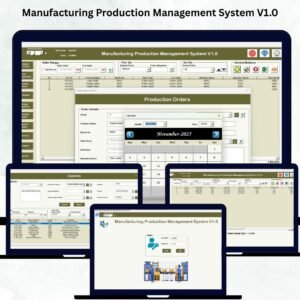
- Manufacturing Production Management System V1.0: a production management system in Excel
- Manufacturing Excellence Bundle: 8 manufacturing templates in one download
Browse all Web Apps and Manufacturing templates.




























Reviews
There are no reviews yet.