

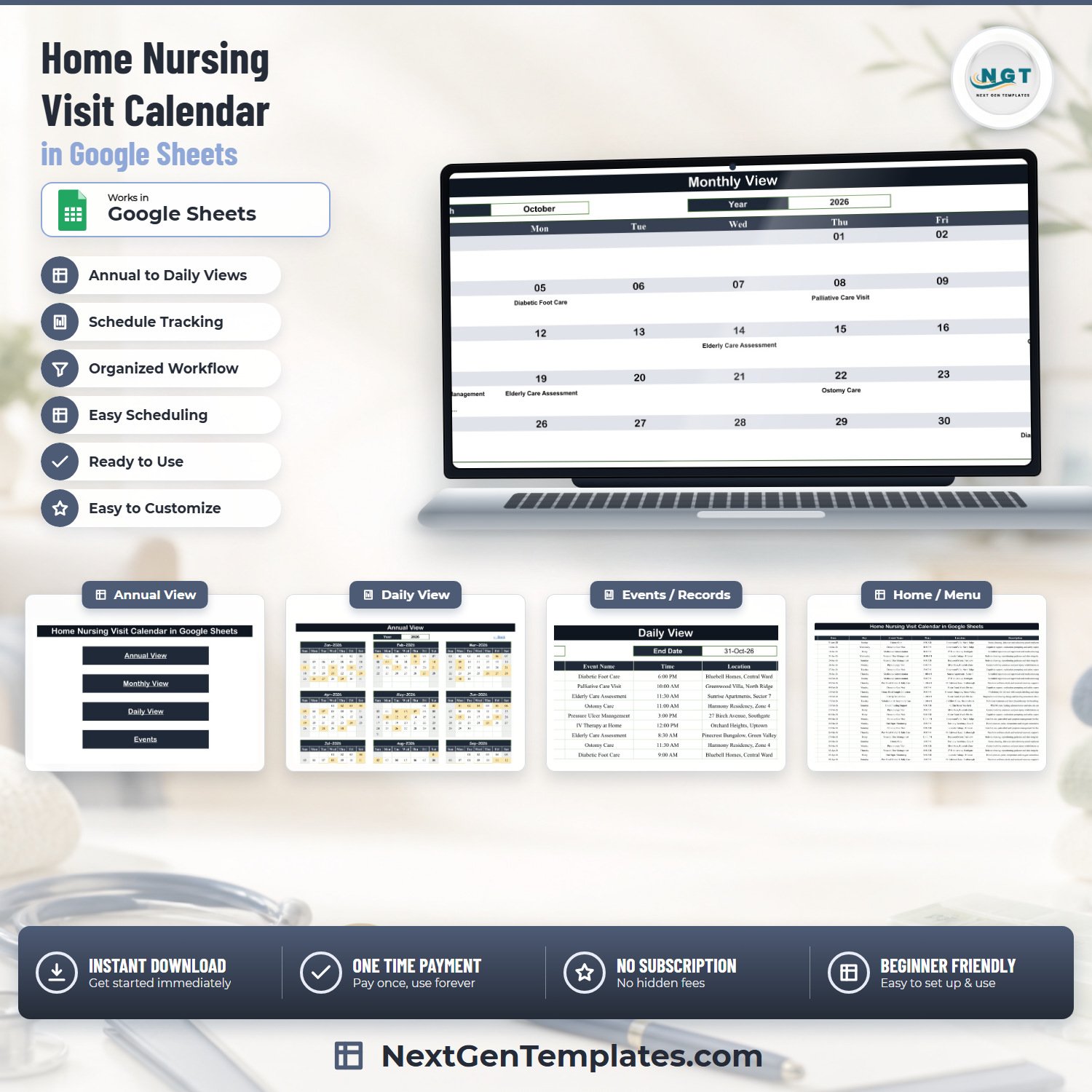

The Home Nursing Visit Calendar in Google Sheets is a ready-to-copy visit-scheduling workbook with six tabs, three linked calendar views and 100 sample home-nursing visits already loaded across 2026, from 11 January to 27 December. Every one of those 100 rows was checked before release: all 100 weekday labels were recomputed against their dates and 0 were wrong, the IDs run 1 to 100 with no duplicates, and the dates are in ascending order. You copy it to your own Drive from the PDF link in the download, change the year, and start typing over the sample rows. One-time payment of 4.99 (regular 8.99), no subscription, and if it is not what you expected we refund it.Home Nursing Visit Calendar in Google Sheets
Read this first. This is a scheduling spreadsheet. It is not a patient record, not an EHR or EMR, not a care-planning or medication-management system, not electronic visit verification (EVV), and not a clinical governance tool. It provides none of these. It makes no claim of HIPAA, GDPR, CQC, Joint Commission or any other statutory or regulatory compliance, and it does not support statutory reporting. Care quality and patient safety remain entirely your own responsibility.Home Nursing Visit Calendar in Google Sheets
Key Features of the Home Nursing Visit Calendar in Google Sheets
- Six tabs, one source of truth – Home, Annual View, Monthly View, Daily View and Events, plus one hidden helper tab called List that holds the month and year dropdown values. Every view reads the Events tab; you never type a date twice.
- A 7-column Events master table – ID, Date, Day, Event Name, Time, Location and Description. The formulas in every view reach to row 999, so there is room for roughly 900 more visits beyond the 100 supplied.Home Nursing Visit Calendar in Google Sheets
- 100 realistic sample visits across 16 visit types – Ostomy Care, Pressure Ulcer Management, Post-Natal Mother & Baby Care, Medication Administration, Physiotherapy Visit, Post-Op Wound Care, Palliative Care Visit, Vital Signs Monitoring, Dementia Care Visit, IV Therapy at Home, Diabetic Foot Care, Home Blood Sample Collection, Nebulization & Respiratory Care, Enteral Feeding Support, Elderly Care Assessment and Urinary Catheter Change.Home Nursing Visit Calendar in Google Sheets
- 15 sample visit locations and 16 half-hour time slots from 7:30 AM to 6:00 PM, spread at 8 to 9 visits a month across the whole of 2026.Home Nursing Visit Calendar in Google Sheets
- Annual View with a year dropdown – all twelve months on one screen, with every day that has a visit shaded. The shading is conditional formatting driven by a hidden FILTER of the Events dates, so it updates the moment you add a row.
- Monthly View with month and year dropdowns – a Sunday-to-Saturday grid that pulls the visit title onto the day with VLOOKUP, and marks days carrying more than one visit as “1 more…”, “2 more…” using COUNTIF.
- Daily View with a start and end date – a single FILTER formula returns every visit between the two dates with all seven columns, so you can print one week, one month or one day for one nurse.Home Nursing Visit Calendar in Google Sheets
- Back links on every view that return to the Home menu, and date validation on the Events date column and on both Daily View pickers.Home Nursing Visit Calendar in Google Sheets
- Works in any browser – no macros, no add-ons, no installation. Share it with your team and everyone sees the same schedule at the same time.
What’s Inside the Home Nursing Visit Calendar in Google Sheets
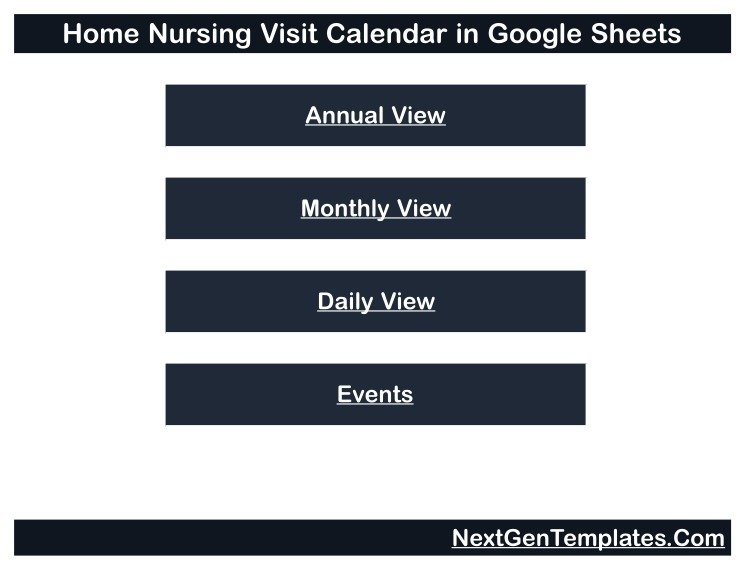
Home is a plain menu page: the product title and four buttons – Annual View, Monthly View, Daily View and Events. It exists so a coordinator who has never opened a spreadsheet knows where to click.
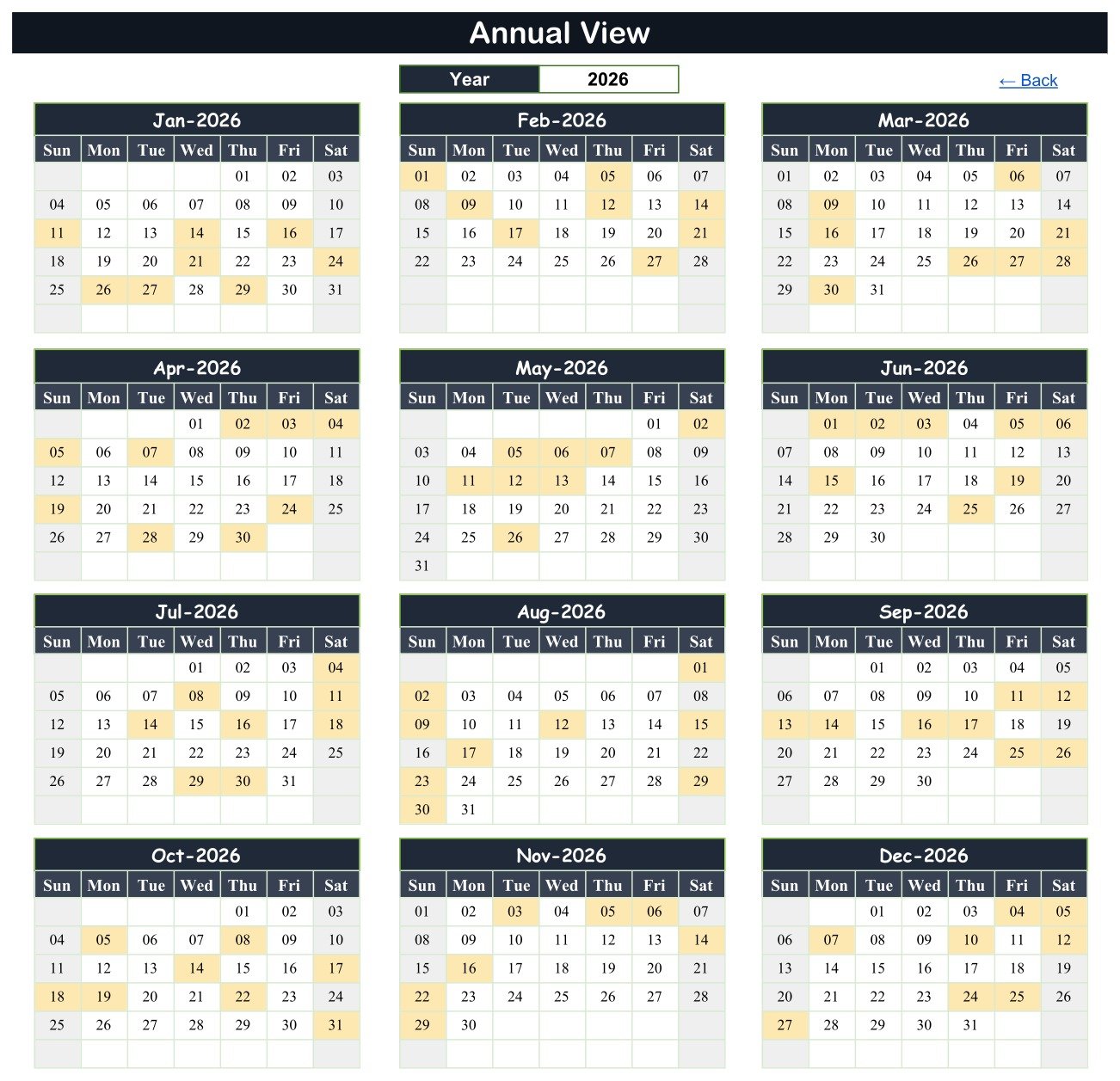
Annual View puts January to December on one page with a year picker at the top. In the sample year the shaded days are exactly the days that carry a visit – 8 shaded days in January, 8 in February, 9 in April, 8 in May, and so on through to 8 in December. It is the page to print for the agency office wall.
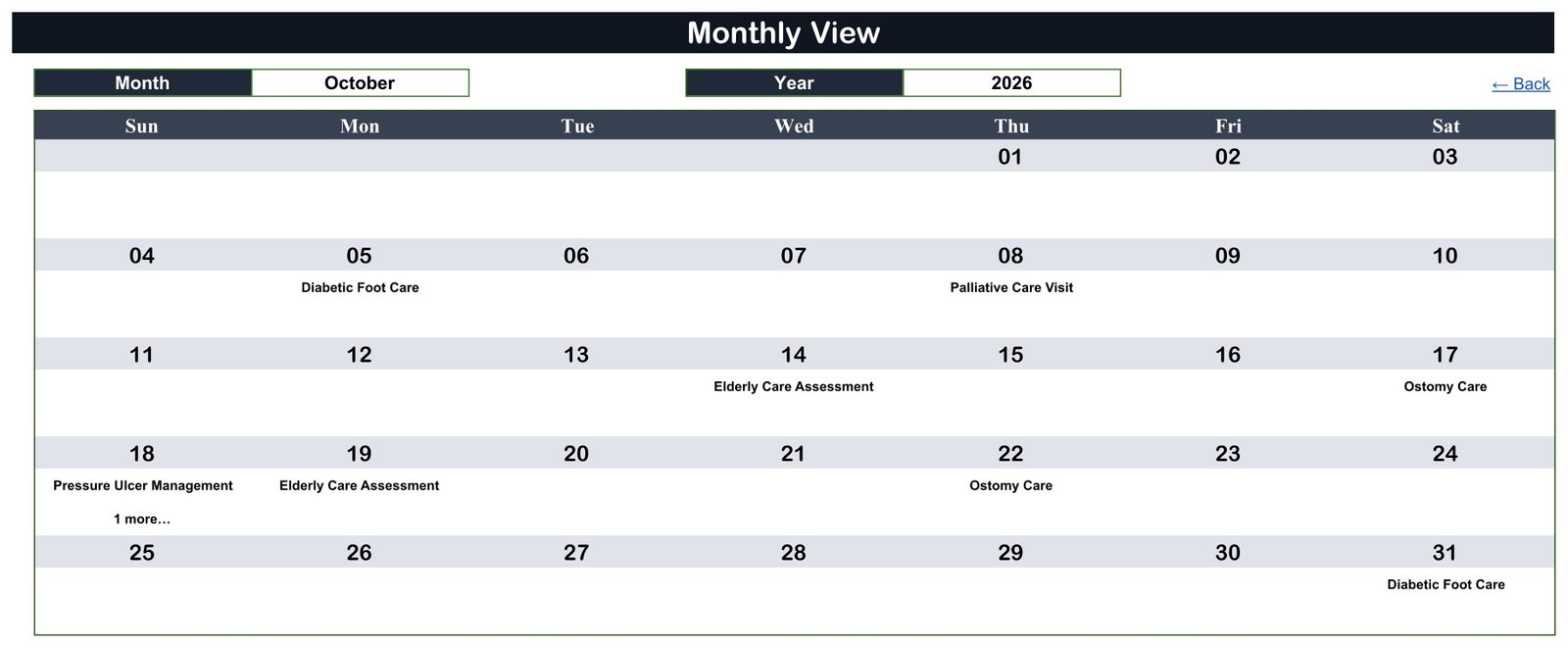
Monthly View is the working page. Pick a month and a year and the grid rebuilds. In the October 2026 sample you can read Diabetic Foot Care on Monday the 5th, Palliative Care Visit on Thursday the 8th, Elderly Care Assessment on Wednesday the 14th, Ostomy Care on Saturday the 17th, Pressure Ulcer Management plus “1 more…” on Sunday the 18th, and Diabetic Foot Care again on Saturday the 31st.
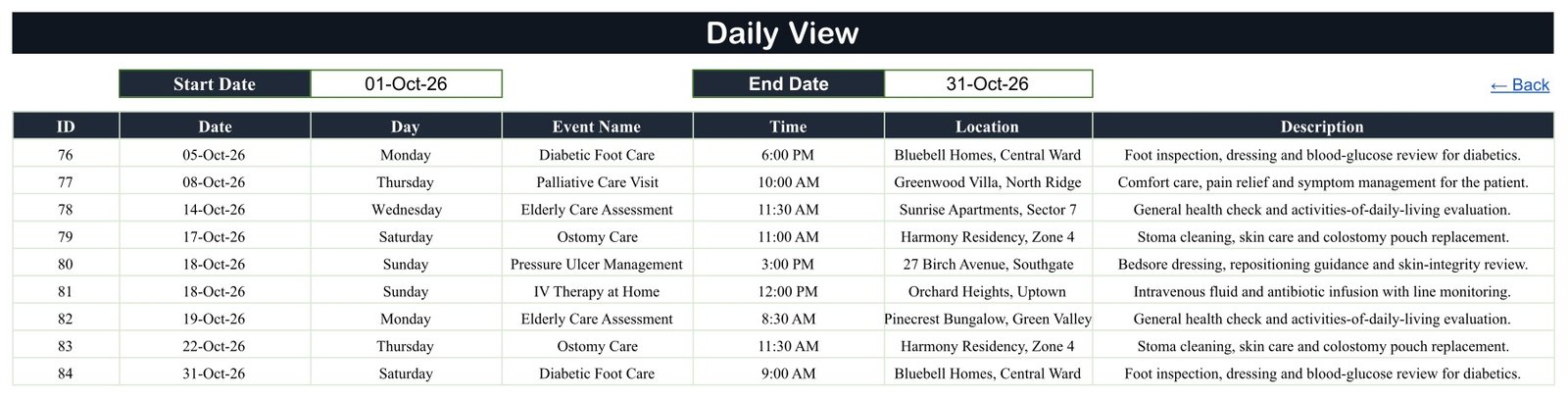
Daily View is the print page. Set 01-Oct-26 and 31-Oct-26 and it lists the nine October visits in date order with the time, the location and a one-line description of what the visit involves. Narrow the range to a single date and you have a run sheet for one nurse.
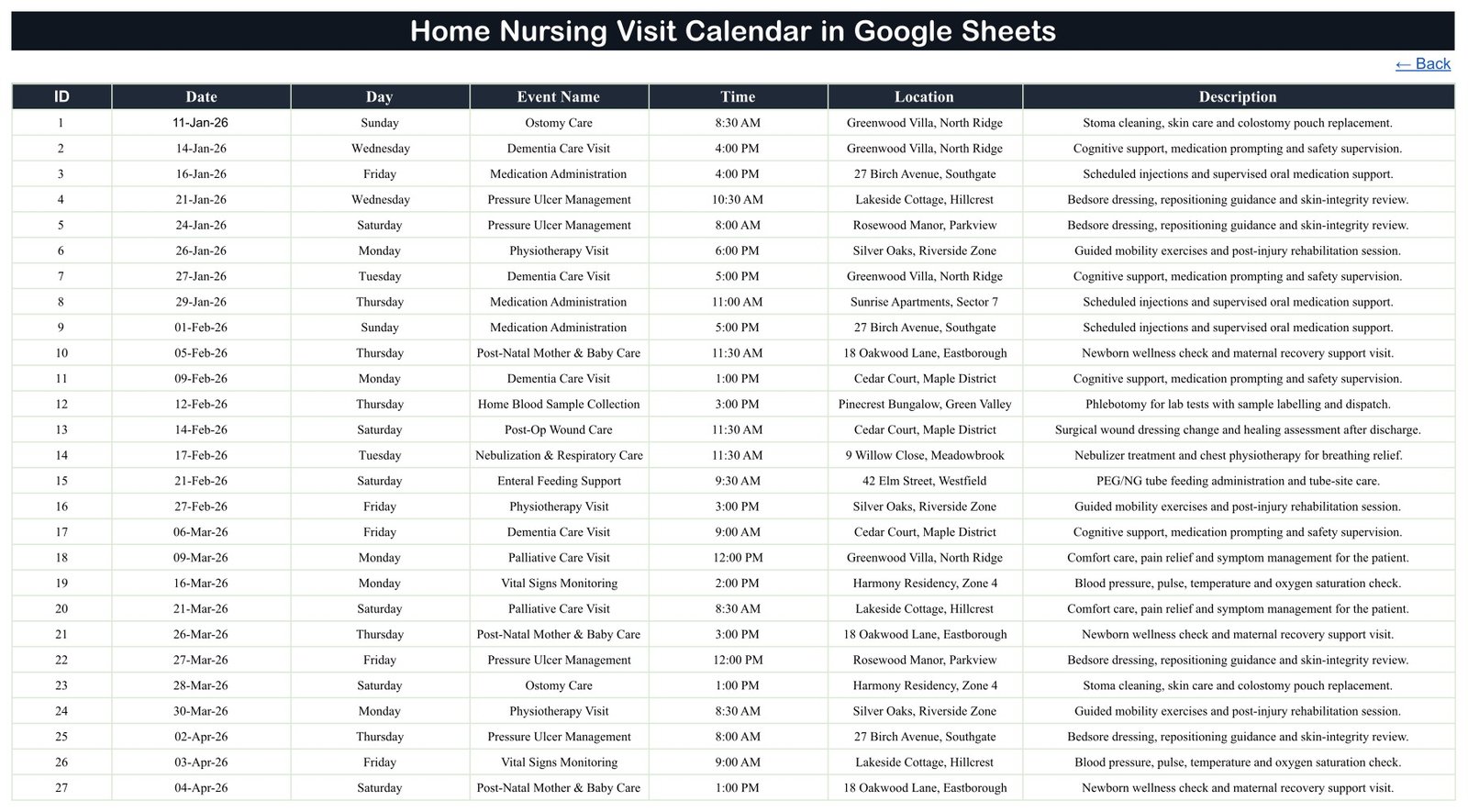
Events is the only tab you type into. Everything else is formula-driven from it.
What Is In the Sample Data – and What Is Not
We checked this column by column, because a home-visit schedule is unusually sensitive: it implies somebody’s home address and the hours at which they are alone in it.
There is no patient name column. There is no patient ID, no NHS or MRN number, no phone number, no email address, no next-of-kin field, no diagnosis and no clinical value column. The sheet as shipped holds nothing that identifies a person.
The Location column does hold addresses – invented ones such as “27 Birch Avenue, Southgate” and “9 Willow Close, Meadowbrook”, alongside named residences such as “Greenwood Villa, North Ridge”. That is the column where a real home address would go once you start using it. Our recommendation: put a client code in Location or Description – HC-014, not a person’s name – and keep the address key in a separate, access-controlled document. Share the sheet with named colleagues only, never with “anyone with the link”, and remember that a share link handed to a family member or a contractor is a share link to the whole file.
Google Sheets vs. Excel vs. Paid Home-Care Software – Where This Fits
| This template (Google Sheets) | Home Nursing Visit Calendar in Excel | Paid home-care software (AlayaCare, Axxess, WellSky) | |
|---|---|---|---|
| Cost | 4.99 once | 4.99 once | Typically per-carer per-month, quoted |
| Platform | Any browser, Google Sheets | Excel on Windows desktop, macros required | Web plus mobile app |
| Setup time | Under 10 minutes | Under 10 minutes | Weeks, with onboarding |
| Real-time team collaboration | Yes, native | No, the file has to be passed around | Yes |
| Mobile access | Google Sheets mobile app; the grid is wide | No | Yes, purpose-built |
| Customizable fields | Yes, it is a spreadsheet | Yes, within the form | Limited to the vendor’s schema |
| Share with link | Yes | No | Account-based |
| Data entry | Type straight into the Events tab | Pop-up Add / Update / Delete form, Day filled in for you | Forms and mobile capture |
| Summary counts page | No | Yes – a This Month page with active days and top locations | Yes, full reporting |
| Colour themes | No | Yes, five one-click themes | Branding options |
| Reminders, EVV, clinical records | None | None | Yes |
| Year-1 cost at 5 users | 4.99 | 4.99 | Typically four figures |
The two editions are genuinely different products, not the same file twice. The Home Nursing Visit Calendar in Excel has seven worksheets, a fifth This Month page with counts, a pop-up entry form with Add, Update and Delete, and five one-click colour themes – and it needs macros and Windows. This Google Sheets edition has six tabs, no summary page, no entry form and no themes – and it runs in any browser with live sharing. Buy the Excel one if you work alone on a Windows desktop and want the form. Buy this one if two or more people need the same schedule open at once.
Who This Template Is For – and Who It’s Not For
It fits a small home-nursing or domiciliary-care agency with one to fifteen carers, a self-employed community nurse, a private-duty nursing practice, a post-operative or palliative home-visit service, or a clinic coordinator who currently keeps visits in a paper diary or a chat group.
It does not fit you if you need any of the following, because the template does none of them: automatic reminders or notifications of any kind; two-way sync with Google Calendar, Outlook or an EHR; electronic visit verification, GPS check-in or mileage capture; a nurse or staff-assignment column, rota rules or route optimisation; workload, capacity or billing totals; drop-down validation on the visit type, time or location; or clinical notes, medication charts and care plans. If a regulator expects an auditable visit record from you, this is not that record.
How to Use the Home Nursing Visit Calendar in Google Sheets
- Open the PDF in your download and click the “Make a copy” link. The copy lands in your own Google Drive and is yours to edit.
- Set the year. Change the year dropdown on Annual View and the year dropdown on Monthly View.
- Clear the sample rows on the Events tab – rows 4 to 103 – keeping the header in row 3 intact.
- Type your visits. Fill ID, Date, Day, Event Name, Time, Location and Description. Note that Day is typed text, not a formula – if you later change a Date, retype the Day to match, or replace column C with
=TEXT(B4,"dddd")and fill it down. - Check Monthly View. It shows the first visit for each day and marks the rest as “N more…”. Use Daily View or the Events tab when a day carries several visits.
- Print from Daily View. Set the start and end date, then File > Print with “Selected cells” for a clean run sheet.
- Share deliberately. Use Share with named people, not “anyone with the link”, and read the data note above before you enter any real address.
Real-World Use Cases
Priya runs a six-carer domiciliary agency. She keeps the Events tab open on a laptop in the office and shares the file with two coordinators. Each morning she sets Daily View to today’s date and prints a single sheet per round. Because it is one Google Sheet, a coordinator who moves a visit at 8am does not have to email anybody.
Daniel is a self-employed community nurse. He works from Monthly View, sets the month at the start of each week, and uses the shaded Annual View to see at a glance which weeks in the quarter are already heavy before he accepts new work.
Ayesha coordinates post-discharge follow-ups at a small private clinic. She books wound-care and ostomy visits into the Events tab under a client code rather than a name, then exports a date range from Daily View to hand to the visiting nurse – keeping the address key in the clinic’s own system.
Frequently Asked Questions
Is this a patient record or a care-management system?
No. It is a visit-scheduling spreadsheet and nothing more. It is not an EHR or EMR, not a care plan, not a medication chart, not EVV, and it provides no clinical governance, quality or patient-safety function. It makes no HIPAA, GDPR, CQC or Joint Commission claim.
Does it store patient names or contact details?
No. The Events table has seven columns – ID, Date, Day, Event Name, Time, Location and Description – and none of them is a name, phone number, email, patient ID or diagnosis. The Location column holds invented sample addresses, and it is the column where a real address would end up, so we recommend a client code and keeping the address key elsewhere.
Will it send reminders to my carers?
No. There are no reminders, notifications, emails or SMS, and no sync with Google Calendar or Outlook. It is a spreadsheet you read, not a system that pushes to you.
Why does Monthly View only show one visit on a day that has two?
The grid pulls the first matching visit with VLOOKUP and then counts the rest, so a day with two visits reads the first title plus “1 more…”. That is by design and keeps the grid one page wide. Open Daily View or the Events tab to see all of them.
Can I use it for a year other than 2026?
Yes. The year dropdown covers about thirty-six years starting five years before the current year, and every calendar grid is built with DATE and EOMONTH formulas, so leap years and month lengths take care of themselves.
How many visits can it hold?
The formulas in every view read Events rows 4 to 999, so roughly 996 rows in total. 100 are filled with samples; the rest are free.
Do I need Excel or macros?
No. It is a native Google Sheet with no macros and no add-ons. If you would rather work in Excel with a pop-up entry form, buy the Excel edition instead – it is a different build.
About the Author
Built by PK – Microsoft Certified Professional with 15+ years of Excel, Google Sheets, and Power BI experience. Founder of NextGenTemplates, reaching 300K+ subscribers across YouTube channels. Every template is hand-built and tested before release.
Explore Related Templates
- Home Nursing Visit Calendar in Excel – the companion edition, with a pop-up entry form and a This Month summary page.
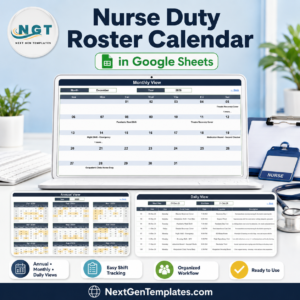
- Nurse Duty Roster Calendar in Google Sheets – who is on shift, rather than which visit happens when.
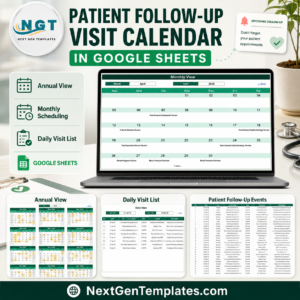
- Patient Follow-Up Visit Calendar in Google Sheets – for clinic-side follow-ups after discharge.
- Physiotherapy Session Calendar in Google Sheets – session-based scheduling for a rehab caseload.
- Medical Appointment Calendar in Google Sheets – the general-purpose appointment version.
- Browse the whole Google Sheets Calendar range, or every Google Sheets template.
Get the Home Nursing Visit Calendar in Google Sheets for 4.99 (regular 8.99). Instant download, one-time payment, no subscription. The PDF in your download carries the “Make a copy” link – one click and the calendar is in your own Drive.
Read the full walkthrough on the blog: Home Nursing Visit Calendar in Google Sheets.
Watch the step-by-step video Demo:
Last updated: 2 September 2026.
Compatibility and Requirements
- Works in Google Sheets. You need a free Google account and a web browser.
- You pick the month, year and date range from dropdowns and date pickers on the Annual View, Monthly View and Daily View tabs. Google explains dropdowns in Create an in-cell dropdown list.
- No macros or add-ons are used, so nothing needs to be enabled before you start.































Reviews
There are no reviews yet.