

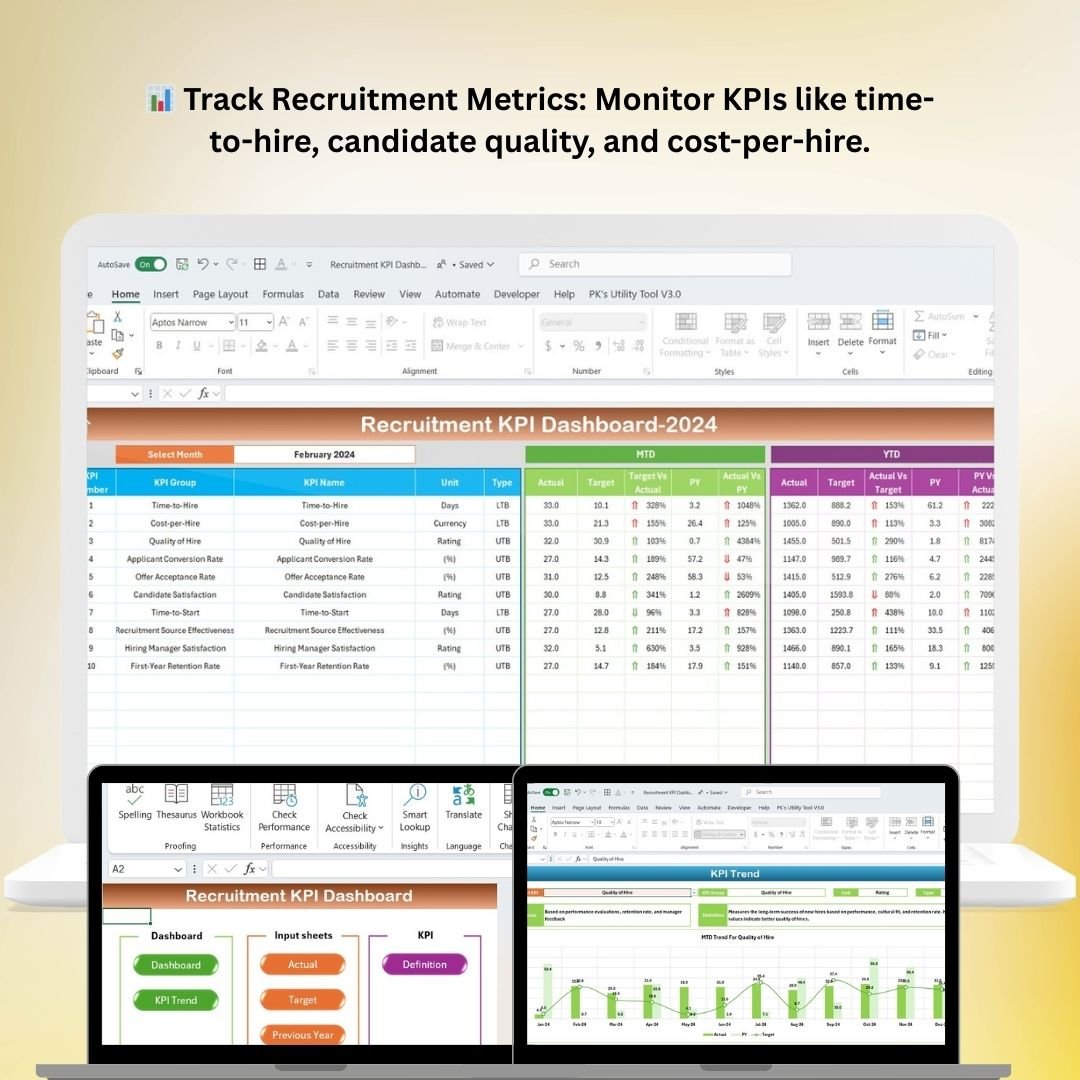



The Recruitment KPI Dashboard in Excel is an essential tool for HR professionals, recruiters, and talent acquisition teams who need to track, analyze, and optimize their recruitment efforts. This Excel-based dashboard allows you to monitor key recruitment performance indicators (KPIs) in real-time, helping you make data-driven decisions to improve your hiring processes.
Whether you’re managing candidate sourcing, interview scheduling, time-to-hire, or candidate conversion rates, this customizable dashboard helps track and visualize your recruitment efforts. By centralizing important data, it ensures your recruitment strategy is on track and allows you to make continuous improvements based on measurable outcomes.
Key Features of the Recruitment KPI Dashboard in Excel
📊 Track Key Recruitment Metrics
Monitor essential KPIs such as time-to-hire, cost-per-hire, candidate quality, and candidate source. Measure the effectiveness of your recruitment strategies and understand where improvements can be made.
📅 Real-Time Data Tracking
Track recruitment activities in real-time, including candidate sourcing, interview scheduling, and hiring status. Get updated data on each stage of the recruitment process for better decision-making.
📝 Source & Channel Tracking
Evaluate which candidate sources (e.g., job boards, social media, recruitment agencies) provide the best candidates. Track which channels are yielding the highest-quality candidates for more effective sourcing strategies.
📈 Hiring Pipeline Monitoring
Track your hiring pipeline with visual dashboards that show candidates’ progress through each stage of the recruitment process. Stay informed about the number of candidates in each stage, from application to hire.
💡 Cost & Time Analysis
Analyze key data points like cost-per-hire and time-to-hire. Identify areas where costs can be reduced or time-to-hire can be optimized to make the recruitment process more efficient.
📊 Customizable Reports & Charts
Generate customizable reports, charts, and data visualizations to present your recruitment performance to stakeholders. Track progress, highlight areas for improvement, and showcase achievements.
Why You’ll Love the Recruitment KPI Dashboard in Excel

✅ Optimize Recruitment Efforts
Track the most important recruitment KPIs, such as time-to-hire, cost-per-hire, and candidate quality, to ensure you’re maximizing efficiency and making data-driven hiring decisions.
✅ Improve Candidate Sourcing
Evaluate which sources are bringing in the best candidates. With real-time insights, you can refine your sourcing strategy to focus on high-performing channels.
✅ Boost Recruitment Efficiency
By monitoring time-to-hire and cost-per-hire, you can identify bottlenecks in your recruitment process and work on improving the speed and cost-effectiveness of your hiring.
✅ Make Informed Hiring Decisions
With easily accessible data, you can evaluate candidate quality, analyze your hiring pipeline, and make informed decisions to improve your recruitment strategy.
✅ Customizable to Your Needs
This template is fully customizable to fit the unique needs of your recruitment process. Adjust KPIs, metrics, and reports to match your organization’s hiring goals.
What’s Inside the Recruitment KPI Dashboard Template in Excel?
- Recruitment Metrics Tracker: Track KPIs like time-to-hire, cost-per-hire, and candidate quality.
- Hiring Pipeline Overview: Visualize candidate progress through various recruitment stages.
- Source Analysis: Monitor candidate sourcing channels to optimize recruitment strategies.
- Cost & Time Analysis: Track and analyze cost-per-hire and time-to-hire to streamline the process.
- Custom Reports & Charts: Generate tailored reports and visualizations for easy sharing with stakeholders.
- Real-Time Tracking: Keep track of all recruitment activities in real-time, ensuring you’re always up-to-date.
How to Use the Recruitment KPI Dashboard in Excel
1️⃣ Download the Template: Instantly access the Recruitment KPI Dashboard in Excel.
2️⃣ Input Recruitment Data: Enter key data such as candidates, hiring stages, sources, and hiring costs.
3️⃣ Track KPIs & Metrics: Monitor key metrics like time-to-hire, cost-per-hire, and candidate quality.
4️⃣ Evaluate Sourcing Channels: Analyze which sources are most effective in providing quality candidates.
5️⃣ Generate Reports & Insights: Create reports and visual data to track progress and improve recruitment strategies.
Who Can Benefit from the Recruitment KPI Dashboard in Excel?
🔹 HR Managers & Recruiters
🔹 Talent Acquisition Teams
🔹 Recruitment Consultants
🔹 Hiring Managers
🔹 Small Business Owners & Entrepreneurs
🔹 Human Resources & Operations Teams
Ensure your recruitment process is optimized and data-driven with the Recruitment KPI Dashboard in Excel. Track key performance indicators, evaluate sourcing strategies, and improve your overall hiring process to attract top talent efficiently.
Click here to read the Detailed blog post
Visit our YouTube channel to learn step-by-step video tutorials
Youtube.com/@PKAnExcelExpert
Compatibility and Requirements
- Works in Microsoft Excel desktop (Excel 2016 or later, or Microsoft 365).
- Charts and reports use standard Excel features. Microsoft explains charts in Create a chart from start to finish.
Frequently Asked Questions
Which recruitment KPIs does it track?
It tracks time-to-hire, cost-per-hire, candidate quality and candidate source.
Can I see where my best candidates come from?
Yes. Source analysis compares channels such as job boards, social media and recruitment agencies.
Does it show the hiring pipeline?
Yes. It shows how many candidates are at each stage, from application to hire.
What data do I enter?
You enter candidates, hiring stages, sources and hiring costs.
Can I change the KPIs?
Yes. You can adjust the KPIs, metrics and reports to match your hiring goals.
Related Recruitment Templates
- Recruitment KPI Dashboard in Power BI: the same topic for Power BI users
- Recruitment KPI Dashboard in Google Sheets: the same topic in Google Sheets
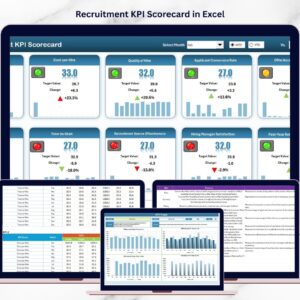
- Recruitment KPI Scorecard in Excel: a scorecard view of hiring KPIs
- Recruitment Funnel KPI Dashboard in Excel: follows candidates through the funnel
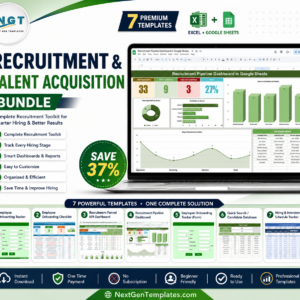
- Recruitment & Talent Acquisition Bundle: 7 premium recruitment templates in one bundle
Browse all Excel KPI dashboards or the Excel HR and payroll templates.

































Reviews
There are no reviews yet.