

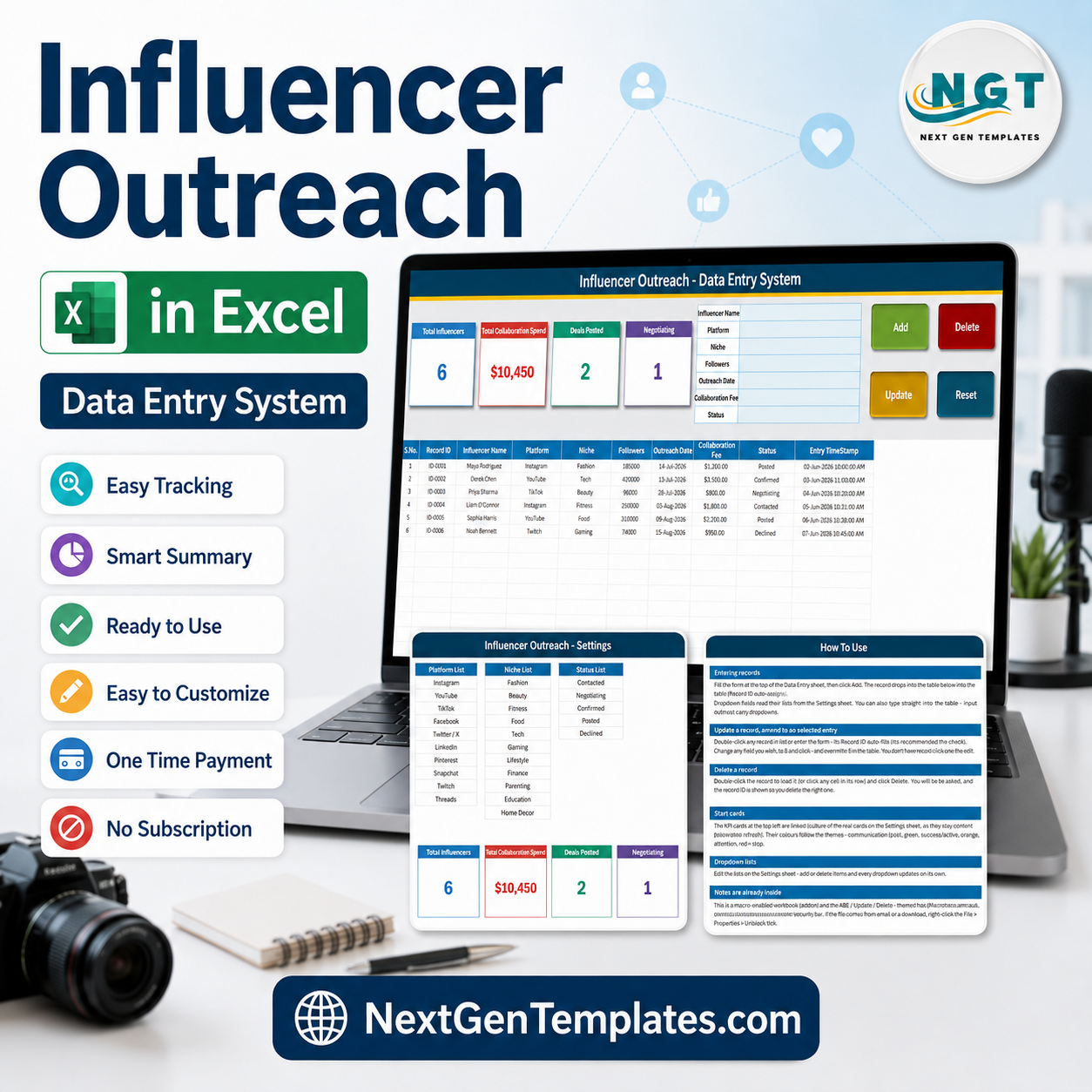

The Influencer Outreach Data Entry System in Excel is a single macro-enabled workbook that records every creator you approach – who they are, which platform they post on, what niche they cover, how big their audience is, what you agreed to pay, and how far the conversation has actually got. One file, four sheets, a seven-field entry form, four live KPI cards and a ten-column record table. The Add, Update, Delete and Reset buttons are real VBA, so nothing has to be copied down and no formula can be broken by a paste. Six sample records ship inside so you can see it working in about thirty seconds. Instant download, one-time payment of $6.99, no subscription and no account to create.
Key Features of the Influencer Outreach Data Entry System in Excel
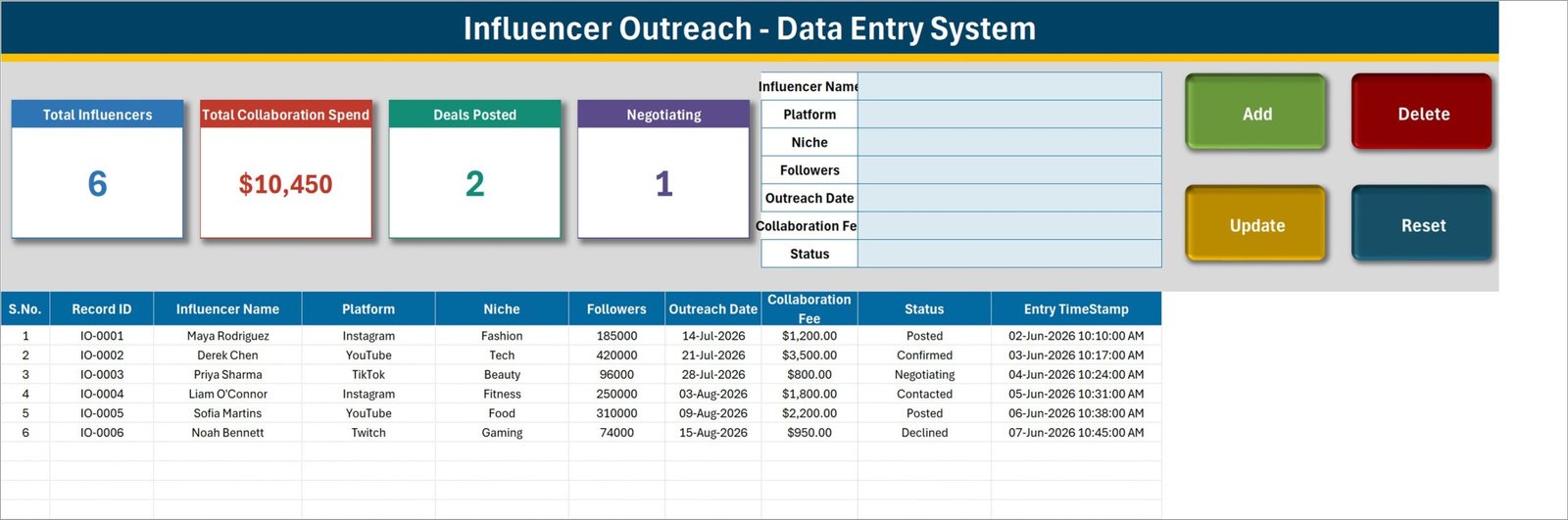
- Seven-field entry form – Influencer Name, Platform, Niche, Followers, Outreach Date, Collaboration Fee and Status, all in one panel at the top of the Data Entry sheet.
- Four live VBA buttons – Add, Update, Delete and Reset. Delete asks you to confirm and shows the Record ID first, so you cannot remove the wrong creator by accident.
- Automatic Record IDs – every entry is stamped IO-0001, IO-0002 and onwards. The macro remembers the highest number used, so IDs stay unique even after you delete rows.
- Double-click to edit – double-click any record to load it back into the form. The Record ID is held behind the scenes, so Update finds the right row wherever it has moved to; you never have to re-select it.
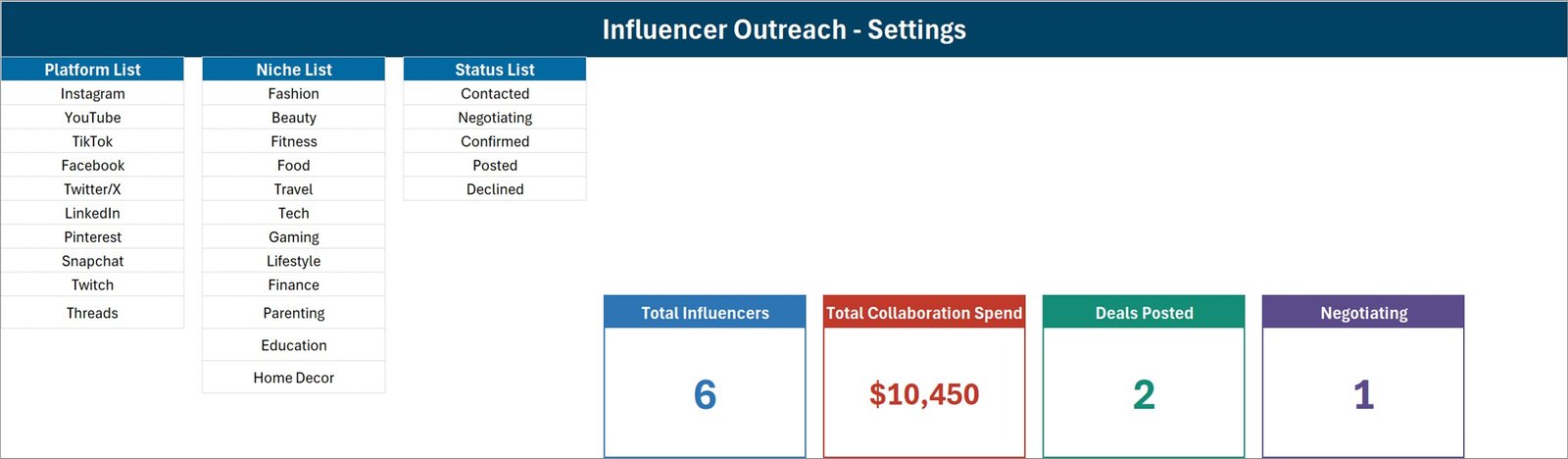
- Five-stage outreach Status – Contacted, Negotiating, Confirmed, Posted and Declined. That is the whole pipeline from first message to published post, and the list is yours to edit.
- Ten ready platforms – Instagram, YouTube, TikTok, Facebook, Twitter/X, LinkedIn, Pinterest, Snapchat, Twitch and Threads.
- Twelve ready niches – Fashion, Beauty, Fitness, Food, Travel, Tech, Gaming, Lifestyle, Finance, Parenting, Education and Home Decor.
- Four KPI cards – Total Influencers, Total Collaboration Spend, Deals Posted and Negotiating. They live on the Setting sheet and appear on Data Entry as linked pictures, so they refresh on their own as you type.
- Follower size and fee side by side – the Followers and Collaboration Fee columns sit next to each other, so cost-per-follower is one quick formula away whenever you want to sort your shortlist by value.
- Entry timestamp column – each record stores the date and time it was saved, separate from the outreach date itself.
- One .xlsm file – desktop Microsoft Excel for Windows, macros enabled, no add-ins, no cloud service, no monthly fee.
What’s Inside the Influencer Outreach Data Entry System in Excel
The download is a single zip holding one workbook with four sheets.
1. Data Entry. The working screen. The seven-field form sits top centre, the four KPI cards sit top left, and the Add, Delete, Update and Reset buttons sit top right. Below them the record table runs across ten columns: S.No., Record ID, Influencer Name, Platform, Niche, Followers, Outreach Date, Collaboration Fee, Status and Entry TimeStamp. Records begin on row 15.
2. Setting. Three editable lists and the four real KPI cards. Platform List carries ten entries, Niche List carries twelve and Status List carries five. Every dropdown on the Data Entry sheet reads from here, so changing a list here changes the form and the table together.
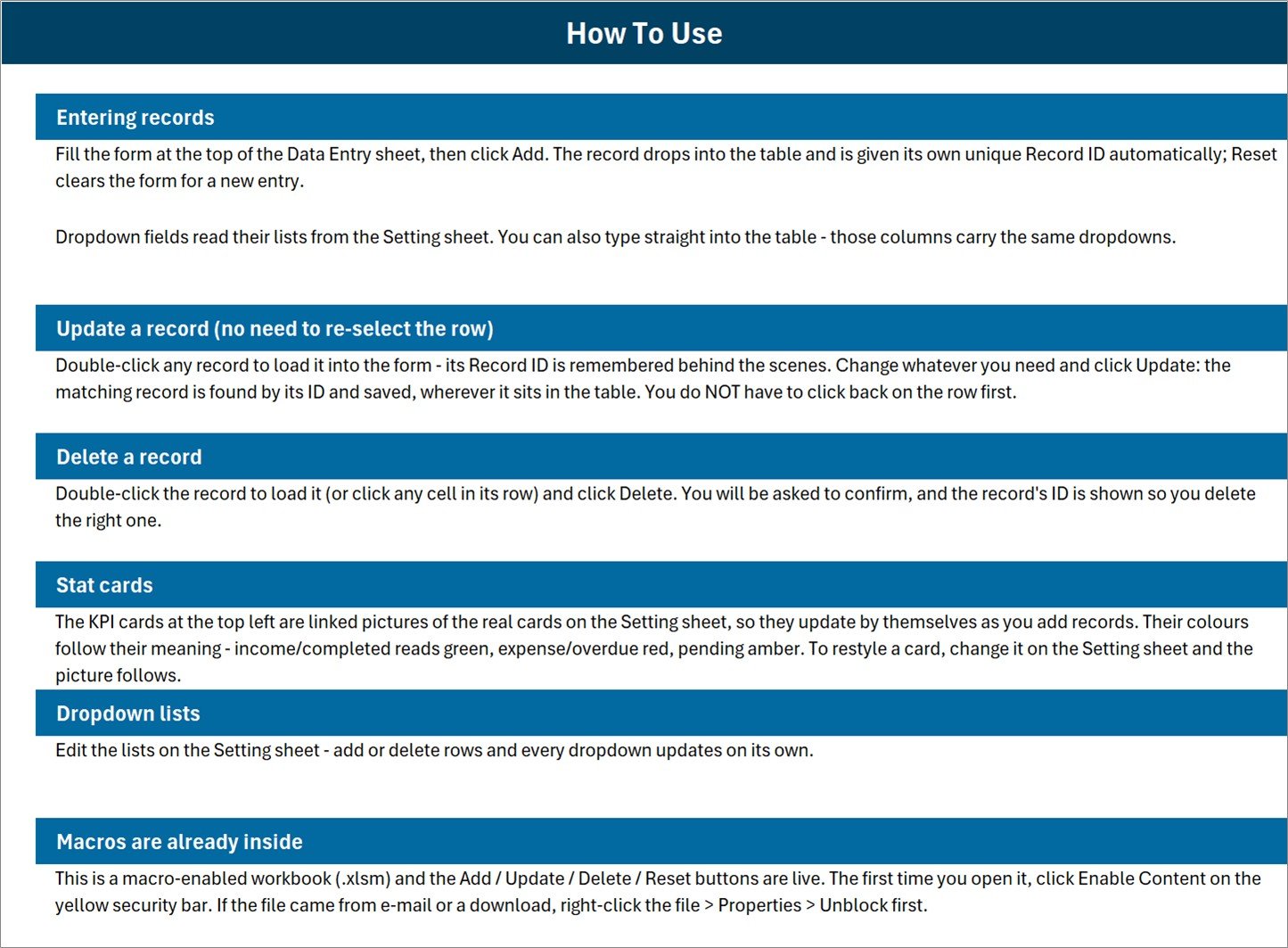
3. Instructions. A one-page How To Use guide covering entering records, updating without re-selecting the row, deleting safely, how the stat cards work, editing the dropdown lists, and enabling macros the first time you open the file.
4. Get More Templates. Links back to the rest of the NextGenTemplates catalogue.
Influencer Outreach in Excel vs. a Sheet You Build vs. an Influencer CRM – Where This Fits
| This Excel template | A spreadsheet you build yourself | Influencer CRM or outreach platform | |
|---|---|---|---|
| Cost | $6.99 once | Free, but hours of your time | $50 – $500+ per month |
| Platform | Desktop Excel for Windows | Excel or Google Sheets | Web app |
| Setup time | Open, enable macros, delete six sample rows | Hours of columns, validation and formulas | Demo call, onboarding, seat licences |
| Add / Update / Delete buttons | Yes – real VBA, update by Record ID | No – you edit cells by hand | Yes |
| Pulls follower counts automatically | No – you type what you found | No | Yes, from platform APIs |
| Engagement rate and campaign analytics | No | Only if you build it | Yes |
| Sends the e-mails or DMs | No | No | Usually yes |
| Real-time team collaboration | No – single user, one file | Yes in Google Sheets | Yes |
| Mobile access | No – VBA does not run on Excel mobile or Excel for the web | Yes | Yes |
| Data stays on your own PC | Yes | Depends where you keep it | No – the vendor’s servers |
| Year-1 cost for a solo marketer | $6.99 total | $0 plus your weekend | $600 – $6,000 |
Who This Template Is For – and Who It’s Not For
It is for you if you are contacting creators one at a time and keep losing the thread – who you already messaged, who is still haggling, who agreed to what fee, and which posts actually went live. It suits a solo marketer, a small brand, an agency account manager running a handful of campaigns, or a creator-side manager keeping track of the brands they approached. If you want the whole outreach list on your own machine rather than in somebody else’s platform, this is the shape of tool you want.
It is not for you if you need several people editing the same list at once – it is one file, one user at a time. It is not for you if you want it on your phone: the Add, Update, Delete and Reset buttons are VBA, and VBA does not run on Excel for the web, Excel mobile or Google Sheets. And it is not an influencer platform: it does not connect to Instagram, YouTube, TikTok or any other network, it does not fetch follower counts or engagement rates, it does not send messages, and it does not handle contracts or payments. Every number in it is a number you typed.
How to Use the Influencer Outreach Data Entry System in Excel
- Unzip and open in desktop Excel. Click Enable Content on the yellow bar. If the file came by e-mail or download, right-click it first, choose Properties and tick Unblock, or the macros will stay switched off.
- Make the lists yours. On the Setting sheet, edit Platform List, Niche List and Status List – overwrite the platforms you do not use and add the niches you actually buy. See the FAQ below on how far the lists reach.
- Delete the six sample records. IO-0001 to IO-0006 are demonstration data. Clear rows 15 to 20 on the Data Entry sheet before you start.
- Add your first creator. Fill the form – name, platform, niche, follower count, the date you reached out, the fee you offered – set Status to Contacted and click Add. The Record ID and the timestamp are written for you.
- Move the conversation along. Double-click the record to load it, change Status from Contacted to Negotiating to Confirmed to Posted, adjust the fee if it moved, and click Update. You do not have to click back on the row first.
- Watch the cards. Total Influencers, Total Collaboration Spend, Deals Posted and Negotiating redraw themselves as the table fills.
Real-World Use Cases
A skincare brand seeding a launch. Forty micro-creators go in over three weeks, all at Contacted with the fee they were offered. As replies come back, rows move to Negotiating or Declined. The Negotiating card is the daily to-do list, and Deals Posted is what the founder actually reports at the end of the month.
An agency account manager running three brands. One file per client, the same seven fields in each. Because Platform and Niche are dropdowns, filtering to “every TikTok fitness creator we have ever approached” takes one click instead of a memory test.
A creator-side manager working in reverse. The Influencer Name column holds the brand contact, the fee column holds what was quoted, and the Status column runs the same pipeline from first pitch to published post – a rate card and an outreach history in one file.
Frequently Asked Questions
Does it pull follower counts or engagement rates from Instagram, YouTube or TikTok?
No, and this is the most important thing to be clear about. The workbook has no connection to any social platform, no API key and no internet lookup. Followers is a number you type in after checking the profile yourself, and it does not refresh later. There is no engagement rate, no reach, no impressions, no CPM and no ROI calculation anywhere in the file. If you need live platform data, you need an influencer marketing platform, not a spreadsheet.
How is this different from the Social Media Influencer Outreach Calendar?
The Social Media Influencer Outreach Calendar in Excel is a planning calendar – it answers “what is happening this week”. This is a record system: a VBA form, unique Record IDs, an editable five-stage status and a table you add to for as long as the campaign runs. They pair well; the calendar plans the sends, this one remembers what came back.
What exactly does the Total Collaboration Spend card add up?
It sums the Collaboration Fee column for every row in the table, with no filter on Status. That means it includes creators still at Contacted or Negotiating who have not agreed to anything, and it includes rows marked Declined. In the six shipped sample records the card reads $10,450, but only $6,900 of that is Confirmed or Posted – the remaining $3,550 is offers and one declined creator. Treat the card as “total value on the table”, not as committed budget. If you want a strict committed figure, a SUMIFS on Status gives it to you in one formula.
Why don’t Deals Posted and Negotiating add up to Total Influencers?
Because only two of the five statuses have a card. Posted and Negotiating are counted; Contacted, Confirmed and Declined are not. The cards are two spotlights on the pipeline, not a breakdown that sums to the total.
What counts as a record for the Total Influencers card?
The card counts filled cells in the Influencer Name column, not the Record ID column. In normal use the two are the same, because you type a name into the form. But if you ever save a row with the name left blank, the row is stored and given an ID while the card stays where it was. Pointing that COUNTA at the Record ID column instead is a one-cell change on the Setting sheet if you want it airtight.
Can I add my own platforms, niches and statuses?
Yes – they are plain lists on the Setting sheet. Overwrite any entry and the dropdowns follow immediately. One caveat worth knowing: the dropdown ranges are fixed at ten platforms, twelve niches and five statuses, so typing an eleventh platform underneath the last one will not appear in the dropdown until you extend the named range, or simply reuse a row you do not need. The in-sheet dropdowns also cover rows 15 to 214; below that you can still type, or copy a validated cell down.
Will it work on my Mac, my phone, or in Excel for the web?
The workbook opens, but the buttons will not run. Add, Update, Delete and Reset are VBA macros, and VBA is not supported in Excel for the web, on Excel mobile, or in Google Sheets. Treat this as a desktop Excel for Windows tool.
Can two people use it at the same time?
No. It is one file with one record table and no locking. Put it on a shared drive and the second person gets a read-only copy. If a team needs to work in it at once, a Google Sheets tool such as the Social Media Influencer Tracking Dashboard in Google Sheets is the better fit.
Do I need to know VBA to change it?
No. The lists, the columns and the card styling are all normal Excel. You only need the VBA editor if you want to change what the four buttons do.
About the Author
Built by PK – Microsoft Certified Professional with 15+ years of Excel, Google Sheets, and Power BI experience. Founder of NextGenTemplates, reaching 300K+ subscribers across YouTube channels. Every template is hand-built and tested before release.
Explore Related Templates
- Social Media Influencer Outreach Calendar in Excel – plan the week’s sends, then record the replies here.
- Influencer Collaboration Checklist in Excel – the brief, the deliverables and the sign-off, step by step.
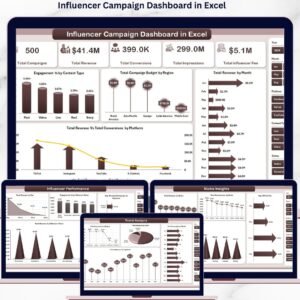
- Influencer Campaign Dashboard in Excel – once the posts are live and you need charts instead of a list.
- Social Media Influencer Tracking Dashboard in Google Sheets – the shareable, multi-user version of the same job.
- Multi-Platform Social Media Calendar in Excel – the posting schedule the collaborations feed into.
More in Excel VBA Tools and Excel Trackers.
Get Your Copy
Download the Influencer Outreach Data Entry System in Excel for $6.99 instead of $11.99, pay once, and keep the file. Add it to your cart above, and the zip is yours to download the moment checkout finishes. A full walkthrough of how the workbook is built – including what each KPI card really counts – is on the PK-AnExcelExpert blog.
Last updated: 29 August 2026.































Reviews
There are no reviews yet.