

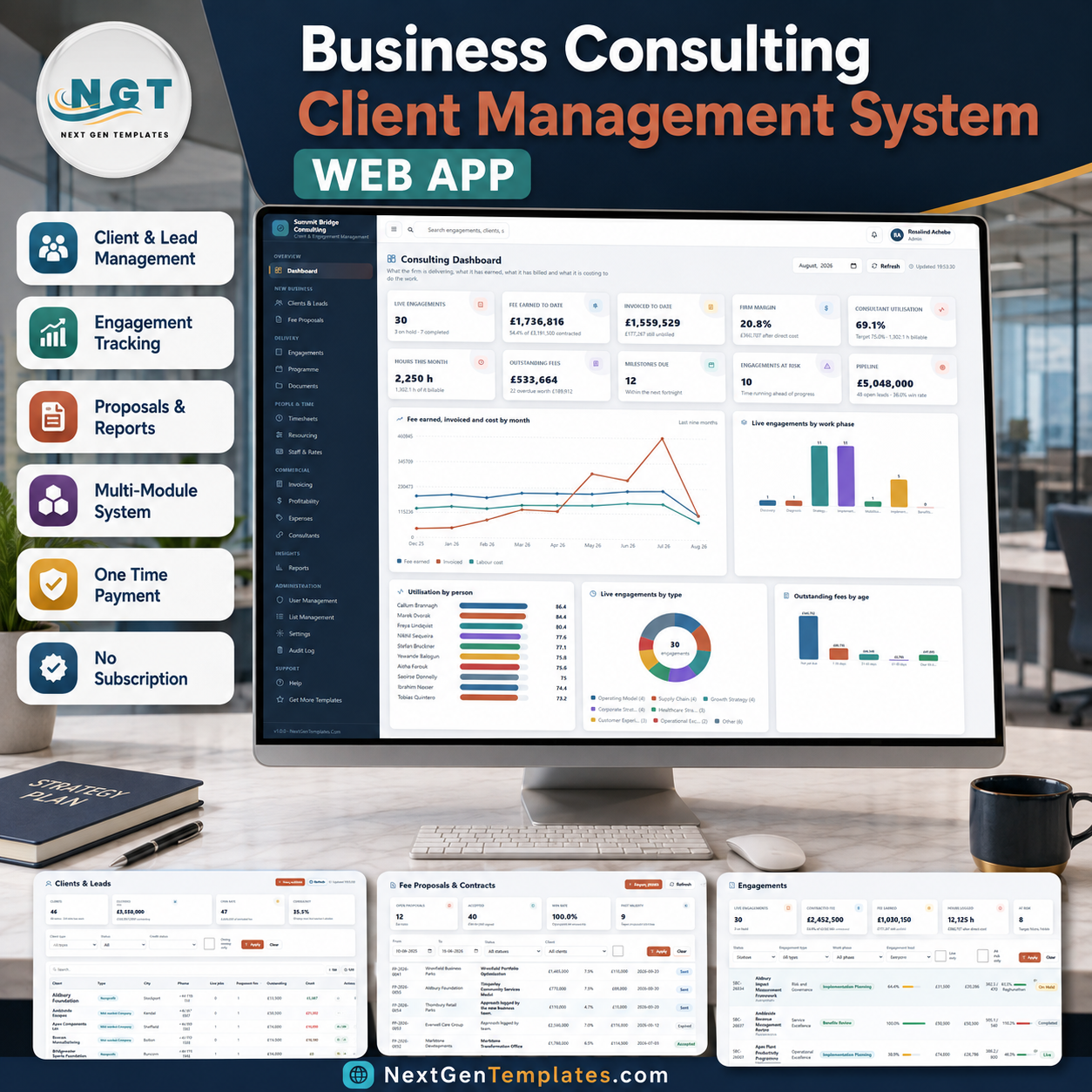

The Business Consulting Client Management System Web App runs a consulting practice from 20 connected modules, a seven-phase fee schedule, 14 exportable reports and 32 admin-controlled dropdown lists holding 229 values. Fee earned, work in progress, margin and utilisation are all derived from the timesheet and the phase schedule — none of those four numbers is typed in by hand.
🌍 Join 8,400+ teams in 40+ countries using NextGenTemplates to replace paid SaaS tools with one-time-purchase Excel, Google Sheets, Power BI and HTML templates.
✅ Instant download · One-time payment · No subscription · No per-user fees · Lifetime access
🔑 Key Features of the Business Consulting Client Management System Web App
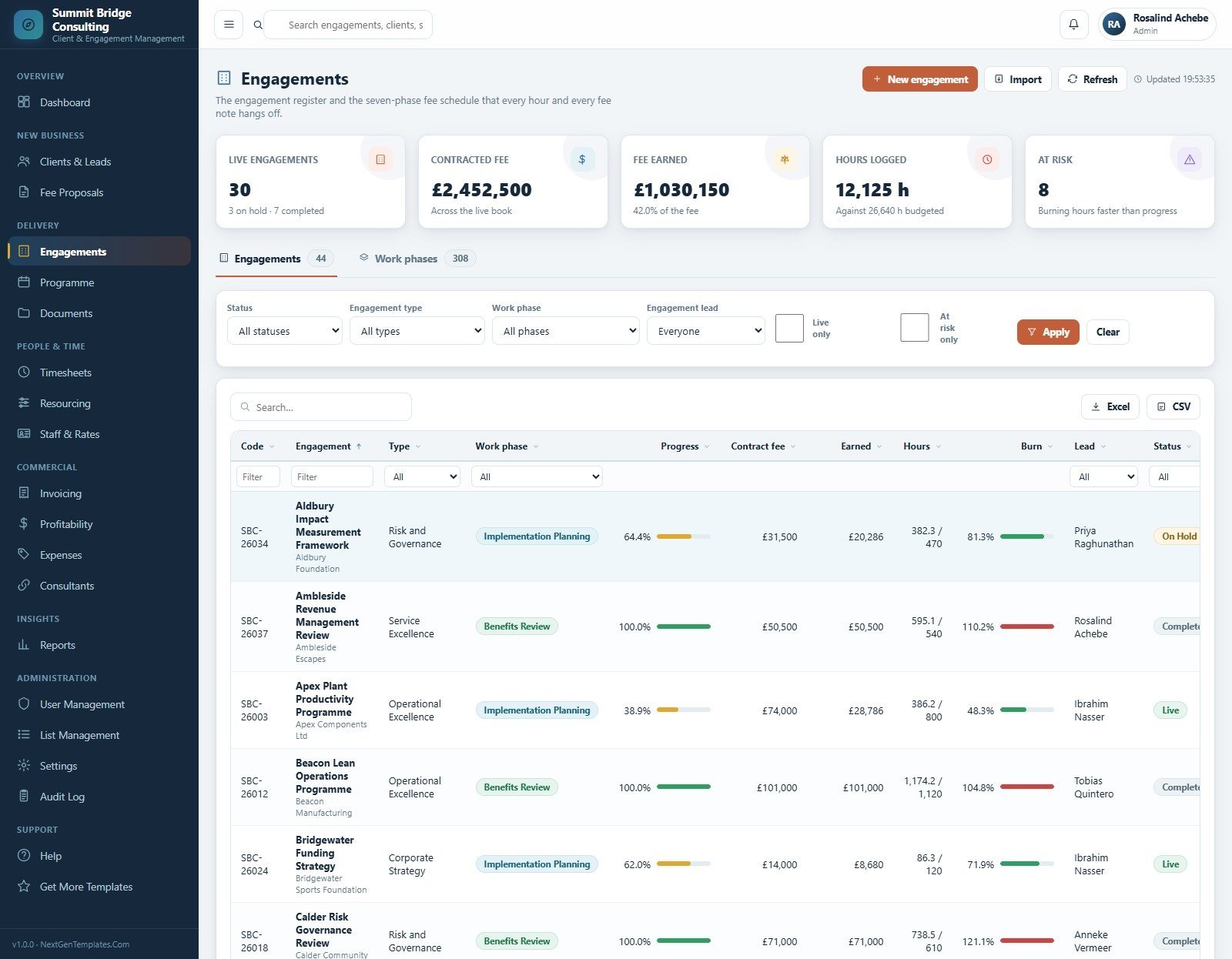
💼 Seven delivery phases on every engagement. Each engagement is split into Discovery, Diagnosis, Strategy Design, Implementation Planning, Mobilisation, Implementation and Benefits Review. Engagement leads move a percent-complete figure on each phase, and the fee earned, the billable position and the progress bars follow automatically.
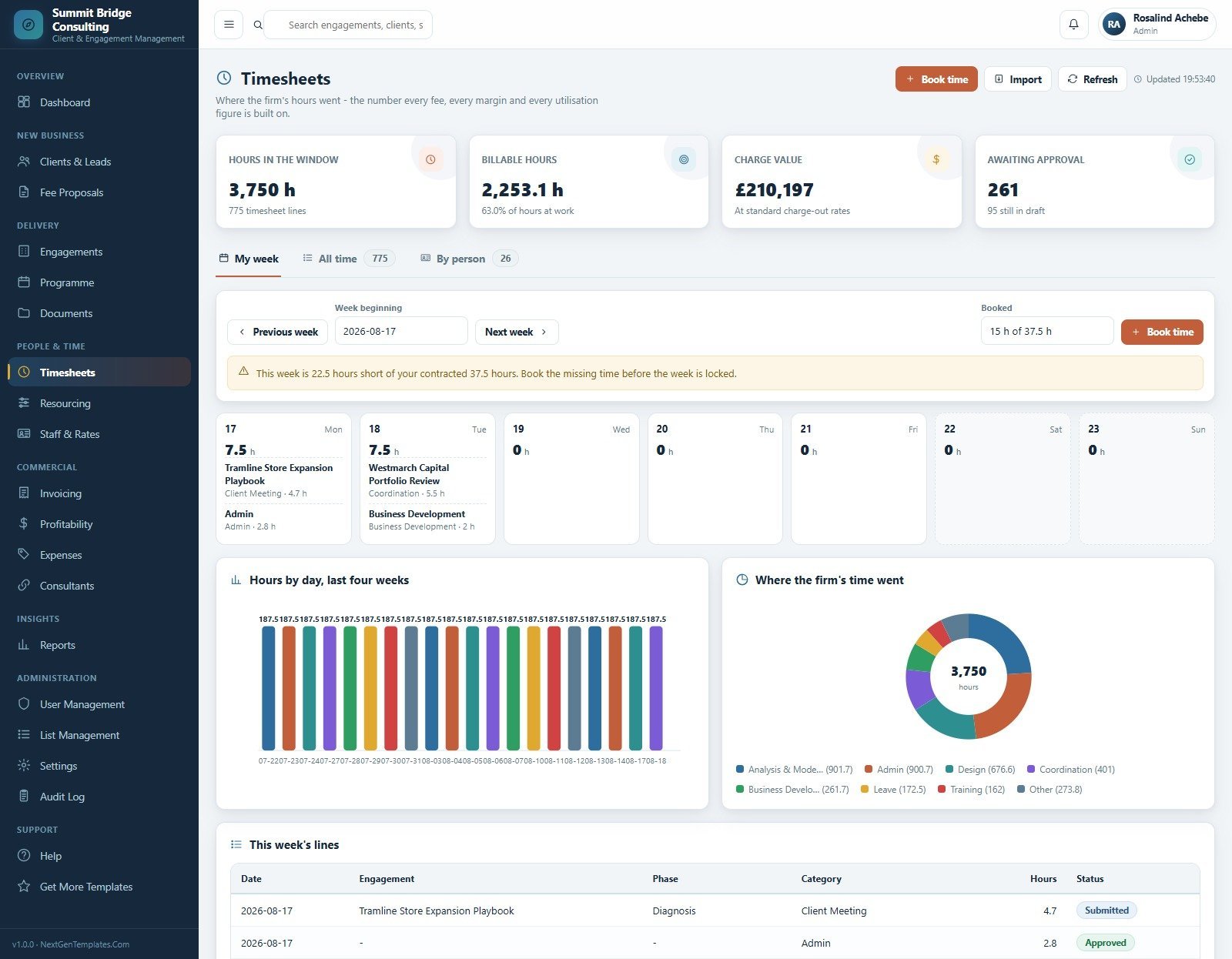
⏱️ Timesheets feed every other number. Staff book hours against an engagement, a phase and a category. Those hours produce billable share, charge value at standard rates, utilisation per person against target, and recovery per hour on every job. A weekly shortfall warning shows when someone is under their contracted hours.
💰 Margin is computed, not entered. The Profitability module takes fee earned, subtracts studio labour and sub-consultant cost, and reports margin in pounds and as a percent against target — per engagement and per engagement type, with the below-target jobs flagged.
🧾 Phase-based fee notes. Invoicing raises fee notes against a phase percentage, so a phase can never be billed past the work it has actually delivered. Collected, outstanding, overdue and draft positions sit on the same screen, with debtors bracketed by age.
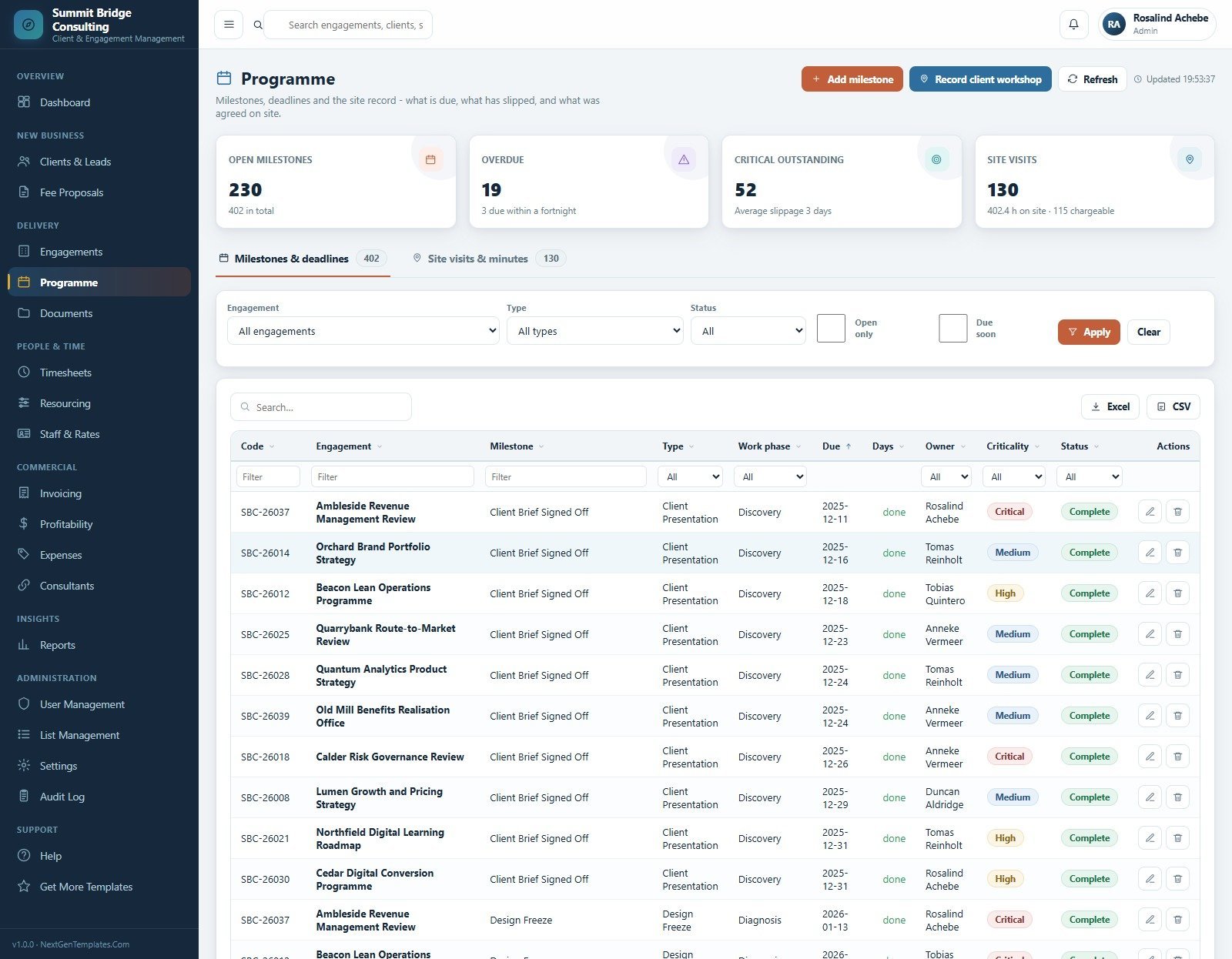
📅 Programme and site record. Milestones carry a due date, an owner, a criticality and a slippage figure, alongside a site-visit and minutes register with chargeable hours on site.
🔐 Six roles and a complete audit log. Managing Partner, Consulting Director, Engagement Lead, Operations Manager, Accounts Officer and Business Analyst each reach a different module set, and every create, change, approval, fee note and sign-in is written to the Audit Log.
📦 What’s Inside the Business Consulting Client Management System Web App
Twenty screens, grouped into Overview, New Business, Delivery, People & Time, Commercial, Insights, Administration and Support.
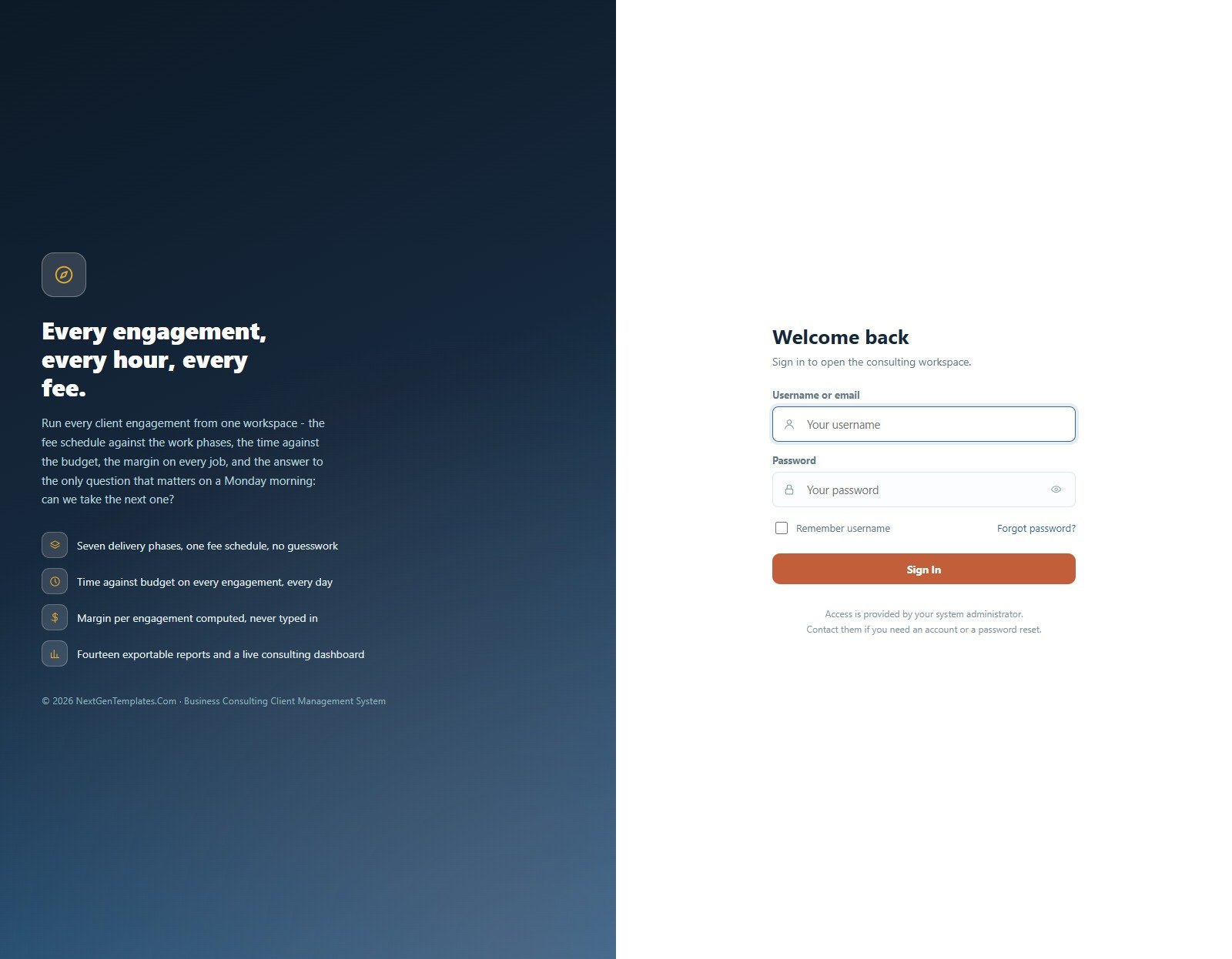
1. Secure Sign-In
A branded two-panel login with username or email, password visibility toggle, remember-username and a forgot-password route. Access is issued by the system administrator rather than by self-signup.
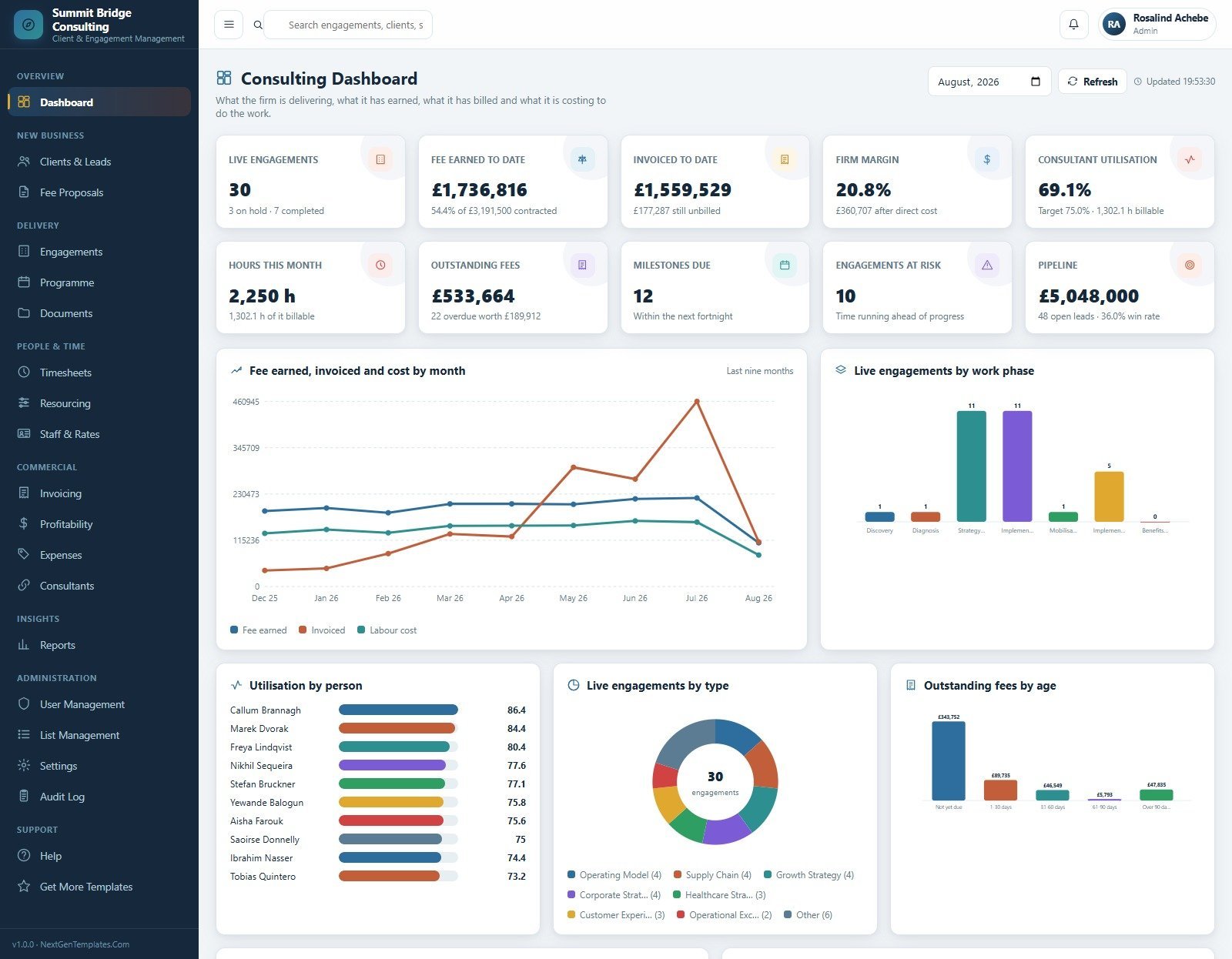
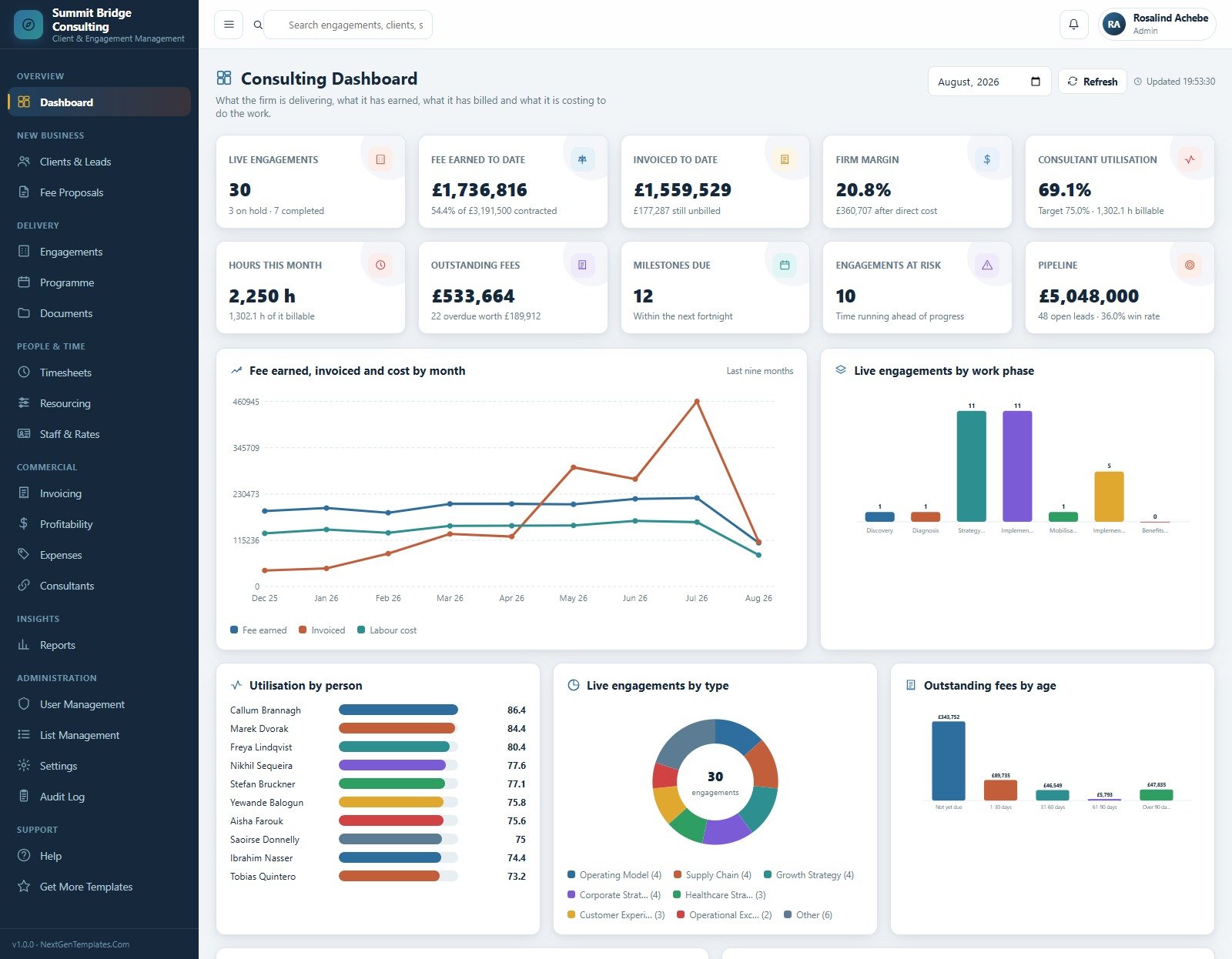
2. Consulting Dashboard
Ten KPI cards cover live engagements, fee earned to date, invoiced to date, firm margin, consultant utilisation, hours this month, outstanding fees, milestones due, engagements at risk and pipeline. Charts include Fee Earned, Invoiced and Cost by Month, Live Engagements by Work Phase, Utilisation by Person, Live Engagements by Type, and Outstanding Fees by Age.
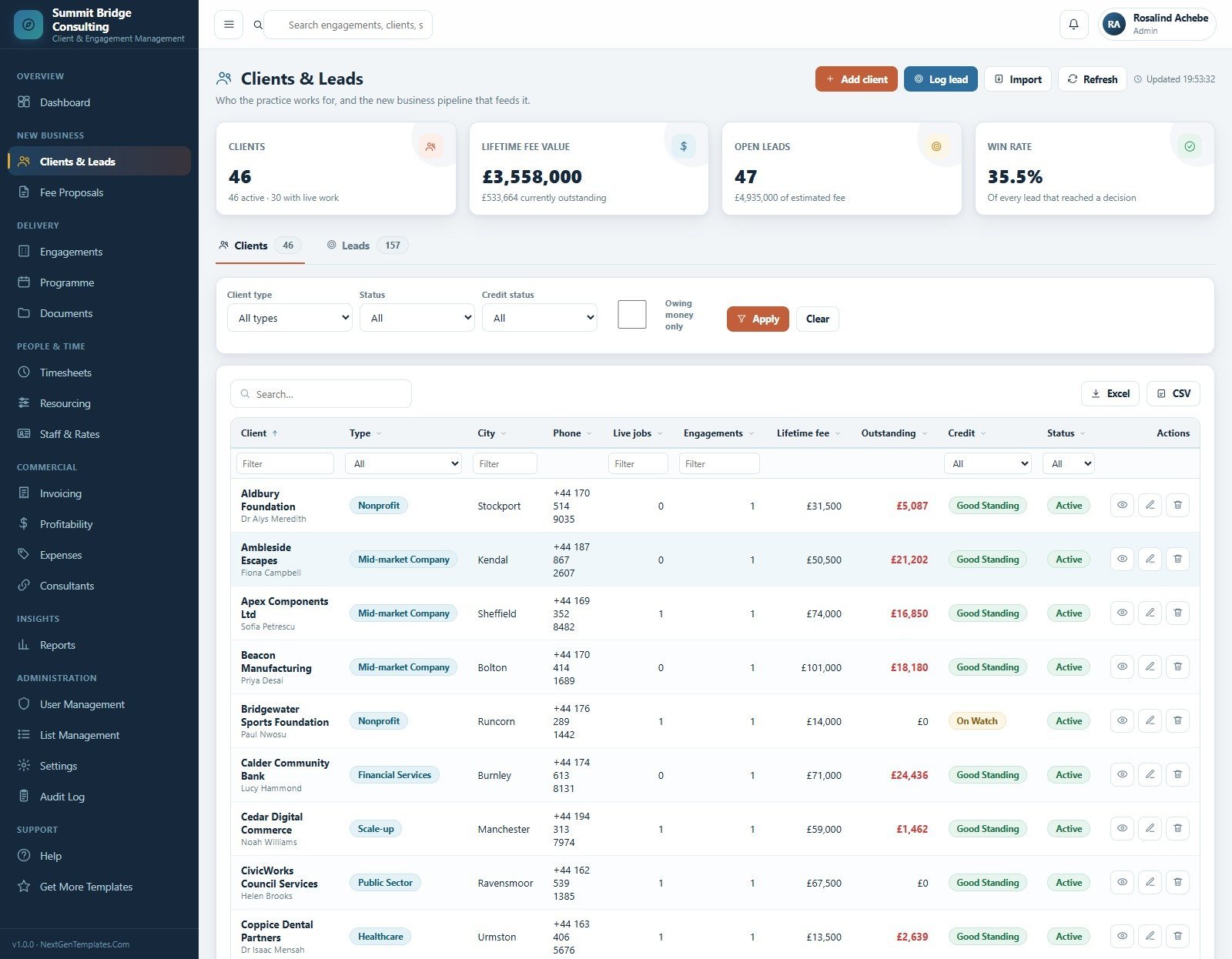
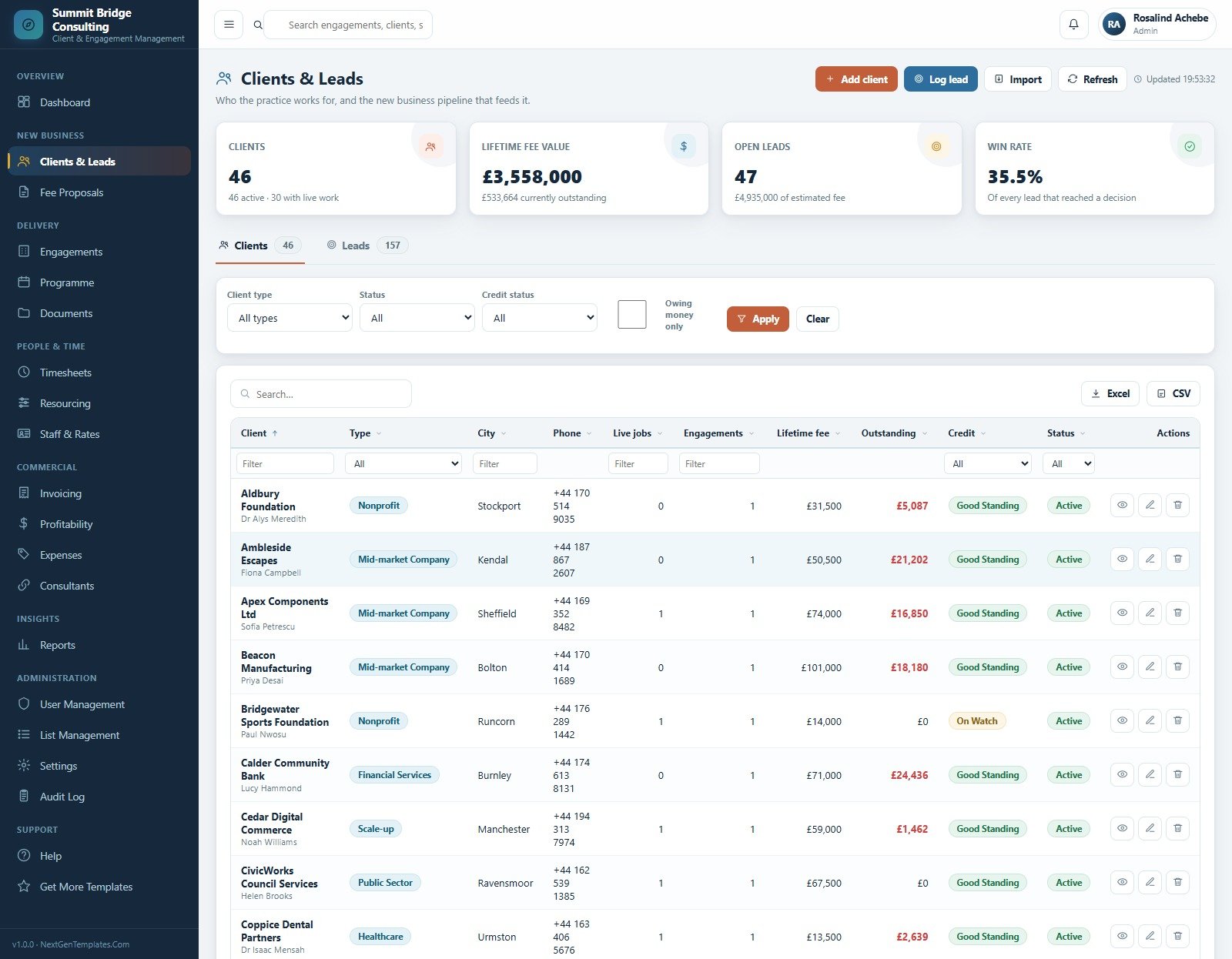
3. Clients & Leads
The client register and the new-business pipeline in one place, with cards for clients, lifetime fee value, open leads and win rate. Each client row carries type, city, live jobs, engagements, lifetime fee, outstanding balance, credit standing and status.
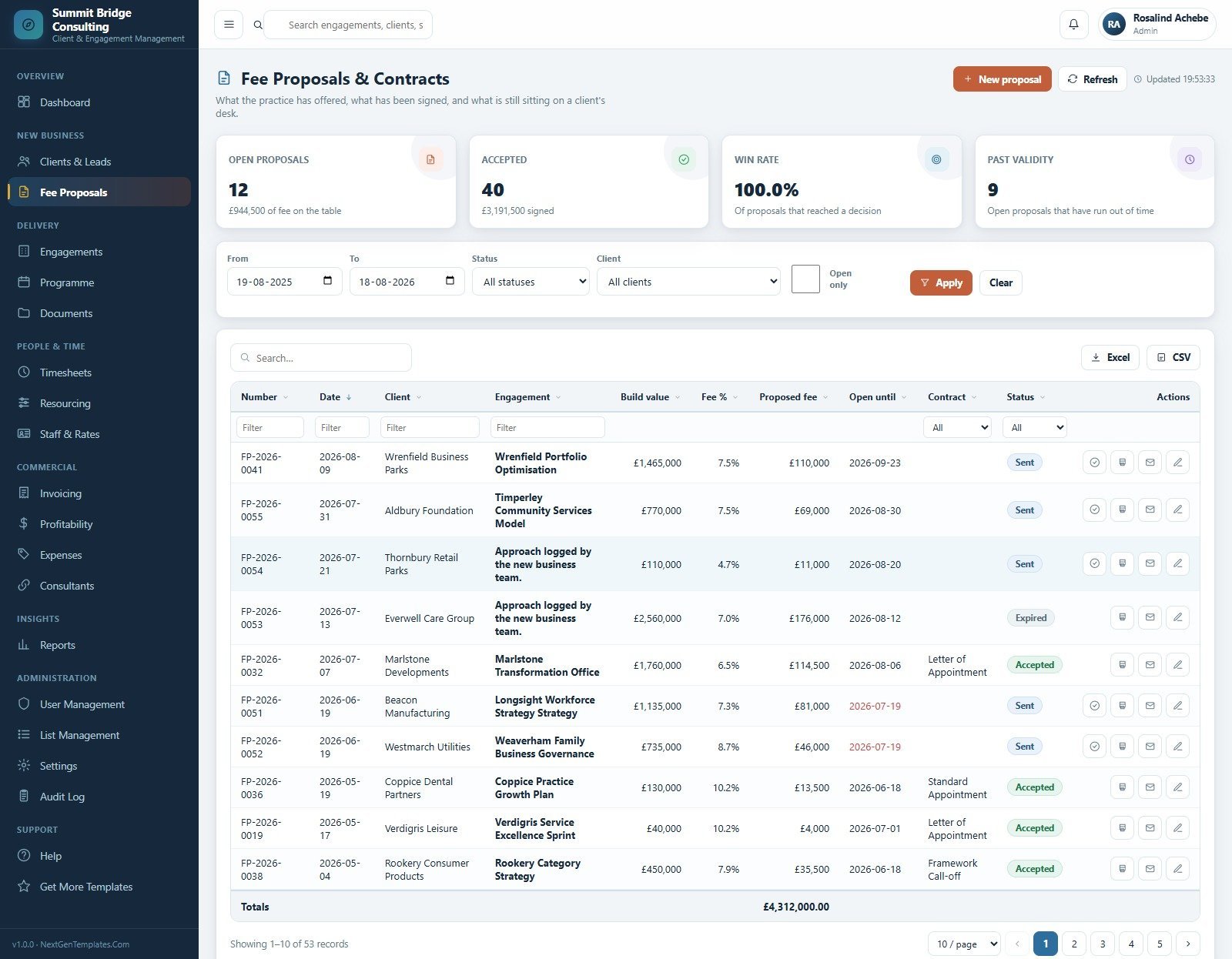
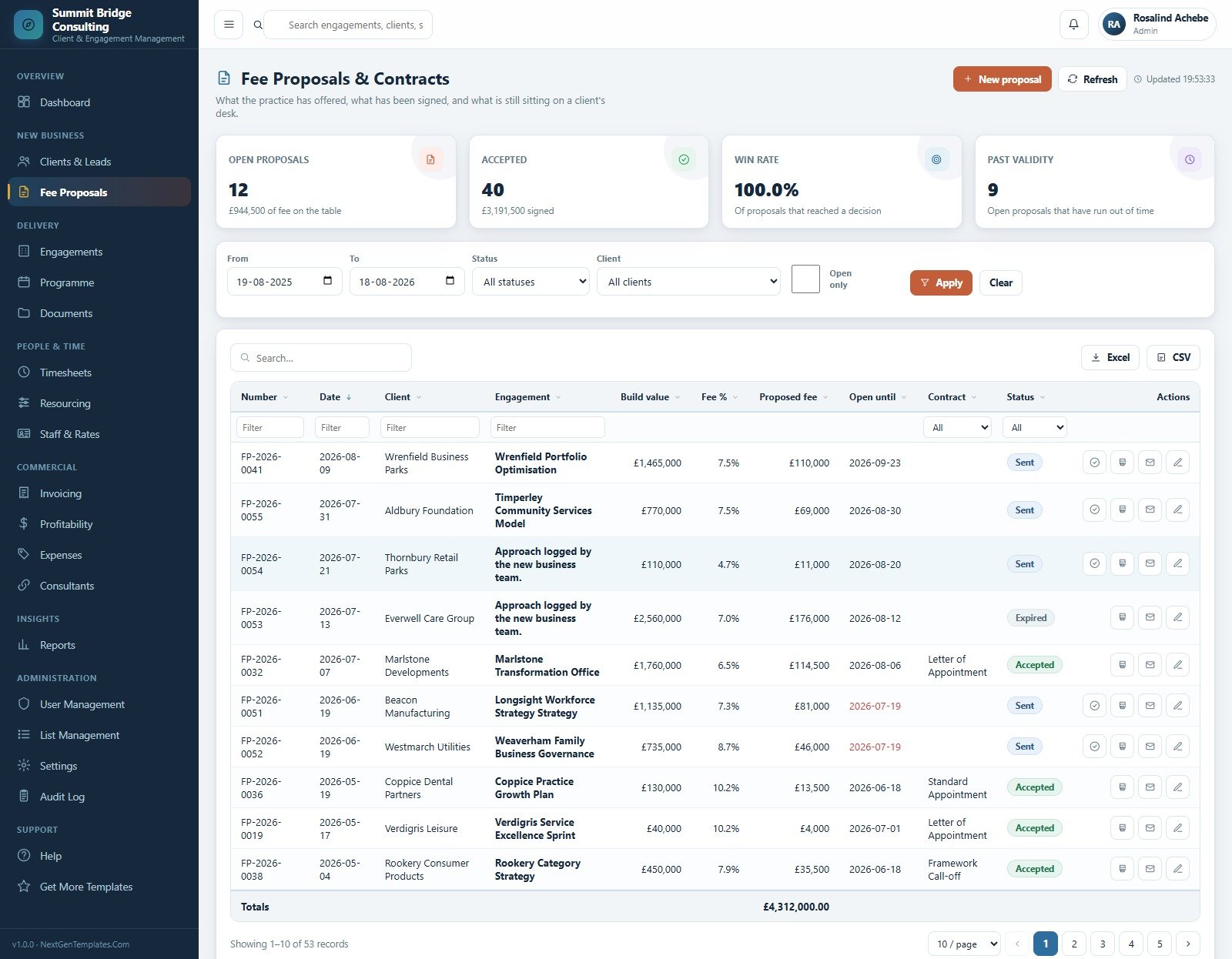
4. Fee Proposals & Contracts
Every proposal with its number, date, client, engagement, build value, fee percent, proposed fee, validity date, contract type and status. Cards track open proposals, accepted value, win rate and proposals that have run past validity.
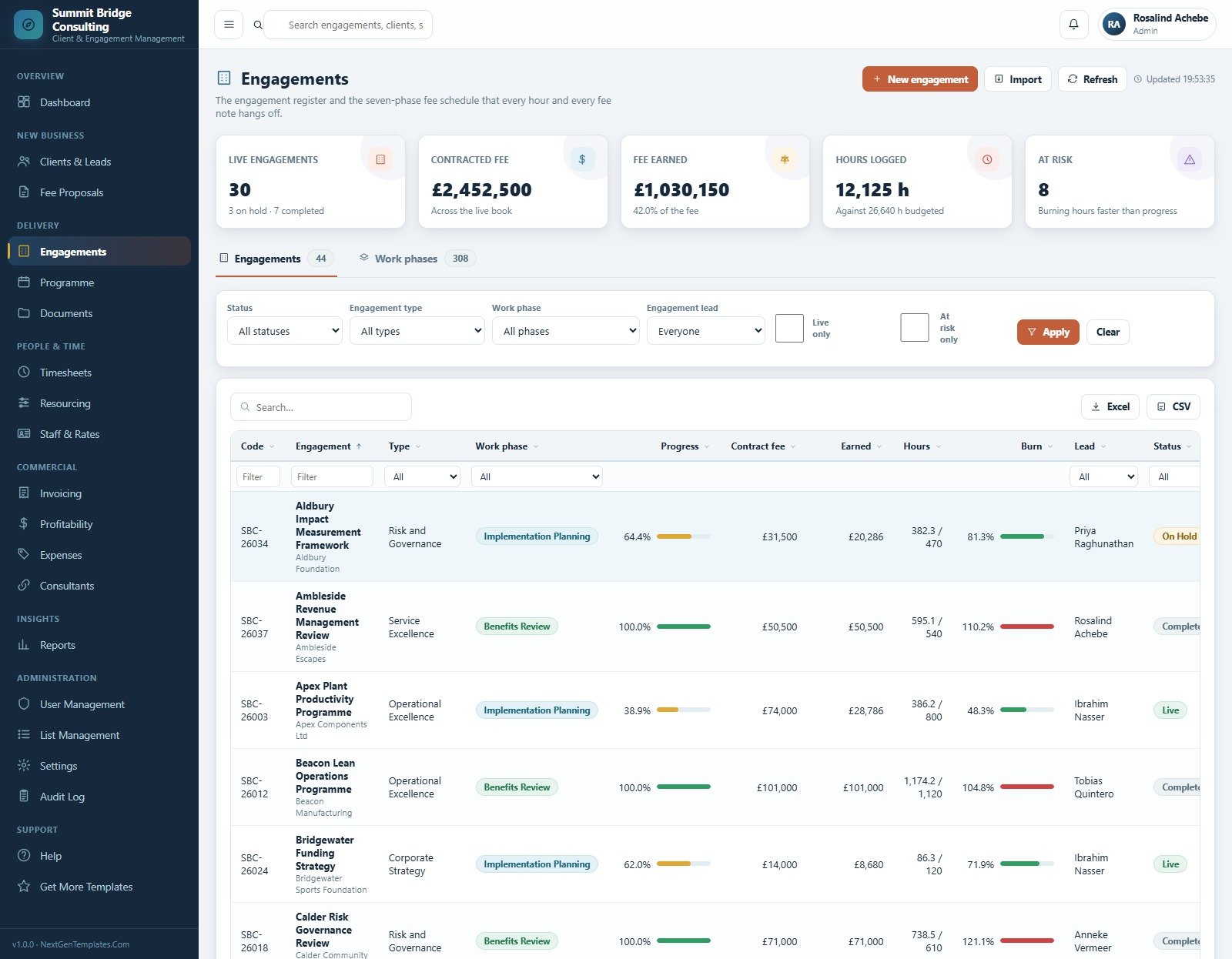
5. Engagements
The engagement register plus the work-phase schedule every hour and fee note hangs off. Each row shows code, type, current phase, progress, contract fee, fee earned, hours against budget, burn percent, lead and status, with an at-risk filter for jobs burning hours faster than progress.
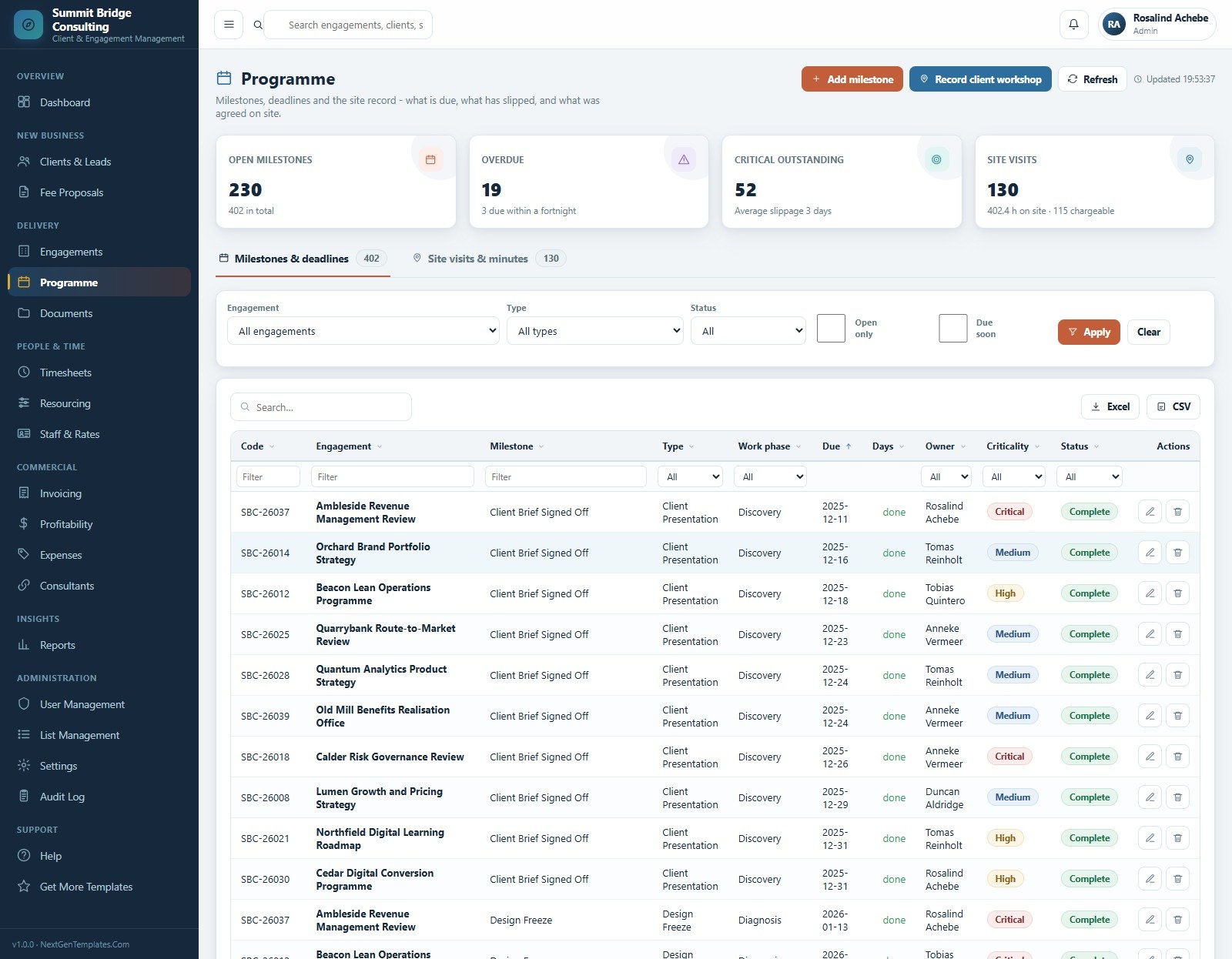
6. Programme
Milestones, deadlines and the site record. Cards show open milestones, overdue items, critical outstanding work and site visits with hours on site and chargeable hours. Each milestone carries type, work phase, due date, owner, criticality and status.
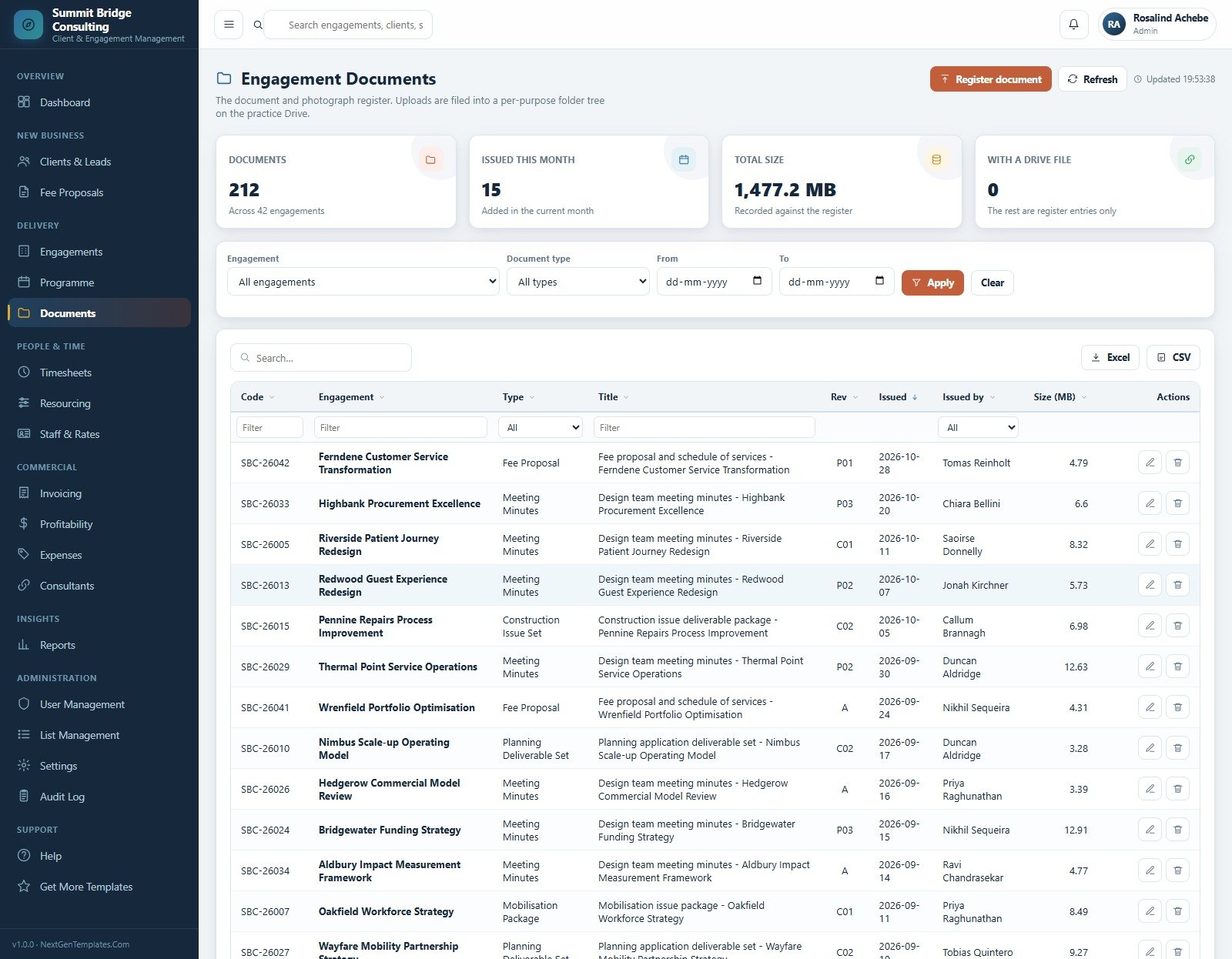
7. Engagement Documents
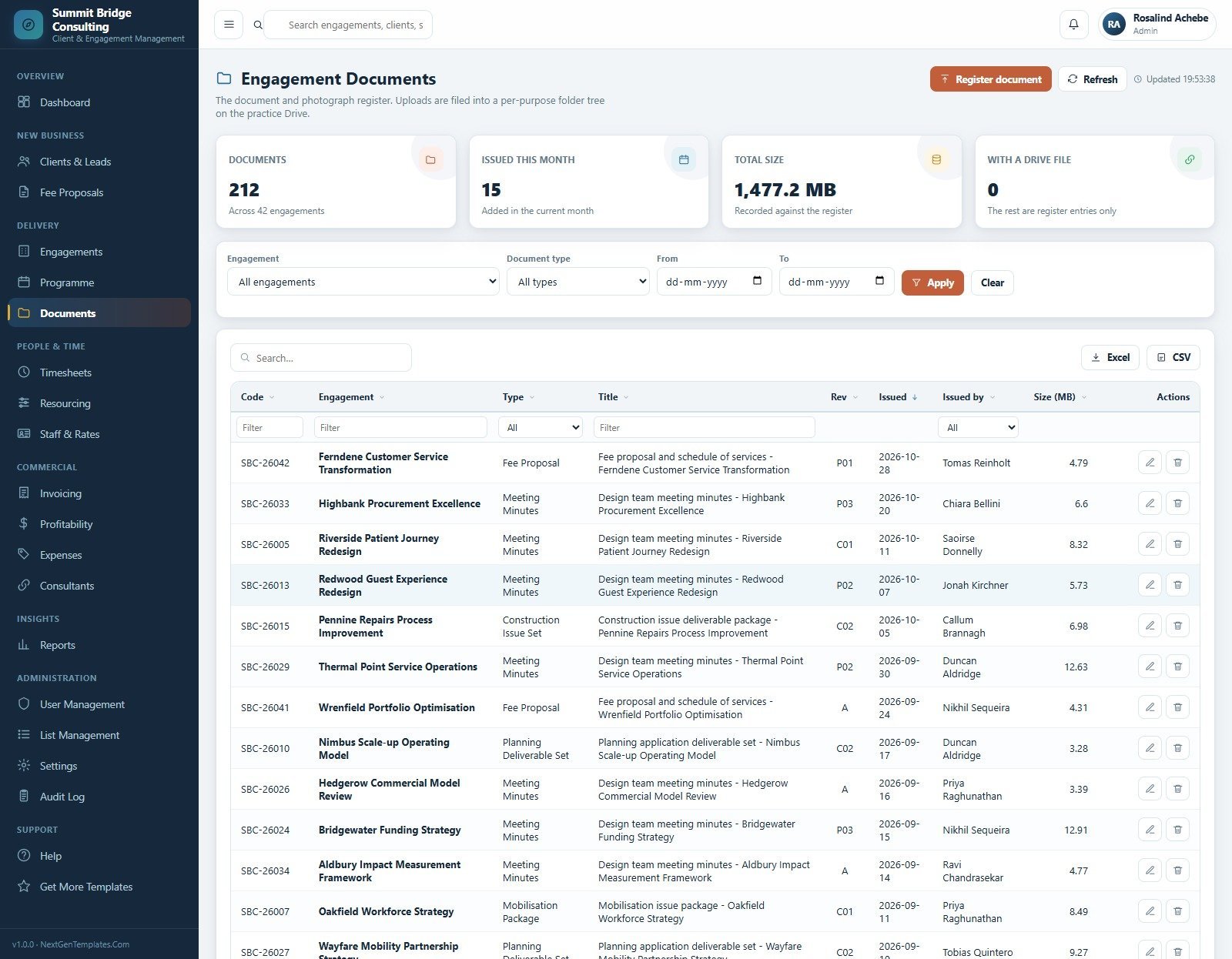
A document and photograph register filed into a per-purpose folder tree on the practice Drive, with document type, title, revision, issue date, issuer and file size against each engagement.
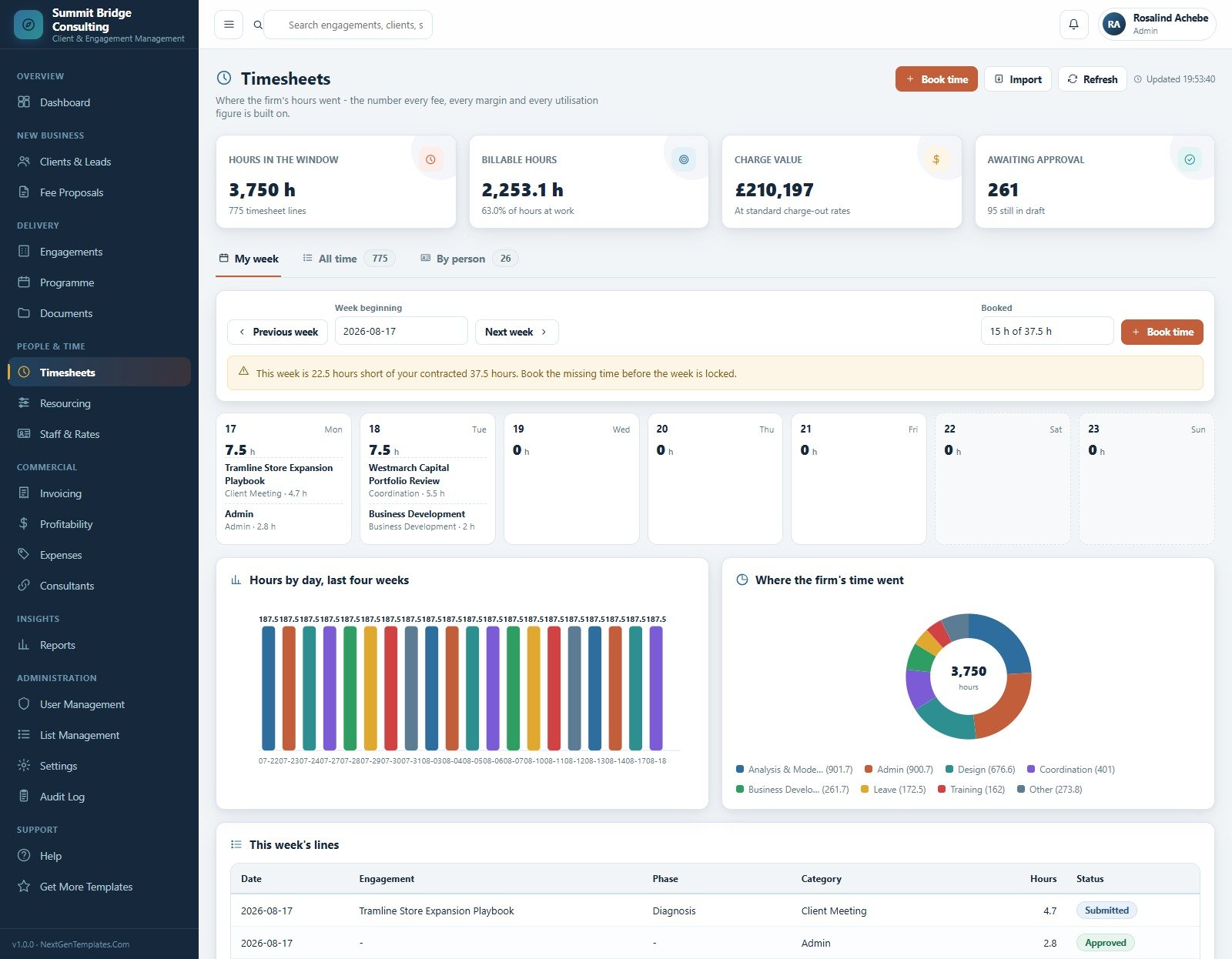
8. Timesheets
Where the firm’s hours went, with a personal week view, an all-time list and a by-person view. Cards cover hours in the window, billable hours, charge value at standard rates and lines awaiting approval, plus Hours by Day and Where the Firm’s Time Went charts.
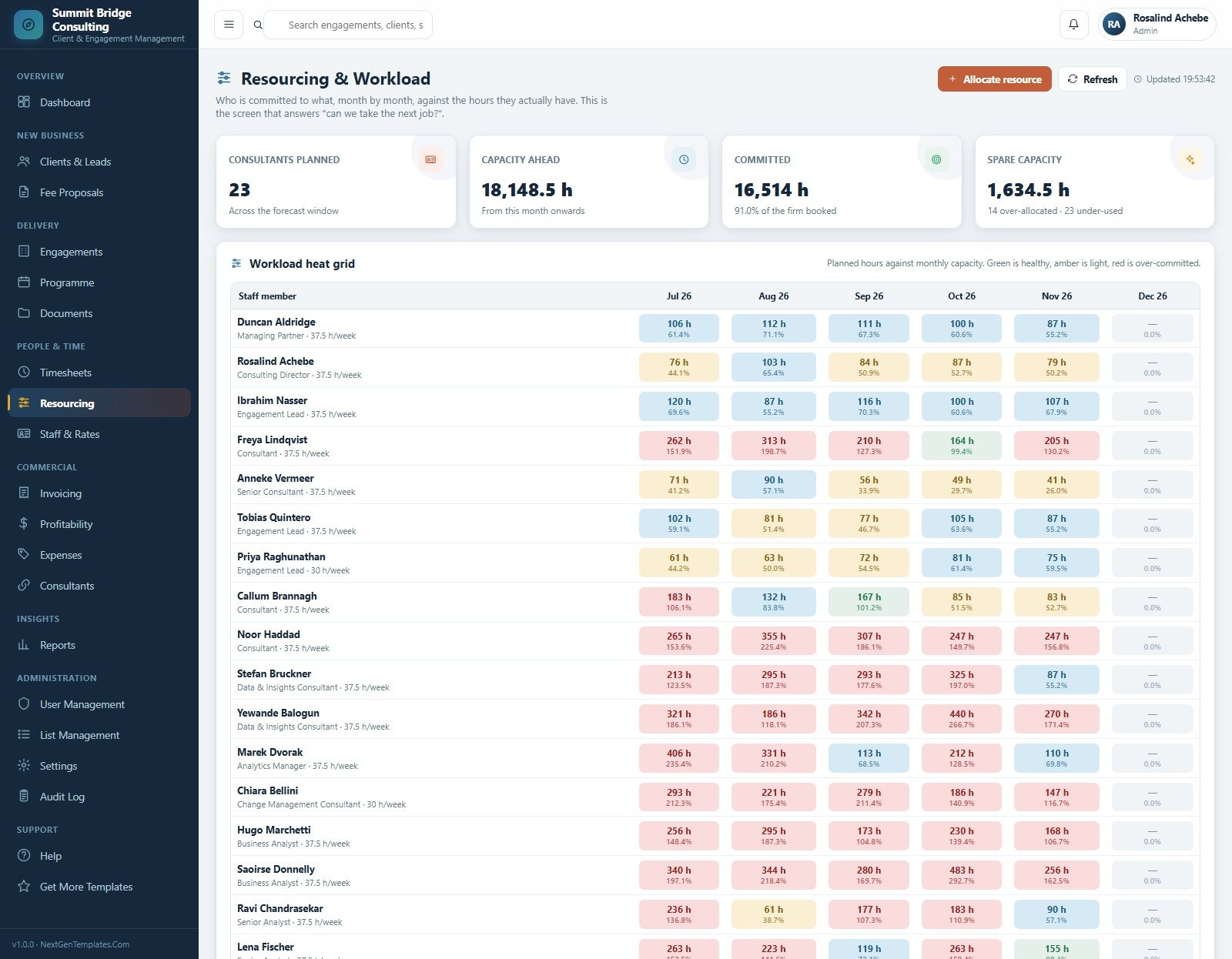
9. Resourcing & Workload
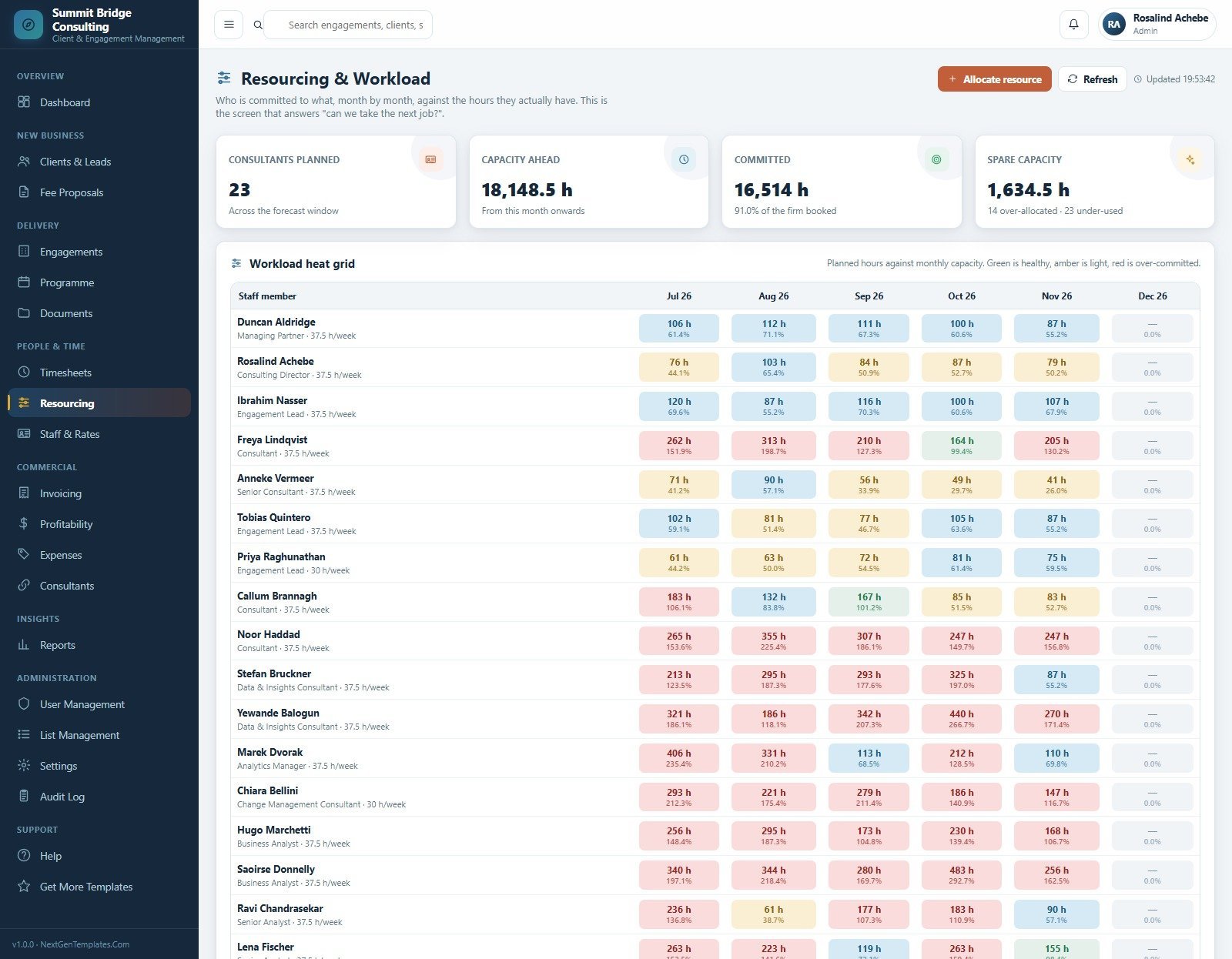
A month-by-month heat grid of planned hours against each person’s capacity, colour-coded green, amber and red. Cards show consultants planned, capacity ahead, committed hours and spare capacity — the screen that answers whether the firm can take the next job.
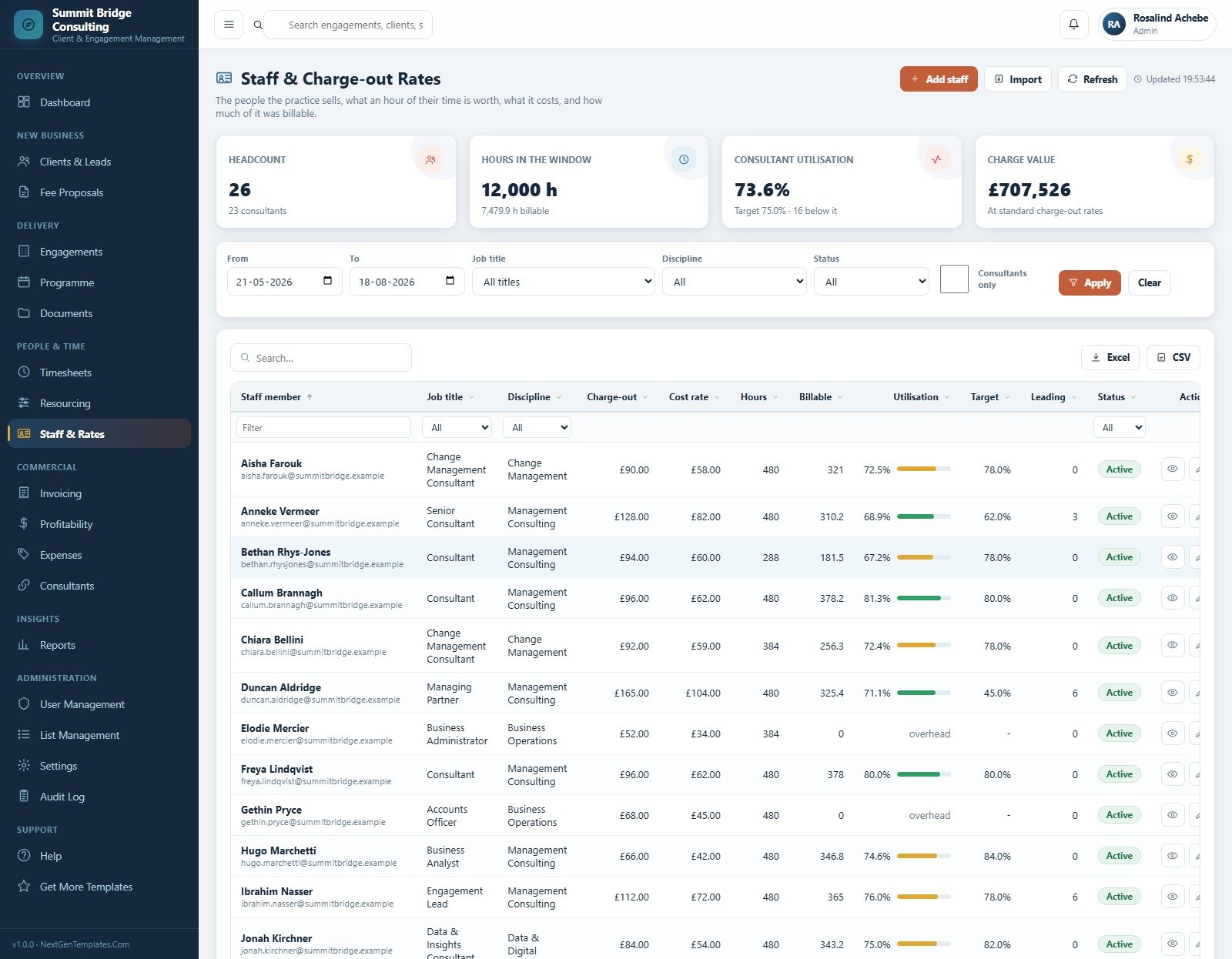
10. Staff & Charge-out Rates
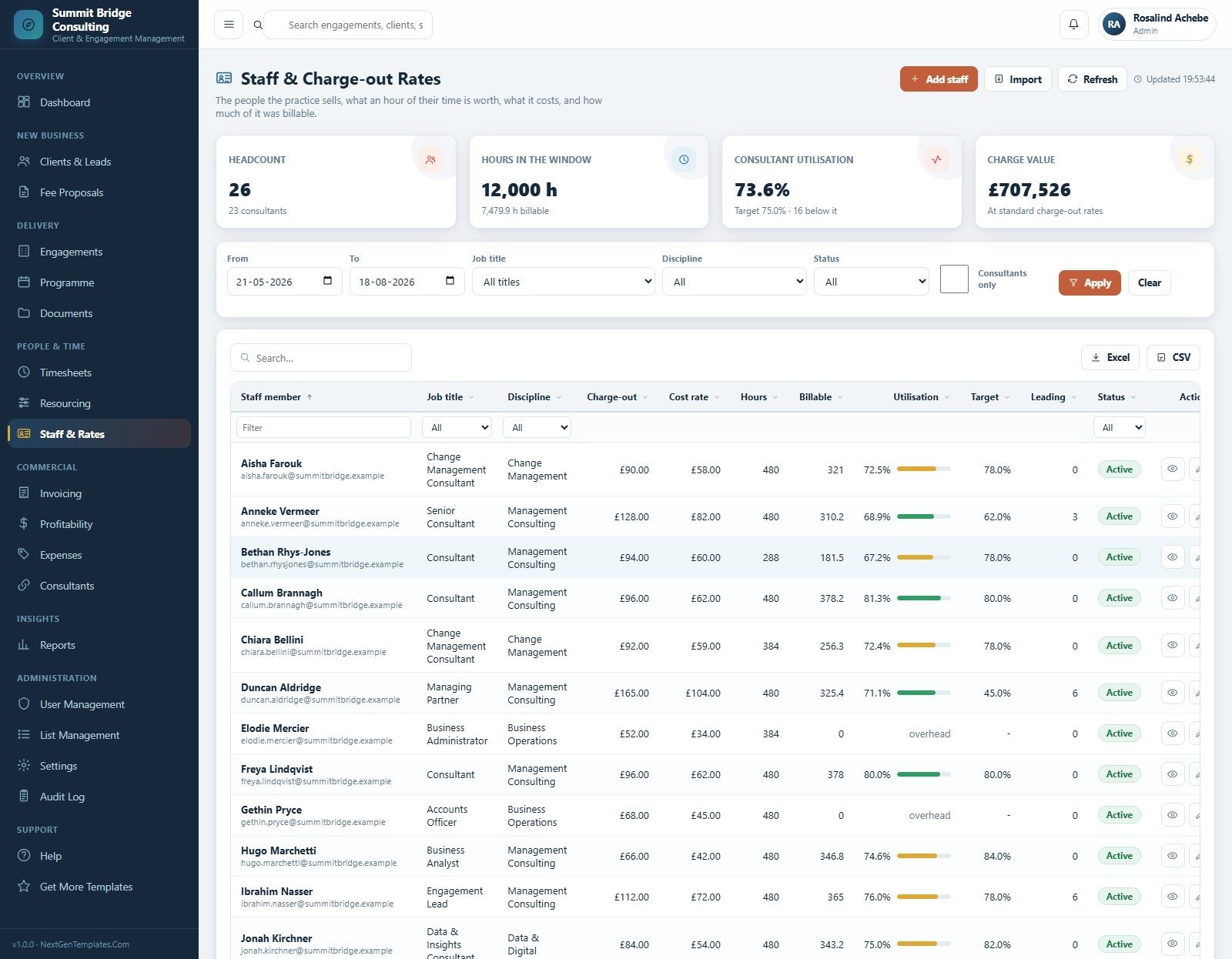
What an hour of each person’s time is worth, what it costs, and how much of it was billable. Rows carry job title, discipline, charge-out rate, cost rate, hours, billable hours, utilisation against target and status.
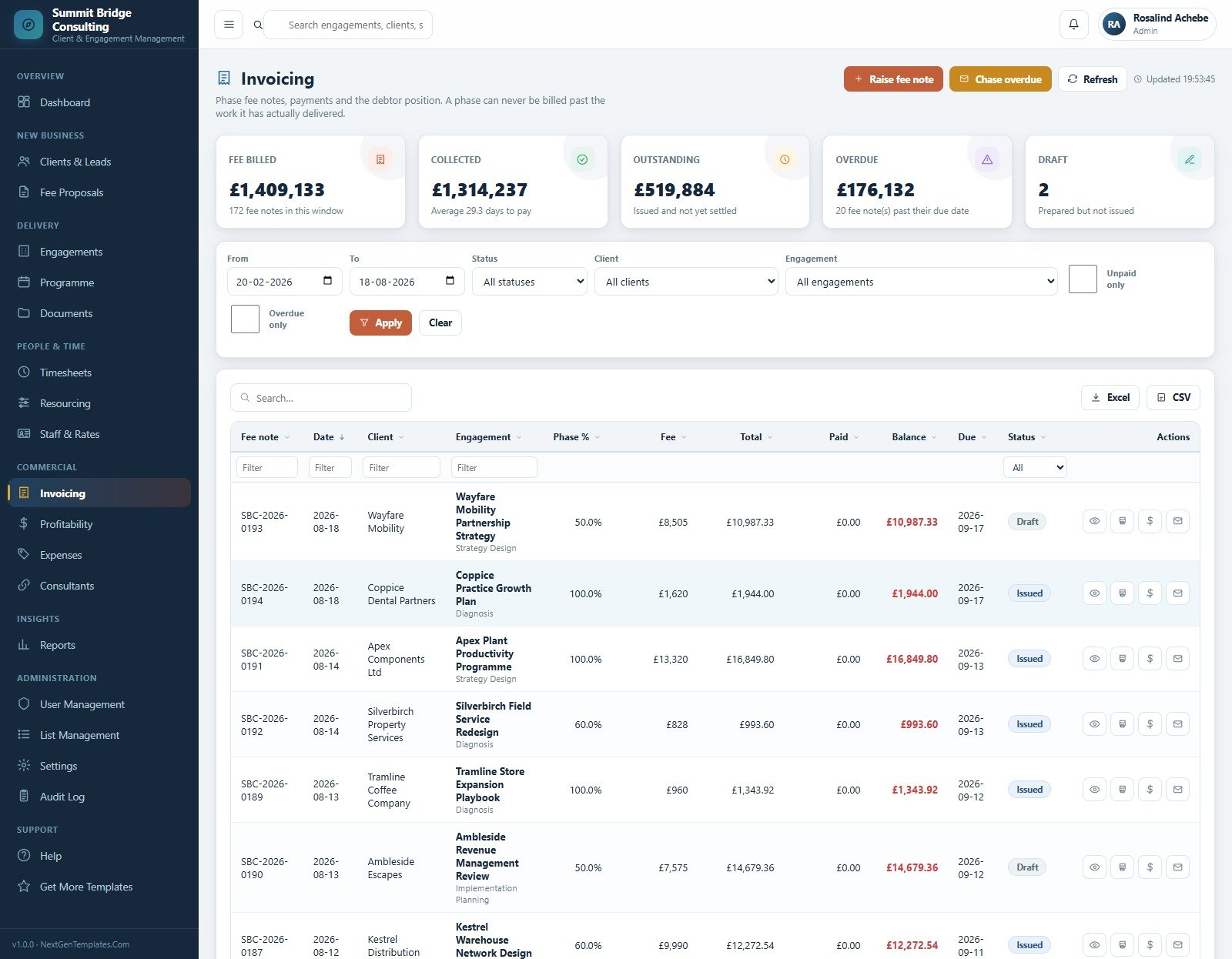
11. Invoicing
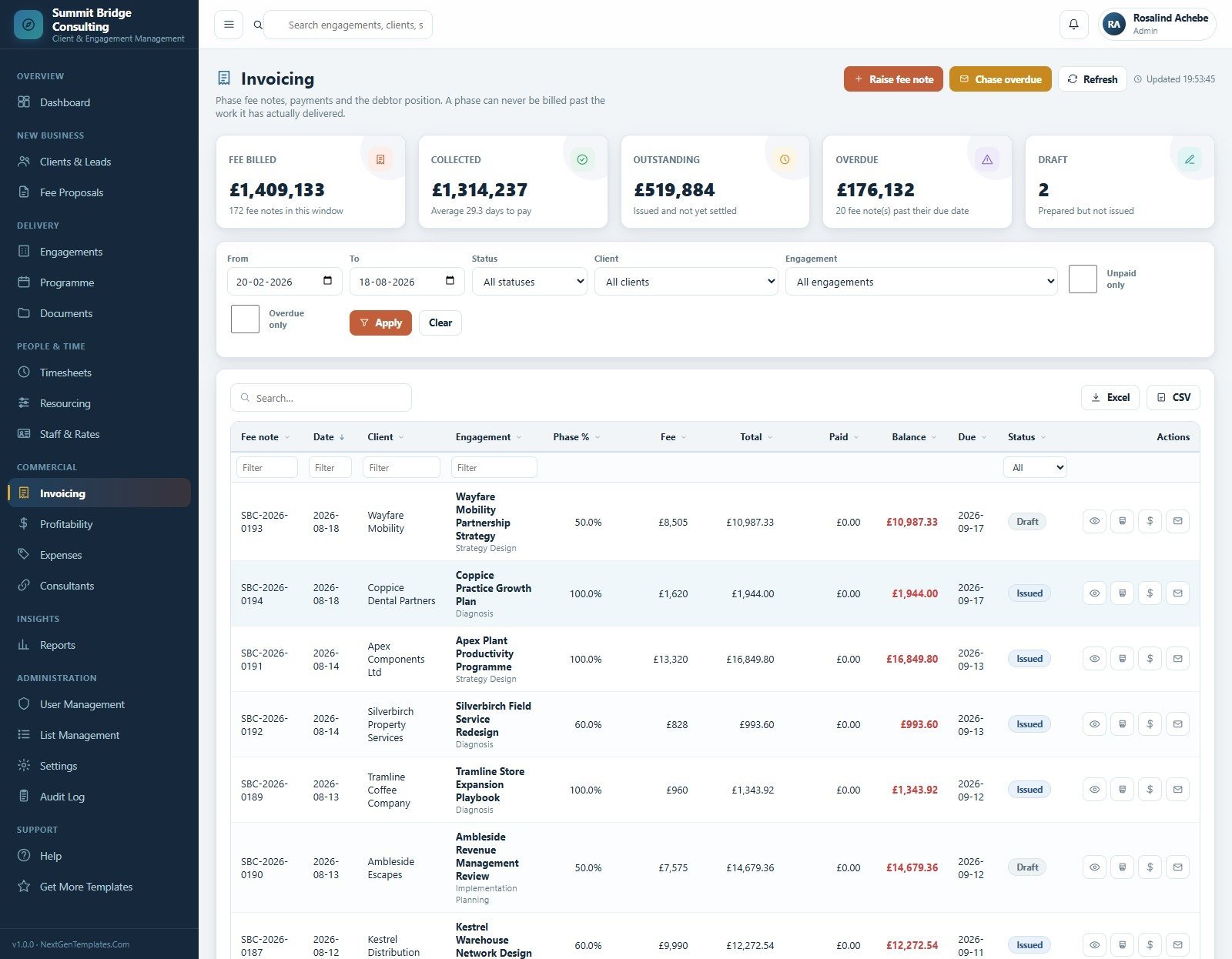
Phase fee notes, payments and the debtor position, with cards for fee billed, collected, outstanding, overdue and draft. Each fee note shows the phase percent, fee, total, paid, balance, due date and status.
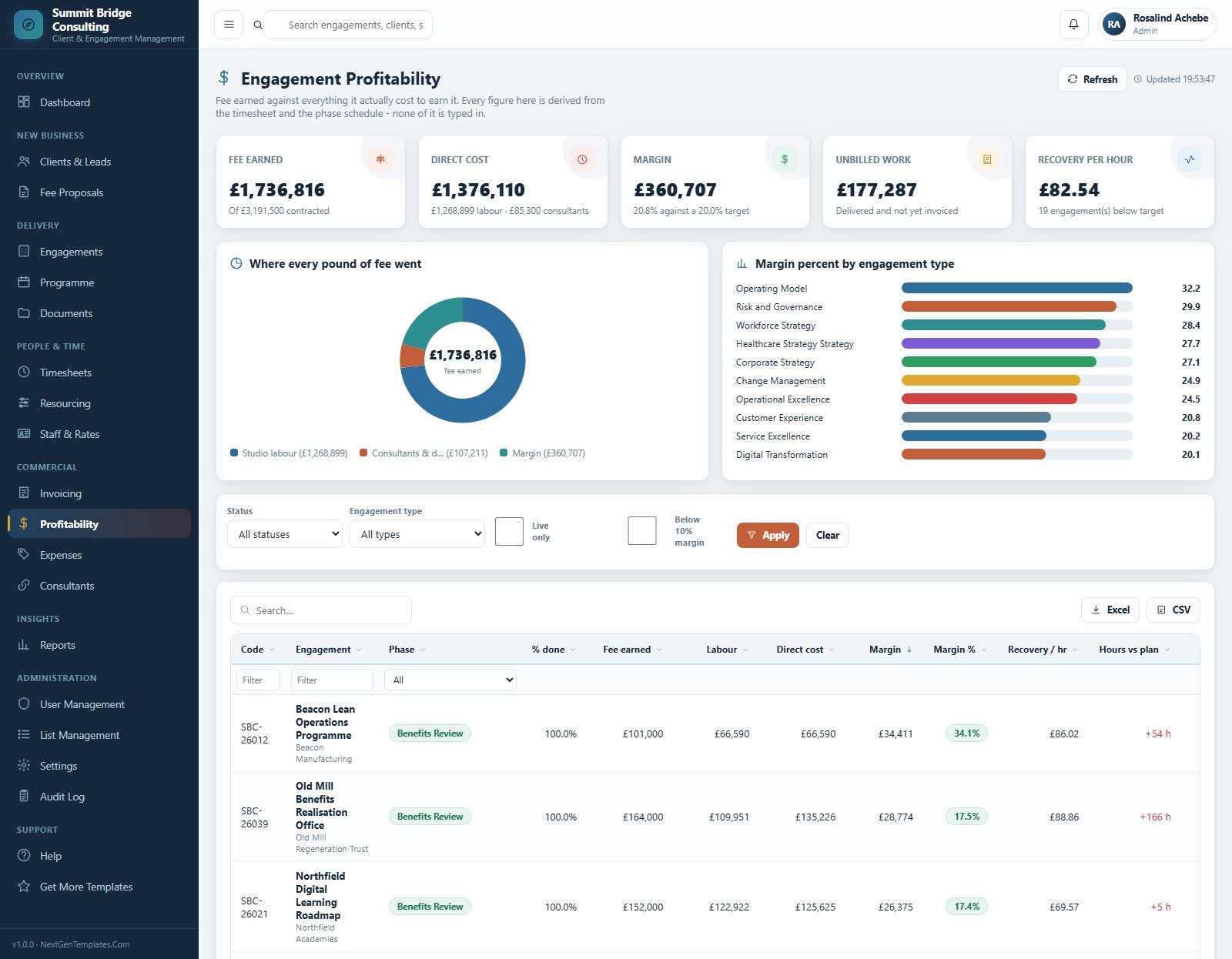
12. Engagement Profitability
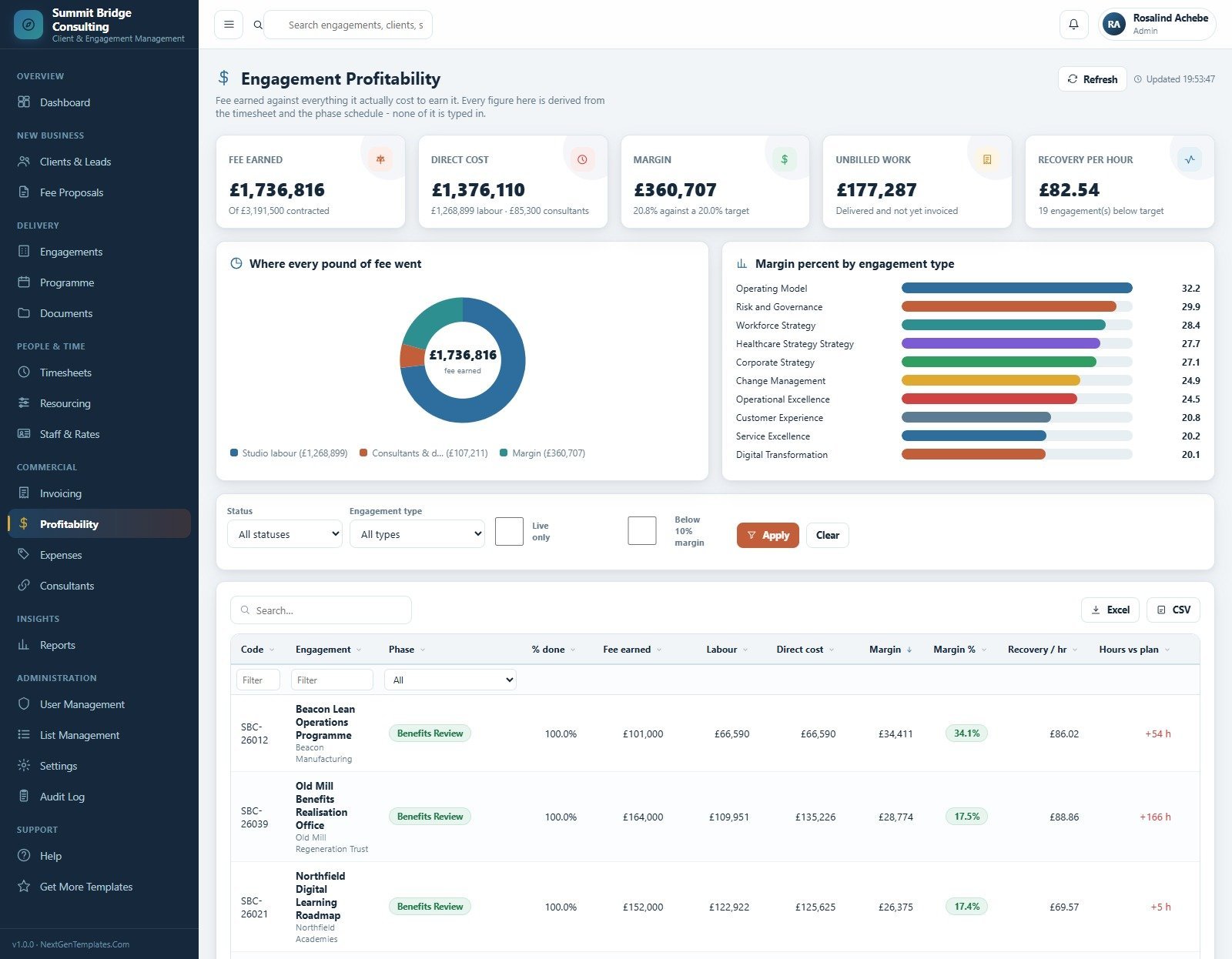
Fee earned against everything it cost to earn it. Cards cover fee earned, direct cost, margin, unbilled work and recovery per hour, with a Where Every Pound of Fee Went donut and a Margin Percent by Engagement Type bar chart.
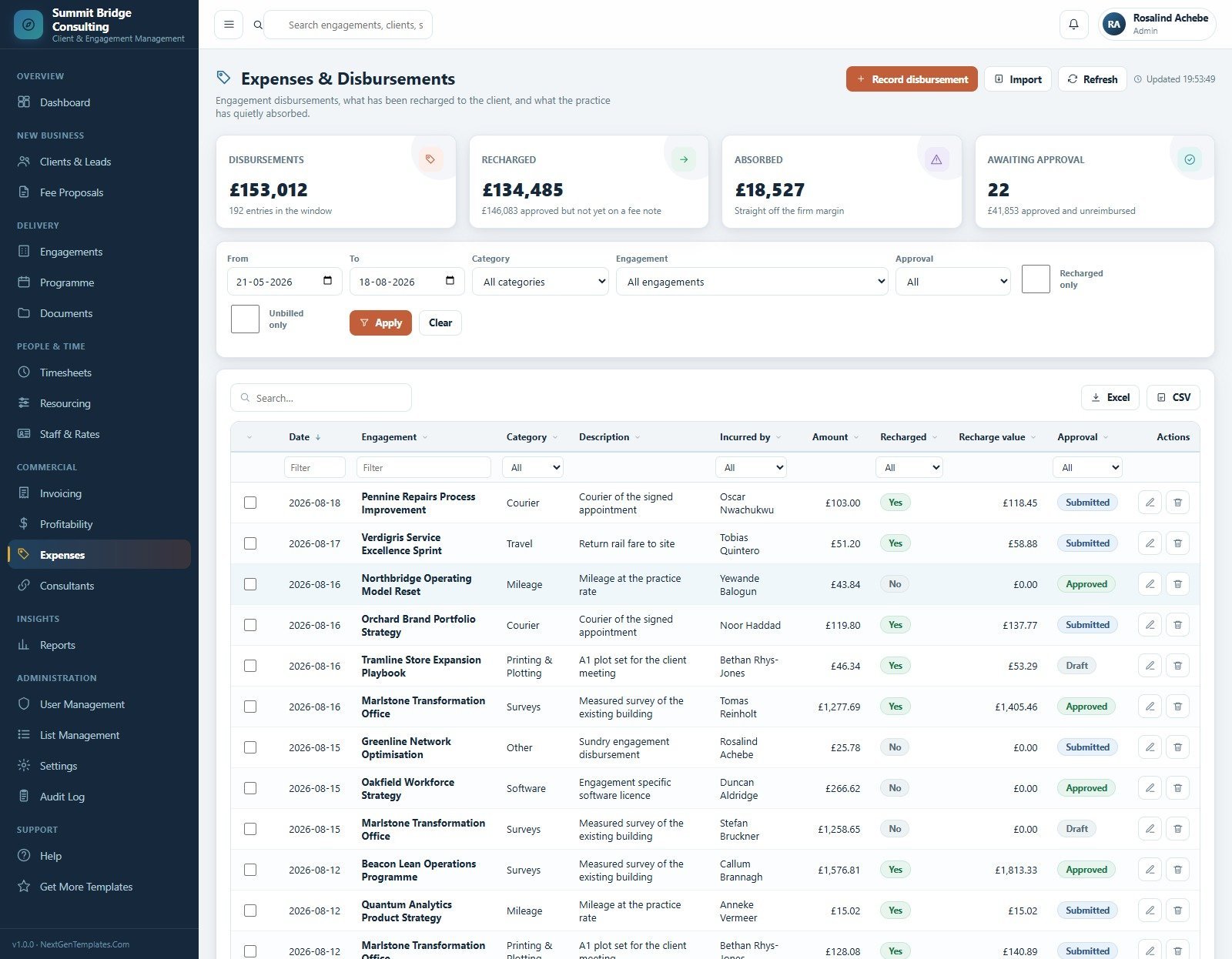
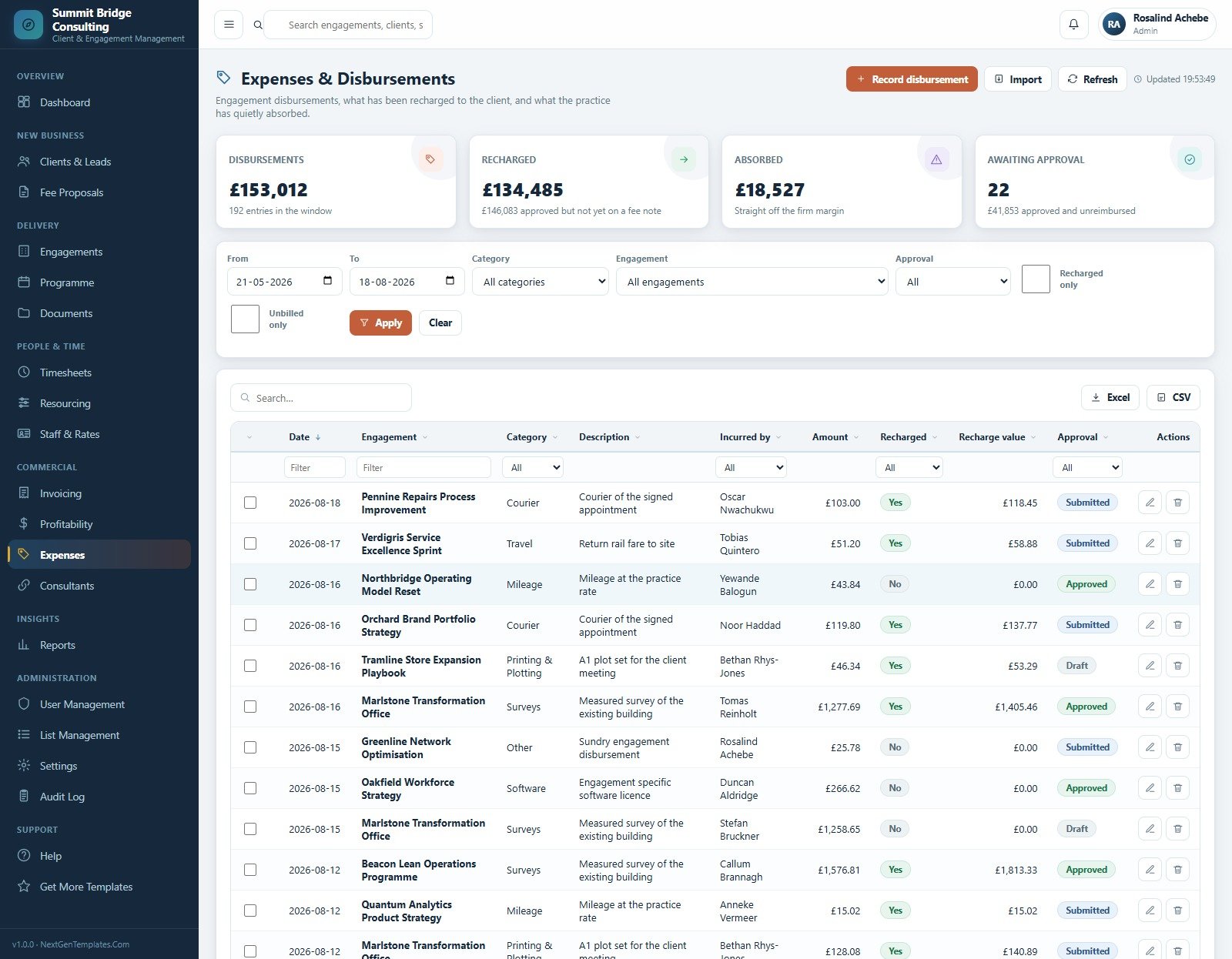
13. Expenses & Disbursements
Engagement disbursements, what has been recharged to the client and what the practice has absorbed. Categories include Travel, Mileage, Courier, Printing & Plotting, Surveys, Software and Other, each with an approval state.
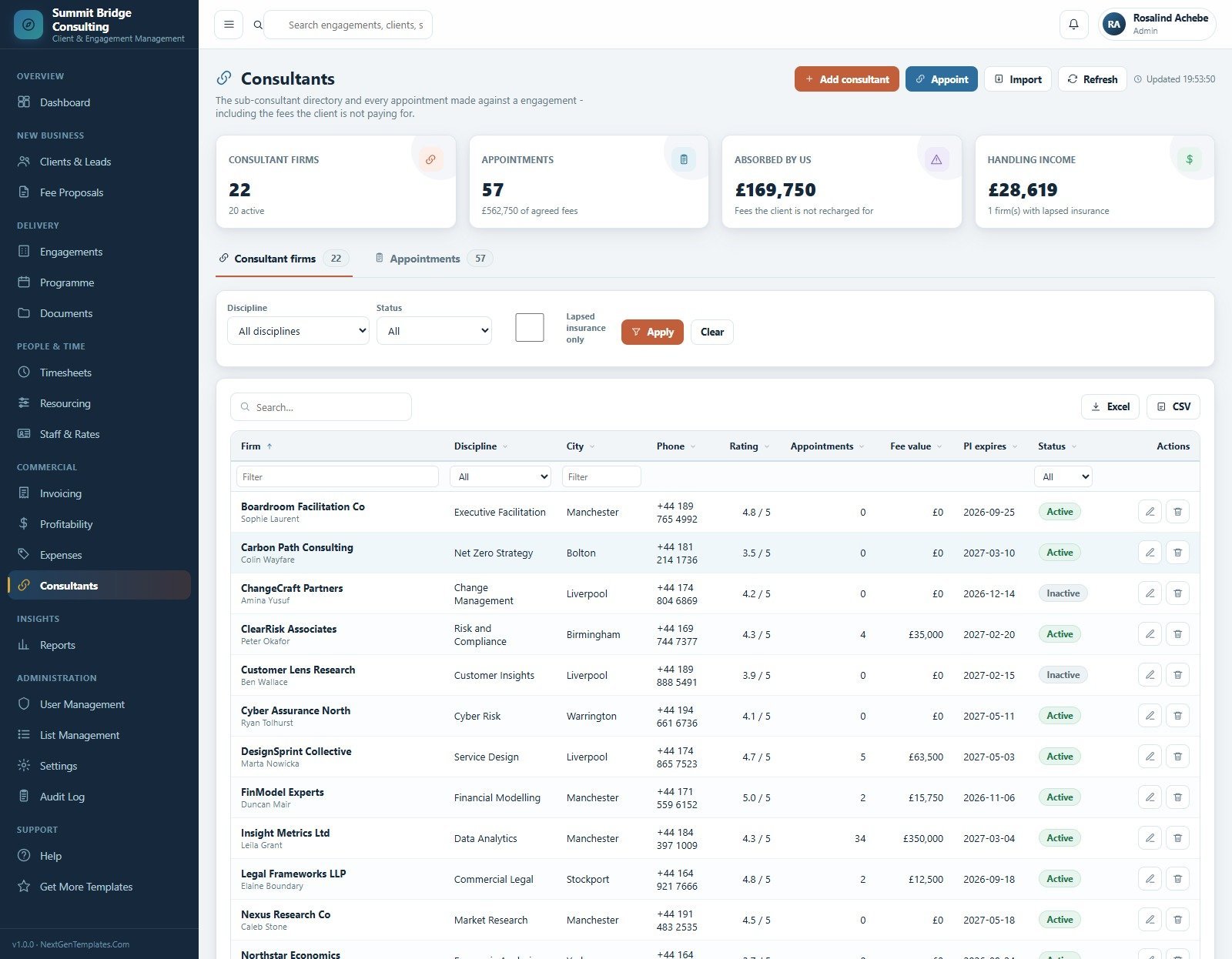
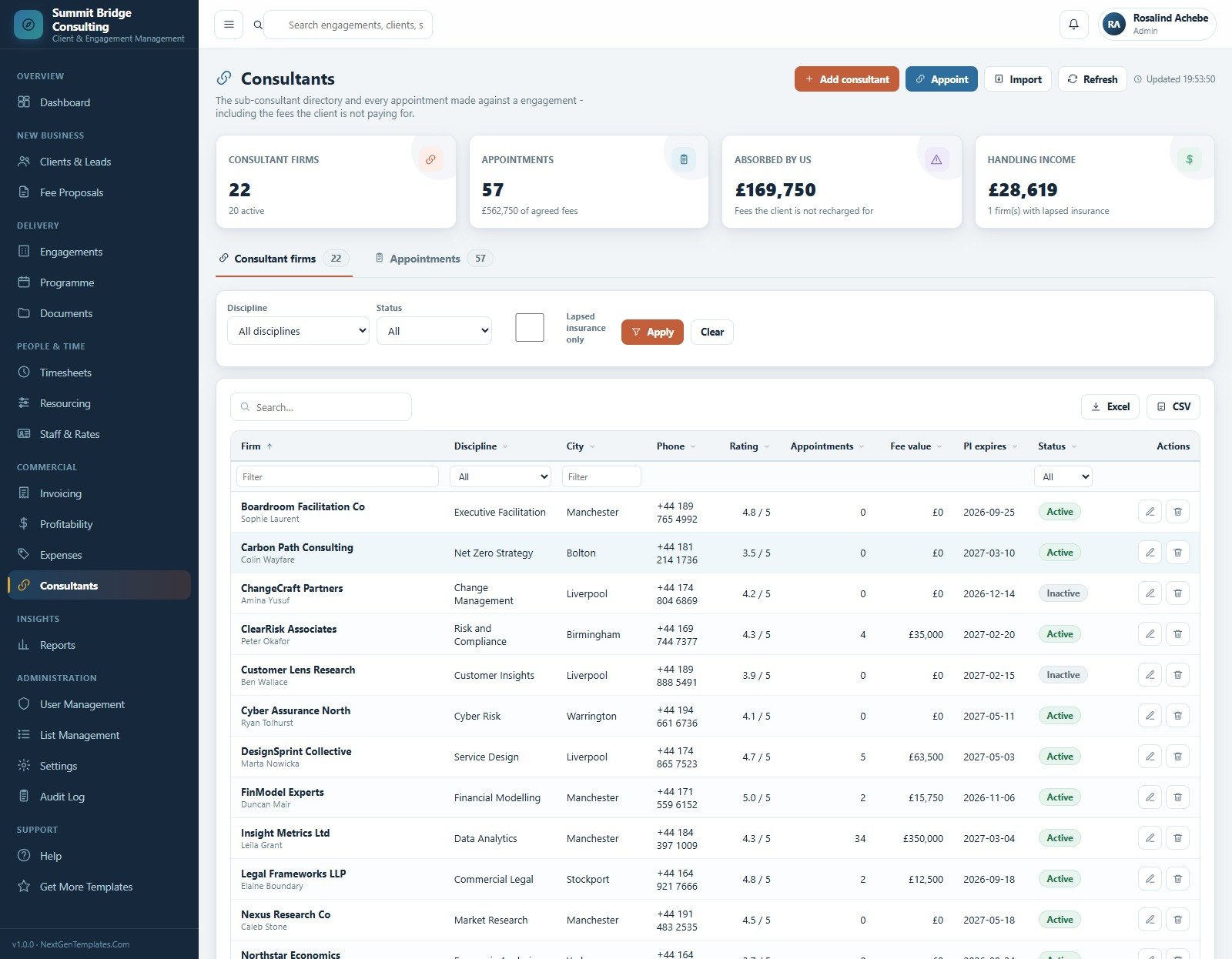
14. Consultants
The sub-consultant directory and every appointment made against an engagement, including the fees the client is not paying for. Rows carry discipline, city, rating, appointment count, fee value and professional indemnity expiry.
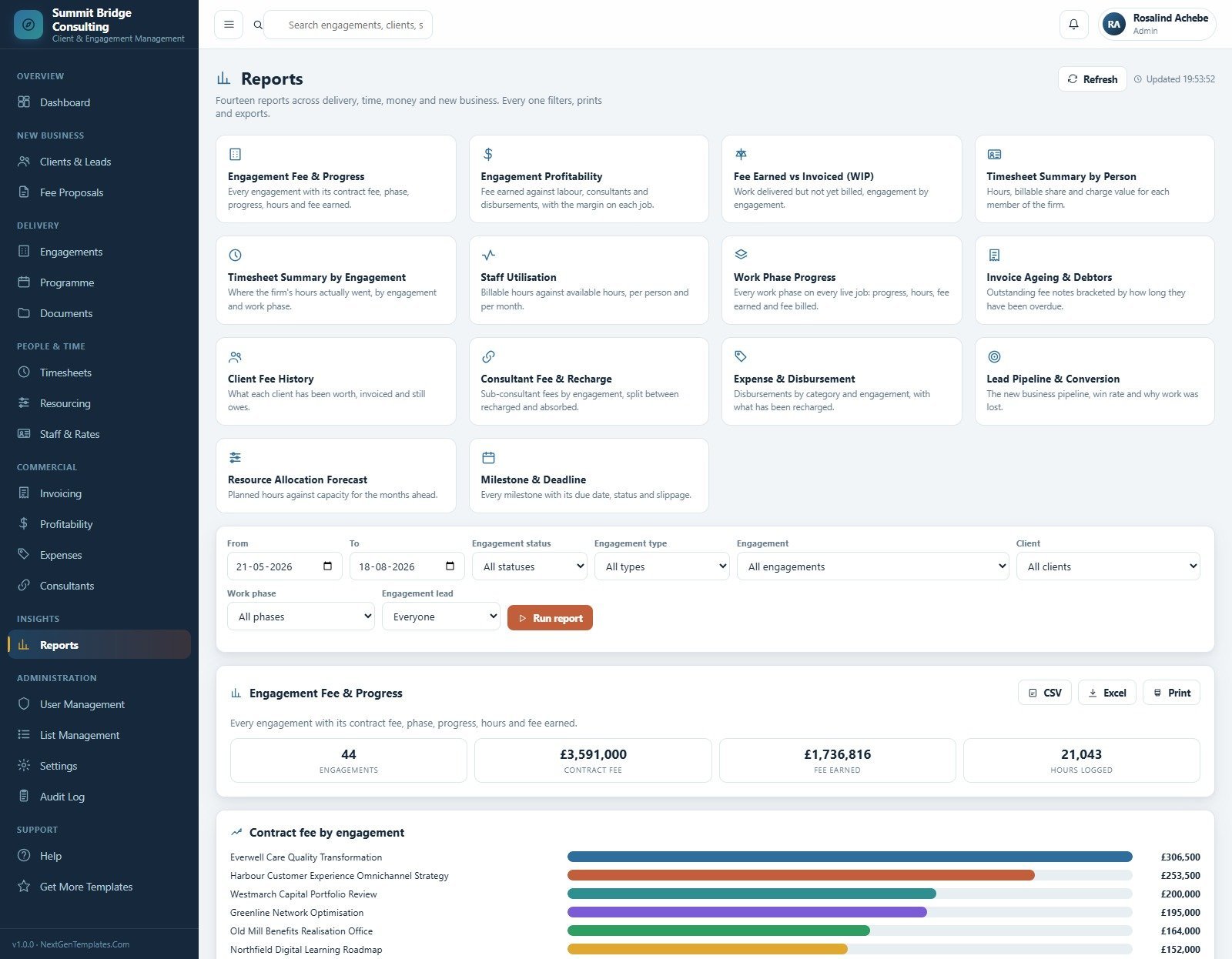
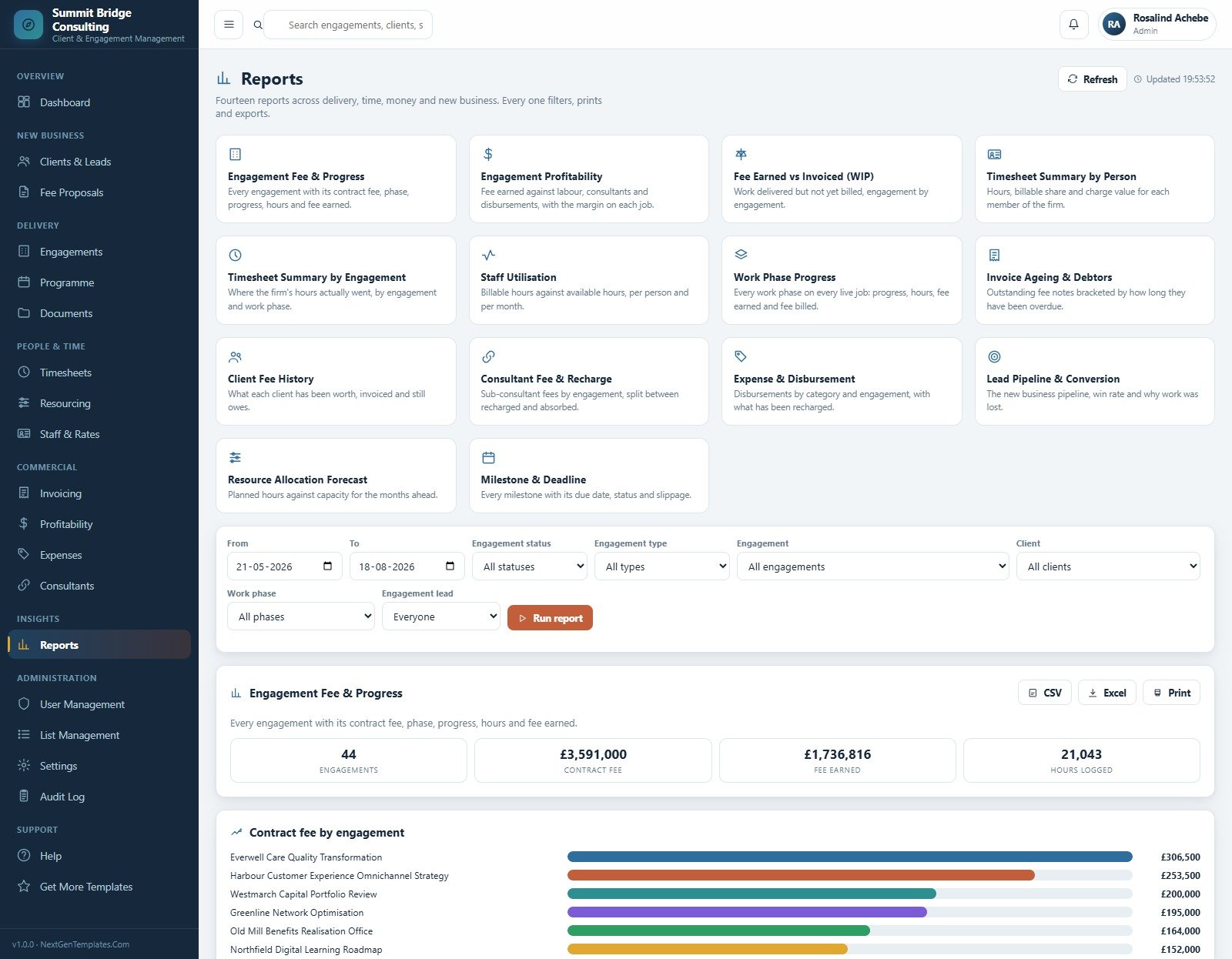
15. Reports
Fourteen reports across delivery, time, money and new business: Engagement Fee & Progress, Engagement Profitability, Fee Earned vs Invoiced, Timesheet Summary by Person, Timesheet Summary by Engagement, Staff Utilisation, Work Phase Progress, Invoice Ageing & Debtors, Client Fee History, Consultant Fee & Recharge, Expense & Disbursement, Lead Pipeline & Conversion, Resource Allocation Forecast and Milestone & Deadline. Every one filters, prints and exports.
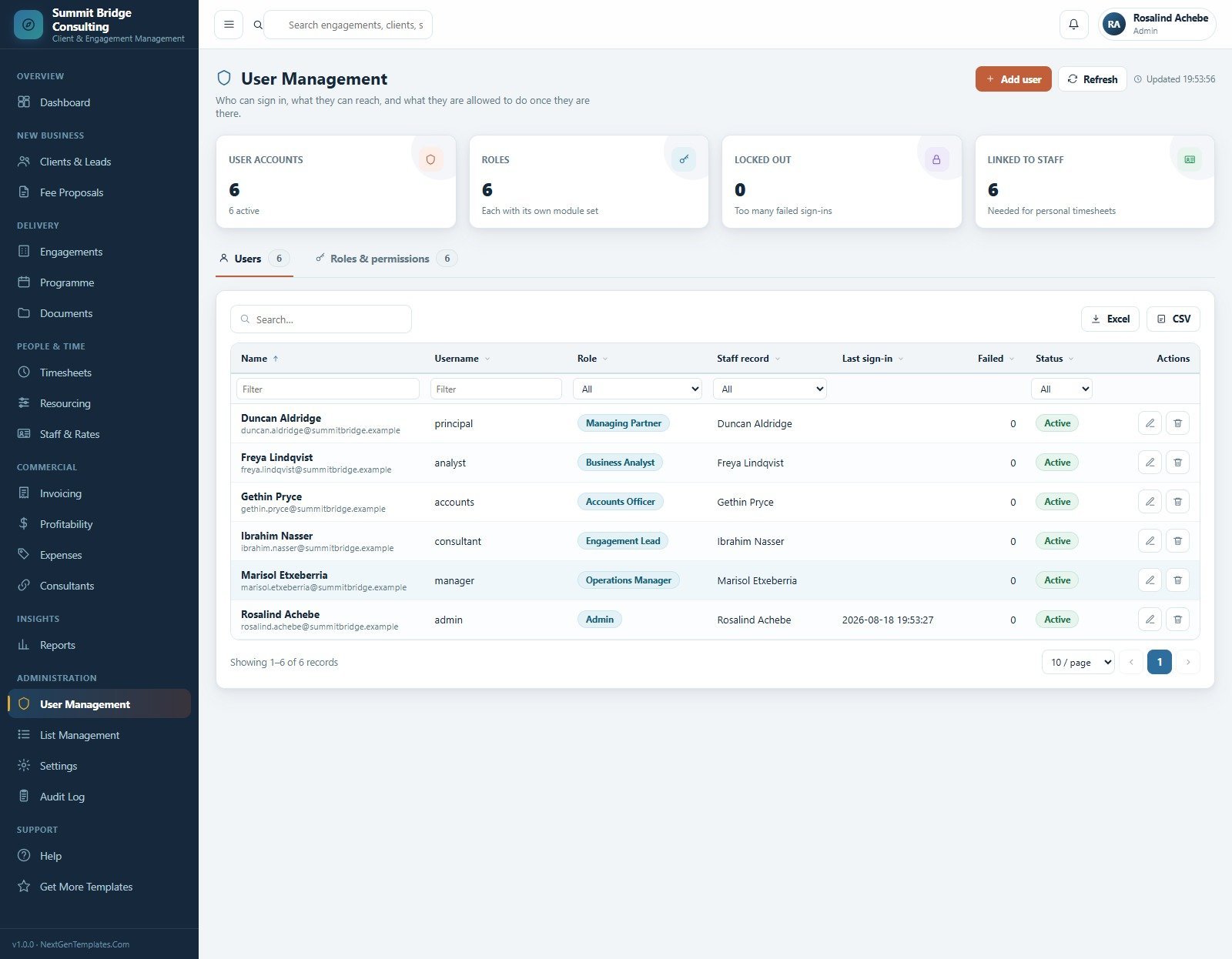
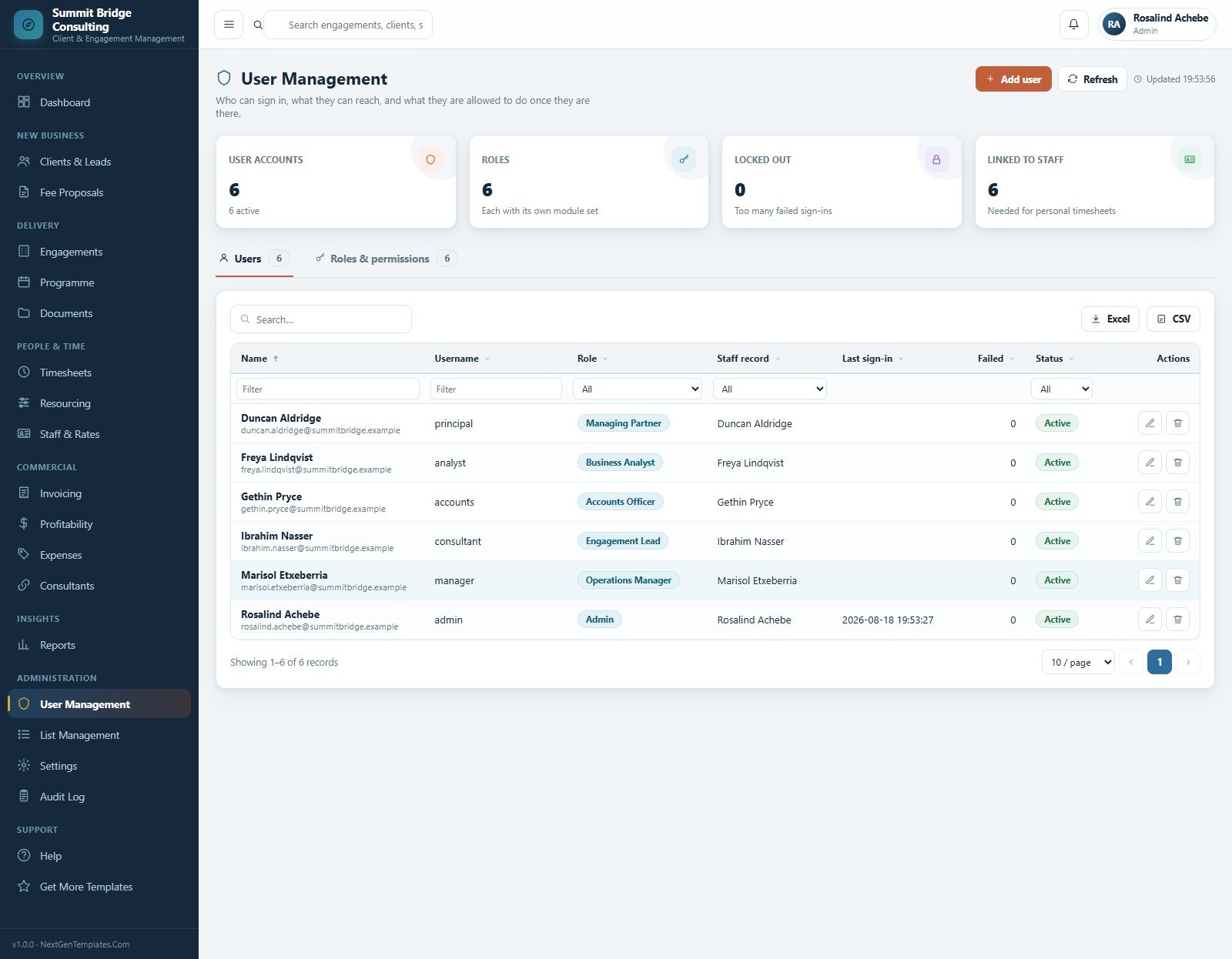
16. User Management
Who can sign in, which modules they reach and what they may do once there. Six roles ship configured, each linked to a staff record so personal timesheets work, with lockout tracking on failed sign-ins.
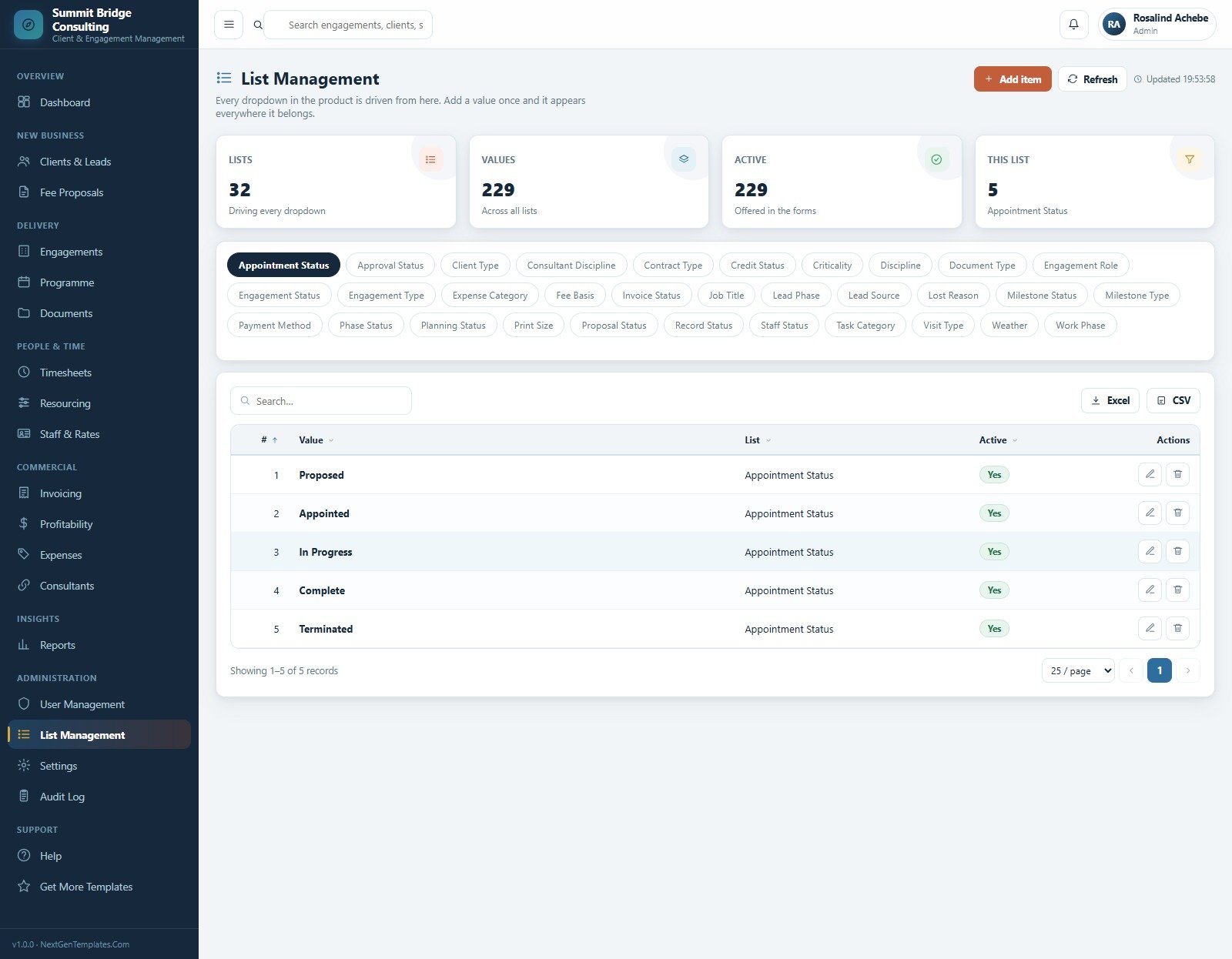
17. List Management
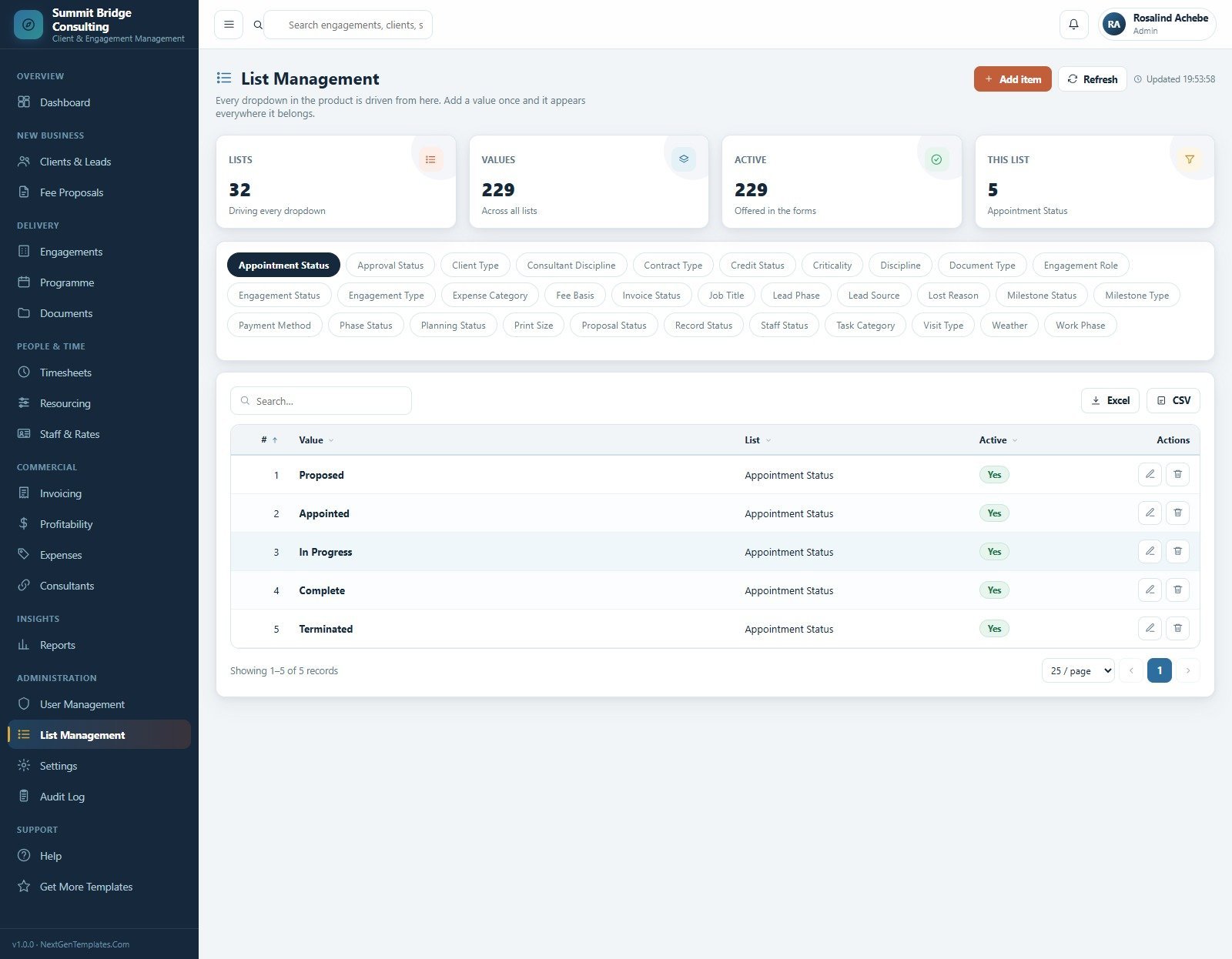
Every dropdown in the product is driven from here: 32 lists holding 229 active values, including Work Phase, Engagement Type, Criticality, Expense Category, Lead Source, Lost Reason, Contract Type and Print Size.
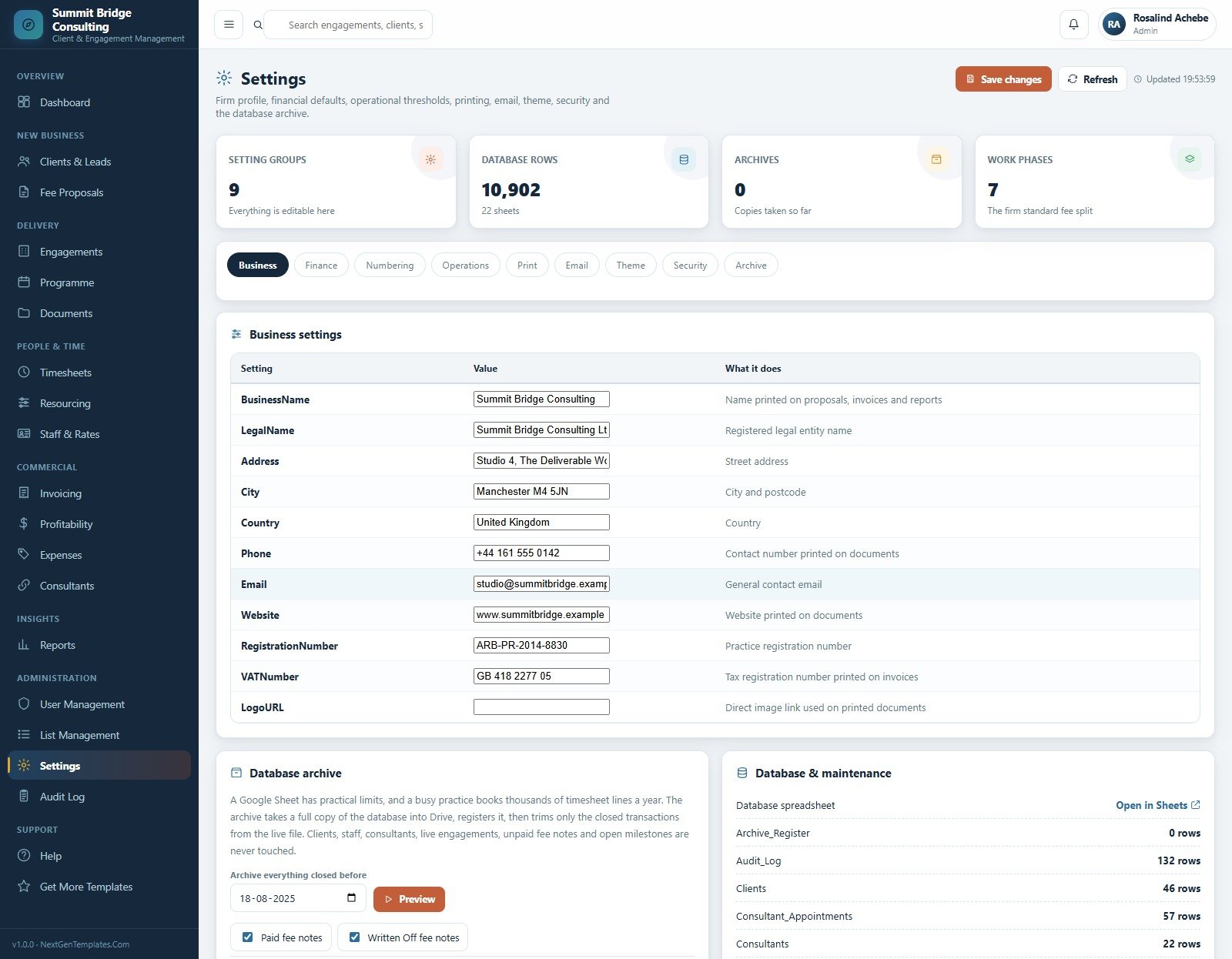
18. Settings
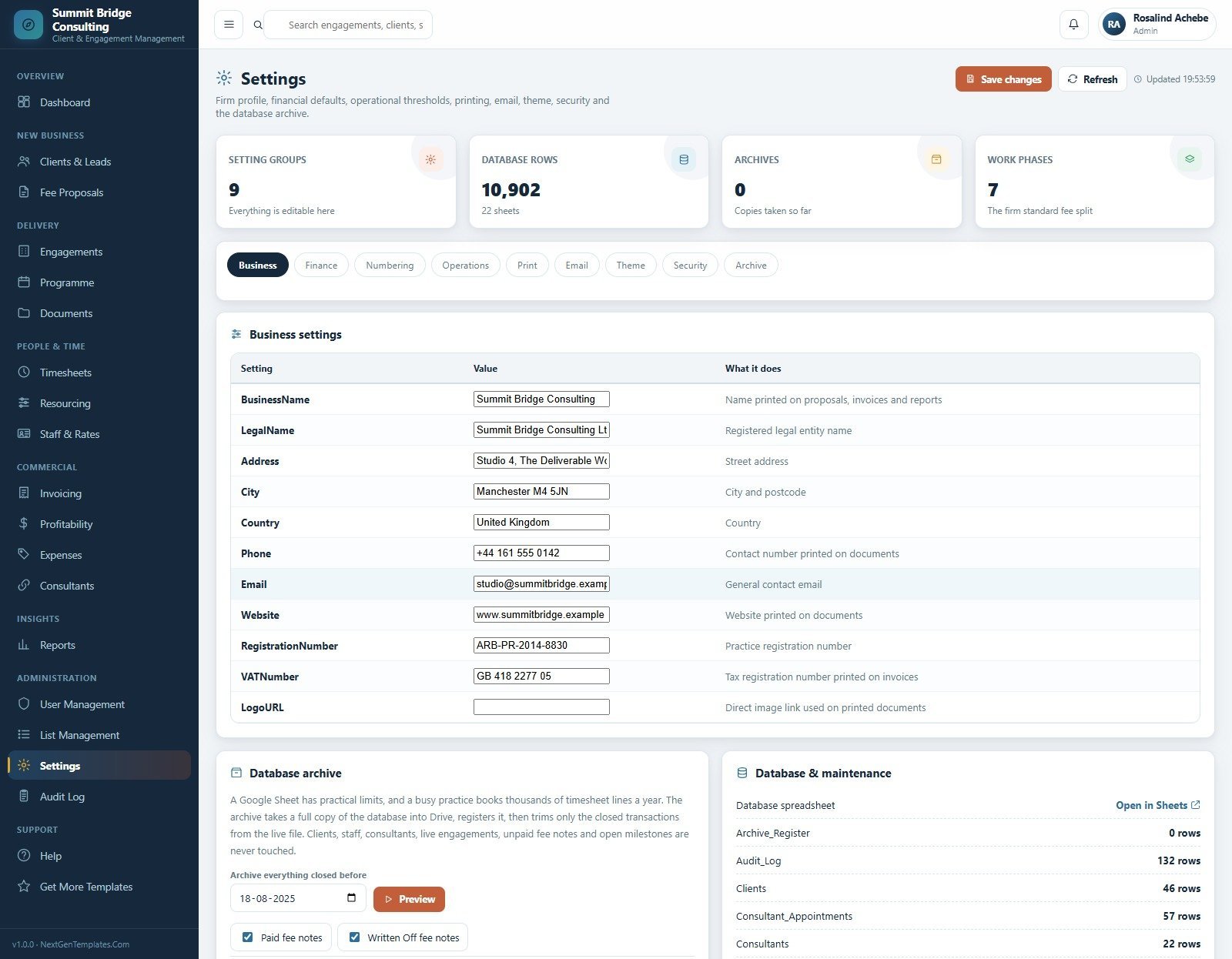
Nine setting groups — Business, Finance, Numbering, Operations, Print, Email, Theme, Security and Archive — plus a database archive tool that copies closed transactions to Drive and trims the live file without touching clients, staff, live engagements, unpaid fee notes or open milestones.
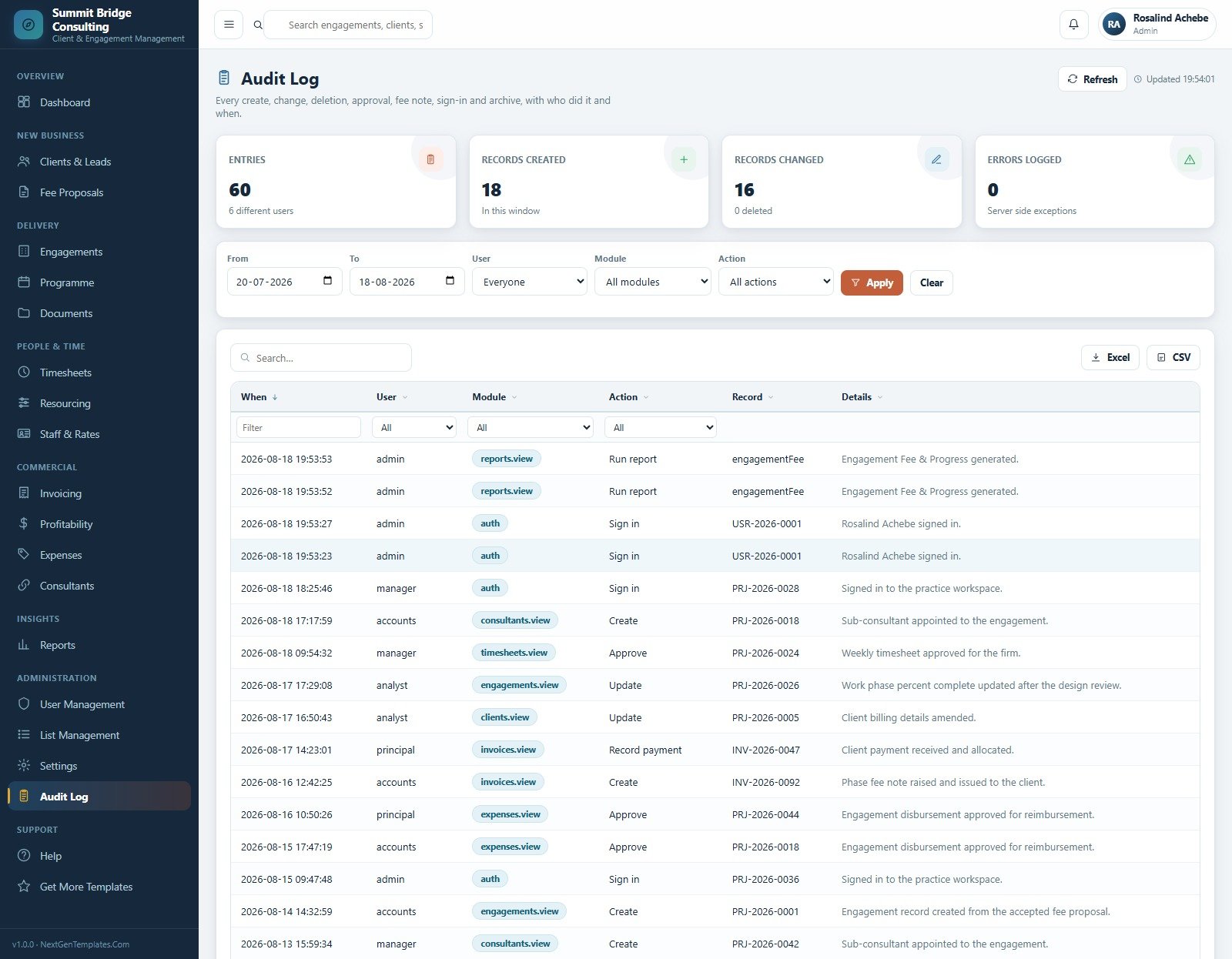
19. Audit Log
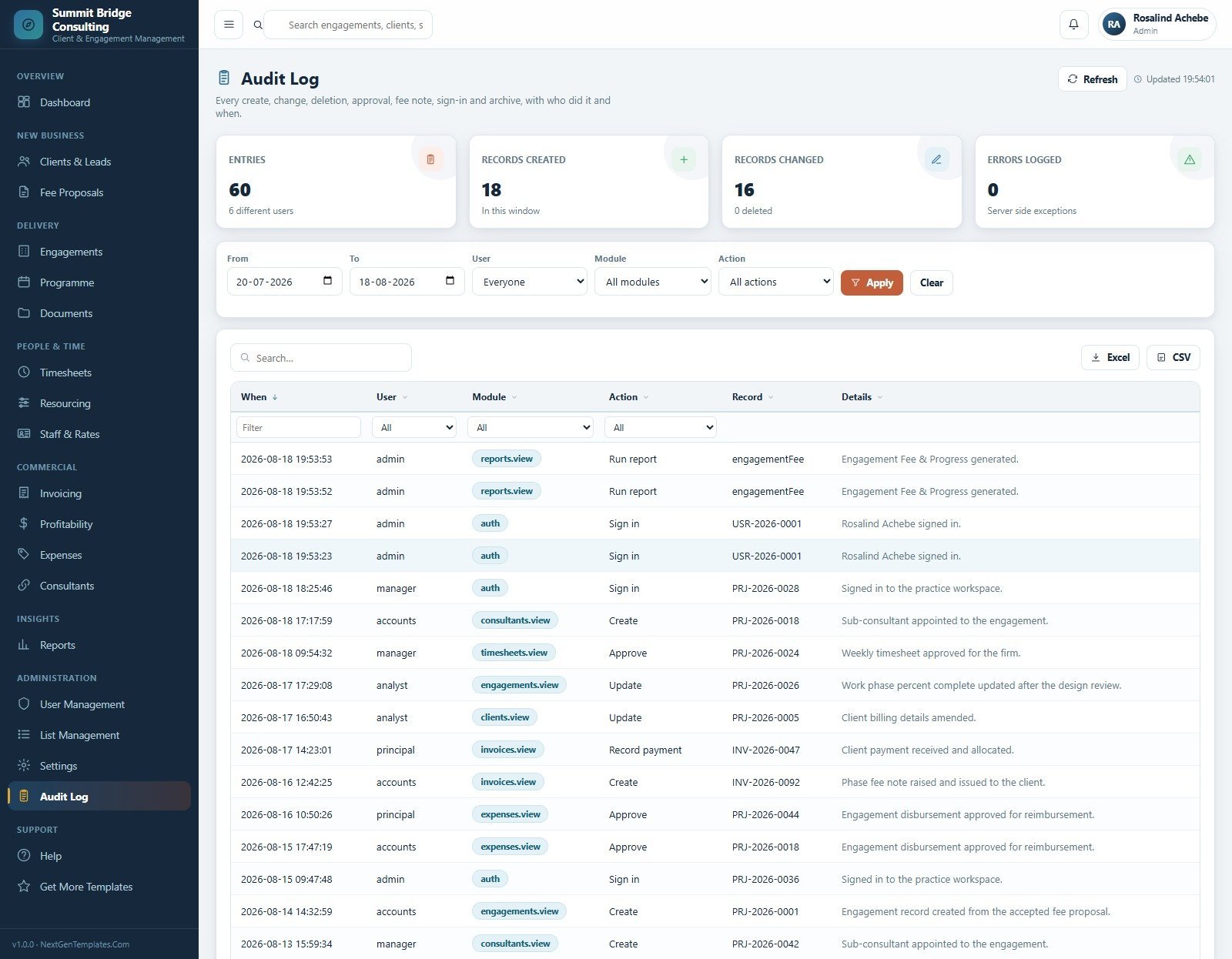
Every create, change, deletion, approval, fee note, sign-in and archive with the user, the module, the record reference and the timestamp — filterable by date, user, module and action.
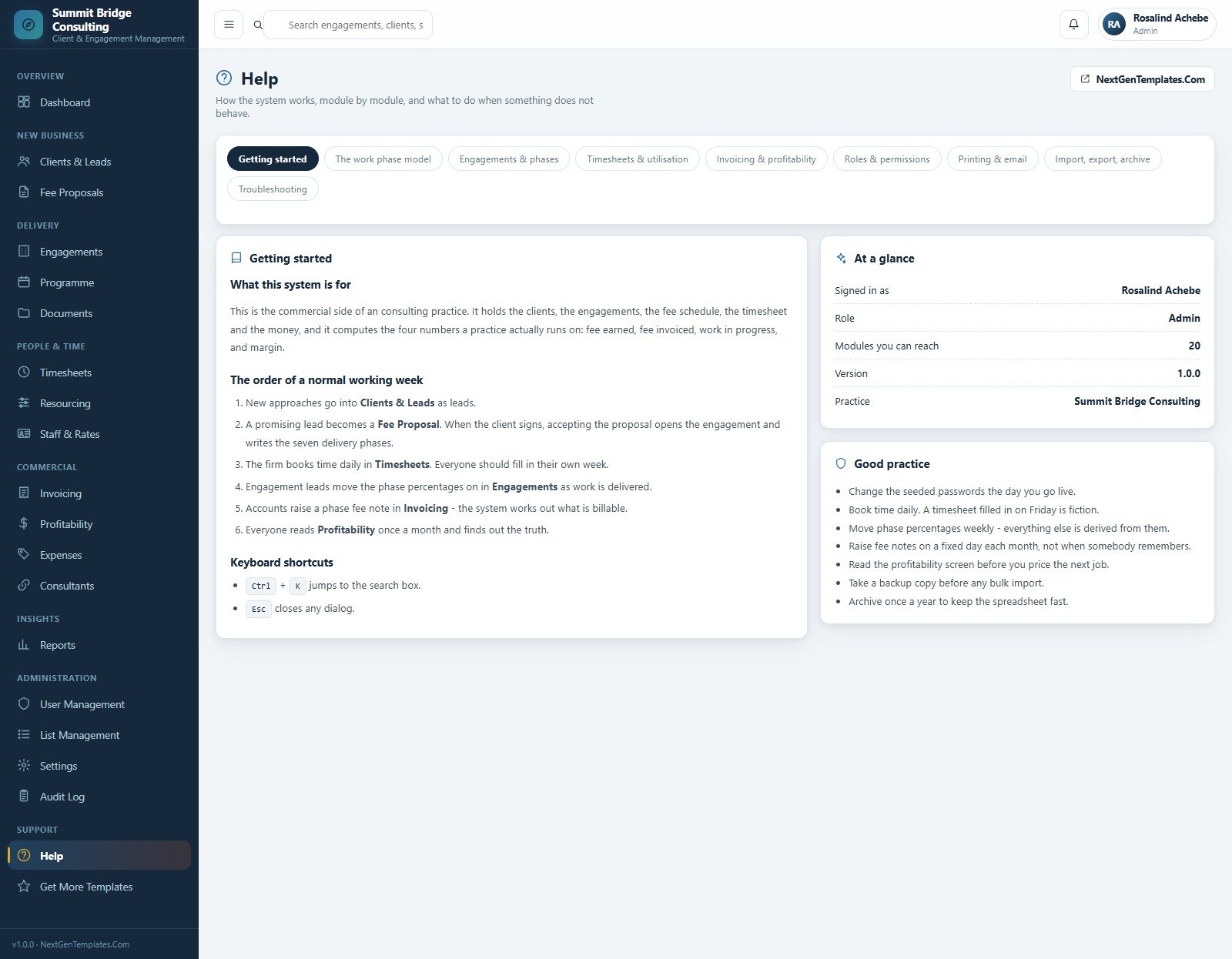
20. Help
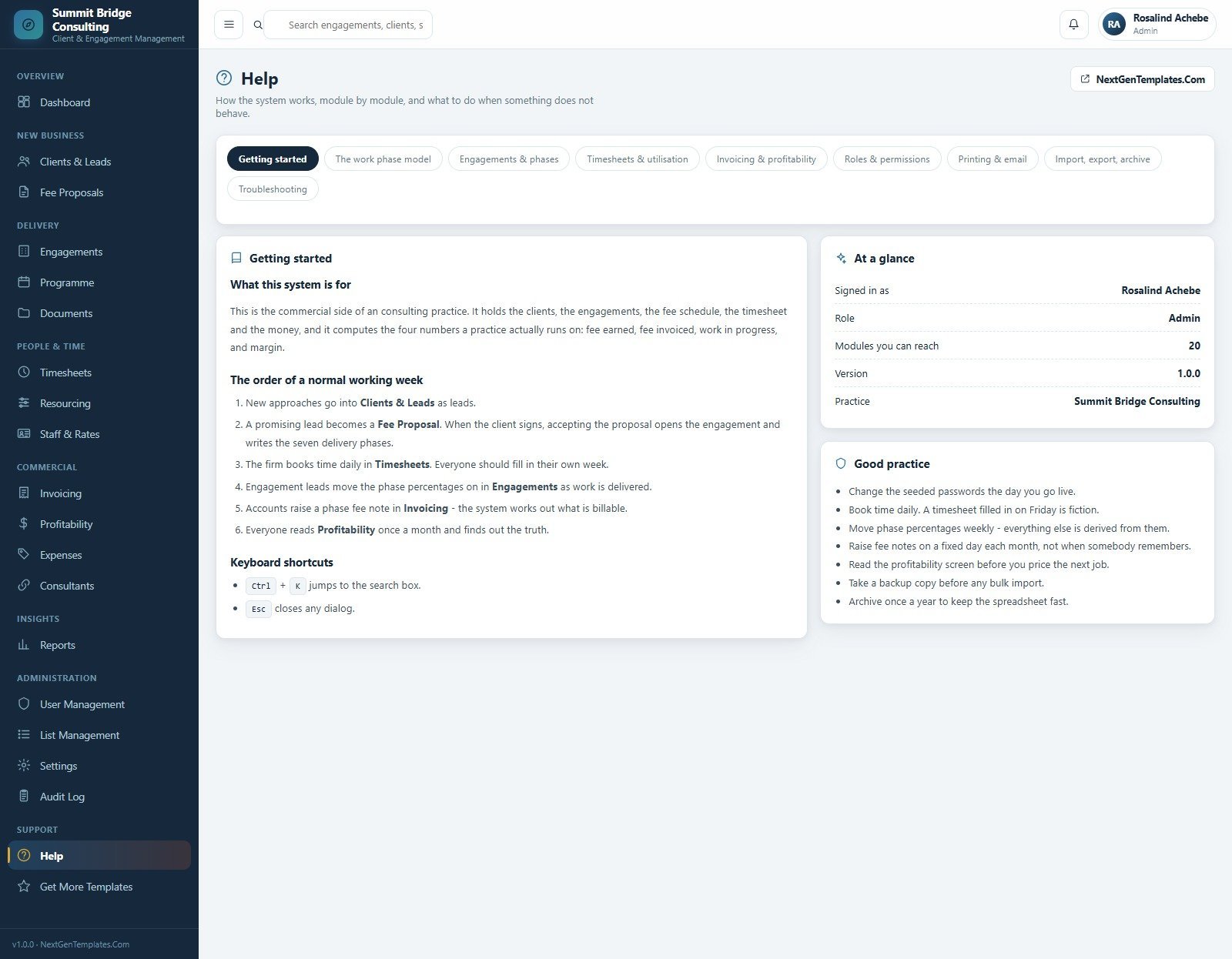
Nine in-app help tabs covering getting started, the work phase model, engagements and phases, timesheets and utilisation, invoicing and profitability, roles and permissions, printing and email, import/export/archive and troubleshooting.
📊 This Web App vs. a Google Sheets Tracker vs. Paid PSA Software — Where This Fits
| Feature | Business Consulting Client Management System Web App | Google Sheets / Excel tracker | Harvest / Scoro / Kantata (paid PSA) |
|---|---|---|---|
| Cost | $39.99 one-time ✅ | Low cash cost, high build time | $12–$60 per user per month |
| Platform | Google Sheets database + Apps Script browser app | Spreadsheet tabs | Vendor-hosted cloud |
| Setup time | Deploy 20 ready screens in about 15 minutes ✅ | Weeks of formula and form building | Onboarding plus configuration |
| Real-time team collaboration | Yes, multi-user with login ✅ | Shared editing, no roles | Yes |
| Mobile access | Any browser ✅ | Sheets app or browser | App or browser |
| Customisable fields | Lists, settings, sheets and source code all editable ✅ | Editable cells | Plan dependent |
| Seven-phase fee schedule | Built in ✅ | Only if hand-built | Usually a paid tier |
| Engagement margin computed from timesheets | Yes, never typed in ✅ | Manual formulas | Yes |
| Year-1 cost at 5 users | $39.99 total ✅ | Template cost plus build time | $720–$3,600 |
For practices that want engagement margin, utilisation and phase billing without paying per seat every month, the Business Consulting Client Management System Web App sits in the sweet spot.
👥 Who This Template Is For — and Who It’s Not For
✅ This template is built for:
- Management, strategy and operations consultancies with roughly 5–60 fee earners
- Engagement leads and consulting directors who need utilisation and burn visible weekly
- Practice managers replacing four separate spreadsheets for time, fees, invoices and resourcing
- Independent consultants who bill by phase and sub-contract specialist work
- Anyone who wants to own the source code rather than rent a seat
❌ This template is NOT for:
- Enterprises needing SSO, SOC 2 attestation or a vendor support contract
- Firms that require native accounting sync with Xero, QuickBooks or NetSuite
- Teams wanting a client-facing portal with external logins
- Practices with no Google Workspace or personal Google account available
⚙️ How to Use the Business Consulting Client Management System Web App
- Unzip the download and follow the included deployment guide to create your Apps Script project.
- Deploy as a web app, open the URL and sign in with the seeded admin account, then change every seeded password.
- Set the firm profile, financial defaults, numbering formats and the seven work phases under Settings.
- Add staff with charge-out and cost rates, then create user accounts and link each one to its staff record.
- Log new approaches in Clients & Leads, raise a Fee Proposal, and accept it to open the engagement and write its phases.
- Book time daily in Timesheets and move phase percentages weekly in Engagements.
- Raise phase fee notes in Invoicing on a fixed day each month, then read Profitability before pricing the next job.
💼 Real-World Use Cases
Rosalind is consulting director at a 26-person strategy firm. She opens the dashboard each Monday, checks which engagements are burning hours faster than progress, and uses the resourcing heat grid to decide whether the firm can take the next piece of work — without exporting anything to a spreadsheet.
Duncan is a managing partner who prices new work. Before quoting, he opens Engagement Profitability, filters to the same engagement type, and reads recovery per hour and margin percent on the last five comparable jobs so the fee is based on evidence rather than instinct.
Gethin runs accounts for the practice. He raises phase fee notes on the same day each month, watches the debtor ageing brackets, and chases the overdue notes from the same screen instead of maintaining a separate receivables workbook.
❓ Frequently Asked Questions
What does the Business Consulting Client Management System Web App include?
The Business Consulting Client Management System Web App includes 20 modules covering the dashboard, clients and leads, fee proposals, engagements, programme, documents, timesheets, resourcing, staff rates, invoicing, profitability, expenses, sub-consultants, 14 reports, users, lists, settings, audit log and in-app help.
How long does setup take?
Deployment takes about 15 minutes. You paste Code.gs and Index.html into a new Google Apps Script project, deploy it as a web app, sign in with the seeded admin account and change the passwords. Firm profile and rate setup usually takes another hour.
How does this compare to Harvest, Scoro or Kantata?
Paid PSA platforms charge $12–$60 per user per month and host your data. The Business Consulting Client Management System Web App is a one-time $39.99 purchase that runs in your own Google account, with the source code included so you can change fields, phases and reports yourself.
How is engagement margin calculated?
Margin is derived, never typed. The system takes fee earned from the phase schedule, subtracts studio labour cost from booked timesheet hours and sub-consultant cost from appointments, then reports the result in currency and as a percent against your target.
Can different people see different modules?
Yes. Six roles ship configured — Managing Partner, Consulting Director, Engagement Lead, Operations Manager, Accounts Officer and Business Analyst — each with its own module set. Every sign-in, edit and approval is written to the Audit Log.
Will the Google Sheet slow down as data grows?
The Settings module includes a database archive that copies closed transactions into Drive and trims them from the live file. Clients, staff, sub-consultants, live engagements, unpaid fee notes and open milestones are never touched by the archive.
Can I edit the fields and dropdown values?
Yes. List Management drives all 32 dropdown lists and their 229 values, so you can rename work phases, engagement types, expense categories and lost reasons without touching code. The source files are editable for deeper changes.
👤 About the Author
Built by PK — Microsoft Certified Professional with 15+ years of Excel, Google Sheets, and Power BI experience. Founder of NextGenTemplates, reaching 300K+ subscribers across YouTube channels (@PK-AnExcelExpert, @NextGenTemplates, @NeoTechNavigators). Every template is hand-built and tested before release.
🔗 Explore Related Templates
- Consulting Project and Billing Management System Web App — quotation-to-project workflow with GST and export invoicing.
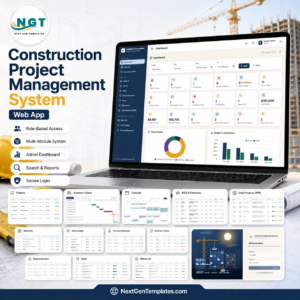
- Construction Project Management System Web App — the same phase-and-billing model applied to construction delivery.
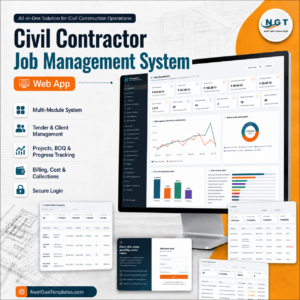
- Civil Contractor Job Management System Web App — job costing and site records for contracting teams.
- Client Billing and Invoice Management Dashboard in Google Sheets — a lighter reporting-only option at $6.99.
- Browse every Web App template and the wider Google Sheets templates library.
📖 Click here to read the Detailed Blog Post
🎥 Visit our YouTube channel for step-by-step video tutorials
👉 YouTube.com/@NextGenTemplates
📅 Last updated: August 2026





























Reviews
There are no reviews yet.