

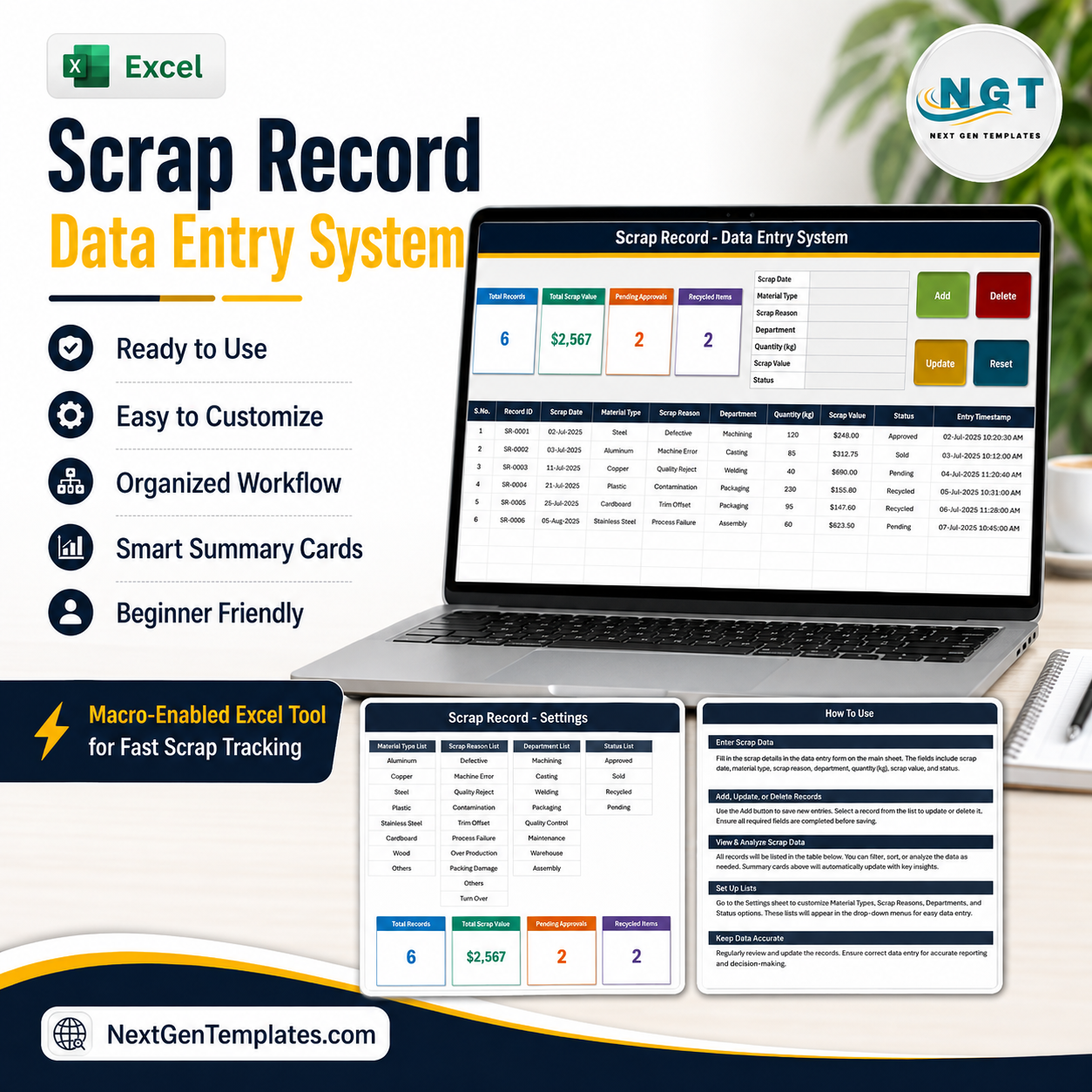
The Scrap Record Data Entry System in Excel turns scrap logging into a seven-field form and one button. It is a macro-enabled workbook (.xlsm) with an Add, Update, Delete and Reset button set written in VBA, a records table of 10 columns, and four summary cards that recalculate as you type. The sample file ships with 6 records, 12 material types, 10 scrap reasons, 9 departments and 5 statuses, all editable on a Setting sheet. Every saved row is given its own Record ID (SR-0001 onward) and an Entry TimeStamp, so the same scrap ticket is never counted twice. Instant download, lifetime access, free future updates.
Read this before you buy: this is a record-keeping workbook, nothing more. It does not make a scrap yard, metal dealer or recycling operation licensed, registered, compliant or audit-ready, and it does not satisfy any seller-identification, know-your-customer, cash-payment, police-reporting, waste-carrier or waste-transfer-note requirement. It does not classify hazardous waste or e-waste, and it is not legal, tax, environmental or accounting advice.
Key Features of the Scrap Record Data Entry System in Excel
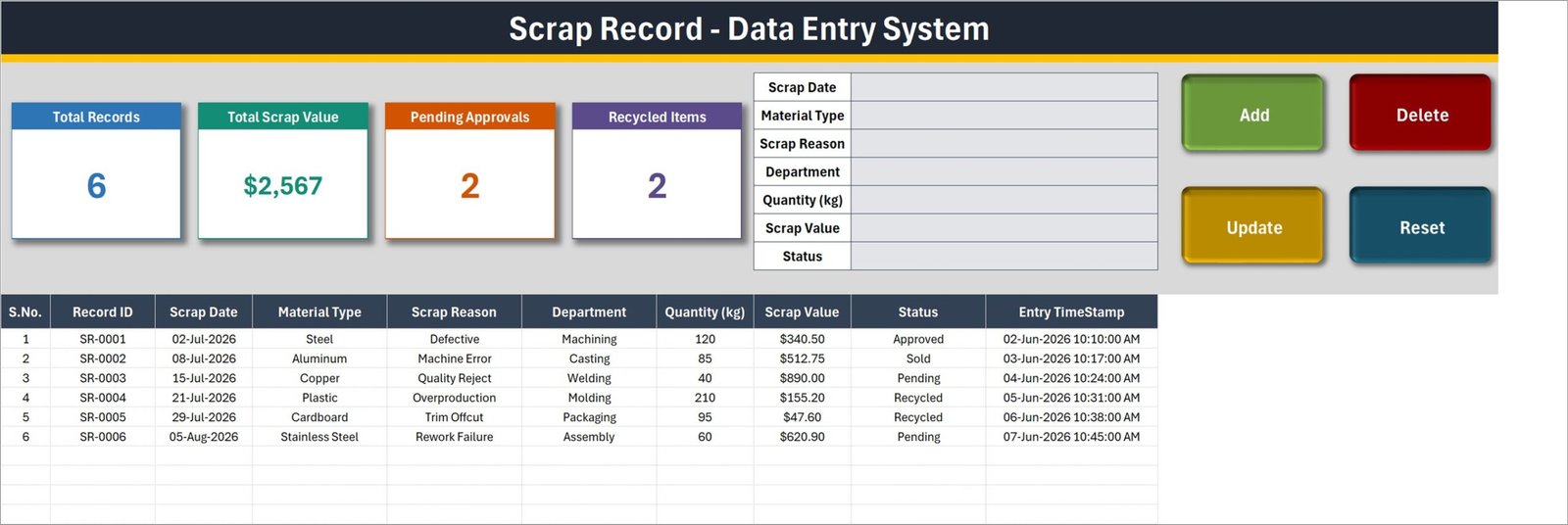
- A seven-field form, not a wall of columns. Scrap Date, Material Type, Scrap Reason, Department, Quantity (kg), Scrap Value and Status sit in one block beside the buttons.
- Four VBA buttons. Add writes the row, Update saves an edit, Delete removes a row after a confirmation that shows the Record ID, Reset clears the form.
- Record IDs are generated for you. The sample rows run SR-0001 to SR-0006; the next entry continues the sequence.
- An Entry TimeStamp column. The table’s last column captures the moment each row was saved, separately from the Scrap Date you type.
- Four summary cards. Total Records, Total Scrap Value, Pending Approvals and Recycled Items – in the sample data 6, $2,567, 2 and 2.
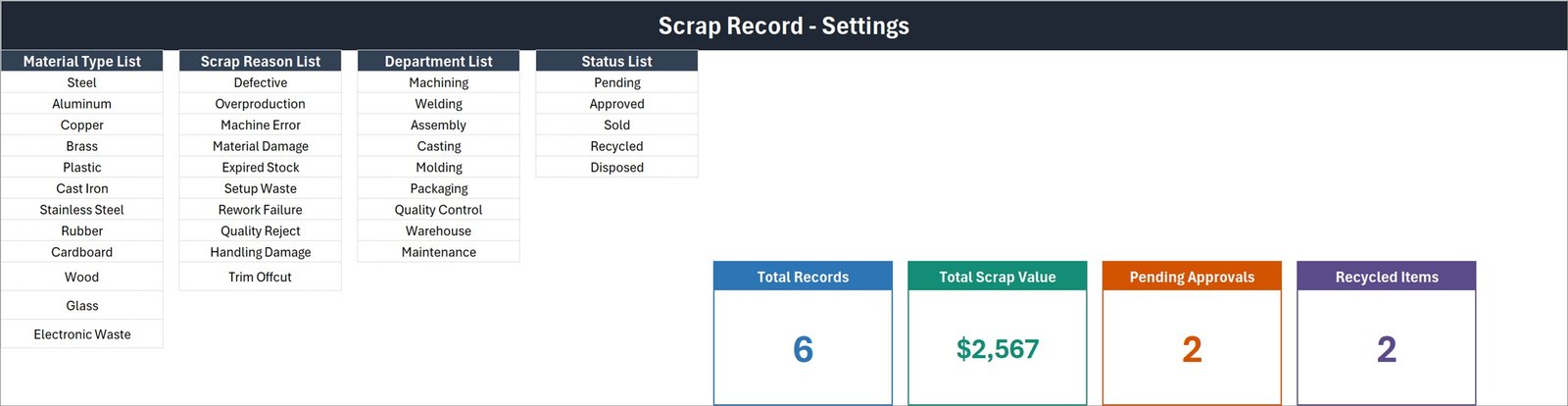
- Dropdowns you own. The Setting sheet holds Material Type (12 entries, from Steel and Copper to Cardboard and Glass), Scrap Reason (10, including Machine Error, Setup Waste and Trim Offcut), Department (9, from Machining to Maintenance) and Status (5: Pending, Approved, Sold, Recycled, Disposed). Add or delete a row and every dropdown follows.
- Double-click editing. Double-click any record to load it into the form; the workbook remembers its ID, so Update finds the right row wherever it has moved to.
- Type in the table too. The table columns carry the same dropdowns as the form, so quick corrections do not need the buttons.
What’s Inside the Scrap Record Data Entry System
1. Data Entry sheet. The working page: title bar, the four summary cards, the entry form, the Add / Update / Delete / Reset buttons, and the records table with S.No., Record ID, Scrap Date, Material Type, Scrap Reason, Department, Quantity (kg), Scrap Value, Status and Entry TimeStamp.
2. Setting sheet. The four dropdown lists plus the master copies of the four summary cards. The cards on the Data Entry sheet are linked pictures of these, which is why they restyle when you restyle the originals.
3. How To Use sheet. Six short sections written into the workbook: entering records, updating without re-selecting the row, deleting safely, how the stat cards work, editing the dropdown lists, and enabling macros.
4. The download. One ZIP containing a single file, Scrap_Record_System.xlsm.
Be honest about the arithmetic before you rely on it. Total Scrap Value adds up the Scrap Value column for every row, whatever its status, so Sold and Disposed scrap is inside that figure. Only two of the five statuses have a card, so Pending Approvals and Recycled Items will not add up to Total Records. Quantity (kg) is captured per record but is not totalled anywhere – add a SUM if you need a weight total. And in the sample data the Scrap Dates sit in July and August 2026 while the Entry TimeStamps are June 2026; that is demo data, and you will delete it.
Scrap Record Data Entry System in Excel vs. Google Sheets vs. Paid Inventory SaaS – Where This Fits
| What matters | Scrap Record Data Entry System in Excel | A Google Sheets scrap log | Zoho Inventory / NetSuite ERP |
|---|---|---|---|
| Cost | One payment, this listing | Free, but you build it | Monthly subscription per user |
| Platform | Desktop Excel for Windows (.xlsm) | Any browser | Browser and mobile apps |
| Setup time | Minutes – open, enable macros, start typing | Hours of formula and validation work | Days to weeks of configuration |
| Real-time team collaboration | No – one file, one person at a time | Yes | Yes |
| Mobile access | No – VBA does not run on mobile or the web | Yes | Yes |
| Customizable fields | Yes – edit the four Setting-sheet lists | Yes | Yes, within the vendor’s model |
| Share with link | No – it is a file you send | Yes | Yes |
| Year-1 cost at 5 users | The one-off price on this page | Free plus your build time | Hundreds to thousands per year |
| One-click Add / Update / Delete | Yes – VBA buttons | Only if you write Apps Script | Yes |
| Automatic record IDs and timestamps | Yes – SR-0001 onward, stamped on save | Only if you script it | Yes |
Who This Template Is For – and Who It’s Not For
It is for you if you are a production supervisor, quality engineer, storekeeper or small-workshop owner who wants scrap written down the same way every time; if you work in desktop Excel on Windows; and if you would rather own a small file than pay for a system whose scrap module is one tab you never open.
It is not for you if you need several people entering scrap at once, if you need it on a phone, if you are on a Mac or Excel for the web (VBA does not run there), if you want automatic costing from a bill of materials, or if you need barcode or weighbridge integration. It is also not for you if what you actually need is a compliance system: seller identification, cash-payment limits, stolen-metal reporting, waste-carrier registration and hazardous or e-waste classification are legal duties, and no spreadsheet discharges them. “Electronic Waste” appearing in the Material Type list is a text label for your own sorting, not a waste classification.
How to Use the Scrap Record Data Entry System
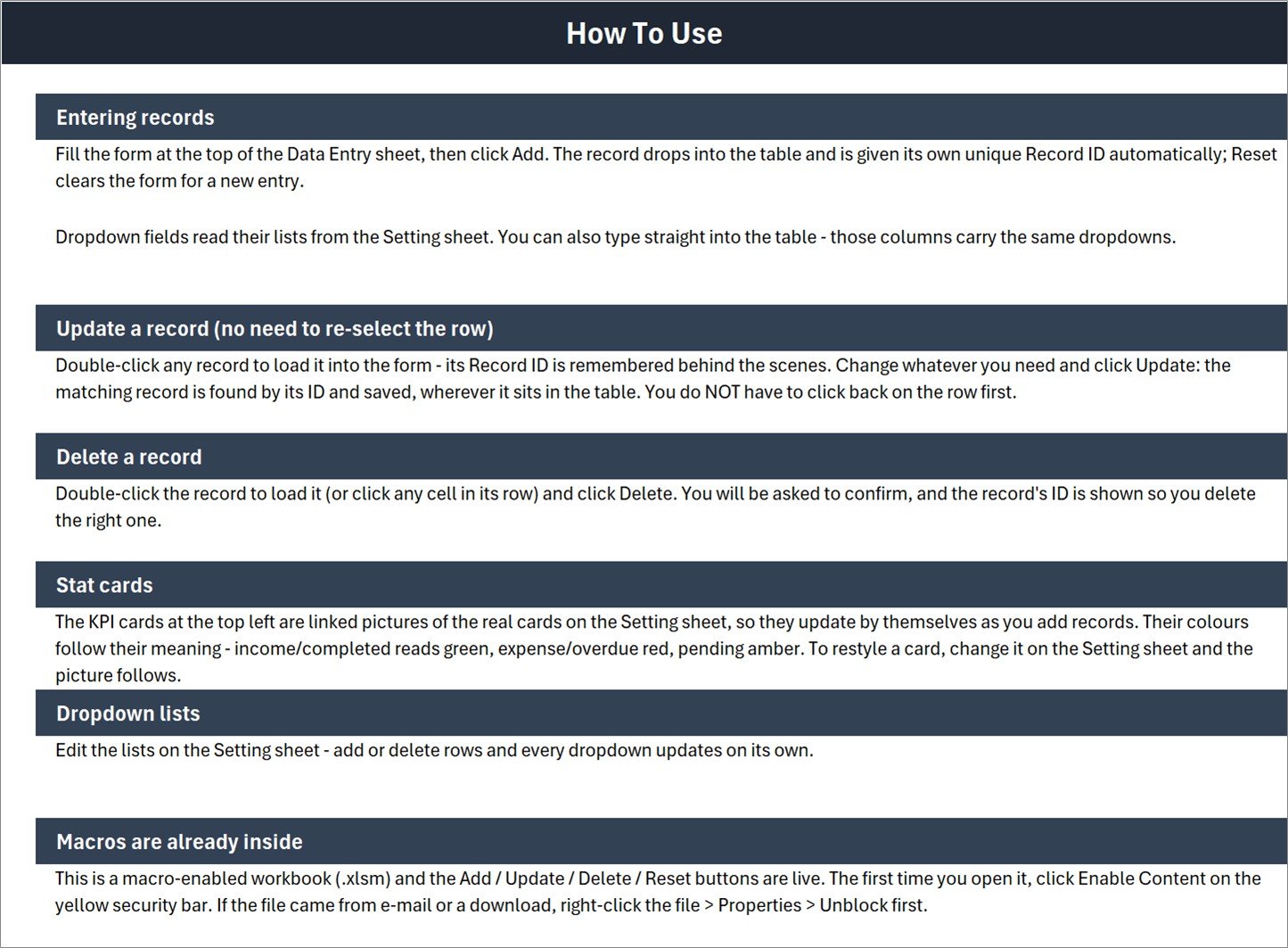
- Unblock and open. Unzip the download, right-click Scrap_Record_System.xlsm, choose Properties and tick Unblock if it came from e-mail or a download. Open it in desktop Excel and click Enable Content on the yellow bar.
- Edit your lists first. On the Setting sheet, replace the Material Type, Scrap Reason, Department and Status entries with the ones your plant actually uses. Every dropdown updates on its own.
- Clear the demo data. Delete the six sample rows before you record anything real.
- Log a scrap event. Fill the seven fields and click Add. The row lands in the table with its own Record ID and Entry TimeStamp; Reset clears the form for the next one.
- Correct a record. Double-click the row, change what is wrong, click Update. You do not have to click back on the row first.
- Remove a record. Double-click it and click Delete; confirm the Record ID shown in the prompt.
- Watch the cards. Total Records, Total Scrap Value, Pending Approvals and Recycled Items refresh as you work – no refresh button, no pivot to rebuild.
Real-World Use Cases
Ramesh, production supervisor at a 40-person press shop. Every shift he logs the day’s rejects against Machining, Welding or Casting with a Scrap Reason of Setup Waste or Machine Error. At month end he sorts the table by Department and finally has an argument with numbers behind it.
Aisha, quality engineer. She uses the Status column as a workflow: new entries sit at Pending, she moves them to Approved once she has seen the part, and Pending Approvals on the card tells her how much of her queue is left.
Daniel, storekeeper at a packaging plant. Cardboard and Plastic offcuts go out to a recycler each week. He marks those rows Recycled, and the Recycled Items card gives him a running count to check against the collection note.
Frequently Asked Questions
Does this template make my scrap or recycling business licensed, compliant or audit-ready?
No. It is a record-keeping workbook. Scrap metal dealing and waste handling are licensed and regulated in many places, with duties such as verifying seller identity, limits on cash payment, reporting suspected stolen metal, registering as a waste carrier and issuing waste transfer notes. This file does none of that, classifies no hazardous waste or e-waste, and is not legal, tax, environmental or accounting advice. Check the rules where you trade.
Do I have to enable macros?
Yes. The Add, Update, Delete and Reset buttons are VBA, so the workbook must be opened as a macro-enabled .xlsm with content enabled. If the yellow bar does not appear, right-click the file, open Properties and tick Unblock.
Will it work in Google Sheets, Excel for the web, or on a Mac?
It is built and tested for desktop Microsoft Excel on Windows. Google Sheets and Excel for the web do not run VBA at all, so the buttons will not work there. We do not guarantee Excel for Mac.
Can I change the fields and the dropdown lists?
The four dropdown lists on the Setting sheet are yours to edit – add or delete rows and the dropdowns follow. The seven form fields themselves are fixed by the VBA behind the buttons, so renaming or adding a field means editing the macro code.
How many records can it hold?
The workbook has no record limit of its own; an Excel worksheet holds just over a million rows, and in practice a scrap log of a few thousand rows stays comfortable. The screenshots show six sample records.
Does it calculate scrap cost or a scrap rate percentage?
No. You type Scrap Value yourself; the workbook adds that column up on the Total Scrap Value card. There is no cost lookup, no bill of materials and no scrap-rate calculation, and Quantity (kg) is not totalled anywhere.
Is the sample data mine to keep?
The six rows are demonstration data. Delete them before you record anything real – and keep your own backups, because a single file has a single point of failure.
About the Author
Built by PK – Microsoft Certified Professional with 15+ years of Excel, Google Sheets, and Power BI experience. Founder of NextGenTemplates, reaching 300K+ subscribers across YouTube channels. Every template is hand-built and tested before release.
Explore Related Templates
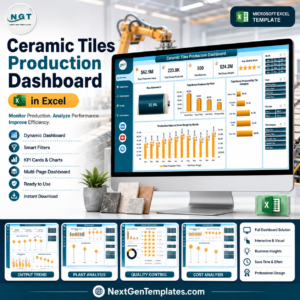
- Ceramic Tiles Production Dashboard in Excel – when the scrap log has grown enough to want charts on top of it.
- Plant Production Manager Toolkit – nine Excel and Power BI templates for the wider plant.
- Watch Repair Data Entry System in Excel – the same form-and-buttons build for a repair bench.
- Salon Product Stock Data Entry System in Excel – the stock-side sibling of this workbook.
- Browse the whole Excel VBA Tools category, or everything under Excel for Manufacturing.
Ready to stop guessing what your scrap costs? Download the Scrap Record Data Entry System in Excel, enable macros, clear the six sample rows and log your first entry in the next five minutes. The full walkthrough is on the blog: Scrap Record Data Entry System in Excel.
Last updated: 21 August 2026.















Reviews
There are no reviews yet.