

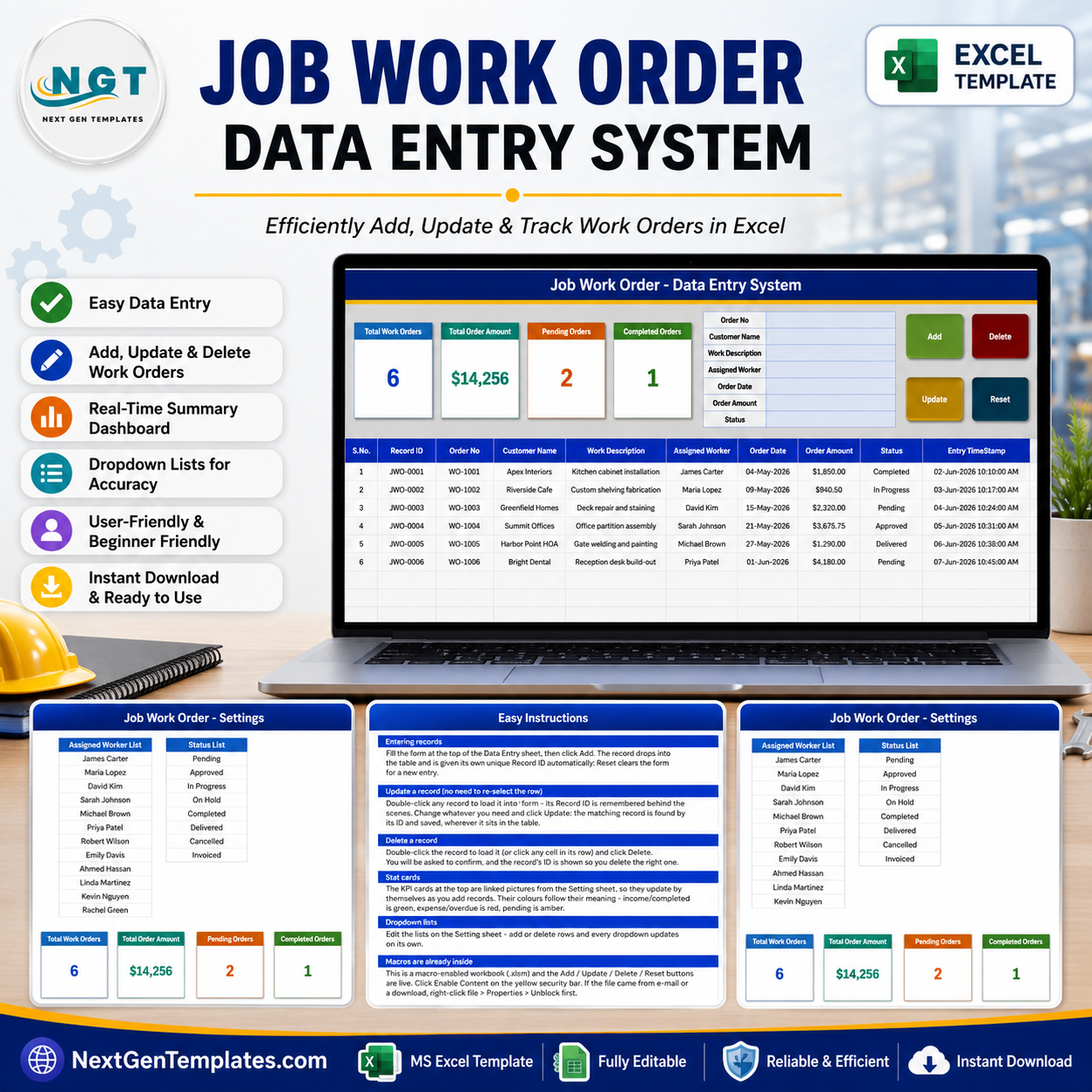
The Job Work Order Data Entry System in Excel turns job-shop and on-site work orders into a 7-field form, four VBA buttons, four summary cards and a 10-column register. It ships with 6 clearly labelled demo work orders totalling $14,256.25 in order value, with 2 orders marked Pending and 1 marked Completed, so you can test the buttons before replacing the sample rows. Pay $6.99 once (regular $11.99): there is no subscription, no per-user licence and no account to create. This is a macro-enabled Windows desktop Excel workbook (.xlsm), not a cloud app – the file stays on your computer and remains completely editable.
Key Features of the Job Work Order Data Entry System in Excel
- Seven-field work order form – capture Order No, Customer Name, Work Description, Assigned Worker, Order Date, Order Amount and Status without scrolling across the table.
- Four working VBA controls – Add writes a new work order, Update saves your edits, Delete removes the selected record after a confirmation that shows its ID, and Reset clears the form.
- Automatic Record IDs and timestamps – every row receives a JWO-0001 style Record ID and an Entry TimeStamp, so your own Order No can stay in whatever format your business already uses.
- Update by Record ID – double-click a row to load it into the form, change what you need and click Update. The macro remembers the ID, so you do not have to click back on the row first.
- Four summary cards – Total Work Orders counts the register, Total Order Amount sums the Order Amount column, and Pending Orders and Completed Orders count those two statuses.
- Ten-column job register – S.No., Record ID, Order No, Customer Name, Work Description, Assigned Worker, Order Date, Order Amount, Status and Entry TimeStamp.
- Editable dropdown lists – 12 sample worker names and 8 status choices live on the Setting sheet and feed both the form and the table columns.
- Eight-stage status list – Pending, Approved, In Progress, On Hold, Completed, Delivered, Cancelled and Invoiced, all renameable.
- Built-in guidance – the How To Use sheet covers entry, ID-based updating, deletion, the summary cards, the dropdown lists and enabling macros.
- Offline desktop workflow – customer and job data stays in a file you control.
What’s Inside the Job Work Order Data Entry System in Excel
The workbook contains four sheets. The first three are shown below; the fourth is a catalogue link page.
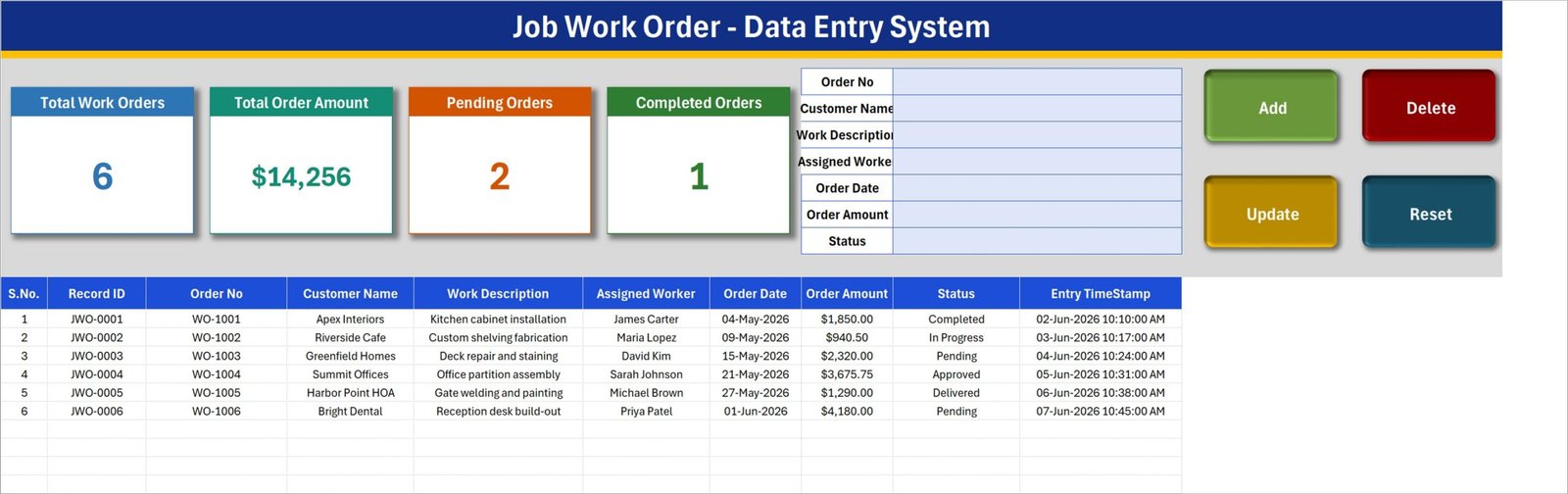
Data Entry – work order form, summary cards and register
This is the working sheet. Four coloured cards sit top left, the seven-field form sits in the middle, and the Add, Delete, Update and Reset buttons sit on the right. The register runs underneath. The six visible rows – kitchen cabinet installation, custom shelving fabrication, deck repair and staining, office partition assembly, gate welding and painting, and a reception desk build-out – are fictional sample data, not real customer records. Delete or overwrite them before you start.
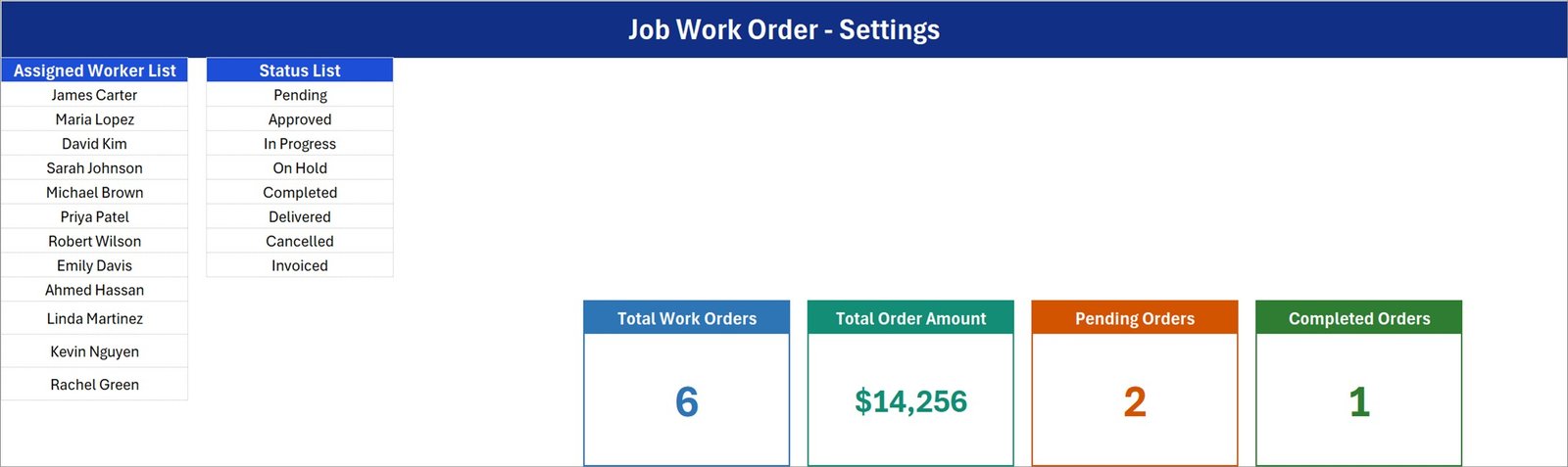
Setting – workers, statuses and the card calculations
The Setting sheet holds the Assigned Worker List (12 sample names) and the Status List (Pending, Approved, In Progress, On Hold, Completed, Delivered, Cancelled and Invoiced). These are ordinary cells, so you can replace them with your own crew and your own workflow labels. The four master cards also live here; the cards on the Data Entry sheet are linked pictures of them, which is why they refresh as records are added.
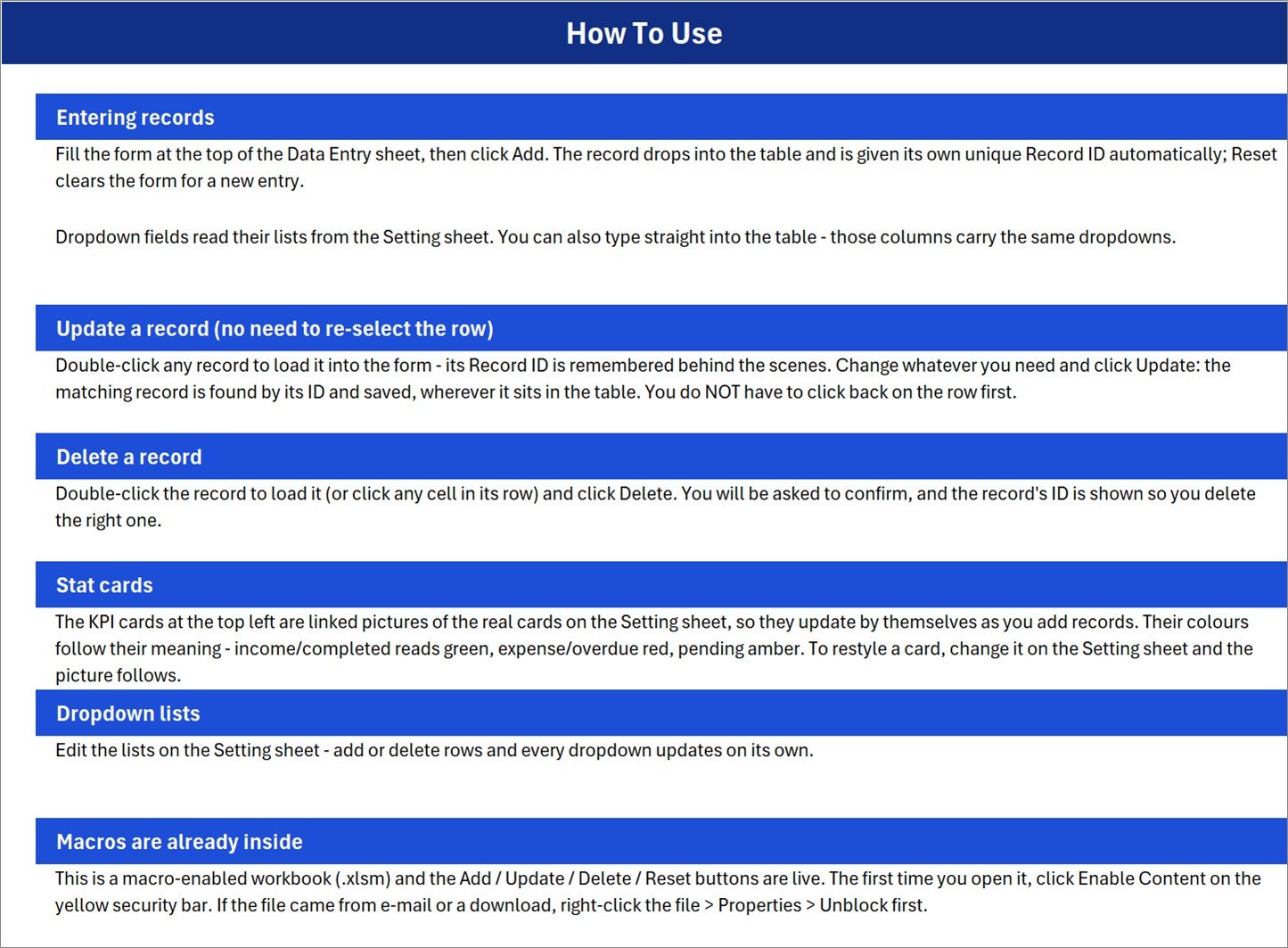
How To Use – practical workbook guidance
Six short sections explain entering records, updating a record without re-selecting its row, deleting with confirmation, how the stat cards work, editing the dropdown lists, and the fact that macros are already inside the file. It also covers the Windows Properties > Unblock step that downloaded macro files often need.
Get More Templates
A simple closing sheet that links to the NextGenTemplates catalogue and tutorial resources. It holds no job data or settings.
Job Work Order Data Entry System in Excel vs. Google Sheets vs. Field-Service Software – Where This Fits
| This Excel system | Google Sheets job log | Field-service / job-management SaaS | |
|---|---|---|---|
| Cost | $6.99 once | Often included with an account, but you build it | Recurring per-user subscription |
| Platform | Windows desktop Excel (.xlsm) | Browser and mobile | Browser and mobile apps |
| Setup | Edit two lists, clear the demo rows | Build forms, validation and scripts | Configure a workspace and users |
| Multi-user live editing | No – one editor at a time | Yes | Yes |
| Works offline | Yes | Limited | Usually cloud-first |
| Add / update / delete controls | Included VBA buttons | Needs Apps Script or a form | Included |
| Technician mobile app | No | Sheets mobile app | Yes |
| Invoicing, quoting, scheduling | No – record only | Only if you build it | Usually included |
| Custom fields | Yes – the workbook is unlocked | Yes | Depends on plan |
| Year-1 cost at 5 users | $6.99 total | Account cost plus build time | Five user subscriptions |
Who This Template Is For – and Who It’s Not For
Use it if you run a joinery, fabrication, welding, repair, maintenance or general contracting operation and want one tidy offline register of who ordered what, who is doing it, when it came in, what it is worth and where it stands. It suits a workshop owner, an office coordinator or a supervisor who maintains the master file and shares extracts or printouts.
Do not use it as field-service software. It is a single-file record keeper, not a multi-user platform: it does not dispatch technicians, send job alerts, produce quotations or invoices, schedule a calendar, cost materials and labour separately, calculate tax, or track parts inventory. It records what you type. For charts and trend analysis over the same kind of data, see the Work Order Dashboard in Excel; for a maintenance-focused register, see the Maintenance Work Order Data Entry System in Excel.
How to Use the Job Work Order Data Entry System in Excel
- Unzip and open the .xlsm file in Windows desktop Excel. Click Enable Content on the yellow bar. If Windows blocks the file, right-click it, choose Properties and tick Unblock.
- Edit the two lists. Replace the 12 sample worker names and, if needed, the 8 status labels on the Setting sheet.
- Delete the six demo work orders. They exist only to demonstrate the cards and buttons.
- Add a work order. Fill the seven form fields and click Add. Excel writes the Record ID and Entry TimeStamp for you.
- Update a work order. Double-click its row, change the form values and click Update – no need to re-select the row.
- Review the register. Read the four cards for a quick count and value, then filter the table by Assigned Worker or Status for the detail.
Real-World Use Cases
Daniel, who runs a small joinery workshop, logs each customer job with its description, the fitter assigned and the agreed amount, then filters Pending before allocating the week’s work.
Priya, an office coordinator at a property maintenance firm, records repair jobs raised by residents’ associations and offices, and uses the Total Order Amount card as a rough month-to-date value check.
Marcus, a welding and fabrication supervisor, keeps one master file of open jobs by worker so that nothing is quoted twice or forgotten between site visits.
Frequently Asked Questions
Does it work in Excel for the web, Excel for Mac or Google Sheets?
No. The Add, Update, Delete and Reset buttons run on VBA, which needs Microsoft Excel for Windows on the desktop. Excel for the web and Google Sheets cannot run them, and Excel for Mac is not tested or supported for this workbook.
Do I need to enable macros?
Yes. Click Enable Content when Excel prompts you. Without macros the sheets still display, but none of the four buttons will work.
Can I change the worker names and statuses?
Yes. Edit the plain lists on the Setting sheet; the form and table dropdowns read from those cells.
Why don’t the Pending and Completed cards add up to Total Work Orders?
Because the status list has eight values and the cards count only two of them. Orders marked Approved, In Progress, On Hold, Delivered, Cancelled or Invoiced are included in Total Work Orders but appear in neither the Pending card nor the Completed card. Total Order Amount likewise sums every row, including any you mark Cancelled.
Does it create invoices, quotations or a schedule?
No. It is a data-entry register. It does not produce customer documents, calculate tax, split labour from materials, or schedule work on a calendar.
Can several people use it at the same time?
No. Treat it as a single-editor master workbook and keep dated backups. For simultaneous editing, use a browser-based tool instead.
Are the six work orders real customer data?
No. Every customer name, job, worker and amount is a fictional example supplied to demonstrate the workflow.
What is included in the download?
One ZIP containing the macro-enabled Job_Work_Order_System.xlsm workbook with its four sheets.
About the Author
Built by PK – Microsoft Certified Professional with 15+ years of Excel, Google Sheets, and Power BI experience. Founder of NextGenTemplates, reaching 300K+ subscribers across YouTube channels. Every template is hand-built and tested before release.
Explore Related Templates
- Work Order Dashboard in Excel – charts and analysis over work order data.
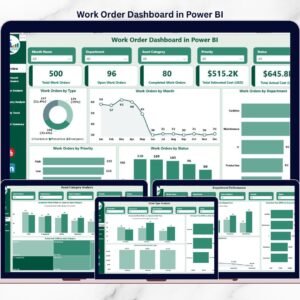
- Work Order Dashboard in Power BI – the same reporting idea in Power BI.
- Work Order Dashboard in Google Sheets – a browser-based reporting option.
- Maintenance Work Order Data Entry System in Excel – the maintenance-focused sibling register.
- Machine Maintenance Data Entry System in Excel – another VBA register for workshop equipment.
Browse more Excel VBA Tools and Excel Trackers.
See the full Job Work Order Data Entry System walkthrough, then download the workbook for $6.99 and start with your own workers, statuses and jobs.
Last updated: 20 August 2026.




























Reviews
There are no reviews yet.