

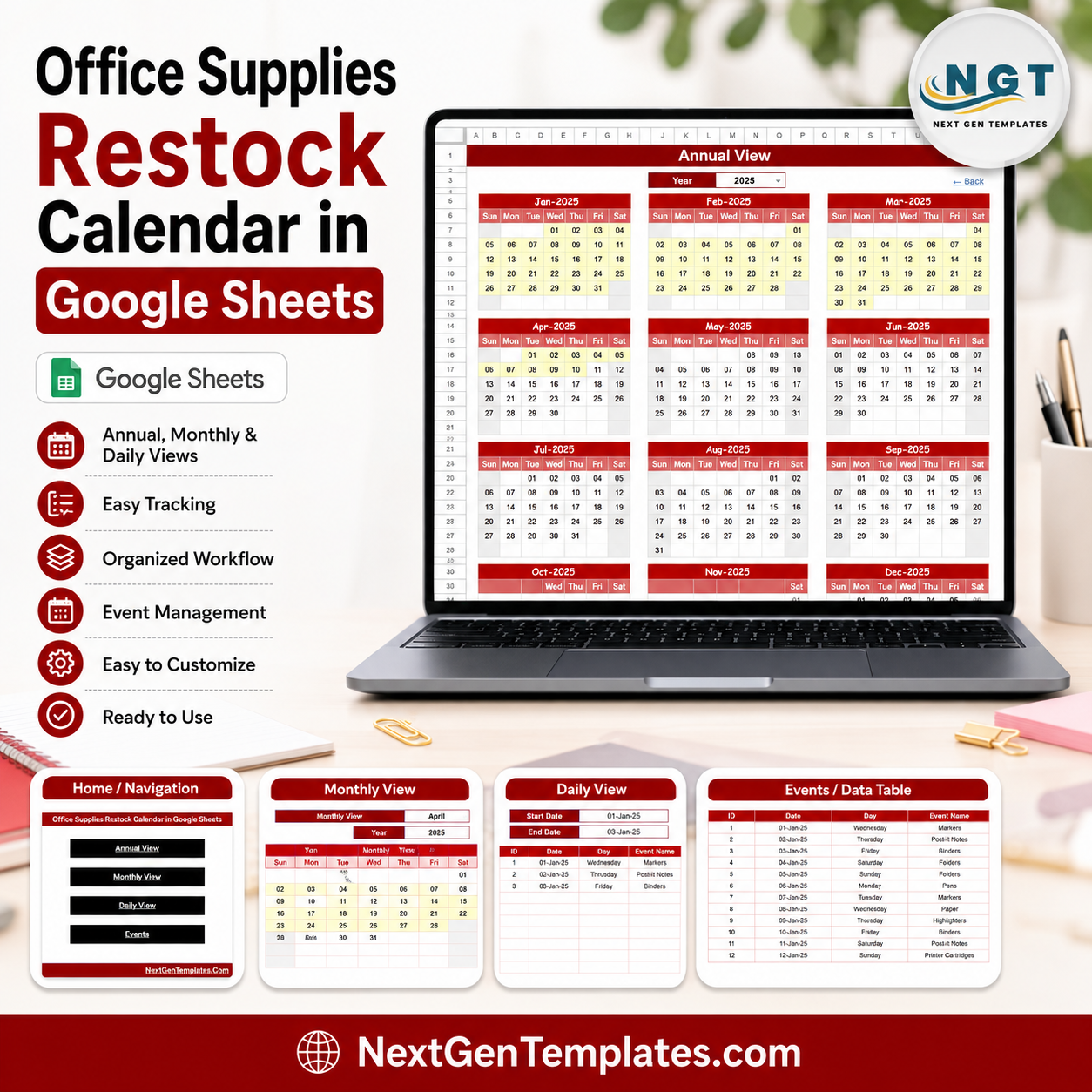



The Office Supplies Restock Calendar in Google Sheets gives office managers a 5-page restock planning system with Overview, Annual View, Monthly View, Daily View, and Events tabs. It includes 4 high-level cards, 16 named analysis views, slicers for quick filtering, and a one-time $4.99 price instead of another subscription. NextGenTemplates is used by 10,000+ professionals worldwide, and every template is sold with instant access, lifetime internal use, and no per-user fees.
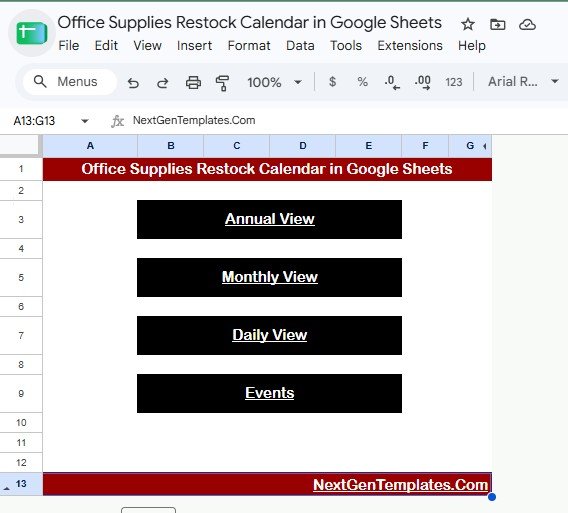
Office Supplies Restock Calendar in Google Sheets
Key Features of Office Supplies Restock Calendar in Google Sheets
- Five organized worksheet tabs: Use Overview, Annual View, Monthly View, Daily View, and Events to plan restocks from yearly strategy down to same-day supply tasks.
- Four summary cards: Annual View, Monthly View, Daily View, and Events cards give a quick snapshot of how the calendar is structured.
- Built-in charts and slicers: Filter the restock schedule quickly and review patterns by view type, month, weekday, date, location, and event name.
- Editable event records: Store supply item, event name, office location, time, date, and description in one Events sheet that feeds the calendar pages.
- Google Sheets collaboration: Share the file with admin, procurement, facilities, and department coordinators without sending spreadsheet versions by email.
- Low-cost setup: Start with a $4.99 one-time template before moving to heavier inventory or procurement software.
What’s Inside the Office Supplies Restock Calendar in Google Sheets
Overview Page: The Overview page is the control center for the workbook. It shows Annual View, Monthly View, Daily View, and Events cards, with slicers that let you review restock activity without rebuilding charts.
Calendar Navigation by View Type: This chart shows how the calendar is organized across the main views. It helps users understand whether activity is concentrated in annual planning, monthly scheduling, daily work, or event records.
Restock Schedule by Calendar View: This analysis compares restock scheduling across calendar views. It is useful for spotting workload imbalance when too many restock events sit in one view or period.
Office Supplies Restock Calendar by Template Section: This chart breaks the template into its working sections. It helps office teams confirm that events are recorded in the right place and that the full calendar structure is being used.
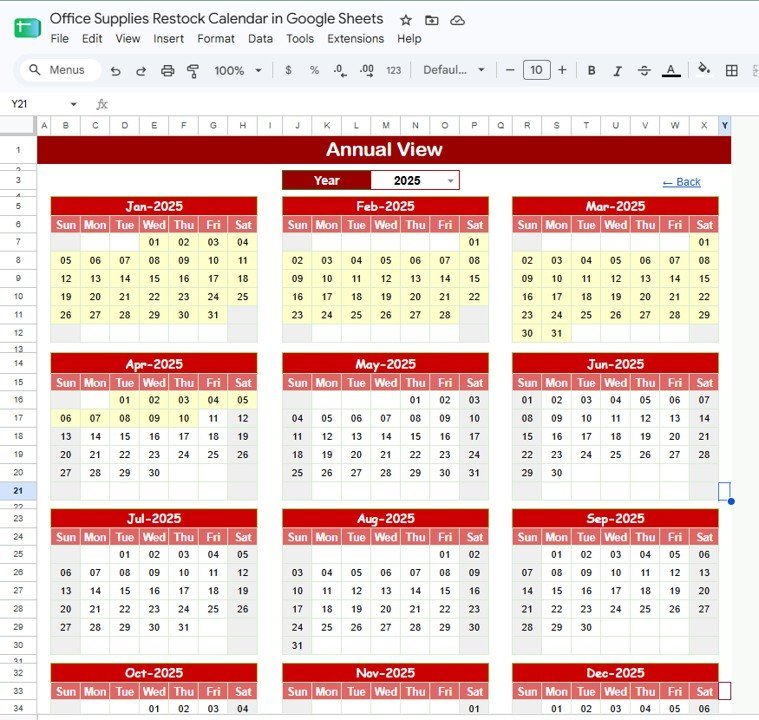
Annual View: The Annual View summarizes office supply restock activity over the full year. It includes Restock Calendar by Month, Restock Dates by Weekday, and Calendar Schedule by Year, making it easier to plan recurring supply checks.
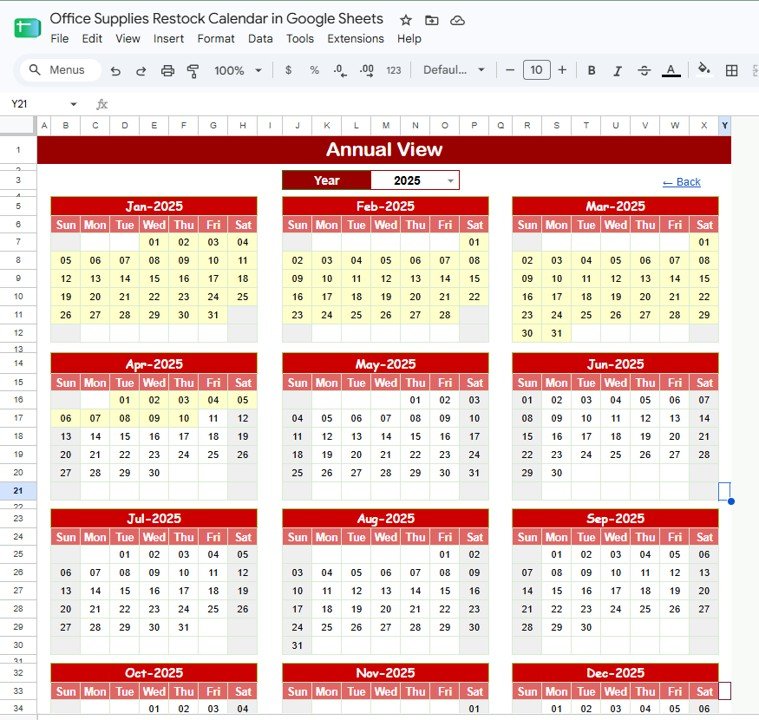
Annual View Sheet tab
Monthly View: The Monthly View lets users focus on the current restock cycle. Charts for Restock Items by Date, Restock Schedule by Month, and Office Supplies by Calendar Day show what needs to be ordered and when.
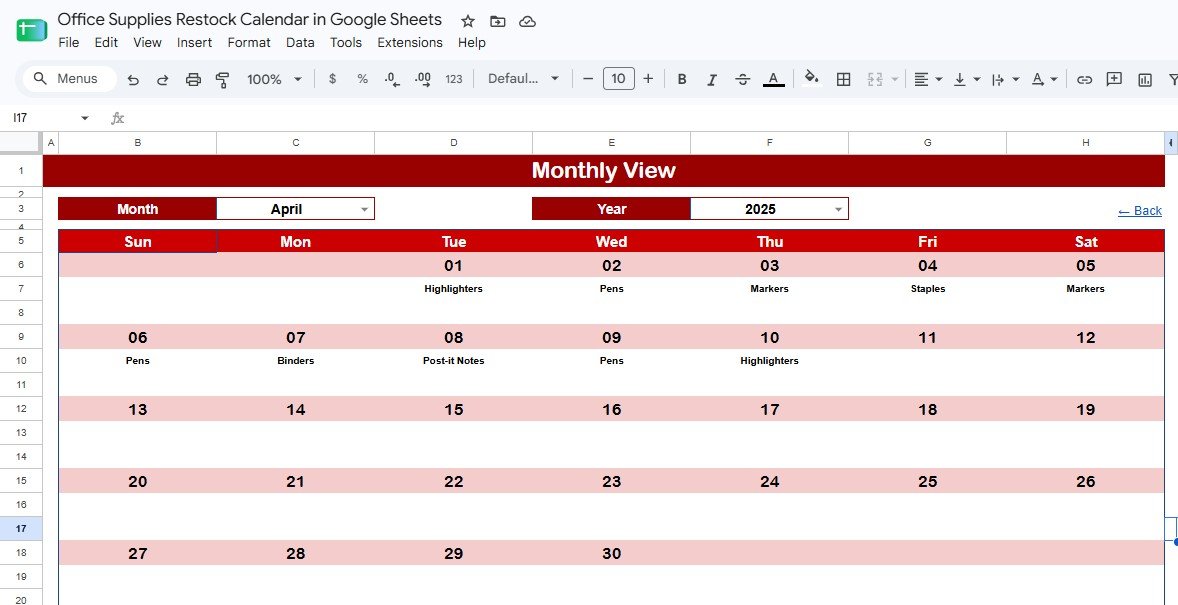
Monthly View Sheet tab
Daily View: The Daily View is built for short date ranges and same-day coordination. It includes Restock Events by Date Range, Event Name by Date, Restock Time by Event Name, Office Location by Restock Event, and Restock Description by Event Name.
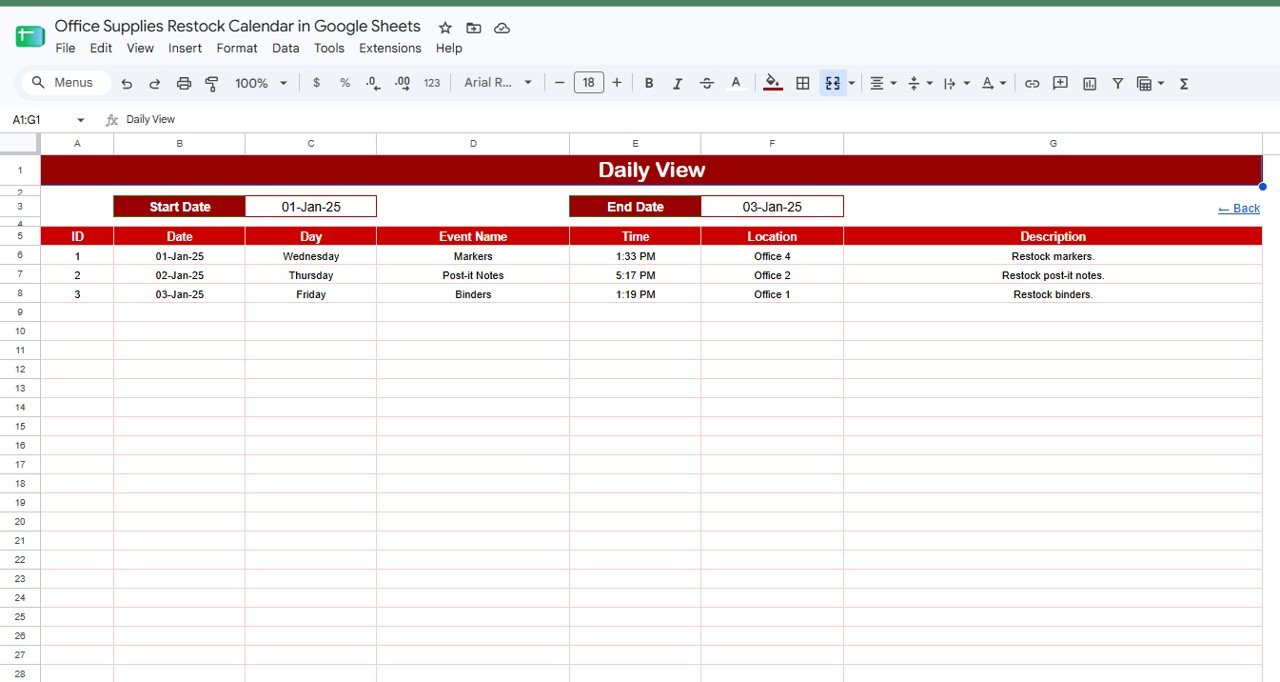
Daily View Sheet tab
Events: The Events sheet is the source table for restock records. It tracks Restock Events by Date, Event Name by Office Location, Restock Time by Event Name, and Restock Description by Office Supply Item.
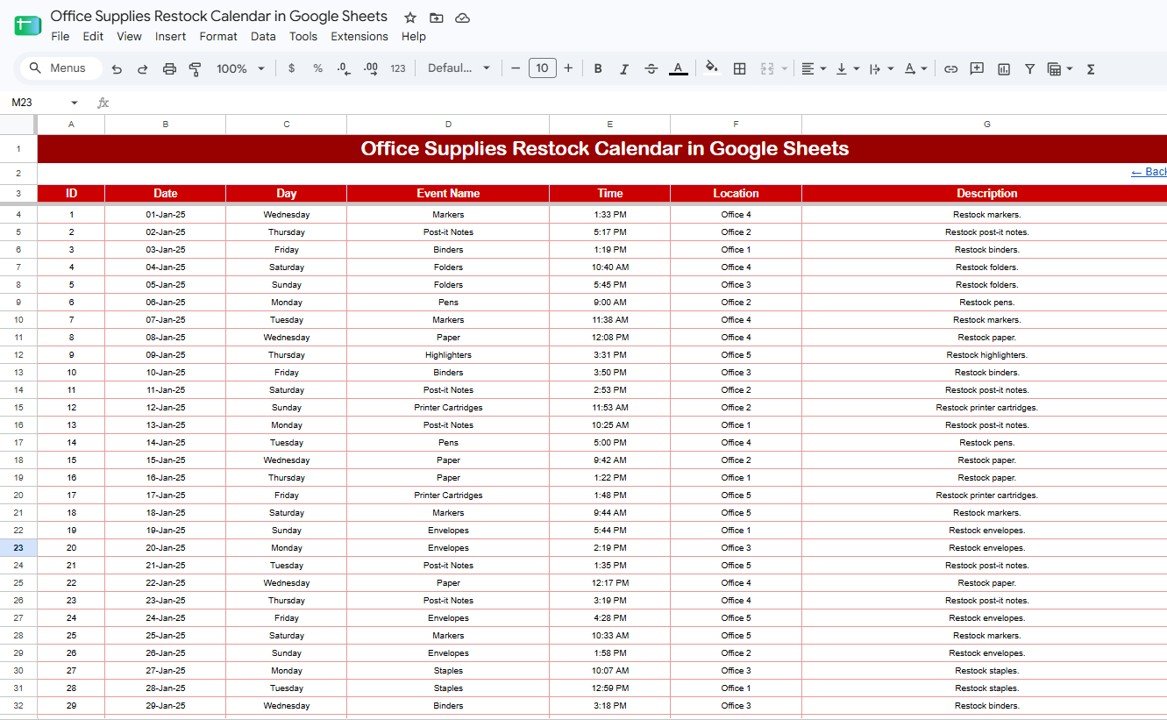
Events Sheet tab
Office Supplies Restock Calendar in Google Sheets vs. Excel Calendar vs. Paid Inventory SaaS – Where This Fits
| Feature | This Google Sheets template | Microsoft Excel calendar | Paid inventory or procurement SaaS |
|---|---|---|---|
| Cost | $4.99 one-time | $4.99 to $15 one-time | $25 to $100+ per month |
| Platform | Google Sheets in the browser | Excel desktop or cloud | Web app with account setup |
| Setup time | Under 10 minutes after download | Under 15 minutes | Several hours to several days |
| Real-time collaboration | Native Google Drive sharing | Depends on OneDrive or SharePoint | Usually included, often per-seat priced |
| Mobile access | Google Sheets mobile app or browser | Limited by Excel mobile experience | Usually included |
| Customizable fields | Fully editable sheet structure | Fully editable workbook | Limited by plan and permissions |
| Share with link | Yes | Only with cloud storage | Requires user invitations |
| Year-1 cost at 5 users | $4.99 total | $4.99 to $15 total | $300 to $6,000+ |
Who This Template Is For – and Who It’s Not For
This template is built for office administrators, facilities coordinators, procurement assistants, school office teams, clinic administrators, coworking space managers, and small businesses that restock paper, stationery, printer supplies, pantry items, cleaning materials, and shared desk supplies.
It is not for teams needing barcode scanning, supplier EDI, automated purchase orders, ERP integrations, or regulated warehouse controls. In those cases, use this as a simple planning layer or move to a dedicated inventory platform.
How to Use the Office Supplies Restock Calendar in Google Sheets
- Open the PDF guide from your download and create your editable Google Sheets copy.
- Enter office supply restock records in the Events sheet with date, item, location, time, event name, and description.
- Use Annual View to plan recurring supply checks across the year.
- Use Monthly View to organize the current buying cycle.
- Use Daily View to coordinate same-day restock work with admin or facilities staff.
- Apply slicers to review activity by date range, office location, item, or event name.
Real-World Use Cases
Aisha, Office Manager: Aisha manages supplies for a 60-person agency. She uses the Monthly View to schedule printer paper, markers, notebooks, and pantry restocks before Monday team meetings.
Ben, Facilities Coordinator: Ben handles three office floors and uses the Office Location analysis to see which floor needs supplies on each date. The Daily View becomes his morning checklist.
Priya, School Administrator: Priya tracks classroom stationery, staffroom supplies, and exam-week materials. The Annual View helps her plan high-demand months before the school calendar gets busy.
Frequently Asked Questions
What pages are included in this template?
The template includes Overview, Annual View, Monthly View, Daily View, and Events tabs. These pages let you move from yearly planning to detailed restock records.
Can multiple people edit the calendar?
Yes. Because it runs in Google Sheets, you can share your copy through Google Drive and control who can view, comment, or edit.
Does this template manage inventory quantities?
It is mainly a restock calendar and event planner. You can track supply items and descriptions, but it is not a full stock balance system with barcode scanning or purchase order automation.
Can I customize the office locations and supply names?
Yes. The Google Sheet is editable, so you can rename locations, add supply categories, change event labels, and adjust the sample records for your office.
Does this require Excel?
No. This version is designed for Google Sheets and works in a browser or the Google Sheets mobile app.
Is this a one-time purchase?
Yes. The template is priced at $4.99 as a one-time purchase with no monthly subscription or per-user fee from NextGenTemplates.
About the Author
Built by PK – Microsoft Certified Professional with 15+ years of Excel, Google Sheets, and Power BI experience. Founder of NextGenTemplates, reaching 300K+ subscribers across YouTube channels. Every template is hand-built and tested before release.
Explore Related Templates
Inventory Tracker in Google Sheets – track quantities, reorder levels, suppliers, and stock movement.
Office Stationery Request Tracker in Google Sheets – manage stationery requests, approvals, and department costs.
Product Release Testing Calendar in Google Sheets – another five-page Google Sheets calendar structure.
Inventory Audit Calendar in Google Sheets – schedule physical stock counts and audit checks.
Browse more Google Sheets Calendar templates and Google Sheets Inventory Management templates.
Get the Office Supplies Restock Calendar in Google Sheets today for $4.99. Plan restock dates, coordinate supply events, and keep office essentials visible in one shared calendar.
Watch the step-by-step video Demo:
Last updated: August 2026
Compatibility and Requirements
- Works in Google Sheets. You need a free Google account and a web browser, or the Google Sheets mobile app.
- The Overview page uses slicers and charts to filter the restock schedule. Google explains charts in Add and edit a chart or graph.





Reviews
There are no reviews yet.