

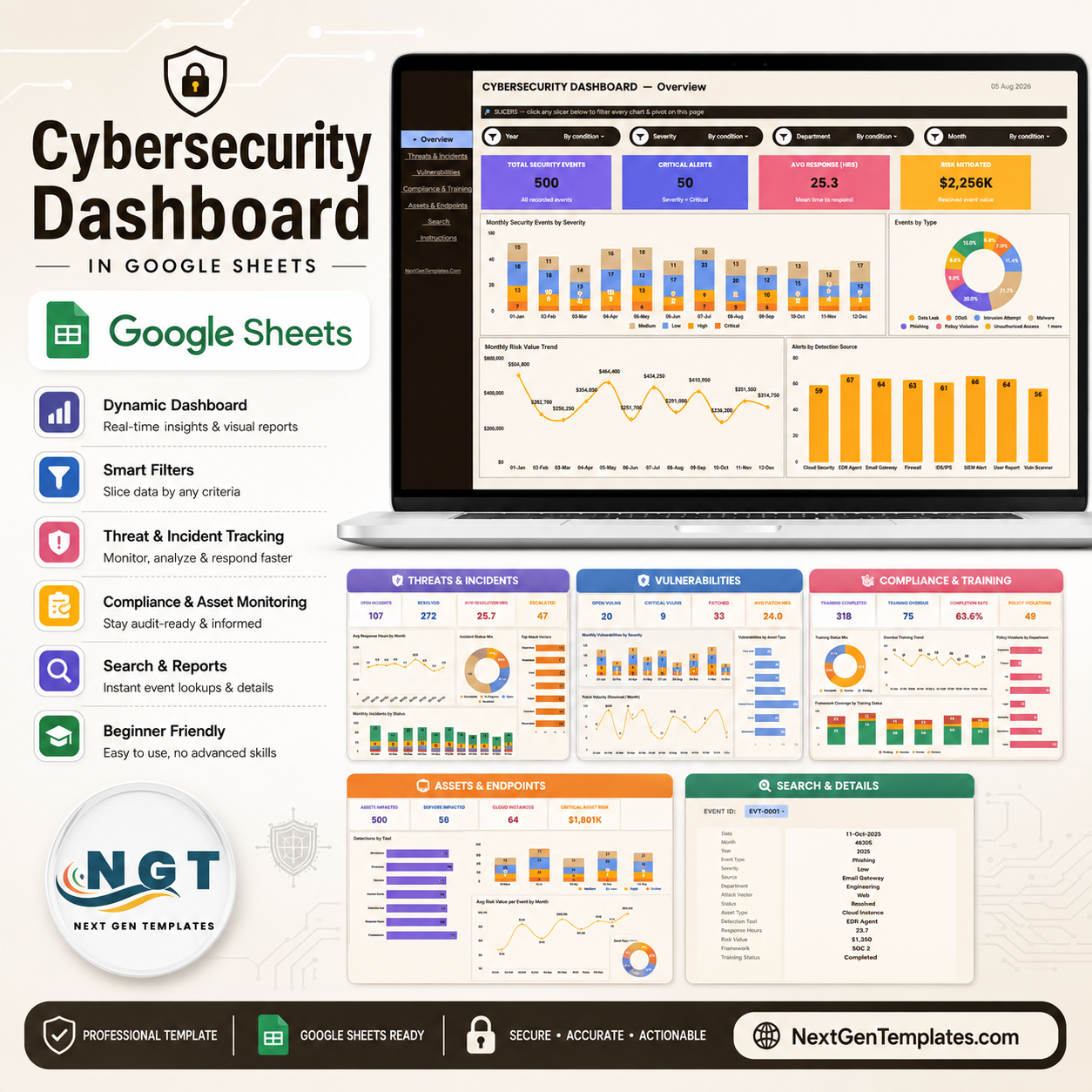

Cybersecurity Dashboard in Google Sheets is a ready-to-use reporting template for teams that want one clear place to monitor security events, critical alerts, incident response, vulnerabilities, compliance training, assets, endpoints, and risk trends. It is built for Google Sheets, so your team can copy it to Google Drive, update the Data sheet, apply slicers, and share a live dashboard without buying another reporting platform.
Cybersecurity reporting moves quickly. IBM reports that the global average cost of a data breach reached USD 4.99 million, while Verizon notes that software vulnerabilities now start 31% of breaches. This template helps turn scattered security tracking into a practical monthly operating view for IT managers, CISOs, GRC analysts, MSPs, and business teams that need better visibility.
Key Features
- Google Sheets dashboard template with seven organized sheet tabs.
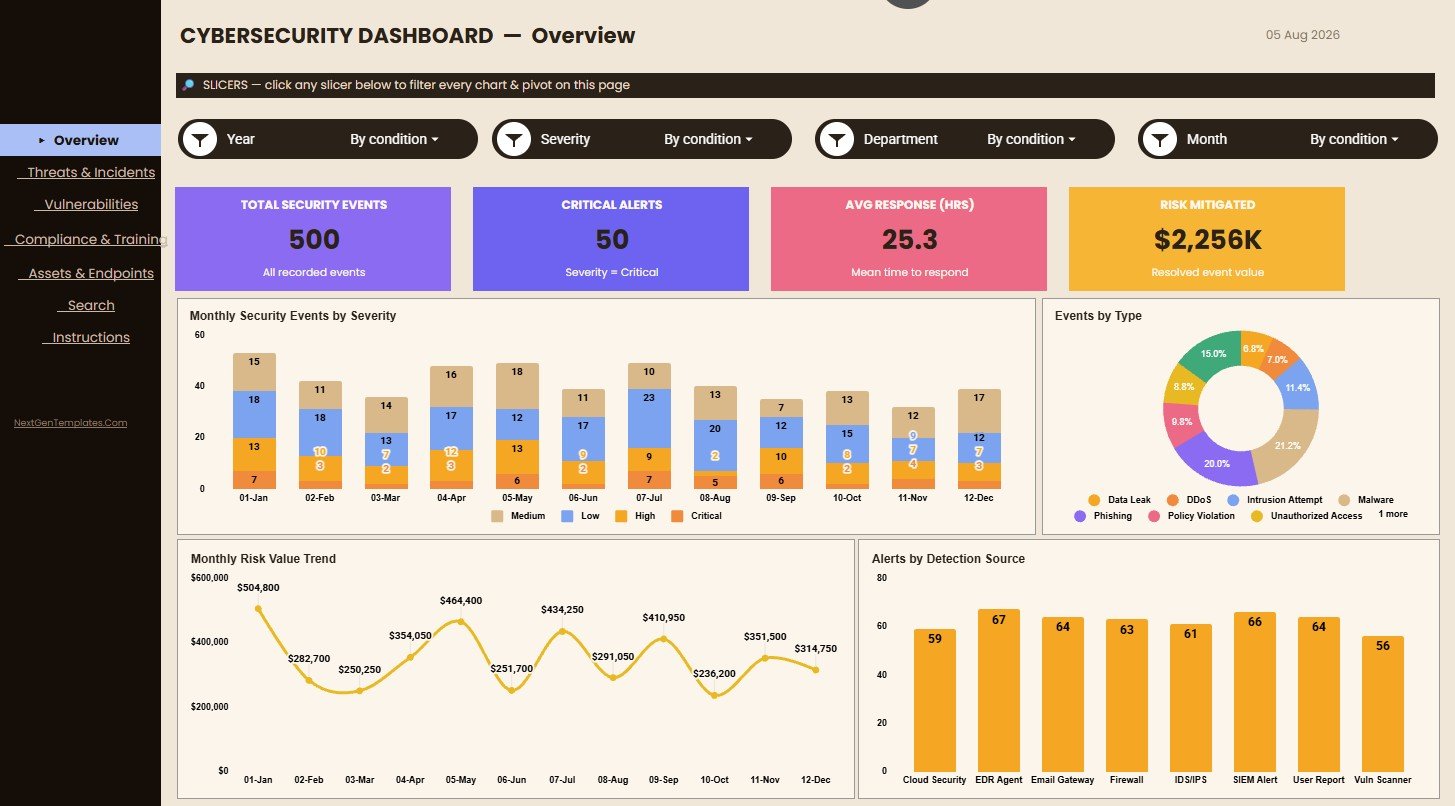
- Overview cards for Total Security Events, Critical Alerts, Avg Response (Hrs), and Risk Mitigated.
- Interactive slicers for faster filtering by month, severity, department, source, status, asset type, detection tool, framework, and training status.
- Dedicated analysis pages for incidents, vulnerabilities, compliance training, assets, endpoints, and Event ID lookup.
- Editable Data sheet, so you can add your own records in the same format and refresh the dashboard view.
- One-time purchase with no recurring SaaS subscription for the dashboard template.
Dashboard Pages Included
Overview Page
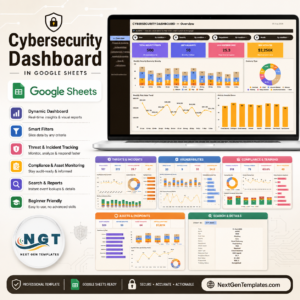
The Overview Page gives leadership and security operators a high-level view of the environment. The KPI cards show security event volume, critical alert pressure, average response hours, and mitigated risk value, while the charts break down monthly events by severity, event type distribution, risk value by month, and alerts by detection source.
Threats & Incidents
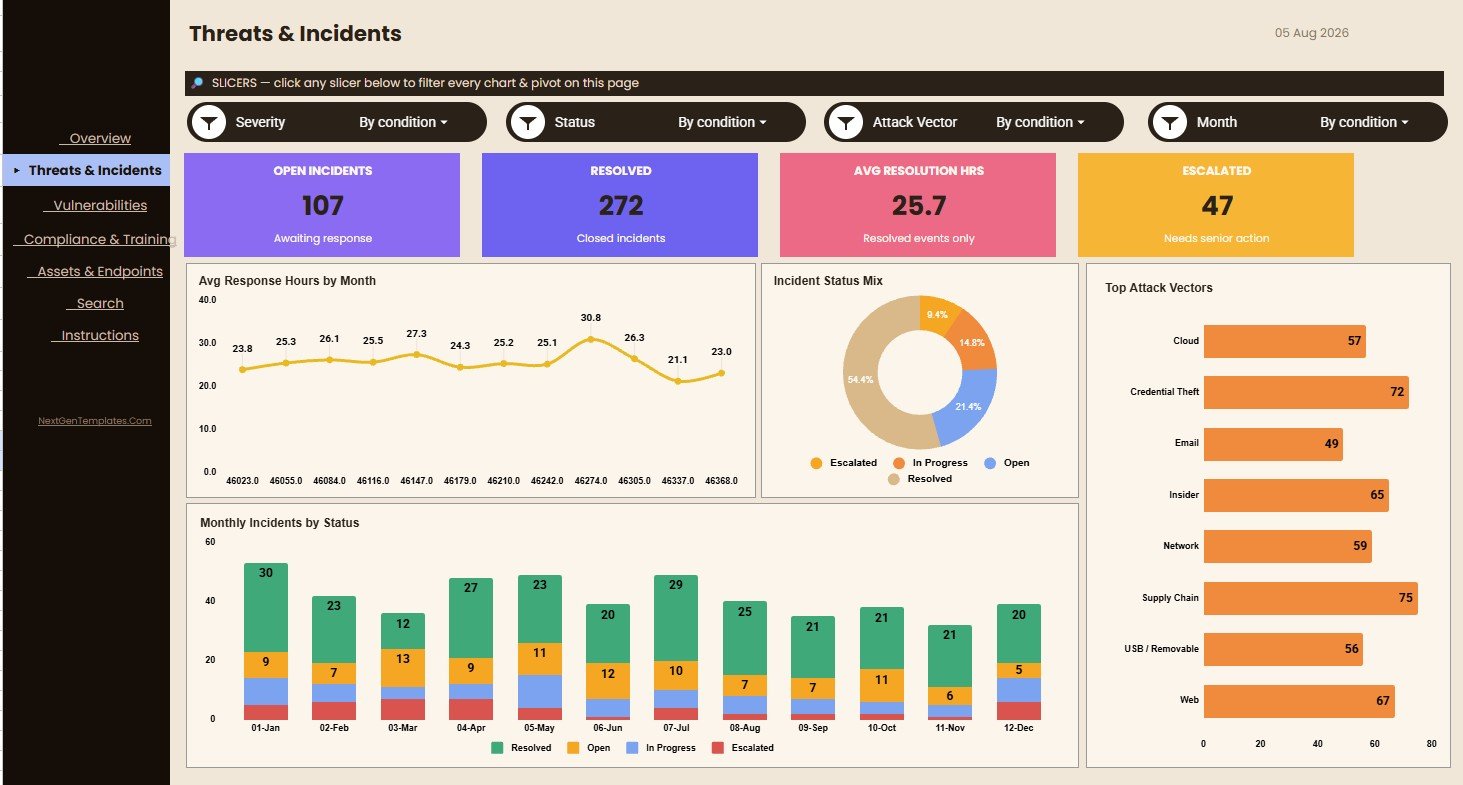
This page focuses on incident response performance and threat patterns. It includes Avg Response Hours by Month, Incidents by Status, Incidents by Attack Vector, and Monthly Incidents by Status, helping you spot open workload, closure progress, and recurring attack methods.
Vulnerabilities
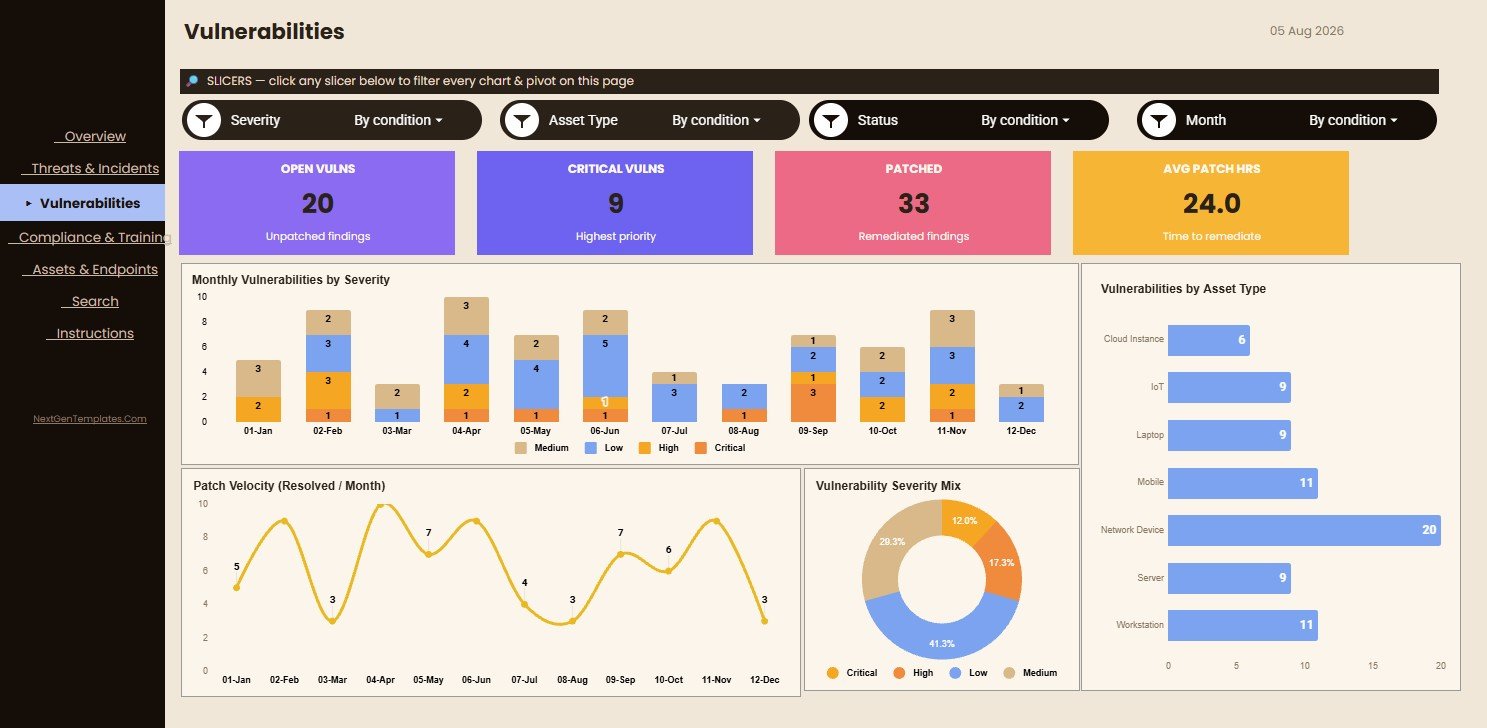
The Vulnerabilities page is designed for patch review, asset risk meetings, and remediation planning. It shows Monthly Vulnerabilities by Severity, Vulnerabilities by Asset Type, Patch Velocity by Month, and Vulnerabilities by Severity so teams can prioritize what needs attention first.
Compliance & Training
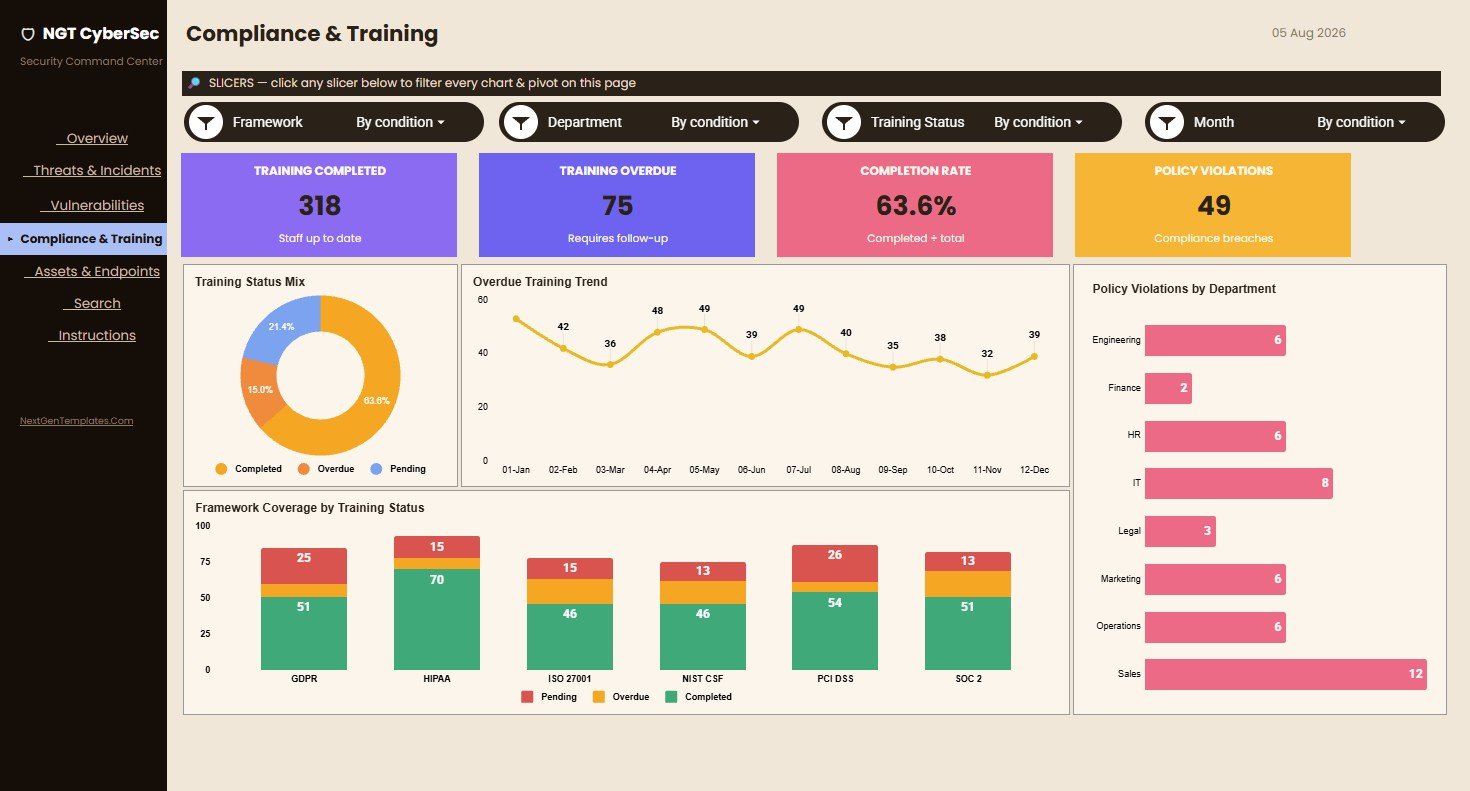
The Compliance & Training page helps connect security operations with employee readiness and policy discipline. It tracks Training Status by Status, Overdue Training by Month, Policy Violations by Department, and Framework Coverage by Training Status.
Assets & Endpoints
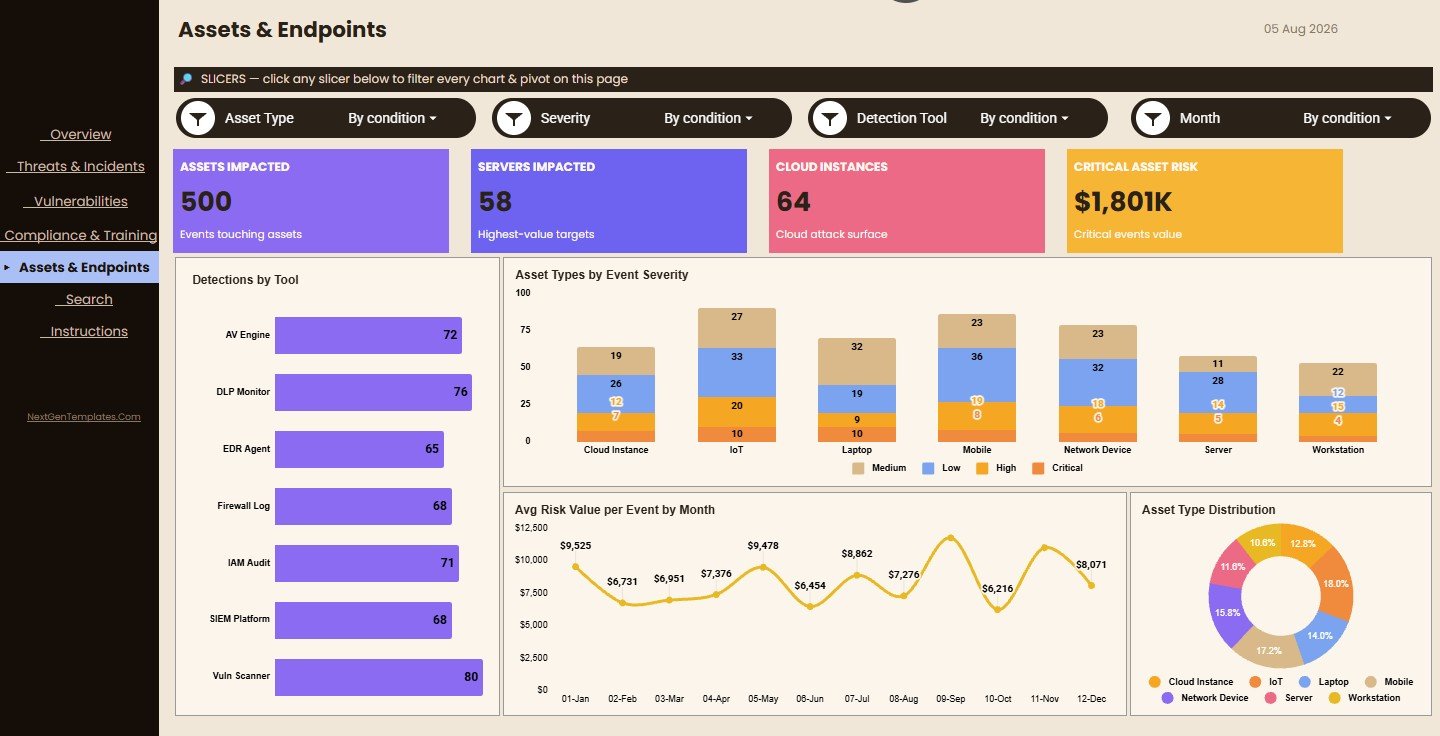
The Assets & Endpoints page shows where detections and risks are concentrated across the technology environment. You can review Detections by Tool, Asset Types by Event Severity, Avg Risk Value per Event by Month, and Assets by Asset Type.
Search Sheet Tab
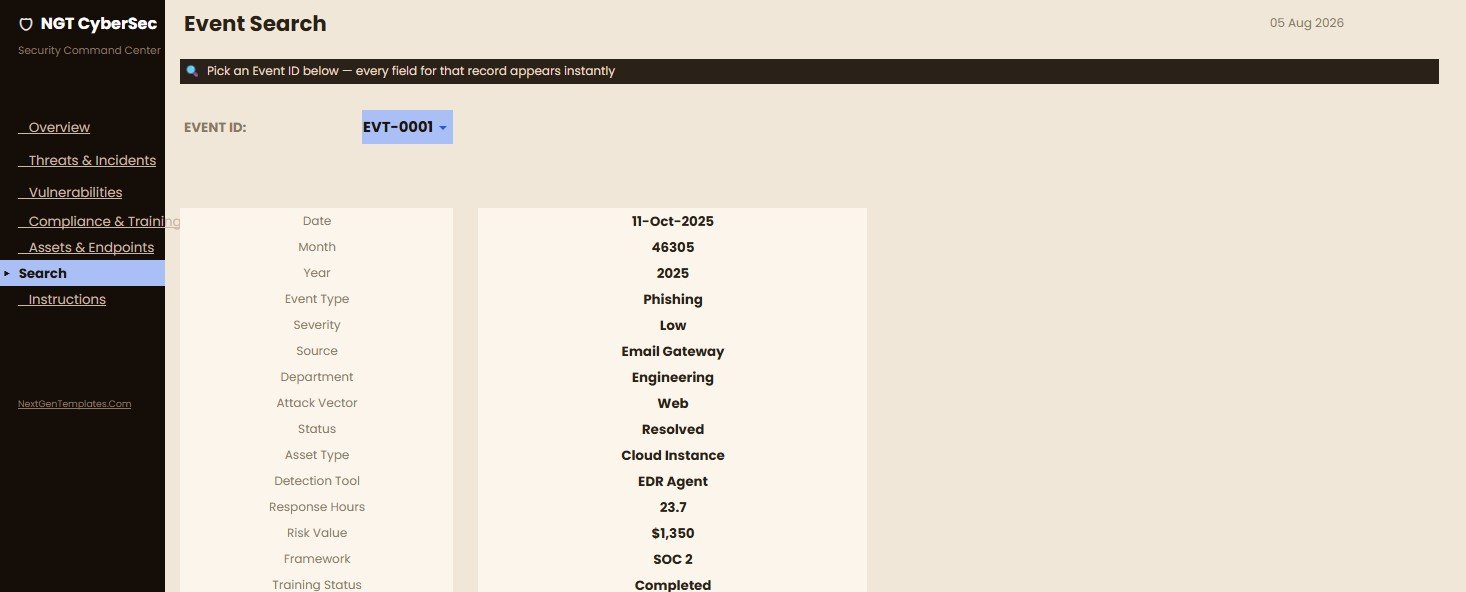
The Search Sheet Tab lets you select an Event ID and view the full event record in one place, including date, month, year, event type, severity, source, department, attack vector, status, asset type, detection tool, response hours, risk value, framework, and training status.
Data Sheet Tab
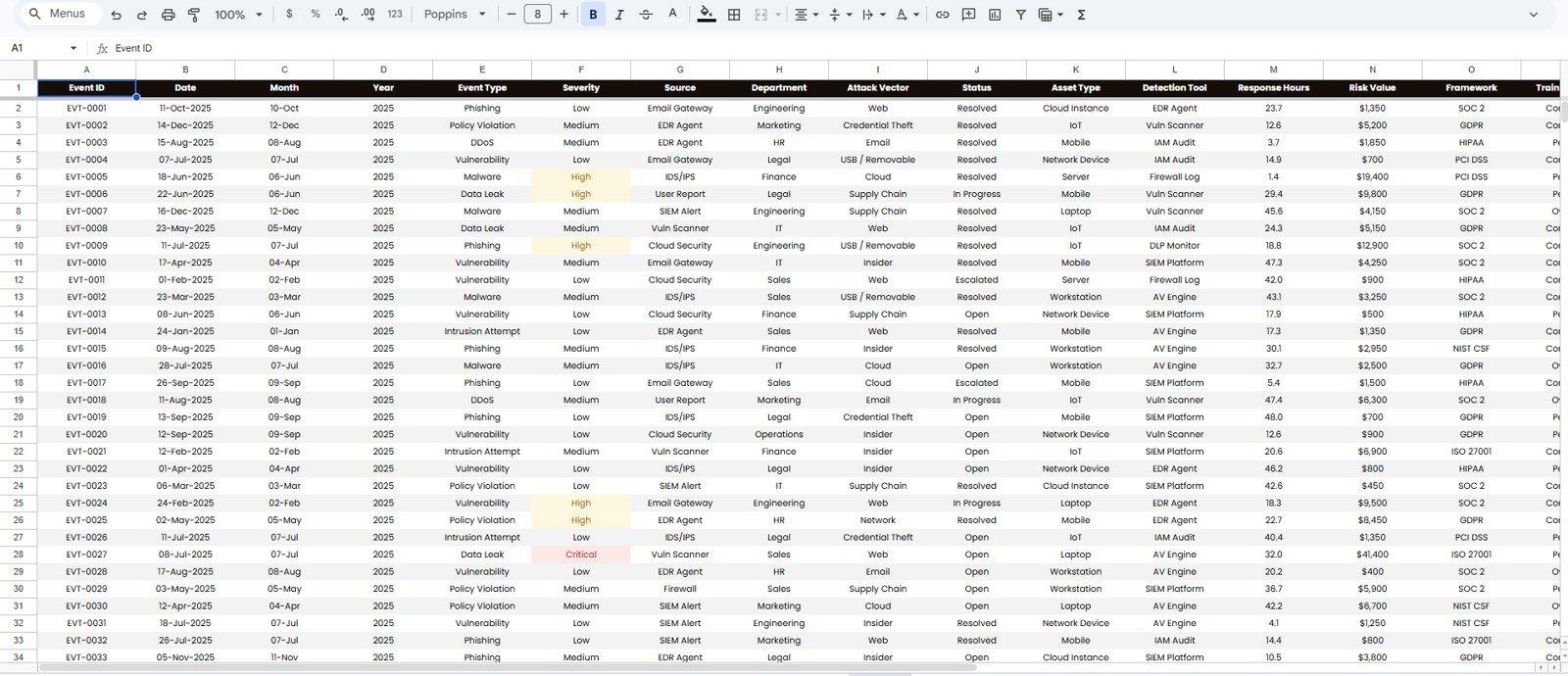
The Data Sheet Tab is where you add or replace the source data in the same column format. Once records are updated, the dashboard pages can reflect the latest events, incidents, vulnerabilities, assets, and training information.
Google Sheets Dashboard vs. Security SaaS Tools
| Feature | This Google Sheets Dashboard | Security SaaS Platform |
|---|---|---|
| Best use | Manual reporting, KPI review, monthly security summaries | Live monitoring, alerts, automated ingestion |
| Cost | One-time template purchase | Recurring subscription |
| Setup | Copy to Google Drive and update the Data sheet | Implementation, integrations, user provisioning |
| Customization | Edit sheets, formulas, labels, and data fields | Depends on platform permissions and plan |
| Collaboration | Google Sheets sharing and slicers | Native platform collaboration |
Who This Template Is For
This template is a good fit for CISOs, IT managers, security analysts, GRC teams, MSPs, auditors, consultants, and operations leaders who need a clean reporting layer for cybersecurity performance. It is especially useful for recurring leadership updates, risk review meetings, monthly security operations summaries, and lightweight compliance reporting.
It is not a replacement for SIEM, SOAR, endpoint detection, vulnerability scanners, identity systems, or automated incident response tools. Use it as a reporting and analysis layer after your team has collected the underlying event and security operations data.
How to Use the Dashboard
- Open the PDF guide included with your purchase and use the Google Sheets copy link.
- Create your own editable copy in Google Drive.
- Replace the sample records in the Data Sheet Tab with your cybersecurity data.
- Keep Event ID values unique so the Search Sheet Tab can return the correct record.
- Use slicers and filters to review months, severity levels, departments, statuses, asset types, frameworks, and training status.
- Review the dashboard pages during security operations meetings, risk reviews, and compliance updates.
Real-World Use Cases
A CISO can use the Overview Page to prepare a board-ready monthly cyber risk summary. An IT manager can use the Threats & Incidents page to review response workload and recurring attack vectors. A GRC analyst can use the Compliance & Training page to connect training completion, framework coverage, and policy violations in one simple view. An MSP can copy the template for each client and standardize cybersecurity reporting across accounts.
Frequently Asked Questions
Is this dashboard built in Google Sheets?
Yes. The template is designed for Google Sheets and can be copied into your Google Drive.
Does it connect directly to SIEM or endpoint tools?
No. It is a manual reporting dashboard. Add or paste your data into the Data Sheet Tab using the provided structure.
Can I customize the metrics and fields?
Yes. You can edit sheet labels, formulas, charts, slicers, and the source data structure to match your internal reporting needs.
What kind of data can I track?
You can track event date, month, year, event type, severity, source, department, attack vector, status, asset type, detection tool, response hours, risk value, framework, and training status.
Is this useful for compliance reporting?
Yes. The Compliance & Training page helps summarize training status, overdue training, policy violations, and framework coverage.
Do I need advanced spreadsheet skills?
No. The dashboard is already structured. Basic Google Sheets editing is enough for normal use.
About the Author
NextGenTemplates creates practical Excel, Google Sheets, Power BI, and dashboard templates for business teams, analysts, managers, and consultants. Our templates are designed to help users save time, improve reporting quality, and turn operational data into clear decisions.
Explore Related Templates
- Cybersecurity Incident KPI Dashboard in Google Sheets
- Cybersecurity KPI Scorecard in Google Sheets
- Cybersecurity Operations Center Dashboard in Power BI
- IT Manager & CISO Toolkit
- Browse Google Sheets templates</
Watch the step-by-step video Demo:
Last updated: August 5, 2026
Compatibility and Requirements
- Works in Google Sheets. You need a free Google account and a web browser.
- The dashboard pages use slicers and filters to review the data by month, severity, department, status and more. Google explains how to build and read charts in Add and edit a chart or graph.
































Reviews
There are no reviews yet.