

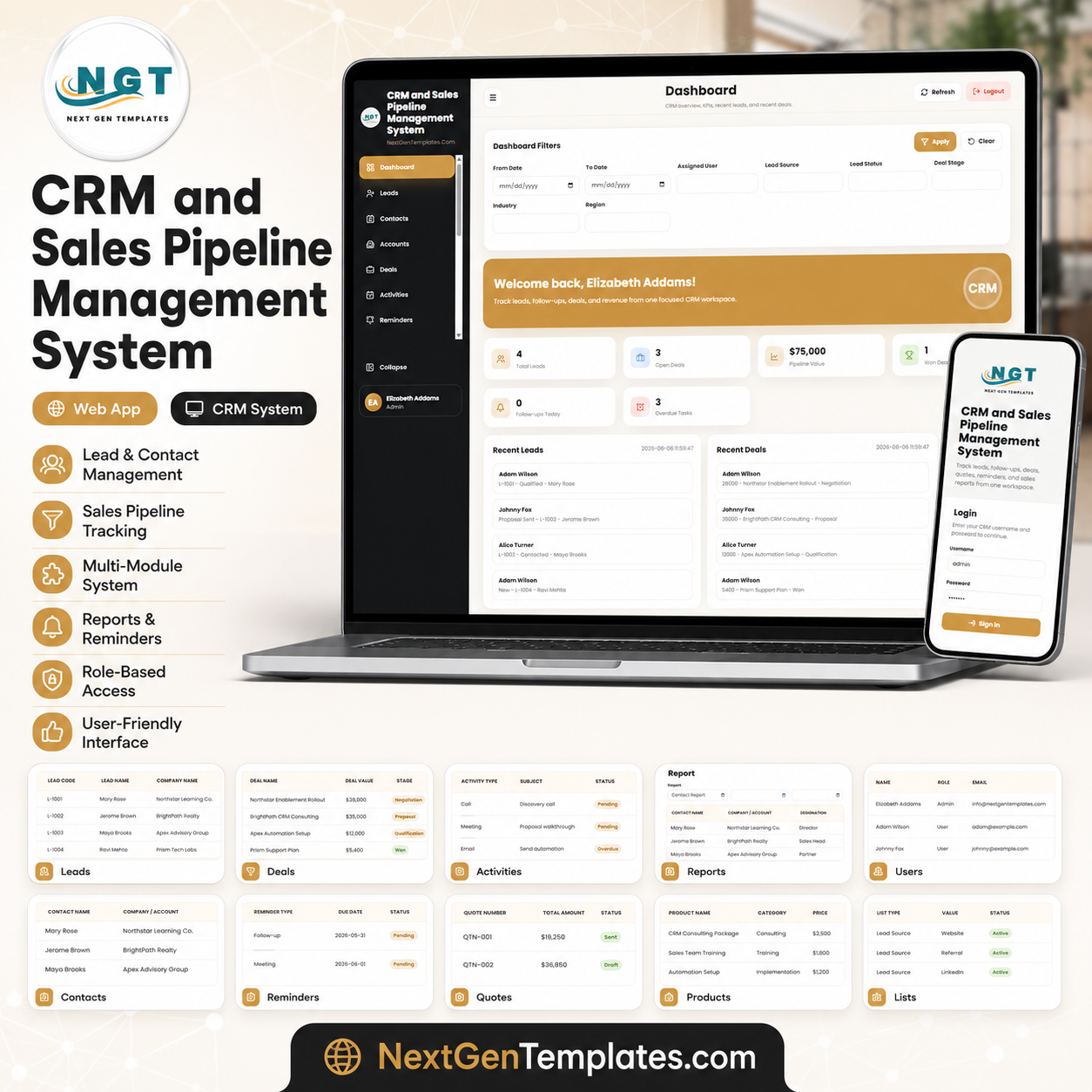

The CRM and Sales Pipeline Management System Web App (Version 2.0) brings 28 connected screens — Leads, Contacts, Accounts, Deals, a drag-friendly Pipeline Board, Activities, Calendar, Reminders, Interactions, Notes, Quotes, Products, Campaigns, Sales Targets, Email and WhatsApp logs, Attachments, 16 reports, Users, Roles, Lists, Settings, an Audit Log and a Database Archive — into one secure workspace, backed by 28 linked tables and a dashboard of 12 live KPI tiles. It runs on Google Sheets and Google Apps Script, so your entire sales database stays inside your own Google Drive. Setup takes minutes: paste two files, deploy the web app, run setup once, and sign in.
🌍 Join 8,400+ teams in 40+ countries using NextGenTemplates to replace paid SaaS tools with one-time-purchase Excel, Google Sheets, Power BI, and HTML templates.
✅ Instant download · One-time payment · No subscription · No per-user fees · Lifetime access
🚀 What’s New in Version 2.0
Version 2.0 is a full rebuild, not a patch. The data model grew from 19 tables to 28, passwords moved from plain text to salted SHA-256 with server-side session tokens, and the two-role setup became a seven-role permission map that controls both what appears in the menu and what the server will allow.
- 🧾 A change log on every row. Every table has a log button that opens the full history of that one record — who changed it, when, and a field-by-field old-to-new comparison. Nothing is edited silently.
- 🔀 Deal History flow chart. Open any deal and see the exact path it took through the pipeline: the date it entered each stage, how many days it sat there, stages it never reached shown as dashed outlines, and a curved arrow wherever a deal slipped backwards — above one merged timeline of every call, meeting, note, quote, email and WhatsApp message attached to it.
- 📅 Google Calendar, email and WhatsApp. Push an activity straight into your Google Calendar, send email from the account running the app, and open a pre-filled WhatsApp chat for any contact. WhatsApp only opens the conversation — it never sends anything on your behalf.
- 🌓 Light and dark theme with a one-click switch in the top bar that remembers your choice.
- 📊 16 reports across Pipeline, Performance, Marketing, Customers, Commercial, Engagement and Governance, each with a date range, an owner filter, and Excel, CSV and print output.
- 🗂️ Campaigns, a Pipeline Board, a shared Calendar, an Audit Log and a Database Archive are all new screens in this version.
- 🎯 About 13,500 rows of realistic starting data so every screen and report is populated the first time you sign in.
Already bought Version 1? Email [email protected] with your order number and we will send you Version 2.0 free of charge.
🔑 Key Features of the CRM and Sales Pipeline Management System Web App
This is a full multi-user CRM, not a single spreadsheet. It ships with a secure split sign-in screen and seven roles — Administrator, Sales Manager, Sales Executive, Marketing, Support and Auditor — governed by a permission map that decides both what appears in each person’s menu and what the server will actually allow. Passwords are stored as salted hashes and every session is issued a server-side token.
The system covers 28 screens end to end: capture enquiries in Leads, store relationship detail in Contacts, keep company records in Accounts, and move opportunities through Deals and the Pipeline Board with stage, value, probability and expected close date on every deal. Campaigns tie spend back to the pipeline it produced, Quotes turn a deal into a printable proposal, and Sales Targets measure the team against quota month by month.
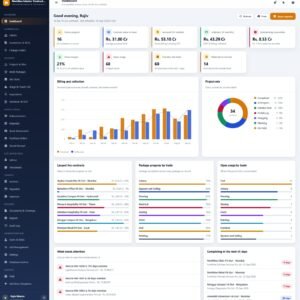
The Dashboard surfaces 12 live KPI tiles — open pipeline, weighted forecast, won value, win rate, open deals, active leads, follow-ups due today, activities today, quotes awaiting a decision, target attainment, average deal size and deals past their expected close — beside a stage-by-stage pipeline breakdown, a twelve-month revenue trend, lead sources, an owner leaderboard and the list of what needs attention today. Activities, Reminders, Notes and Interactions keep every call, meeting and next step logged against the right record, and the Reports page runs 16 filtered reports you can export to Excel or CSV.
📦 What’s Inside the CRM and Sales Pipeline Management System Web App
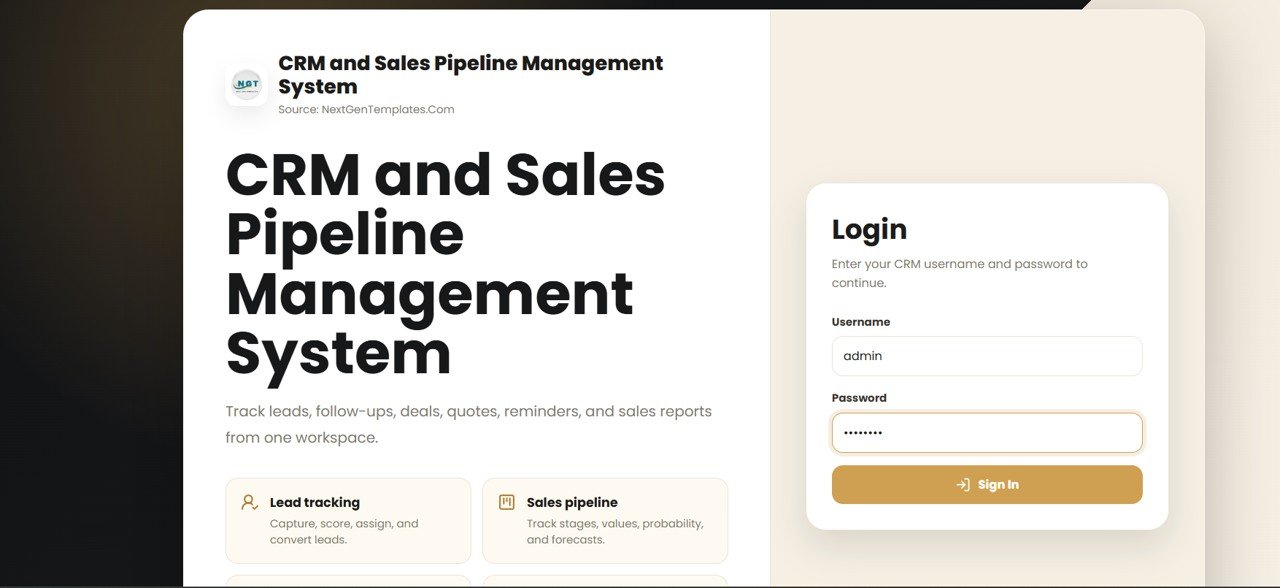
Login Page
The split sign-in screen. Seven roles – Administrator, Sales Manager, Sales Executive, Marketing, Support, Auditor and a read-only view – are checked against a permission map that decides both what appears in the menu and what the server will allow. Passwords are stored as salted hashes and every session is issued a server-side token.
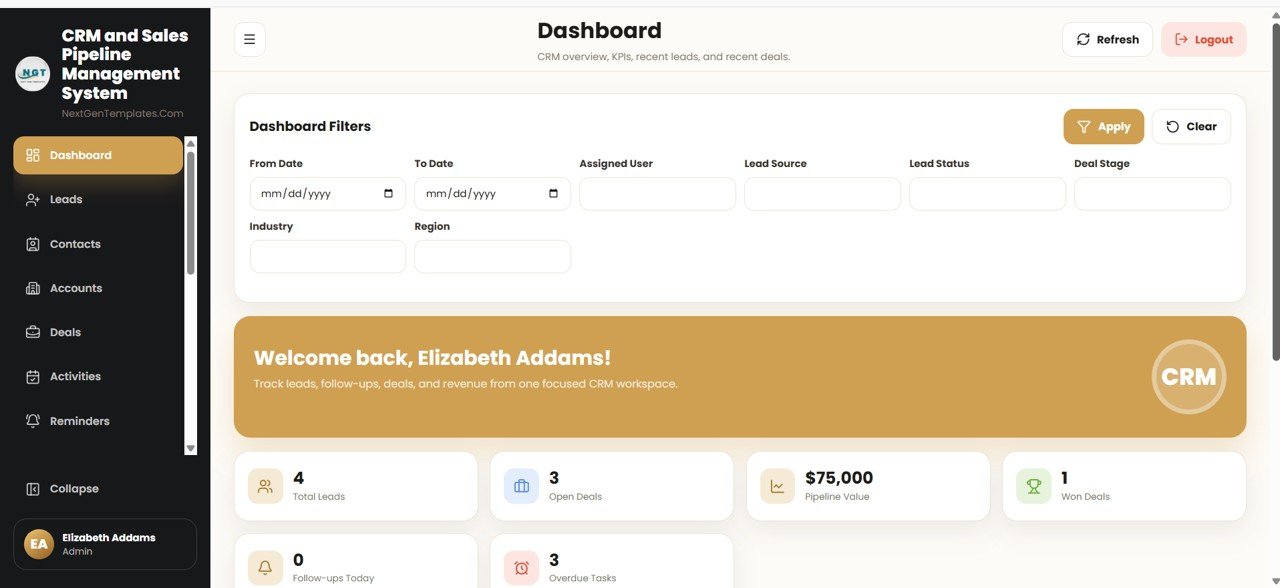
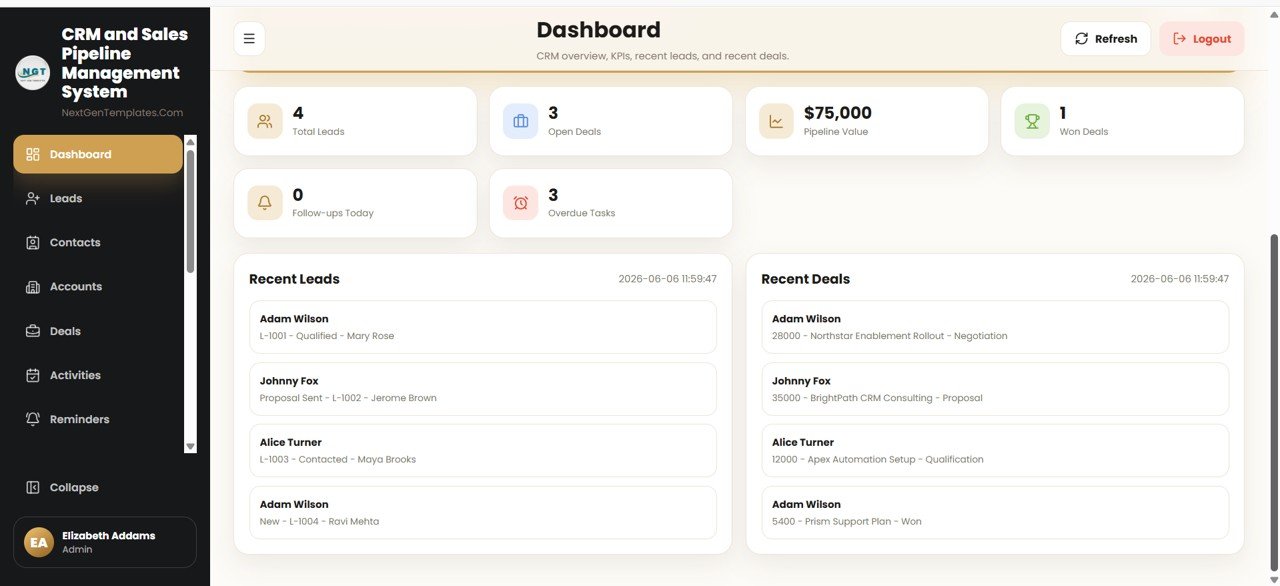
Dashboard
The command centre. Twelve live KPI tiles show open pipeline, weighted forecast, won value, win rate, open deals, active leads, follow-ups due today, activities today, quotes awaiting a decision, target attainment, average deal size and deals past their expected close, above a stage-by-stage pipeline breakdown, a twelve-month revenue trend, lead sources, an owner leaderboard and the list of what needs attention today.
Deal History Flow Chart
New in Version 2.0. Open any deal and see the exact path it took: the date it entered each stage, how many days it sat there, stages it never reached drawn as dashed outlines, and a curved arrow wherever the deal slipped backwards. Below the chart sits one merged timeline of every stage move, value change, call, meeting, note, quote, email and WhatsApp message on that deal.
🚀 Try the Live Demo Before You Buy
We have deployed this web app in our own Google account so you can test every page, every role — with real sample data — before purchasing. No signup, no email required.
🔑 Test Login Credentials
Sign in as admin to manage all users, lists, settings, CRM modules, reports, and import/export, or as any sales user to work assigned leads, contacts, deals, activities, and follow-ups.
💡 What you get after purchase: The full source code (Code.gs + Index.html) plus a step-by-step deployment guide so you can deploy your own private instance in your own Google account in under 15 minutes.
Record Log
New in Version 2.0. Every table has a log button on each row. It opens the full history of that one record – who changed it, when, and a field-by-field comparison showing the old value struck through beside the new one. Nothing is edited silently.
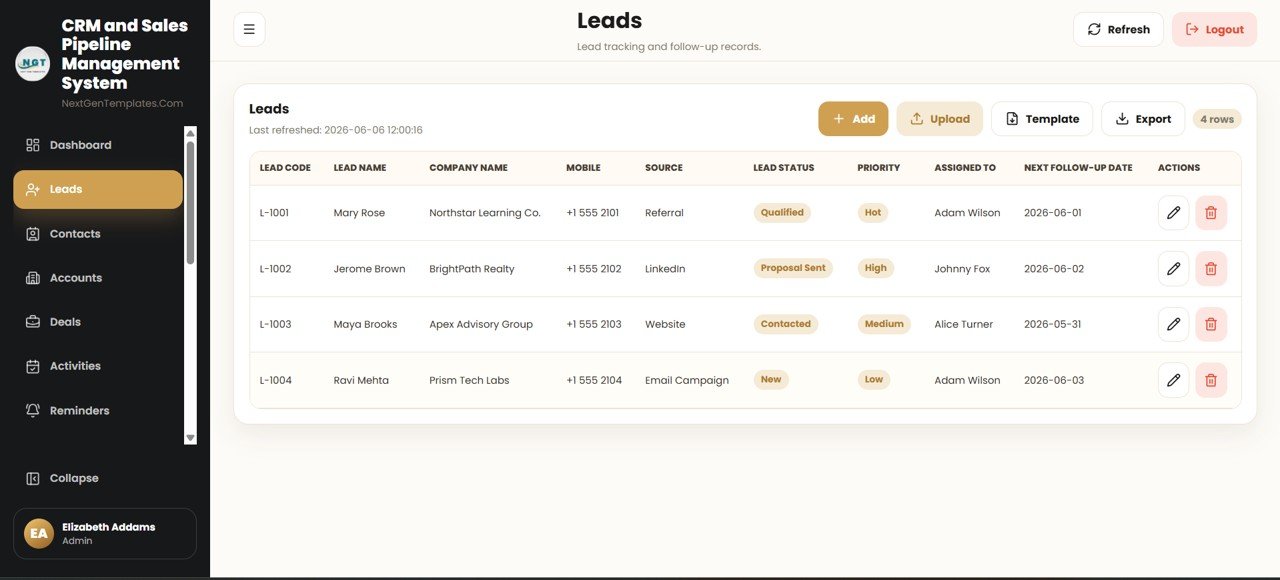
Leads
Capture every enquiry with source, status, score, owner and next follow-up date. Filter by owner, source, status and date range, then convert a qualified lead straight into a deal, an account and a contact in one step.
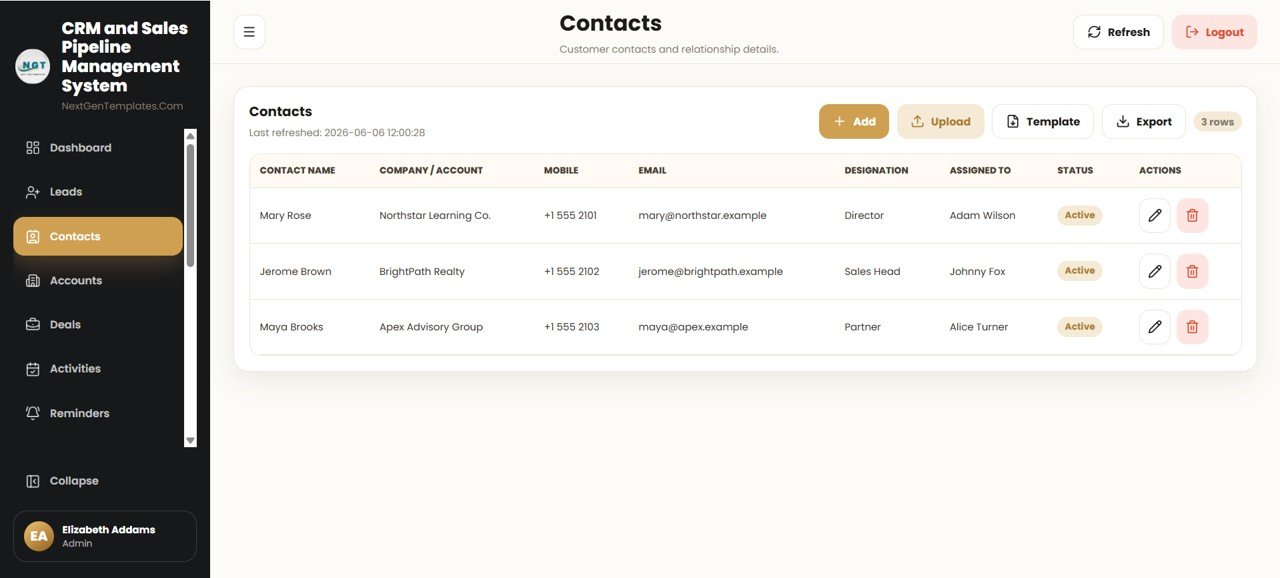
Contacts
The people behind the deals – role, company, email, phone, preferred channel and the full record of every touchpoint. Email and WhatsApp open directly from the row.

Accounts
Company records with industry, region, size, owner and the open, won and lost value rolled up from every deal attached to them.
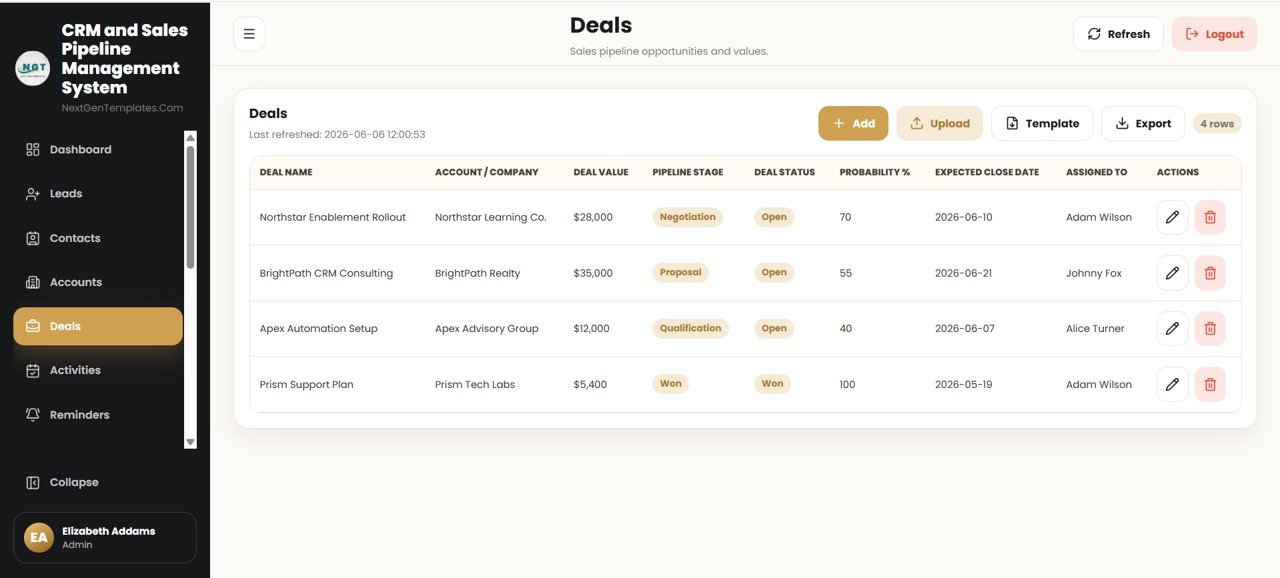
Deals
The pipeline in list form, with stage, value, win probability, expected close date, age and owner on every row, plus the history chart, stage move, email and WhatsApp actions.
Pipeline Board
The same deals as a stage-by-stage board, each column totalled, so the shape of the pipeline is visible at a glance and a deal can be moved between stages from one screen.
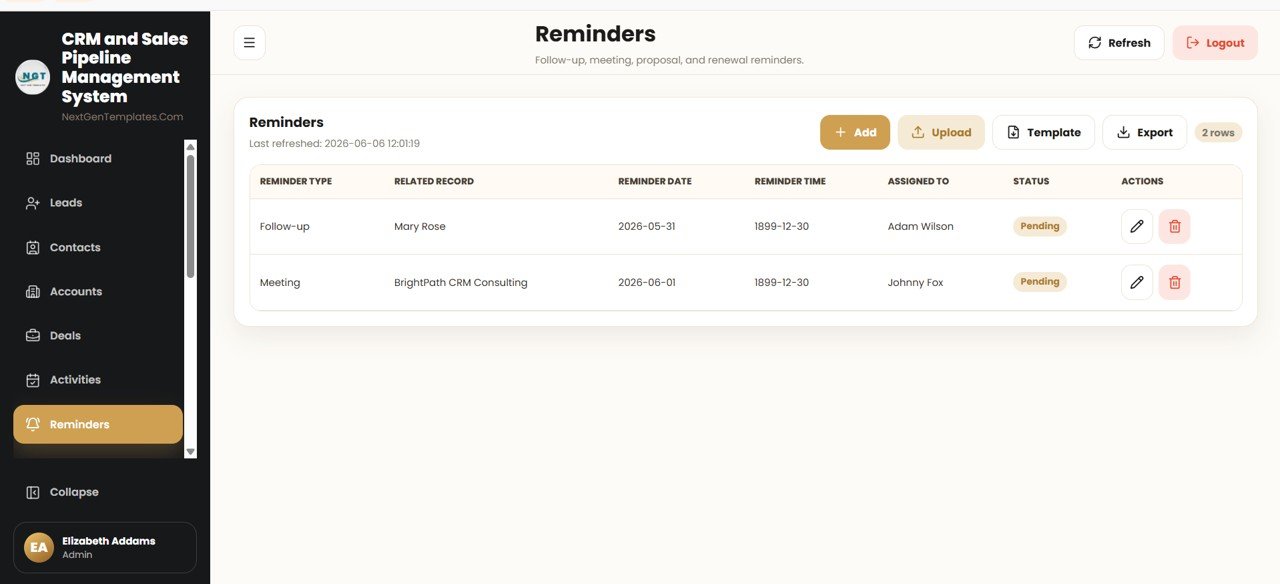
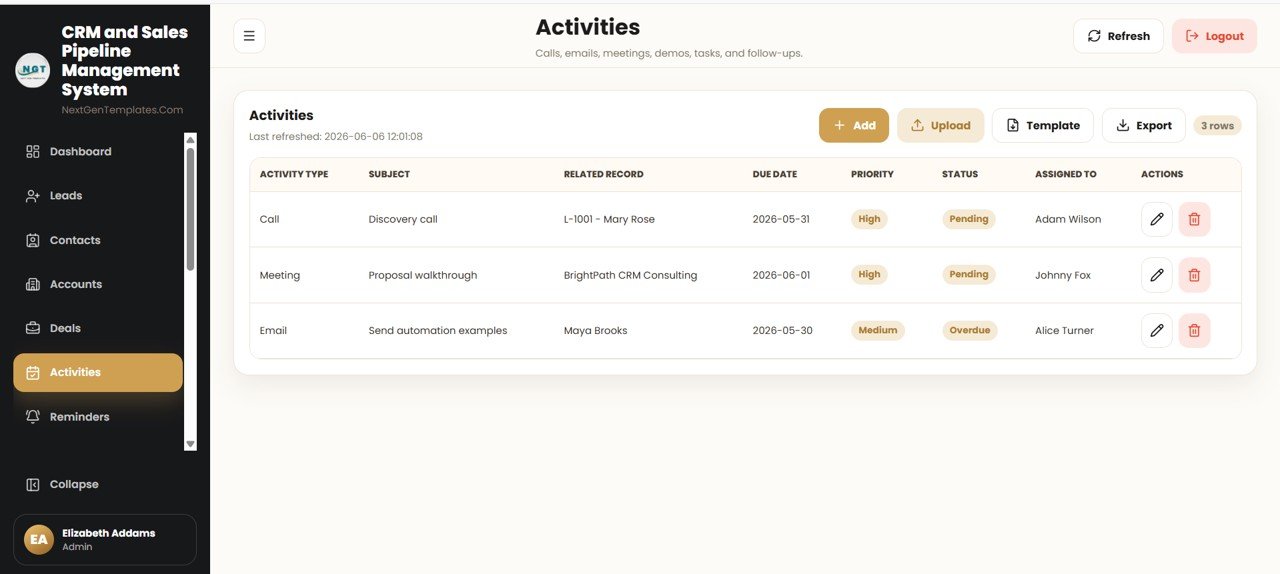
Activities
Calls, meetings, demos and follow-up tasks logged against the right lead, deal or contact, with type, owner, due date, completion status and outcome notes.

Calendar
Every activity and reminder on a shared month view, colour-coded by type, with one-click push of any activity into your Google Calendar.
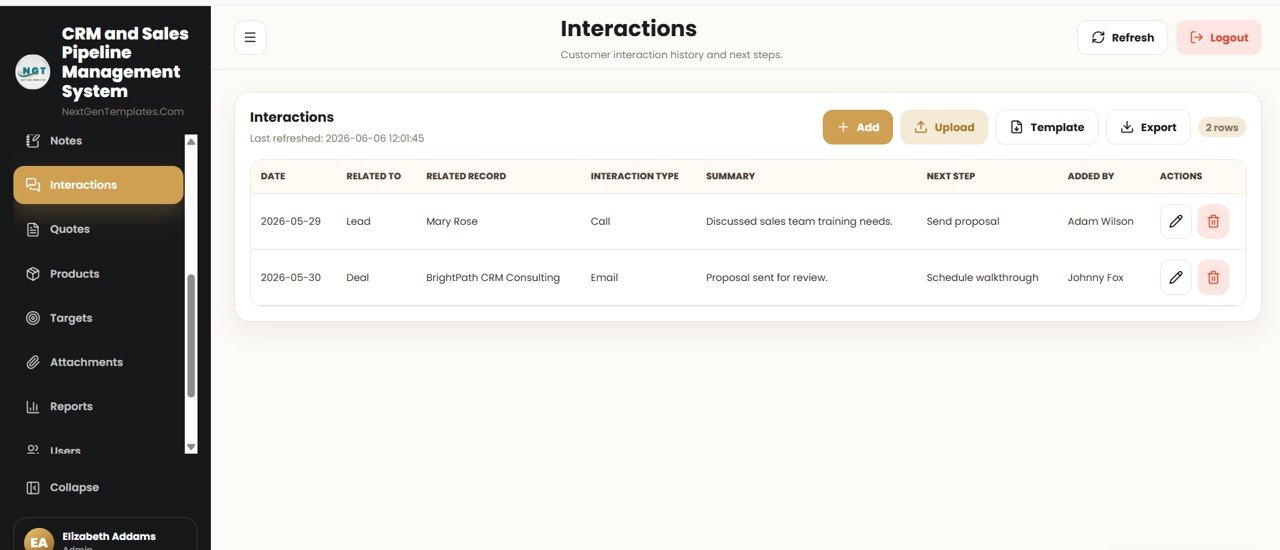
Quotes
Turn a deal into a printable, numbered quotation with line items, quantities, discounts, taxes and a grand total, then track it through Draft, Sent, Approved and Rejected.

Campaigns
New in Version 2.0. Tie marketing spend back to the pipeline it produced: budget, actual spend, leads generated, deals created, revenue won and the return on each campaign.

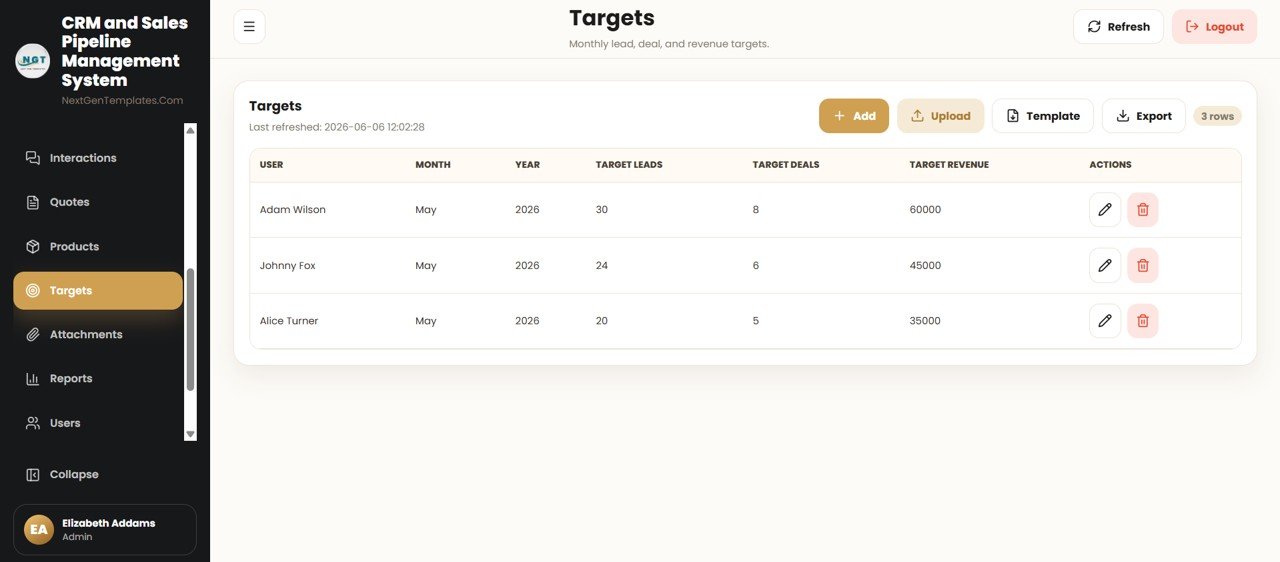
Sales Targets
Monthly and quarterly quota per person and per team, measured against what actually closed, with attainment percentage and the gap still to cover.
Email Log
Every email sent from the app against a lead, contact or deal, with recipient, subject, body and delivery status – alongside a matching WhatsApp log that records each conversation opened.

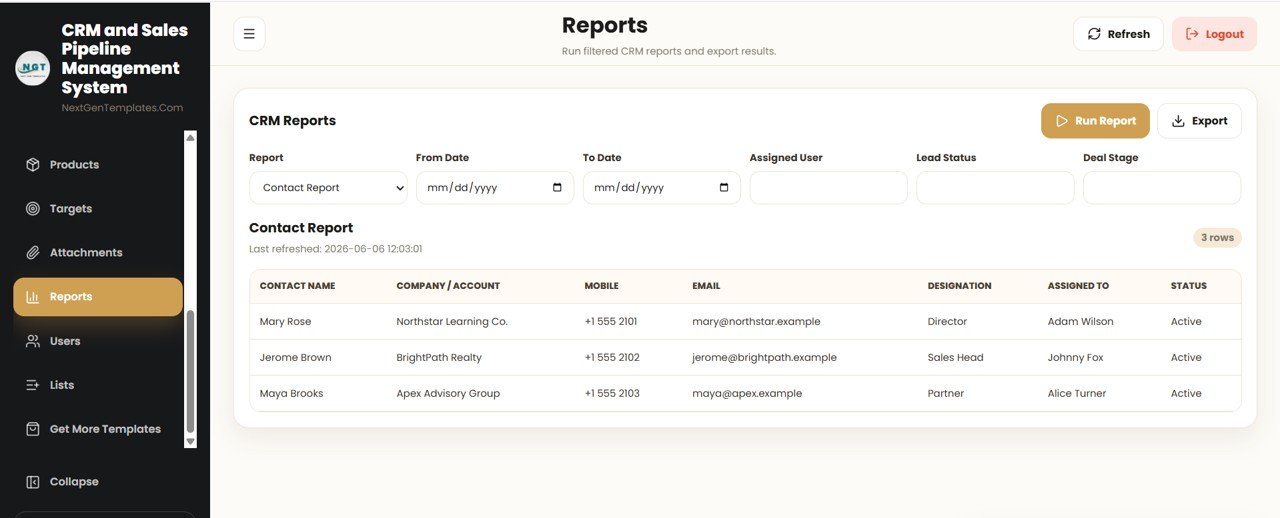
Reports
Sixteen ready reports across Pipeline, Performance, Marketing, Customers, Commercial, Engagement and Governance. Each takes a date range and an owner filter and exports to Excel, CSV or print.
Roles & Permissions
The permission map itself. Every role is granted or denied each capability, and the same map is enforced on the server – not just hidden in the menu.
Audit Log
New in Version 2.0. A system-wide record of every sign-in, create, edit, delete and export, with the user, the module, the action and the timestamp.
📊 CRM Web App vs. Excel CRM vs. Paid CRM SaaS — Where This Fits
| Feature | CRM & Sales Pipeline Web App | Excel CRM / VBA Tool | HubSpot / Pipedrive / Salesforce |
|---|---|---|---|
| Cost | $39.99 one-time | $15–40 one-time | $25–150 / user / month |
| Platform | Google Sheets + Apps Script (browser) | Microsoft Excel (desktop) | Cloud SaaS |
| Setup time | Under 15 minutes | 5–10 minutes | Hours to days |
| Real-time team collaboration | ✅ Shared Sheet backend | ❌ Limited (file passing) | ✅ Yes |
| Mobile access | ✅ Any browser | ❌ Clunky | ✅ Native apps |
| Multi-user login & roles | ✅ Admin / User built-in | ❌ Rare | ✅ Yes |
| Your data ownership | ✅ Stays in your Google Drive | ✅ Local file | ❌ Vendor servers |
| Year-1 cost at 5 users | ✅ $39.99 total | ~$40 total | $1,500–9,000 / year |
For teams that want a real CRM with multi-user login and a live pipeline without paying $25–150 per user every month, the CRM and Sales Pipeline Management System Web App sits in the sweet spot.
👥 Who This Template Is For — and Who It’s Not For
✅ This template is built for:
- Small and mid-sized sales teams (1–50 reps) that have outgrown spreadsheets but don’t want a per-seat SaaS bill
- Founders, consultants and agencies who want to own their customer data inside their own Google Drive
- Sales managers who need a shared pipeline, follow-up reminders and monthly targets in one place
❌ This template is NOT for:
- Enterprise teams that require SOC 2, SSO/SAML and a dedicated account manager
- Organisations that cannot use Google Workspace / Google Drive for policy reasons
- Teams needing native telephony, automated email sequences or marketing automation out of the box
⚙️ How to Use the CRM and Sales Pipeline Management System Web App
- Purchase and download the ZIP, then open the included PDF setup guide.
- Click the “Make a Copy” link to copy the CRM into your own Google Drive.
- Open the Apps Script editor and deploy the project as a Web App, granting the requested permissions.
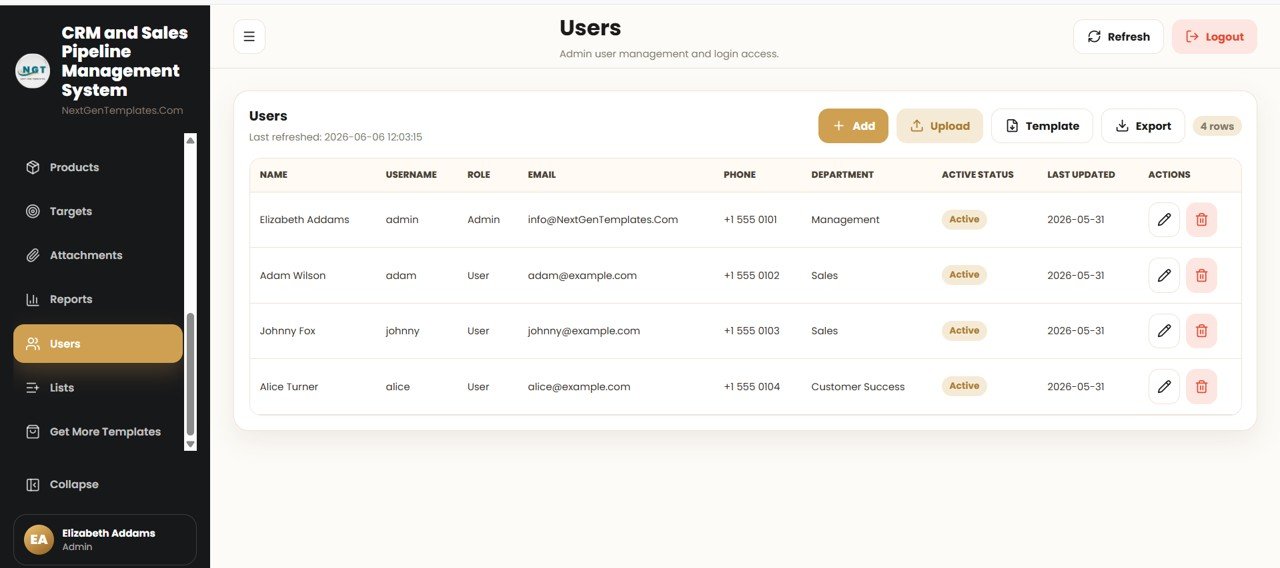
- Open the generated web app URL and log in with the default admin account shown on the Users page.
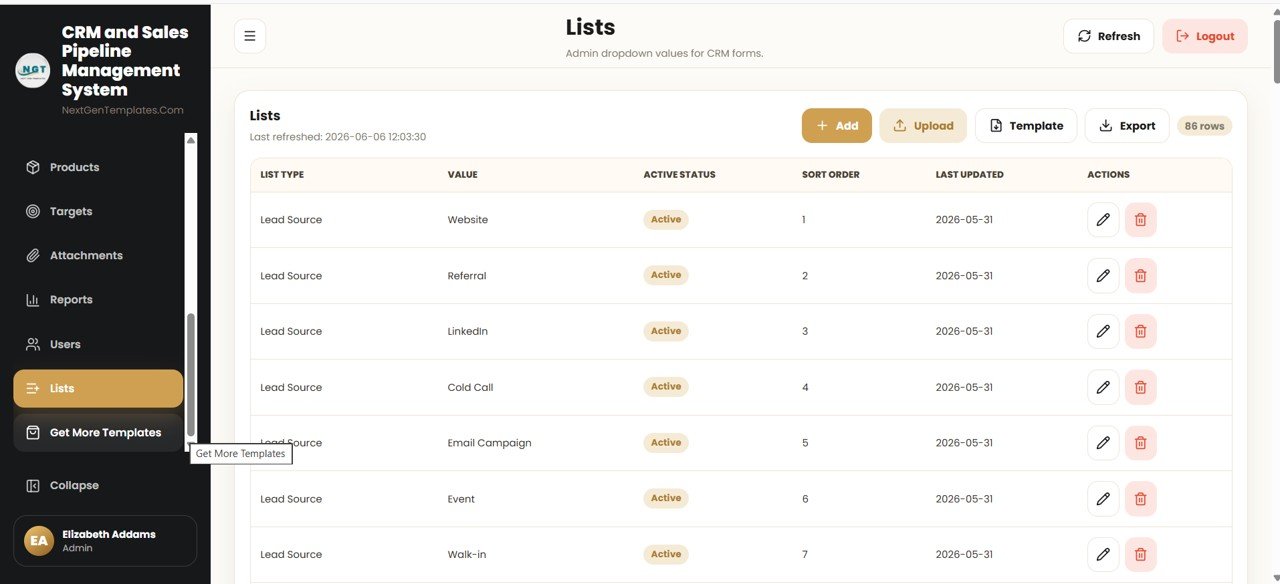
- Use the Lists page to set your lead sources, deal stages, statuses and other dropdown values.
- Start adding Leads, Contacts, Accounts and Deals — the Dashboard KPIs update automatically.
💼 Real-World Use Cases
Marco runs a 6-person B2B agency. He uses the CRM and Sales Pipeline Management System Web App to capture inbound leads, move them through Deal stages with a probability % on each, and check the Pipeline Value KPI every Monday — without paying for five Pipedrive seats.
Aisha is a solo consultant. She logs every call and meeting in Activities, sets renewal Reminders, and stores signed proposals in Attachments, so nothing slips through the cracks between client engagements.
The Verma family business uses the Targets and Reports pages to set monthly revenue goals per salesperson and run filtered reports by Assigned User and Deal Stage at month end.
❓ Frequently Asked Questions
What is the CRM and Sales Pipeline Management System Web App?
It is a multi-user CRM web application built on Google Sheets and Google Apps Script. The CRM and Sales Pipeline Management System Web App covers 28 screens — from Leads and Deals to the Pipeline Board, Quotes, Campaigns, Targets and 16 reports — behind a secure login, all running in your browser.
Do I need to pay a monthly fee?
No. The CRM and Sales Pipeline Management System Web App is a one-time purchase of $39.99 with lifetime access and free bug fixes. There are no per-user seats or recurring subscription charges.
Where is my customer data stored?
Your data lives in a Google Sheet inside your own Google Drive. Because the CRM and Sales Pipeline Management System Web App runs on your Google account, you keep full ownership and control of every record.
Can multiple users log in at the same time?
Yes. The system includes a Users page with Admin and User roles, so several team members can log in concurrently and the Admin controls access and the dropdown lists used across the CRM.
How long does setup take?
Most people are running in under 15 minutes: make a copy of the file, deploy it as a web app from the Apps Script editor, and log in with the admin account included in the guide.
How does this compare to HubSpot or Pipedrive?
HubSpot and Pipedrive charge $25–150 per user every month. The CRM and Sales Pipeline Management System Web App delivers leads, contacts, accounts, deals, a visual pipeline and reports for a single one-time payment, while keeping your data in your own Drive.
What changed in Version 2.0 of the CRM and Sales Pipeline Management System?
Version 2.0 adds a record-level change log on every table, a Deal History flow chart showing the exact path each deal took through the pipeline, Google Calendar and WhatsApp integration, a light and dark theme, 16 reports, and 11 additional screens. Security moved to salted password hashing with seven permission roles.
Can I run this CRM on my own web hosting instead of Google?
Yes. Alongside this Google Apps Script edition there is a self-hosted PHP and MySQL edition that installs on ordinary shared hosting such as Hostinger, keeping your database on your own server. The screens are identical. Email [email protected] to request it.
👤 About the Author
Built by PK — Microsoft Certified Professional with 15+ years of Excel, Google Sheets, and Power BI experience. Founder of NextGenTemplates, reaching 300K+ subscribers across YouTube channels (@PK-AnExcelExpert, @NextGenTemplates, @NeoTechNavigators). Every template is hand-built and tested before release.
🖥️ Prefer to Run It on Your Own Web Hosting?
This listing is the Google Apps Script edition — it lives in your Google Drive and needs no web hosting at all. A separate self-hosted edition of the same system is also available, built on PHP and MySQL, which installs on ordinary shared web hosting such as Hostinger, so the database sits on your own server instead of in Google. The screens and features are identical; only the engine underneath differs.
📩 Need the hosting version? Email us at [email protected] and we will send you the details.
🔗 Explore Related Templates
- Daily Sales Purchase System Web App — a companion multi-user system for logging daily sales and purchases.
- CRM KPI Scorecard in Google Sheets — track CRM performance against targets.
- Customer Relationship Management (CRM) Dashboard in HTML — a lightweight analytics view of your CRM data.
- Browse more Google Sheets Web Apps and Sales & Marketing templates.
Also available as analytics dashboards: the CRM Development KPI Dashboard in Power BI and the Sales Funnel KPI Dashboard in Power BI.
📖 Click here to read the Detailed Blog Post
Watch the step-by-step video Demo:
/h3>
🎥 Visit our YouTube channel for step-by-step video tutorials
👉 YouTube.com/@NextGenTemplates
📅 Last updated: September 2026 · Version 2.0



Reviews
There are no reviews yet.