

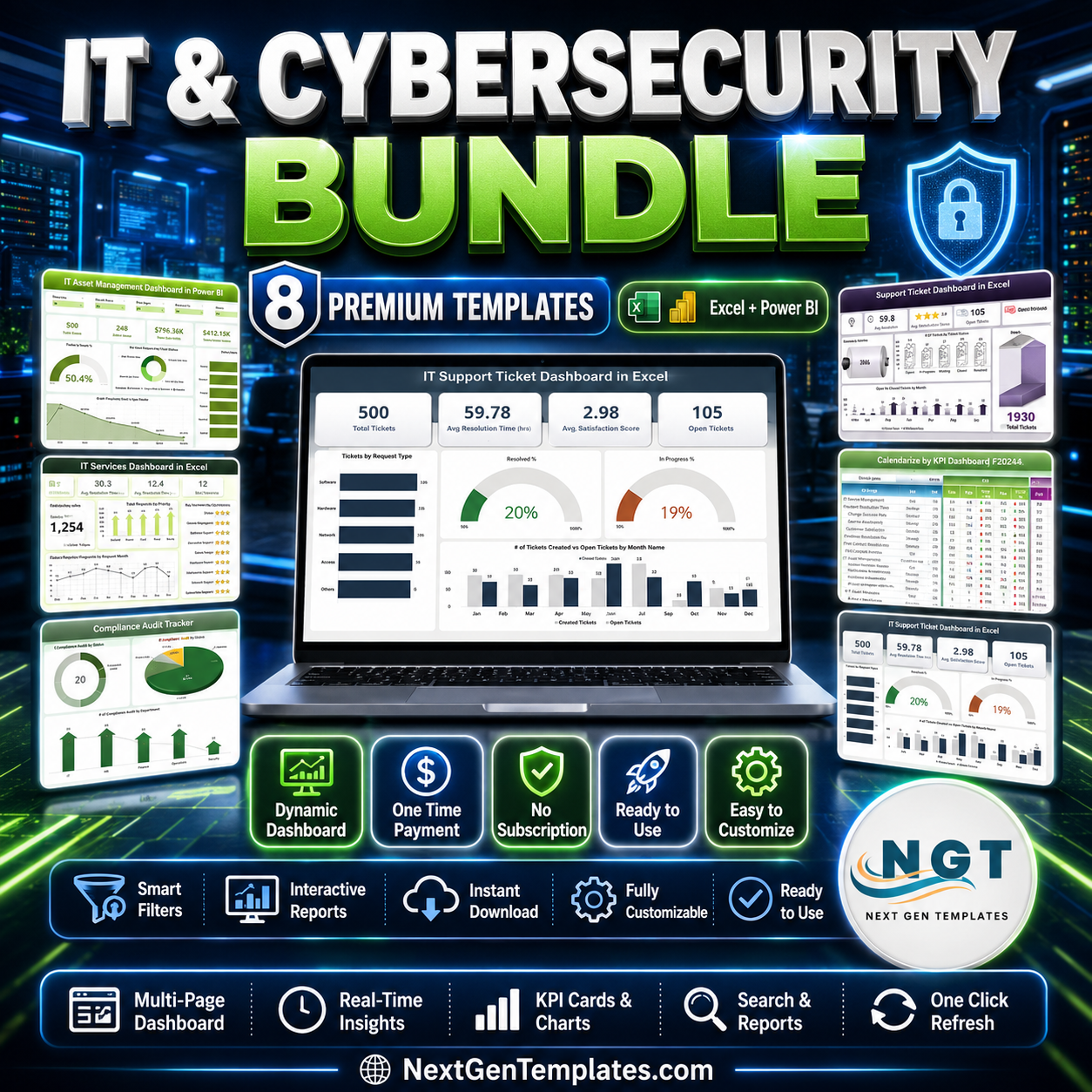



The IT and Cybersecurity Operations Bundle packs 8 premium templates for Excel and Power BI into one affordable download – covering IT support, cybersecurity, asset management, data center performance, compliance auditing and IT operations. Instead of paying $117.92 for these dashboards and trackers individually, you get the complete toolkit for just $69.99 – a 41% saving. Trusted by 8,400+ teams across 40+ countries, this is enterprise-grade IT analytics at a fraction of the cost of SaaS ITSM and SIEM platforms.
Whether you run a lean internal IT team, a multi-site enterprise help desk, or a managed service practice, this bundle gives you a single, plug-and-play command center for every core IT and security workflow – no subscriptions, no coding, no per-seat fees.
🔑 Key Features of the IT and Cybersecurity Operations Bundle
- 🎫 Dual Help Desk Coverage – IT Support Ticket dashboards in both Excel and Power BI for ticket volume, resolution time, SLAs and technician performance.
- 🔒 Cybersecurity KPI Tracking – monitor MTTD, MTTR, phishing click rates, compliance scores and unauthorized access attempts (MTD & YTD).
- 🖥️ IT Asset Lifecycle Management – Power BI tracking of active/inactive assets, warranties, net book value and vendor performance.
- ⚙️ IT Services & SLA Analytics – SLA breach %, response/resolution time and customer satisfaction by region and priority.
- 🏢 Data Center Performance – uptime, PUE, cooling efficiency, resource utilization and operational cost tracking.
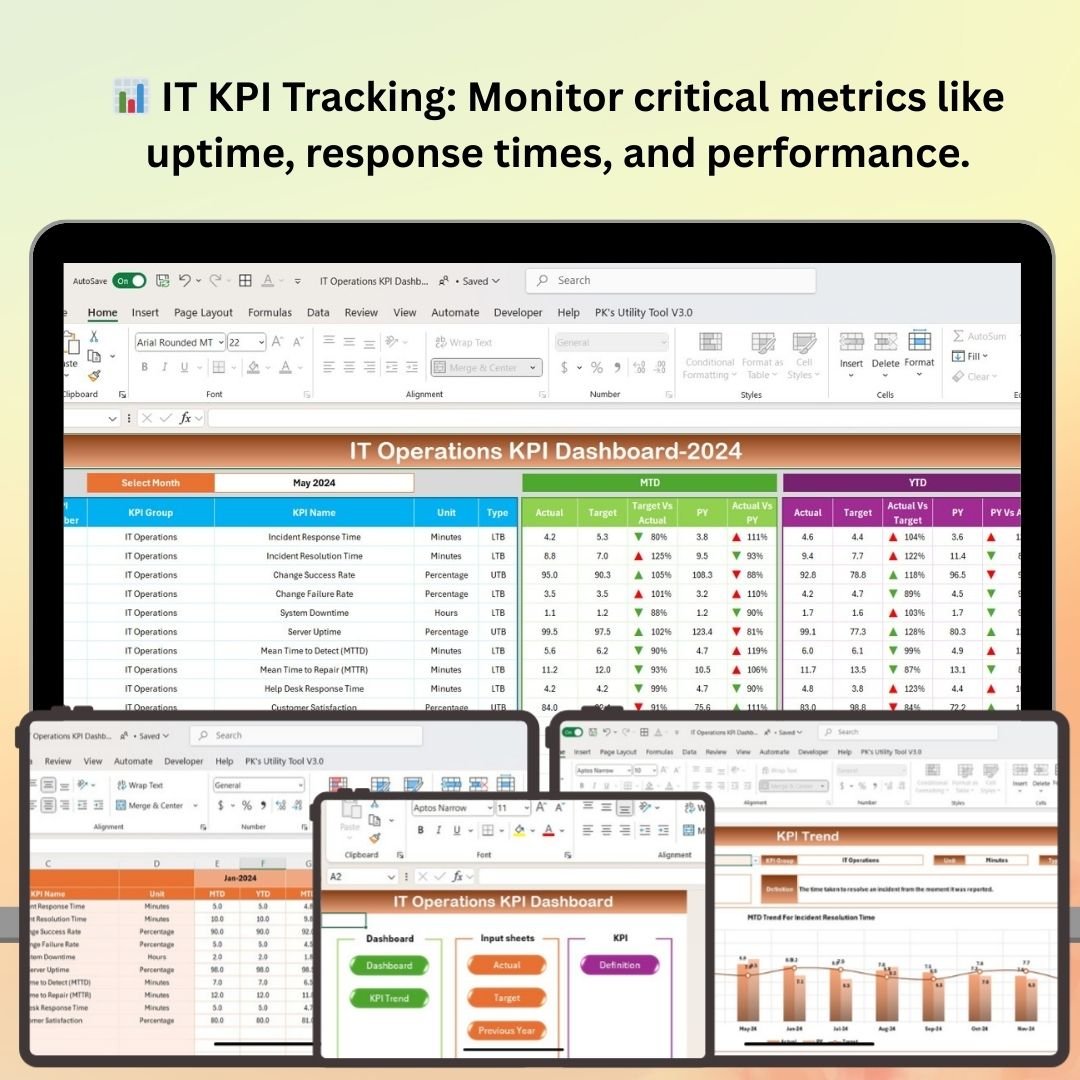
- 📈 IT Operations KPIs – system uptime, network performance, incident response and service availability in one view.
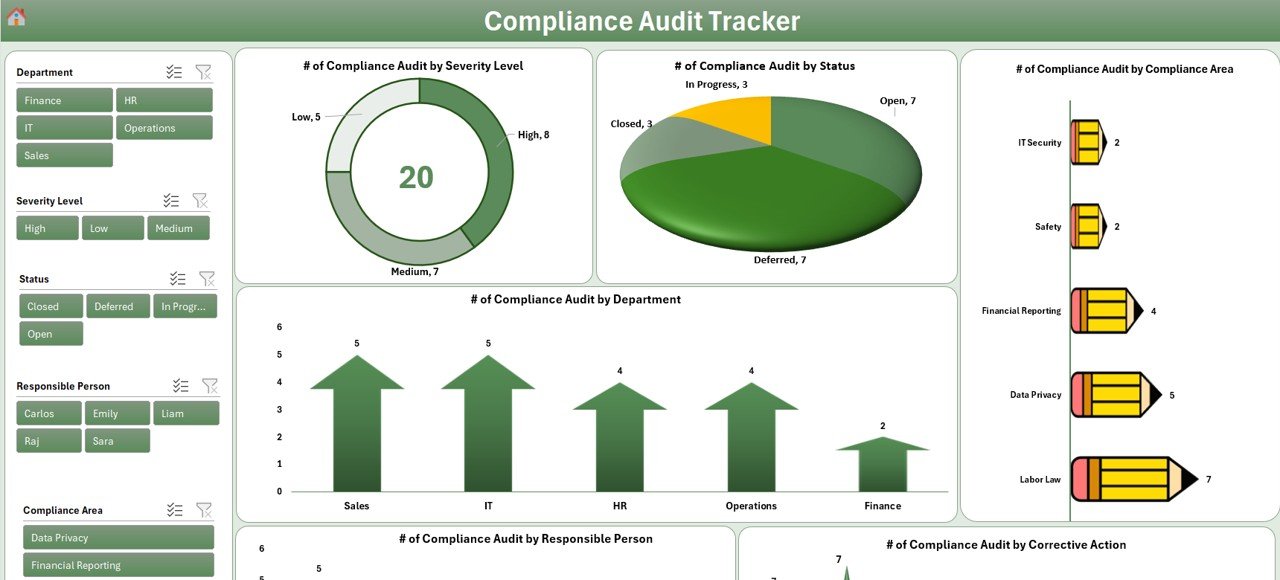
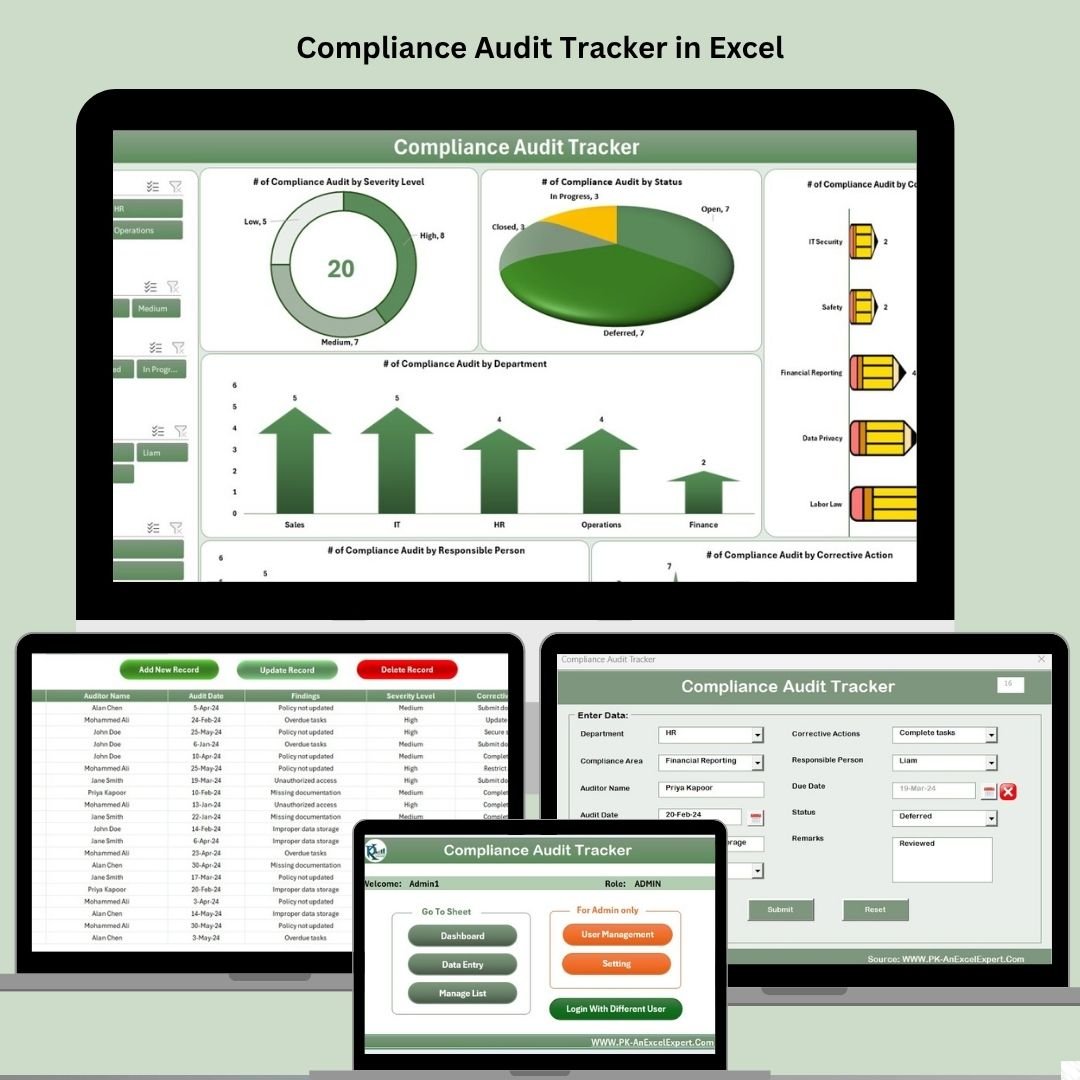
- ✅ VBA Compliance Audit Tracker – secure login, add/edit/delete forms, live dashboard and user management.
- 🔗 Excel + Power BI in One Pack – the best of offline spreadsheets and interactive BI reporting.
- 🔌 Plug-and-Play Setup – replace the sample data with your own and every chart updates automatically.
- 💰 Save 41% vs Individual – $117.92 worth of templates for just $69.99.
📦 What’s Inside the IT and Cybersecurity Operations Bundle
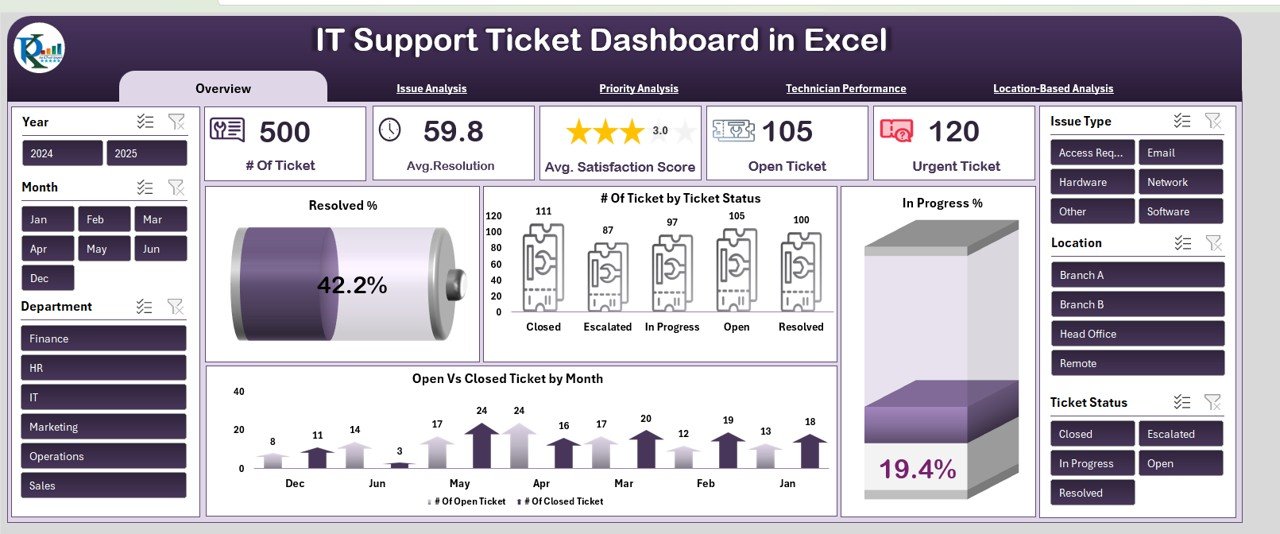
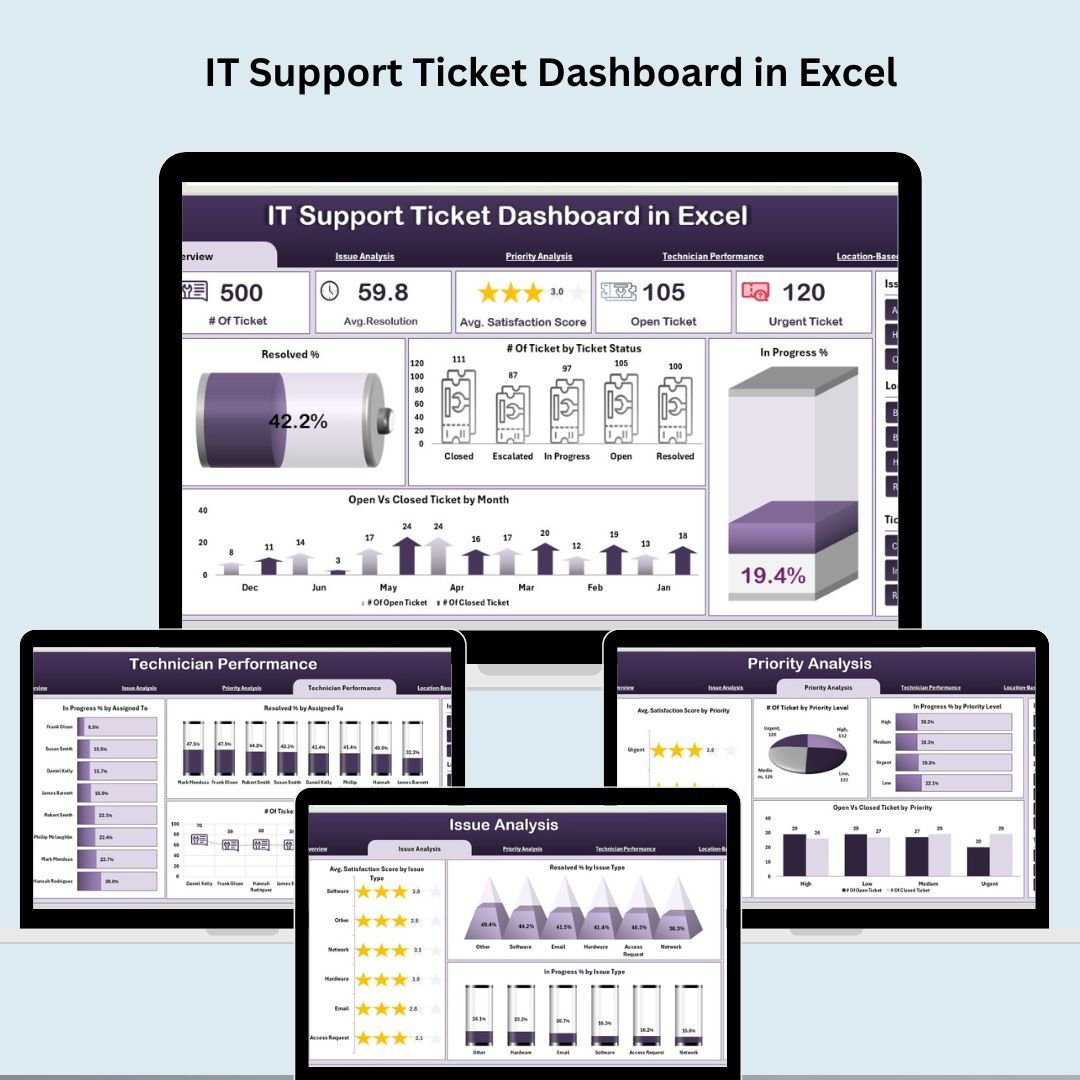
- IT Support Ticket Dashboard in Excel ($17.99) – Track total tickets, average resolution time, satisfaction scores and open/urgent tickets with issue, priority, technician and location analysis.

IT Support Ticket Dashboard in Excel
- Cybersecurity KPI Dashboard in Excel ($12.99) – Monitor incident response, threat, vulnerability, compliance and access-control KPIs with MTD/YTD trends and target benchmarking.
Cybersecurity KPI Dashboard in Excel
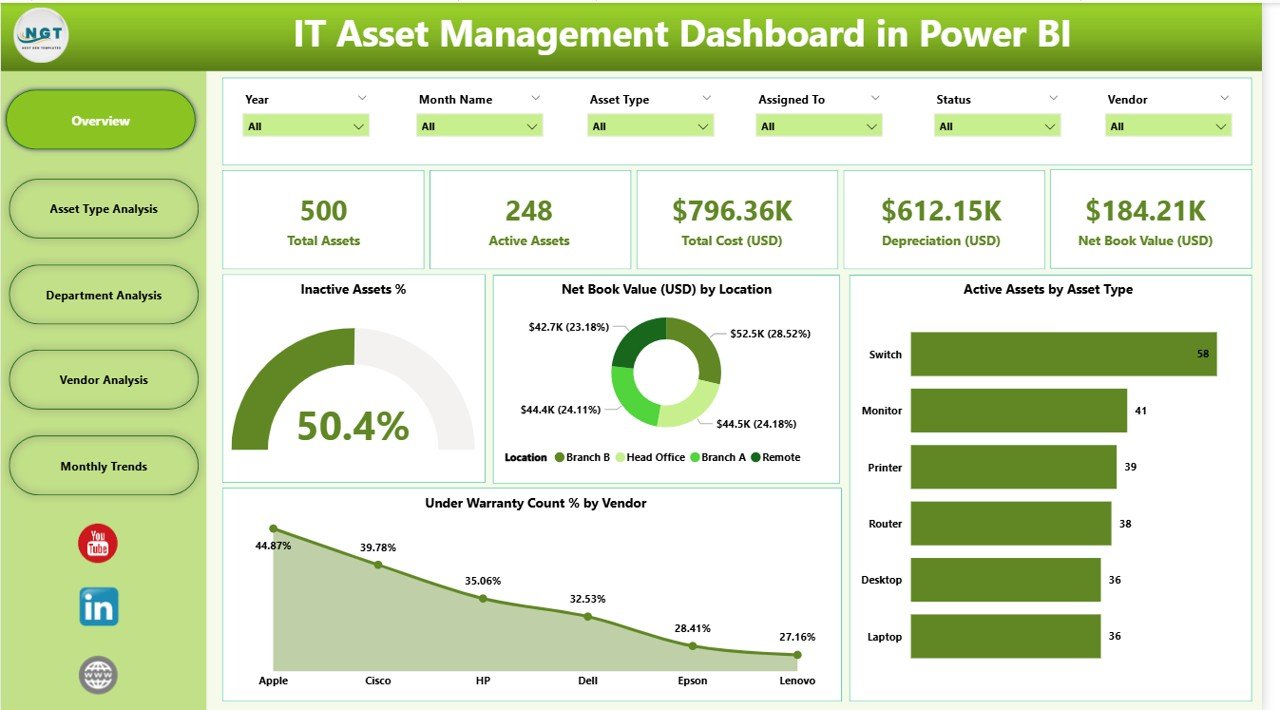
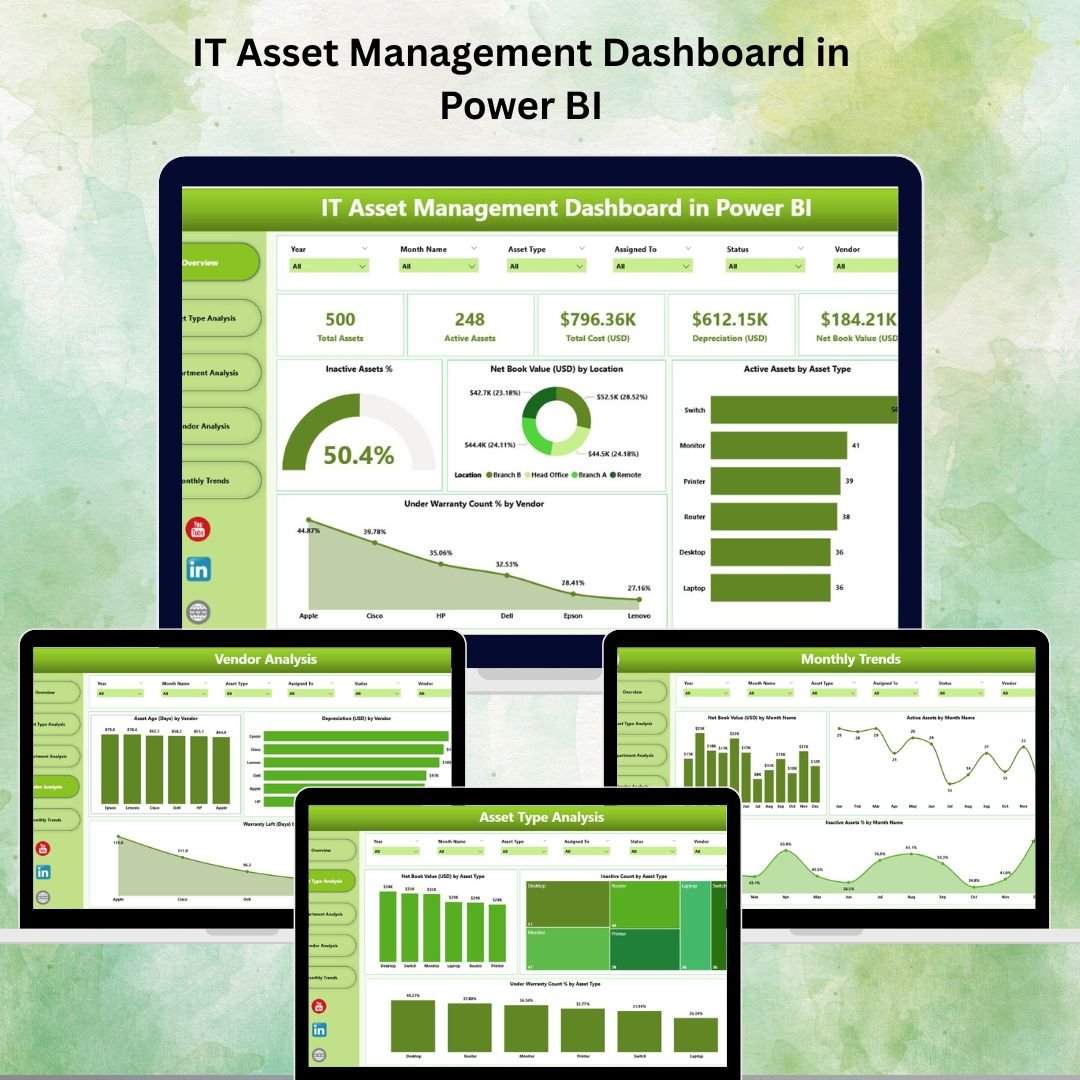
- IT Asset Management Dashboard in Power BI ($17.99) – Five analytical pages covering asset type, department, vendor and monthly trends with warranty and net book value KPIs.
IT Asset Management Dashboard in Power BI
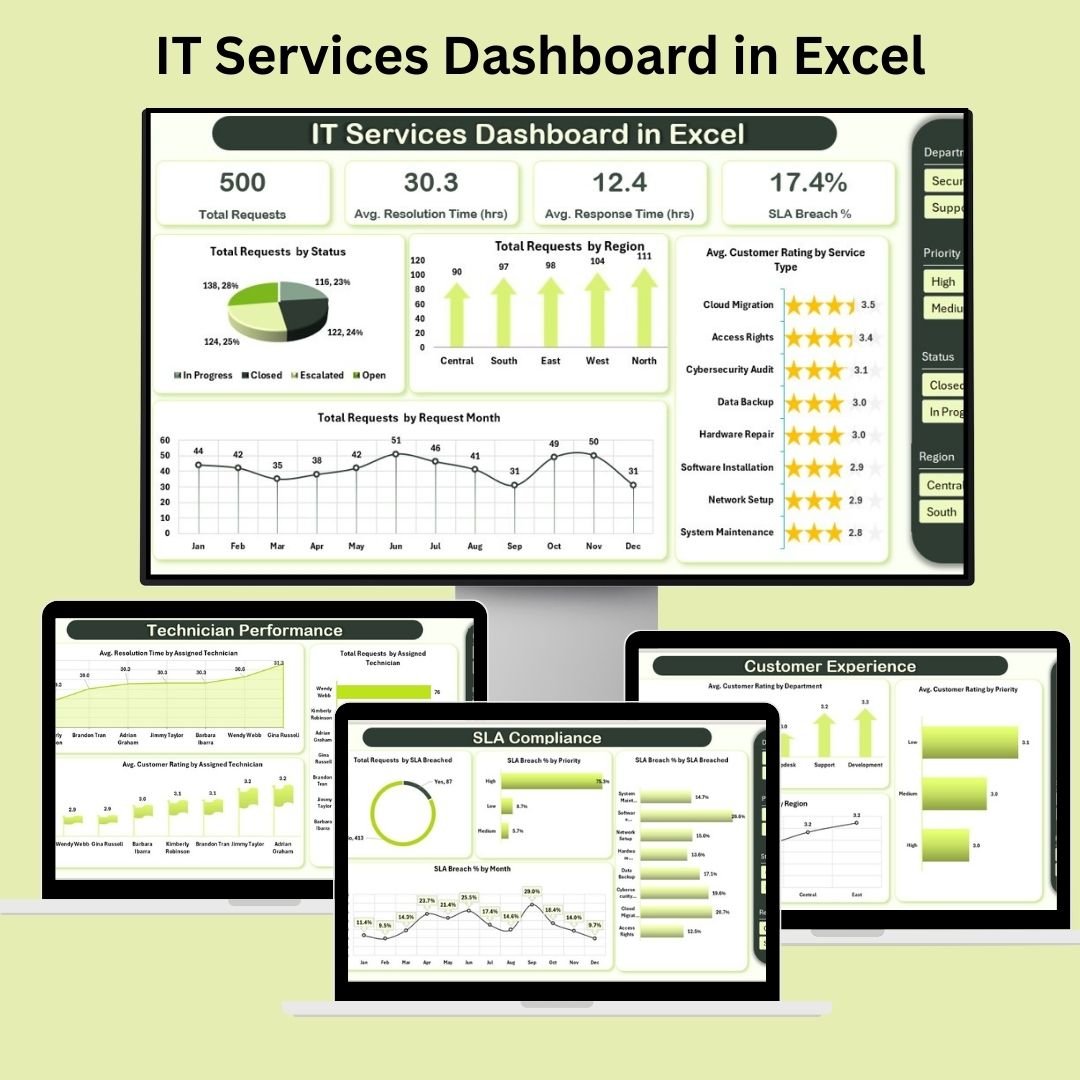
- IT Services Dashboard in Excel ($17.99) – Track SLA compliance, response and resolution times, technician productivity and customer experience with interactive slicers.
IT Services Dashboard in Excel
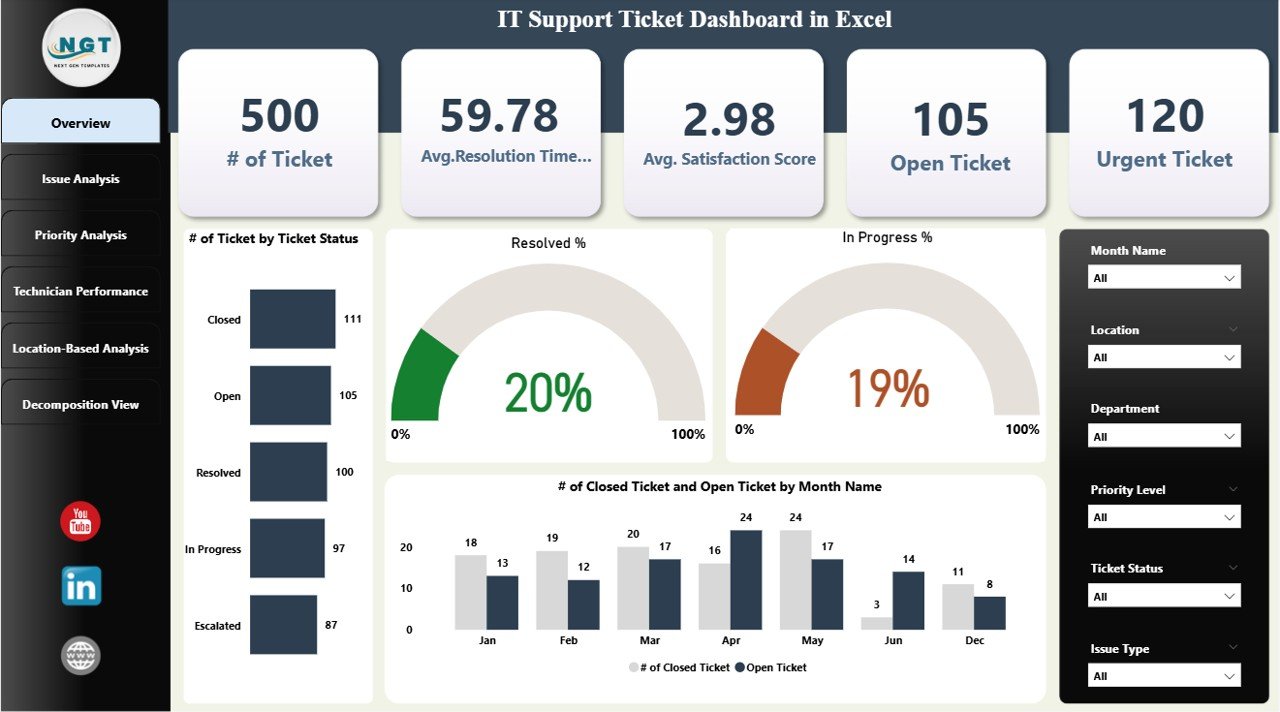
- IT Support Ticket Dashboard in Power BI ($17.99) – Interactive overview, issue, priority, technician and location pages plus a decomposition tree for root-cause analysis.
IT Support Ticket Dashboard in Power BI
- Compliance Audit Tracker in Excel ($6.99) – VBA-powered tracker with secure login, interactive forms, live audit dashboard, custom dropdowns and user management.
Compliance Audit Tracker in Excel
- Data Center KPI Dashboard in Excel ($12.99) – Monitor uptime, PUE, cooling efficiency, resource utilization and operational costs with real-time visual reporting.
Data Center KPI Dashboard in Excel
- IT Operations KPI Dashboard in Excel ($12.99) – Centralized tracking of system uptime, network performance, incident response and service availability for the whole IT environment.
IT Operations KPI Dashboard in Excel


💡 Smart Comparison — Individual vs Bundle
| # | Template | Platform | Individual Price |
|---|---|---|---|
| 1 | IT Support Ticket Dashboard | Excel | $17.99 |
| 2 | Cybersecurity KPI Dashboard | Excel | $12.99 |
| 3 | IT Asset Management Dashboard | Power BI | $17.99 |
| 4 | IT Services Dashboard | Excel | $17.99 |
| 5 | IT Support Ticket Dashboard | Power BI | $17.99 |
| 6 | Compliance Audit Tracker | Excel (VBA) | $6.99 |
| 7 | Data Center KPI Dashboard | Excel | $12.99 |
| 8 | IT Operations KPI Dashboard | Excel | $12.99 |
| Individual Total | $117.92 | ||
| Bundle Price (Save 41%) | $69.99 | ||
⚙️ How to Use the IT and Cybersecurity Operations Bundle
- Download & unzip the bundle to access all 8 Excel and Power BI files.
- Open each template in Microsoft Excel or Power BI Desktop.
- Replace the sample data with your own tickets, assets, incidents or audits.
- Explore the dashboards using built-in slicers, filters and drill-downs.
- Share reports as PDFs or via OneDrive/Power BI Service with your team.
👥 Who Can Benefit from This Bundle
- 🧑💻 IT Managers & Operations Leads – one view of help desk, assets and operations.
- 🔐 CISOs & Security Teams – track cybersecurity KPIs and compliance posture.
- 🏢 MSPs & Outsourced IT Firms – client-ready reporting across multiple workflows.
- 📊 Help Desk & Support Leads – monitor SLAs, workloads and satisfaction.
- 💰 Finance & Procurement – control asset spend, warranties and data center costs.
🚀 Get the Complete IT & Cybersecurity Toolkit
$117.92 $69.99
Save 41% – 8 Premium Excel + Power BI Templates
🔁 Read the detailed blog post
Click here to read the full IT and Cybersecurity Operations Bundle guide
🎥 Visit our YouTube channel for step-by-step tutorials
Compatibility and Requirements
- The Excel dashboards work in Microsoft Excel desktop (Excel 2016 or later, or Microsoft 365). Several of them use slicers, which Microsoft explains in Use slicers to filter data.
- The Compliance Audit Tracker has a secure login and forms, so it needs Excel desktop on Windows with macros enabled. It does not run in Excel for the web, Google Sheets or mobile.
- The two Power BI dashboards (IT Asset Management and IT Support Ticket) open in Power BI Desktop, which is free.
Frequently Asked Questions
How many templates are in this bundle?
Eight: six Excel templates and two Power BI dashboards. The Excel files are the IT Support Ticket Dashboard, Cybersecurity KPI Dashboard, IT Services Dashboard, Compliance Audit Tracker, Data Center KPI Dashboard and IT Operations KPI Dashboard. The Power BI files are the IT Asset Management Dashboard and the IT Support Ticket Dashboard.
Which template tracks cybersecurity KPIs?
The Cybersecurity KPI Dashboard in Excel. It covers MTTD, MTTR, phishing click rates, compliance scores and unauthorized access attempts, with MTD and YTD figures.
Can I use my own data?
Yes. Replace the sample data in each file with your own tickets, assets, incidents or audits, and the charts update.
Does the Compliance Audit Tracker need macros?
Yes. It is a VBA template with a secure login, add, edit and delete forms and user management, so macros must be enabled in Excel desktop on Windows.
Do I need Power BI to use the bundle?
Only for the two Power BI dashboards. You can open them in Power BI Desktop, which is free. The other six templates run in Excel.
Are the templates sold separately?
Yes. For example, the Cybersecurity KPI Dashboard in Power BI is a separate product with a Power BI version of the cybersecurity KPIs.
Related IT and Cybersecurity Templates
- Cybersecurity Operations Center Dashboard in Excel: a dashboard for a security operations center
- Cybersecurity Operations Center Dashboard in Power BI: the same topic in Power BI
- Cybersecurity Risk Assessment KPI Dashboard in Excel: KPIs for risk assessment
- Cybersecurity Checklist in Excel: a checklist for security reviews
- COO Operations Director Toolkit: 10 Excel and Power BI templates for operations leaders
Browse all Template Bundles or Excel dashboards.





















Reviews
There are no reviews yet.