

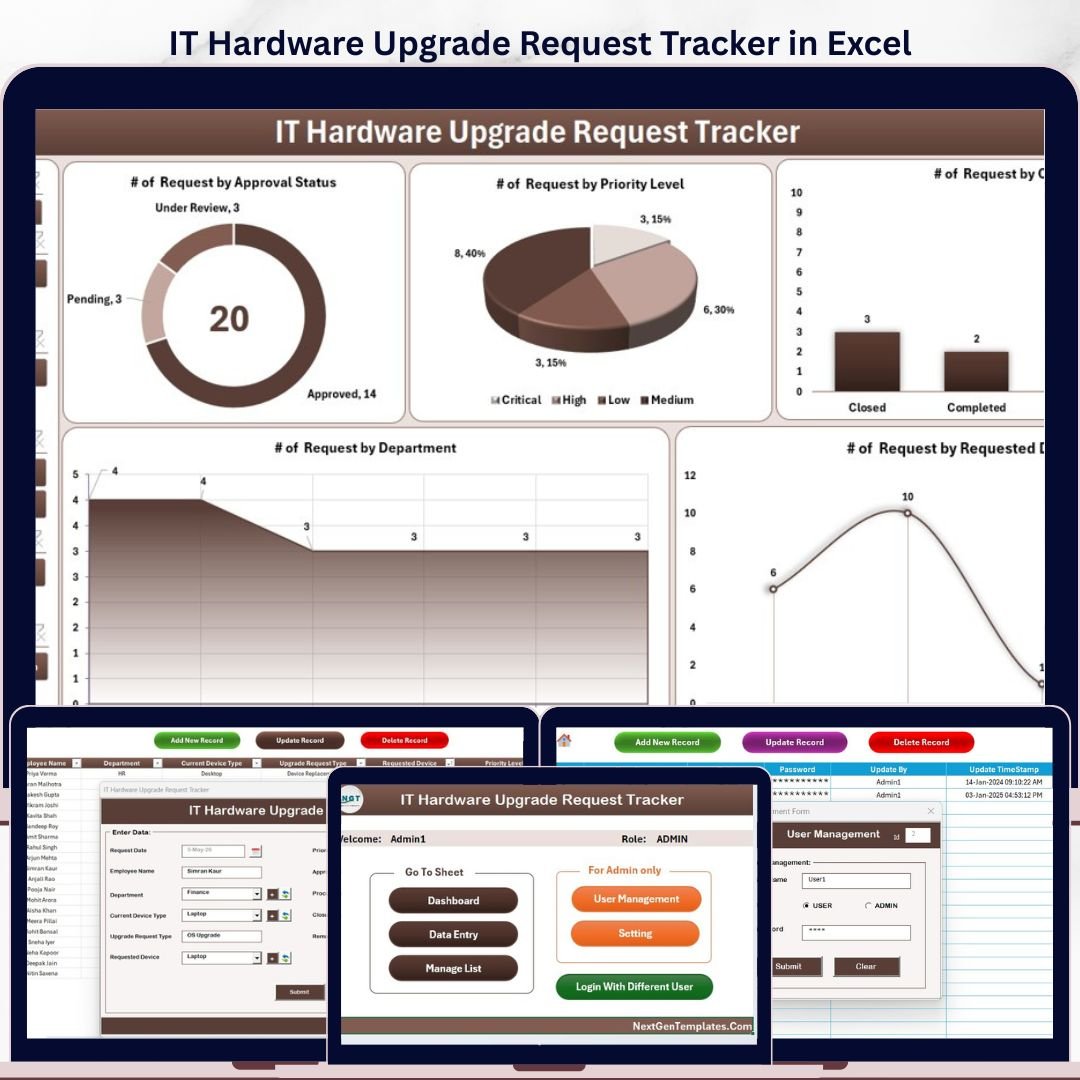
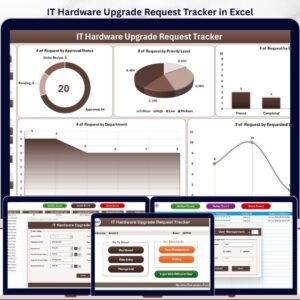
The IT Hardware Upgrade Request Tracker in Excel is a complete VBA-powered request management system that lets IT teams capture, approve, and track every hardware upgrade request — laptops, monitors, docking stations, GPUs, RAM upgrades, peripherals — in one secure Excel workbook. Built around a login-gated dashboard, three-button data entry, slicer-driven analytics, and a built-in user management sheet, this template replaces messy email threads and shared spreadsheets with a single source of truth.
Designed for IT managers, helpdesk leads, and procurement coordinators who want enterprise-grade workflow without the enterprise-grade price tag, this Excel Hardware Upgrade Tracker ships ready to use — no installation, no subscription, no learning curve.
🎯 Key Features at a Glance
- 🔐 Secure login system with admin and standard-user roles
- 📊 Interactive Dashboard with 4 slicers and 5 KPI charts
- 📝 VBA-driven data forms for Add, Update, and Delete operations
- 📂 Centralized Data Sheet with 12+ structured fields
- ⚙️ Editable List Sheet driving every dropdown
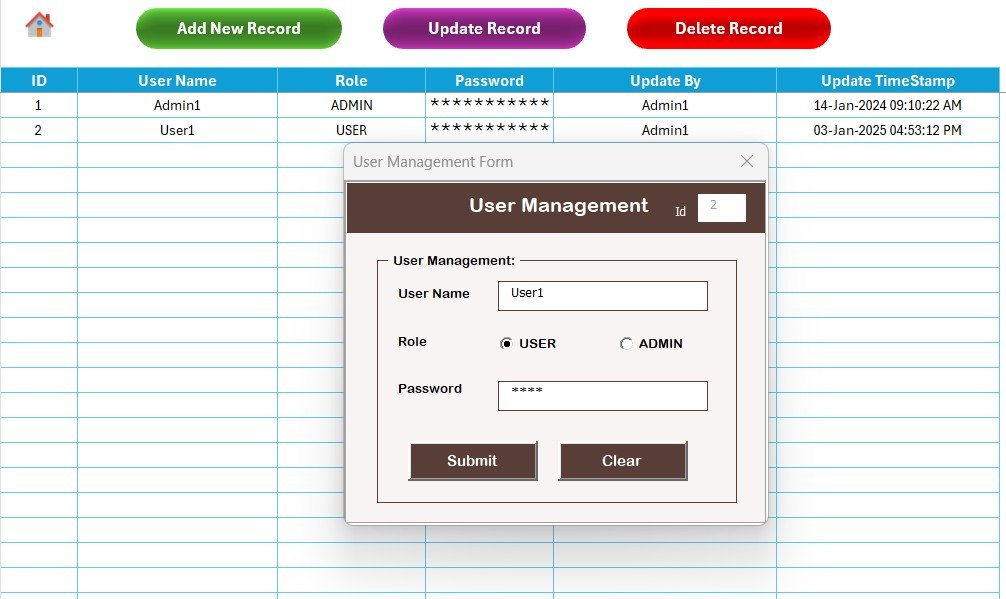
- 👥 User Management Sheet for managing team access
- 🔄 One-click dashboard refresh after every data change
- 📈 Status, Approver, and Cost tracking out of the box
📂 What’s Inside the Workbook
This IT Hardware Request Tracker Excel ships with 8 fully connected worksheets, each playing a specific role in the request lifecycle.
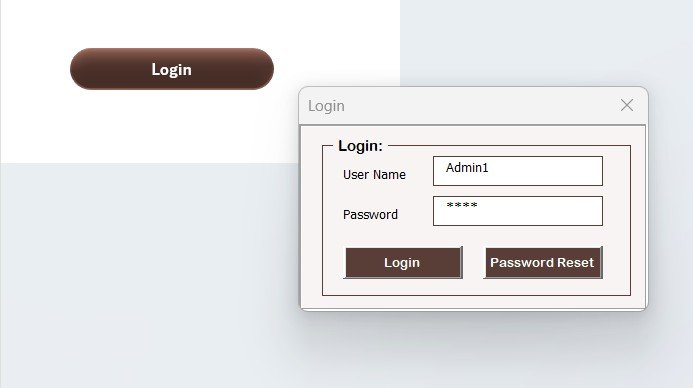
1. Login Form
The workbook opens straight into a secure VBA UserForm. Users authenticate with the credentials stored in the User Management Sheet, and only authorized roles can view or edit data. This single layer keeps confidential hardware-cost and approval data out of the wrong hands.
2. Home Page
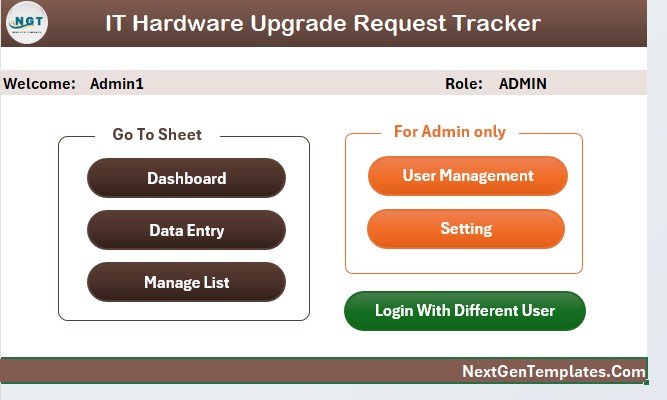
Once logged in, users land on a clean Home Page that acts as a navigation hub. Branded shape buttons jump straight to the Dashboard, Data Sheet, List Sheet, Settings, or User Management — no scrolling through tabs, no confusion for new team members.
3. Dashboard
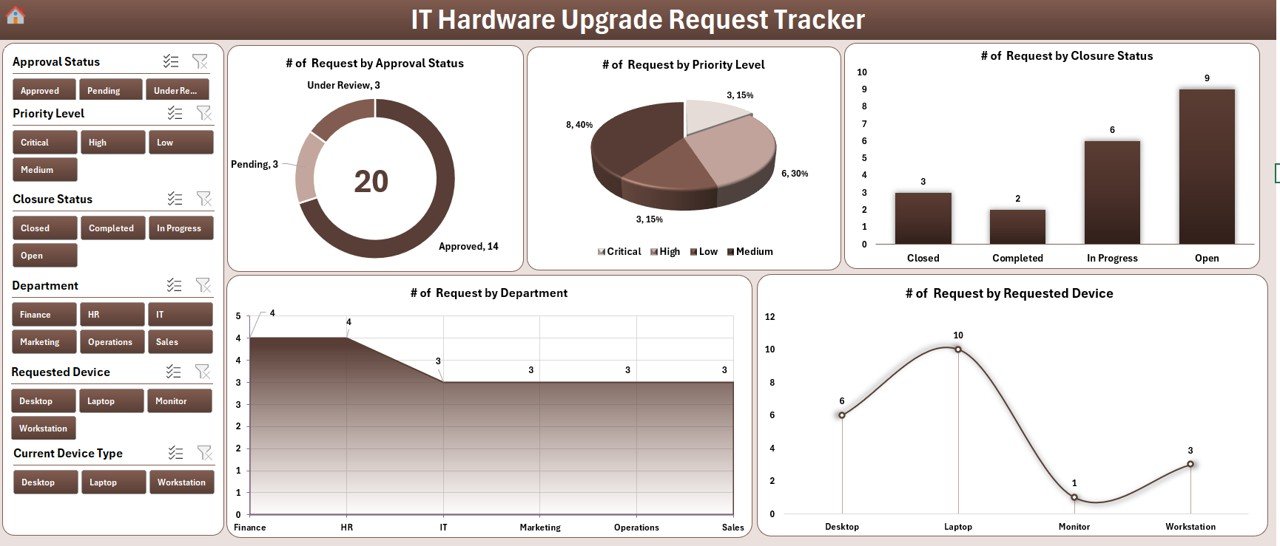
The interactive Dashboard is the heart of the template. Four slicers (Department, Hardware Type, Status, and Approver) let you filter on the fly, while five connected charts visualize Request Status, Department-wise volume, Hardware Type distribution, Approver-wise breakdown, and Monthly trend. KPI cards surface totals for Pending, Approved, Rejected, and Completed requests.
4. Data Sheet
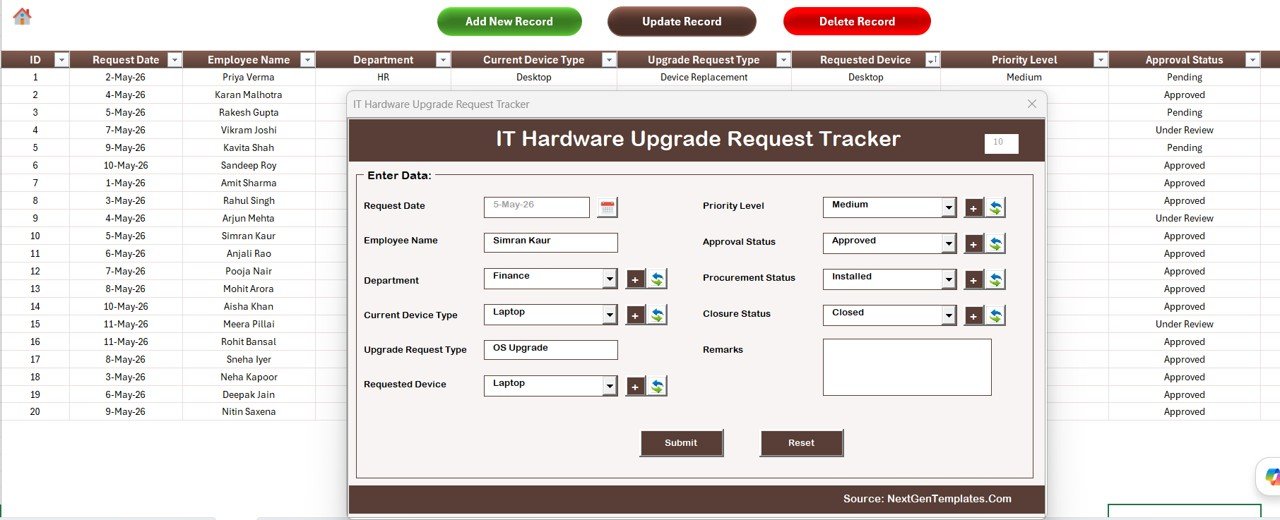
All requests live here. Three large action buttons sit at the top of the sheet:
- Add New Record — opens the VBA UserForm to capture a new request, then writes it back to the sheet and refreshes the dashboard automatically.
- Update Record — select any Request ID and the same form reopens prefilled, so edits stay clean and auditable.
- Delete Record — confirms before removing, preventing accidental loss.
Captured fields include Request ID, Requester Name, Department, Current Hardware, Requested Hardware, Reason, Approver, Status, Request Date, Approval Date, Estimated Cost, and Remarks.
5. List Sheet
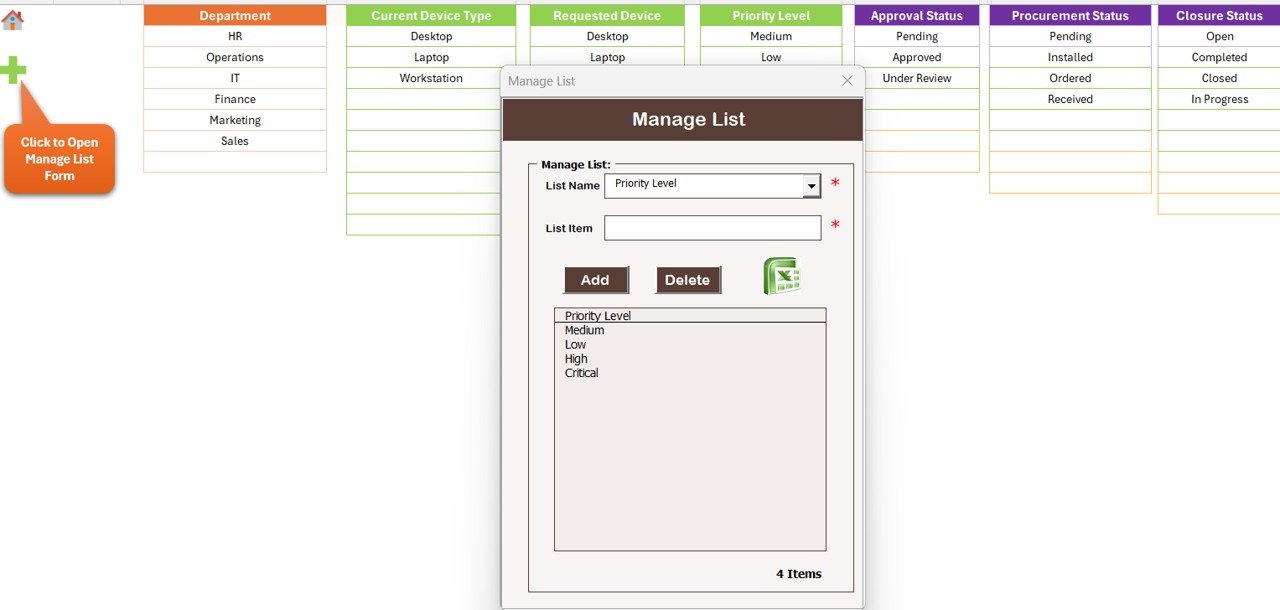
Every dropdown in the data entry form is driven from this central List Sheet — departments, hardware categories, approvers, and status values. Update a list value once and it propagates instantly to every new request, every slicer, and every chart.
6. Support Sheet
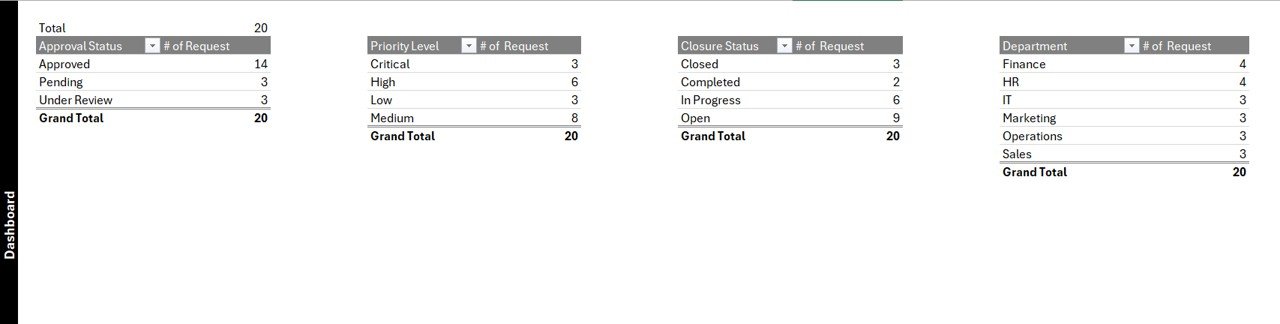
A hidden engine room: this sheet holds the pivot tables that feed the dashboard charts. You don’t need to touch it — it auto-refreshes when records are added — and you can hide it once the workbook is in production to prevent accidental edits.
7. Settings Sheet
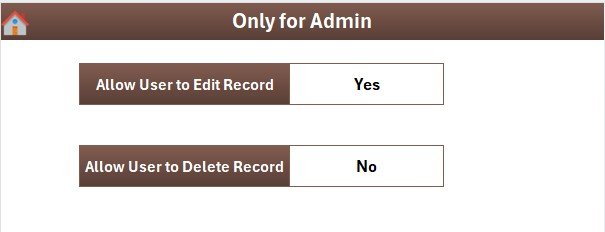
Customize the workbook for your organization — company name, date format, fiscal year start, default approver, and theme accents. Configure once and the change reflects across every page.
8. User Management Sheet
Add, remove, or update users and assign Admin or Standard roles. Passwords and usernames live here — protected behind the login — making it easy to manage team access as your IT department grows.
⚖️ IT Hardware Upgrade Tracker: Excel vs Google Sheets vs Paid SaaS
How does this template compare to the alternatives?
| Feature | This Excel Tracker (one-time $6.99) | Google Sheets Equivalent | Paid IT Asset SaaS (ServiceNow / Jira Service Management / Freshservice) |
|---|---|---|---|
| One-time cost | $6.99 forever | Free template / build effort | $20–$100+ per user per month |
| Login & role-based access | ✅ VBA login, Admin / User roles | ⚠️ Apps Script required, complex | ✅ Enterprise-grade SSO |
| Data entry forms | ✅ Native VBA UserForms (Add / Update / Delete) | ⚠️ Google Forms hand-off needed | ✅ Built-in request portal |
| Slicer-based dashboard | ✅ 4 slicers, 5 charts ready | ⚠️ Native slicers limited | ✅ Pre-built analytics |
| Works offline | ✅ Yes | ❌ Requires internet | ❌ Cloud-only |
| Setup time | Under 5 minutes | Hours to days | Days to weeks (implementation) |
| Recurring fees | ❌ None | ❌ None | ✅ Monthly / annual |
| Customizable by your team | ✅ Open VBA & sheets | ✅ Apps Script | ⚠️ Vendor-locked |
👥 Who This Template Is For
Ideal for: IT managers running 10–500 employee environments, helpdesk leads, IT procurement coordinators, MSPs handling hardware refresh cycles for multiple clients, small-business owners managing their own IT, and anyone who wants a paper-trail for laptop, monitor, or peripheral upgrades without buying a full ITSM platform.
Not for: Teams that already run ServiceNow, Jira Service Management, or Freshservice and need deep API integration, or organizations needing real-time multi-user concurrent editing (use the Google Sheets variant of a similar tracker instead).
🚀 How to Use This Template
- Download and unzip the file from your purchase confirmation email.
- Open in Microsoft Excel (2016 or later recommended) and enable macros when prompted.
- Log in with the default admin credentials (provided inside the workbook) and immediately change the password in the User Management Sheet.
- Open the List Sheet and customize departments, hardware categories, approvers, and status values to match your organization.
- Configure organisation name, date format, and theme in the Settings Sheet.
- Add users via the User Management Sheet and share the workbook with your team.
- Start capturing requests through the Add New Record button on the Data Sheet — the Dashboard updates automatically.
💼 Real-World Use Cases
Priya — IT Manager at a 180-employee SaaS company: Replaced a chaotic Outlook folder of upgrade-request emails with this single workbook. Her standard-user team submits requests through the form; Priya filters the dashboard by Department and Status every Monday morning to plan that week’s procurement.
Rohan — Helpdesk Lead at a hospital chain: Tracks laptop and workstation upgrades across three campuses. The slicer on Approver lets him surface every pending decision sitting with the CIO, then auto-mails the list using a one-line follow-up macro he added on top of the template.
Sneha — Procurement Coordinator at a 60-person agency: Uses the Estimated Cost column plus the monthly chart to forecast hardware spend a quarter ahead and submits the totals to finance — a workflow that previously lived in three separate spreadsheets.
❓ Frequently Asked Questions
Q: Does this work on Mac?
A: Yes — the workbook runs on Excel for Mac 2019 and later. VBA forms behave the same way once macros are enabled.
Q: Can multiple users edit at the same time?
A: Excel files are single-writer by design. For multi-user concurrent editing, place the file on OneDrive / SharePoint and use “Open in Desktop App” one user at a time, or consider the Google Sheets variant.
Q: Can I change the columns in the Data Sheet?
A: Yes — the workbook is fully unlocked. Add columns and bind them to the VBA UserForm by updating the form’s textboxes and the save routine.
Q: Do I get future updates?
A: Yes — free lifetime updates. Just re-download from your account when a new version is released.
Q: Is the macro safe?
A: 100% safe. The VBA code is unlocked and visible — you can inspect every line in the Visual Basic Editor (Alt + F11). No external connections, no telemetry.
Q: Can I get a refund?
A: Yes — 14-day no-questions-asked refund on every template at NextGenTemplates.com.
👨💻 About the Author
Built by PK — a Microsoft Certified Professional with 15+ years of experience designing Excel, VBA, Power BI, and Google Sheets tools for businesses across 40+ countries. PK runs three YouTube channels with 300,000+ combined subscribers: @PK-AnExcelExpert, @NextGenTemplates, and @NeoTechNavigators, where every template ships with a free walkthrough video.
🔗 Explore Related Templates
- IT Support Request Tracker in Excel — capture and resolve helpdesk tickets
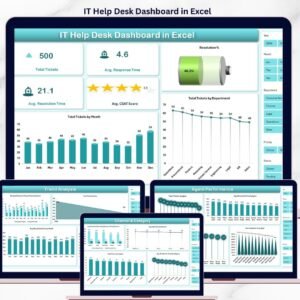
- IT Help Desk Dashboard in Excel — SLA and resolution analytics
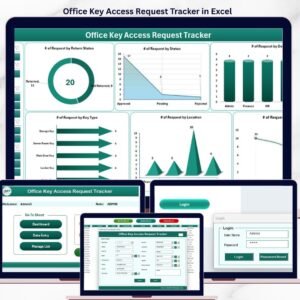
- Office Key Access Request Tracker in Excel — same architecture for physical security
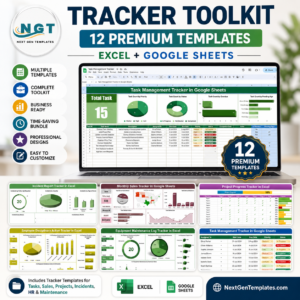
- Browse all Trackers
- All IT & Technology templates
📅 Last Updated
Last updated: May 2026 — reviewed for Excel 365 and Excel 2024 compatibility.
🛍️ Get the IT Hardware Upgrade Request Tracker Now
One-time payment of $6.99 (regular $12.99) — instant download, lifetime updates, unlimited users, and a 14-day refund guarantee. Stop chasing email threads and start tracking IT hardware upgrade requests the professional way.
Visit our YouTube channel to learn step-by-step video tutorials



Reviews
There are no reviews yet.