

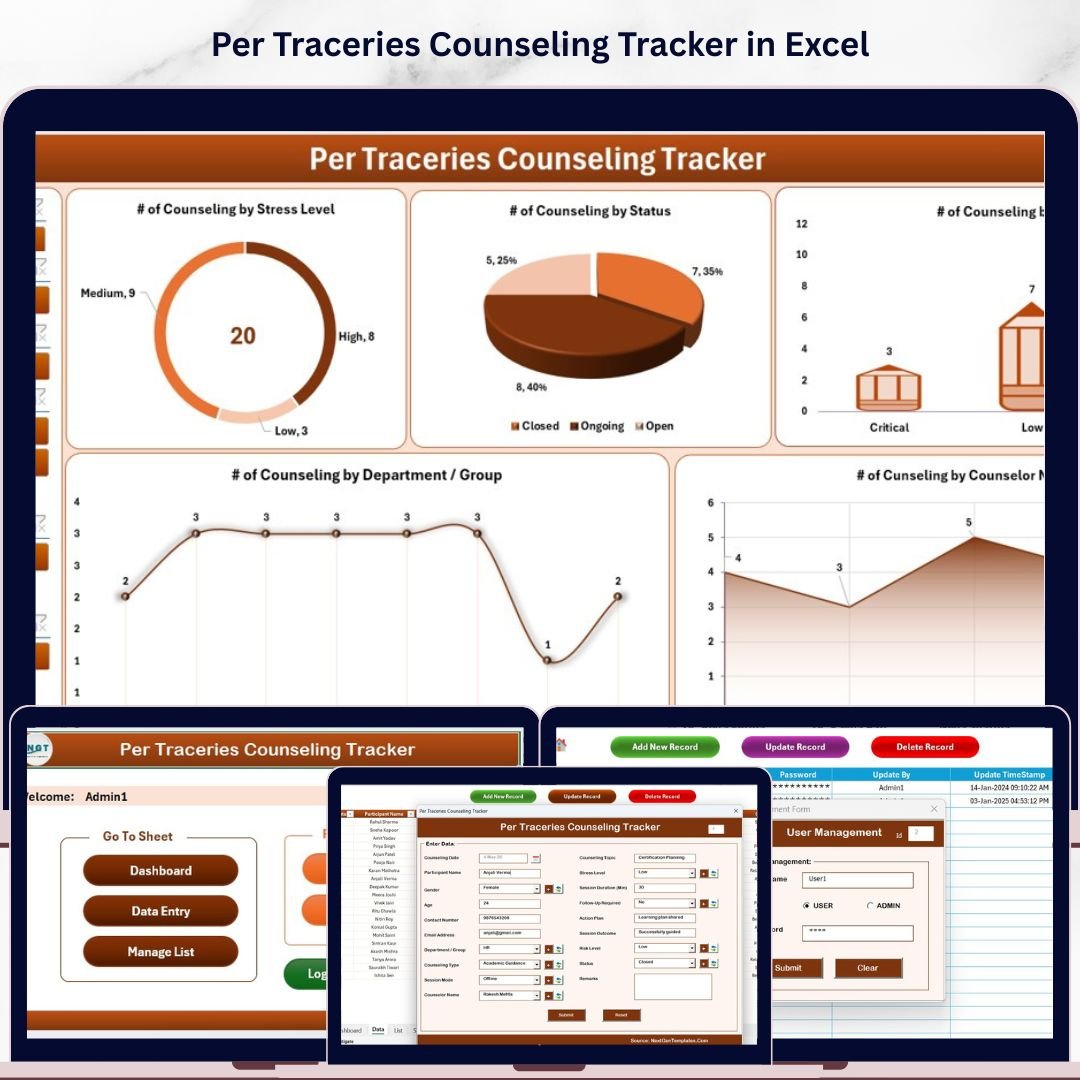
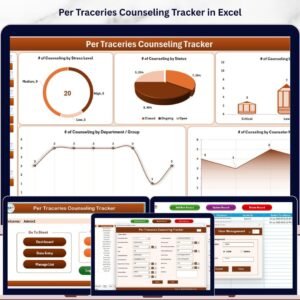
The Per Traceries Counseling Tracker in Excel manages counseling session records across 8 integrated worksheets, with a secure Login Form, a VBA-driven Data Entry form (Add / Update / Delete), an interactive Dashboard with 4 slicers and 5 auto-refreshing charts, plus a dedicated User Management sheet. Replace the sample counseling data and every KPI, chart, and filter updates in under 10 minutes.
🌍 Join 8,400+ teams in 40+ countries using NextGenTemplates to replace paid practice management SaaS with one-time-purchase Excel and Excel Tracker Templates.
✅ Instant download · One-time payment · No subscription · No per-user fees · Lifetime access
🔑 Key Features of the Per Traceries Counseling Tracker in Excel
🔹 8 integrated worksheets — Login Form, Home Page, Dashboard, Data Sheet, List Sheet, Support Sheet, Settings Sheet, and User Management Sheet — all connected via VBA so every new counseling session record flows automatically into the dashboard charts and slicers. This tracker manages client sessions, counselor assignments, session types, and session outcomes in one structured workbook.
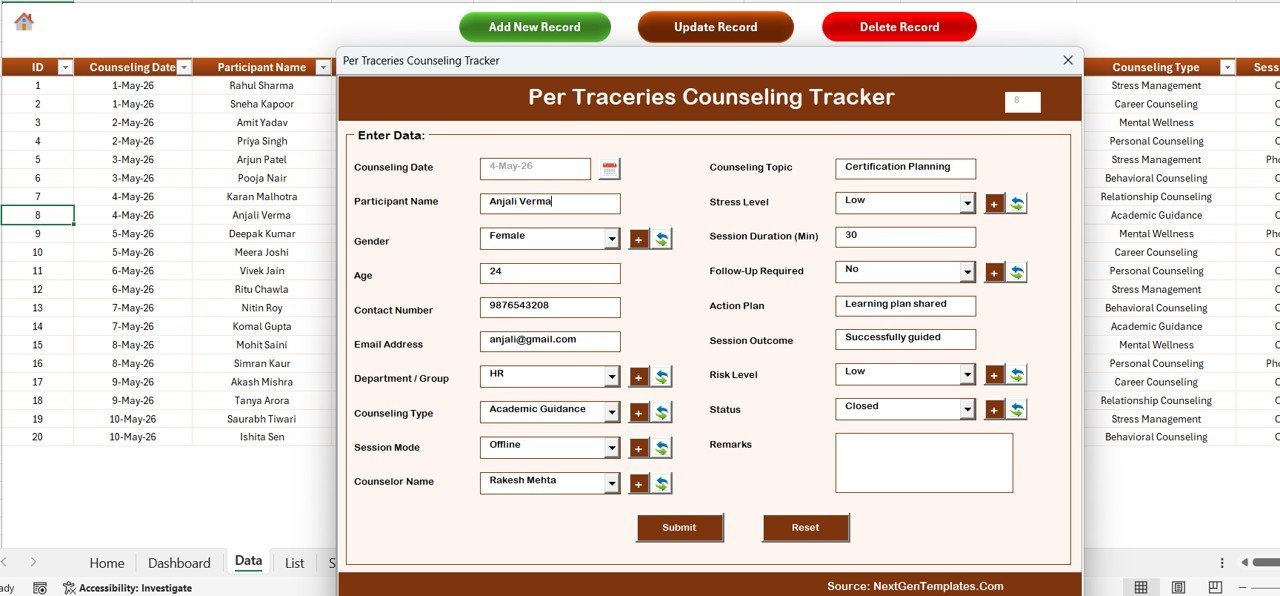
🔹 VBA-driven Data Entry form with three action buttons — Add New Record opens a blank UserForm; Update Record prefills the form when you click an existing session ID; Delete Record confirms before removing any row. No manual row editing required — zero chance of accidentally overwriting formulas or pivot table ranges.
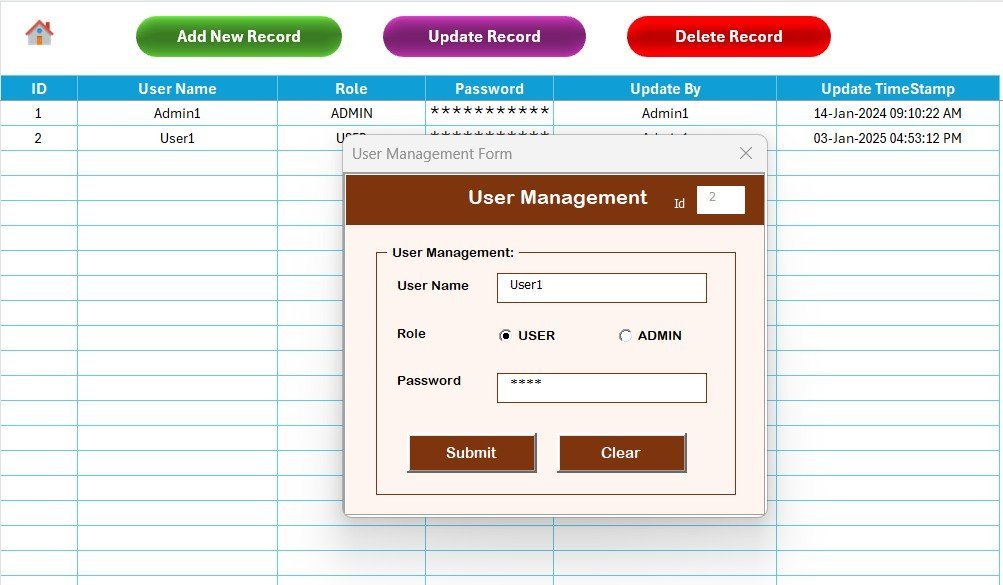
🔹 Login-protected access — a User Management sheet lets you assign usernames, passwords, and roles to each counselor or admin. Sensitive client session data stays confidential within your practice without cloud infrastructure or subscription fees.
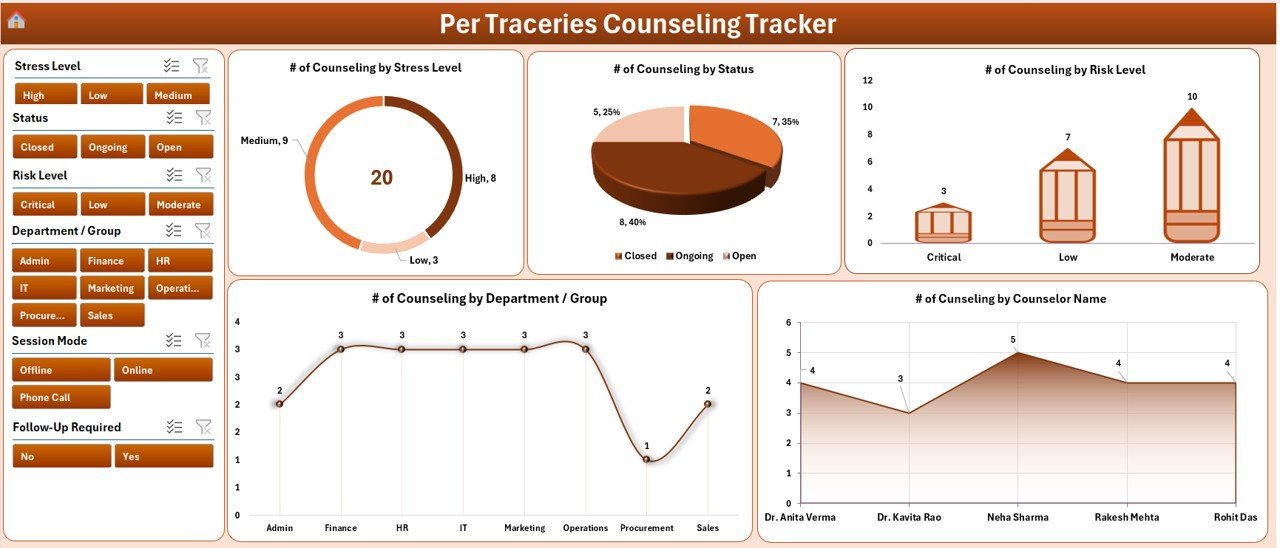
🔹 Interactive Dashboard with 4 slicers and 5 charts — instantly filter by counselor, client type, session status, or date range. All 5 charts auto-refresh the moment a new session is added through the form. Perfect for weekly reviews, monthly reporting, or presenting to supervisors.
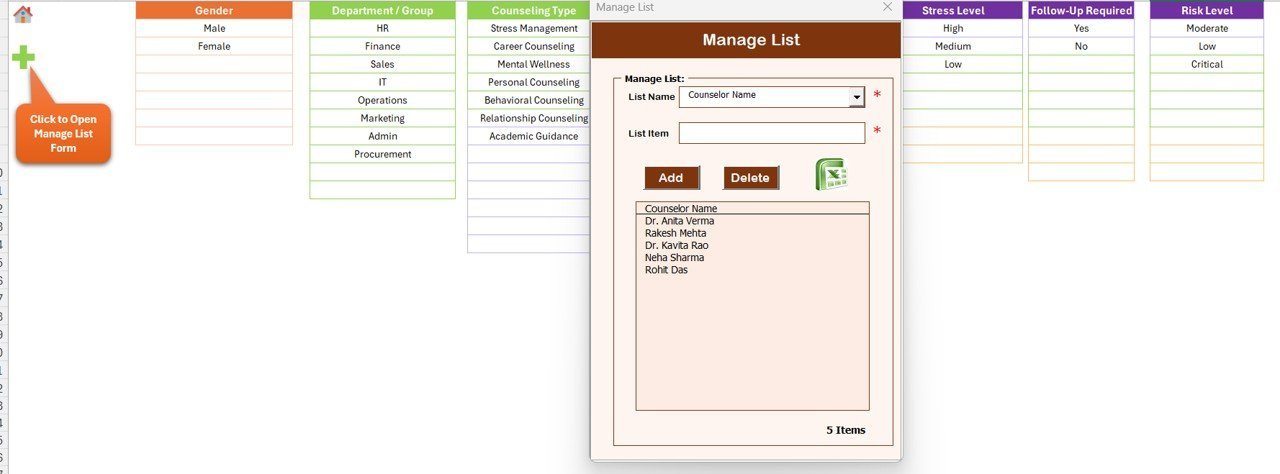
🔹 Dropdown-driven List Sheet — feeds every combo box on the Data Entry form. Add a new session type, counselor name, or outcome status to the List Sheet and it appears in the form immediately. No VBA edits needed for routine configuration changes.
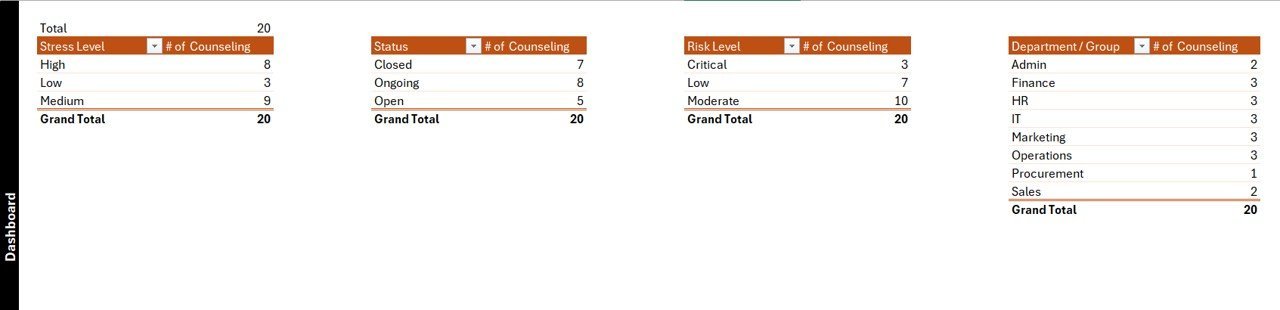
🔹 Hidden Support Sheet — contains all pivot tables powering the dashboard charts. No user interaction needed; hide it for front-end users so they only see the polished interface pages.
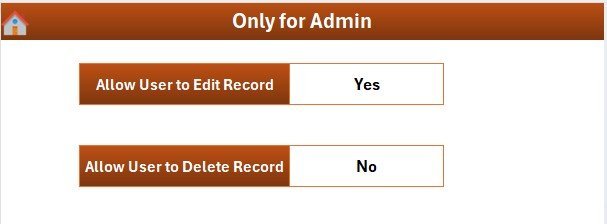
🔹 Settings Sheet — configure practice name, contact details, and session reporting period in under 2 minutes. Personalise the workbook for a solo practice, a group practice, or a nonprofit counseling center.
🔹 Works in Excel 2016, 2019, 2021, and Microsoft 365 on Windows. VBA macros are required — enable them when opening the file. For a full list of related Excel VBA Tools, browse the NextGenTemplates VBA Tool category.
📦 What’s Inside the Per Traceries Counseling Tracker in Excel
The workbook contains 8 worksheets organised in the order counselors and administrators typically navigate them:
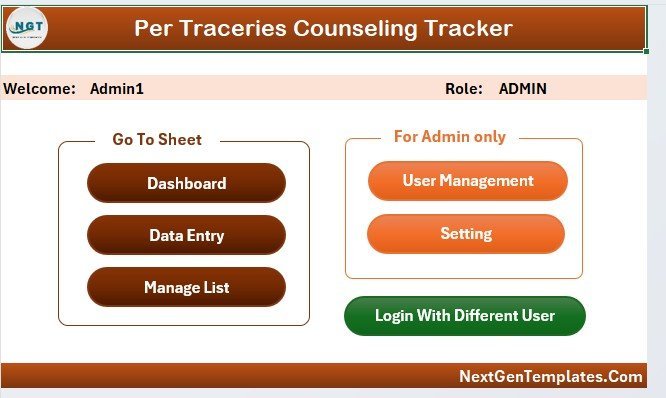
🔹 1. Login Form — password-protected entry screen that validates credentials against the User Management sheet before granting access to session data.
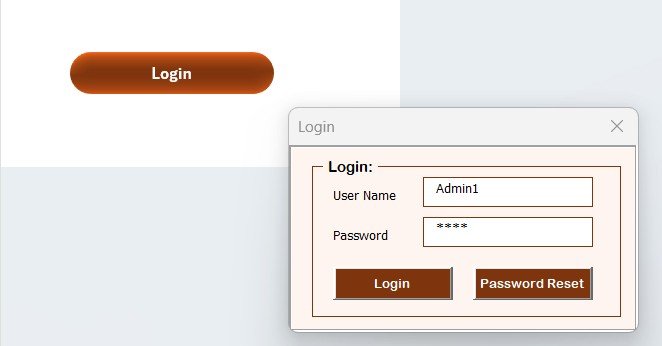
Per Traceries Counseling Tracker in Excel — Login Form
🔹 2. Home Page — central navigation with one-click buttons to every sheet. The first screen users see after logging in.
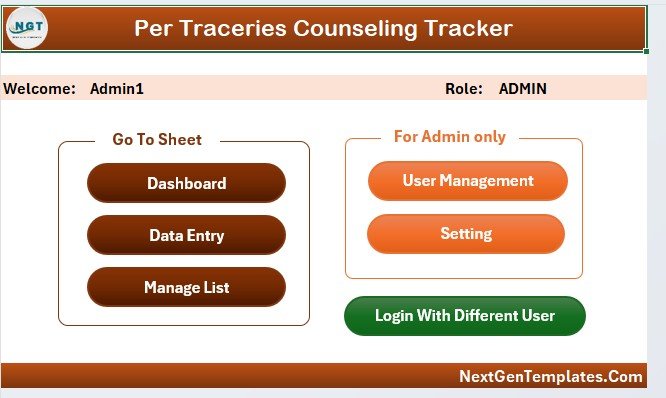
Per Traceries Counseling Tracker in Excel — Home Page
🔹 3. Dashboard — KPI summary with 4 slicers and 5 charts visualizing session counts, counselor activity, client distribution, session status breakdown, and trends over time.
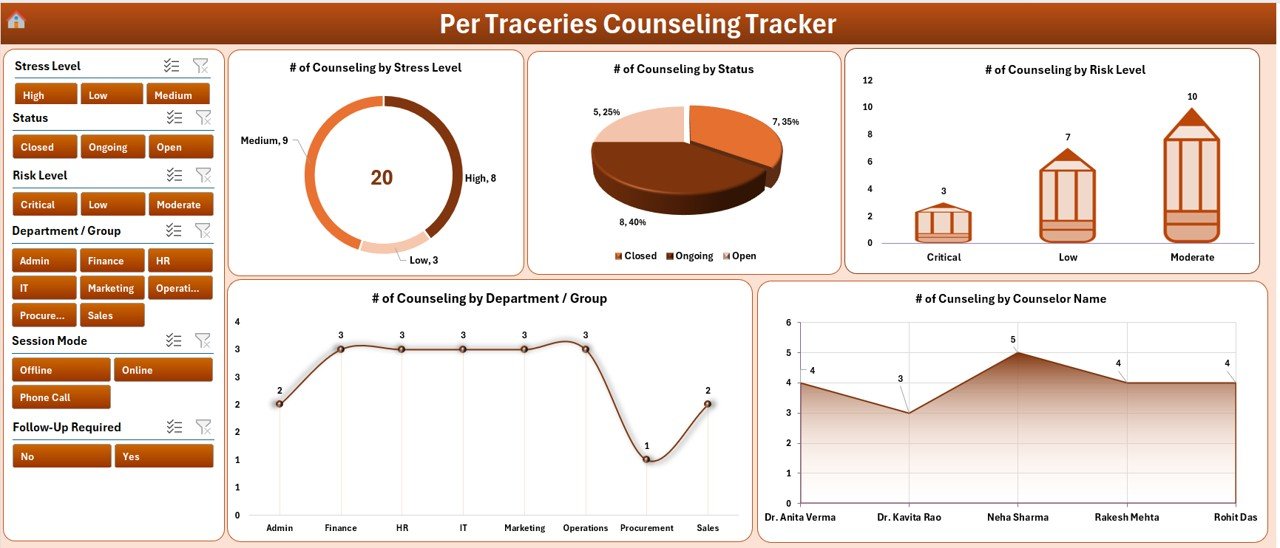
Dashboard — 4 slicers + 5 auto-refresh charts
🔹 4. Data Sheet — master record table with Add New Record, Update Record, and Delete Record buttons that launch the VBA UserForm for capturing full session details.
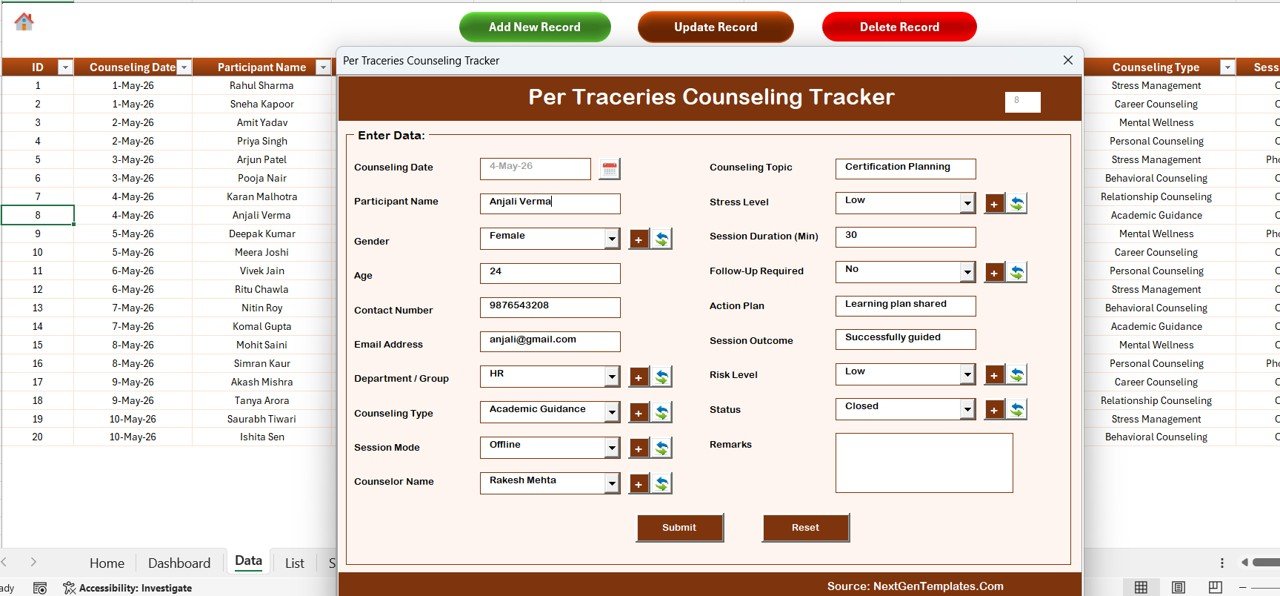
Data Sheet — Add / Update / Delete buttons drive the VBA UserForm
🔹 5. List Sheet — single source for every dropdown value used in the Data Entry form combo boxes. Add a new counselor or session type here and it immediately appears in the form.
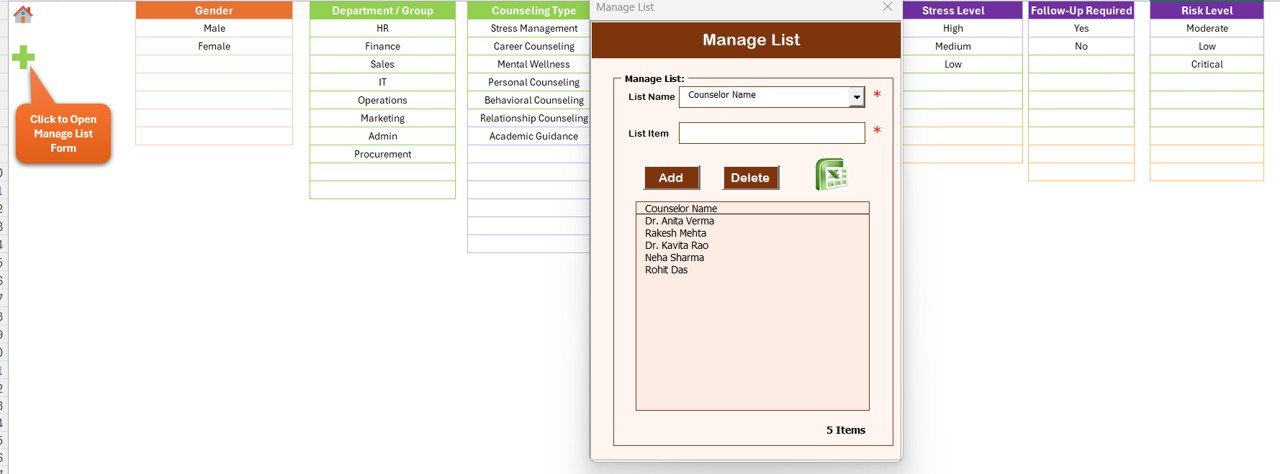
List Sheet — feeds every combo box in the data entry form
🔹 6. Support Sheet — hidden pivot tables that drive the dashboard charts. Hide this sheet for end users.
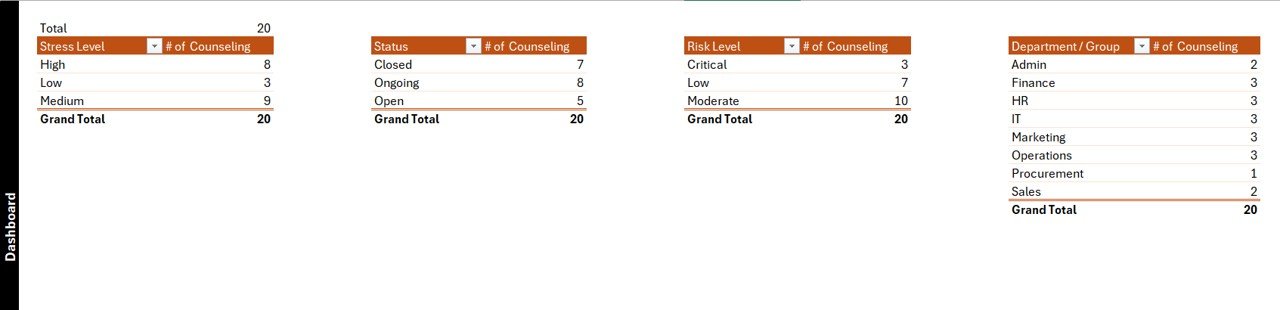
Support Sheet — pivot tables powering the charts
🔹 7. Settings Sheet — branding, contact details, and session reporting period configuration.
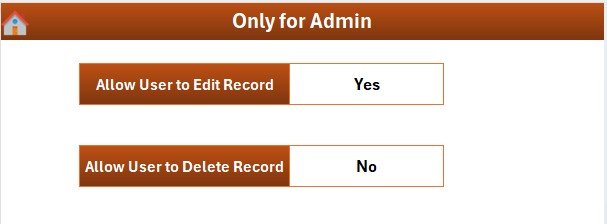
Settings Sheet — branding and configuration
🔹 8. User Management Sheet — define users, passwords, and access roles. Add or remove counselors and admins without touching VBA code.
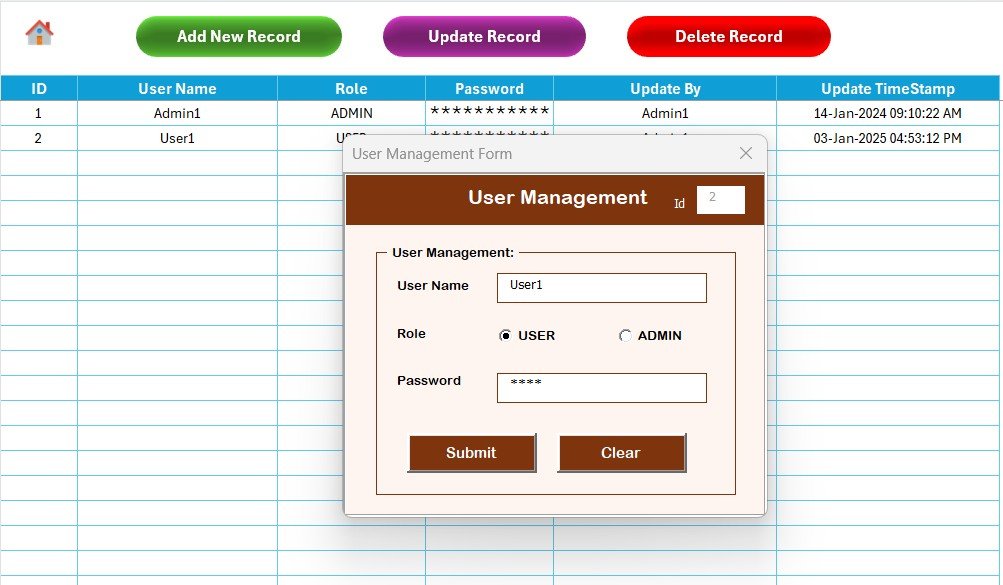
User Management Sheet — usernames, passwords, and roles
📊 Per Traceries Counseling Tracker in Excel vs. Google Sheets Equivalent vs. SimplePractice / TherapyNotes — Where This Fits
| Feature | Per Traceries Counseling Tracker in Excel | Google Sheets Equivalent | SimplePractice / TherapyNotes |
|---|---|---|---|
| Cost | $6.99 one-time ✅ | $6.99 one-time | $29–$59 / user / month |
| Platform | Microsoft Excel (offline) ✅ | Browser only | Cloud SaaS |
| Setup time | Under 10 minutes ✅ | Under 10 minutes | 2–4 weeks onboarding |
| VBA Data Entry form (Add / Update / Delete) | Yes — built-in UserForm ✅ | Apps Script simulation | Web-based forms |
| Login + role-based access | Yes — User Management sheet ✅ | Sheet protection only | Yes (SSO / SOC 2) |
| Slicer-driven dashboard | 4 slicers, 5 charts, auto-refresh ✅ | Pivot filter views | Pre-built reports |
| Customizable session fields | Fully editable ✅ | Fully editable | Vendor-controlled fields |
| Year-1 cost at 5 users | $6.99 total ✅ | $6.99 total | $1,740–$3,540 |
| Offline access | Full offline use ✅ | Limited (browser required) | No offline mode |
For counseling practices and mental health professionals who want structured session tracking without per-user SaaS fees, the Per Traceries Counseling Tracker in Excel sits in the sweet spot.
👥 Who This Template Is For — and Who It’s Not For
✅ This template is built for:
- Individual counselors and therapists tracking 10–200+ client sessions per month
- Private counseling practices managing multiple counselors with shared session records
- School and community counseling centers needing a structured digital tracker without cloud subscriptions
- Mental health organizations replacing paper logs with a VBA-powered system
- Clinic administrators who need login-protected access to sensitive counseling session data
❌ This template is NOT for:
- Enterprise practices requiring SOC 2 / HIPAA-compliant cloud hosting with encrypted audit trails
- Counselors needing integrated telehealth scheduling, billing, or insurance claim processing
- Mac-only users — VBA UserForms depend on Windows Excel rendering
⚙️ How to Use the Per Traceries Counseling Tracker in Excel
- Download and unzip the file, then open the .xlsm workbook in Microsoft Excel and click “Enable Macros.”
- Set up users on the User Management sheet — add usernames, passwords, and roles for counselors and admins.
- Customize dropdowns on the List Sheet — enter session types, counselor names, client categories, and status options for your practice.
- Brand the Settings sheet with your practice name, contact details, and reporting period.
- Log in through the Login Form, navigate to the Data Sheet, and click “Add New Record” to capture the first counseling session.
- Open the Dashboard, use the 4 slicers to filter by counselor or session status, and review the 5 charts that update in real time as records are added.
💼 Real-World Use Cases
Dr. Aisha runs a 3-counselor private practice. She uses the Per Traceries Counseling Tracker to log every session, track client attendance across counselors, and slice the dashboard by month to spot which weeks are most active — replacing a $35/user/month subscription tool with a $6.99 one-time download.
Marcus is a school counselor managing 120 student cases. He uses the Add Record form to log each session with date, session type, and outcome notes. The User Management sheet gives the head of counseling a read-only view without exposing edit access to sensitive student records.
Priya manages operations at a nonprofit community counseling center. She uses the Settings Sheet to configure the reporting period, hides the Support Sheet from counselors, and pulls filtered Dashboard data for quarterly board reports — without a SaaS subscription.
❓ Frequently Asked Questions
What sheets are included in the Per Traceries Counseling Tracker in Excel?
The Per Traceries Counseling Tracker in Excel includes 8 sheets — Login Form, Home Page, Dashboard, Data Sheet, List Sheet, Support Sheet, Settings Sheet, and User Management Sheet — all wired via VBA so adding a counseling session record updates the dashboard charts automatically.
How does the VBA Data Entry form work?
Three buttons on the Data Sheet — Add New Record, Update Record, and Delete Record — open the same VBA UserForm. Add inserts a new session; Update prefills the form when you click an existing ID; Delete confirms before removing the row. No manual cell editing required.
How long does setup take for the Per Traceries Counseling Tracker?
Setup takes under 10 minutes — open the file, enable macros, edit the List Sheet dropdowns for your session types and counselors, configure users on the User Management sheet, and personalise the Settings sheet. The Dashboard works without any further configuration.
How does this compare to SimplePractice or TherapyNotes?
SimplePractice and TherapyNotes cost $29–$59 per user per month and include telehealth, billing, and insurance claim processing. The Per Traceries Counseling Tracker in Excel costs $6.99 one-time — the right fit for practices needing structured session record-keeping without a full EHR platform.
Does this work on Mac Excel?
The Per Traceries Counseling Tracker uses VBA UserForms which render reliably only in Excel for Windows (2016, 2019, 2021, Microsoft 365). Mac Excel does not fully support UserForm controls. For browser-based access on any device, consider a Google Sheets tracker alternative.
Can I add custom session types and counselor names?
Yes. All combo-box values come from the List Sheet — adding a new session type, counselor, or outcome status takes one row. Full VBA source code is included and unprotected for custom form field additions.
Is this a one-time purchase?
Yes. The Per Traceries Counseling Tracker in Excel is $6.99 one-time — instant download, no subscription, no per-user fees, and lifetime access including free updates whenever the template is revised.
👤 About the Author
Built by PK — Microsoft Certified Professional with 15+ years of Excel, Google Sheets, and Power BI experience. Founder of NextGenTemplates, reaching 300K+ subscribers across YouTube channels (@PK-AnExcelExpert, @NextGenTemplates, @NeoTechNavigators). Every template is hand-built and tested before release.
🔗 Explore Related Templates
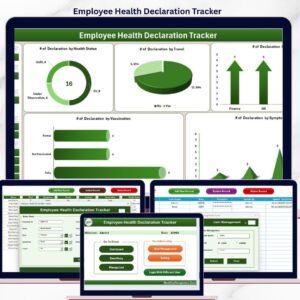
🔹 Employee Health Declaration Tracker in Excel — same 8-sheet VBA architecture for workplace health-status declaration management.
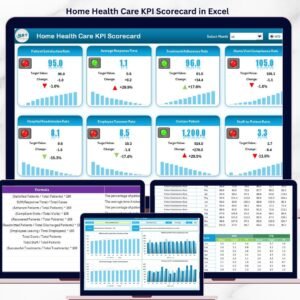
🔹 Home Health Care KPI Scorecard in Excel — track patient care KPIs across 4 structured worksheets with MTD/YTD views.
🔹 Browse all Excel Tracker Templates and Excel VBA Tools on NextGenTemplates.
📖 Click here to read the Detailed Blog Post
🎥 Visit our YouTube channel for step-by-step video tutorials
👉 YouTube.com/@NextGenTemplates
📅 Last updated: May 2026












Reviews
There are no reviews yet.