

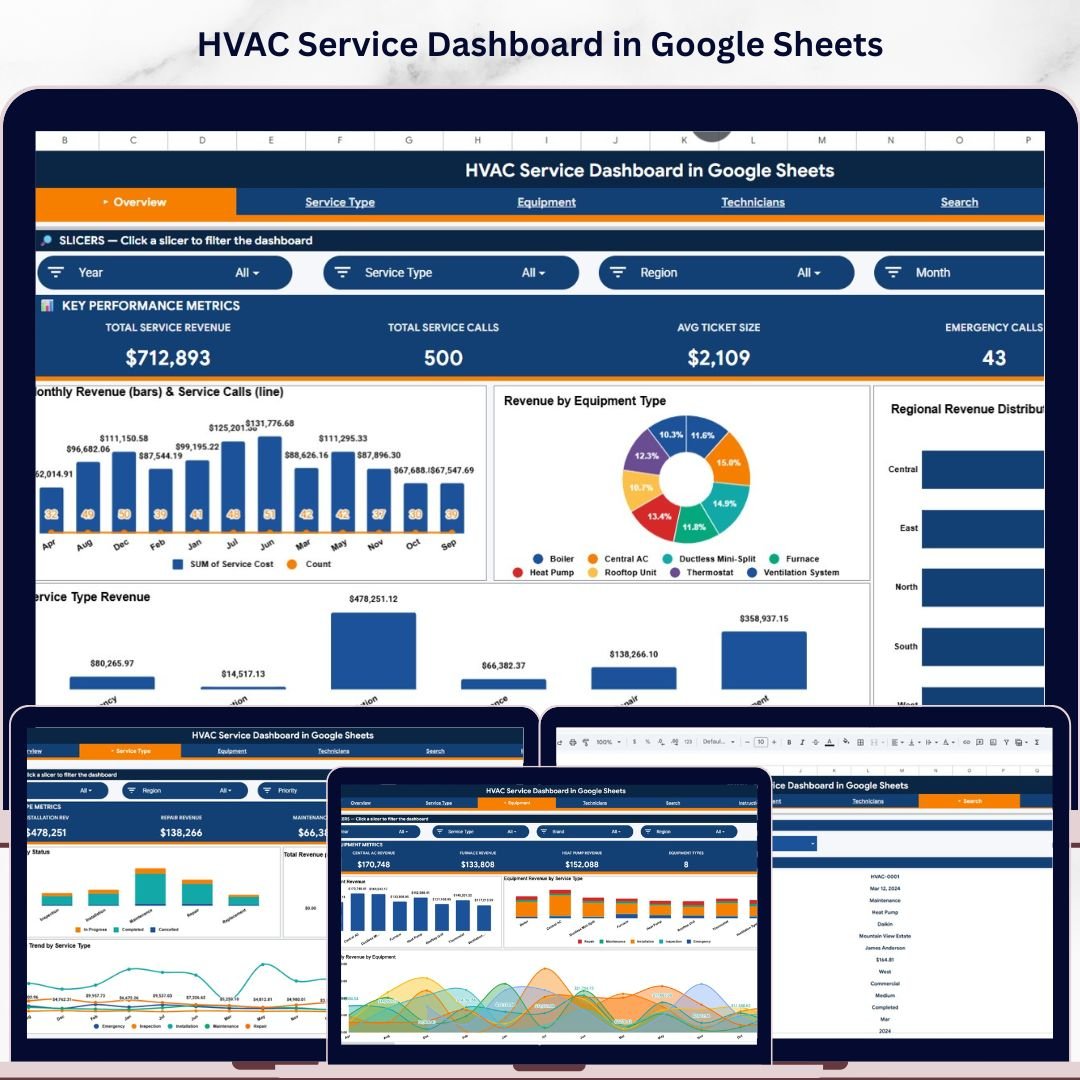
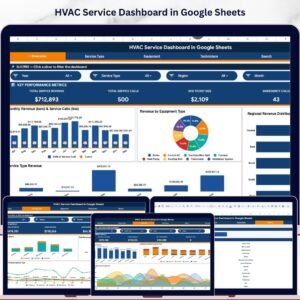
The HVAC Service Dashboard in Google Sheets tracks 4 headline KPIs across 3 interactive analysis pages, plus a Search Sheet and a Data Sheet, with 11 pre-built charts covering revenue, service type, and equipment performance. Setup takes under 10 minutes — make a copy from the link in your download, paste your service call records into the Data Sheet, and every card, chart, and slicer rebuilds automatically through Google Sheets’ native pivot engine.
🌍 Join 8,400+ teams in 40+ countries using NextGenTemplates to replace paid SaaS tools with one-time-purchase Excel, Google Sheets, Power BI, and HTML templates.
✅ Instant download · One-time payment · No subscription · No per-user fees · Lifetime access
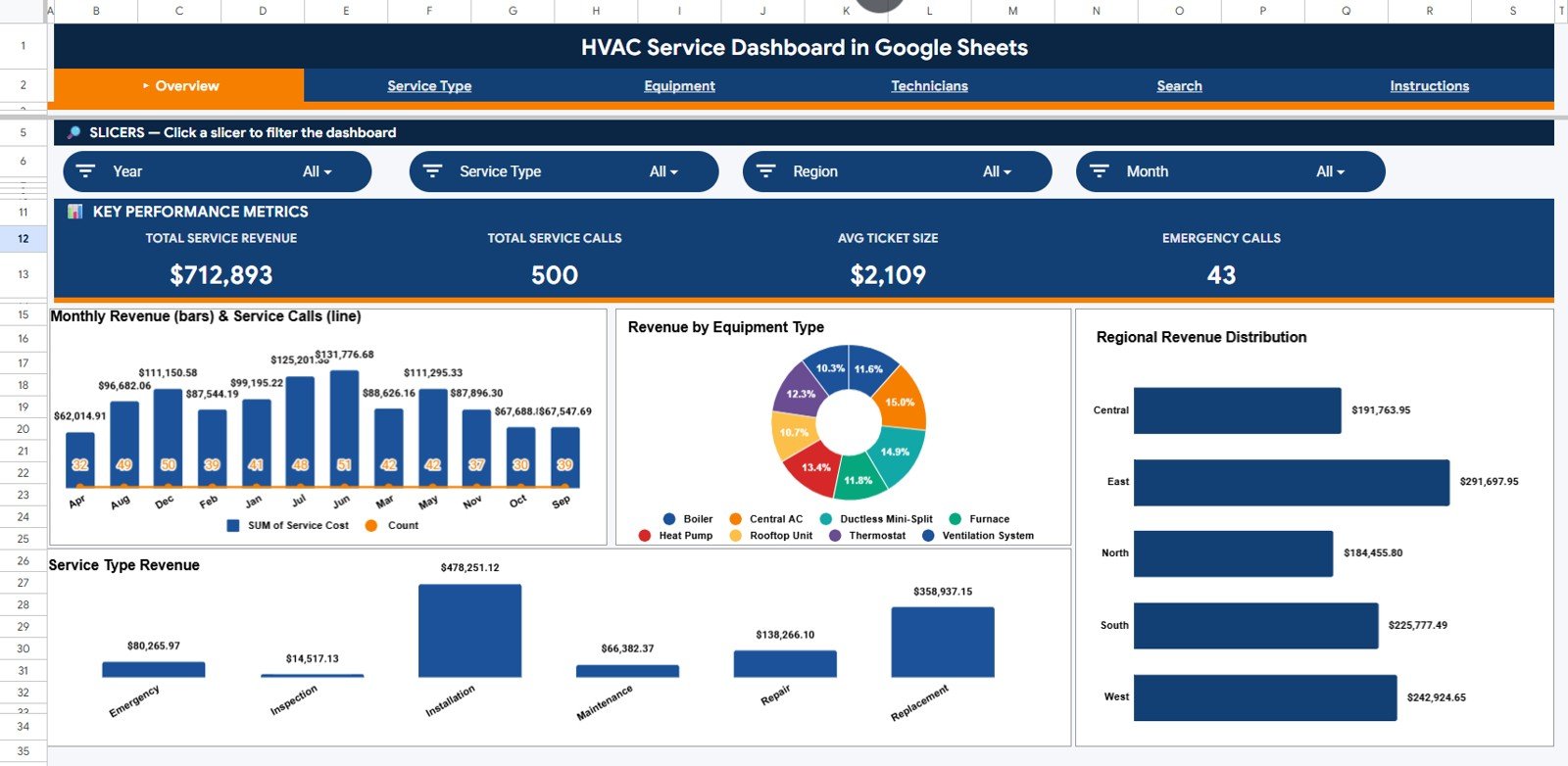
HVAC Service Dashboard in Google Sheets
🔑 Key Features of the HVAC Service Dashboard in Google Sheets
🔹 Four-KPI Overview Page – The top of the Overview page shows 4 card-style KPIs: Total Service Revenue, Total Service Calls, Avg Ticket Size, and Emergency Calls. Multiple slicers filter the entire dashboard by region, service type, equipment, or priority in one click — the most-asked questions in HVAC operations answered instantly.
🔹 Monthly Revenue and Service Calls by Month – A combined view that tracks revenue alongside call volume month over month, so dispatch managers spot seasonality (summer AC peaks, winter heating spikes) and quickly see whether revenue is keeping pace with workload growth.
🔹 Revenue by Equipment Type – Compares income across air conditioners, furnaces, heat pumps, boilers, ventilation systems, and other HVAC equipment. Service owners use this view to refocus marketing and parts inventory on the highest-revenue categories.
🔹 Revenue by Region – Ranks every service territory by revenue contribution. Multi-branch operators and franchise owners see at a glance which regions deserve more dispatch capacity, and which underperforming territories need attention before the quarter closes.
🔹 Revenue by Service Type – Splits income across installation, repair, maintenance, inspection, and emergency calls. The fastest way for an HVAC service business to identify whether maintenance contracts or one-off emergency revenue is driving top-line growth.
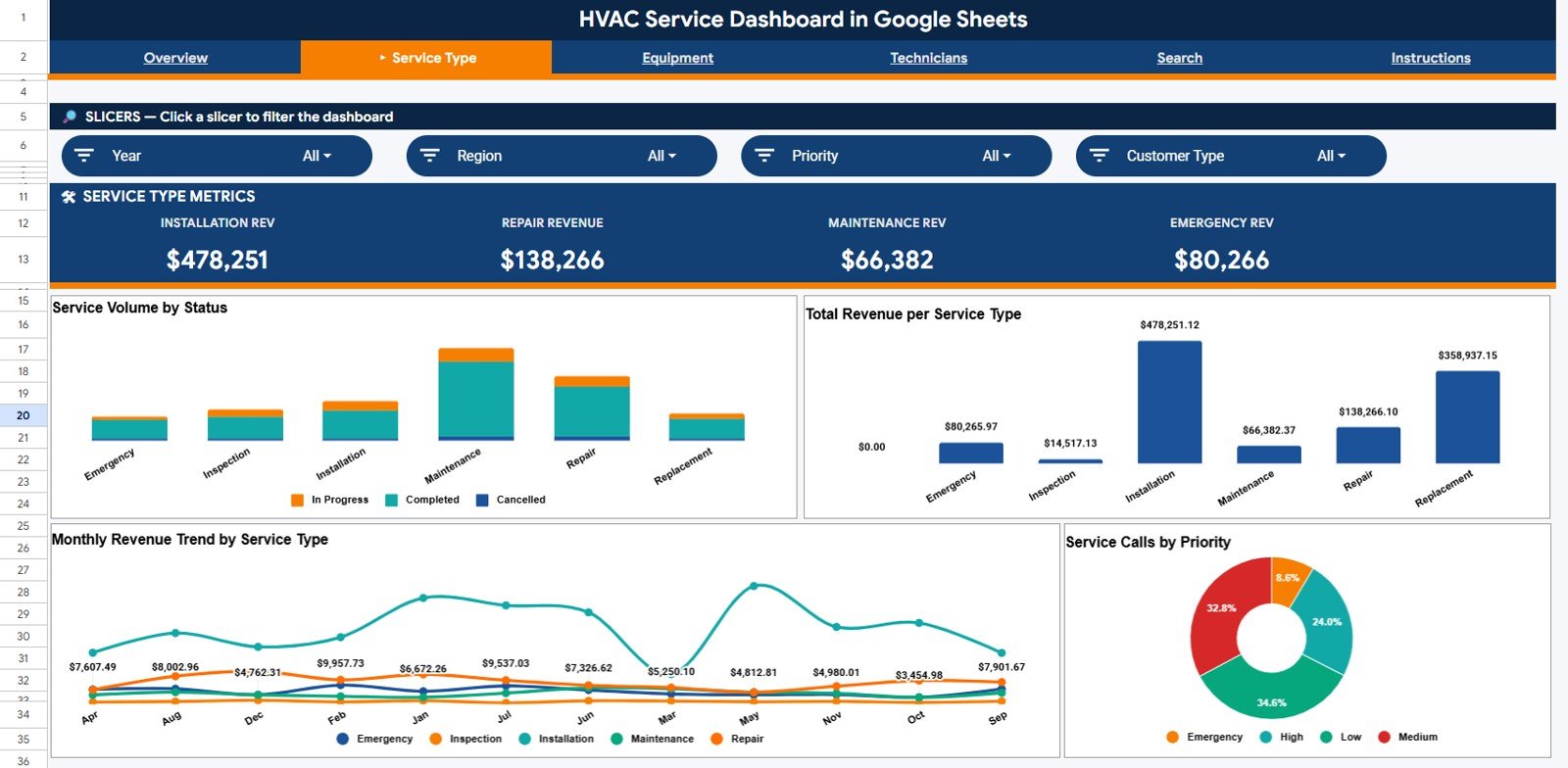
🔹 Service Type Analysis Page – Four visuals: Service Volume by Service Type, Revenue by Service Type, Monthly Revenue by Service Type, and Service Calls by Priority. Operations managers use this page to align technician capacity with the service mix that pays the most.
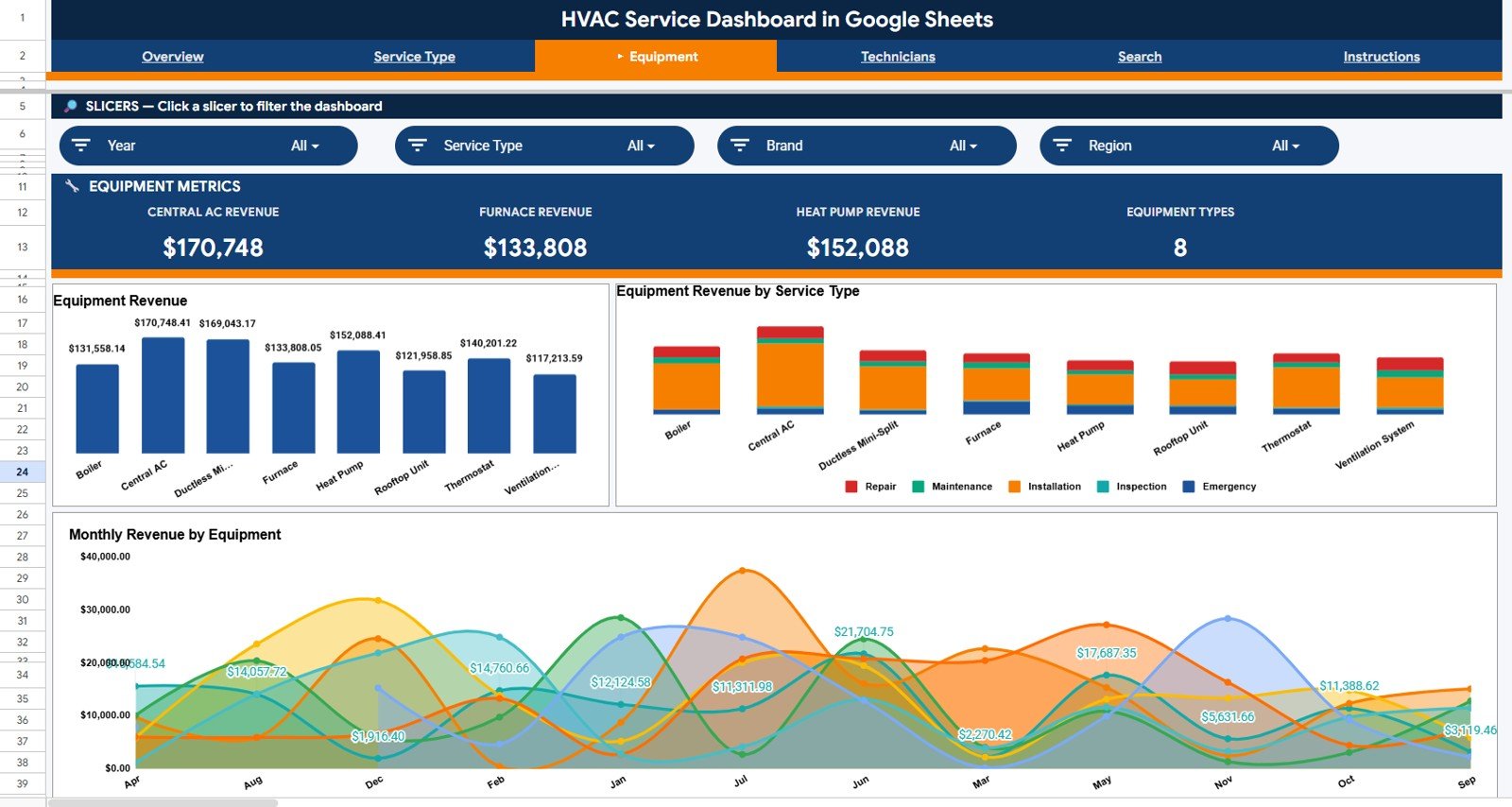
🔹 Equipment Analysis Page – Three visuals covering Equipment Revenue by Equipment Type, Equipment Revenue by Service Type, and Monthly Revenue by Equipment. Helps service supervisors plan parts stock for the next 90 days based on equipment-level revenue trends.
🔹 Service Ticket Lookup (Search Sheet) – Type or pick a Service ID and instantly see the full ticket: Date, Service Type, Equipment Type, Brand, Customer, Technician, Service Cost, Region, Customer Type, Priority, Status, Month, and Year. No more hunting through 1,000+ rows on the Data Sheet.
🔹 100% Google Sheets Native – Built on Google Sheets pivot tables and chart logic. No add-ons, no Apps Script required for daily use, no admin permissions needed. Open it in any browser, share with your team in seconds, and edit the same file on your phone or tablet.
🔹 Cloud-First Collaboration – Share with view, comment, or edit access in one click. Your dispatcher in Phoenix and your owner in Dallas can review the same dashboard simultaneously — something a paid Field Service SaaS would charge $99+ per seat for.
📦 What’s Inside the HVAC Service Dashboard in Google Sheets
The file ships with 5 sheet tabs, each engineered for a specific HVAC service workflow. Below is a tab-by-tab breakdown.
1. Overview Page — 4 KPI cards at the top: Total Service Revenue, Total Service Calls, Avg Ticket Size, and Emergency Calls. Slicers filter the entire page by region, service type, equipment, and priority. Four charts cover the core analysis questions: Monthly Revenue and Service Calls by Month, Revenue by Equipment Type, Revenue by Region, and Revenue by Service Type.
Service Type Analysis
2. Service Type Analysis Page — Four visuals: Service Volume by Service Type, Revenue by Service Type, Monthly Revenue by Service Type, and Service Calls by Priority. Use this page to diagnose which service categories drive volume vs. revenue, and how emergency vs. routine work splits across your call book.
Equipment Analysis
3. Equipment Analysis Page — Three visuals: Equipment Revenue by Equipment Type, Equipment Revenue by Service Type, and Monthly Revenue by Equipment. This is the page service owners and parts buyers use to forecast parts inventory and equipment-line marketing budgets.
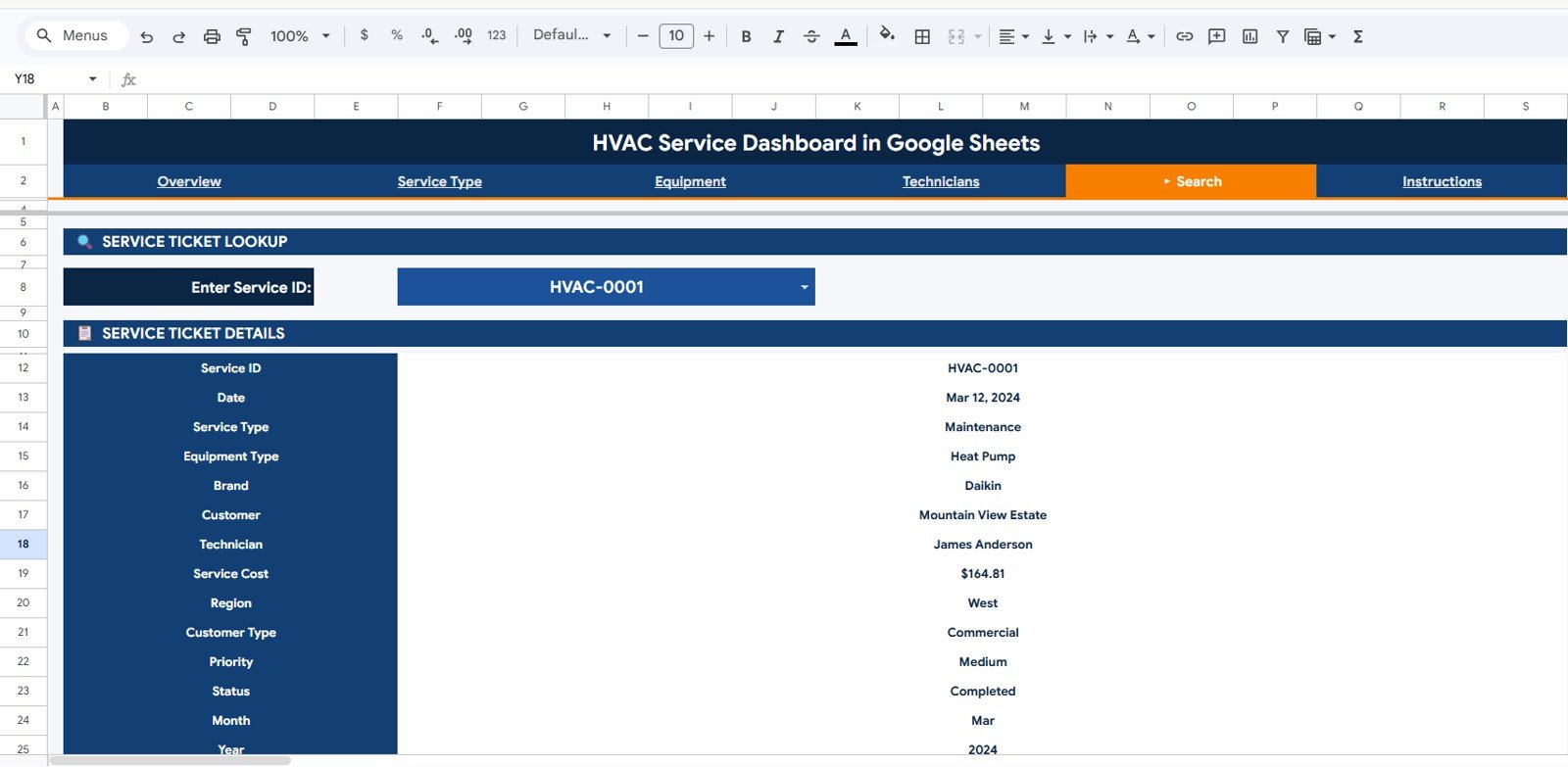
Search Sheet tab
4. Search Sheet — Pick or type a Service ID into the Service Ticket Lookup and the entire row prints below: Date, Service Type, Equipment Type, Brand, Customer, Technician, Service Cost, Region, Customer Type, Priority, Status, Month, and Year. Built for technicians and dispatchers who need a clean record without scrolling.
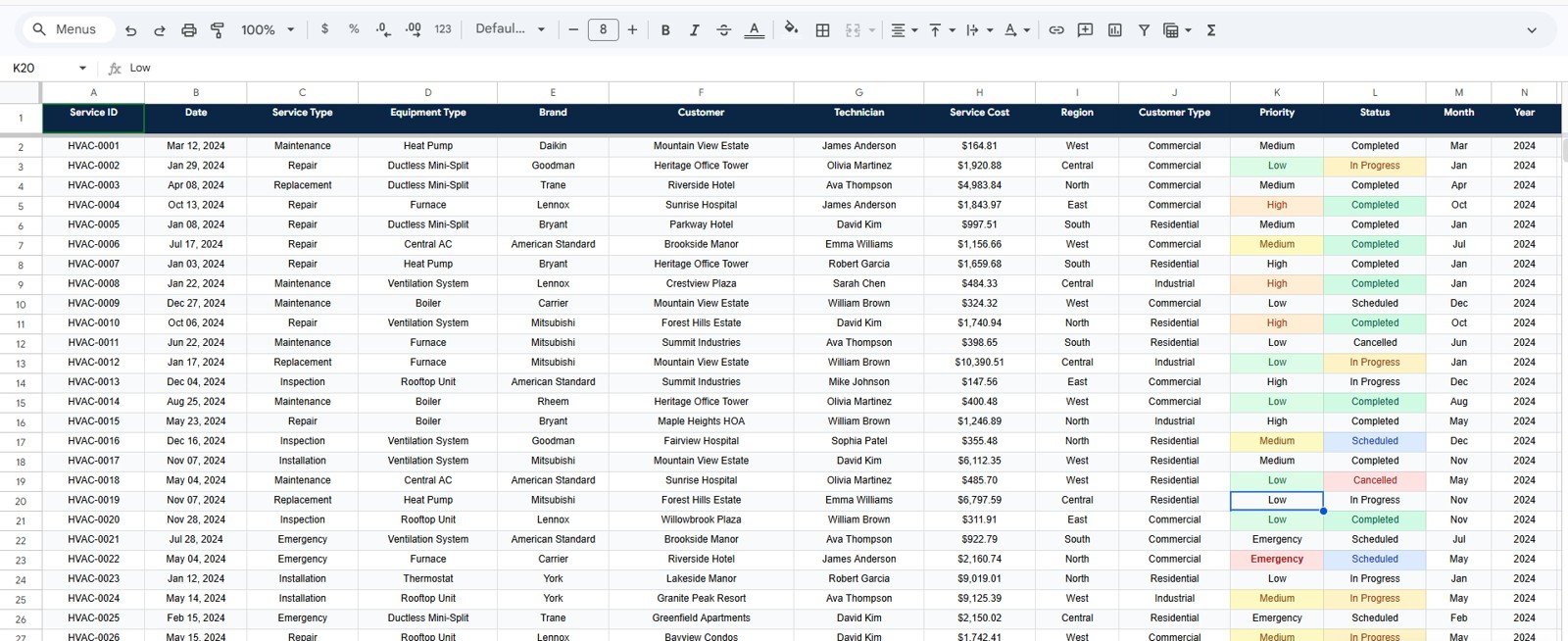
Data Sheet tab
5. Data Sheet — Where you paste or type your HVAC service call records in the same column order as the sample data. Every chart, KPI card, and slicer reads from this sheet automatically.
📊 HVAC Service Dashboard in Google Sheets vs. Microsoft Excel Dashboard vs. ServiceTitan / Housecall Pro — Where This Fits
| Feature | HVAC Service Dashboard in Google Sheets | Microsoft Excel Dashboard | ServiceTitan / Housecall Pro |
|---|---|---|---|
| Cost | $9.99 one-time | $17.99 one-time | $99–$398 / technician / month |
| Platform | Google Sheets (browser, free) | Microsoft Excel | Cloud SaaS + mobile app |
| Setup time | Under 10 minutes | Under 15 minutes | 4–8 weeks onboarding |
| Real-time team collaboration | ✅ Native — share a link | Requires SharePoint or 365 | ✅ Built-in |
| Mobile access | ✅ Google Sheets app | Limited mobile editing | ✅ Native app |
| Customizable fields and charts | ✅ Fully editable | ✅ Editable | ❌ Vendor-locked reports |
| Share with link | ✅ One click, view/edit/comment | Requires file send | User seat required |
| Year-1 cost at 5 users | $9.99 | $17.99 | $5,940 – $23,880 |
| Service ticket lookup | ✅ Built-in Search Sheet | Add-on PivotTable filter | ✅ Built-in |
For HVAC contractors who want browser-based, share-by-link service analytics without paying $99+ per technician per month, the HVAC Service Dashboard in Google Sheets sits in the sweet spot.
👥 Who This Template Is For — and Who It’s Not For
✅ This template is built for:
- Owner-operated HVAC contractors with 2–25 technicians who run their business in Google Workspace
- Multi-branch residential and commercial HVAC service companies tracking revenue across 2–10 regions
- Field service consultants who need a portable, browser-based dashboard to share with HVAC clients
- Franchise owners benchmarking emergency-call mix and ticket size across territories
- HVAC dispatchers who want a Service ID lookup view without scrolling through thousands of rows
❌ This template is NOT for:
- Enterprise HVAC chains needing live GPS routing, payroll integration, and SOC 2 compliance — stick with ServiceTitan or Housecall Pro
- Teams that prefer Microsoft Excel — pick the HVAC Service Dashboard in Excel instead
- Power BI shops that want an interactive .pbix model — see the HVAC Service Dashboard in Power BI
⚙️ How to Use the HVAC Service Dashboard in Google Sheets
- Download the PDF guide from your purchase email and click the Google Sheets copy link inside.
- Make a copy to your own Google Drive — the entire dashboard, slicers, and pivot logic copy with it.
- Open the Data Sheet and replace the sample service call records with your own, keeping the exact column order.
- Refresh the slicers on the Overview page — every KPI card, chart, and pivot rebuilds automatically.
- Use the Search Sheet to look up any individual ticket by Service ID without scrolling through the full data set.
- Share with your team — click Share in the top-right and grant view, comment, or edit access by link.
💼 Real-World Use Cases
Aman runs an 8-technician residential HVAC company in Bengaluru. He uses the HVAC Service Dashboard in Google Sheets every Monday morning to review the Revenue by Service Type chart and see whether emergency calls are starting to outweigh maintenance contract revenue — the leading indicator that his crew needs another preventive-maintenance push before the summer AC peak hits.
Lisa manages 4 HVAC service branches for a commercial contractor in Florida. She uses the Revenue by Region visual to compare Miami, Tampa, Orlando, and Jacksonville monthly, then drills into the Equipment Revenue by Equipment Type chart to find out why one branch’s heat pump revenue is lagging — without paying $5,940 per year for ServiceTitan seats for her 5-person ops team.
Marcus is a field-service consultant. He customizes the HVAC Service Dashboard in Google Sheets for each new HVAC client, shares the link by email, and trains them in 30 minutes — replacing what used to be a 2-week Tableau implementation. Because everything runs in the browser, his clients can review their dashboards on a phone, tablet, or laptop without installing anything.
❓ Frequently Asked Questions
What KPIs does the HVAC Service Dashboard in Google Sheets track?
The HVAC Service Dashboard in Google Sheets tracks 4 headline KPIs on the Overview page: Total Service Revenue, Total Service Calls, Avg Ticket Size, and Emergency Calls. Across 3 analysis pages, it also covers 11 charts spanning revenue by month, equipment, region, service type, and priority.
How does this compare to ServiceTitan or Housecall Pro?
ServiceTitan and Housecall Pro charge $99–$398 per technician per month, reaching $5,940–$23,880 per year at 5 seats. The HVAC Service Dashboard in Google Sheets is a $9.99 one-time purchase that runs in any browser, with no per-user fees and full edit/share control through your existing Google Workspace account.
How long does setup take?
Setup takes under 10 minutes. Make a copy to your Google Drive, open the Data Sheet, paste your HVAC service call records in the same column order as the sample data, and every KPI card, chart, and slicer on the Overview, Service Type Analysis, and Equipment Analysis pages updates automatically.
Do I need a paid Google Workspace account to use this template?
No. The HVAC Service Dashboard in Google Sheets works on any free personal Google account. A paid Google Workspace plan is optional — useful if you want admin controls, longer file retention, and shared team drives, but not required for daily operation.
Can I add my own service types, regions, or equipment categories?
Yes. Add any new service types, regions, equipment categories, technicians, or priority levels directly to the Data Sheet. The pivot tables and charts on the Overview, Service Type Analysis, and Equipment Analysis pages pick up the new values automatically — no formula edits needed.
Does the dashboard work on mobile?
Yes. The HVAC Service Dashboard in Google Sheets opens in the Google Sheets mobile app on iOS and Android. Field technicians can look up a Service ID on the Search Sheet from a job site, and dispatchers can review the Overview page from a phone between calls.
Can I share this with my team without paying per user?
Yes. Click Share in Google Sheets, paste the email addresses of your dispatchers, technicians, or owners, and grant view, comment, or edit access. There are no per-user fees from NextGenTemplates — your $9.99 covers unlimited internal users.
👤 About the Author
Built by PK — Microsoft Certified Professional with 15+ years of Excel, Google Sheets, and Power BI experience. Founder of NextGenTemplates, reaching 300K+ subscribers across YouTube channels (@PK-AnExcelExpert, @NextGenTemplates, @NeoTechNavigators). Every template is hand-built and tested before release.
🔗 Explore Related Templates
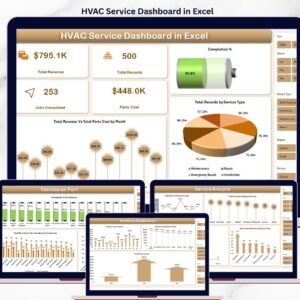
🔹 HVAC Service Dashboard in Excel — Same KPI logic with pivot-driven Excel charts and 5 analytical pages for teams that live in Microsoft Excel.
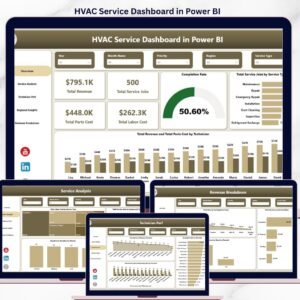
🔹 HVAC Service Dashboard in Power BI — Interactive .pbix file for BI teams running Power BI Desktop.
🔹 HVAC Service Dashboard in HTML — Self-contained HTML file for offline reporting without any cloud account.
🔹 Maintenance Tasks Calendar in Google Sheets — Schedule preventive HVAC maintenance jobs alongside this revenue dashboard.
🔹 Also available as: Excel, Power BI, and HTML versions.
For more cloud-based templates, browse the full Google Sheets Dashboard collection, or explore the broader KPI Dashboard library.
📖 Click here to read the Detailed Blog Post
Watch the step-by-step video tutorial:
🎥 Visit our YouTube channel for step-by-step video tutorials
👉 YouTube.com/@NextGenTemplates
📅 Last updated: May 2026































Reviews
There are no reviews yet.