

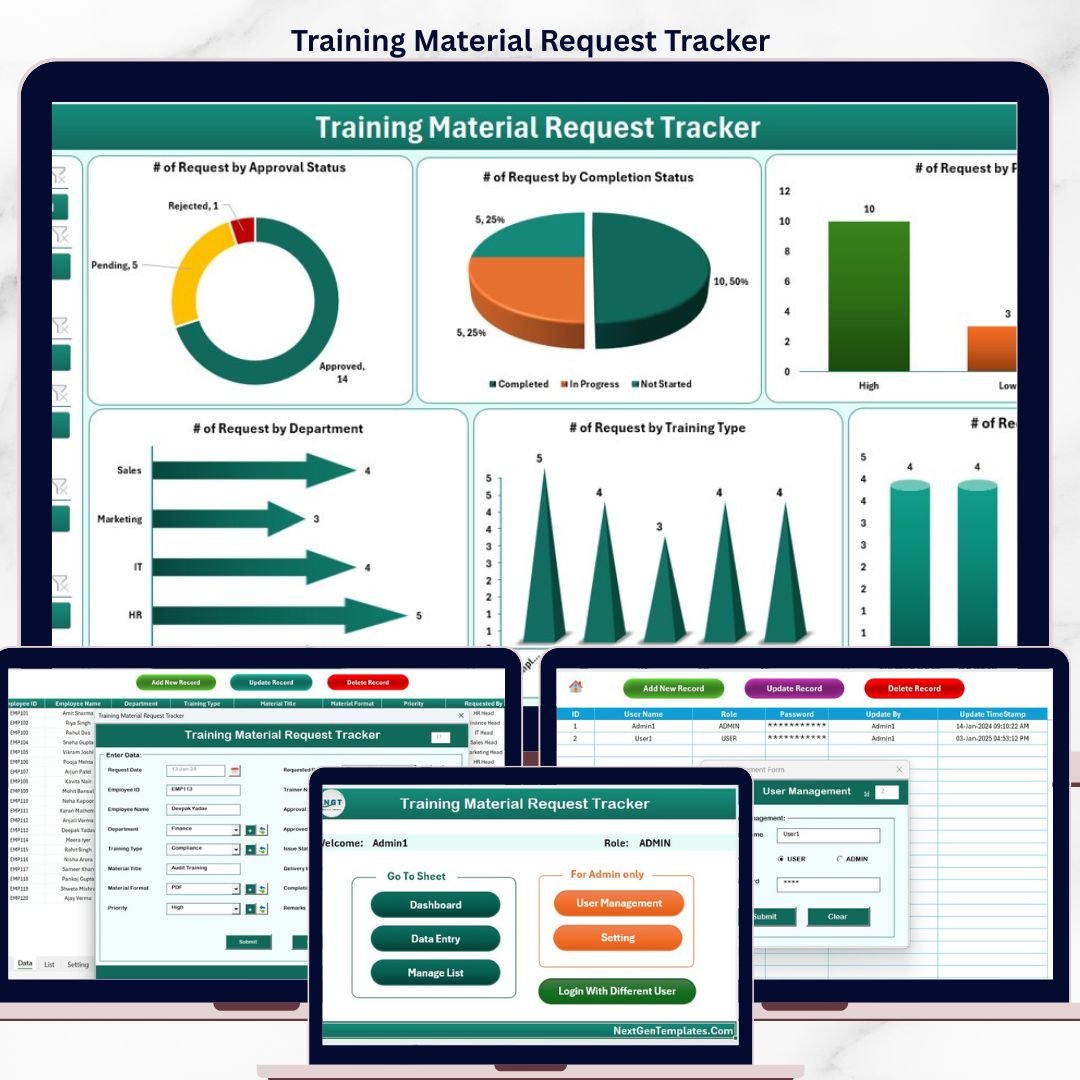

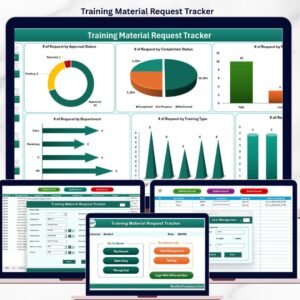
The Training Material Request Tracker in Excel manages L&D material requests across 8 linked worksheets, with a secure login system, role-based user management, and a 4-slicer / 6-chart dashboard. Setup takes under 10 minutes — just enter your users on the User Management sheet, log in, and start capturing requests through the built-in VBA data entry form.
🌍 Join 8,400+ teams in 40+ countries using NextGenTemplates to replace paid SaaS tools with one-time-purchase Excel, Google Sheets, Power BI, and HTML templates.
✅ Instant download · One-time payment · No subscription · No per-user fees · Lifetime access
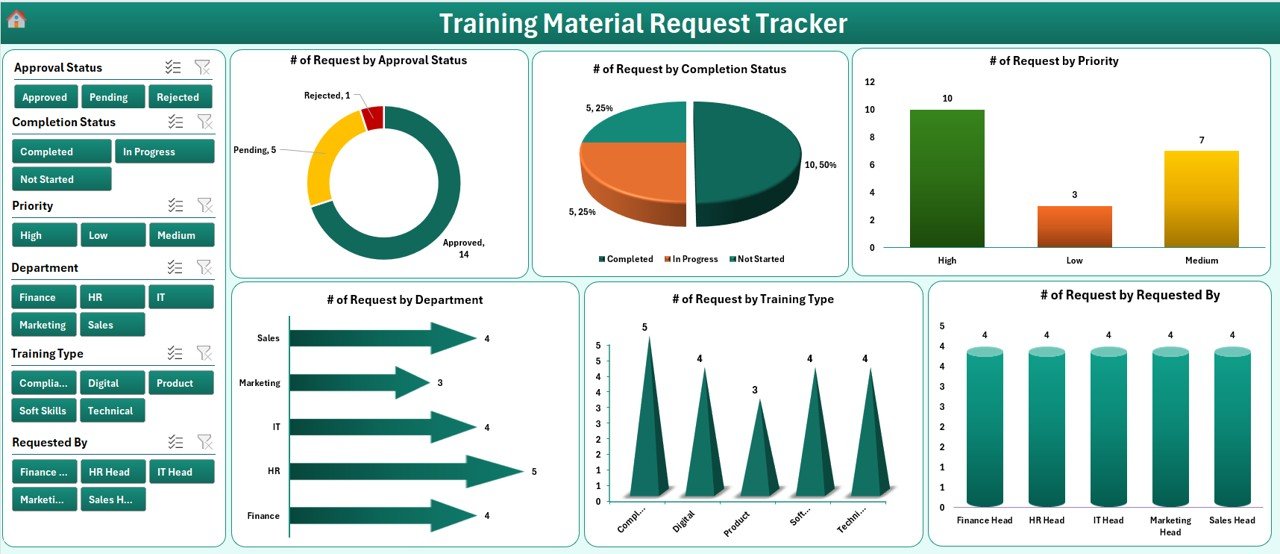
Training Material Request Tracker in Excel — Dashboard Overview
🔑 Key Features of Training Material Request Tracker in Excel
This VBA-powered Excel tracker replaces scattered email requests and paper forms with a single controlled workbook. It captures 8 worksheets including a login gate, home navigation, interactive dashboard, data sheet, list sheet for dropdowns, pivot support sheet, settings sheet, and a user management sheet with role permissions. HR, L&D, and training coordinators get a structured way to log, approve, and report on every training material request an employee raises.
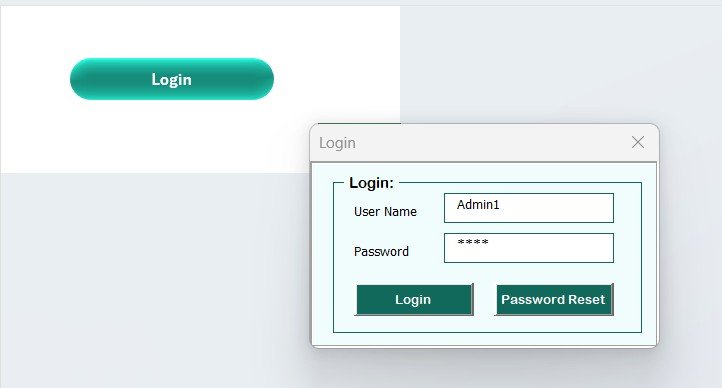
📌 Secure login form — the workbook opens on a login screen that authenticates users against the User Management sheet, so only authorised staff can view or edit records.
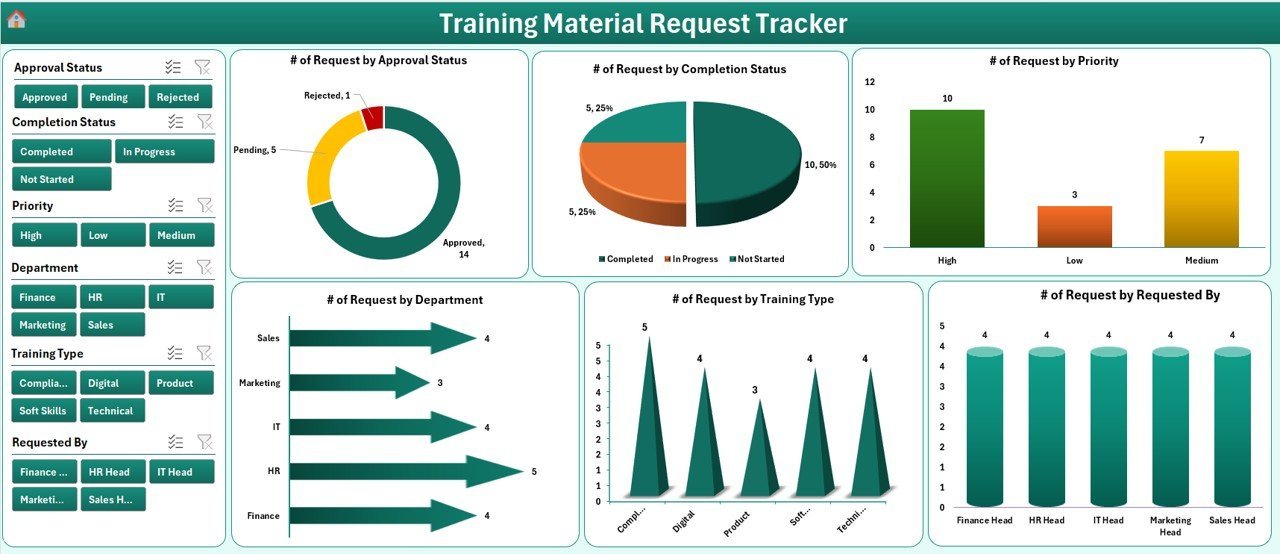
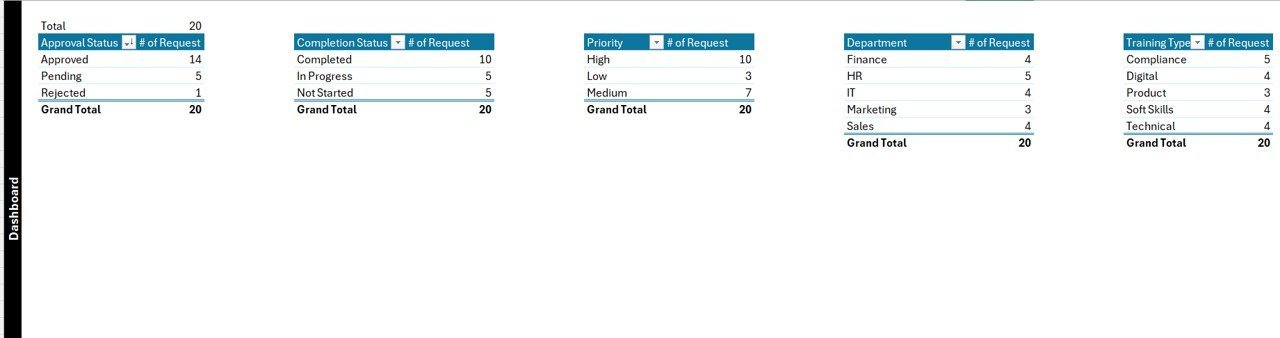
📌 Interactive dashboard with 4 slicers and 6 charts — filter requests by department, priority, material type, and status, and watch all charts update together for instant insight.
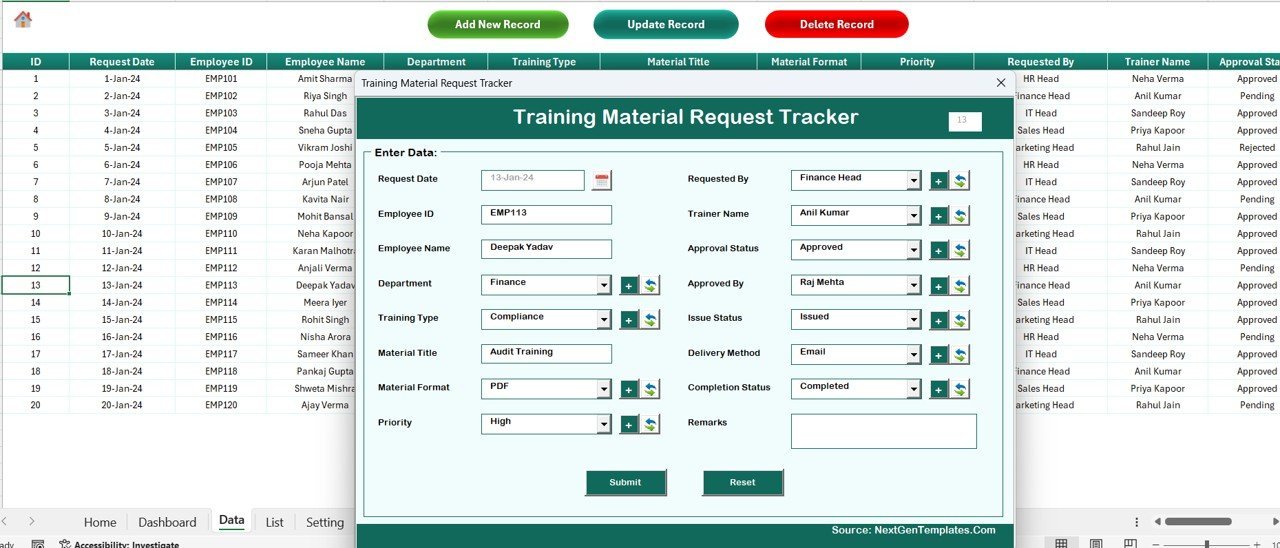
📌 VBA data entry form with Add, Update, Delete buttons — three action buttons at the top of the Data Sheet open a UserForm so you can capture, edit, or remove records without touching the grid.
📌 Auto-generated Request IDs — every new record receives a unique sequential ID, making lookup and update operations reliable.
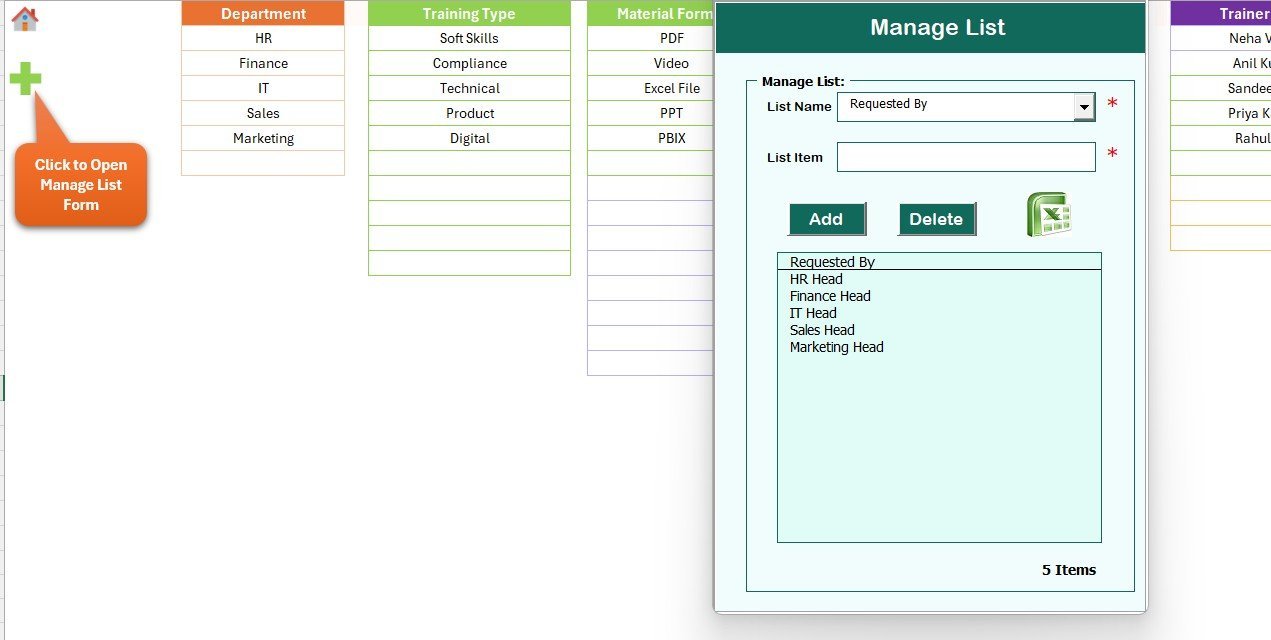
📌 List sheet for dropdowns — central place to maintain departments, material categories, priorities, and statuses used by the combo boxes on the entry form.
📌 Support sheet with pre-built pivot tables — the dashboard charts read from pivot tables on this sheet, so refreshing after a new entry is automatic. You can hide this sheet safely.
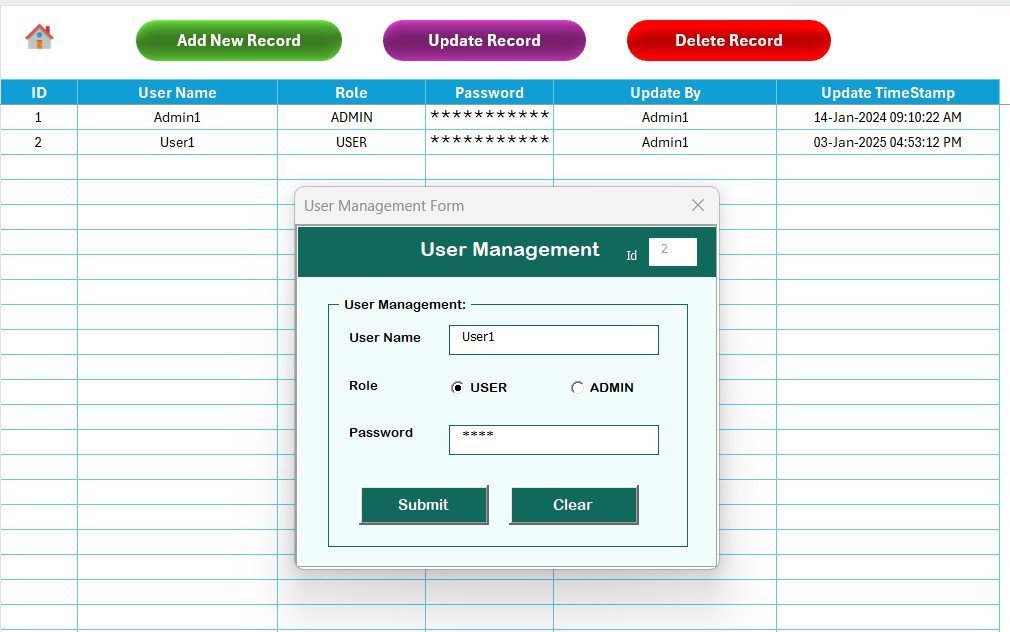
📌 Role-based User Management sheet — add or remove users, set passwords, and control which roles can access which actions.
📦 What’s Inside the Training Material Request Tracker in Excel
The workbook contains 8 worksheets designed to work together:
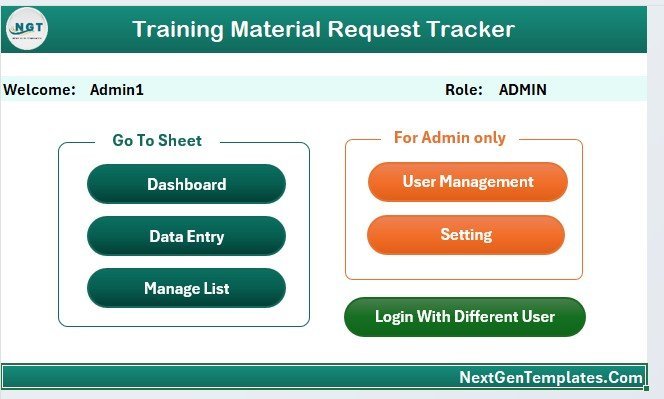
🔹 Login Form — authenticates users against the User Management sheet before revealing any data.
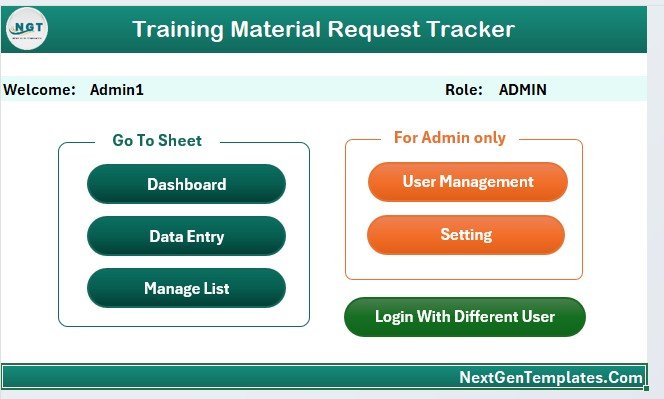
🔹 Home Page — navigation hub with buttons that jump to the dashboard, data sheet, settings, and user management.
🔹 Dashboard — 4 slicers and 6 charts showing requests by department, priority, material type, delivery method, cost distribution, and status breakdown.
🔹 Data Sheet — master log of every request, with Add New Record, Update Record, and Delete Record VBA buttons at the top.
🔹 List Sheet — feeds the combo boxes on the data entry form.
🔹 Support Sheet — hosts pivot tables that power the dashboard charts.
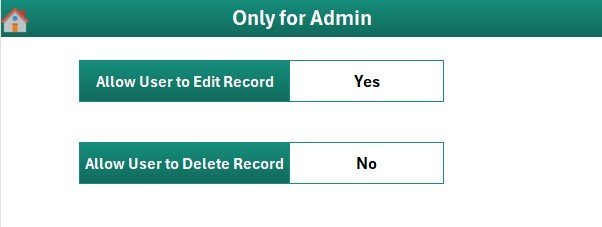
🔹 Settings Sheet — workbook-level configuration such as organisation name and admin contact.
🔹 User Management Sheet — list of users, passwords, and roles used by the Login Form.
Secure login form — authenticates against the User Management sheet
VBA UserForm for Add, Update, Delete record operations
📊 Training Material Request Tracker in Excel vs. Google Sheets Equivalent vs. Paid L&D SaaS — Where This Fits
| Feature | Training Material Request Tracker (Excel) | Google Sheets Equivalent | Paid L&D SaaS (Docebo / TalentLMS) |
|---|---|---|---|
| Cost | $6.99 one-time | $6.99 one-time | $3–10 / user / month |
| Platform | Microsoft Excel (offline) | Google Sheets (browser) | Cloud SaaS only |
| Setup time | Under 10 minutes | Under 10 minutes | 2–6 weeks onboarding |
| Login & user roles | ✅ Built-in VBA login + User Management sheet | ❌ Relies on Google Drive share settings | ✅ Full SSO, heavy |
| Add / Update / Delete form | ✅ VBA UserForm with 3 buttons | ❌ Edit directly in cells | ✅ Proprietary UI |
| Slicers & filters on dashboard | ✅ 4 slicers + 6 charts | Filter views + charts | Pre-built reports |
| Customisable fields | ✅ Fully open workbook | ✅ Fully open sheet | ⚠️ Admin-only, limited |
| Year-1 cost for 5 users | $6.99 once | $6.99 once | $180–600 |
| Works offline | ✅ Yes | ❌ Needs internet | ❌ Needs internet |
For teams that want a controlled, auditable request workflow without paying per-user LMS fees, the Training Material Request Tracker in Excel sits in the sweet spot.
👥 Who This Template Is For — and Who It’s Not For
✅ This template is built for:
- L&D specialists at 20–500 person companies who receive training material requests from multiple departments
- HR managers who want a single record of all manuals, e-learning licences, and printed guides issued
- Training coordinators who need an offline, controllable workbook with user accountability
- Finance partners tracking training material spend by delivery method and department
- Small business owners who prefer Excel over a monthly LMS subscription
❌ This template is NOT for:
- Enterprise HR teams that require SOC 2, SSO, or audit-trail logging tied to Active Directory
- Organisations that need employees to self-submit requests through a web portal — this is an internal workbook, not a form
- Teams that do not use Microsoft Excel on Windows (VBA features do not run on Excel for the web or on macOS-only setups)
⚙️ How to Use the Training Material Request Tracker in Excel
1. Unzip the download and open the workbook in Microsoft Excel on Windows. Click Enable Content when the macro security bar appears.
2. Go to the User Management sheet and add each user who should have access, along with their password and role.
3. Open the List sheet and update the departments, material types, priorities, and statuses that match your organisation.
4. Save and reopen the file. The Login Form appears — sign in with a user you created.
5. From the Home Page click Data Sheet, then click Add New Record to open the entry form and capture your first request.
6. Visit the Dashboard to see your request appear in the charts. Use the 4 slicers to filter by department, priority, material type, or status.
💼 Real-World Use Cases
Priya runs L&D at a 120-person fintech firm. She uses the Training Material Request Tracker in Excel to capture every compliance manual, onboarding guide, and e-learning licence request raised by managers, then shares the dashboard with her CHRO each month — cutting her reporting time from half a day to 20 minutes.
Rahul is the training coordinator at a regional manufacturing company. He logs printed workbook and safety video requests from six plant locations, using the slicers to spot which department is driving the highest quarterly spend. The VBA form lets his two assistants add records without breaking formulas on the Data Sheet.
Anita manages a 40-person customer support team. She tracks requests for product knowledge decks, role-plays, and certification course licences, assigns priorities through the dropdown, and uses the User Management sheet to keep her team leads out of payroll-sensitive tabs.
❓ Frequently Asked Questions
What is the Training Material Request Tracker in Excel?
The Training Material Request Tracker in Excel is a VBA-powered workbook with 8 worksheets that lets HR, L&D, and training teams log, approve, and report on every training material request — manuals, e-learning licences, printed guides — inside one secured Excel file with login and role-based access.
What versions of Excel does this tracker require?
The Training Material Request Tracker in Excel is built for Microsoft Excel 2016 or later on Windows, because it uses VBA macros and ActiveX controls for the login form, data entry form, and button actions. It does not run on Excel for the web.
How does this compare to a paid L&D SaaS like Docebo or TalentLMS?
A paid L&D SaaS typically costs $3–10 per user per month and requires a 2–6 week implementation. The Training Material Request Tracker in Excel is a one-time $6.99 purchase that covers the full request workflow — capture, approval, reporting — without per-user fees or cloud dependencies.
How long does setup take?
Setup for the Training Material Request Tracker in Excel takes under 10 minutes. Add your users on the User Management sheet, update the List sheet dropdowns, save, reopen, and log in. Your first record can be captured immediately through the Add New Record VBA form.
Can I add more fields to the request form?
Yes. The Training Material Request Tracker in Excel is an unlocked workbook. You can extend the Data Sheet with new columns and update the VBA UserForm code to bind the new fields — the support pivots and dashboard charts then just need a refresh to pick up the new data.
Is the tracker available on Google Sheets?
Yes. The same template is also offered as the Training Material Request Tracker in Google Sheets, which is a good fit for teams that prefer cloud collaboration over Windows-based VBA.
Do I need programming skills to use it?
No coding is required to use the Training Material Request Tracker in Excel. The VBA is already written and wired to the Add, Update, Delete buttons and the Login Form. You only interact with the sheets, forms, slicers, and charts.
👤 About the Author
Built by PK — Microsoft Certified Professional with 15+ years of Excel, Google Sheets, and Power BI experience. Founder of NextGenTemplates, reaching 300K+ subscribers across YouTube channels (@PK-AnExcelExpert, @NextGenTemplates, @NeoTechNavigators). Every template is hand-built and tested before release.
🔗 Explore Related Templates
🔹 Training Schedule Request Tracker in Excel — capture training session bookings and approvals with the same VBA form pattern.
🔹 Training and Onboarding Calendar in Excel — visualise training sessions across daily, monthly, and annual views.
🔹 Equipment Borrowing Request Tracker in Excel — a sister VBA tracker for asset requests with login and user management.
🔹 Teacher Training Institutes KPI Dashboard in Excel — for L&D leaders who also want KPI analytics.
Also available as: Training Material Request Tracker in Google Sheets — the cloud version of the same workflow.
💎 Save more — bundle & save: get this tracker plus nine other HR analytics templates in the HR & Workforce Analytics Bundle — 10 Premium Templates.
Browse more in our Excel Trackers and HR & Payroll Templates collections.
📖 Click here to read the Detailed Blog Post
🎥 Visit our YouTube channel for step-by-step video tutorials
👉 YouTube.com/@NextGenTemplates
📅 Last updated: April 2026
Watch the step-by-step video tutorial:
Compatibility and Requirements
- Works in Microsoft Excel desktop on Windows (Excel 2016 or later). Macros must be enabled, because the login form and the Add, Update and Delete buttons use VBA.
- It does not run in Excel for the web, Google Sheets or on mobile.
- Microsoft explains how to turn macros on in Enable or disable macros in Microsoft 365 files.
More Questions About This Template
Is there a similar tracker for training resources?
Yes. See the Training Resource Request Tracker in Excel, or the Google Sheets version.
Can I see training results as well as requests?
The Training and Development Dashboard in Excel covers training analytics in a separate workbook.
Related Training and Request Templates
- Training Resource Request Tracker in Excel: logs requests for training resources
- Training Completion Certification Tracker in Excel: tracks who has completed which training
- Training and Development Dashboard in Excel: a dashboard for training activity
- Training and Development Report in Excel: a report view of training data
Browse all Excel VBA tools.









Reviews
There are no reviews yet.