

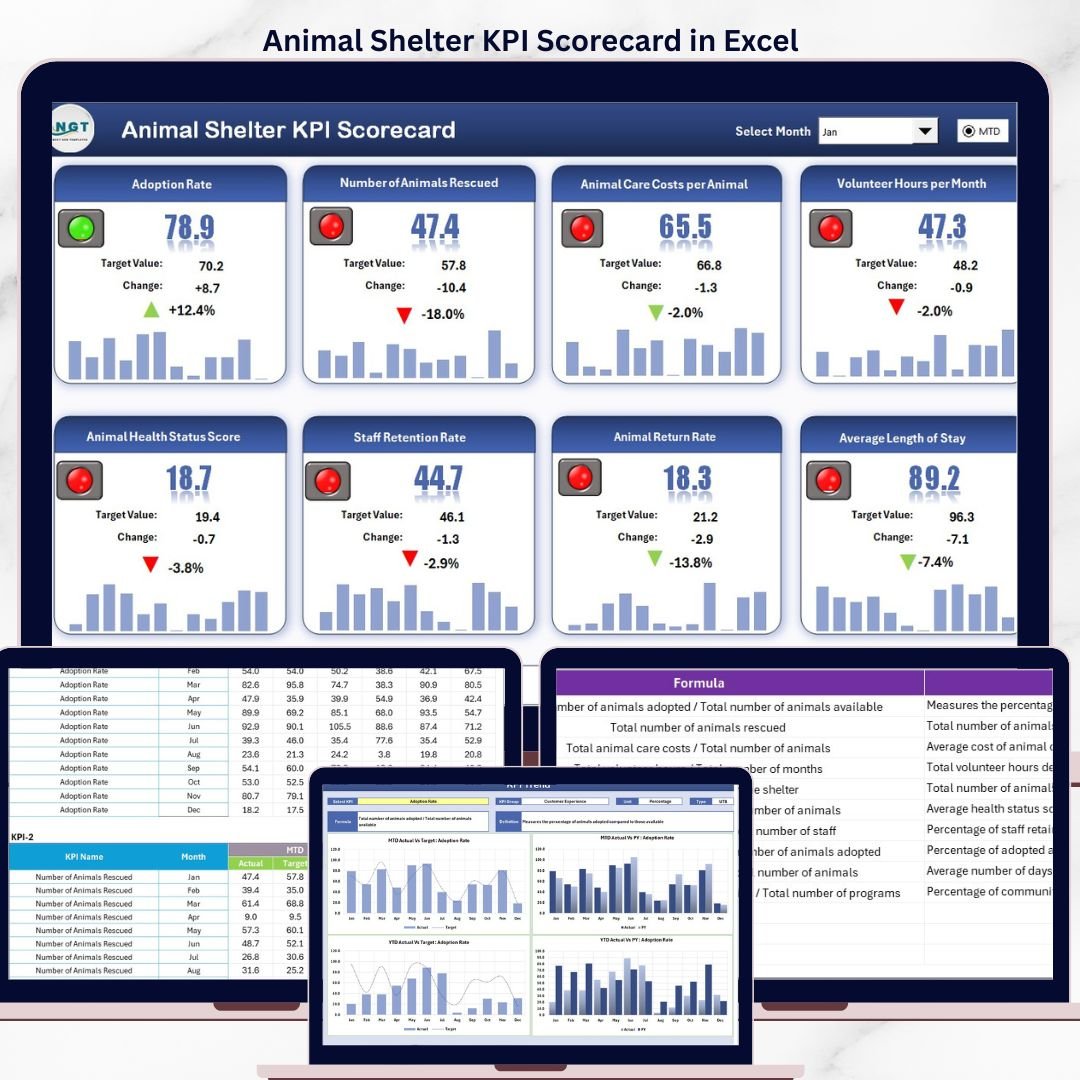


The Animal Shelter KPI Scorecard in Excel tracks 15+ key performance indicators across 4 structured worksheets, delivering MTD and YTD comparisons, trend charts, and color-coded conditional formatting in a single Excel file. According to the ASPCA, over 6.3 million companion animals enter U.S. shelters every year — and shelters that track KPIs like adoption rate, live release rate, and average length of stay consistently outperform those relying on ad hoc reporting.
This ready-to-use scorecard template gives animal shelter directors, non-profit rescue coordinators, and municipal animal control agencies a structured way to monitor performance without paying for monthly shelter management software. Replace the sample data with your own numbers and every chart, indicator, and summary updates automatically in under 10 minutes.
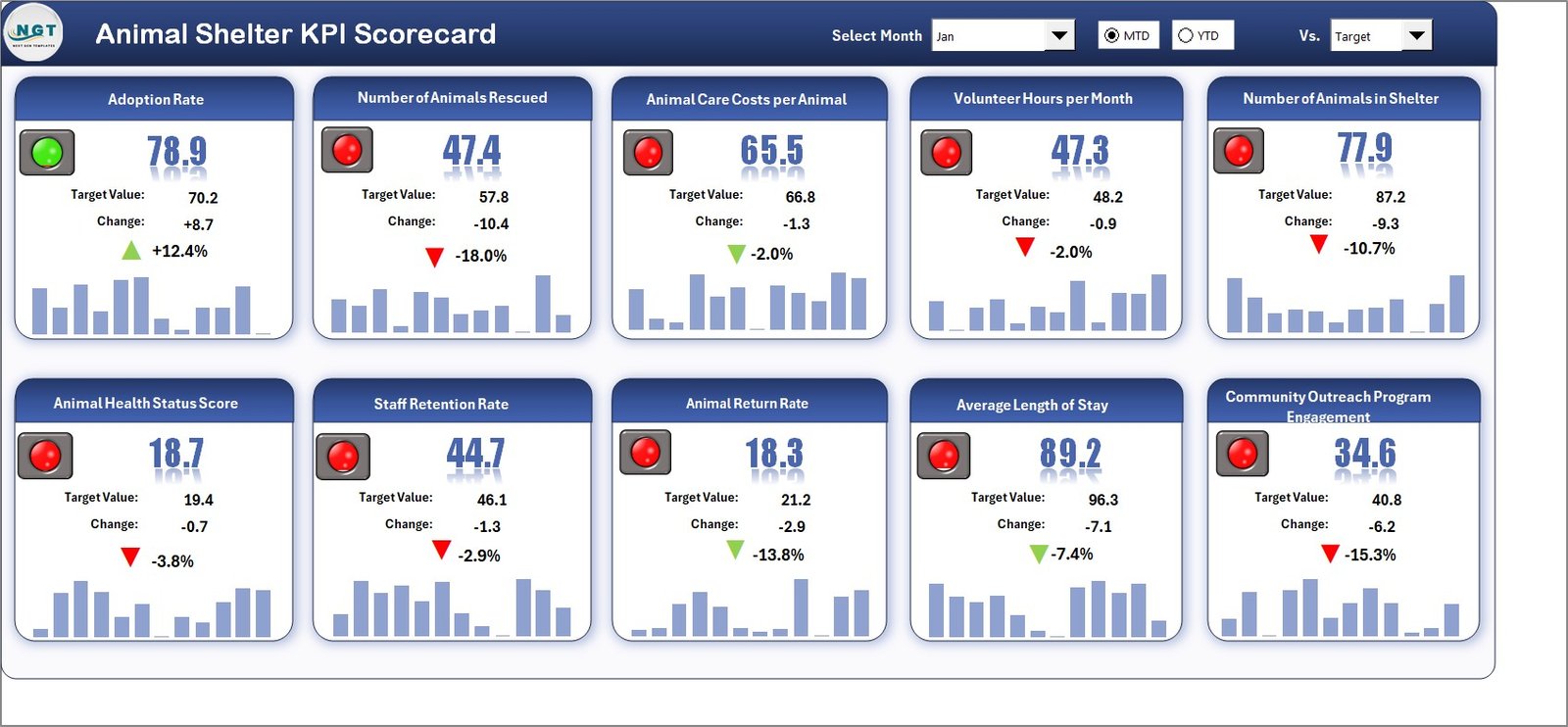
Key Features of Animal Shelter KPI Scorecard in Excel
The Animal Shelter KPI Scorecard in Excel includes 4 dedicated worksheets: Scorecard, KPI Trend, Input Data, and KPI Definition. It tracks 15+ pre-built KPIs including adoption rate, live release rate, intake volume, average length of stay, euthanasia rate, return-to-owner rate, foster placement rate, volunteer hours, spay/neuter rate, donations received, and cost per animal.
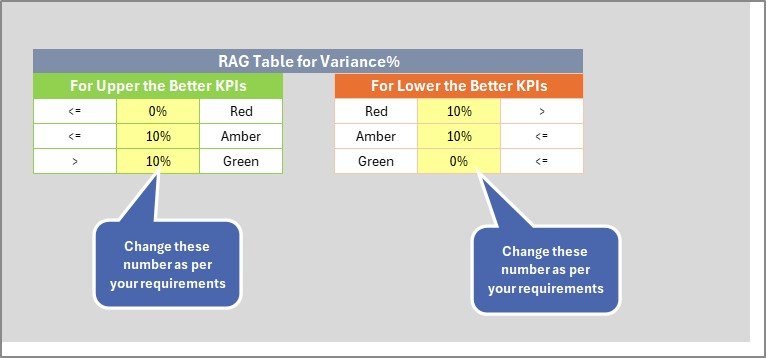
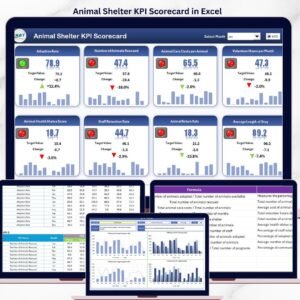
Each KPI is classified as “Upper the Better” or “Lower the Better” to ensure correct benchmarking. The scorecard uses conditional formatting with traffic-light color coding — green for on-track, red for below-target — so managers identify underperforming areas at a glance. Dropdown menus let you toggle between any month and switch between MTD and YTD views without modifying formulas.
The KPI Trend sheet generates visual charts comparing Actual vs Target vs Prior Year data for any selected metric. This year-over-year trend analysis is the feature most commonly requested by shelter boards and grant-making organizations when reviewing quarterly performance reports.
Dashboard Pages Explanation
1. Scorecard Sheet
The Scorecard sheet is the main interface where you view KPI performance at a glance. Key features include dropdown menus to select the reporting month, MTD or YTD toggle for period analysis, Actual vs Target value comparisons for each KPI, and color-coded visual indicators using conditional formatting. This single sheet provides a complete overview of all shelter metrics — from operational efficiency to financial health — in a print-ready layout suitable for board presentations.
Scorecard Sheet
2. KPI Trend Sheet
Select any KPI name from the dropdown available on range C3 to see its detailed trend analysis. The sheet displays the KPI Group, Unit of KPI, Type (Lower the Better or Upper the Better), Formula, and Definition. Below the metadata, MTD and YTD trend charts plot Actual, Target, and Prior Year numbers for visual year-over-year comparison. This sheet is particularly useful for identifying seasonal patterns — for example, adoption rates typically spike during spring months while intake volumes peak in summer.
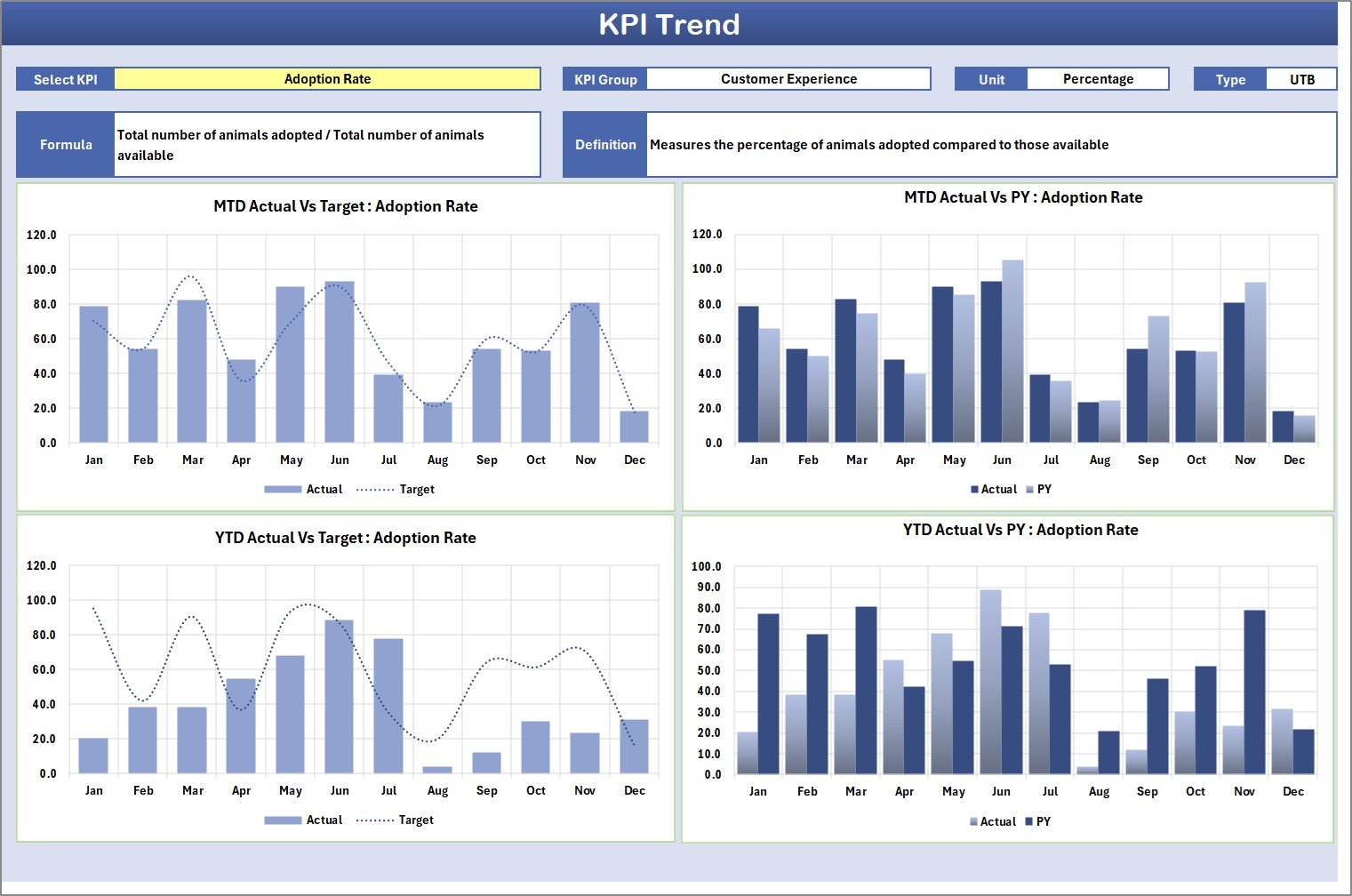
KPI Trend Sheet
3. Input Data Sheet
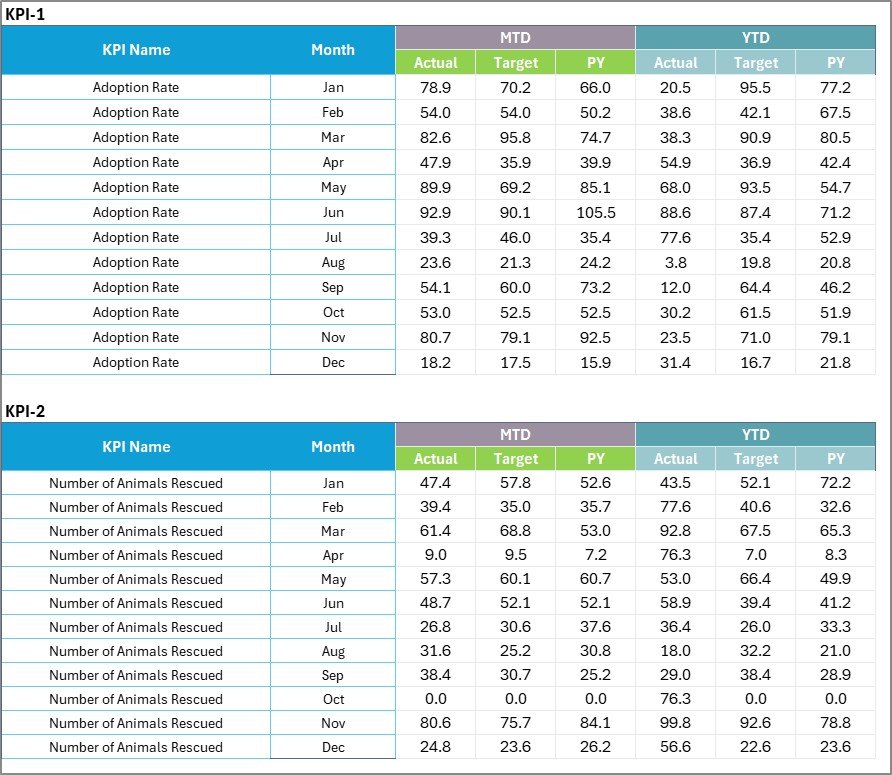
The Input Data sheet is where you enter all KPI data. Record actual values, targets, and prior year metrics for each KPI by month. The layout is straightforward — one row per KPI, one column per month. Update the data as new results become available and the Scorecard and Trend sheets refresh automatically. No formulas to edit, no manual chart updates required.
Input Data Sheet
4. KPI Definition Sheet
In this sheet tab, you enter the KPI Name, KPI Group, Unit, Formula, and KPI Definition. This sheet serves as the single source of truth for every metric tracked in your shelter — ensuring all staff members, board members, and auditors reference the same definitions. The pre-configured KPIs align with Shelter Animals Count and ASPCA reporting standards, but you can customize every field to match your organization’s specific terminology.
Click to read detailded blog post
Visit our YouTube channel for step-by-step video tutorials: Youtube.com/@PKAnExcelExpert
Compatibility and Requirements
- Works in Microsoft Excel desktop (Excel 2016 or later, or Microsoft 365).
- The month and MTD/YTD selectors are drop-down lists. Microsoft’s guide to creating a drop-down list explains how they work.
Who Can Benefit
- Animal shelter directors who report monthly results to a board.
- Nonprofit rescue coordinators who track adoptions, fosters and donations.
- Municipal animal control agencies that need a simple scorecard without monthly software fees.
Frequently Asked Questions
Which sheets are in the Animal Shelter KPI Scorecard?
Four sheets: Scorecard, KPI Trend, Input Data and KPI Definition. Numbers you type on the Input Data sheet feed the Scorecard and KPI Trend sheets.
Which shelter KPIs are included?
More than 15, including adoption rate, live release rate, intake volume, average length of stay, euthanasia rate, return-to-owner rate, foster placement rate, volunteer hours, spay/neuter rate, donations received and cost per animal.
How do I switch between MTD and YTD?
Pick the month and the MTD or YTD view from the drop-down menus on the Scorecard sheet. The actual and target values and the color indicators update without editing any formulas.
How does the scorecard know if a lower number is good?
Each KPI is marked Upper the Better or Lower the Better on the KPI Definition sheet. The green and red indicators follow that setting, so a falling euthanasia rate shows as on track.
Can I rename or add KPIs?
Yes. Edit the KPI name, group, unit, formula and definition on the KPI Definition sheet, then enter its monthly numbers on the Input Data sheet.
Related Animal Shelter Templates
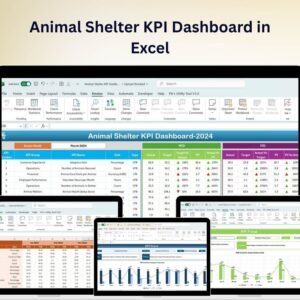
- Animal Shelter KPI Dashboard in Excel: a dashboard view of shelter KPIs
- Animal Shelter KPI Dashboard in Google Sheets: for teams that work in Google Sheets
- Animal Shelter Management System Web App: keep day-to-day shelter records
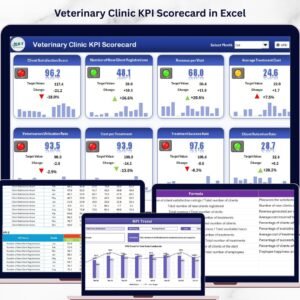
- Veterinary Clinic KPI Scorecard in Excel: the same scorecard layout for vet clinics
- Nonprofit & NGO Operations Bundle: 7 Excel and Google Sheets templates for nonprofits
Browse all Excel KPI dashboards.


















Reviews
There are no reviews yet.