



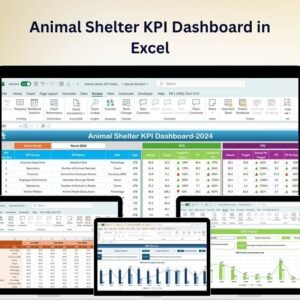
The Animal Shelter KPI Dashboard in Excel is an essential tool for animal shelter managers, directors, and staff to track and monitor key performance indicators (KPIs) related to shelter operations. This Excel-based dashboard helps you manage the shelter’s day-to-day activities, from animal adoptions and rescues to operational efficiency and volunteer performance.
With customizable features and real-time tracking, this dashboard ensures that you can easily monitor animal intake, adoptions, expenses, and volunteer activities, helping you optimize shelter operations and improve the welfare of the animals.

Key Features of the Animal Shelter KPI Dashboard in Excel:
🐾 Animal Intake and Adoption Tracking
Track the number of animals received by the shelter, the number of successful adoptions, and the time spent in the shelter to assess your adoption rate and animal turnover.
💰 Expense and Donation Tracking
Monitor operational costs, expenses, and donations to ensure financial sustainability and manage shelter finances effectively.
📊 Volunteer Performance
Track volunteer hours, activities, and efficiency to ensure proper staff coverage and high-quality care for the animals.
📅 Shelter Operations Management
Monitor key operational metrics such as animal care, shelter capacity, and animal health status to maintain a clean, safe, and efficient environment.
💬 Public Awareness and Community Engagement
Track community engagement activities, adoption campaigns, and public outreach programs to increase visibility and foster public support for your shelter.
🚀 Why You’ll Love the Animal Shelter KPI Dashboard in Excel:
✅ Track Animal Intake and Adoption – Monitor the number of animals brought into the shelter, adoption success rates, and how long animals stay in the shelter before being adopted.
✅ Ensure Financial Sustainability – Track expenses, donations, and other financial metrics to maintain budget health and ensure the shelter is financially stable.
✅ Monitor Volunteer Efforts – Track volunteer hours, their contributions, and ensure optimal volunteer coverage for the shelter’s operations.
✅ Optimize Shelter Operations – Track the health, capacity, and care of the animals to ensure a safe, comfortable environment for all residents.
✅ Increase Public Engagement – Monitor adoption campaigns, community outreach, and social media engagement to boost visibility and community support.
✅ Fully Customizable and Interactive – Tailor the dashboard to fit your shelter’s unique needs, with interactive features and real-time tracking for better decision-making.
What’s Inside the Animal Shelter KPI Dashboard in Excel:
Animal Intake and Adoption Tracking: Monitor animal intake, the adoption process, and the number of animals adopted to improve turnover and save more lives.
Expense and Donation Tracking: Track donations, operating costs, and other financial metrics to ensure financial stability and operational success.
Volunteer Performance: Track volunteer hours, activities, and efficiency to ensure that your shelter has adequate volunteer coverage for care and operations.
Shelter Operations: Monitor key operational metrics such as animal care, capacity, and health status to maintain smooth operations and ensure the welfare of all animals.
Community Engagement: Track community events, adoption campaigns, and media outreach to increase visibility and improve shelter support from the public.
Custom Reports: Generate reports summarizing key performance metrics such as adoption rates, expenses, and volunteer performance to inform decision-making.
How to Use the Animal Shelter KPI Dashboard in Excel:
1️⃣ Download the Template – Instantly access your Excel file upon purchase.
2️⃣ Input Shelter Data – Enter data on animal intake, adoption rates, donations, and volunteer hours to start tracking your KPIs.
3️⃣ Monitor Key Metrics – Use the dashboard to track animal adoptions, intake, financials, volunteer performance, and operational efficiency in real-time.
4️⃣ Analyze Financials – Track donations, operational costs, and other financial metrics to ensure the shelter is financially sustainable.
5️⃣ Generate Reports – Create custom reports summarizing key metrics for strategic decision-making and operational improvements.
Who Can Benefit from the Animal Shelter KPI Dashboard in Excel:
Animal Shelter Managers and Directors
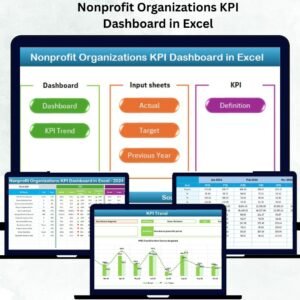
Nonprofit Organizations
Animal Rescue Teams
Volunteer Coordinators
Financial and Operations Teams in Animal Shelters
Adoption Coordinators
Animal Welfare Organizations
Animal Shelter Staff
The Animal Shelter KPI Dashboard in Excel is the perfect tool for managing and optimizing the operations of your animal shelter. With its ability to track key metrics such as intake, adoptions, expenses, and volunteer activities, this dashboard ensures your shelter is running efficiently and delivering quality care for the animals.
Click here to read the Detailed blog post
https://www.pk-anexcelexpert.com/animal-shelter-kpi-dashboard-in-excel/
Visit our YouTube channel to learn step-by-step video tutorials
Youtube.com/@PKAnExcelExpert
Compatibility and Requirements
- Works in Microsoft Excel desktop (Excel 2016 or later, or Microsoft 365).
- Microsoft’s guide Create a chart from start to finish explains the Excel feature this file is built on.
Frequently Asked Questions
What does the Animal Shelter KPI Dashboard track?
It tracks animal intake and adoptions, time spent in the shelter, expenses and donations, volunteer hours and activities, shelter operations such as capacity and animal health, and community engagement.
Can I track donations and expenses?
Yes. The dashboard covers operating costs, expenses and donations so you can watch the shelter’s finances.
Can I report on volunteer work?
Yes. Enter volunteer hours and activities, and the dashboard shows volunteer performance and coverage.
Can I change it to fit my shelter?
Yes. The dashboard is customizable, so you can adjust it to your shelter’s own needs.
Related Animal Care and Nonprofit Templates
- Animal Shelter KPI Dashboard in Google Sheets: the same topic in a shared browser file
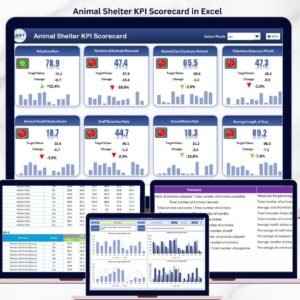
- Animal Shelter KPI Scorecard in Excel: a scorecard view of shelter targets
- Animal Shelter Management System Web App: day to day records for animals and adoptions
- Veterinary Clinic KPI Dashboard in Excel: KPIs for animal care clinics
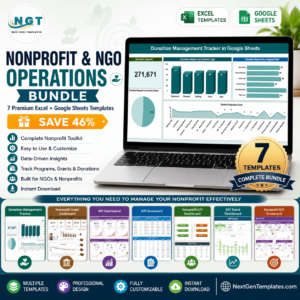
- Nonprofit & NGO Operations Bundle: 7 nonprofit templates in one download
Browse all Excel KPI dashboards or the Excel dashboards.





























Reviews
There are no reviews yet.