

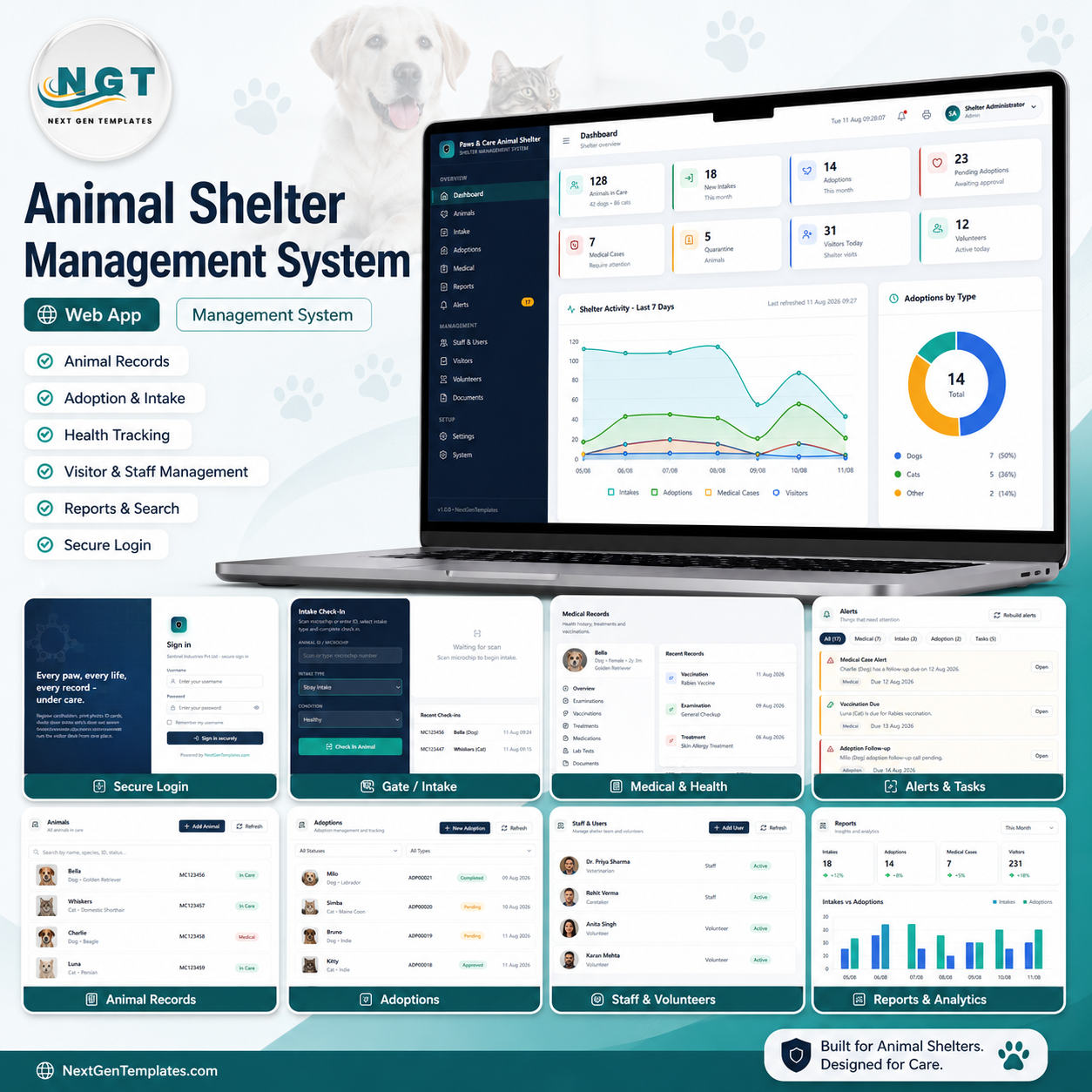

Most small shelters run on three spreadsheets, a shared inbox and somebody’s memory. The Animal Shelter Management System Web App replaces all of it with one Google Apps Script application you own outright: 15 working modules, 5 seeded staff roles with server-enforced permissions, a 25-kennel occupancy grid, and about 660 rows of realistic demo data so every KPI, chart and report is populated the moment you sign in. It is a one-time purchase, not a per-seat subscription, and you can sign into the live demo below right now – no email, no signup – before you decide.
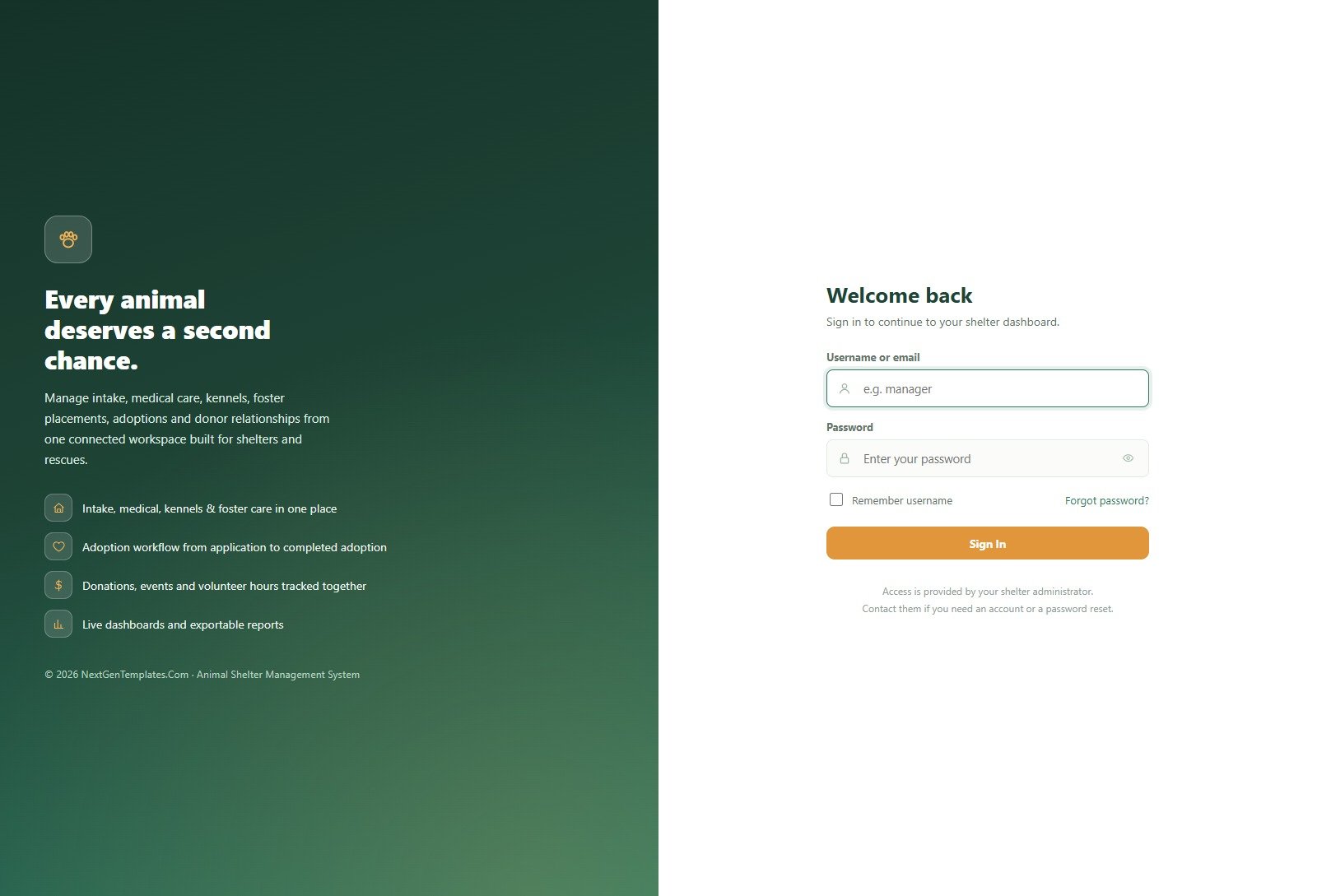
🚀 Try the Live Demo Before You Buy
We have deployed this web app in our own Google account so you can test every page, every role and every report – with real sample data – before purchasing. No signup, no email required.
🔑 Test Login Credentials
Sign in as admin to see every module including User Management, Settings and the Audit Log, or as frontdesk to see how little a front-of-house volunteer can reach. The role separation is the product – compare two logins and you will see it in ten seconds.
💡 These are public demo logins on a shared instance that resets periodically – they are not anybody’s live shelter. Treat the data as disposable. What you get after purchase: the full source code (Code.gs + Index.html) plus a step-by-step deployment guide so you can deploy your own private instance, with your own users and passwords, in your own Google account in under 15 minutes.
Key Features of the Animal Shelter Management System Web App
- One animal record, every history. Open any animal and you get its medical timeline, kennel history, foster history and adoption history on a single profile instead of four tabs.
- Server-enforced role permissions. Menus hide what a role cannot use, and the backend rejects the call as well – a Front Desk account cannot reach Medical Records by guessing a URL.
- Vaccination scheduling that chases itself. Set a Next Due date on a medical record and the animal appears on the Vaccination Schedule tab and in the dashboard alert bell without anyone maintaining a separate list.
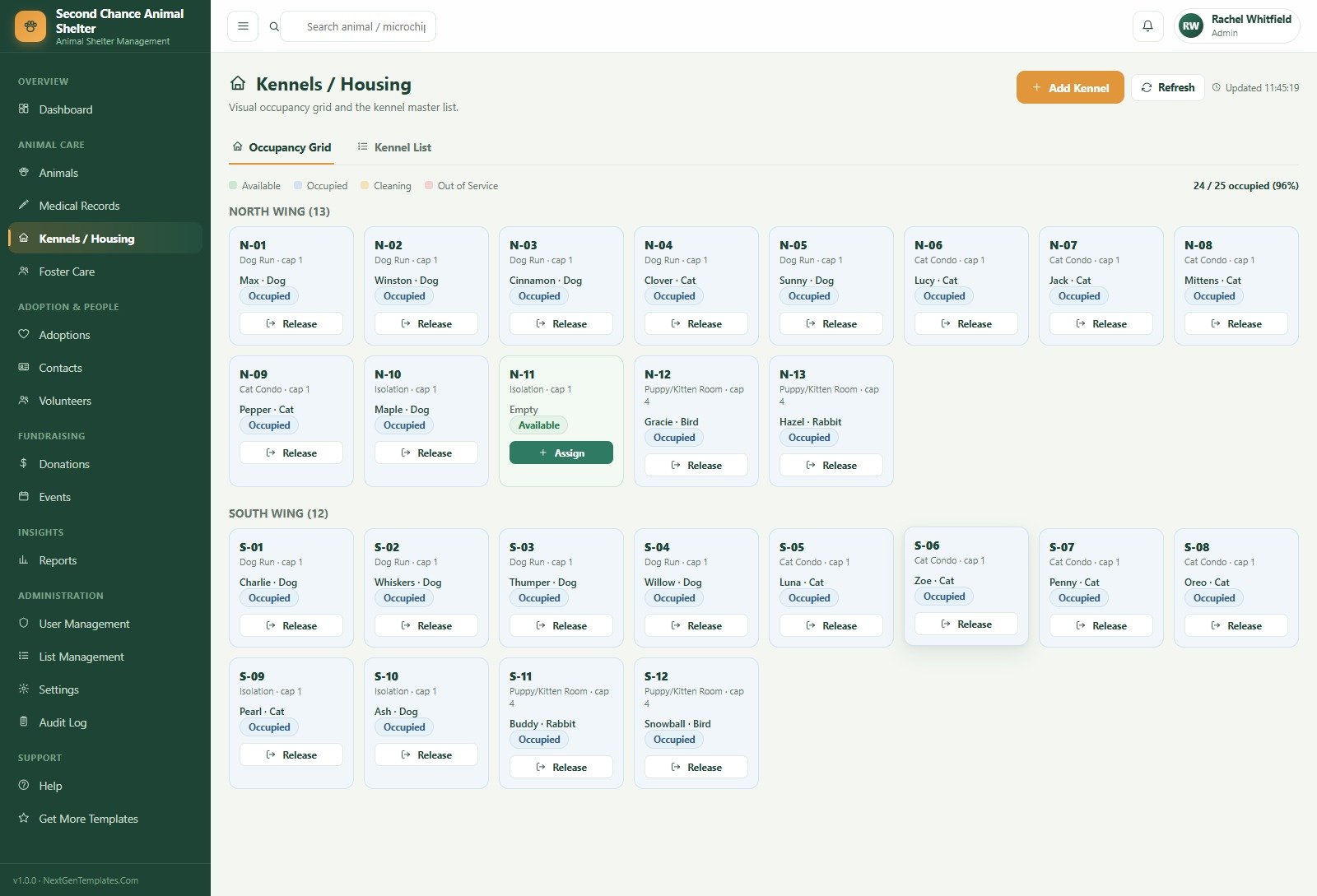
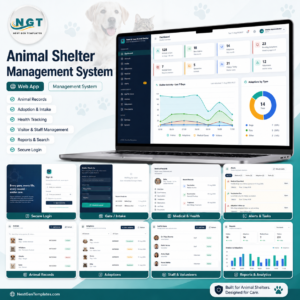
- Visual kennel occupancy. A colour-coded grid of 25 kennels across North Wing and South Wing, with Available, Occupied, Cleaning and Out of Service states, plus one-click Assign and Release.
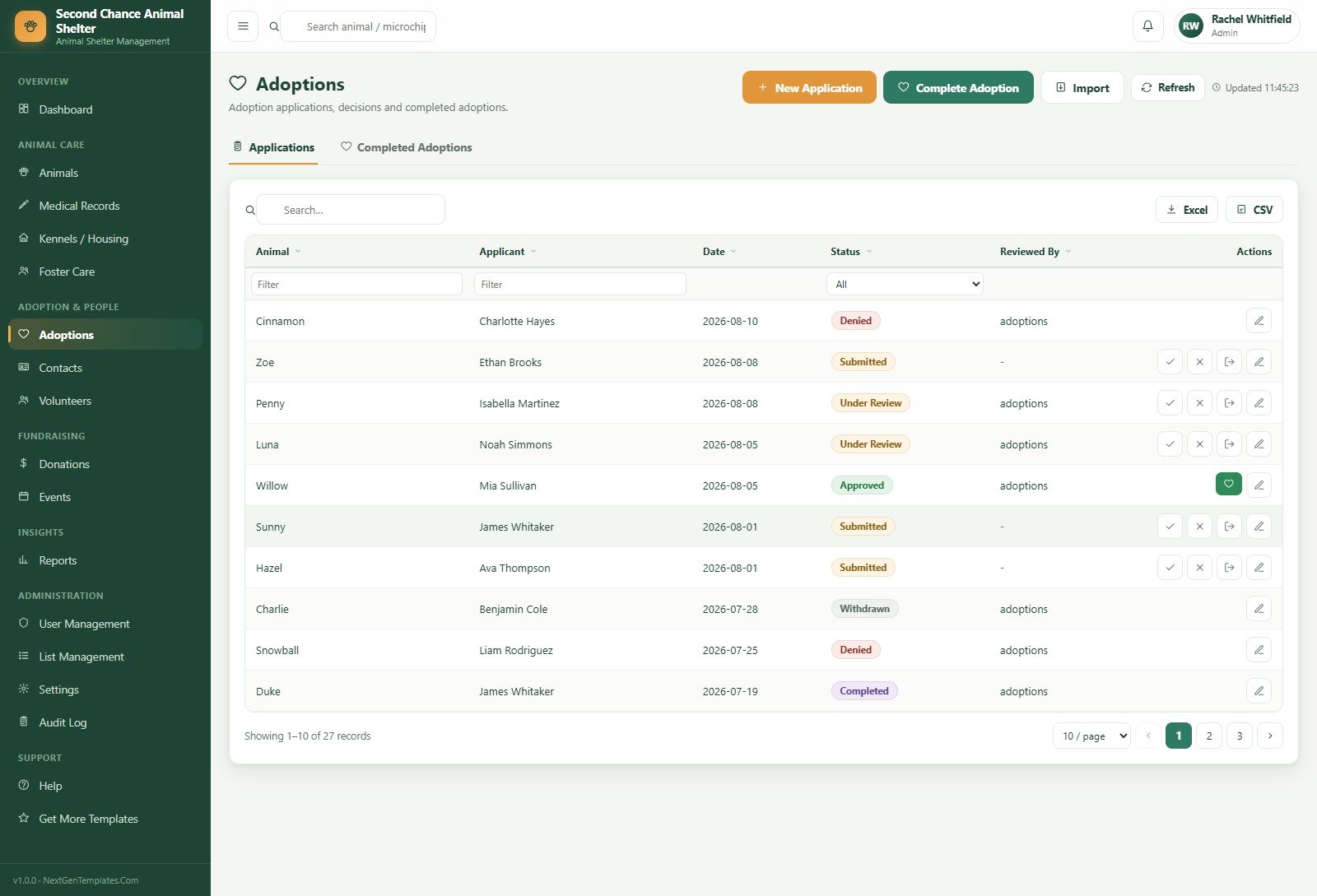
- Adoption pipeline with real statuses. Submitted, Under Review, Approved, Denied, Withdrawn and Completed, with the reviewing user stamped on each application.
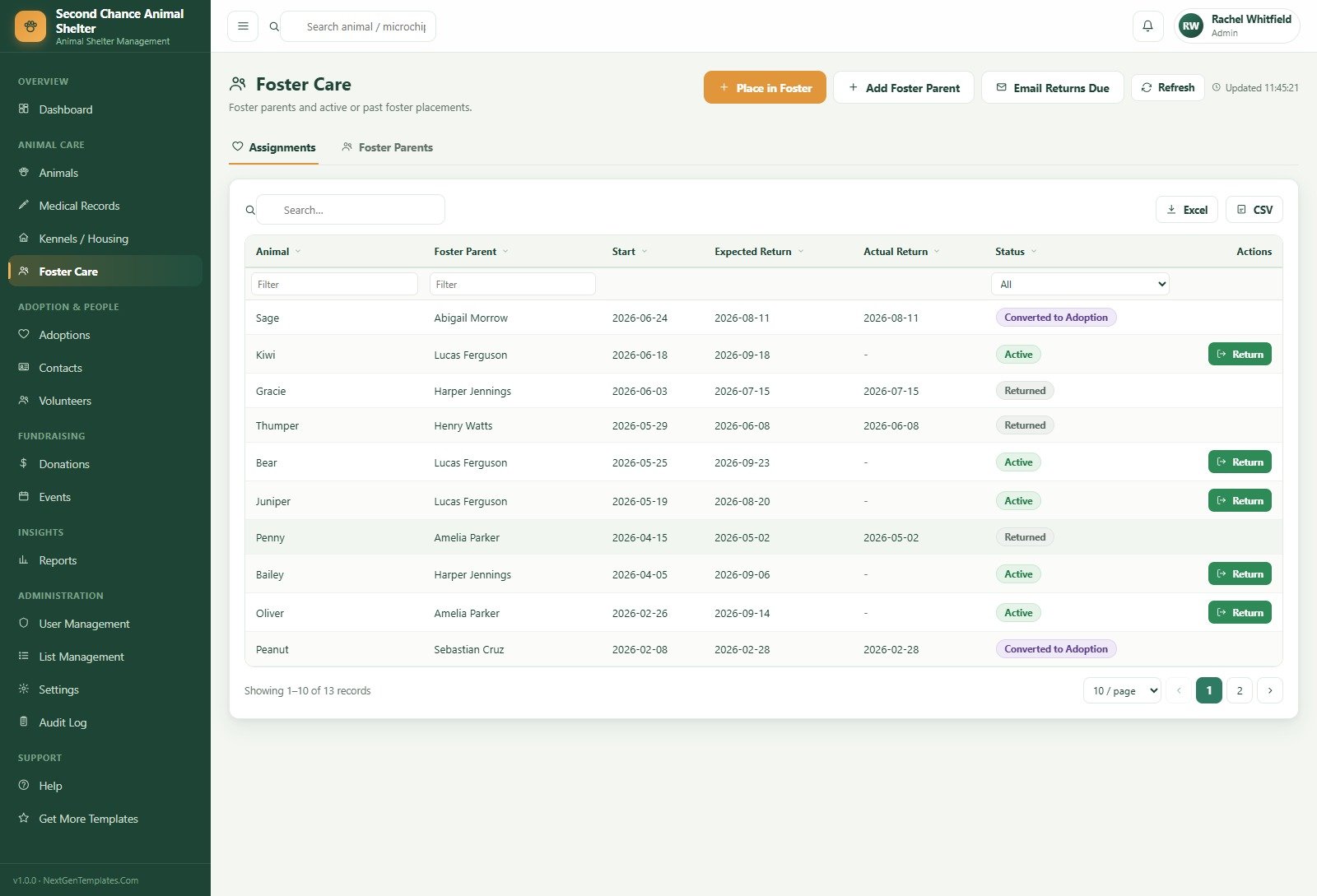
- Foster care that closes the loop. Expected return dates, an Email Returns Due action, and a Converted to Adoption status for the fosters who never went home.
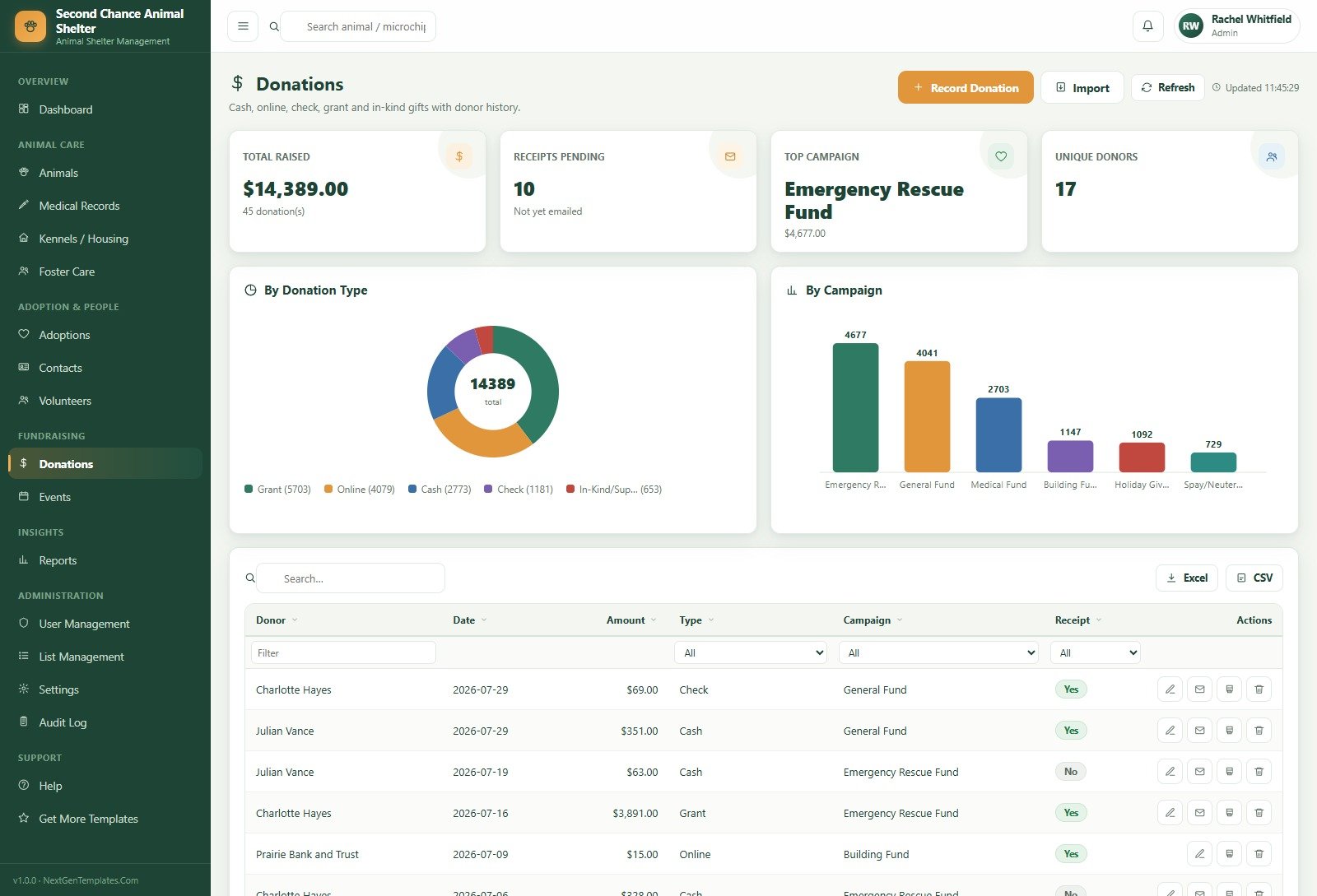
- Fundraising in the same database. Cash, online, cheque, grant and in-kind gifts, split by campaign, with one-click receipt emailing and a pending-receipts counter.
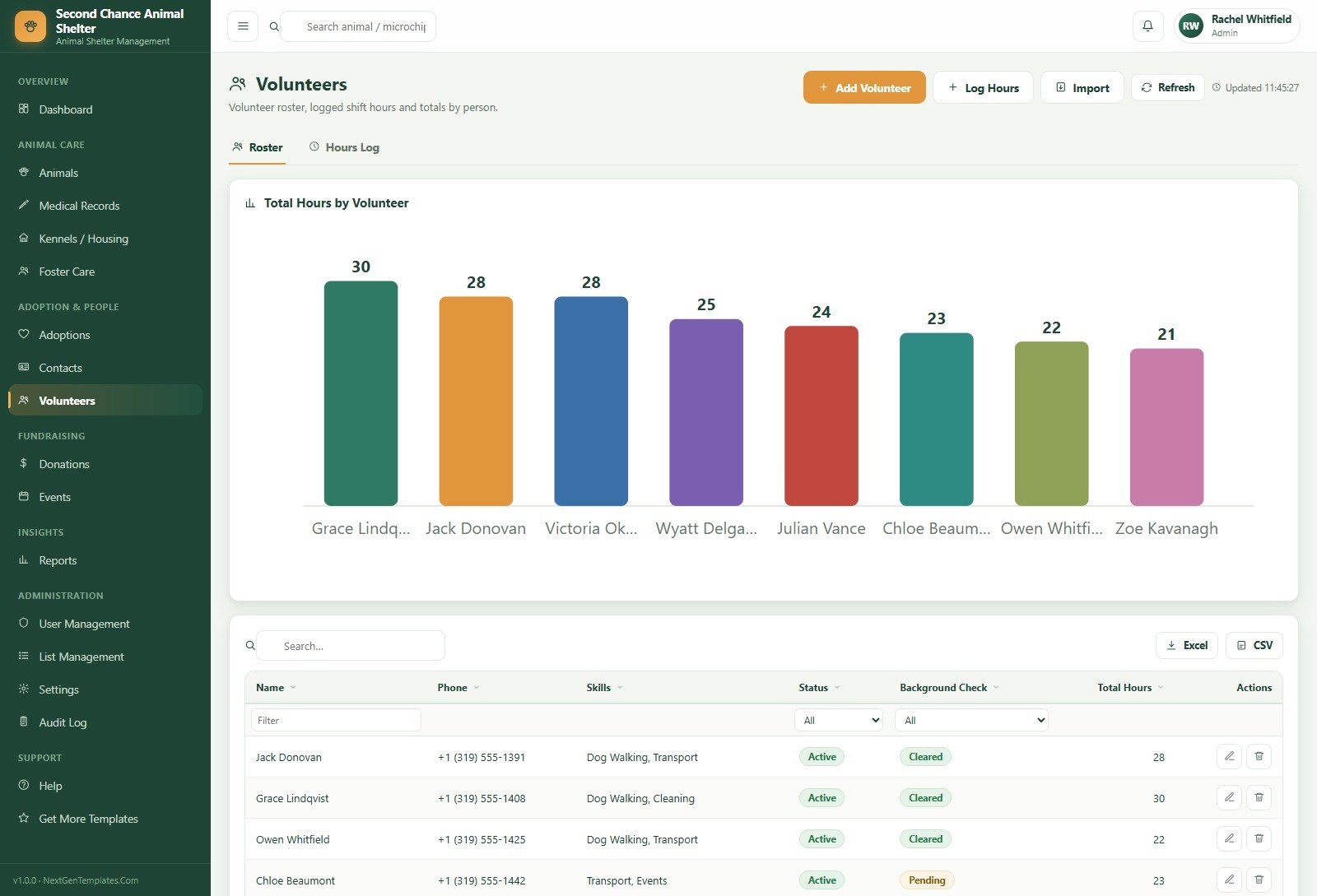
- Volunteer hours by person and task, totalled automatically and charted on the roster page.
- Excel and CSV export on every table, plus a print size you set once in Settings.
- A full audit log of every create, update, delete and status change, with who and when.
What’s Inside the Animal Shelter Management System Web App
Seventeen screens sit in a fixed left rail grouped as Overview, Animal Care, Adoption & People, Fundraising, Insights, Administration and Support.
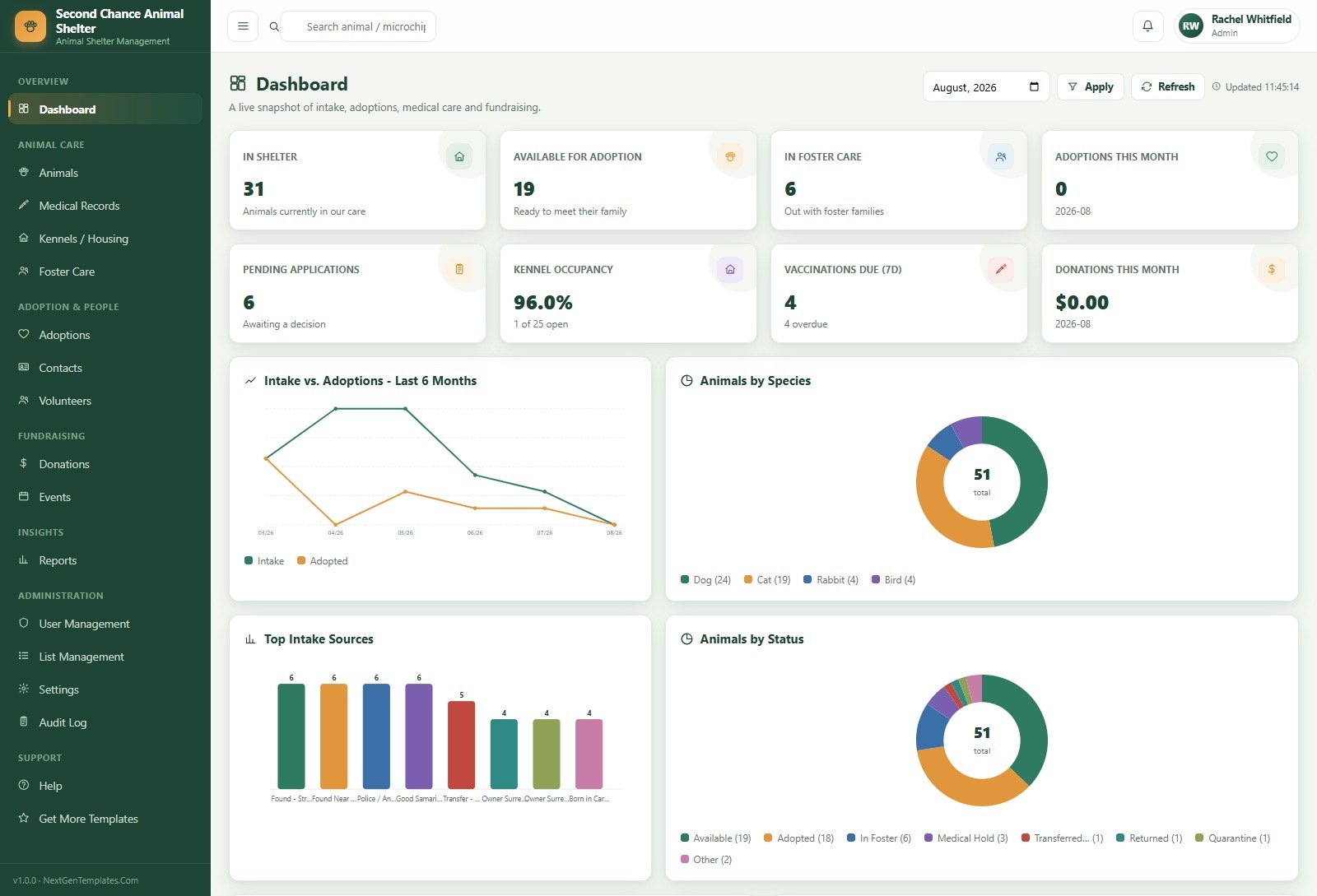
Dashboard. A month picker drives eight cards: In Shelter, Available for Adoption, In Foster Care, Adoptions This Month, Pending Applications, Kennel Occupancy, Vaccinations Due (7 days) and Donations This Month. Below them sit Intake vs. Adoptions – Last 6 Months, Animals by Species, Top Intake Sources and Animals by Status.
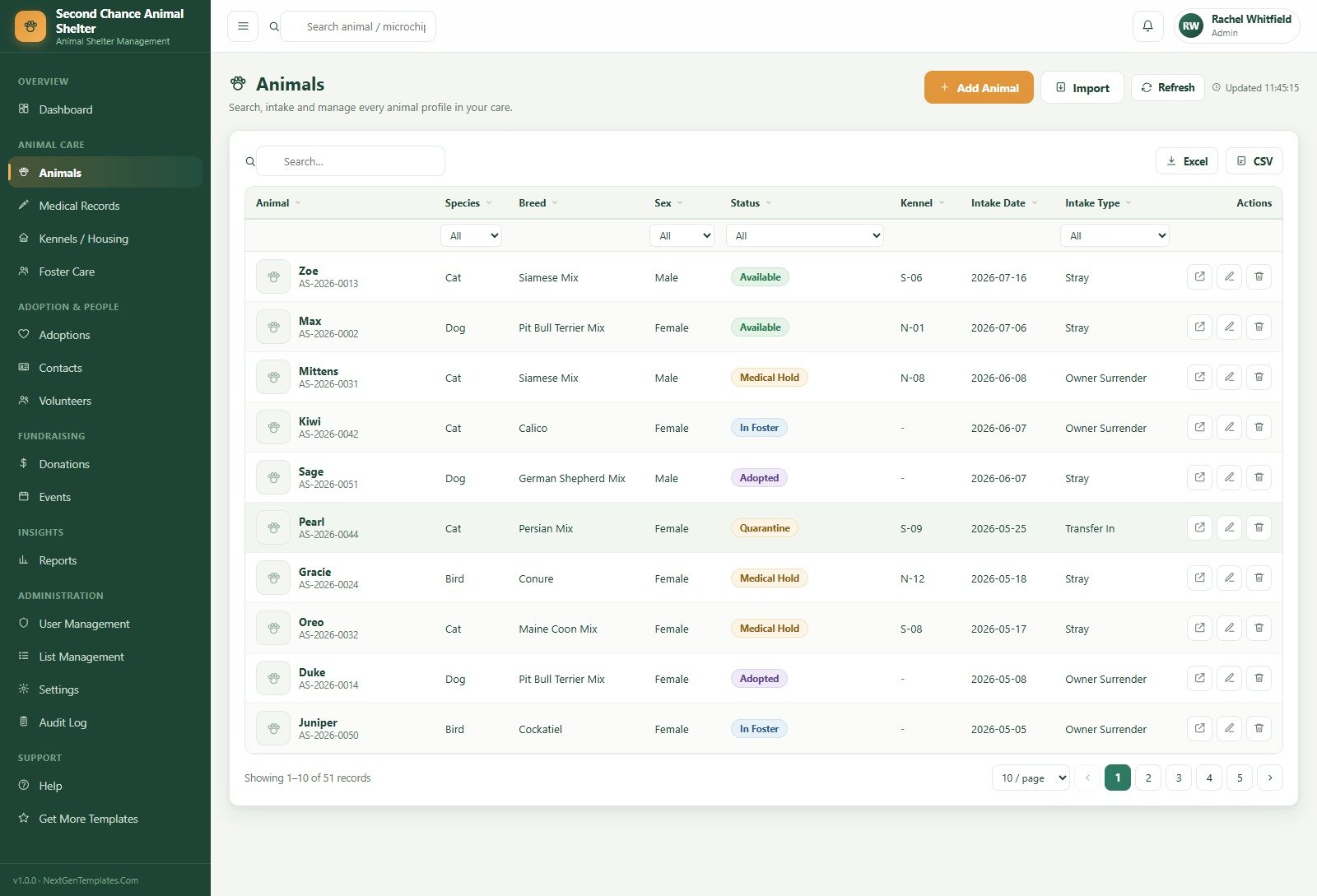
Animals. Every intake with an auto-numbered ID, species, breed, sex, status, kennel, intake date and intake type, filterable by species, sex, status and intake type, with Add Animal and bulk Import.
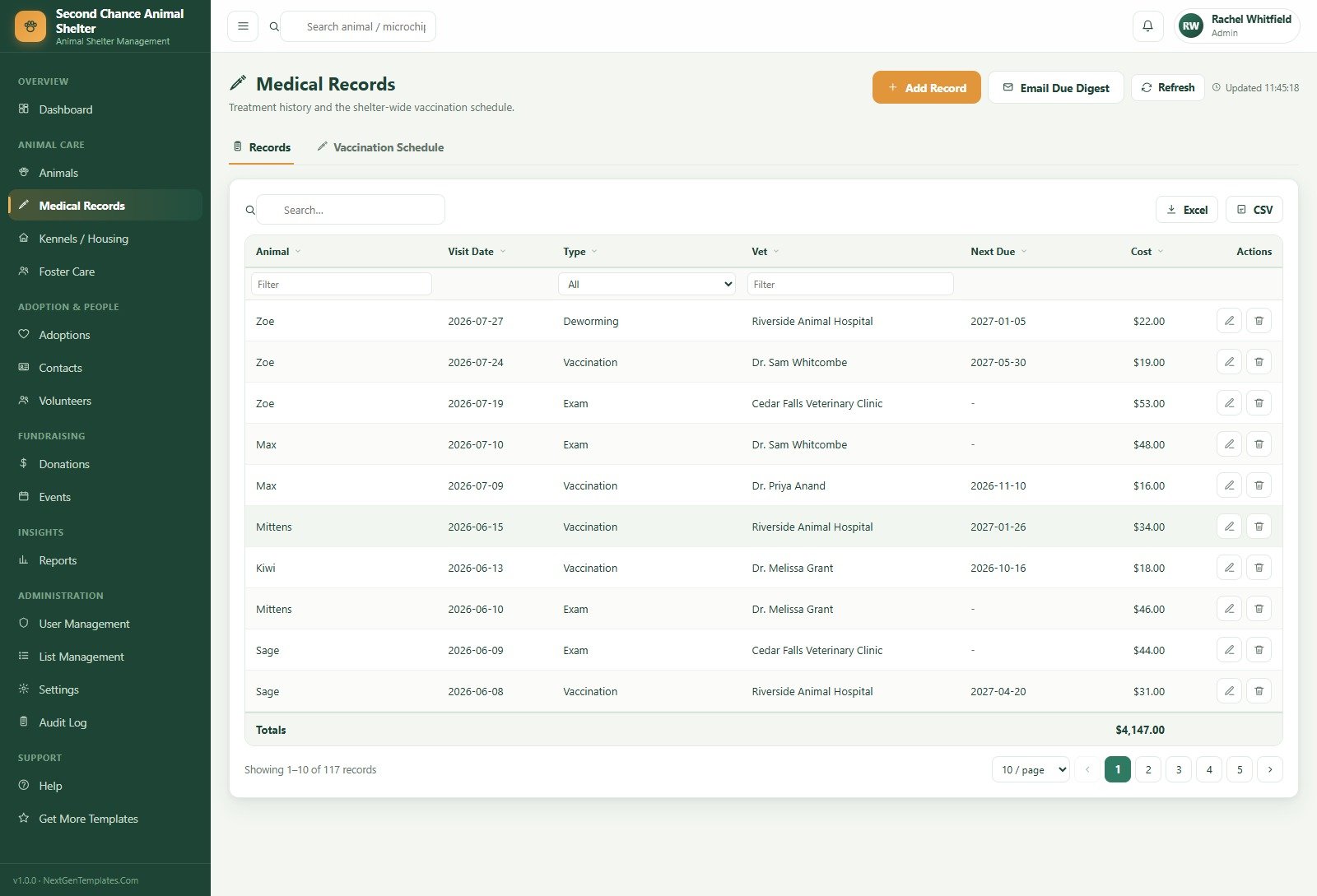
Medical Records. Two tabs – Records and Vaccination Schedule. Log exams, vaccinations, surgeries, treatments, lab tests, deworming and flea/tick treatment, each with a vet, a cost and an optional Next Due date. An Email Due Digest button sends the upcoming list.
Contacts. One directory for adopters, foster parents, donors, volunteers and surrendering owners, tagged by role so the same person is never entered twice.
Events. Adoption days, fundraisers, vaccination clinics and volunteer orientations, each with a location, a status and the funds actually raised.
Administration. User Management (users plus a Role Permissions matrix), List Management for all 24 dropdown categories – species, breeds, statuses, intake sources, campaigns, task types – Settings across nine tabs including Numbering, Print, Email, Theme, Security and Database Archive, and a full Audit Log.
Animal Shelter Management System Web App vs. Spreadsheets vs. Paid Shelter SaaS – Where This Fits
| This web app | Spreadsheets / Google Sheets | Paid shelter SaaS | |
|---|---|---|---|
| Cost | One-time purchase | Free, but rebuilt by hand every year | Monthly or annual per-organisation fee |
| Platform | Google Apps Script web app on your own Google account | Google Sheets or Excel | Vendor cloud |
| Setup time | Under 15 minutes with the included guide | Days of formula work | Onboarding call plus data migration |
| Real-time team collaboration | Yes – multiple named users at once | Yes, but with no permissions | Yes |
| Mobile access | Any browser | Clumsy on phones | Usually a dedicated app |
| Customisable fields | Yes – you own the source code | Yes | Only what the vendor exposes |
| Share with link | Yes – one deployment URL | Yes, and that is the problem | Yes |
| Year-1 cost at 5 users | The purchase price, once | $0 plus your volunteers’ evenings | Typically several hundred to a few thousand |
| Role-based permissions | 5 roles, enforced on the server | None worth the name | Yes |
| Your data stays in your Drive | Yes | Yes | No – it lives with the vendor |
Who This Template Is For – and Who It’s Not For
It is for municipal and independent shelters with roughly 20-200 animals in care, breed-specific and foster-based rescues that need to track placements rather than kennels, humane societies that must report live-release rate and length of stay to a board or a grantmaker, and any rescue currently juggling an intake spreadsheet, a vaccination spreadsheet and a donor spreadsheet.
It is not for organisations that need a public-facing adoptable-pets website (this is a staff back office), shelters that must integrate directly with a microchip registry or a state reporting API, veterinary practices billing clients – look at the Veterinary Clinic Dashboard in Google Sheets instead – or anyone who wants an offline desktop program. It also assumes a Google account; there is no Microsoft 365 build.
How to Use the Animal Shelter Management System Web App
- Try the demo first. Open the live demo above and sign in as
admin, then again asfrontdesk. Two minutes there will tell you more than any feature list. - Buy and unzip. The download contains Code.gs, Index.html, Login_Details.txt and a full user manual.
- Create the project. New Google Sheet, then Extensions → Apps Script. Paste Code.gs into the editor and add an HTML file named exactly
Index. - Run Setup / Repair Database from the Shelter menu. It builds every sheet and seeds the demo data, and it is safe to run twice.
- Deploy. Deploy → New deployment → Web app, Execute as Me, and choose who has access. Accept the permission prompt.
- Make it yours. Settings → shelter profile, ID numbering, print size and email toggles. Then User Management → change all five passwords before anyone else signs in.
- Reseed or clear. Use Reseed Demo Data while you train staff, then clear it before your real intake begins.
Real-World Use Cases
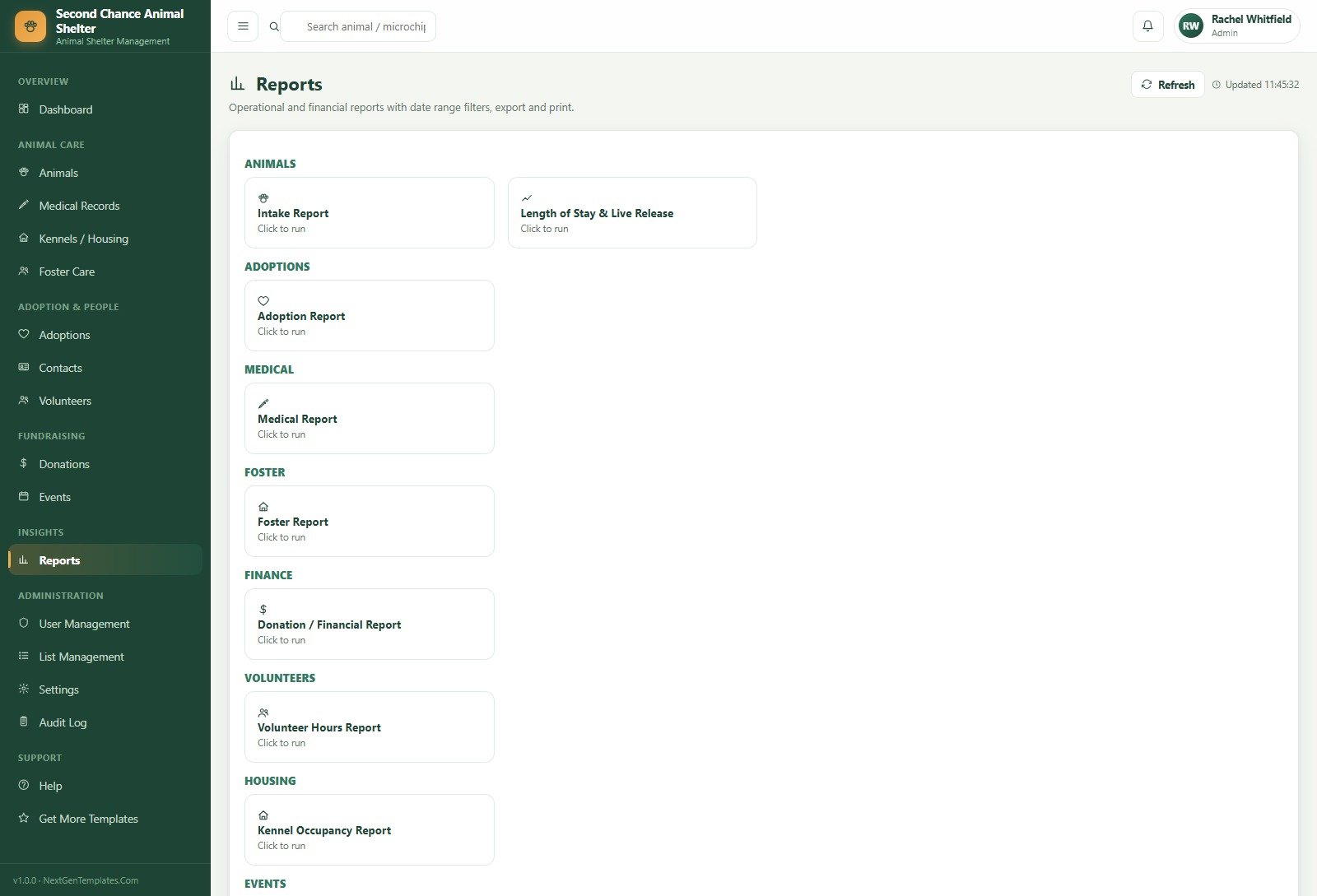
Marcus, shelter manager at a 40-kennel municipal shelter. He opens the dashboard each morning, sees kennel occupancy at 96% and four vaccinations overdue, and pushes two long-stay dogs into foster before intake arrives at ten. The Length of Stay & Live Release report is what he takes to the city council in January.
Priya, the visiting vet. She signs in twice a week and sees only Dashboard, Animals, Medical Records and Reports. She logs the week’s exams and vaccinations with next-due dates, and never has to ask anyone which animals are outstanding – the Vaccination Schedule tab already knows.
Jasmine, adoption coordinator at a foster-based rescue with no building. Every animal lives with a foster parent, so she works from Foster Care and Adoptions. When an application is approved she reserves the animal, completes the adoption, and the foster assignment closes as Converted to Adoption on its own.
Frequently Asked Questions
Can I try it before buying?
Yes. The green box near the top of this page holds a live deployment and all five role logins. Sign in, add an animal, run a report, delete something. Those are public demo credentials on a shared instance that resets, so please do not store anything real there.
Do I need to know how to code?
No. You copy two files into the Apps Script editor, run one menu command and click Deploy. The included guide screenshots every step. Knowing JavaScript only matters if you later want to change the app itself – and you can, because you get the source.
Where is my data stored?
In a Google Sheet in your own Google Drive, under your own account. Nothing is sent to us or to any third party, and there is no vendor who can lock you out or raise a renewal price.
How many people can use it at once?
As many as your Google account allows. Create a named user per staff member or volunteer in User Management and assign one of the five roles; permissions are checked on the server for every call.
Can I add my own species, breeds, campaigns or statuses?
Yes, without touching code. List Management holds 24 dropdown categories – species, dog/cat/bird/rabbit breeds, intake sources and types, kennel zones and statuses, donation campaigns and types, volunteer task types and more. Add, rename or reorder values and every form picks them up.
Does it handle donations and receipts?
Yes. Record cash, cheque, online, grant and in-kind gifts against a campaign, link them to a contact, and email a receipt in one click. A Receipts Pending counter shows what still needs sending.
What happens when the sheet gets large?
Settings has a Database Archive tab that moves closed records out of the working sheets, plus a Backup Copy action and an Integrity Check. A small shelter will run for years before it matters.
About the Author
Built by PK – Microsoft Certified Professional with 15+ years of Excel, Google Sheets, and Power BI experience. Founder of NextGenTemplates, reaching 300K+ subscribers across YouTube channels. Every template is hand-built and tested before release.
Explore Related Templates
- Aquarium and Fish Store Management System Web App – the same architecture for livestock, tanks and retail.
- Chiropractic Clinic Management System Web App – appointments, treatment notes and billing in the same style.
- Nonprofit Fundraising Dashboard in Google Sheets – deeper donor and campaign analysis alongside this app.
- Pet Care Business Dashboard in Google Sheets – for the boarding or grooming side of an animal business.
- Browse every Mini Web App or the full Google Sheets catalogue.
A full walkthrough of every module is on the blog: Animal Shelter Management System Web App.
Sign into the demo, then buy once and run it forever. Add to cart above to download the source, the user manual and the deployment guide immediately.
Last updated: 20 August 2026.





























Reviews
There are no reviews yet.