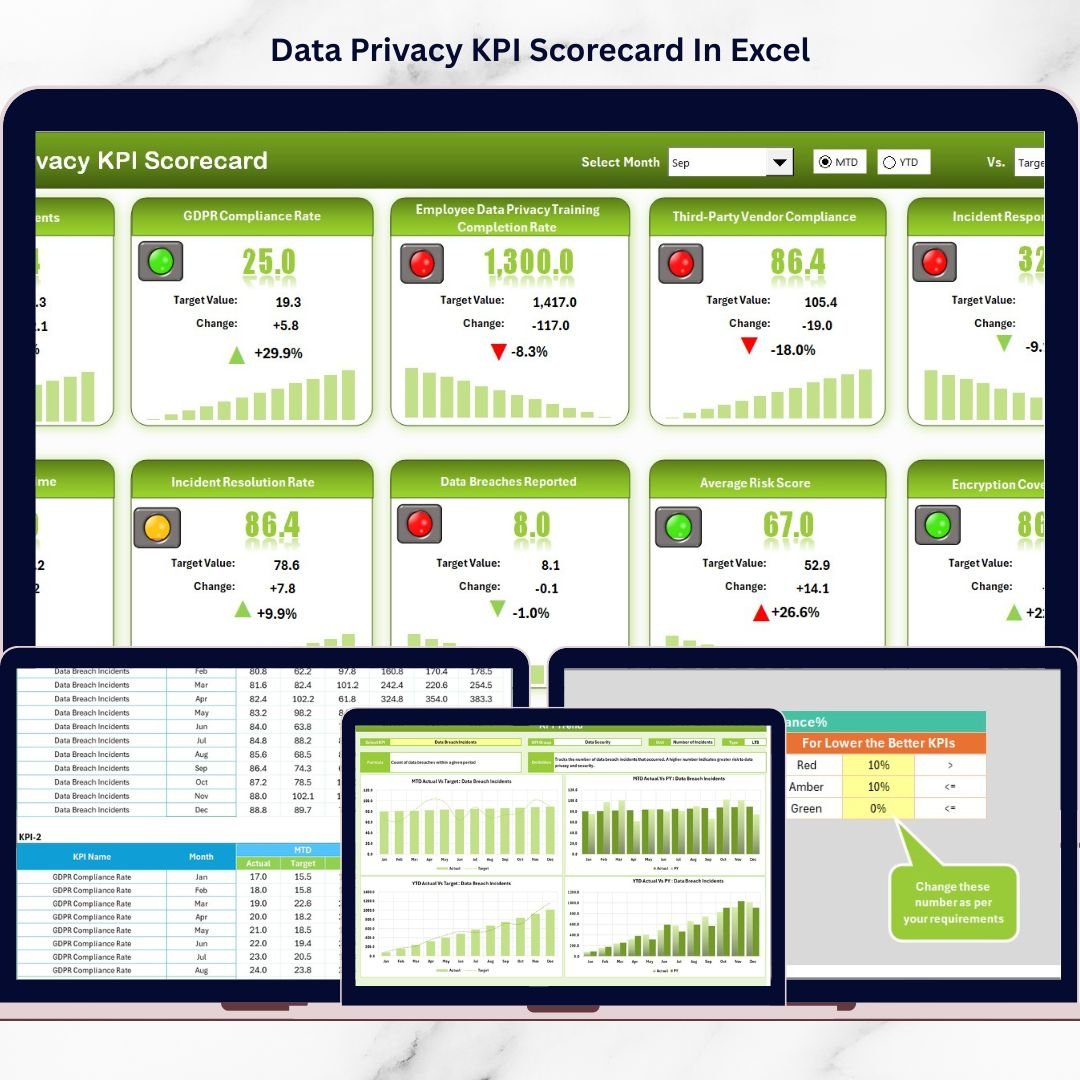
Data breaches. Compliance failures. Regulatory penalties.One privacy mistake can damage your brand overnight.But what if you could monitor your entire data privacy performance in one powerful, easy-to-use Excel dashboard?The Data Privacy KPI Scorecard in Excel is your ready-to-use privacy performance command center. It helps you track compliance, measure risk exposure, analyze trends, and improve governance — all in one structured file.
Stop relying on scattered reports. Start managing privacy like a pro.
🚀 Key Feature of Data Privacy KPI Scorecard in Excel
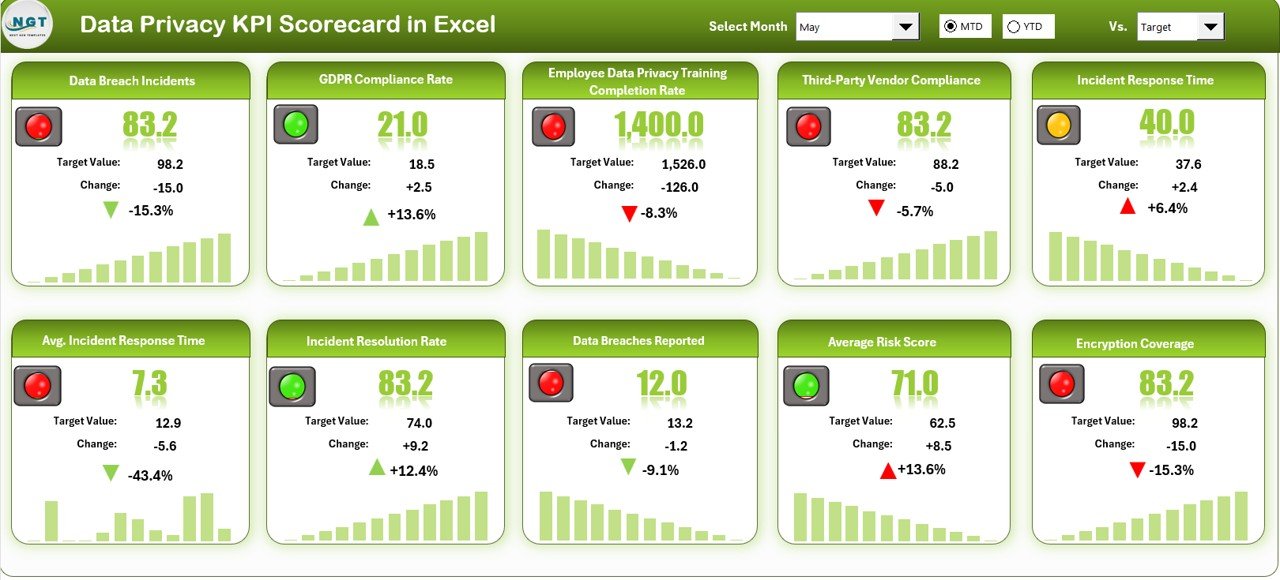
✅ Dynamic Scorecard Dashboard
Select Month, MTD, or YTD from dropdown menus and watch the entire scorecard update instantly.
📊 Actual vs Target Tracking
Quickly compare performance against goals to identify compliance gaps before they turn into risks.
🟢🔴 Smart Visual Indicators
Color-coded signals and arrows show improvement or decline at a glance.
📈 MTD & YTD Monitoring
Track both short-term and long-term privacy performance effortlessly.
📉 Previous Year Comparison
Measure improvement over time and strengthen governance maturity.
📌 Structured KPI Classification
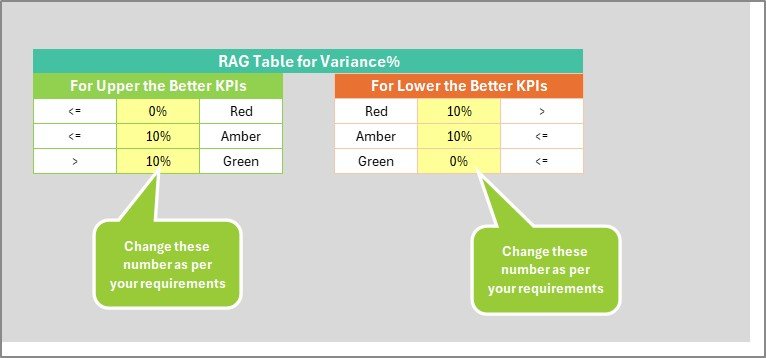
Includes LTB (Lower the Better) and UTB (Upper the Better) identification for clarity.
📊 Trend Analysis Charts
Visual MTD and YTD charts help you monitor historical progress.
📦 What’s Inside the Data Privacy KPI Scorecard in Excel
This professionally structured Excel template includes four powerful worksheets:
1️⃣ Scorecard Sheet (Main Dashboard)
Your centralized performance hub displaying:
MTD Actual vs Target
YTD Actual vs Target
Previous Year comparison
10 privacy KPIs in one clean interface
Everything updates automatically when you change the month.
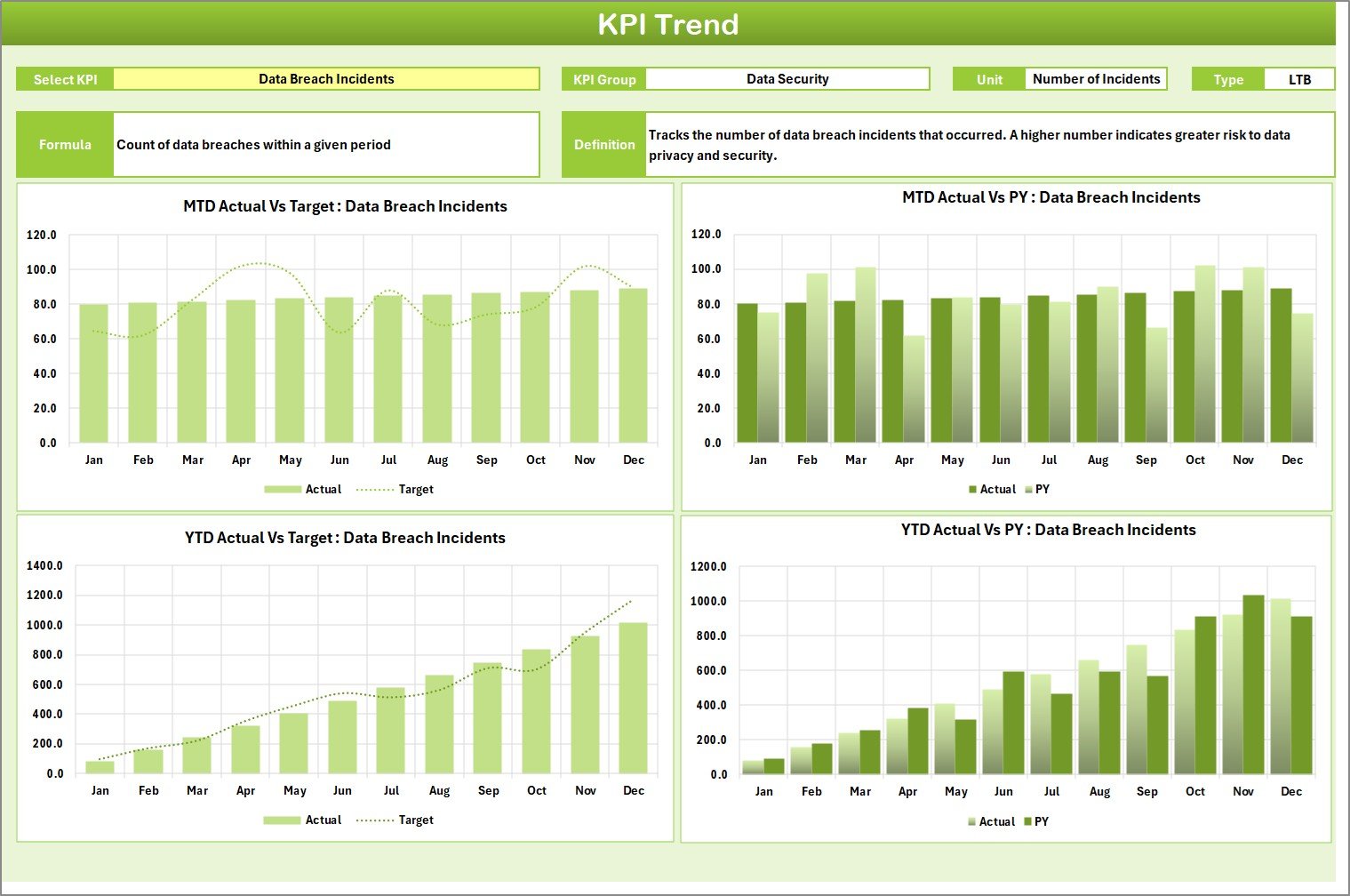
2️⃣ KPI Trend Sheet
Analyze historical performance with:
KPI dropdown selector (Cell C3)
KPI Group and Unit display
Formula and Definition view
MTD and YTD trend charts (Actual vs Target vs Previous Year)
Perfect for monthly or quarterly review meetings.
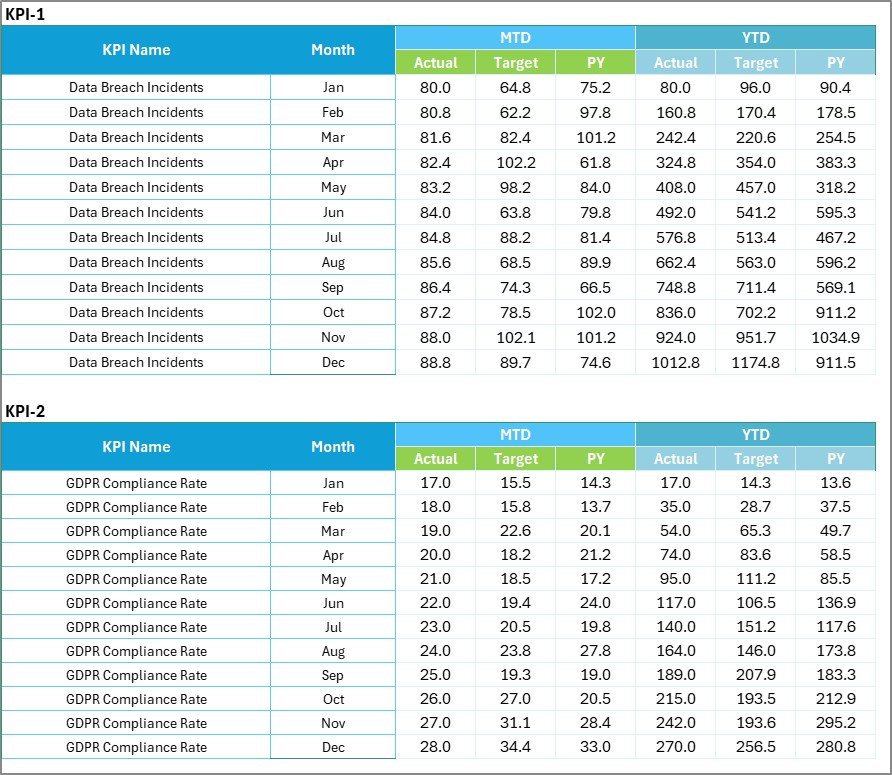
3️⃣ Input Data Sheet
Your data entry engine:
Enter Actual values
Enter Target values
Update Previous Year numbers
Monthly structured input system
Once data is entered, the entire dashboard refreshes instantly.
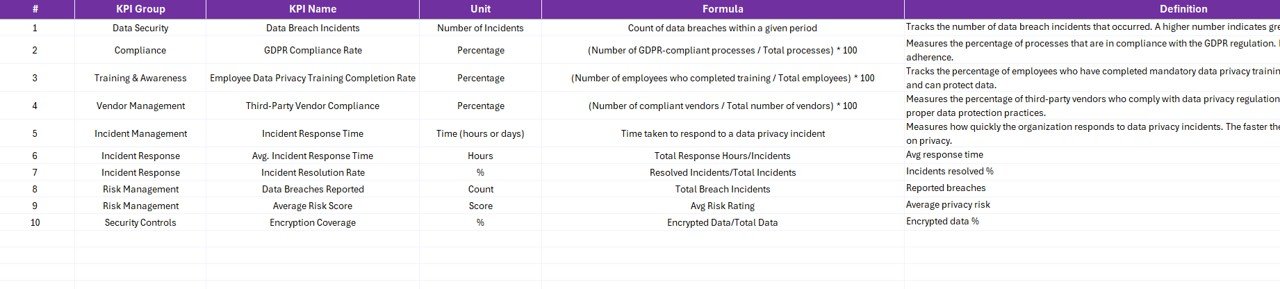
4️⃣ KPI Definition Sheet
Complete KPI documentation including:
KPI Name
KPI Group
Unit
Formula
Definition
Type (LTB or UTB)
This ensures clarity, consistency, and audit readiness.
🛠 How to Use the Data Privacy KPI Scorecard in Excel
Using this template is simple:
1️⃣ Define your 8–12 privacy KPIs
2️⃣ Enter KPI definitions and formulas
3️⃣ Update monthly Actual and Target data
4️⃣ Select Month from dropdown
5️⃣ Review MTD and YTD performance instantly
No complex setup. No advanced Excel skills required.
Within minutes, you gain full visibility into your privacy performance.
🎯 Who Can Benefit from This Data Privacy KPI Scorecard in Excel
🔐 Data Protection Officers (DPOs)
📋 Compliance Managers
🛡 Risk Management Teams
🏢 IT Governance Teams
📊 Internal Audit Departments
🏥 Healthcare & Financial Institutions
🌍 Organizations managing GDPR, HIPAA, or regional compliance
Whether you’re a small organization or a growing enterprise, this scorecard helps you build a strong privacy culture.
💡 Why This Scorecard Changes the Game
✔ Centralized privacy monitoring
✔ Real-time dashboard updates
✔ Clear compliance tracking
✔ Cost-effective Excel solution
✔ Audit-ready reporting
✔ Stronger accountability
✔ Improved customer trust
This is not just a spreadsheet.
It is a structured privacy management system.
Click here to read the Detailed blog post
Watch the step-by-step video tutorial:
Watch the step-by-step video tutorial: