



Managing healthcare marketing teams in a remote or hybrid environment requires more than just tracking campaigns. Leaders must monitor costs, revenue, conversions, and execution status while ensuring compliance, accountability, and performance consistency across distributed teams. When marketing data is scattered across spreadsheets, emails, and tools, insights get delayed and decisions become reactive.
That is exactly why the Healthcare Marketing Remote Work Dashboard in Google Sheets becomes a powerful and ready-to-use performance management solution.
This dashboard centralizes healthcare marketing data into one interactive, cloud-based Google Sheets dashboard. It transforms raw campaign data into clear KPIs, visual trends, and actionable insights—allowing marketing managers to track performance across departments, campaigns, channels, locations, and time periods with confidence.
Because it is built entirely in Google Sheets, the dashboard supports real-time collaboration, automatic calculations, and easy customization—without the need for expensive BI or marketing software.

✨ Key Features of the Healthcare Marketing Remote Work Dashboard in Google Sheets
📊 1. Centralized Marketing Performance Tracking
View all healthcare marketing KPIs in one place instead of managing multiple disconnected reports.
💰 2. Cost, Revenue & Conversion Visibility
Track campaign spend, generated revenue, leads, and conversions clearly for accurate ROI analysis.
📈 3. Department, Campaign & Channel Analysis
Analyze performance across departments, individual campaigns, and marketing channels.
📅 4. Monthly Trend Monitoring
Understand how performance evolves over time to support forecasting and planning.
🤝 5. Built for Remote & Hybrid Teams
Cloud-based access enables collaboration from anywhere with secure sharing.
📦 What’s Inside the Healthcare Marketing Remote Work Dashboard
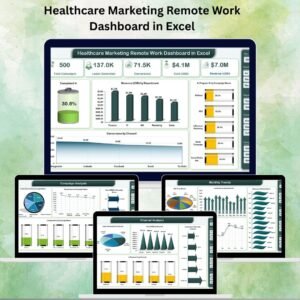
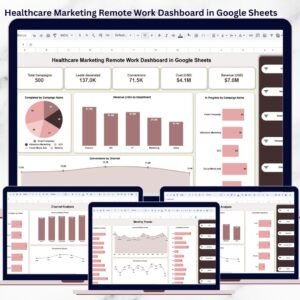
🖥️ Overview Page – Marketing Performance Snapshot
This is the main dashboard page designed for leadership and management reviews.
📌 KPI Cards Displayed
Total Campaigns
Leads Generated
Conversions
Cost (USD)
Revenue (USD)
All KPI cards update automatically based on selected filters.
🎛️ Interactive Filters & Slicers
Instantly filter insights by:
Year
Month
Department
Campaign Name
Channel
Campaign Status (Planned / In Progress / Completed)
These slicers make the dashboard extremely flexible for performance reviews and strategy discussions.
🏢 Department Analysis Page
This page evaluates marketing performance at the department level.
📊 Insights Included
Revenue (USD) by Department
Conversions by Department
Campaign Status by Department
It helps identify high-performing teams and departments that need optimization.
🎯 Campaign Analysis Page
This page enables deep dives into individual campaigns.
📊 Insights Included
Revenue by Campaign
Conversions by Campaign
Completed vs In-Progress Campaigns
Campaign managers can easily track execution status and outcomes.
📣 Channel Analysis Page
This page evaluates performance across marketing channels such as:
Email
Google Ads
Facebook
LinkedIn
YouTube
📊 Insights Included
Revenue by Channel
Conversions by Channel
Campaign Status by Channel
It helps teams allocate budgets toward the most effective channels.
📅 Monthly Trends Page
This page tracks marketing performance over time.
📊 Trends Displayed
Cost vs Budget by Month
Revenue by Month
Conversions by Month
Completed Campaigns by Month
Trend analysis supports proactive planning and continuous improvement.
📄 Data Input & Structure
All visuals and calculations are driven by a structured Data Input Table containing:
Date
Department
Campaign Name
Channel
Leads Generated
Conversions
Cost (USD)
Revenue (USD)
Campaign Status
Month
Year
Once data is entered, the dashboard updates automatically.
🎯 Who Can Benefit from This Healthcare Marketing Dashboard
🏥 Healthcare Marketing Managers
Track performance, costs, and ROI with clarity.
📊 Digital Marketing Teams
Monitor campaigns and conversions in real time.
🏢 Remote & Hybrid Marketing Teams
Stay aligned and accountable from anywhere.
📈 Marketing Analysts
Analyze trends and optimize performance.
🤝 Healthcare Organizations & Agencies
Standardize marketing reporting across teams.
### Click here to read the Detailed blog post
Watch the step-by-step video tutorial:
Visit our YouTube channel to learn step-by-step video tutorials — Youtube.com/@NeotechNavigators
Compatibility and Requirements
- Works in Google Sheets. You need a free Google account and a web browser.
- Filters for year, month, department, campaign name, channel and campaign status control every KPI card and chart. Google explains charts in Add and edit a chart or graph.
Frequently Asked Questions
Which pages does the dashboard have?
An Overview page with KPI cards, plus Department Analysis, Campaign Analysis, Channel Analysis and Monthly Trends pages. A Data Input table feeds all of them.
What data do I enter?
Enter Date, Department, Campaign Name, Channel, Leads Generated, Conversions, Cost (USD), Revenue (USD), Campaign Status, Month and Year in the Data Input table. The dashboard updates automatically once the data is in.
Can I filter by campaign status?
Yes. You can filter by Planned, In Progress or Completed, and also by year, month, department, campaign name and channel.
Which marketing channels does it cover?
The Channel Analysis page covers Email, Google Ads, Facebook, LinkedIn and YouTube. It shows revenue, conversions and campaign status for each channel.
Is there an Excel or Power BI version?
Yes. See the Healthcare Marketing Remote Work Dashboard in Excel and the Healthcare Marketing Remote Work Dashboard in Power BI.
Related Healthcare Marketing Templates
- Healthcare Marketing Remote Work Dashboard in Excel: the same dashboard in Excel
- Healthcare Marketing Remote Work Dashboard in Power BI: the Power BI edition
- Healthcare Marketing Remote Work Report in Excel: a report view of the same topic
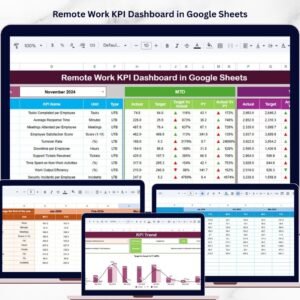
- Remote Work KPI Dashboard in Google Sheets: remote work KPIs in Google Sheets
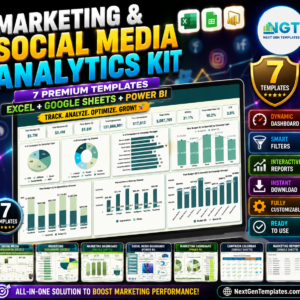
- Marketing and Social Media Analytics Kit: 7 marketing templates in one download
Browse all Google Sheets dashboards.



Reviews
There are no reviews yet.