

Corporate Social Responsibility (CSR) has evolved far beyond compliance and reporting. Today, organizations must measure real impact, manage budgets responsibly, and communicate outcomes transparently to stakeholders. However, many CSR teams still rely on scattered spreadsheets, manual calculations, and static presentations. As a result, insights remain unclear, reporting becomes time-consuming, and strategic decision-making slows down.
That is exactly where a Corporate Social Responsibility Dashboard in Google Sheets becomes a powerful and practical solution.
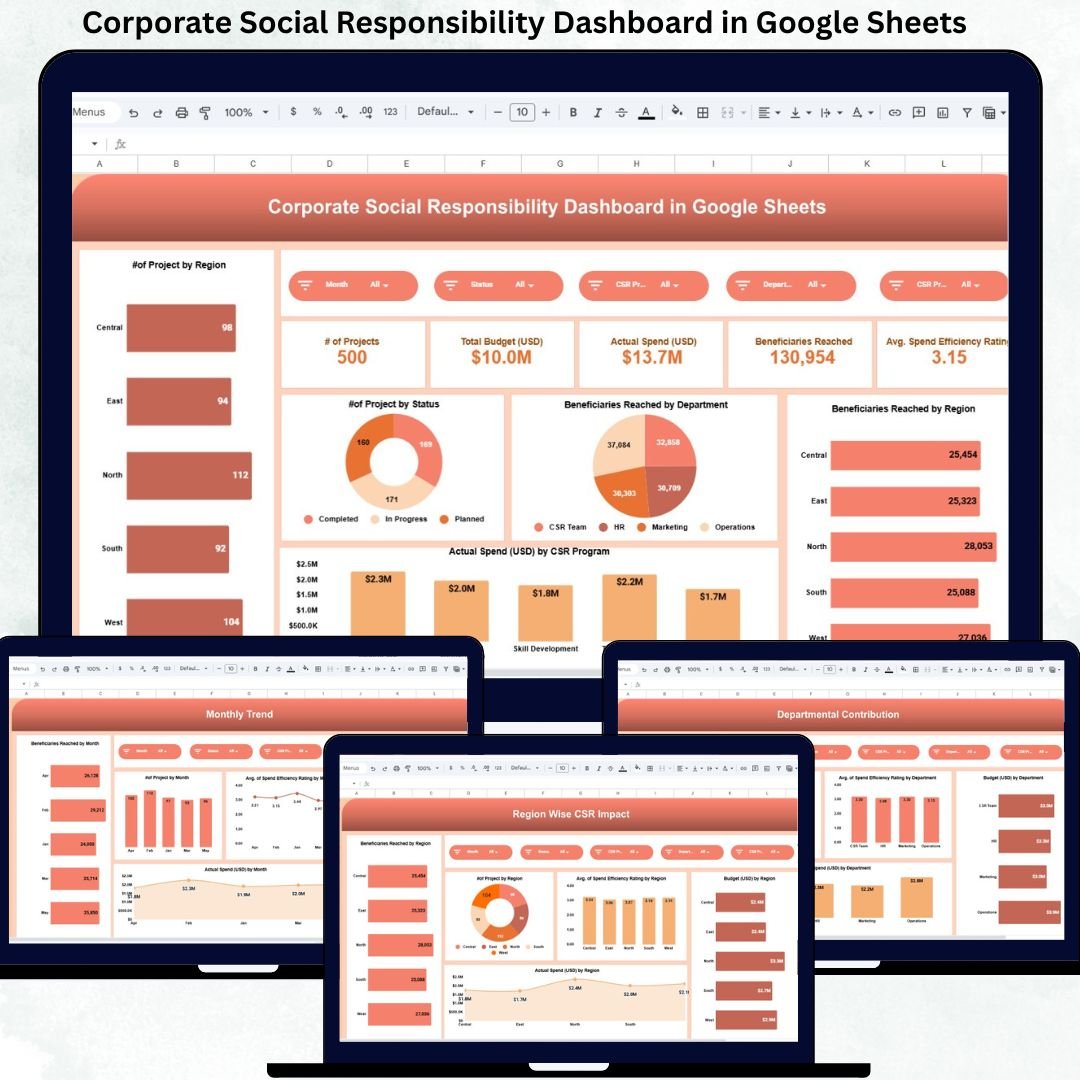
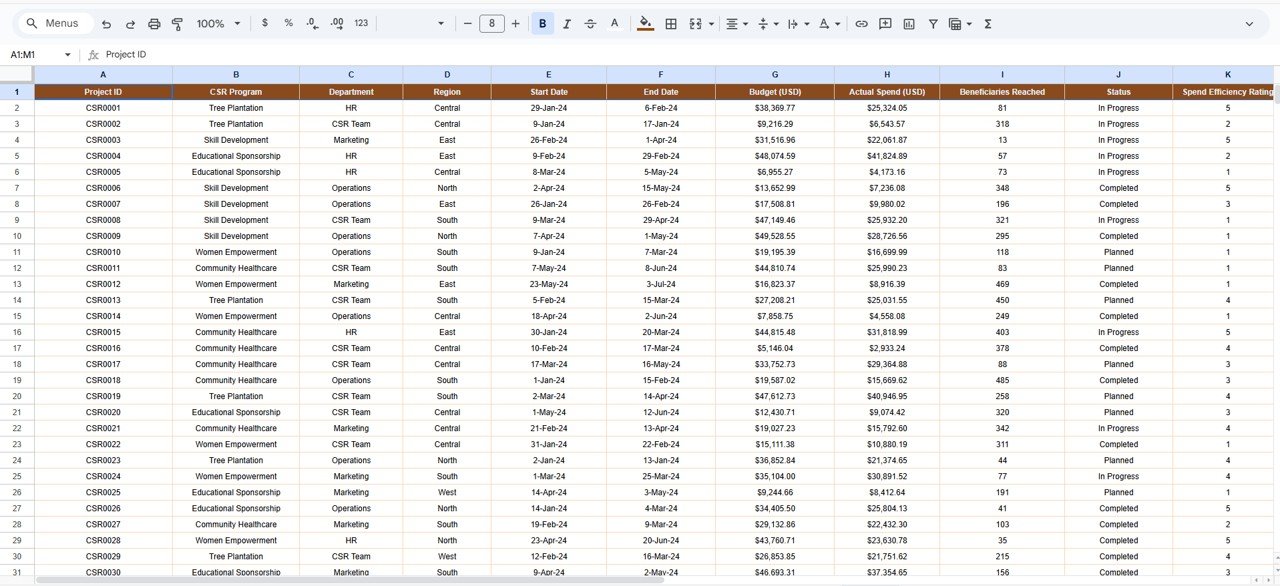
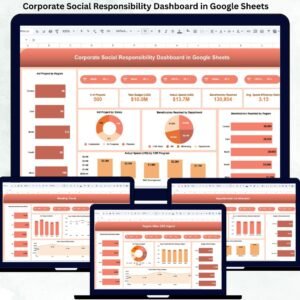
The Corporate Social Responsibility Dashboard in Google Sheets is a ready-to-use analytical system that centralizes all CSR data into one interactive dashboard. It helps organizations track CSR projects, budgets, actual spending, beneficiaries reached, and spend efficiency across programs, regions, departments, and time periods. Instead of compiling reports manually, CSR teams gain real-time visibility into performance and impact.
Because this dashboard is built entirely in Google Sheets, it remains cloud-based, collaborative, and cost-effective. Multiple stakeholders can work simultaneously, calculations update automatically, and insights remain accessible anytime—without expensive BI tools or complex software.
🌟 Key Features of the CSR Dashboard
🌍 Centralized CSR project tracking
💰 Budget vs actual spend monitoring
👥 Beneficiaries impact measurement
📊 Program, region & department-wise analysis
📈 Monthly trend and efficiency tracking
🔍 Smart search by keyword & field name
🔄 Real-time updates across all visuals
🤝 Easy collaboration in Google Sheets
📦 Dashboard Structure & What’s Inside
The dashboard is thoughtfully designed to support both operational tracking and strategic reporting.
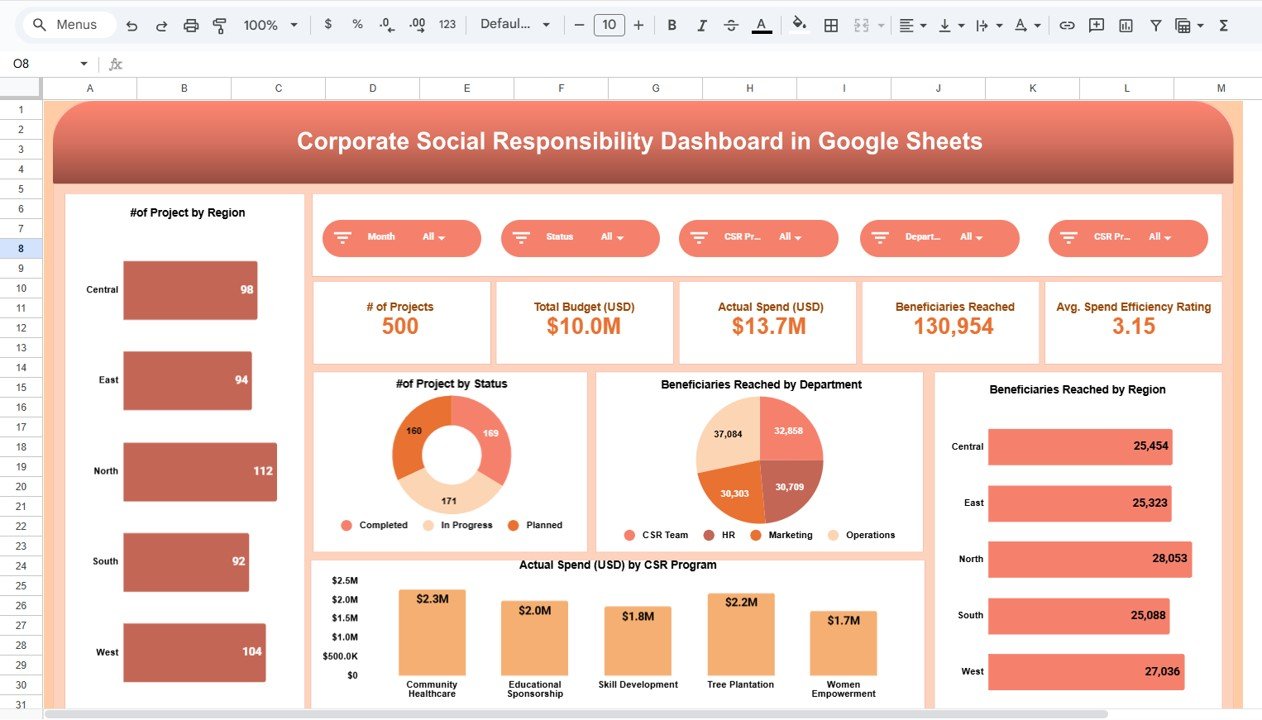
📊 Overview Sheet – Executive CSR Snapshot
This sheet provides a high-level summary ideal for leadership and board reviews.
KPI Cards
Number of Projects – Total CSR initiatives tracked
Total Budget (USD) – Planned CSR investment
Actual Spend (USD) – Budget utilized to date
Beneficiaries Reached – Total individuals impacted
Average Spend Efficiency Rating – Impact per dollar spent
Overview Charts
Projects by Region
Projects by Status (Planned, Ongoing, Completed)
Beneficiaries Reached by Department
Beneficiaries Reached by Region
Actual Spend (USD) by CSR Program
These visuals instantly communicate scale, reach, and financial discipline.
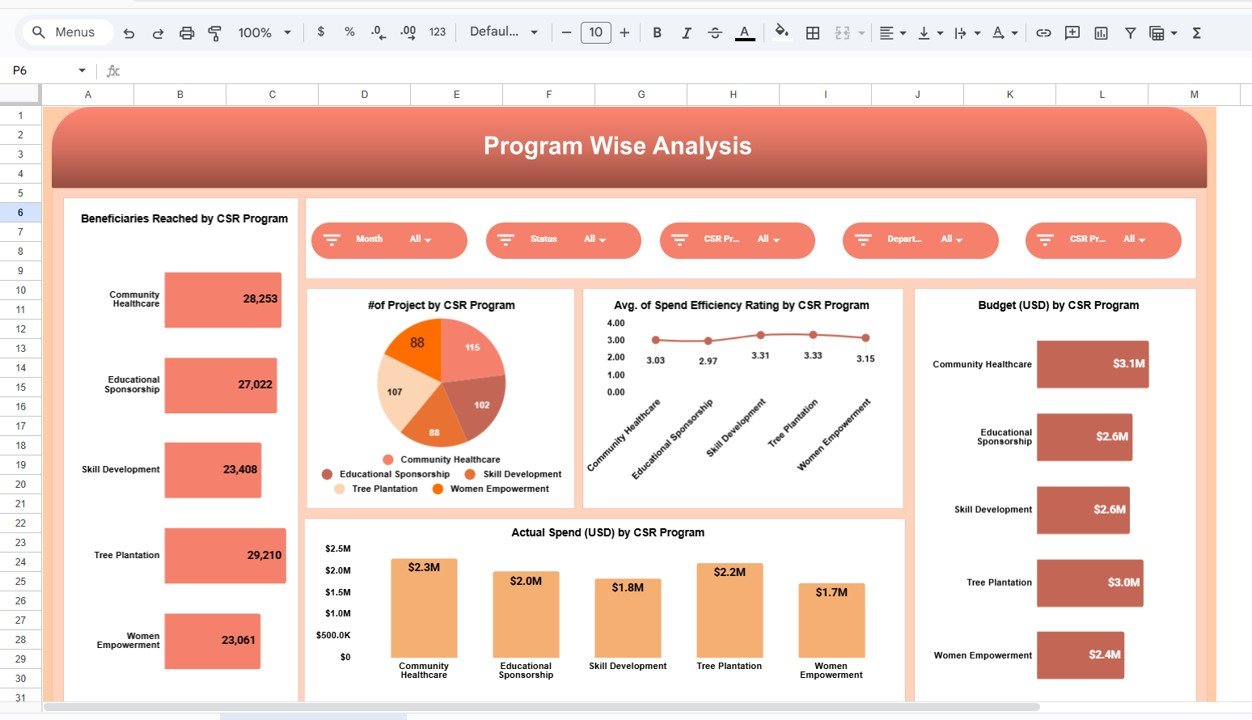
🎯 Program-Wise CSR Analysis
This section evaluates CSR initiatives such as Education, Healthcare, Environment, Community Development, and more.
Key Insights Provided
Beneficiaries Reached by CSR Program
Number of Projects by Program
Budget vs Actual Spend by Program
Average Spend Efficiency Rating by Program
This analysis helps organizations prioritize high-impact programs and optimize funding allocation.
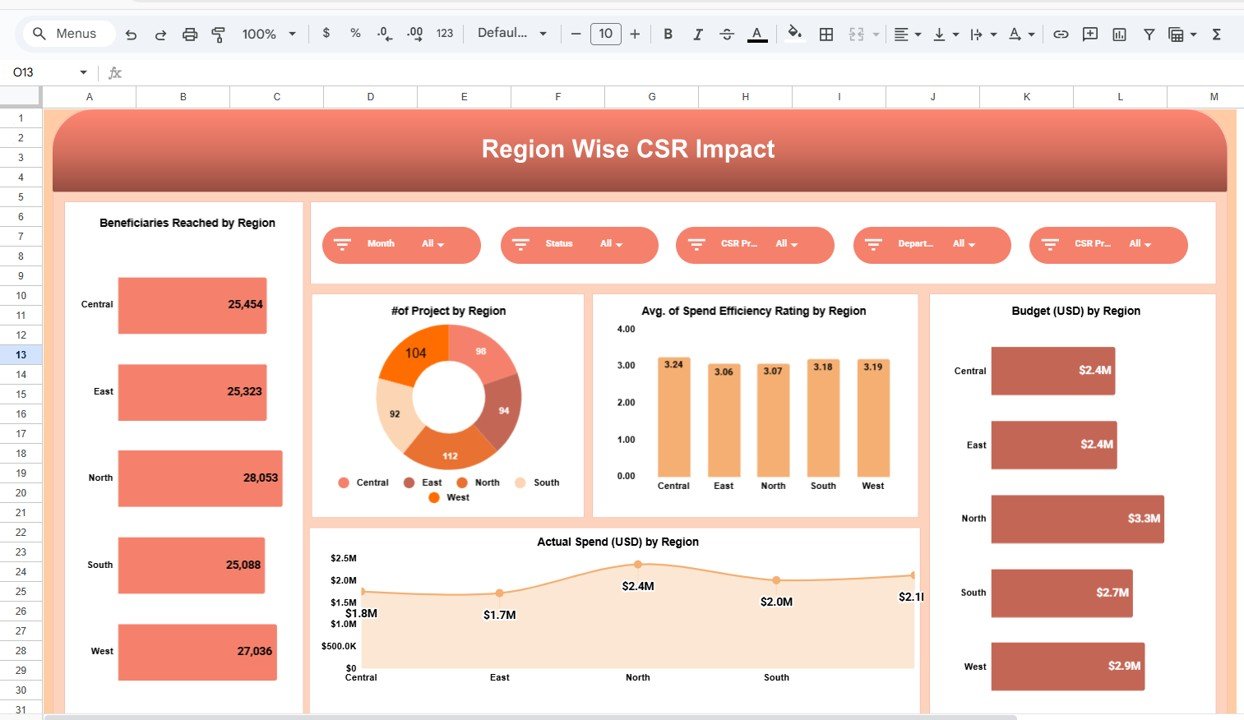
🌍 Region-Wise CSR Impact Analysis
CSR effectiveness often varies by geography. This section highlights:
Beneficiaries Reached by Region
Number of Projects by Region
Budget (USD) by Region
Actual Spend (USD) by Region
Average Spend Efficiency Rating by Region
With these insights, organizations can rebalance regional investments to maximize social impact.
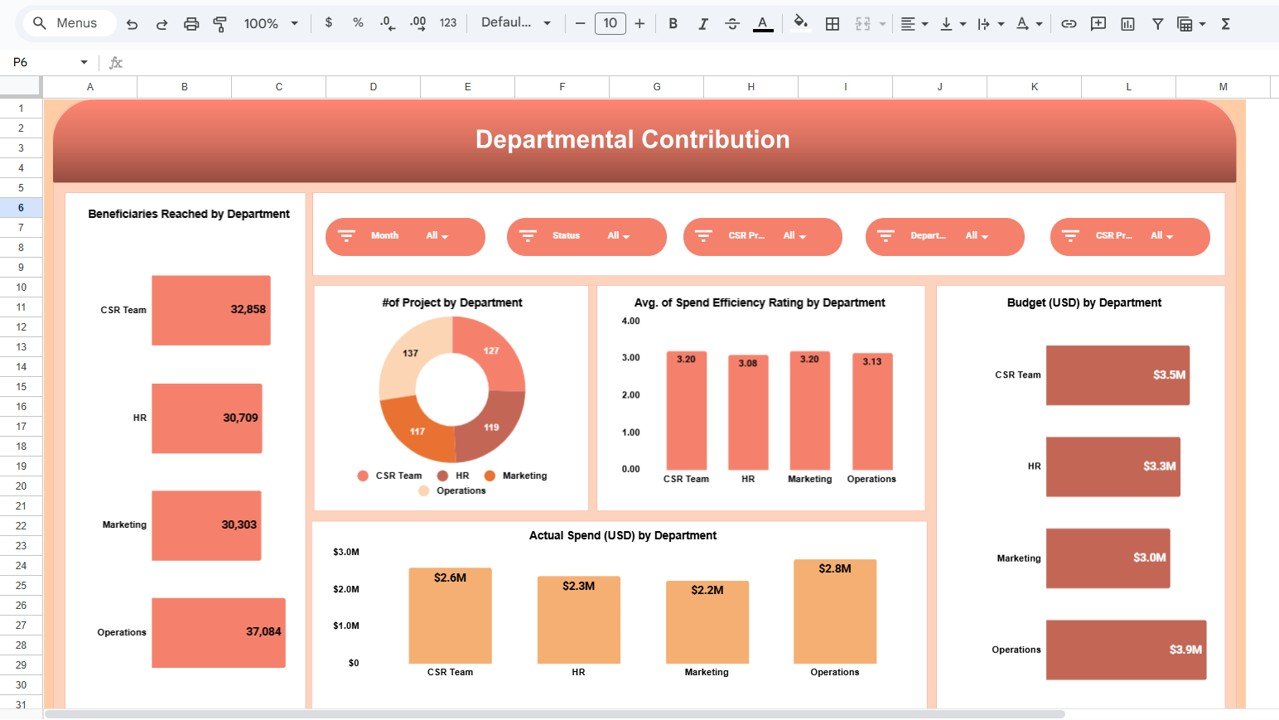
🏢 Departmental Contribution Analysis
CSR success depends on internal collaboration. This section shows how departments contribute.
Department-Level Insights
Beneficiaries Reached by Department
Projects Managed by Department
Budget vs Actual Spend by Department
Spend Efficiency Rating by Department
This view improves accountability, ownership, and engagement across teams.
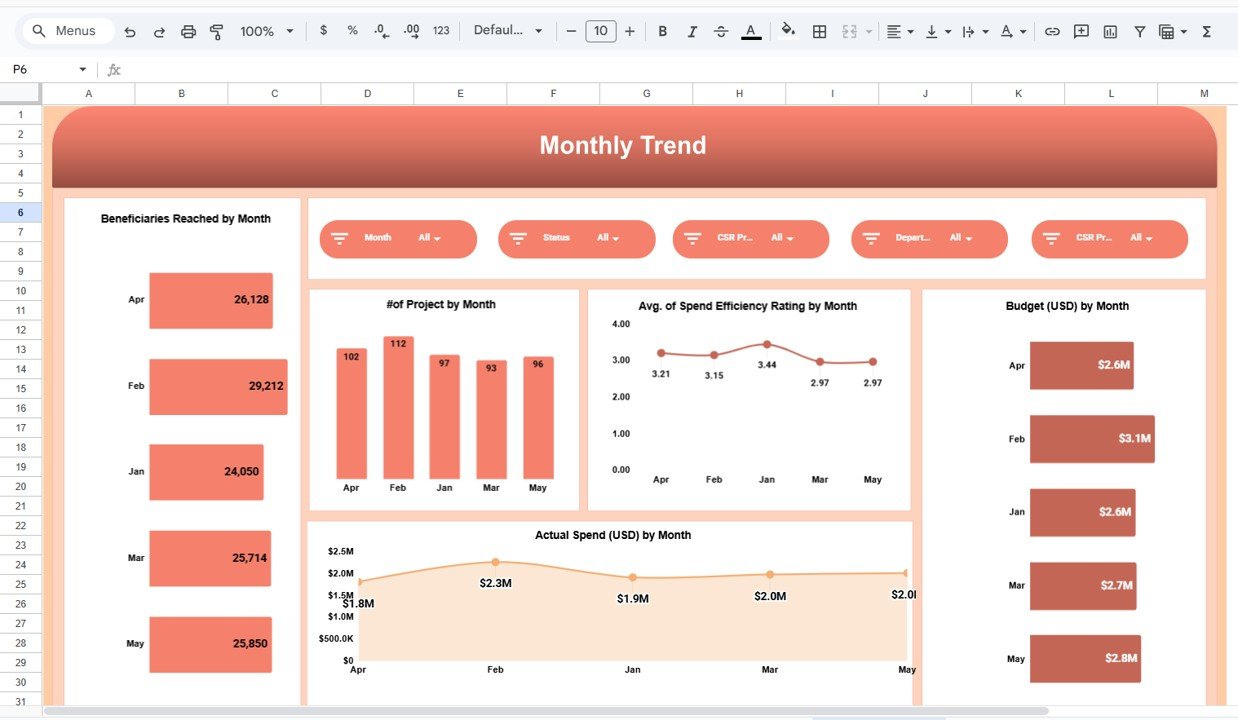
📆 Monthly Trend Analysis
CSR performance changes over time. Monthly trends help track momentum and seasonality.
Monthly Metrics Tracked
Beneficiaries Reached by Month
Projects by Month
Budget (USD) by Month
Actual Spend (USD) by Month
Spend Efficiency Rating by Month
These trends support better forecasting and planning.
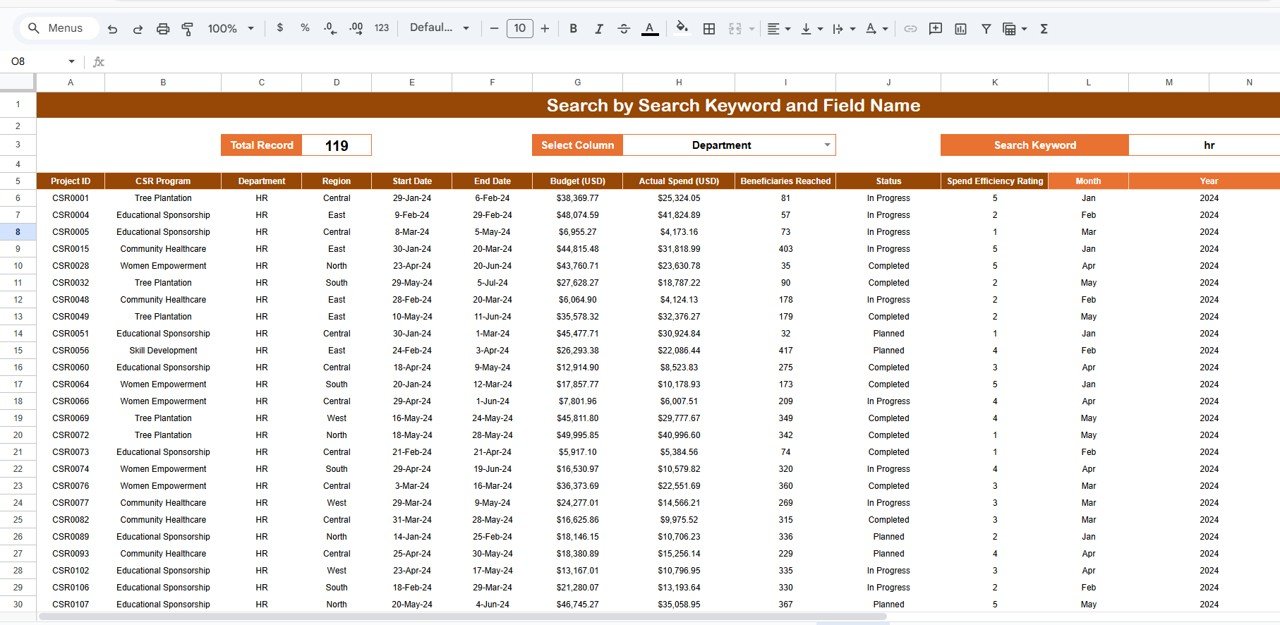
🔍 Smart Search Functionality
The dashboard includes a Search by Keyword and Field Name feature.
You can instantly filter data by:
Project Name
CSR Program
Region
Department
Project Status
This saves hours during audits, reporting, and management reviews.
🏆 Advantages of the CSR Dashboard
Centralized CSR reporting
Real-time impact visibility
Clear budget vs spend tracking
Data-driven CSR decision-making
Strong visual storytelling for stakeholders
Easy collaboration & audit readiness
No expensive BI tools required
🚀 Conclusion
A Corporate Social Responsibility Dashboard in Google Sheets transforms CSR management from manual tracking into strategic insight. With structured data, interactive charts, and real-time visibility, organizations can measure impact accurately, control budgets effectively, and communicate CSR outcomes with confidence. Because it is flexible, scalable, and easy to use, this dashboard is ideal for organizations of all sizes committed to responsible growth.
Click here to Read detailed blog post
Watch the step-by-step video tutorial:






























Reviews
There are no reviews yet.