



The Time Picker and Date Time Picker Control in VBA is a ready-made Excel VBA tool that makes time and date selection quick, accurate and user-friendly inside your Excel forms. It is built for VBA developers, Excel users and anyone building time-tracking, scheduling or event-planning applications. The result is cleaner date-time input, fewer manual entry errors and a better experience for your users.
Instead of asking users to type times and dates by hand, you give them a simple, visually appealing picker. Format and time intervals are customizable, and only valid date-time data is accepted, so your Excel VBA forms collect reliable data every time.

Key Features of the Time Picker and Date Time Picker Control in VBA
- Easy time and date selection: Users pick times and dates through a simple, intuitive interface instead of typing them manually.
- Customizable formatting: Format the time and date display to match your application’s needs.
- Adjustable time intervals: Set custom intervals for time selection so the values captured are accurate and relevant to your process.
- User-friendly interface: A clean, visually appealing control that helps users select dates and times without error.
- Date and time validation: Input is validated automatically, so only valid date-time data is selected.
- Seamless VBA integration: Add the controls to your existing VBA projects to improve their functionality.
- Enhanced user experience: Quicker, smoother date-time entry improves your forms and overall user interaction.
Why You’ll Love This VBA Time Picker
- Boosts efficiency: Streamline time and date selection in your Excel VBA forms and reduce manual input errors.
- Customizable for your needs: Modify the control to fit your project’s specific time and date selection requirements.
- Improves data accuracy: Make sure users enter valid date-time data every time, improving the reliability of your application.
- Easy-to-use interface: A clean, intuitive design makes date-time input quick and easy.
- Integrates with VBA: Adds date and time picker functionality to the projects you already have.
What’s Inside
| Component | What it does |
|---|---|
| Time Picker Control | Lets users select specific times through a simple interface, with custom time intervals. |
| Date Time Picker Control | Lets users select both a date and a time in a user-friendly format, improving usability. |
| Customizable Controls | Tailor the picker’s format, intervals and appearance to fit your project. |
| User Input Validation | Automatic validation to ensure correct and valid date-time entries. |
The time picker control and the date time picker control are delivered in an Excel file that you download after purchase.
Who Is It For?
- VBA developers who want a reusable time and date input control for their userforms.
- Excel users who build forms and want simpler, error-free date-time entry.
- Business analysts who collect time-based data and need it to be accurate.
- Project managers working with schedules and deadlines.
- Time tracking and scheduling applications that depend on precise time selection.
- Event planners who need to capture event dates and times cleanly.
Whether you are building a time-tracking application, a scheduling system or an event planner, this control makes date-time selection a breeze for both developers and users.
How to Use It
- Download the template – Access the Excel file instantly after purchase and unzip it.
- Enable macros – Make sure macros are enabled before use (see the tutorial link below).
- Install the control – Add the Time Picker and Date Time Picker controls to your forms.
- Customize the format and intervals – Adjust the time and date format and the time intervals as needed.
- Add to your VBA project – Integrate the controls with your existing Excel VBA project.
- Enhance user interaction – Give your users smooth, error-free date-time entry.
After downloading and unzipping this file, ensure that macros are enabled before use. Refer to our tutorial for step-by-step instructions on enabling macros in Excel: https://www.pk-anexcelexpert.com/4-easy-ways-to-enable-macros-in-excel-vba/
Click here to read the detailed blog post
Watch the step-by-step video tutorial:
Visit our YouTube channel to learn from step-by-step video tutorials: Youtube.com/@PKAnExcelExpert
Frequently Asked Questions
What is the Time Picker and Date Time Picker Control in VBA?
It is an Excel VBA tool that adds a time picker and a date time picker to your Excel forms, letting users select times and dates through a simple interface instead of typing them.
Can I change the time intervals and format?
Yes. You can customize the time intervals for time selection and format the time and date display, as well as tailor the appearance of the picker to suit your project.
Does the control validate the input?
Yes. The control automatically validates input so that only valid date-time data is selected, which improves data accuracy.
Can I add it to an existing VBA project?
Yes. The controls are designed to integrate with your existing Excel VBA projects and forms.
Do I need to enable macros?
Yes. After downloading and unzipping the file, enable macros in Excel before use. The tutorial link above explains how.
Is there a video or guide to help me?
Yes. You can read the detailed blog post and watch the step-by-step video tutorial linked on this page.
Also check our Incentive Dashboard in Excel
Last updated: October 2026
Compatibility and Requirements
- Needs Microsoft Excel desktop on Windows with macros enabled, because the picker controls run VBA code.
- It does not work in Excel for the web, Google Sheets or the Excel mobile apps.
- Microsoft explains how to turn macros on in Enable or disable macros in Microsoft 365 files.
Related Excel VBA Tools
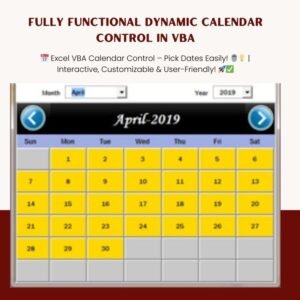
- Fully Functional Dynamic Calendar Control in VBA: a full calendar control for your VBA forms
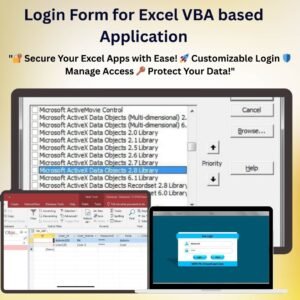
- Login Form for Excel VBA based Application: a login form for Excel VBA applications
- Outlook Calendar Events Automation in Excel VBA: send Excel dates to Outlook calendar events with VBA
- KANBAN Board with Power Pivot and VBA for Project Management: a Kanban board built with Power Pivot and VBA
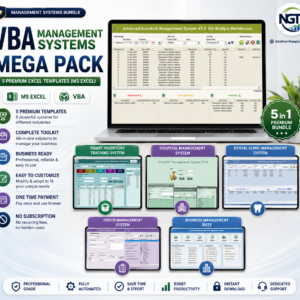
- VBA Management Systems Mega Pack: five VBA management systems in one bundle
Browse all Excel VBA tools or the Excel calendars.















Reviews
There are no reviews yet.